USB
Cable protocol and design #
- tags
- USB, or Universal Serial Bus,
is a protocol and hardware standard for digital communications. That means that the USB standard specifies both the actual form of cabling and connectors and the structure of the data that passes through them. The original standard was released in 1996.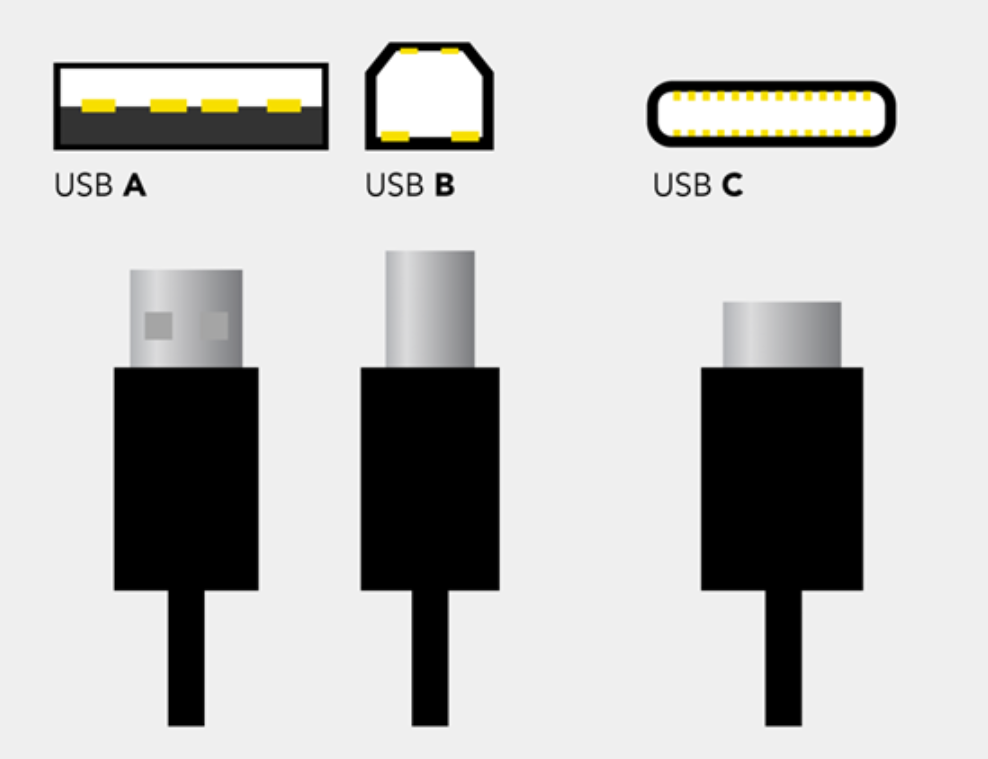
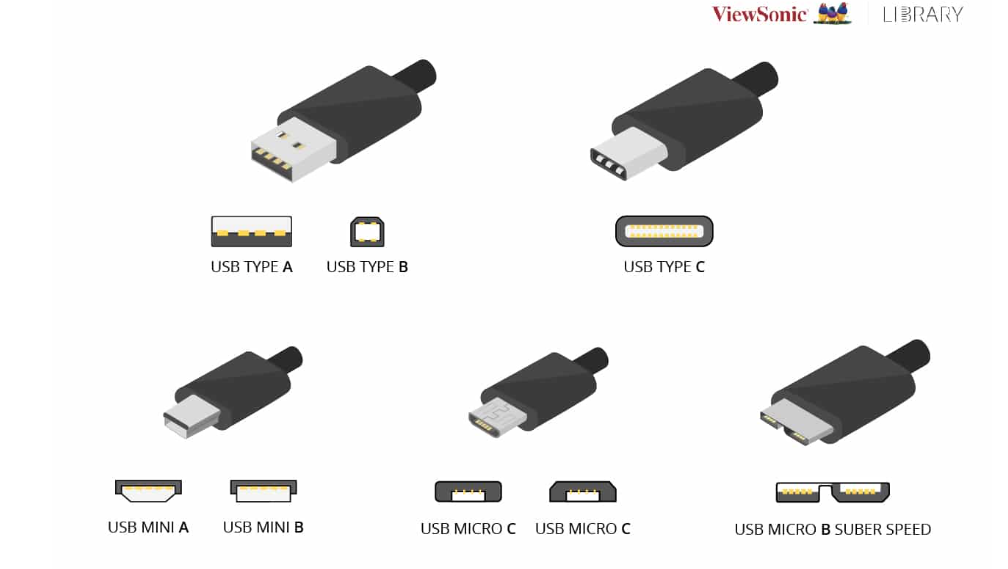
USB-A #
USB-A is the most commonly known USB type. The odds are you have plenty of USB-A connectors at home and you’re quite familiar with the way the look. It’s the cable with that one wider end. Only one, as the connector is not rotationally symmetrical and both ends are different, corresponding to a different type of port.
USB-B #
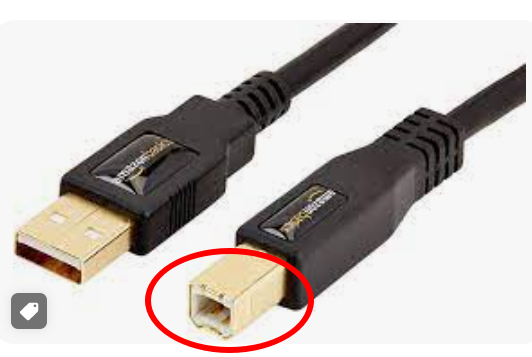
Just like USB-A, it’s the original designation for the two ends of a non-symmetrical cable. The differing form of USB-A and USB-B helps to enforce the mono-directional aspect of these iterations of USB. Data flow is bi-directional, but power may only flow from the host to the peripheral or receptor end and, therefore, the cable can only be connected in one way.
I have seen this in printer cables.
Furthermore, there are mini and micro versions of both USB-A and USB-B, which causes confusion because users need various different cables for basic use cases and may find it difficult to plug devices in for the first time. Or the second.
USB-C #
USB-C simplifies all things considered (we’ll explain that even more in depth later on). For starters, it’s fully reversible, so no matter what side you grab to plug, it’s all the same. Then, its bi-directional power capabilities allow for the power flow in both directions, having devices charge each other and power larger displays. Also, USB-C has better data rates which can drive high-resolution monitors. This point is a boon for all digital artists needing pristine sound and image production. Or anyone who seeks a plug-and-play connection for that matter. Besides, productivity and remaining in the workflow are also heavily dependent on having enough screen space, and USB-C provides just that. Work aside, USB-C monitors bring forth a high-quality home cinema experience.
The improvements are many, and we’re living in exciting times to see how USB-C can simplify our lives and work. Make sure you’re ready to make the most of it!
USB versions and types #
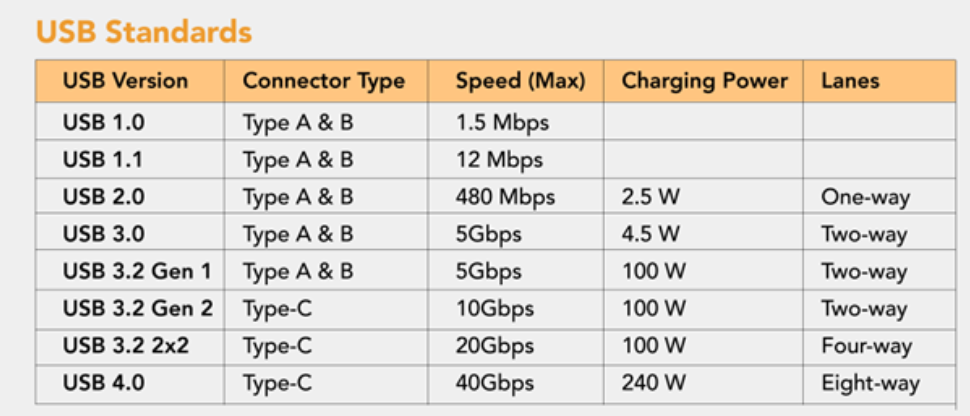
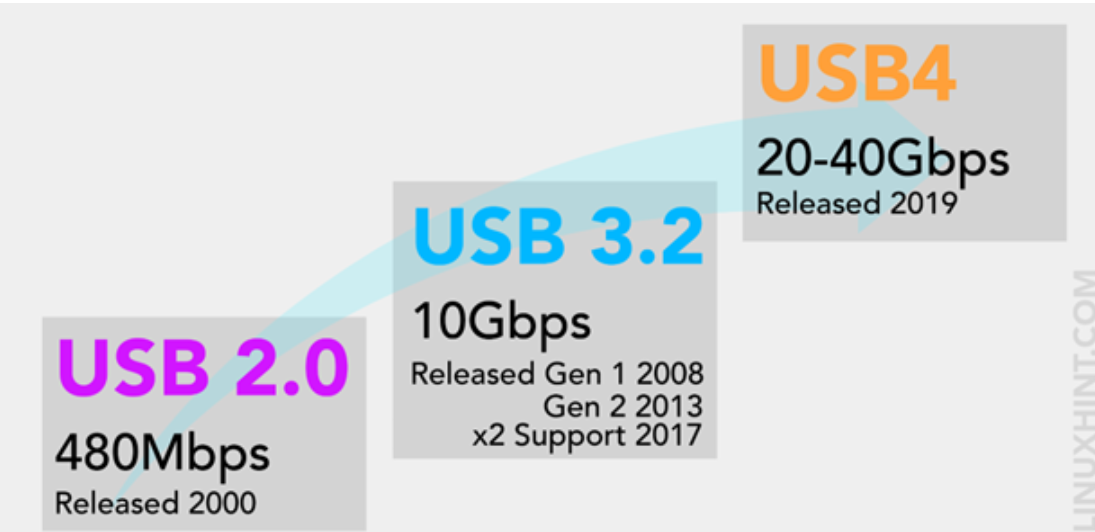
USB-123 :: are specific version #
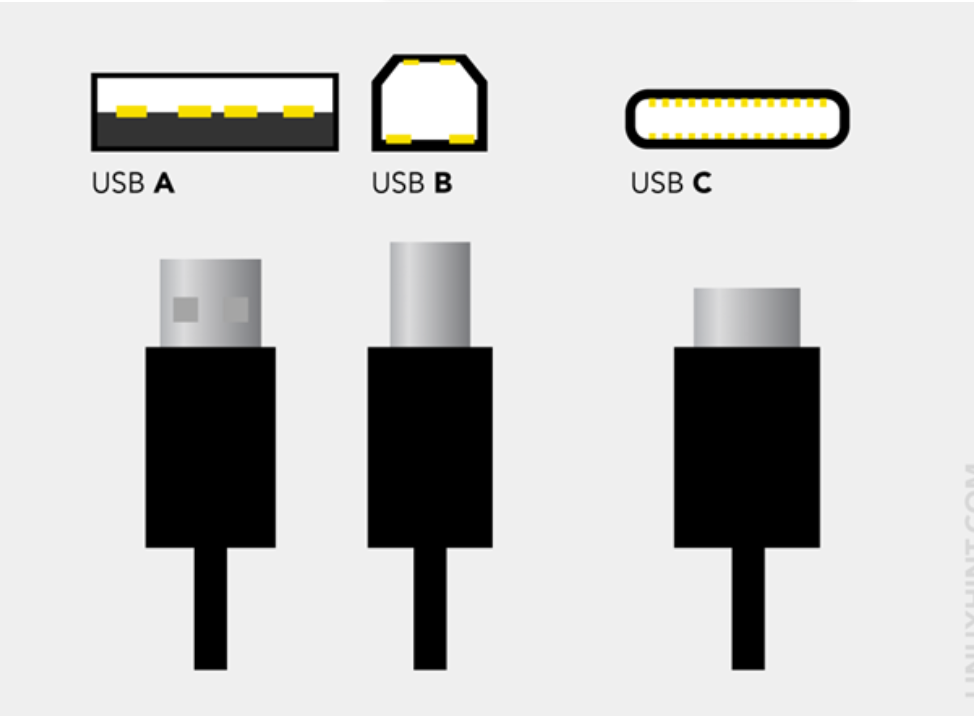
USB-ABC :: are connector types (physical design) #
USB-C vs USB-4 #
A USB-C is a type of cable, while USB 4.0 is a specific version of the USB cable technology.
USB 4 has nothing to do with the shape. It’s referring to the specific tech that’s inside a USB-C. That’s right – your cable could have both USB-C and USB 4.
Thunderbolt #
- Developed by in collaboration with
Thunderbolt is a type of hardware interface technology that is used to connect various devices to a PC. You’ve probably already encountered Thunderbolt in the form of its distinctive ports and cables — the latest generations use the USB-C connector. That’s the quick definition. But if you’re here, you’re probably looking for a more thorough description of what Thunderbolt is, and why it differs from USB-C. ref
USB-C vs Thunderbolt #
ref Though Thunderbolt has recently incorporated the use of USB-C connectors, they’re still different connection technologies. So just because Thunderbolt 3 and 4 ports are designed for use with USB-C connectors, not all USB-C ports are designed to support Thunderbolt.
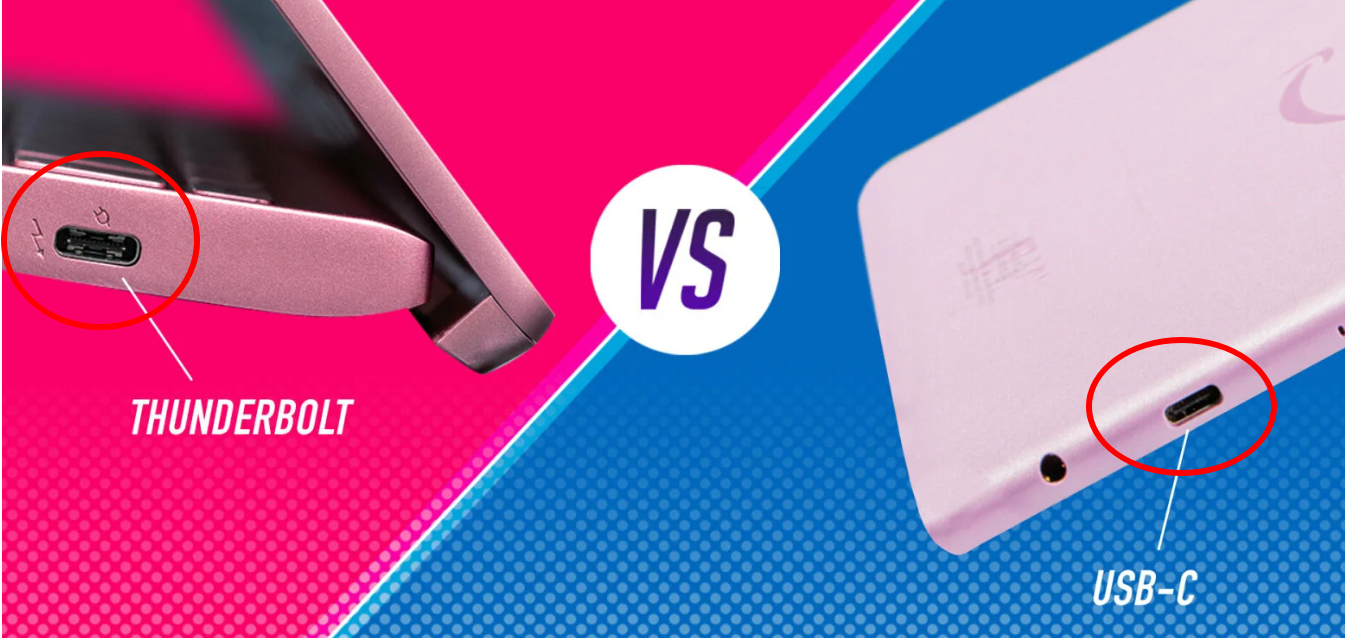
USB4 vs Thunderbolt 4 #
| Thunderbolt 4 | USB4 |
|---|---|
| Costly | Cheap |
| upto 40Gbps speed | upto 40Gbps speed |
| More features | |
| Support dual monitors | Single monitor supports Display port 2.0 |
| Fast enough to connect external GPU | |
| 40Gbps speeds over 2 meters | support 40Gbps within one meter |
| and reduces to 20Gbps on cables that are 2 meters or longer |