tmux
Tool #
- tags
- Terminal
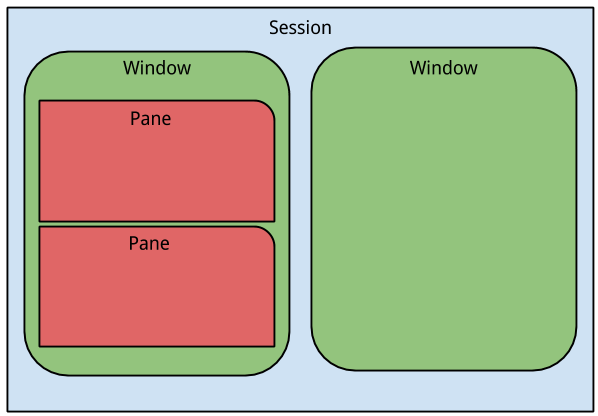
Tmux is a terminal multiplexer an alternative to GNU Screen . In other words, it means that you can start a Tmux session and then open multiple windows inside that session. Each window occupies the entire screen and can be split into rectangular panes. difference between pane,window and session image
Compatible OS #
CS #
Prefix default: ctrl+b custom: ctrl+w unless stated all the command are followed by prefix
- create new window
- c
- detach session
- d
- attach
- `tmux attach -t(-d) name`
- zoom
- z
- switch
- w
tmux choose-tree - install plugin
- I
- close pane
- x
- rename session
:new -s name-session- /
- describe key bindings
- copy mode
- [
- rename session
- $
- pane to new window
- !
- selecting/deleting session, windows, pane interactively
- <prefix> w x -> to delete selected session or window
- list all commands
- ~ tmux list-keys ~
- kill session
- (assuming here that you’re on keepMe session)
copy paste workflow #
ref Add setw -g mode-keys vi in your tmux config
- Ctrl + [ to enter tmux vi copy mode
- Move around with vim navigation keys
- Begin highlight with Space(v)
- Copy with Enter(y)
- Paste with Ctrl + ] (<prefix> P)(exit copy mode)
- z: toggle zoom