Terraform
- tags
- IaC, Open Source
Summary #
IaC as code Presentation Deck
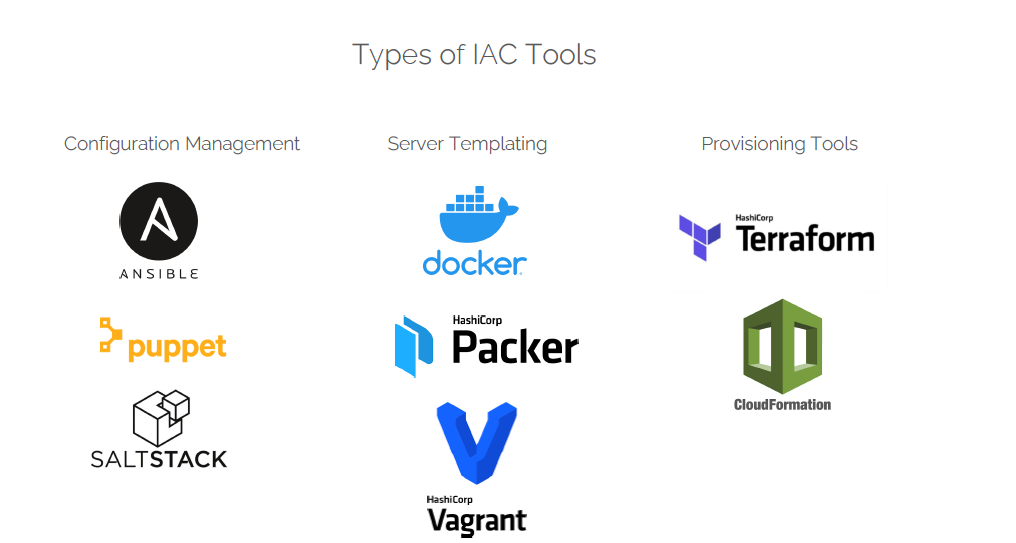
Syntax #
This page describes the native syntax of the Terraform language, which is a rich language designed to be relatively easy for humans to read and write. The constructs in the Terraform language can also be expressed in JSON syntax, which is harder for humans to read and edit but easier to generate and parse programmatically.
This low-level syntax of the Terraform language is defined in terms of a syntax called HCL, which is also used by configuration languages in other applications, and in particular other HashiCorp products.
Details #
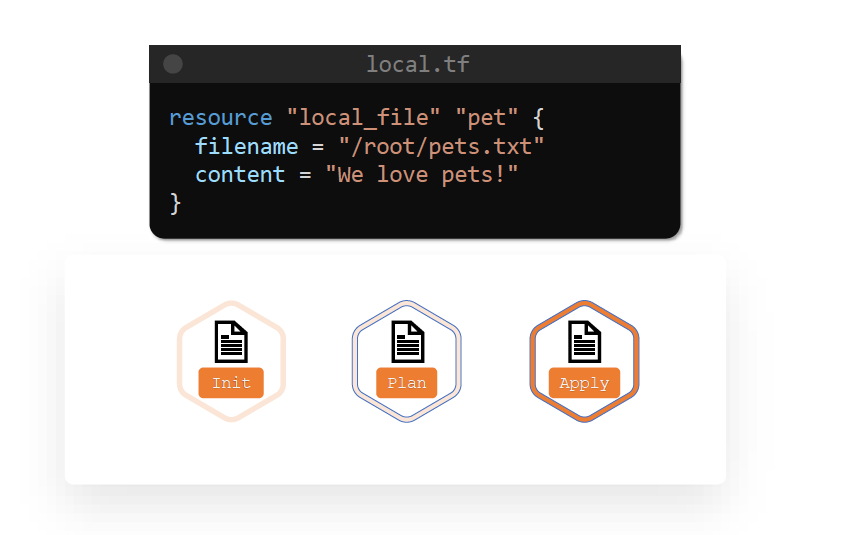
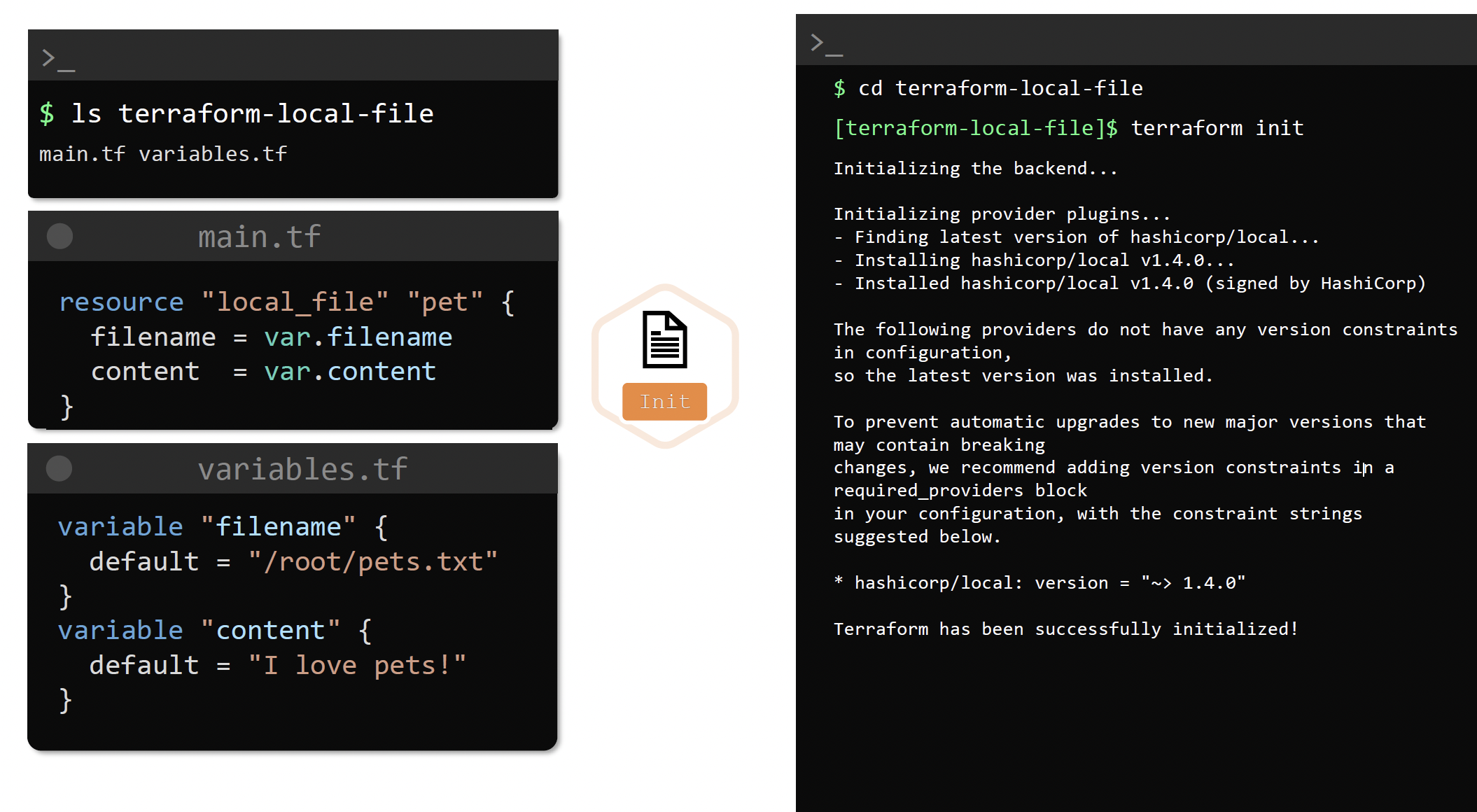
terraform init # create new or existing configuration
# it downloads the plugins required for the resources
# creates or checks config file and initalizes current working directory containing the .tf file
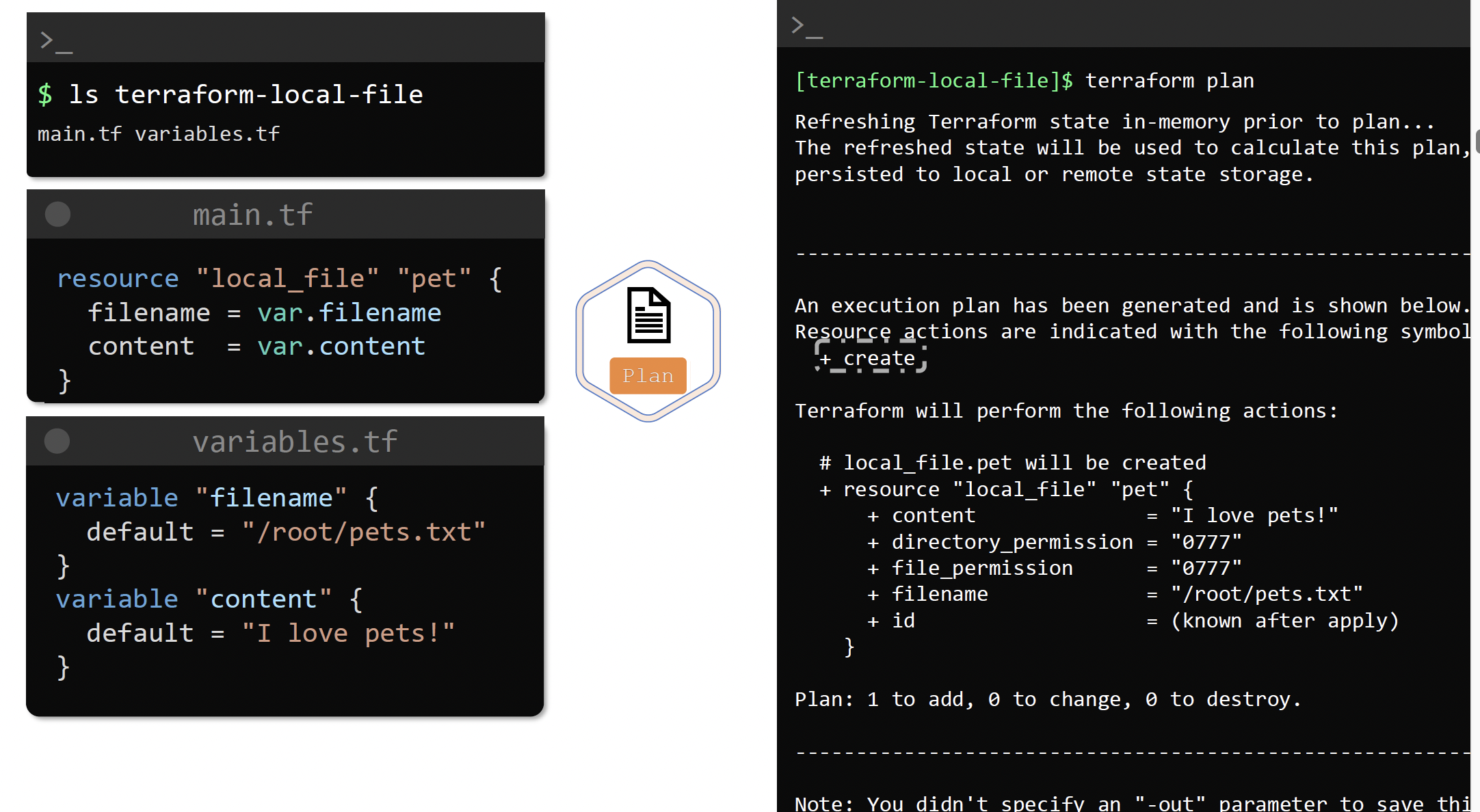
terraform plan # what is terraform is going to do, check or execution plan
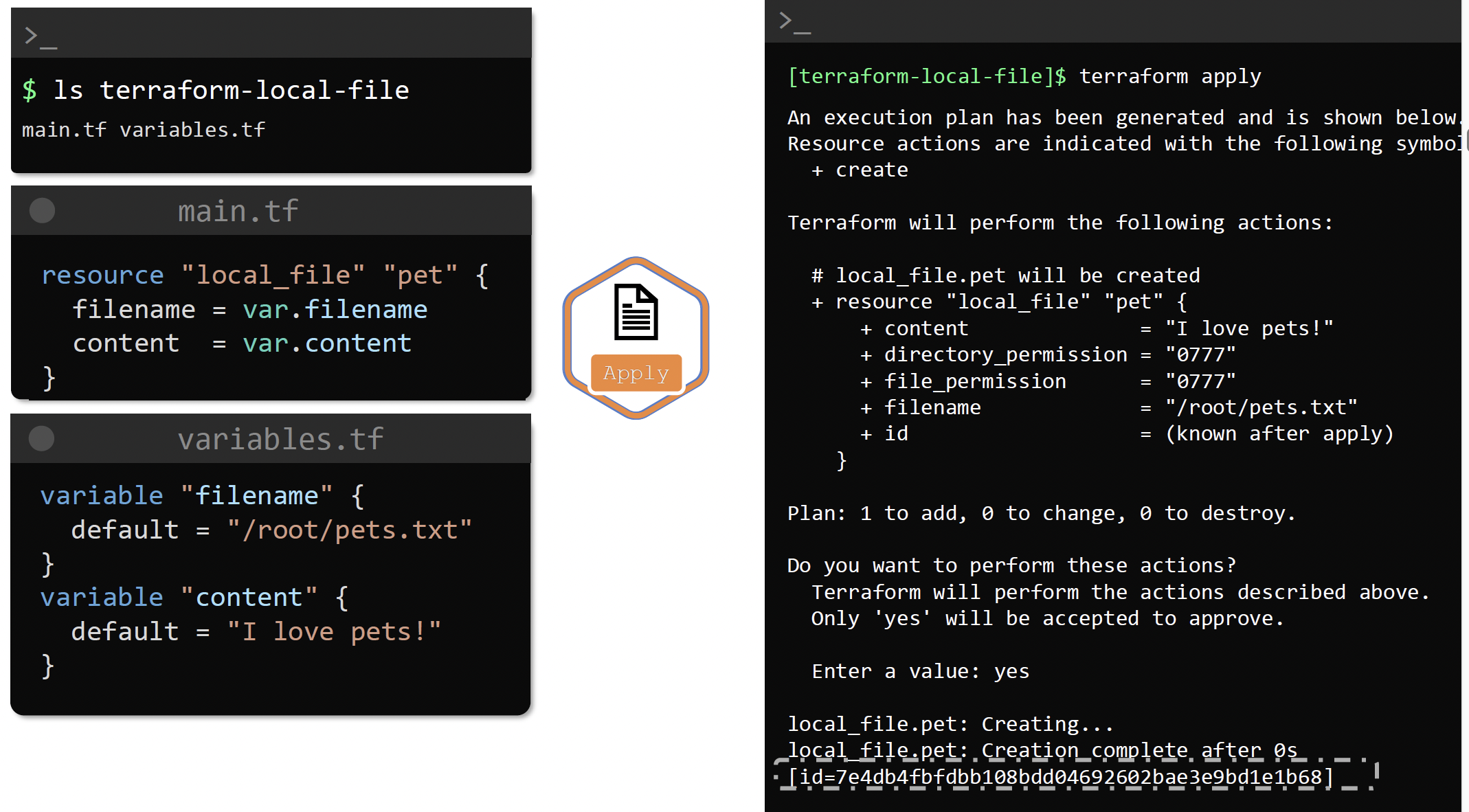
terraform apply # execute
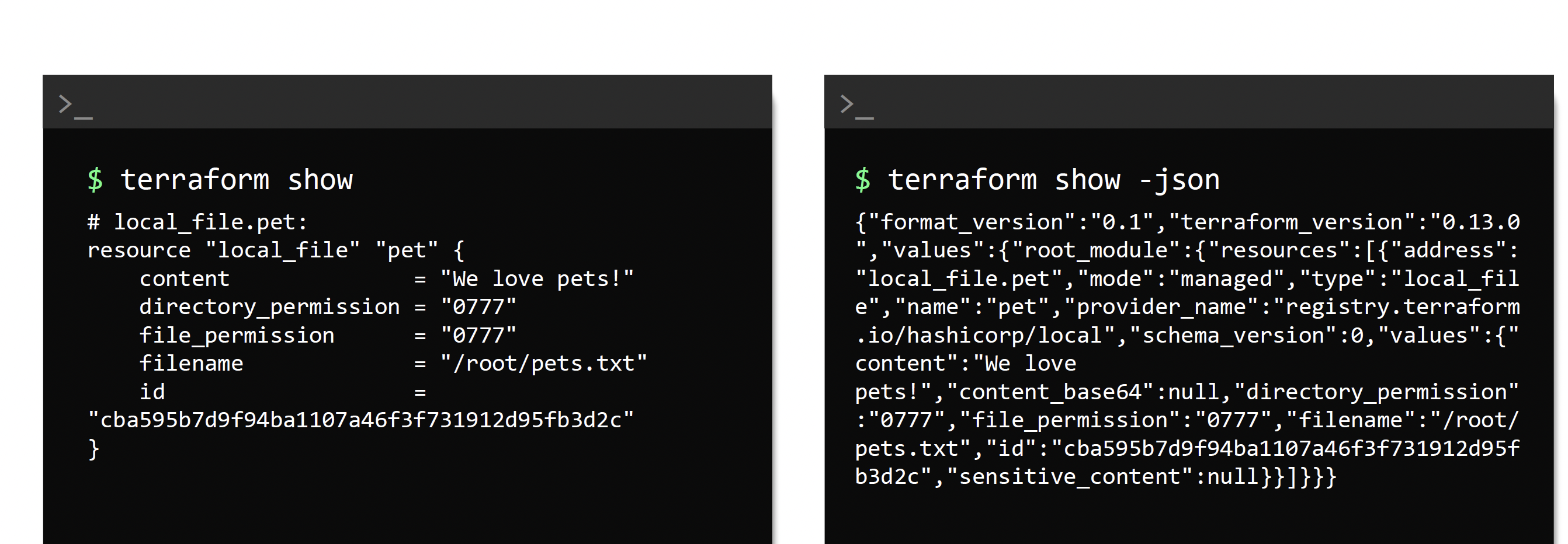
terraform show # to see what terraform just did
Terraform supports over 100 providers like OCI, Azure, AWS etc
Providers #
URL A provider is a Terraform plugin that allows users to manage an external API.
A provider usually provides resources to manage a cloud or infrastructure platform, such as AWS or Azure, or OCI or technology (for example Kubernetes).
There are providers for Infrastructure as a Service (IaaS), Platform as a Service (PaaS), and Software as a Service (SaaS).
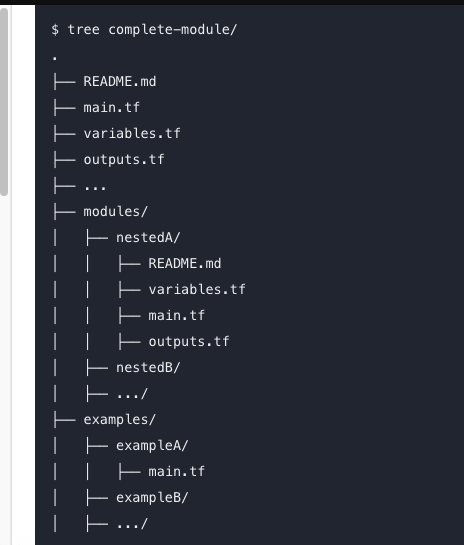
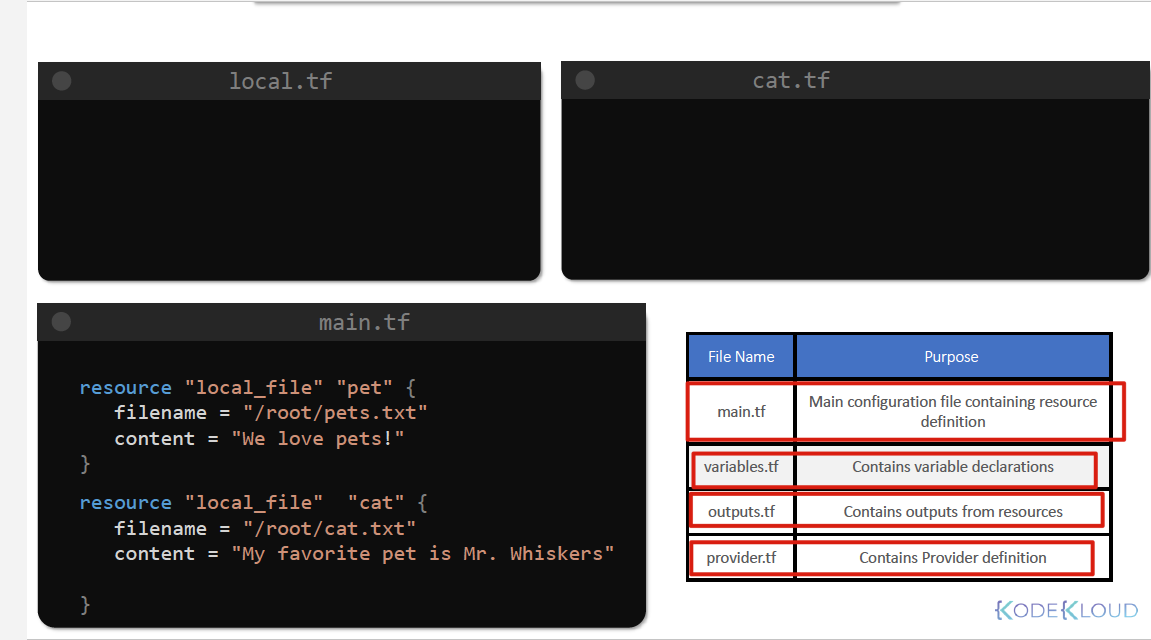
Project structure #
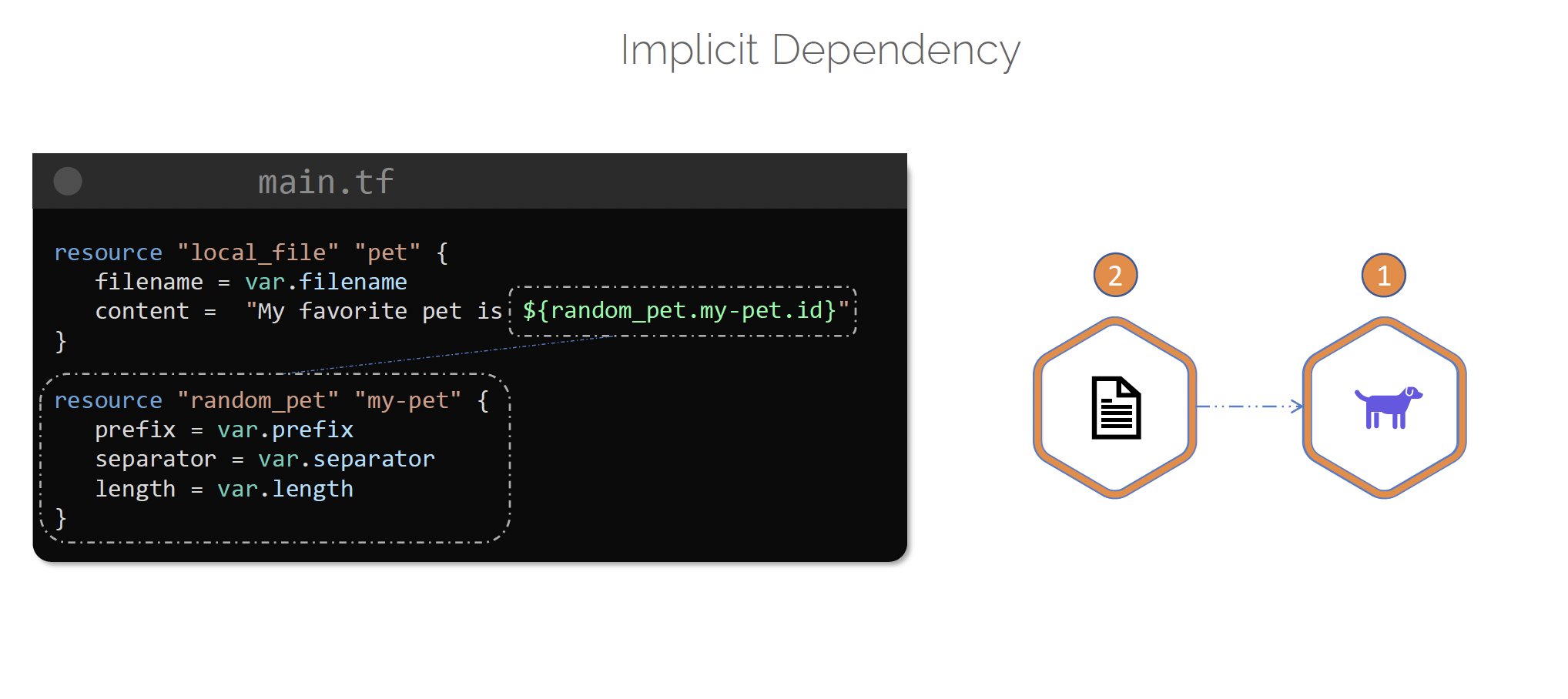
Resource dependencies #
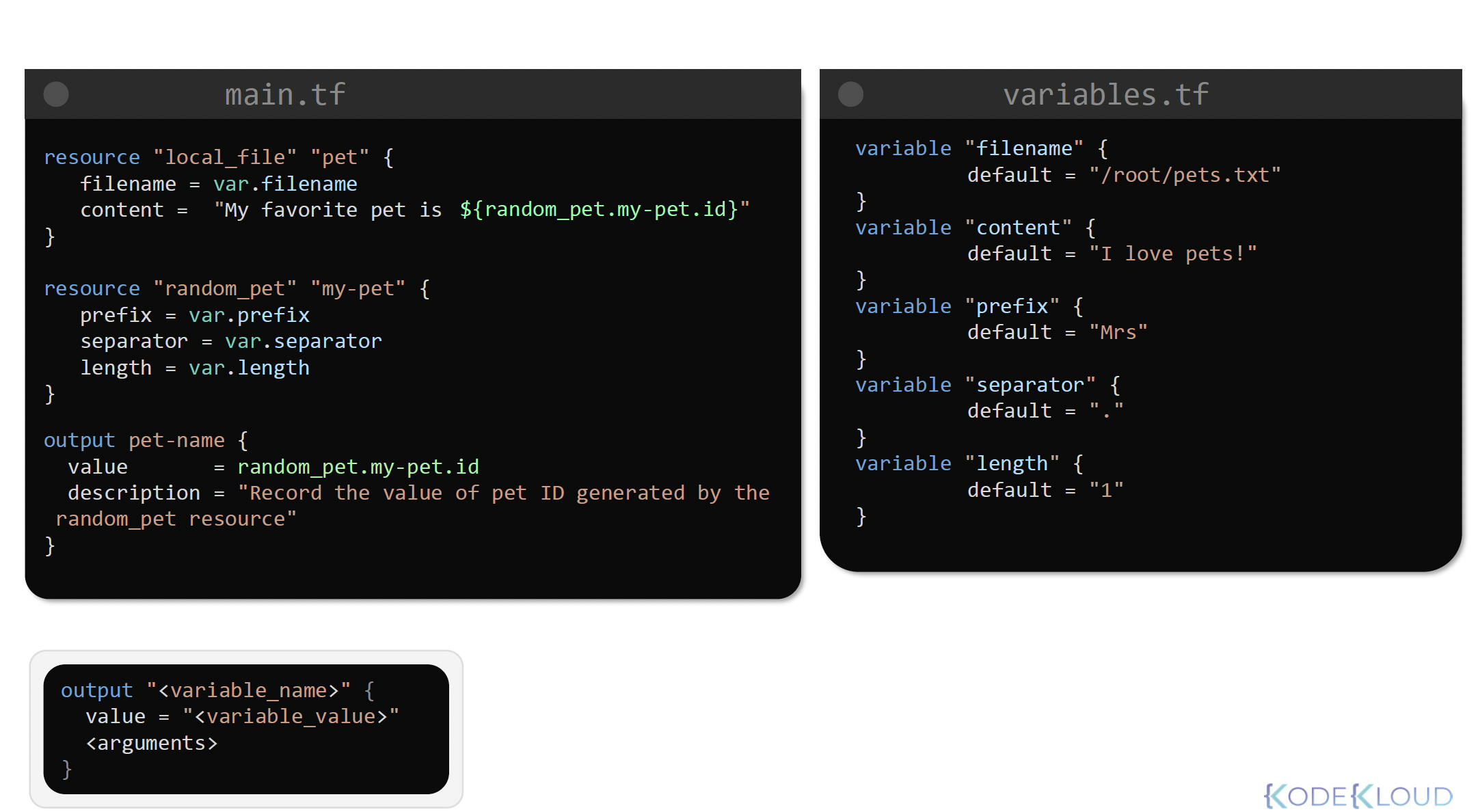
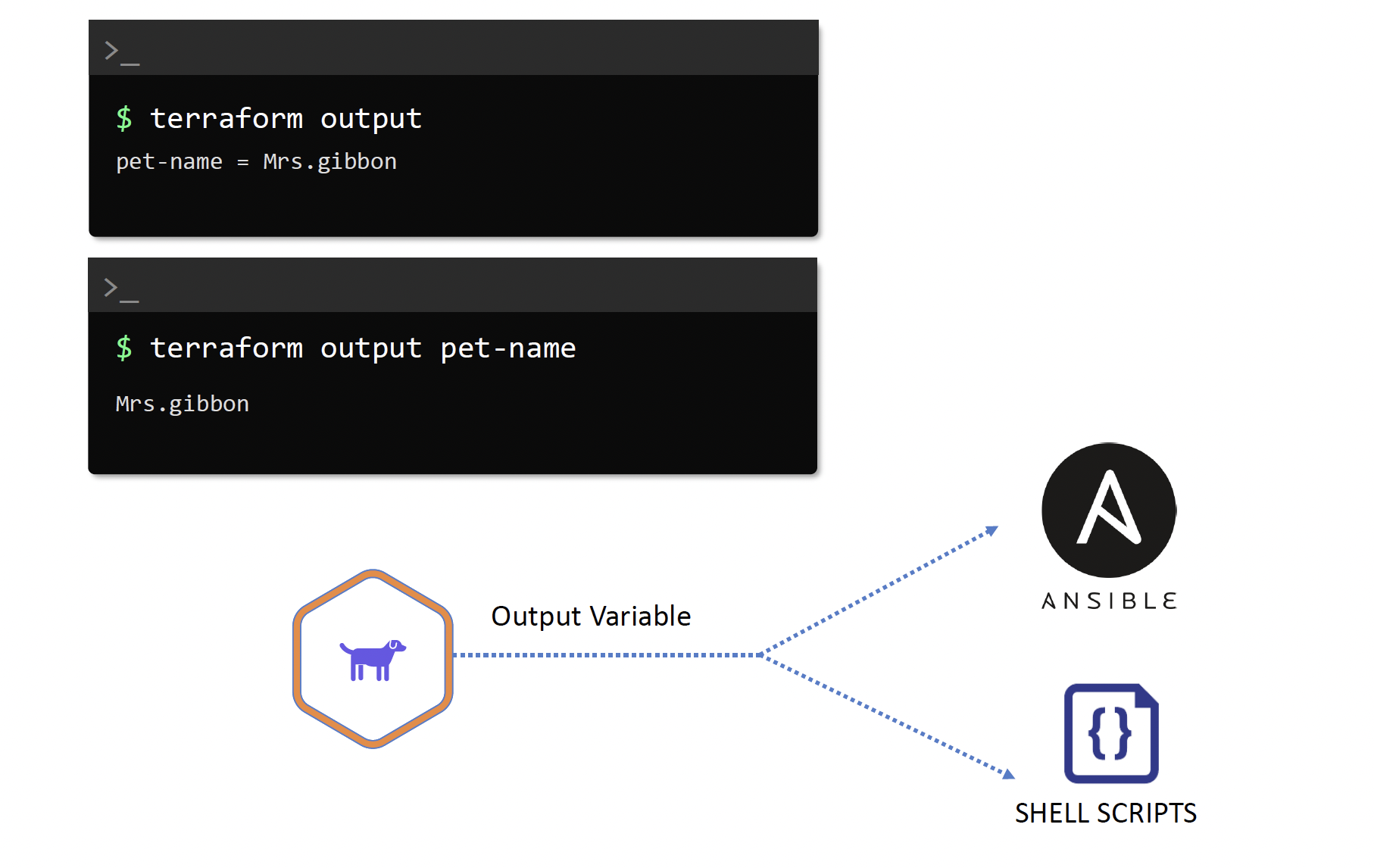
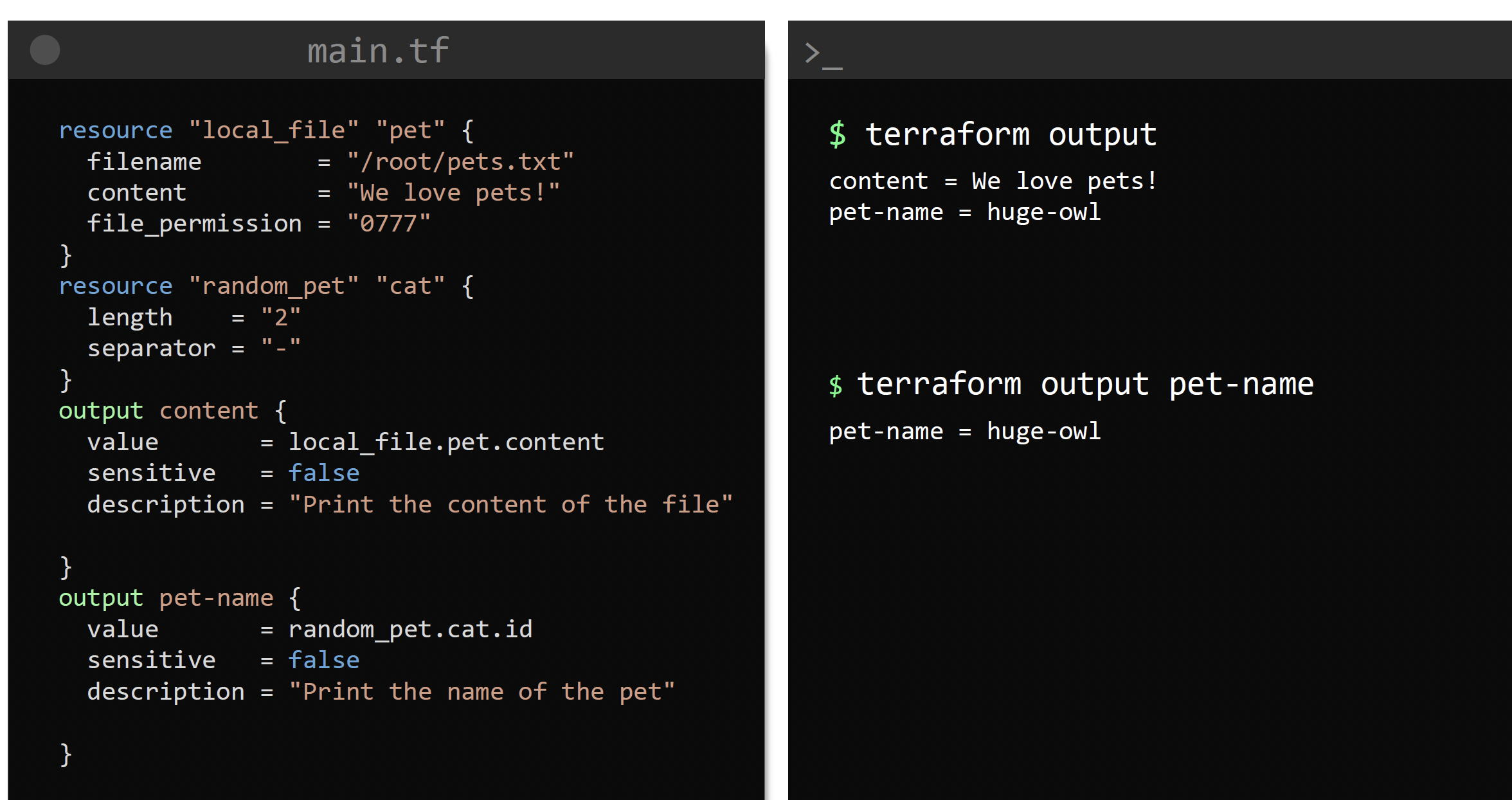
Output Variables #
To print something as output
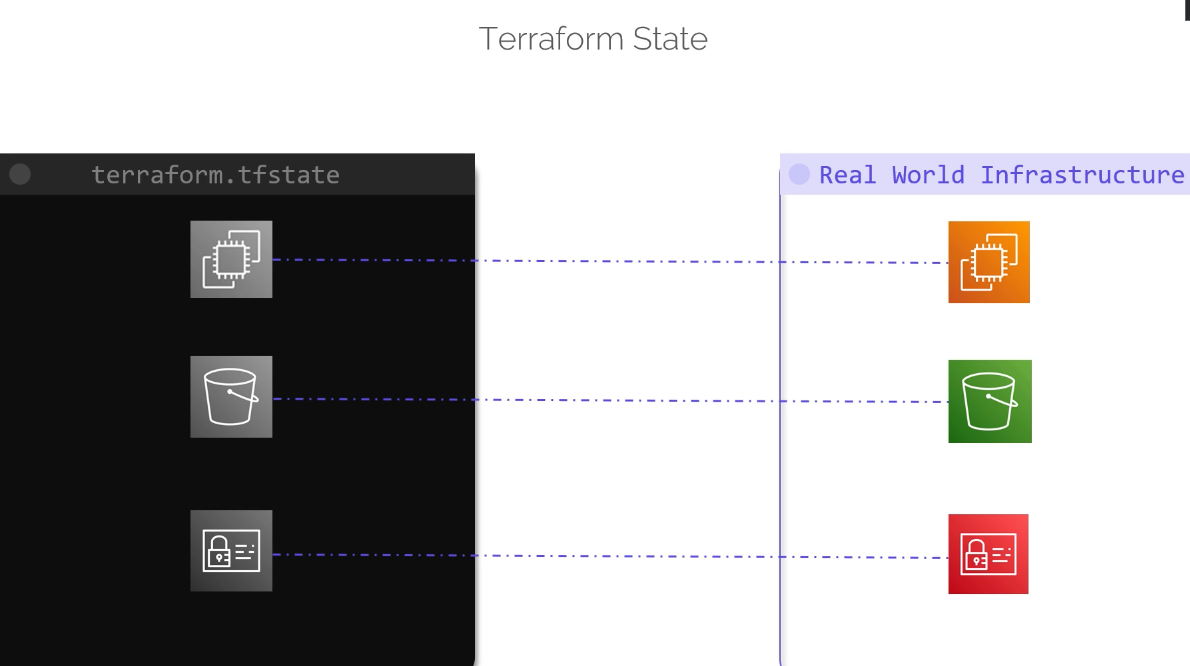
State #
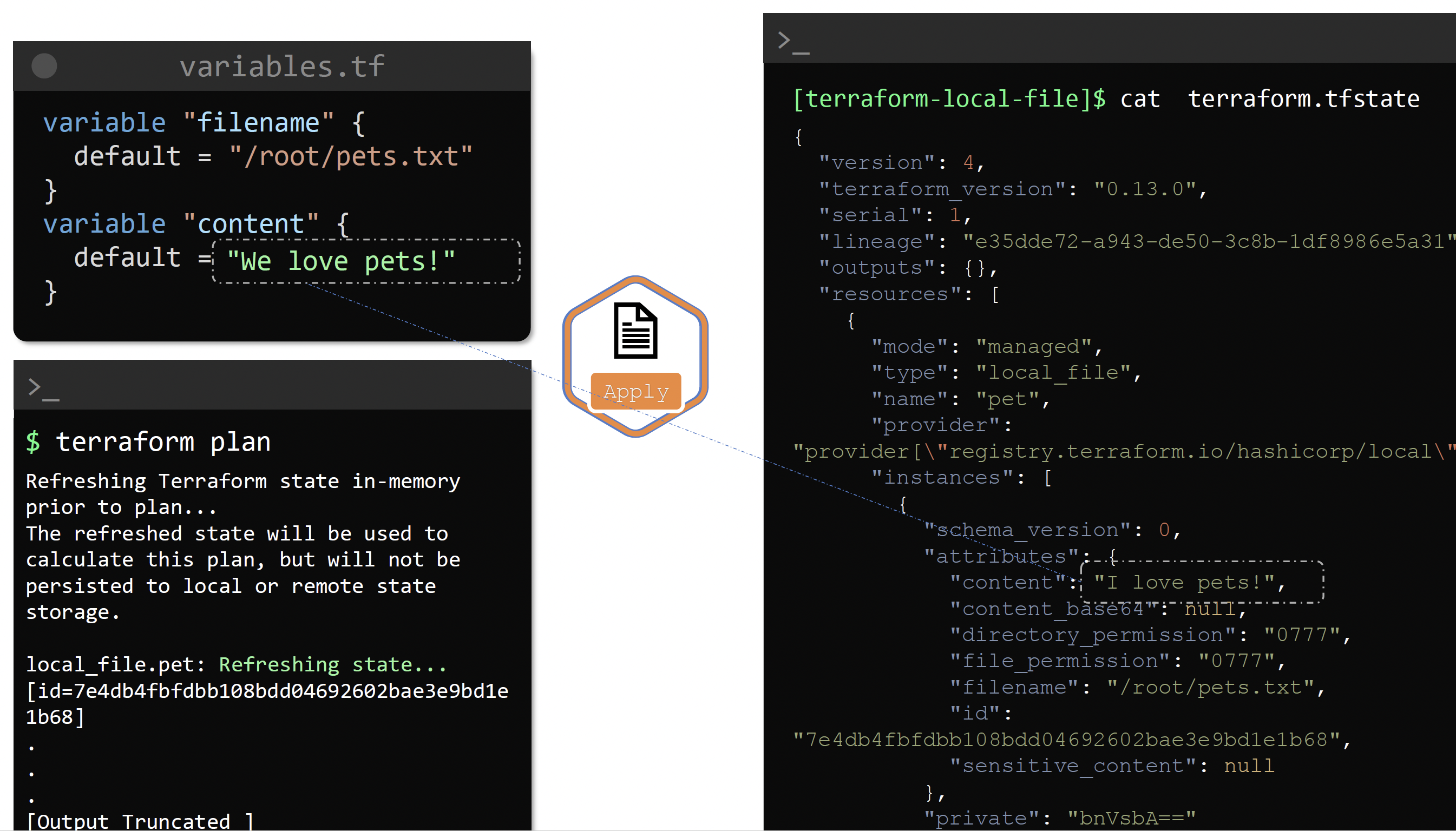
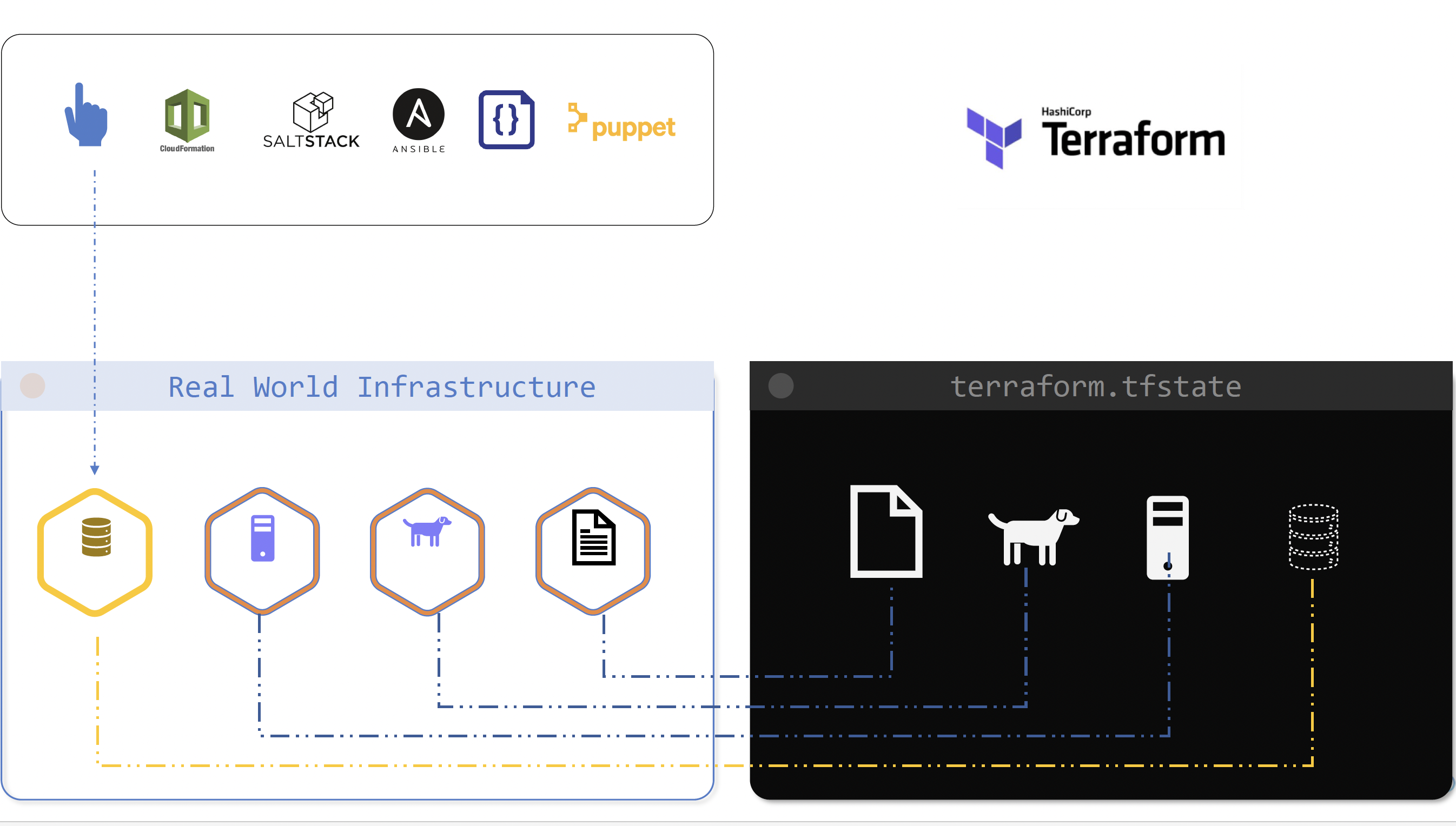
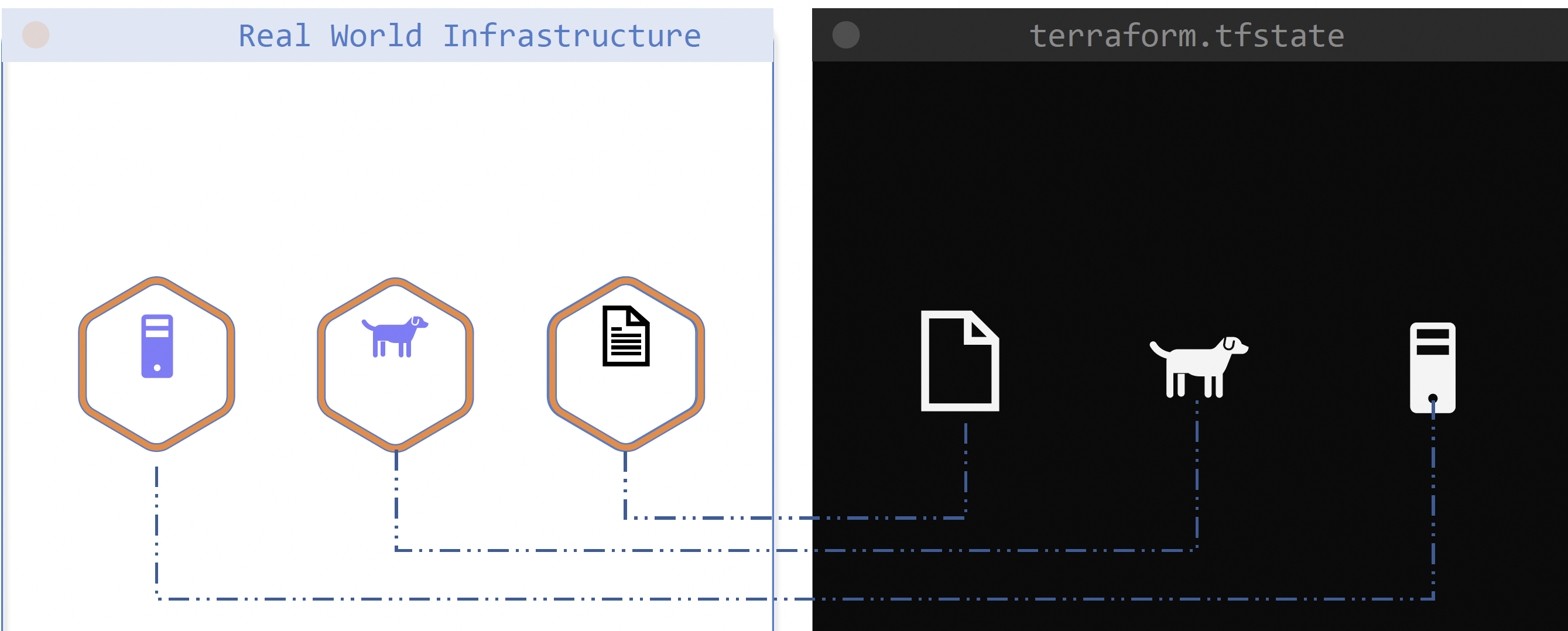 To store the state of the infrastructure in the real world.
Working with terraform #
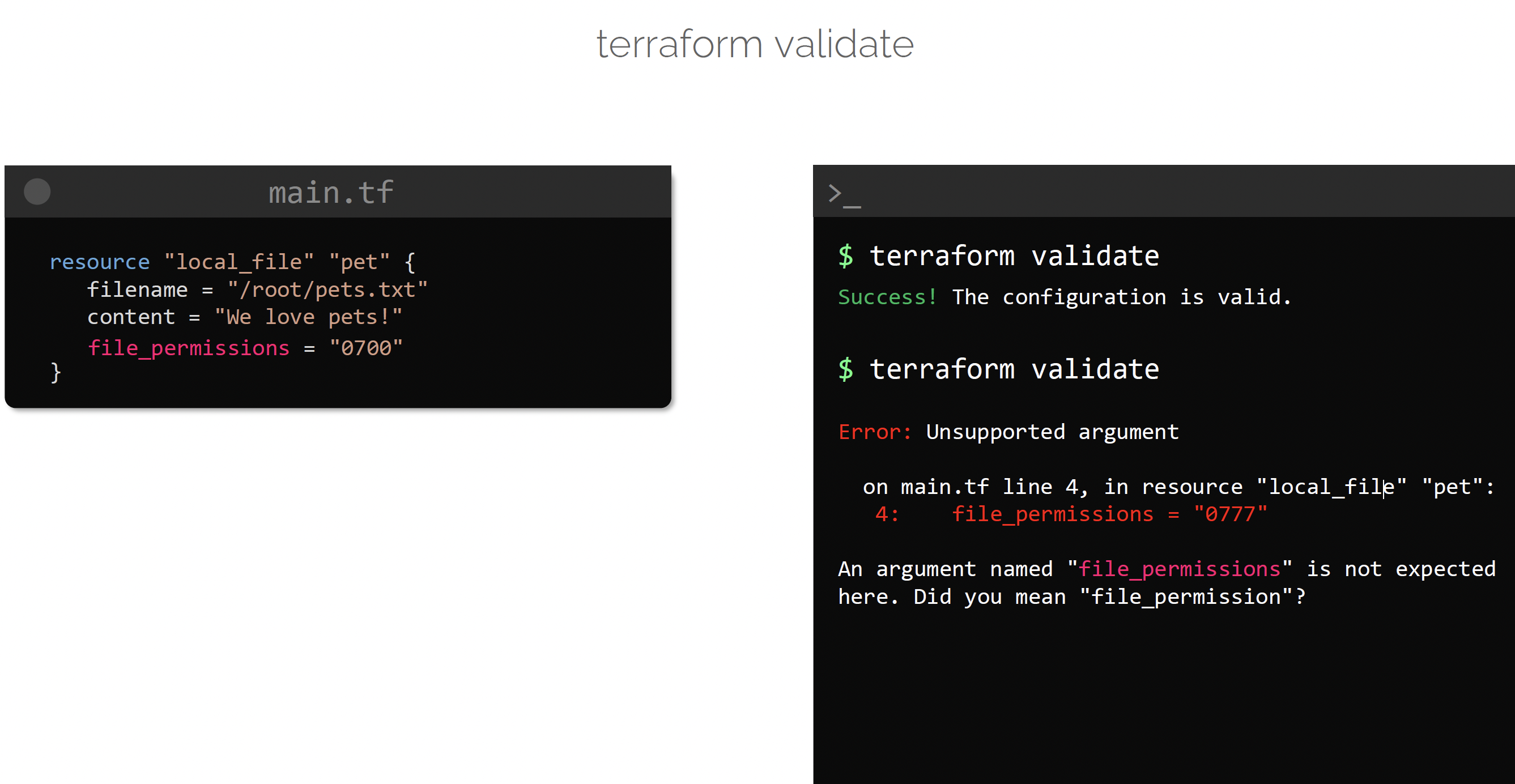
Validate #
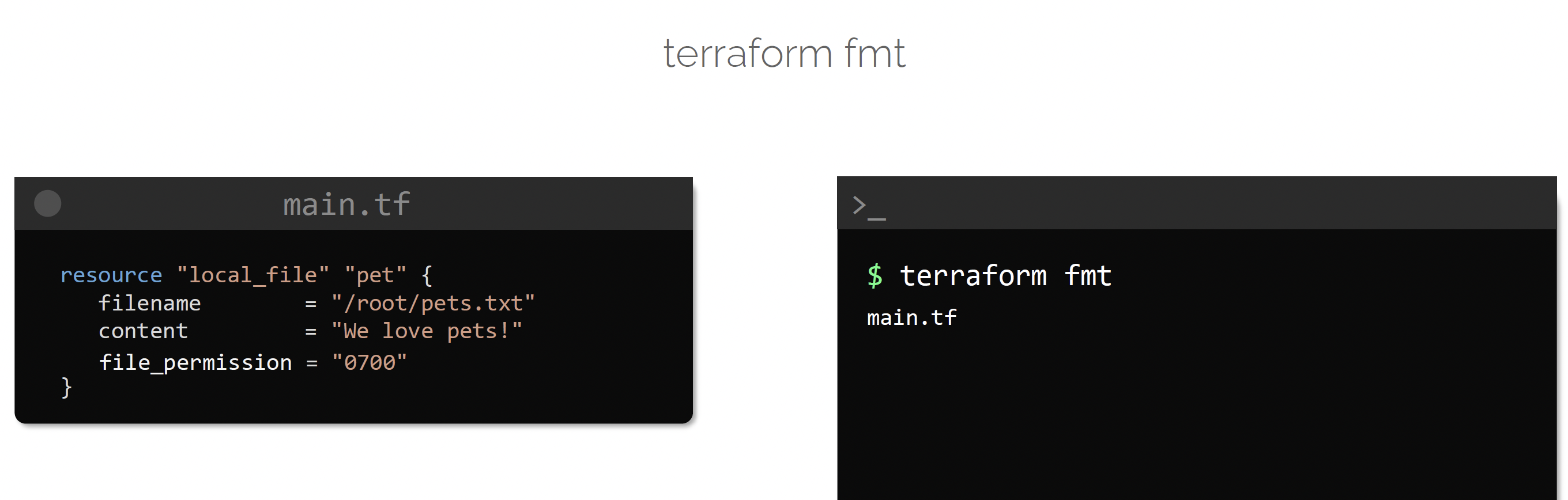
format #
show #
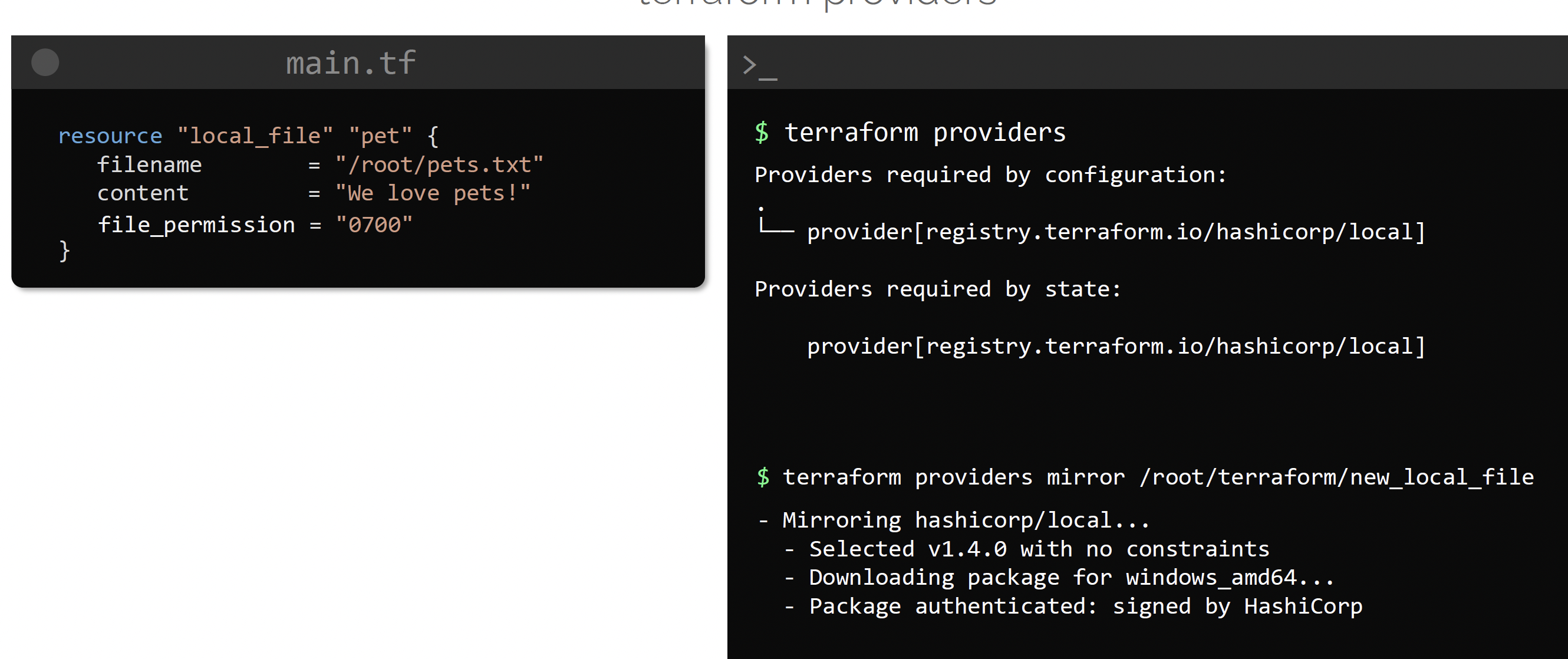
providers #
output #
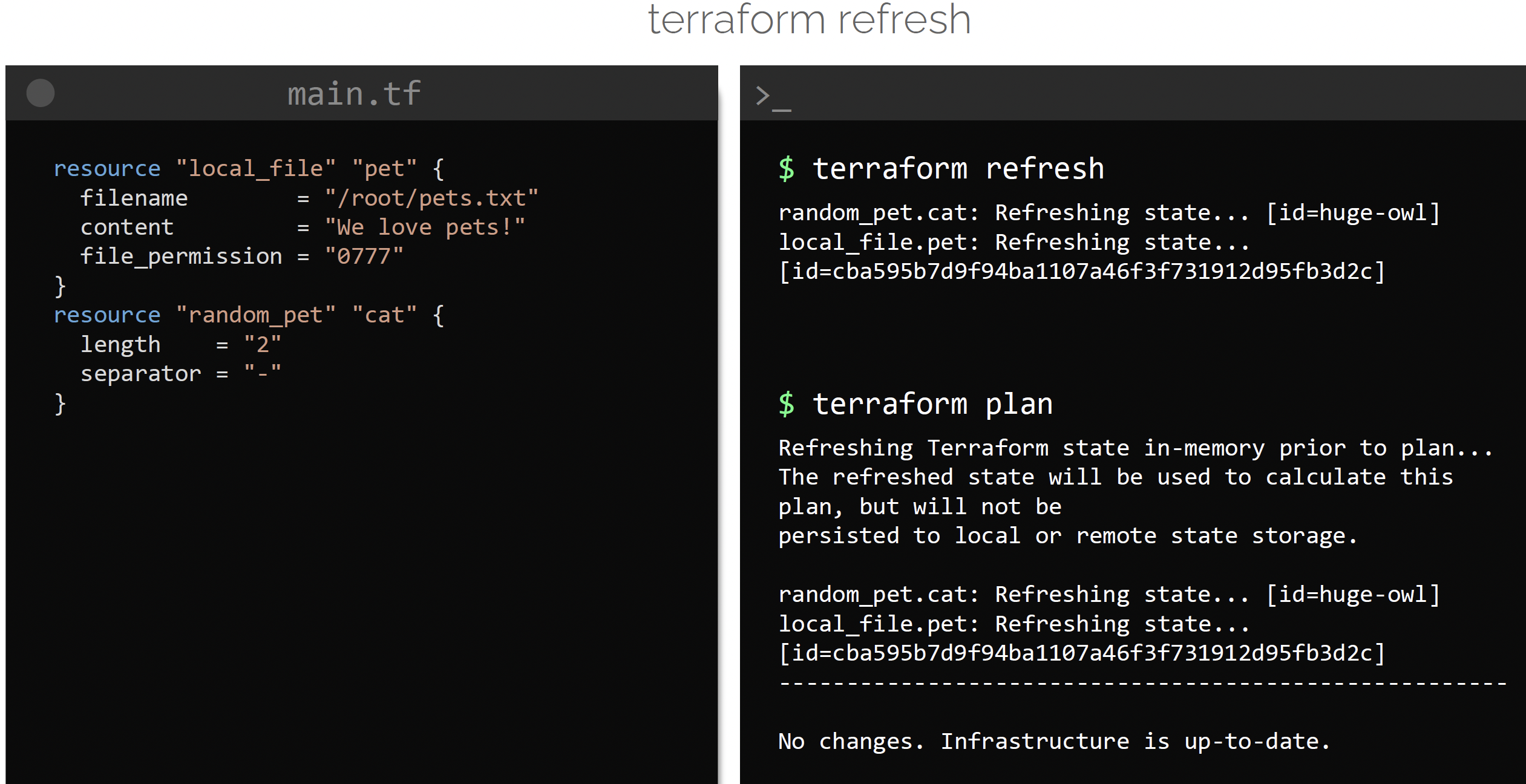
refresh #
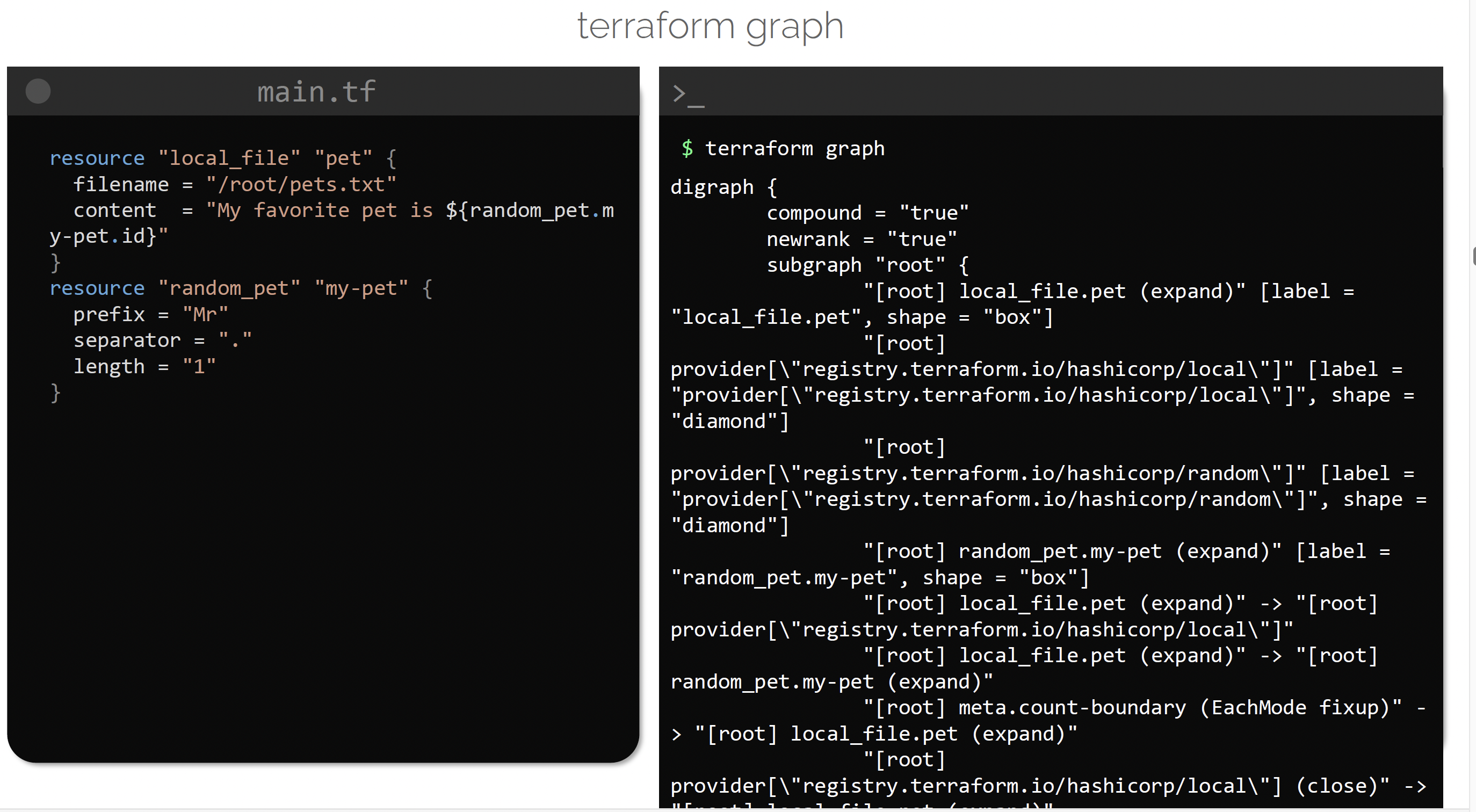
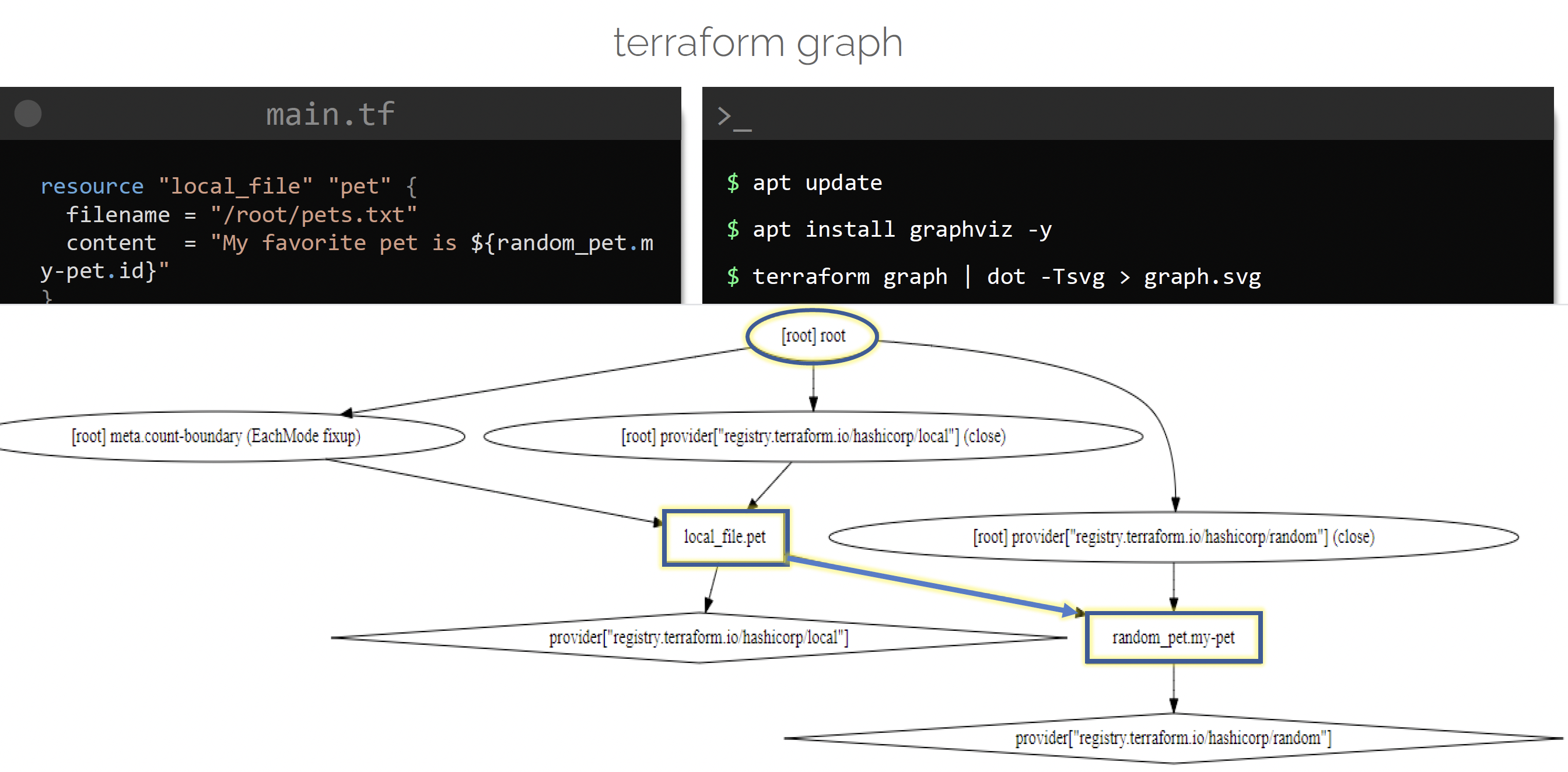
graph #
Mutable vs immutable infrastructure #
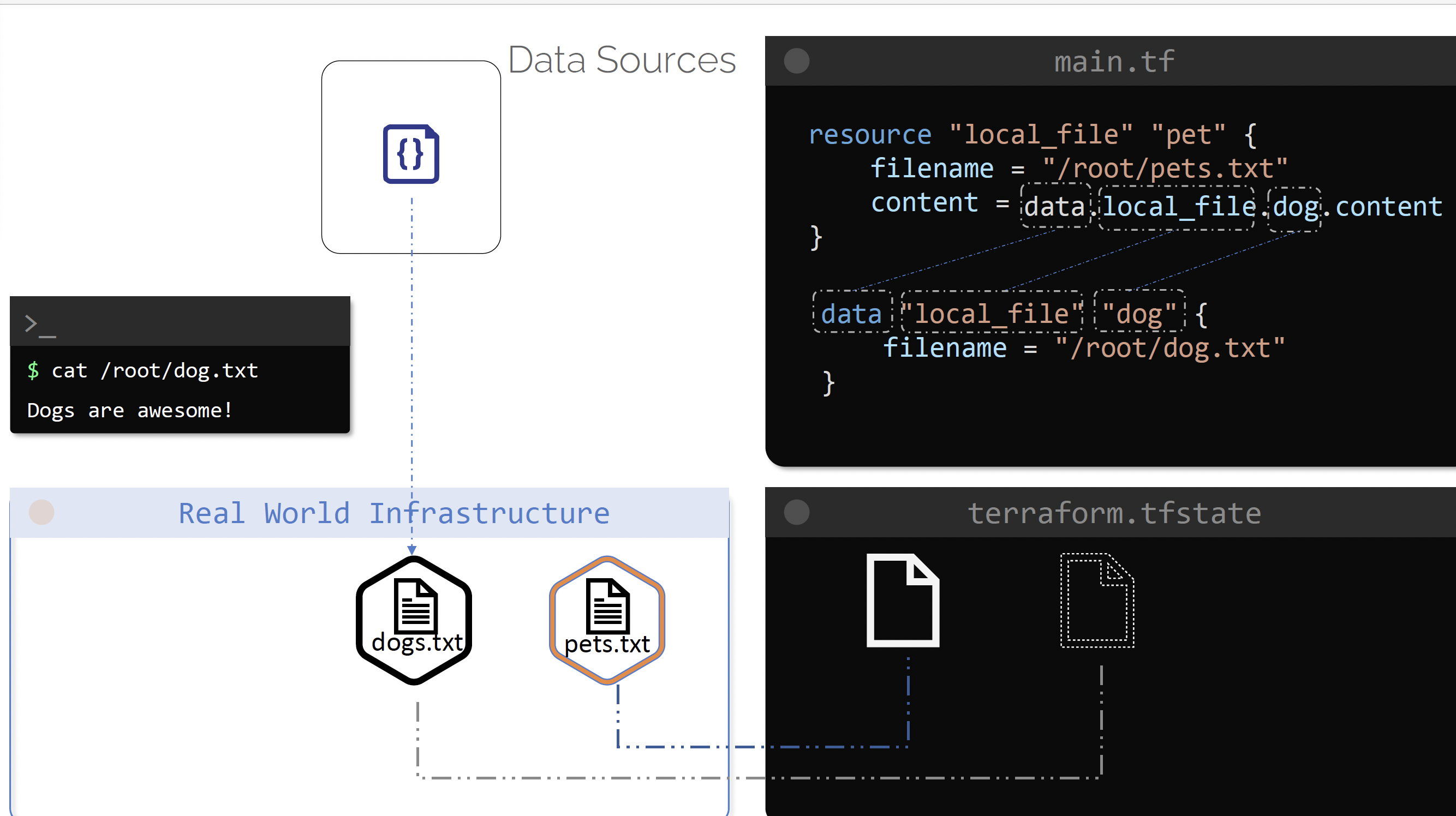
Data Sources #
Frequency used commands #
target modules #
terraform apply -target=module.devops
Migrating local state to the Object Storage #
copy terraform.tfstate to the new directory e.g. envs/dev
A change in the backend is detected
terraform init -migrate-stateadd `backend.tf` settings
    terraform
    backend "http"
        update_method = "PUT"
        # address       = var.TF_BACKEND_ADDRESS
        address       = "par-url-of-s3"
│ Error: Backend initialization required, please run “terraform init”
do
terraform initInitializing the backend… Do you want to copy existing state to the new backend? Pre-existing state was found while migrating the previous “local” backend to the newly configured “http” backend. No existing state was found in the newly configured “http” backend. Do you want to copy this state to the new “http” backend? Enter “yes” to copy and “no” to start with an empty state.
Enter a value:
This will copy localstate to the backend state and makes local terraform.tfstate empty
Reconfigure when the state config changes #
terraform init -reconfigure
Even if the PAR changes, S3 object storage, you will need to this.
- To verify if Object Storage is being used, after running this command, “HTTP” will be displayed
How to synchronize actual infrastructure state with the state #
When the state is corrupted for whatever reason, it make sense to import the infra state and sync with state instead of recreating the resources esp when network has changed
Terraform Import #
terraform import module.containerinstance.oci_identity_dynamic_group.containerinstances_dynamic_group ocid1.dynamicgroup.oc1..aaaaaaaaxcvewxmgwy6hpausq4s74gabopvrsjr6j6ir3fedogkf7yuoihfq
This command will sync infra with the state, if the state is in object storage, it will sync it there.
Importing a bucket from object storage OCI
terraform import module.objectstorage.oci_objectstorage_bucket.e-invoicing-app-data-bucket "n/axlywjsa8odp/b/e_invoicing_app_data-production"
Example with object from ref
$ terraform import oci_objectstorage_object.test_object "n/namespaceName/b/bucketName/o/objectName"
delete a resource #
If there is conflict “Error: Resource already managed by Terraform”
terraform state rm module.objectstorage.oci_objectstorage_bucket.e-invoicing-app-data-bucket

# then import
terraform import module.objectstorage.oci_objectstorage_bucket.e-invoicing-app-data-bucket "n/axlywjsa8odp/b/e_invoicing_app_data-simulation"