Serverless Functions
Summary #
tags :
Serverless architecture is a way to build web applications and services without managing backend infrastructure. In a serverless architecture, cloud providers like DigitalOcean provision, manage, and scale the backend servers and components required to host applications so you can focus on writing and deploying code instead of maintaining the servers that host your applications. ref
Serverless architecture allows backend web services to be implemented on an as-needed basis. Rather than needing to maintain your own server configuration, architecting your software for serverless providers can minimize the overhead involved. Serverless applications are typically deployed from a Git repository into an environment that can scale up or down as needed.
This means that serverless functions can effectively “scale to zero” – a function or endpoint should consume no resources at all as long as it is not being accessed. ref
When to use it? #
Using serverless functions can make applications more lightweight and secure.
- Because you only pay for DigitalOcean Functions when a function runs,
- serverless architecture is often less expensive for apps with variable levels of traffic.
Difference between Traditional Apps and Serverless Functions apps #
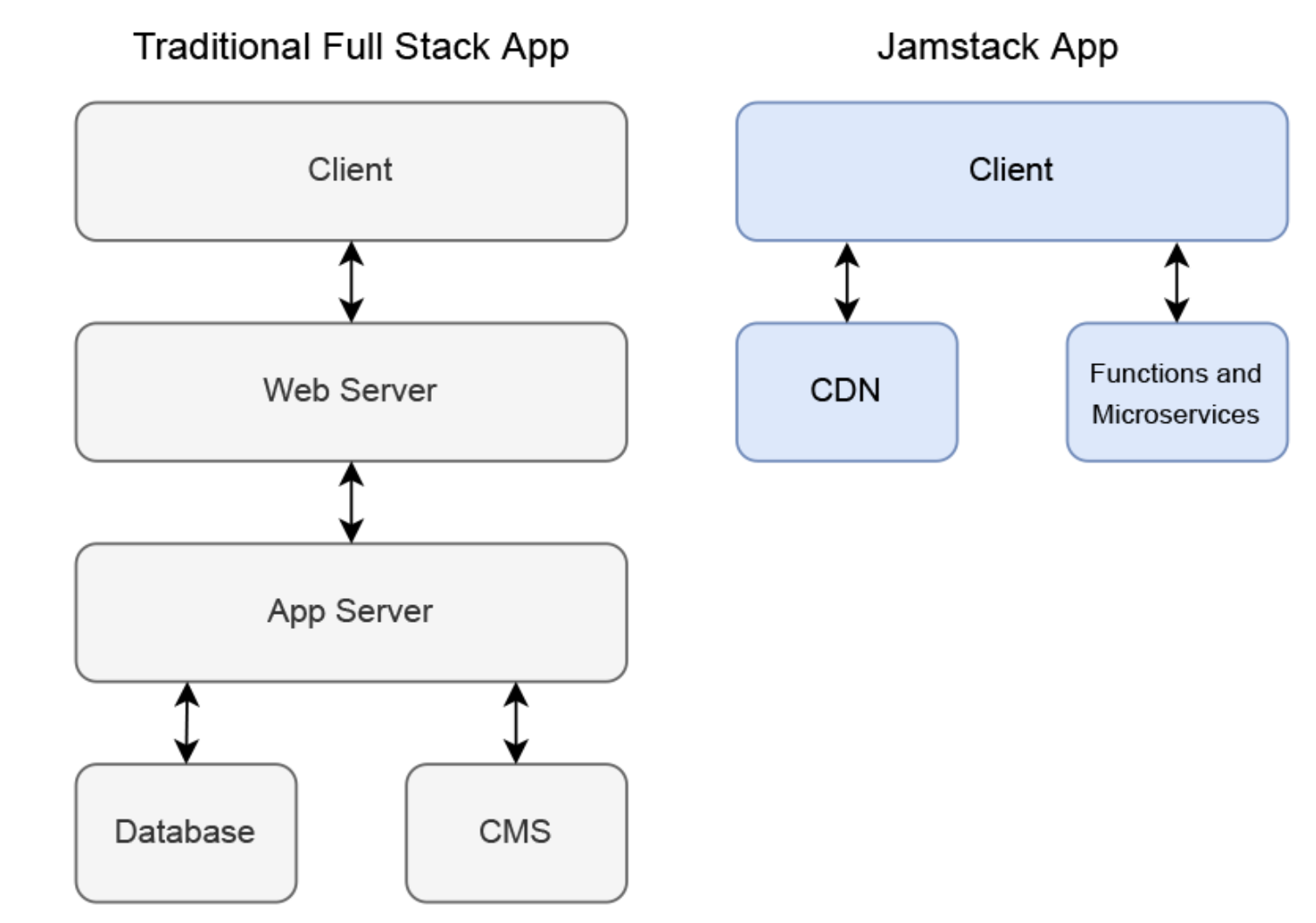
#
Expected project structure, this example is for application
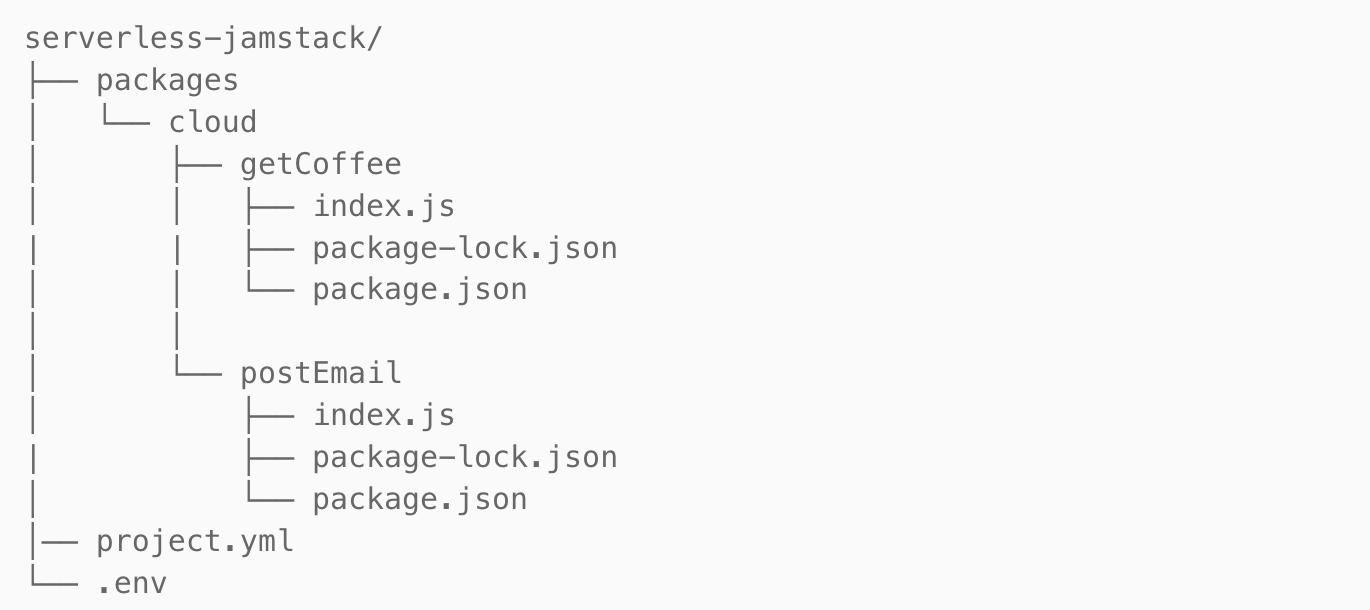
packages:
  - name: cloud
    actions:
      - name: getCoffee
        limits:
          timeout: 5000
          memory: 256
      - name: postEmail
        limits:
          timeout: 5000
          memory: 256
environment:
  DATABASE_URL: $DATABASE_URL
Languages supported #
Out-of-the-box support for many popular runtimes, including Node.js, Python, Go and PHP. Automatic patches and updates to ensure the execution environment is stable and secure.
Deployment #
doctl serverless connect
doctl serverless deploy .

Deployed functions ('doctl sbx fn get <funcName> --url' for URL):
  - cloud/getCoffee
  - cloud/postEmail

doctl serverless functions invoke cloud/getCoffee
A public is created for every function #
Each function you deploy to DigitalOcean receives a public URL that you can use to invoke the function. Similar to traditional API endpoints, you can append query parameters to the URL that your function can access and use as arguments.
Example #
This function takes the argument args.email. To pass that argument via the function’s URL, you would append a query parameter called email to the end of the function’s URL with an email address as its value. The resulting URL looks similar to this: ref
interacting with functions
let emailUrl = "https://APIHOST.doserverless.co/api/v1/web/fn-EXAMPLE-ID/cloud/postEmail" + "?email=" + email;
await axios.post(emailUrl);

# using doctl
doctl serverless functions get cloud/getCoffee --url

# check with js
const getInventory = async () =>
    let results = await axios.get('https://APIHOST.doserverless.co/api/v1/web/fn-EXAMPLE-ID/api/getCoffee');
results.data.forEach(item =>
    let pic = item.pic;
...
How to write functions #
#
Example of functions with python github DO Q/A