React
j+LAST_MODIFIED:
Summary #
UI reacts to changes in the state. Very popular JavaScript frontend library(not framework because batteries are not included).
Context API #
How the context API Works #
Context API allows data to be passed through a component tree without having to pass props manually at every level. This makes it easier to share data between components.
Procedure to create the context API #
1. Create a Context Object #
import  createContext  from 'react';

export const MyContext = createContext("");
2. Wrap Components with a Provider #
It’s important to note that the Provider component should be wrapped around the top-level component in an application to ensure that all child components have access to the shared data.
// Create a parent component that wraps child components with a Provider

import  useState, React  from "react";
import  MyContext  from "./MyContext";
import MyComponent from "./MyComponent";

function App()
  const [text, setText] = useState("");

  return (
    <div>
      <MyContext.Provider value= text, setText >
        <MyComponent />
      </MyContext.Provider>
    </div>
  );


export default App;
3. Consume the Context #
import  useContext  from 'react';
import  MyContext  from './MyContext';

function MyComponent()
  const  text, setText  = useContext(MyContext);

  return (
    <div>
      <h1>text</h1>
      <button onClick=() => setText('Hello, world!')>
        Click me
      </button>
    </div>
  );


export default MyComponent;
Use Cases of Context API #
Here are some real-world use cases of Context API.
Theming #
You can use Context API to store the current theme of your application and make it available to all components. This way, whenever the user switches the theme (such as enabling dark mode), all components will be updated with the new theme.
User Authentication #
You can also use Context API to store a user’s authentication status and pass it down to all the components that need it. This way, you can easily restrict access to certain parts of your application based on the user’s authentication status.
Multilingual Support #
You can store the current language of your application in the context and pass it down to all the components that need it. This way, you can easily switch between different languages without having to pass the language down as props to all the components.
Accessing data from external sources #
Finally, you can use the Context API to store data retrieved from external sources such as APIs or databases and make it available to all components. This can simplify your code and make it easier to manage data across your application.
Overall, Context API provides a flexible and efficient way to manage state data across your application, and it can be particularly useful for managing global data that needs to be shared between multiple components.
Hooks #
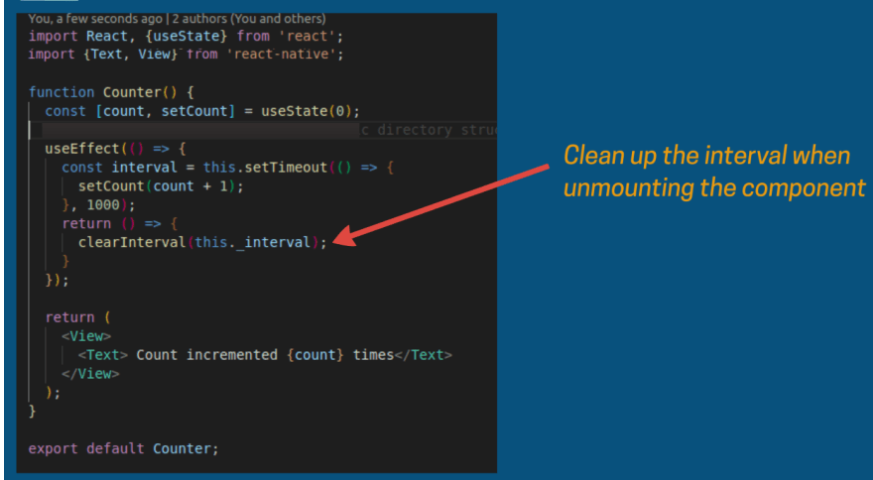
- They let you use state and other React features without writing a class.
- It mainly uses to handle the state and side effects in react functional component.
- React Hooks are a way to use stateful functions inside a functional component.
- Hooks don’t work inside classes — they let you use React without classes React provides a few built-in Hooks like useState and useEffect.
. It Enforces best practices . Easy to under understand . Easy to test . It increases the performance
Why React Hook? #
If you write a function component, and then you want to add some state to it, previously you do this by converting it to a class. But, now you can do it by using a Hook inside the existing function component.ce and so on.
useEffect hook #
You can think of useEffect Hook as componentDidMount, componentDidUpdate, and componentWillUnmount combined. By default, useEffect runs both after the first render and after every update.
// class based component
  componentDidUpdate(prevProps, prevState)
  if (prevState.count !== this.state.count)
    document.title = `You clicked $this.state.count times`;


// hooks for managing state with function based components
useEffect(() =>
  document.title = `You clicked $count times`;
, [count]); // Only re-run the effect if count changes
Rules of Hooks #
- Only Call Hooks at the Top Level
- Don’t call Hooks inside loops, conditions, or nested functions. Instead, always use Hooks at the top level of your React function. By following this rule, you ensure that Hooks are called in the same order each time a component renders. That’s what allows React to correctly preserve the state of Hooks between multiple useState and useEffect calls. (If you’re curious, we’ll explain this in depth below.)
- Only Call Hooks from React Functions
- Don’t call Hooks from regular JavaScript functions. Instead, you can:
- Call Hooks from React function components.
- Call Hooks from custom Hooks (we’ll learn about them on the next page).
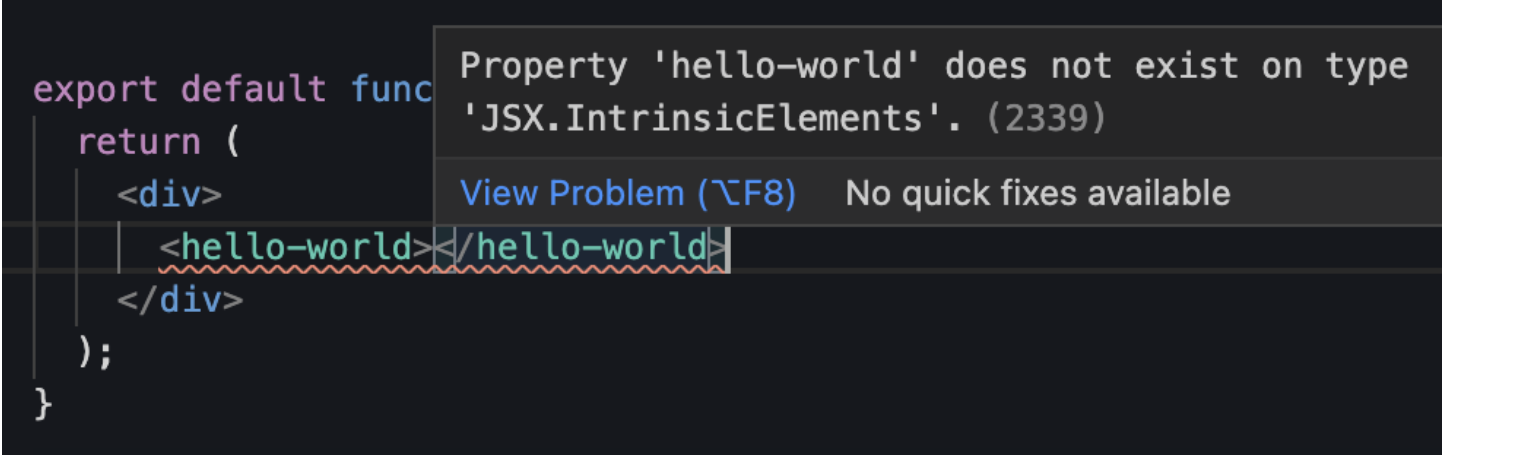
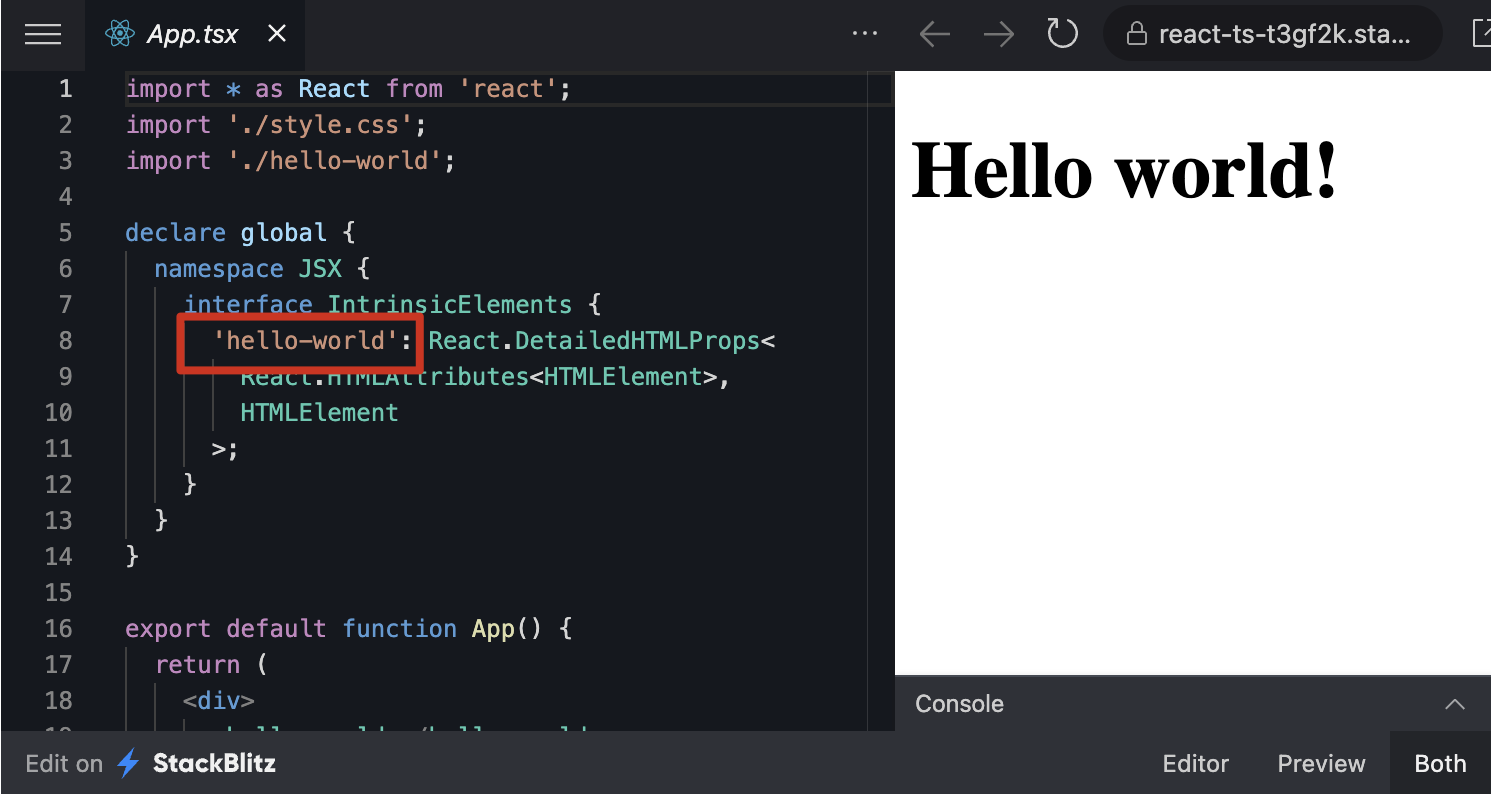
Using Web Components #
How To Use Web Components in React, ref
Many developers feel threatened by the thought of Web Components wiping out frontend frameworks and libraries. That won’t happen because both technologies solve different problems. But combining them is the real secret to success.
“Most people who use React don’t use Web Components, but you may want to […].” — https://reactjs.org Before we dive into our example, let’s look at the purpose of Web Components and React.