Operating System
Summary #
- tags
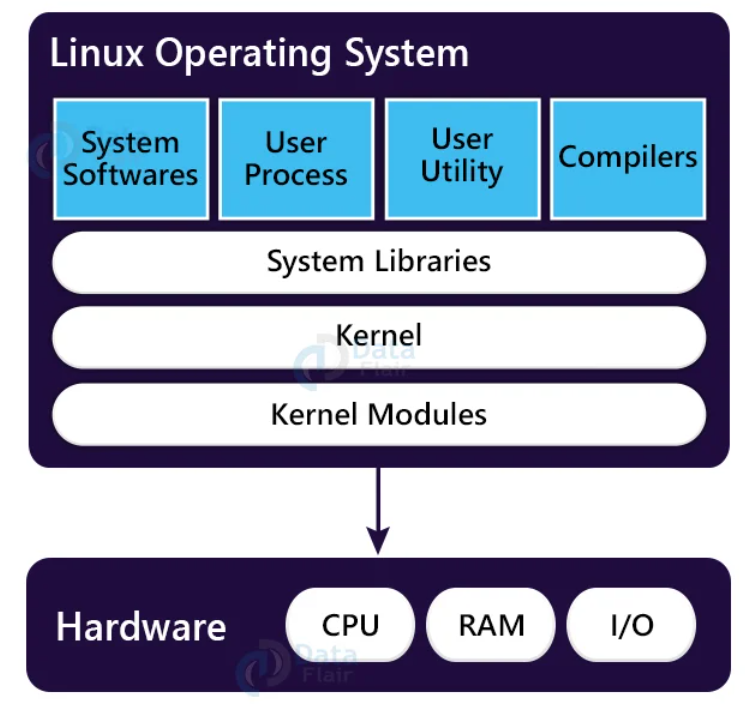
- Kernel, Kernel Modules
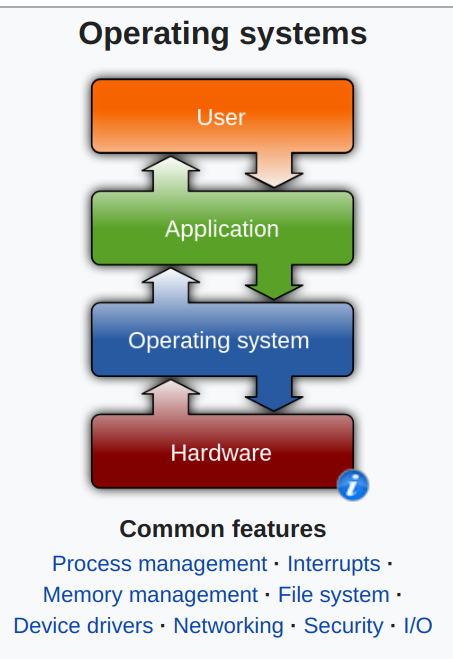
An operating system (OS) is system software that manages computer hardware, software resources, and provides common services for computer programs.
How OS Boots? #
Whenever we press the power button of our computer system, all the devices gets the power and they are initialized. Our main memory which is responsible to hold the instructions will be initially empty as RAM is volatile memory. So, there will be small set of instructions present in the non-volatile memory called ROM. These instructions will be passed to CPU and the execution of instructions takes place which will check all the hardware connected with the system. If there are any problems with the hardware, we will get the alert by beep sounds or even on-screen messages. After the testing of hardware is completed, the booting process continues and load the operating system.
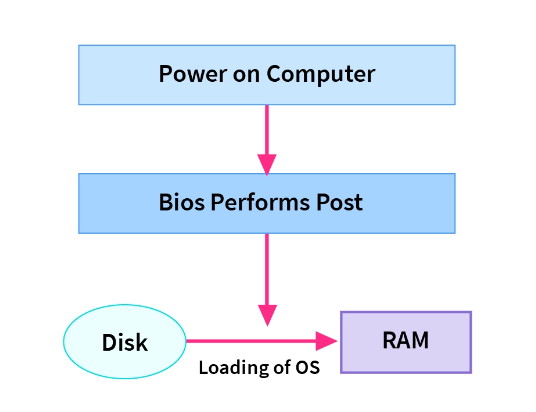 The instructions present in non-volatile memory are hardwired on motherboard so it can’t be erased.
The small set of instructions present in the ROM is called BIOS which stands for Basic Input Output System.
How does a System Boot? #
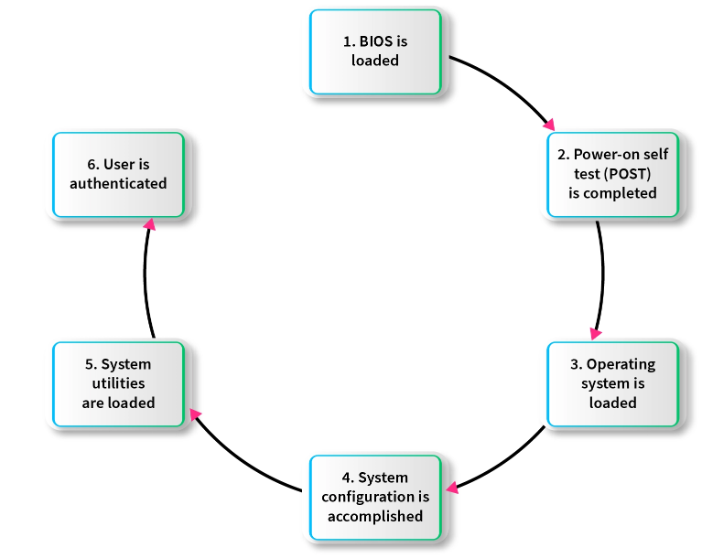
- When we press the power button, all the components of system get power and they get initialized. Once the CPU is initialized, it needs instruction to be executed.
- The small set of instructions called BIOS are being loaded from ROM.
- After the successful completion of Power-On-Self-Test (POST) BIOS find the bootable sequence from CMOS.
- Based on the bootable sequence, it finds the first bootable device.
- From the first bootable device, it loads instructions present from Master Boot Record which is present in logical Sector 0.
- This set of instructions contains the information about the Boot Loader which can load the Operating System.
- This boot loader information is Operating System specific, for example the boot loader for Linux is GRUB
- The boot loader then load the operating system into the memory.
- Lastly all the important system files and drivers are loaded into memory and the control is being passed to Operating System.
What Kernel does during boot? #
Quora Most of the messages emitted boot time are the kernel autoprobing your hardware through the I/O ports, figuring out what it has available to it and adapting itself to your machine. The Linux kernel is extremely good at this, better than most other Unixes and much better than DOS or Windows. In fact, many Linux old-timers think the cleverness of Linux’s boot-time probes (which made it relatively easy to install) was a major reason it broke out of the pack of free-Unix experiments to attract a critical mass of users.
But getting the kernel fully loaded and running isn’t the end of the boot process; it’s just the first stage (sometimes called run level 1). After this first stage, the kernel hands control to a special process called ‘init’ which spawns several housekeeping processes. (Some recent Linuxes use a different program called ‘upstart’ that does similar things)