OCR
tags :
Summary #
Optical Character Recognition
Best OCR #
from ref #
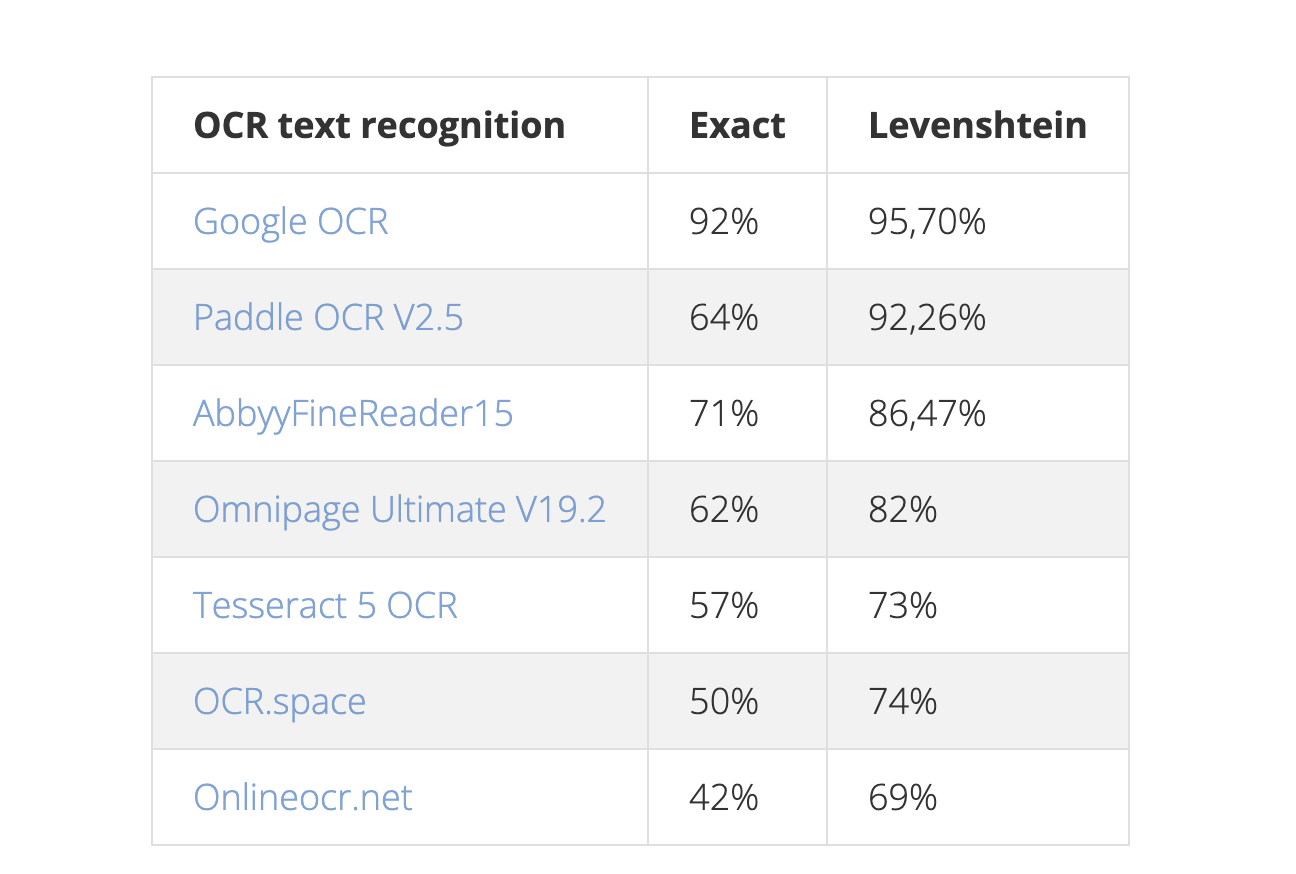
- Google OCR (Google Vision AI)
- Paddle OCR
- Abbyy OCR
- Tesseract 5
It is noticeable that both (Google and Paddle) use DeepLearning (DeepOCR) and were apparently much better than the competition with poor image quality. Both Google and Paddle are likely to have achieved a lot here in a very short time through deep learning and data. PaddleOCR can also be trained with your own data and improved accordingly. It can be assumed that with training PaddleOCR can achieve a similar performance as Google.
Tesseract vs Paddle OCR #
PaddleOCR #
- Shows superior performance in recognizing both English and non-English texts, including non-Latin characters (e.g., Chinese, Japanese, Arabic).
- Better at handling images where text is rotated in non-90-degree rotations and performs well with RGB/BGR images.
- Suffers from issues with incorrect spaces between words; however, improvements have been made in recent updates.
- Considerably faster with GPU support and generally preferred for computer vision projects and real-time applications.
- Smaller pre-trained model size for English, making it an efficient choice for applications with limited storage.
Tesseract #
- Performs reliably with scanned documents and long texts on binarized images, showcasing few problems with space detection.
- Better at processing images on CPUs and favored for scanned document processing where accuracy in symbol detection is critical.
- Struggles with text rotation and may yield unsatisfactory results without image pre-processing (e.g., rotation correction).
Larger trained model size for English but is known for its broad use in various applications due to its maturity and extensive community support.
Comparison of best OCR tools? #
Our search for the best OCR tool in 2023, and what we found #
Tesseract #
- Tesseract is a free, open-source OCR engine supported by Google, offering wide language support but struggles with non-clean, machine-generated documents. It’s natively available on DocumentCloud and easy to set up and use, although it has difficulty with scanned documents, handwriting, and redactions.
DocTR #
- docTR is a free, open-source OCR library powered by TensorFlow 2 & Pytorch, excelling in processing scanned documents, screenshots, and documents with unusual fonts. Available as a free DocumentCloud Add-On, it displays better performance on difficult documents than Tesseract but lacks support for handwritten text and has less comprehensive language support.
Amazon Textract #
- Amazon Textract is a proprietary service that performs well on extracting text from scanned and rough documents, including handwritten text, but has limited support for non-Latin languages. It requires DocumentCloud premium for integration and operates on a per-page cost structure, with notable ease of setup compared to Google Cloud Vision but lagging behind in language versatility.
Google Vision AI #
- Google Cloud Vision offers comprehensive OCR capabilities including excellent language support and performance on complex document sets with multilingual text and handwriting. While it performs well, the setup is clunky and involves additional costs for Google storage usage, making it less accessible for beginners despite its powerful OCR capabilities.
Microsoft Azure AI Document Intelligence #
- Azure AI Document Intelligence shines with its ease of setup and broad language support, performing well across a variety of document types including those with non-visible copyright text. Its pricing is competitive, though it struggles with column-based information and requires some formatting adjustments, offering a balanced option among cloud services.
The Most Promising Open-source Document OCR Tools | 2023 #
TrOCR #
- A Transformer-based Optical Character Recognition tool that utilizes pre-trained image and text Transformer models for advanced OCR capabilities.
- Designed for easy integration and impressive accuracy, especially with challenging fonts and print conditions.
Paddle OCR #
- Implements the PP-OCR architecture for efficient and high-accuracy OCR, with support for multiple languages and optimized for low resource usage.
- Suitable for real-time applications due to its small model size and quick inference times.
MMOCR #
- An open-source toolbox based on PyTorch, offering a wide range of models for text detection and recognition with a focus on modularity and flexibility.
- Can be customized or fine-tuned for specific OCR tasks, catering to a variety of document types and text conditions.
DocTR #
- Specializes in document OCR with an emphasis on high performance for text detection and recognition across different document layouts.
- Praised for its straightforward usage and the ability to achieve high accuracy without extensive customization or fine-tuning.
Tesseract #
- One of the oldest and most widely-used OCR tools, continuously updated to include modern features like an LSTM module for improved accuracy.
- Remains a strong benchmark in the OCR field, known for its versatility and reliability across a multitude of OCR tasks.
My conclusion #
DocTR and Paddle OCR are promising Deep Learning based tools, I have used both of them and results were good (much better) when compared with Tesseract
OCR of Images #
2024-04-25_10-57-37_screenshot.png #
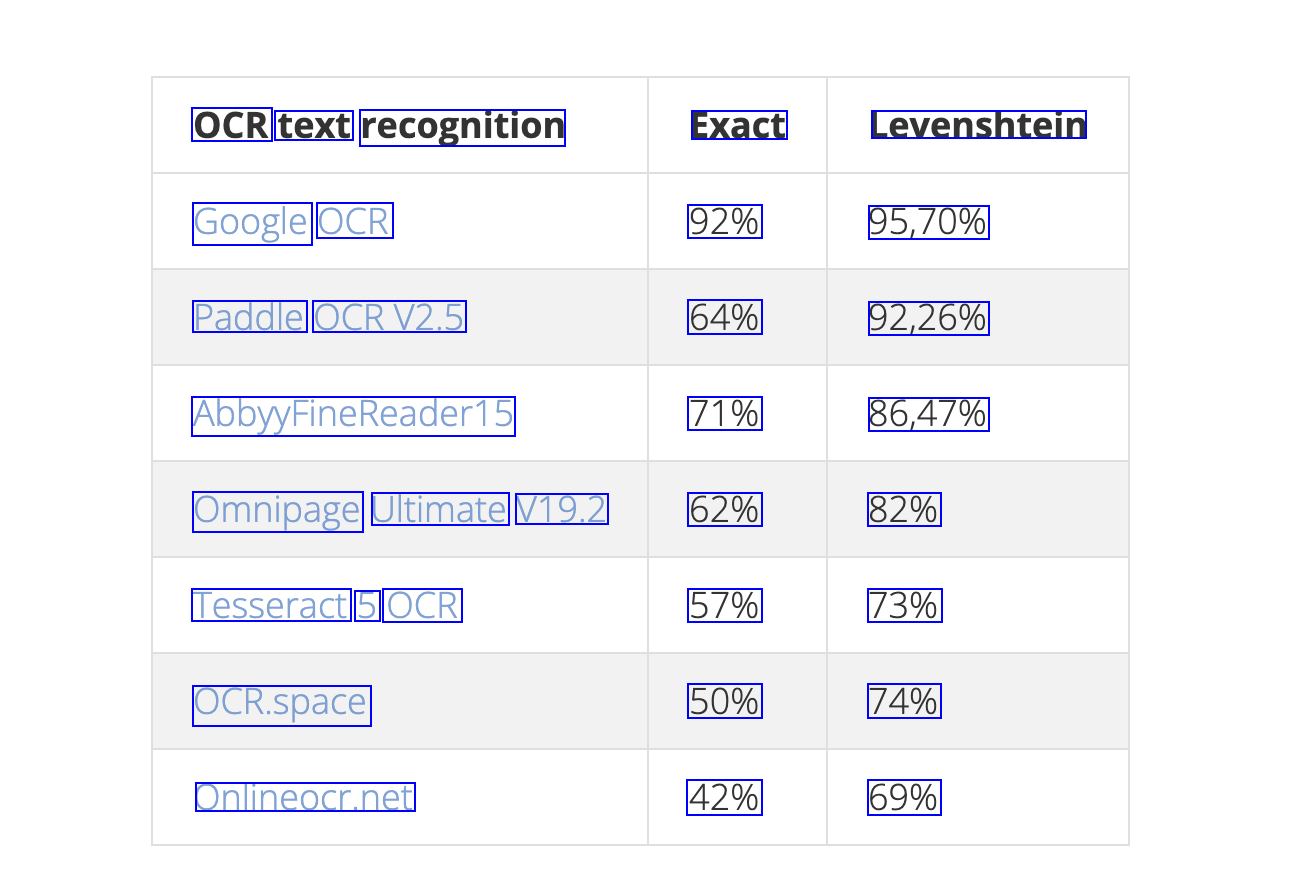
OCR text recognition Exact Levenshtein Google OCR 92% 95,70% Paddle OCRV2.5 64% 92,26% Abby/FineReader15 71% 86,47% Omnipage Ultimate V19.2 62% 82% Tesseract 5 OCR 57% 73% OCR.space 50% 74% Onlineocr.net 42% 69%