Container Instances in OCI
tags :
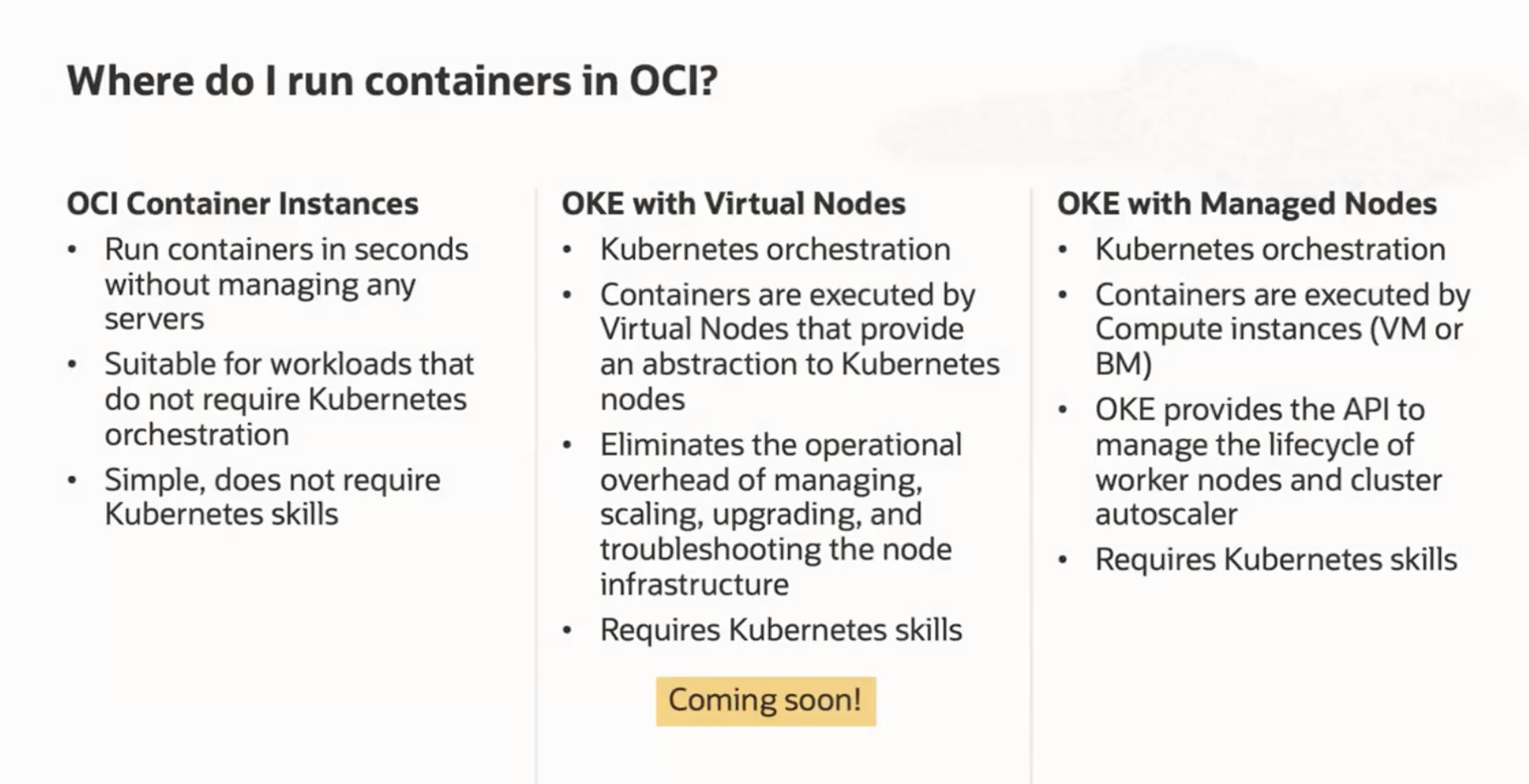
OCI compute type #
App Platform equivalent in OCI
Using OCI Container Instances is a good idea before using Kubernetes This is mentioned by the architects in this youtube
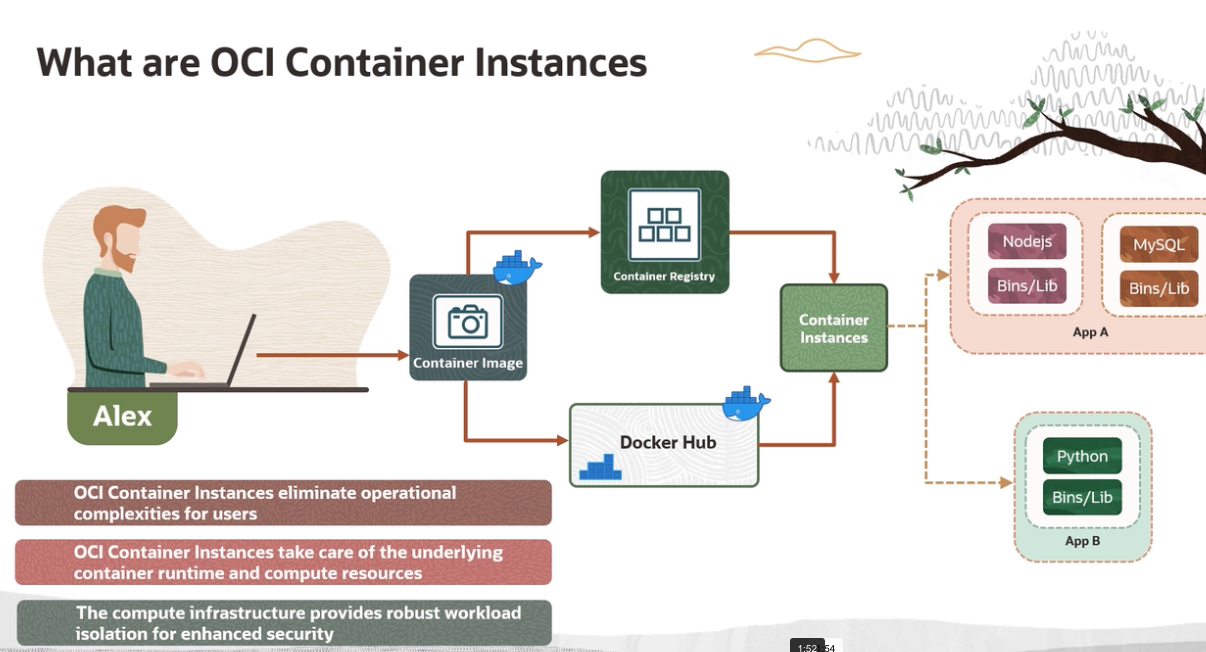
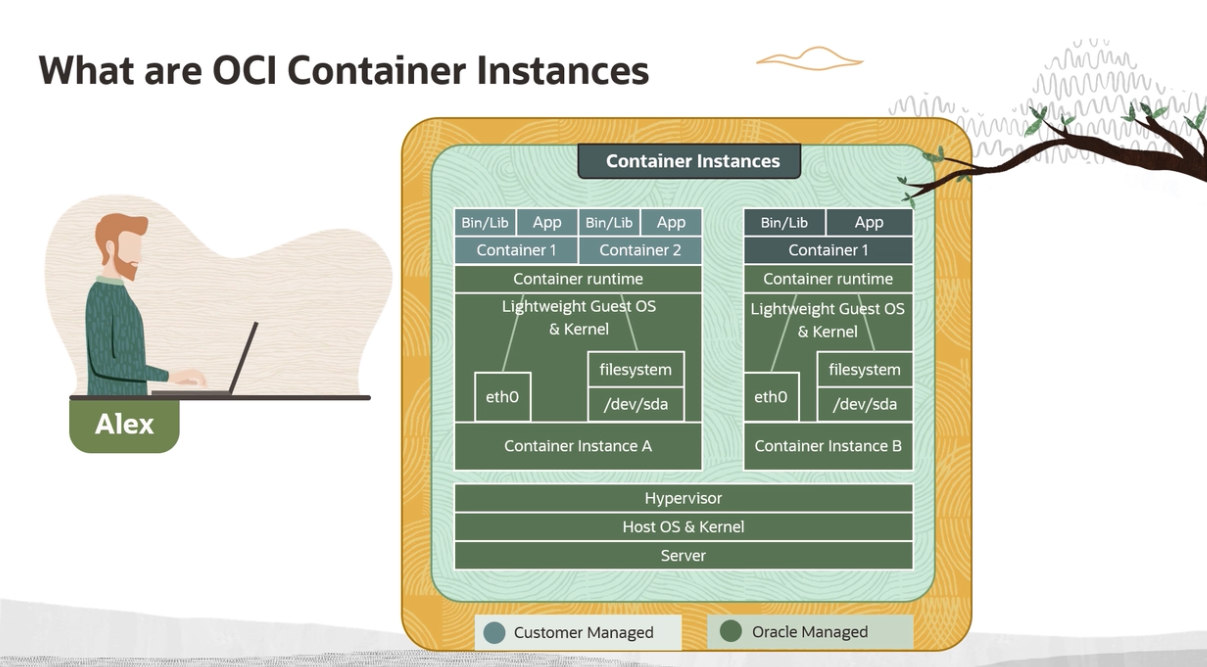
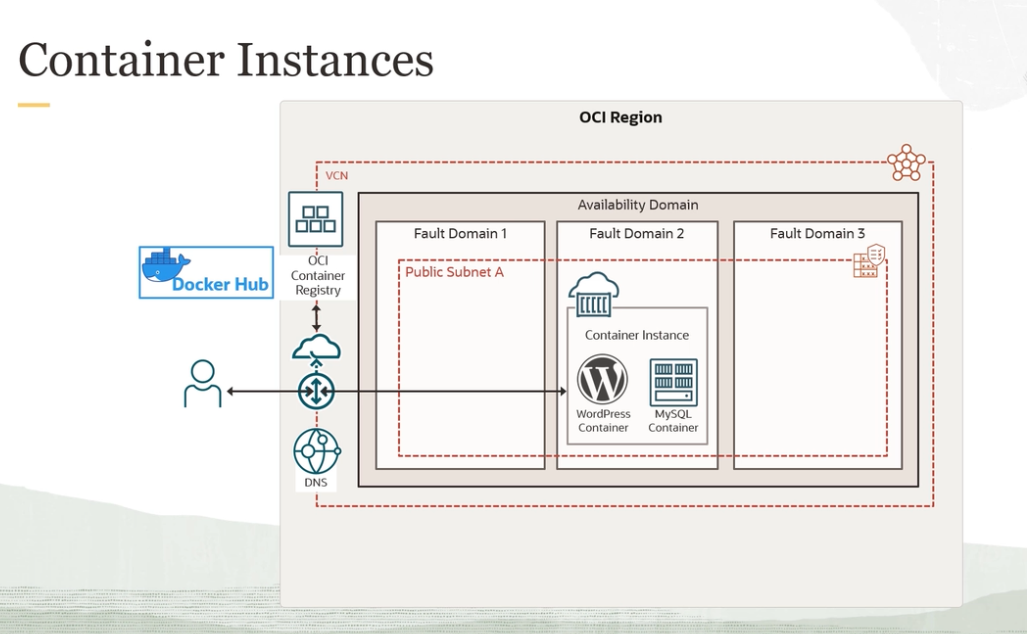
- Containers in a Container Instance have the same concept as a pod in Kubernetes with the main application container and supporting sidecar containers.
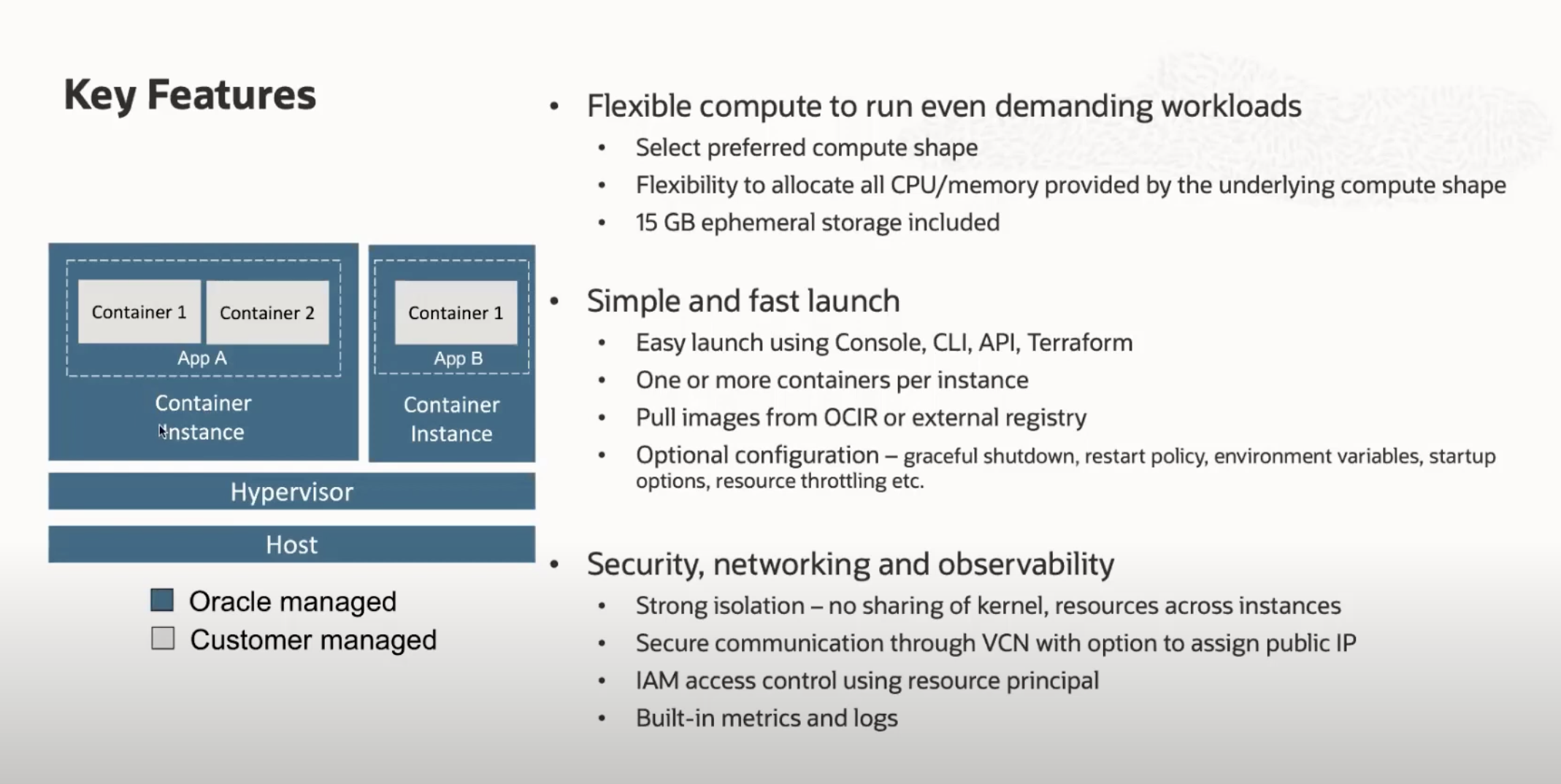
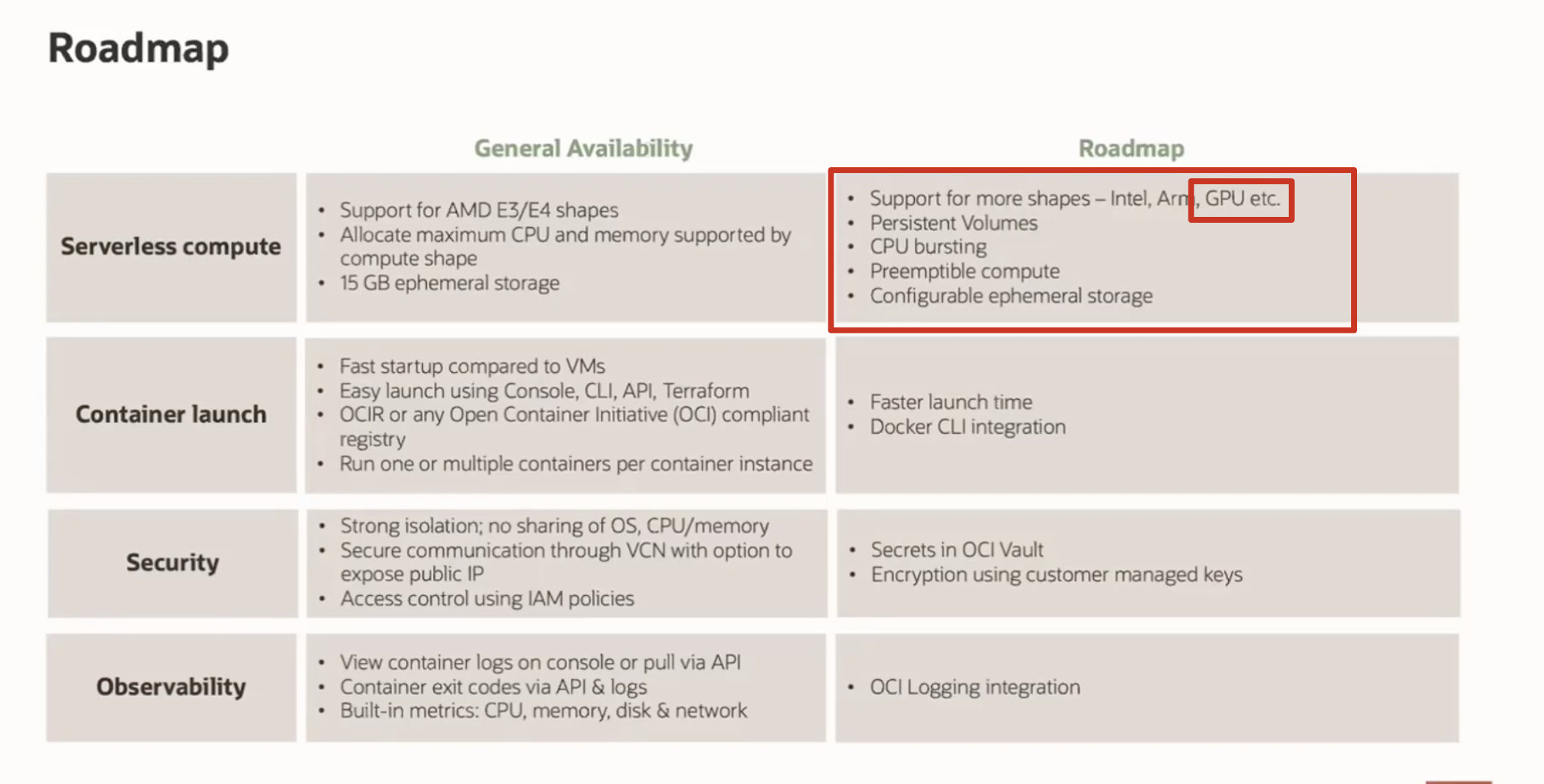
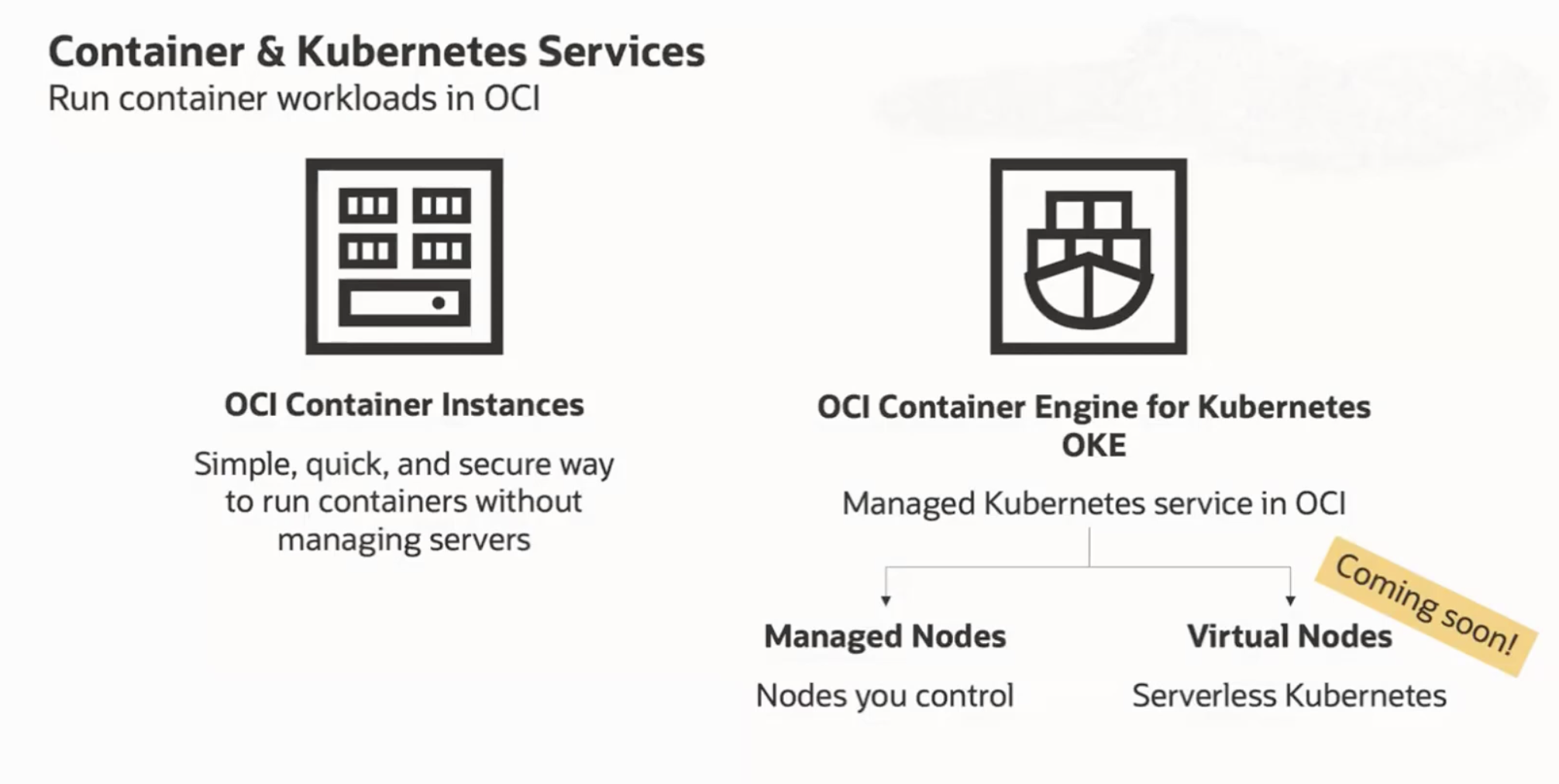
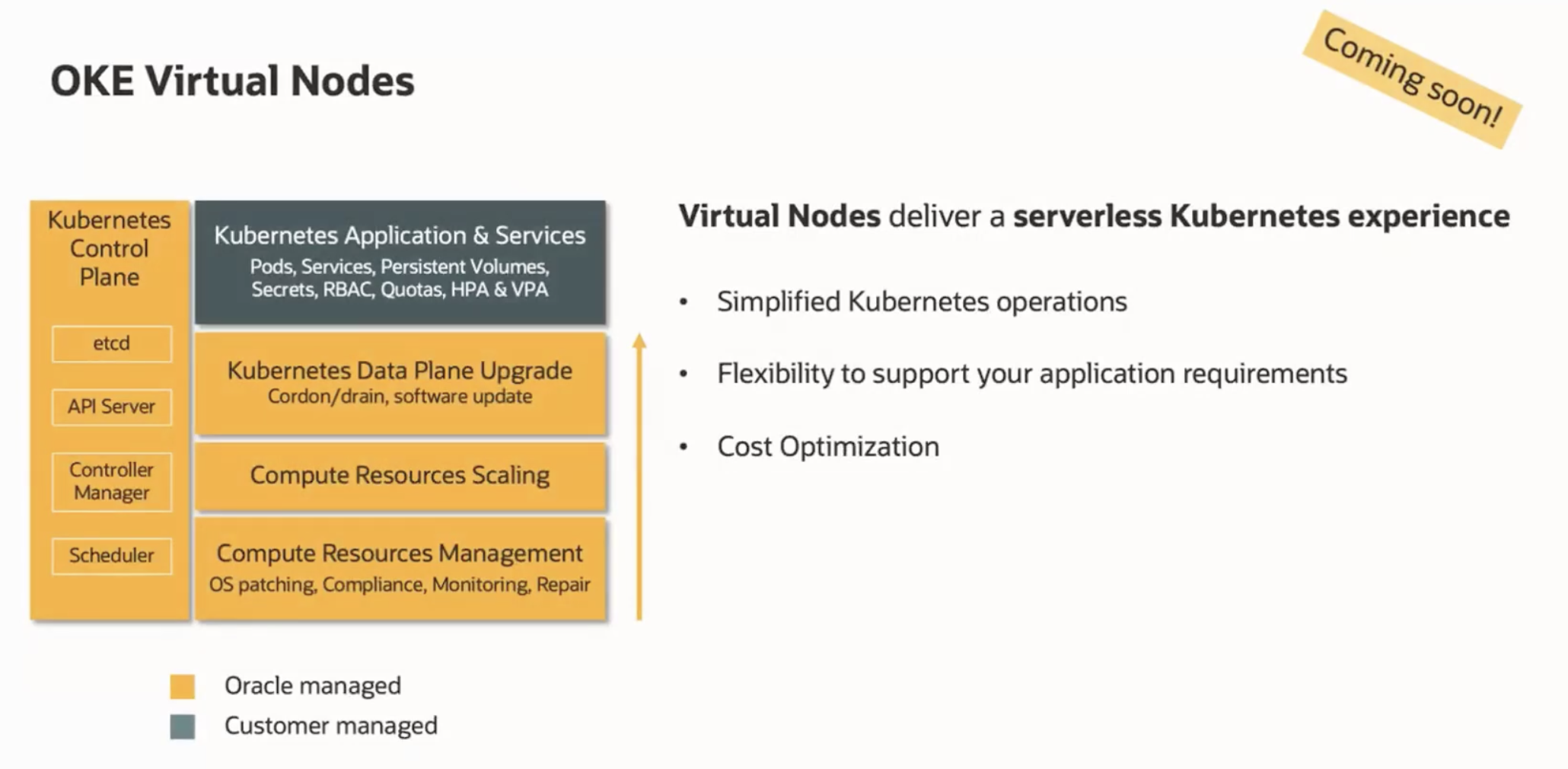
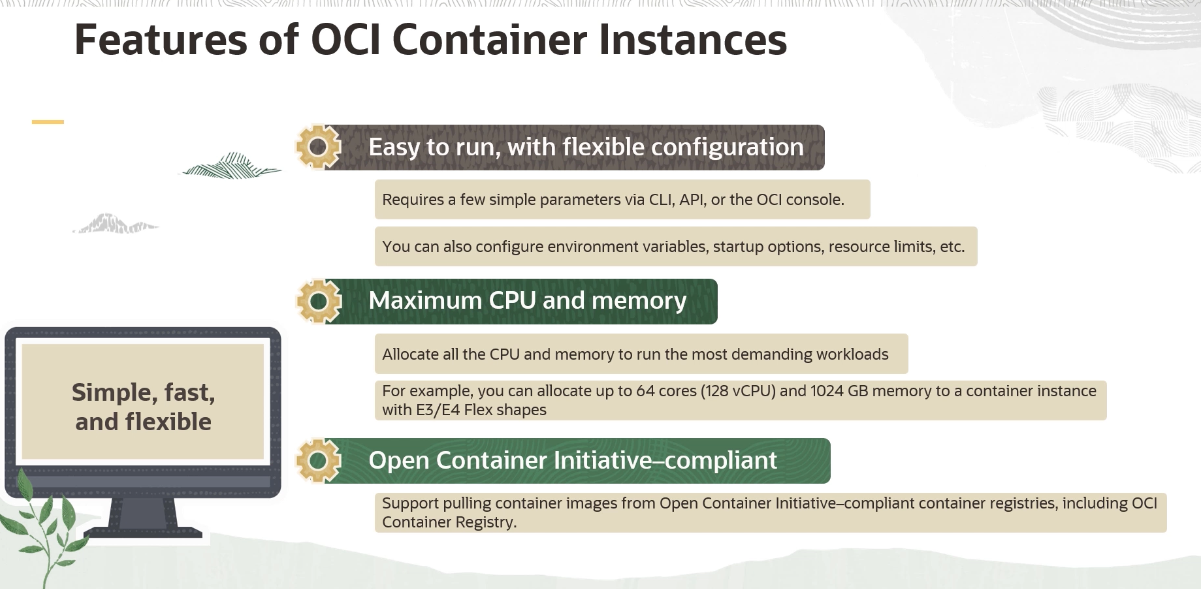
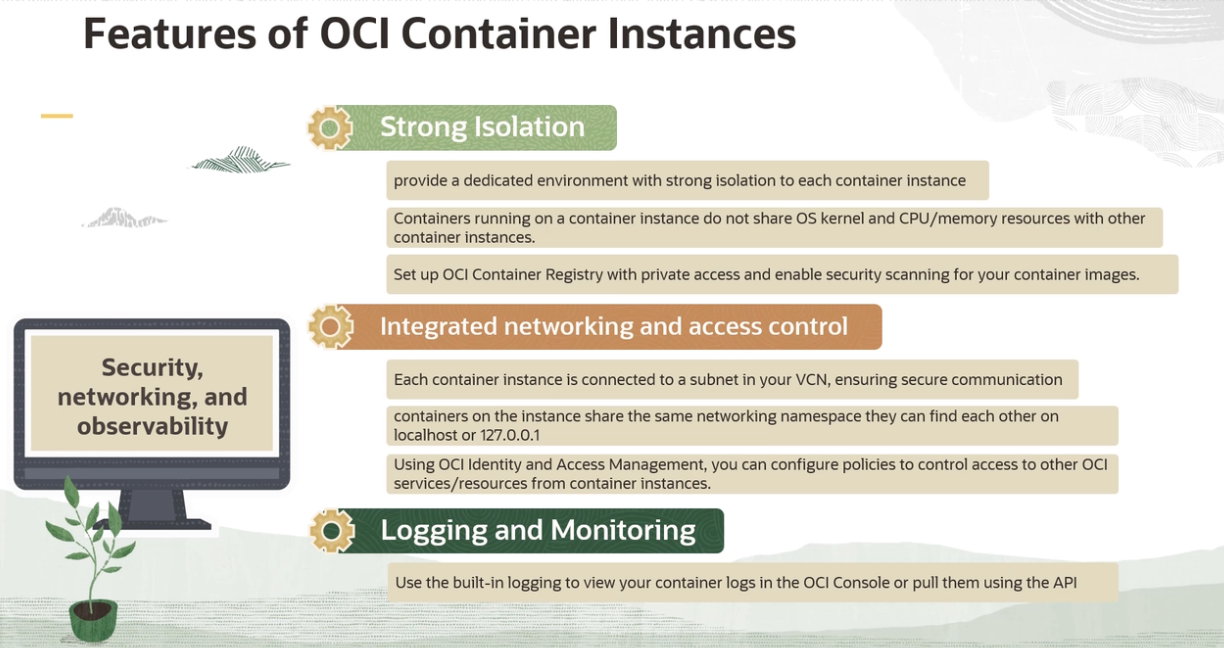
Features #
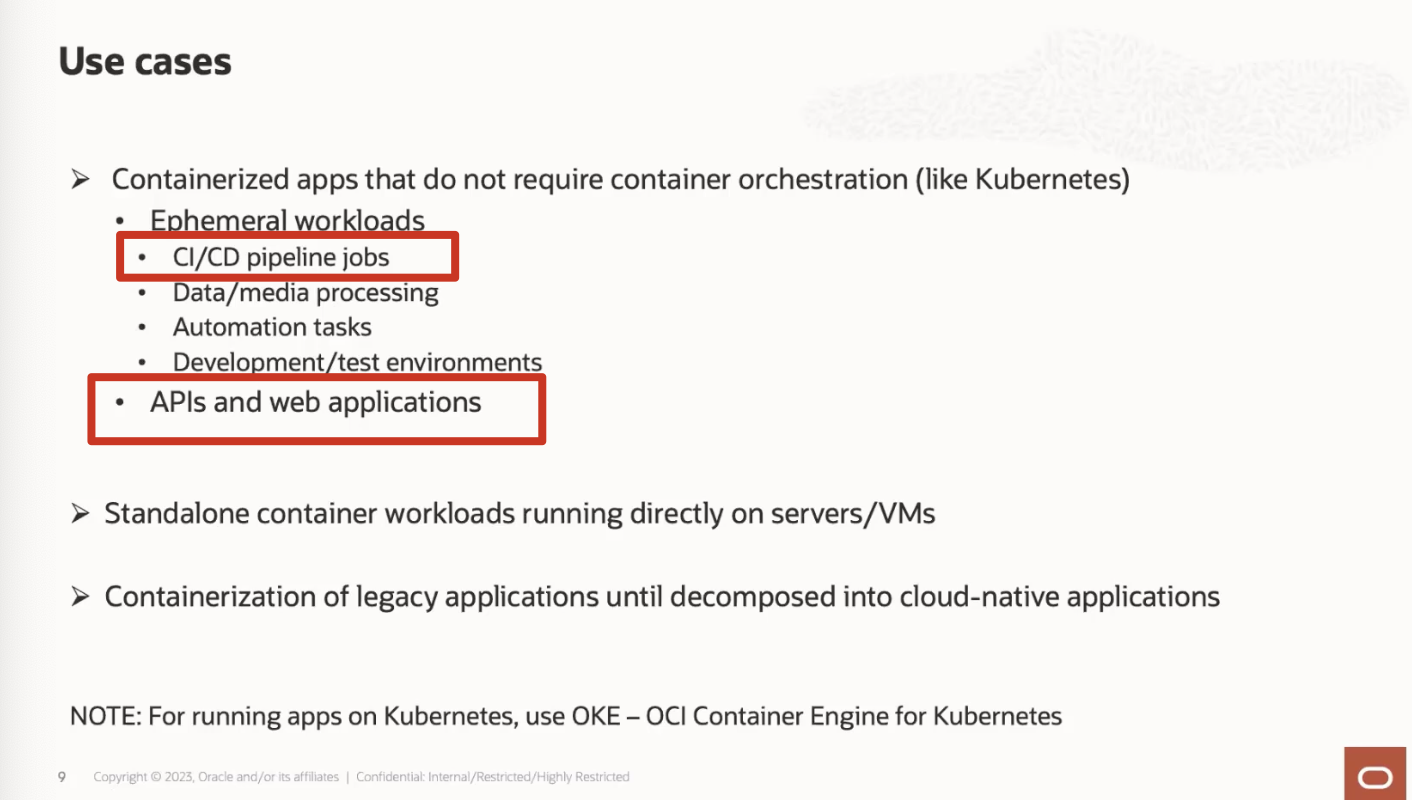
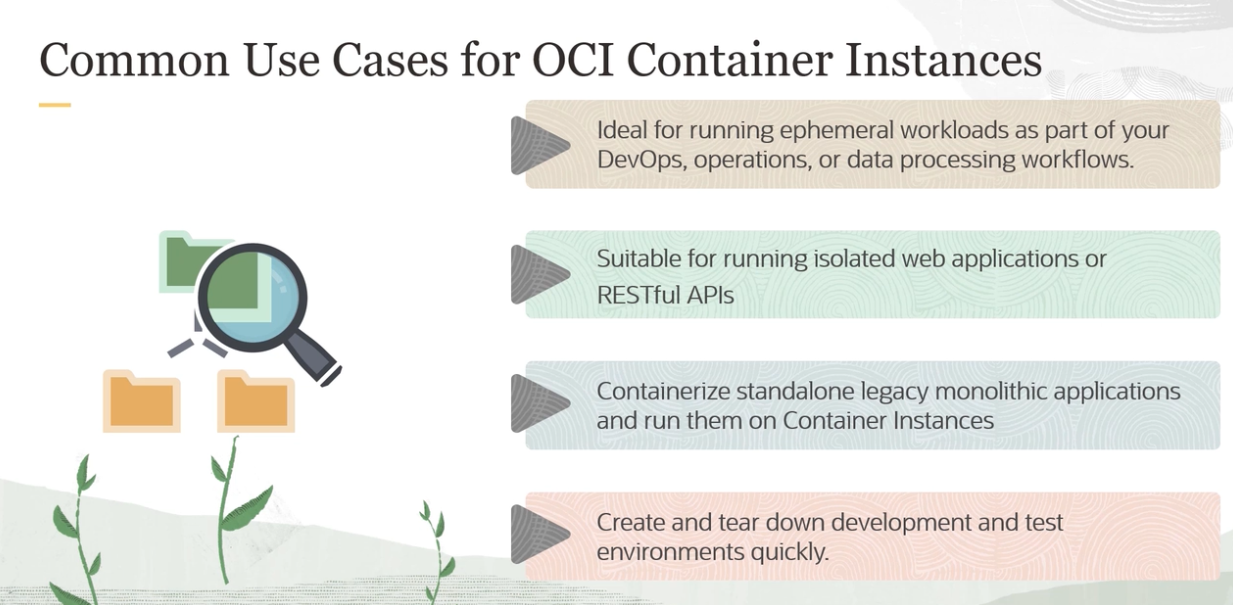
Use Cases #
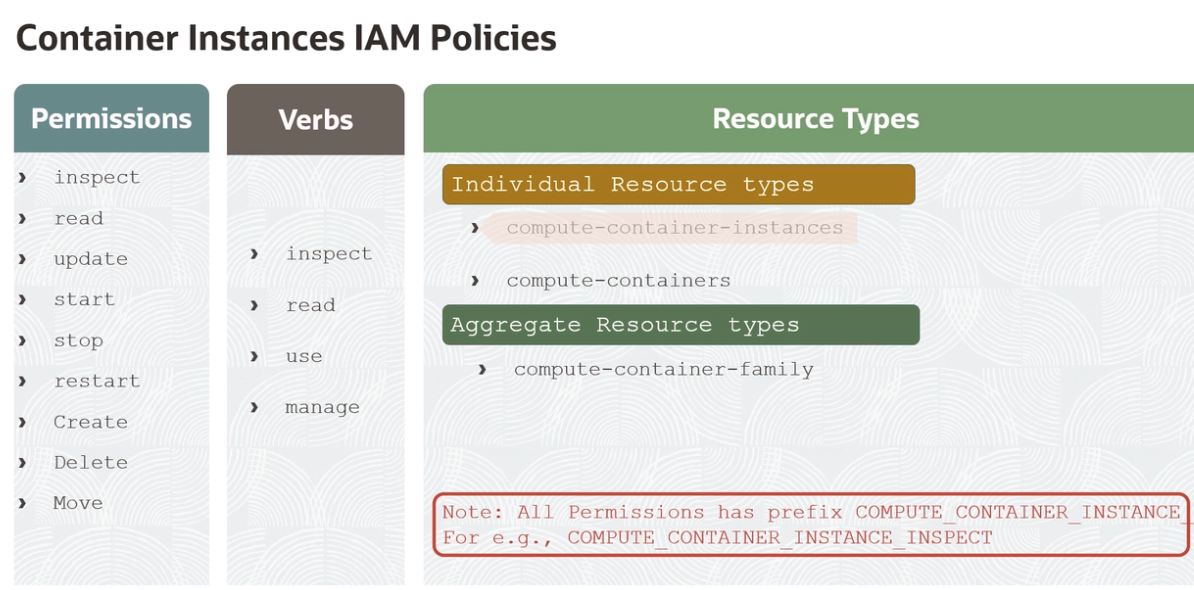
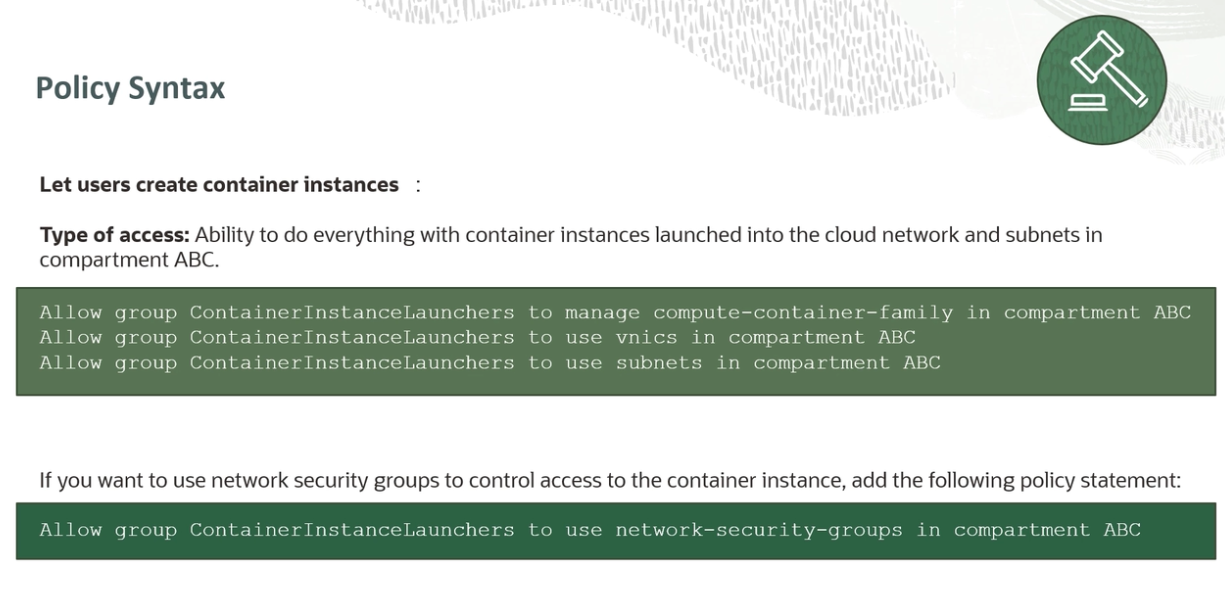
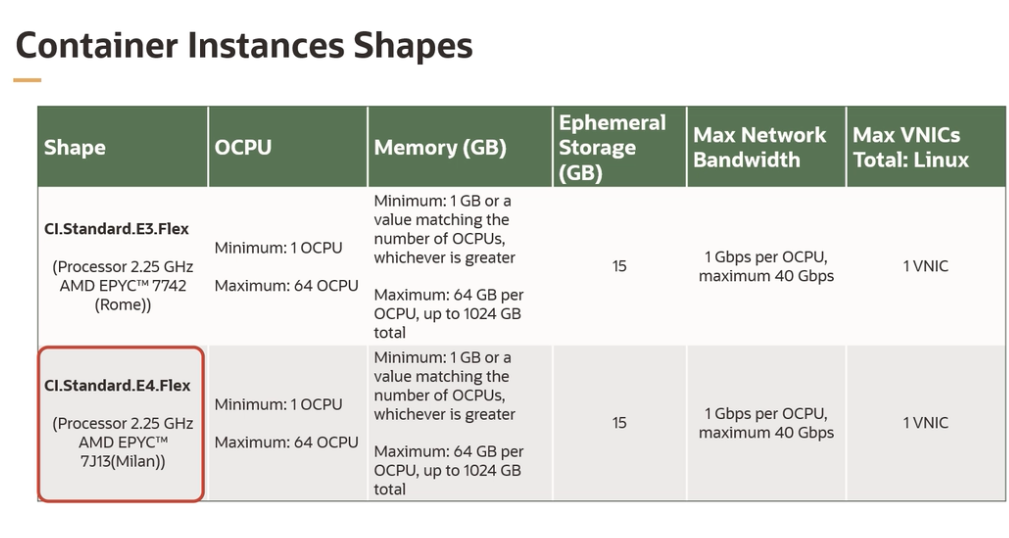
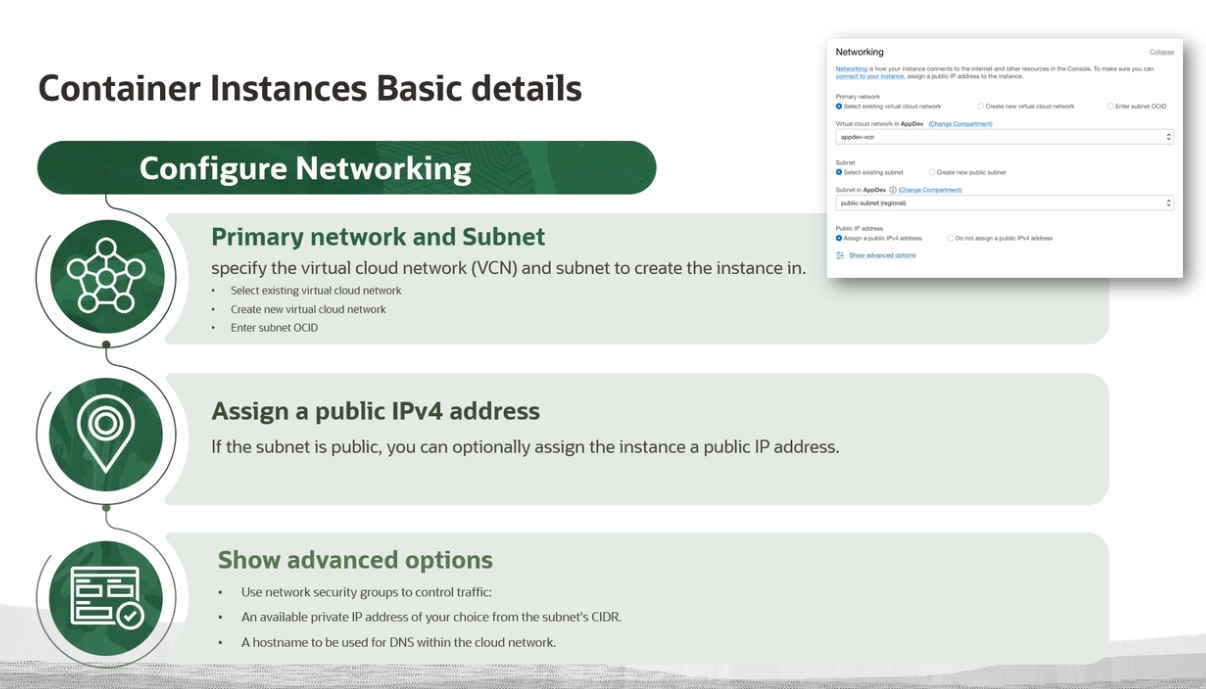
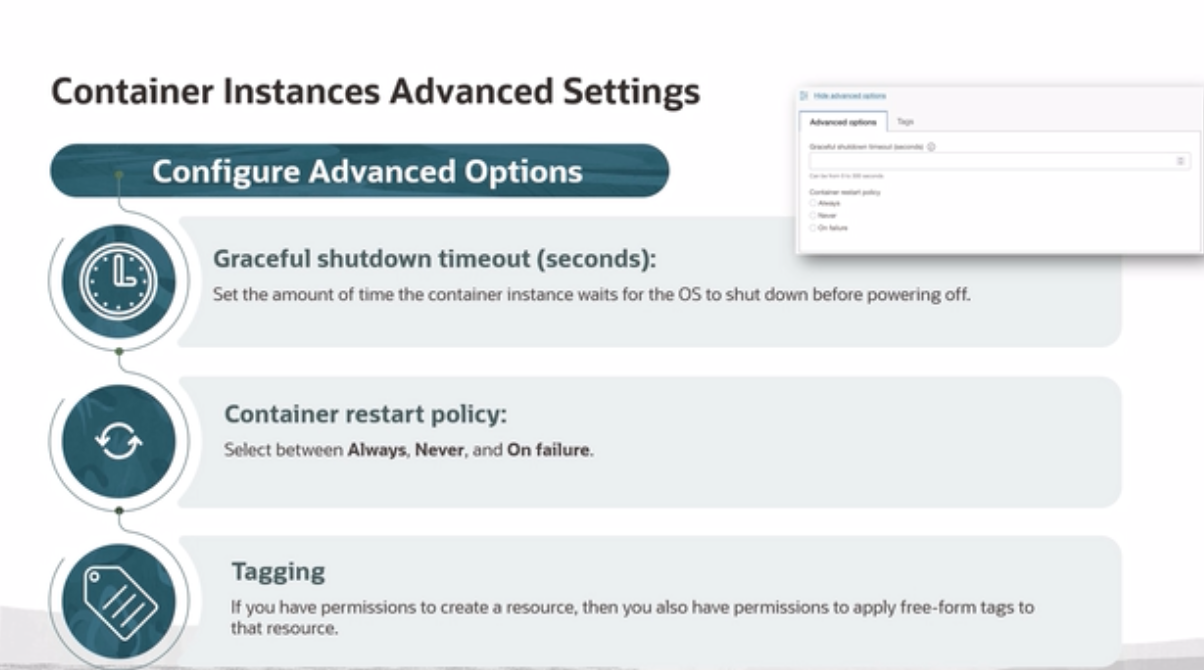
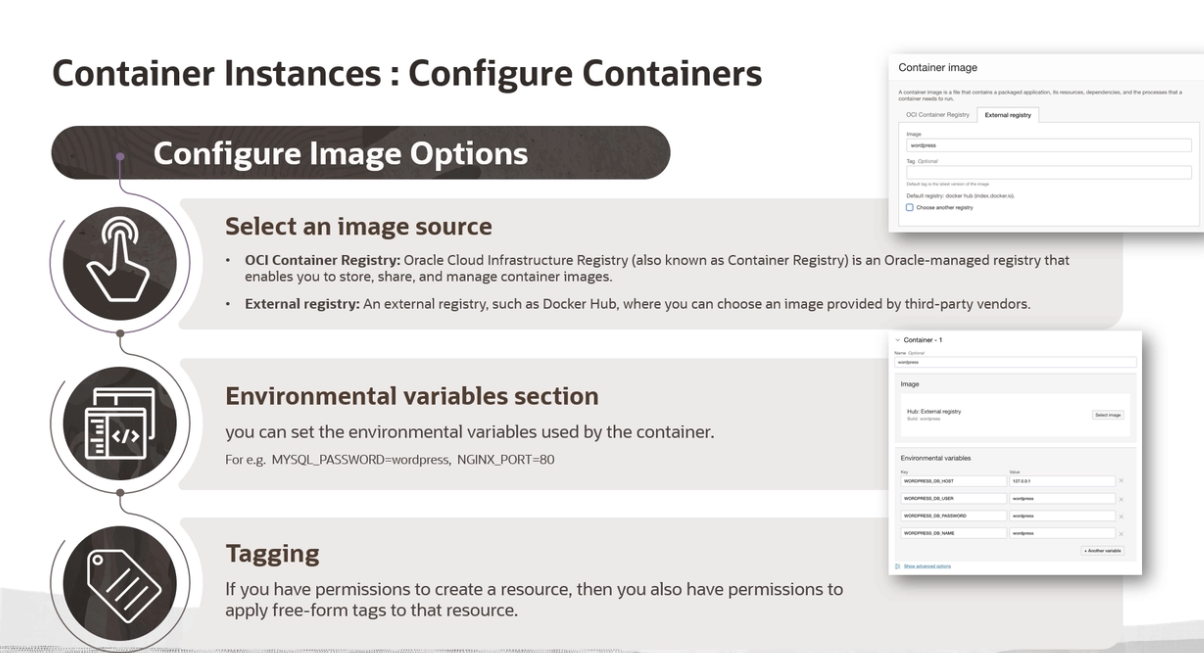
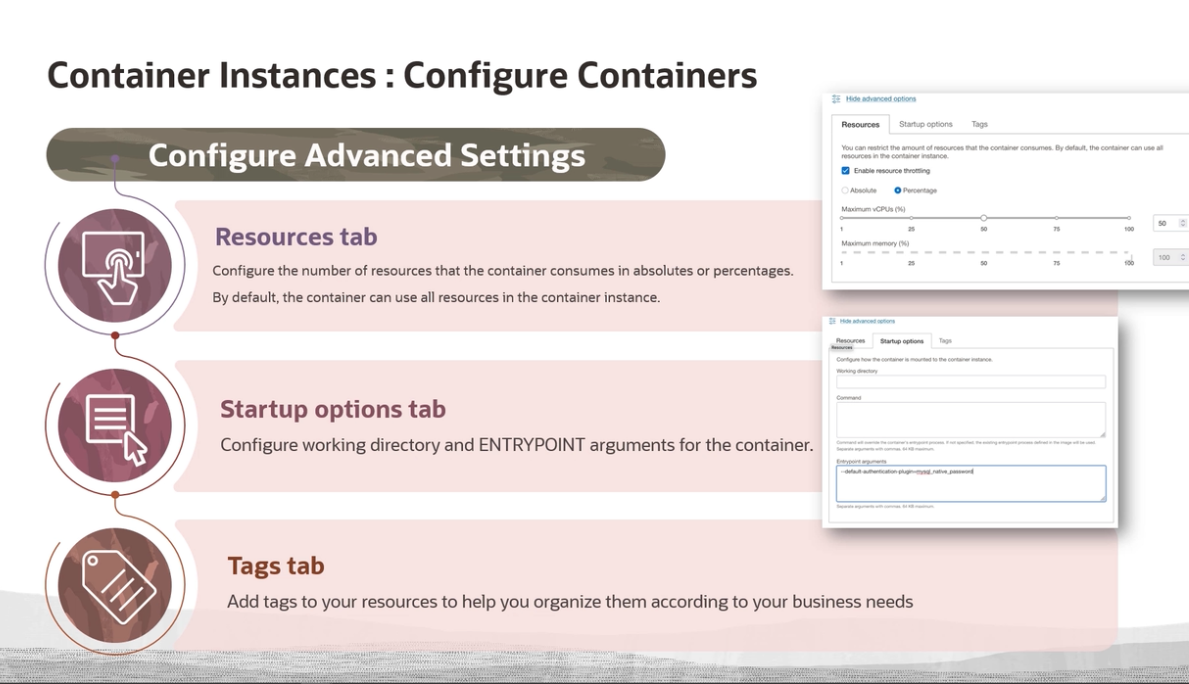
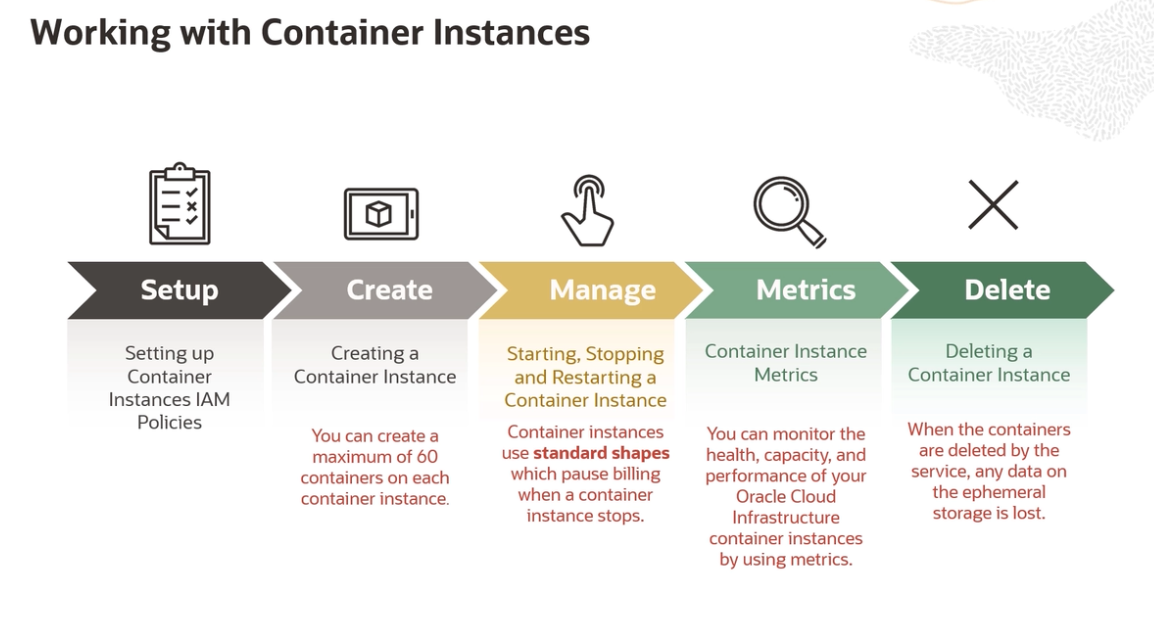
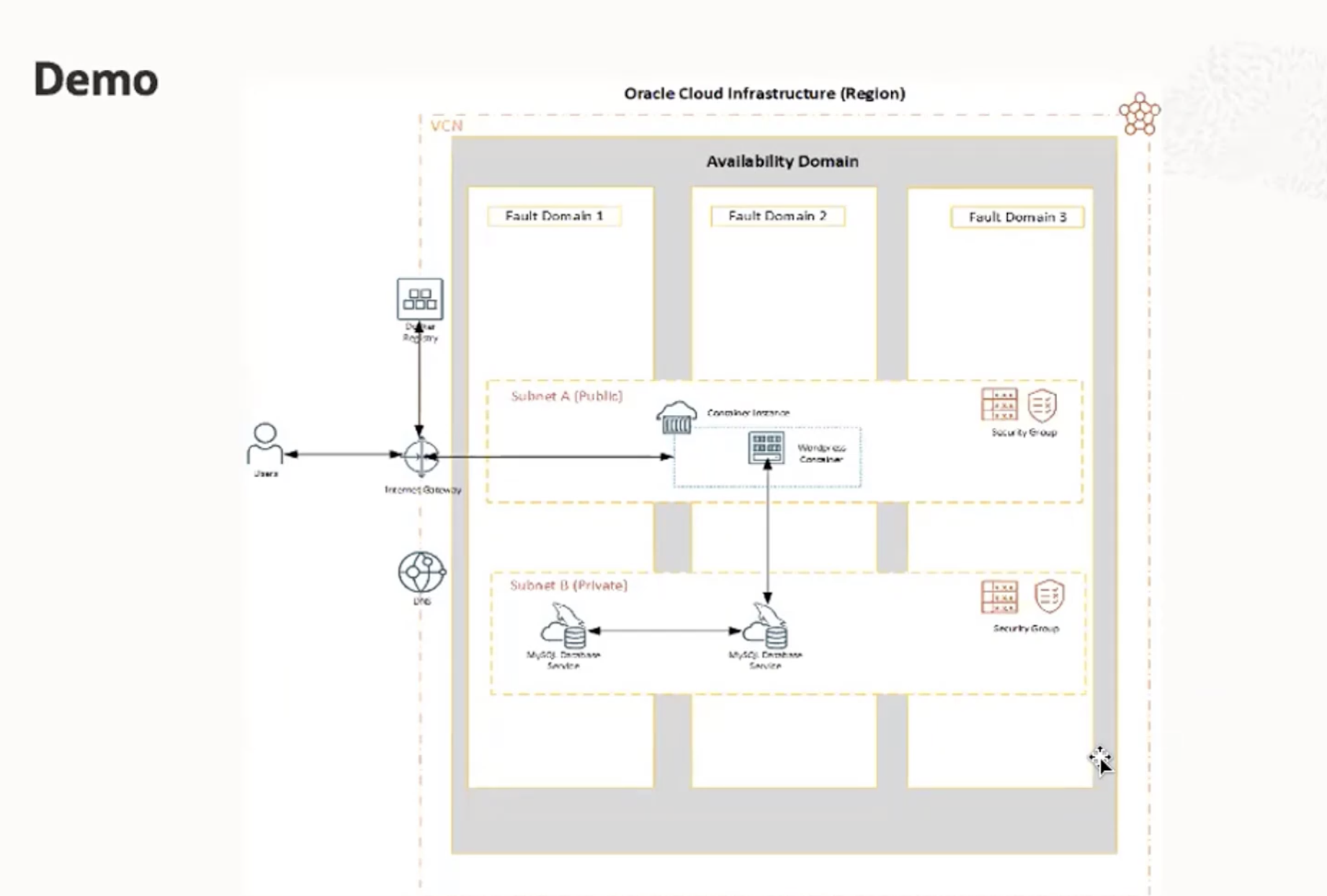
Demo of creation on OCI #
Deploying sentence-transformers, challenges #
Container image size should not exceed 7.5GB #
How to decrease size of container when using sentence-transformer with model “all-MiniLM-L6-v2” #
requirements.txt #
torch --index-url https://download.pytorch.org/whl/cpu
torchvision --index-url https://download.pytorch.org/whl/cpu
torchaudio --index-url https://download.pytorch.org/whl/cpu
sentence-transformers
putting just “sentence-transformers” inside the container was making the deployment successful but the container was failing to start.
Changes in the Dockerfile #
# Use an official Python runtime based on Debian 10 "buster" as a parent image.
# FROM python:3.8.1-slim-buster
FROM python:3.11.1-bullseye


# Add user that will be used in the container.
RUN useradd django

# Port used by this container to serve HTTP.
EXPOSE 8000

# Set environment variables.
# 1. Force Python stdout and stderr streams to be unbuffered.
# 2. Set PORT variable that is used by Gunicorn. This should match "EXPOSE"
#    command.
ENV PYTHONUNBUFFERED=1 \
    PORT=8000

# Install system packages required by Django and Django.
RUN apt-get update --yes --quiet && apt-get install --yes --quiet --no-install-recommends \
    build-essential \
    libpq-dev \
    # required by django-wkhtmltopdf
    wkhtmltopdf \
    # libmariadbclient-dev \
    libjpeg62-turbo-dev \
    zlib1g-dev \
    libwebp-dev \
 && rm -rf /var/lib/apt/lists/*

# Install the application server.
# RUN pip install "gunicorn==20.0.4"

# Install the project requirements.
COPY requirements.txt /
RUN pip install --no-cache-dir -r /requirements.txt


# Use /app folder as a directory where the source code is stored.
WORKDIR /app

# to fix sentence-transformers permissions issue
# Create a home directory for the django user and set ownership
RUN mkdir -p /home/django && chown django:django /home/django

# Create and set a cache directory for transformers
RUN mkdir -p /app/.cache/huggingface && chown django:django /app/.cache/huggingface

# Set this directory to be owned by the "django" user. This Django project
# uses SQLite, the folder needs to be owned by the user that
# will be writing to the database file.
RUN chown django:django /app


# to fix sentence-transformers permissions issue
# Set the TRANSFORMERS_CACHE environment variable
ENV HOME=/home/django TRANSFORMERS_CACHE=/app/.cache/huggingface

# Copy the source code of the project into the container.
COPY --chown=django:django . .

WORKDIR /app/invoicing_apis
# Renmae chilkat2_linux.so to chilkat2.so because current I am ignoring chilkat2.so in .gitignore
# to avoid conflicts
RUN mv bl/model/utils/chilkat2_linux.so bl/model/utils/chilkat2.so

# use arm based chilkat2 library
# RUN mv bl/model/utils/chilkat2_arm.so bl/model/utils/chilkat2.so

# Use user "django" to run the build commands below and the server itself.
USER django

# Collect static files.
# RUN python manage.py collectstatic --noinput --clear

# Runtime command that executes when "docker run" is called, it does the
# following:
#   1. Migrate the database.
#   2. Start the application server.
# WARNING:
#   Migrating database at the same time as starting the server IS NOT THE BEST
#   PRACTICE. The database should be migrated manually or using the release
#   phase facilities of your hosting platform. This is used only so the
#   Django instance can be started with a simple "docker run" command.
# CMD set -xe; python manage.py migrate --noinput; gunicorn invoicing_apis.wsgi:application
# CMD set -xe; python manage.py migrate --noinput; uvicorn invoicing_apis.asgi:application
# CMD set -xe; python manage.py migrate --noinput; daphne -p 8001 invoicing_apis.asgi:application

CMD set -xe; python manage.py migrate --noinput; gunicorn -k uvicorn.workers.UvicornWorker invoicing_apis.asgi:application