Object Storage in OCI
tags :
Object Storage in OCI #
it is fully compatible with S3 storage, the libraries or client that can work with S3 will work with it as well, like django-storage
Creating API Keys #
https://docs.oracle.com/en-us/iaas/nosql-database/doc/accessing-oracle-cloud-object-storage.html
Storing files from Django app to Object Storage in OCI #
ref ref documentation create policy to access the object storage
credentials to access the object storage #
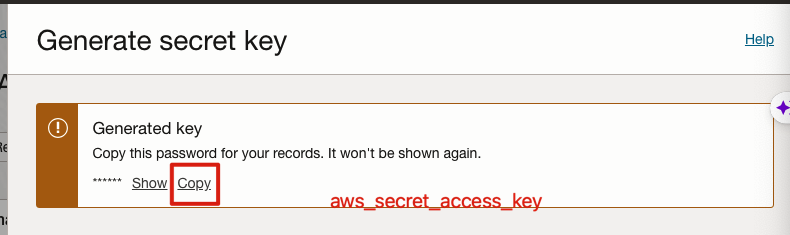
Important Note : This code is a simple ListBucket and PutObject operation to OCI using Amazon Python SDK. Please note not all S3 API operations are supported. For all supported S3 operations refer : https://docs.oracle.com/en-us/iaas/Content/Object/Tasks/s3compatibleapi.htm aws_secret_access_key is the Secret key of OCI displayed in Section 1.B
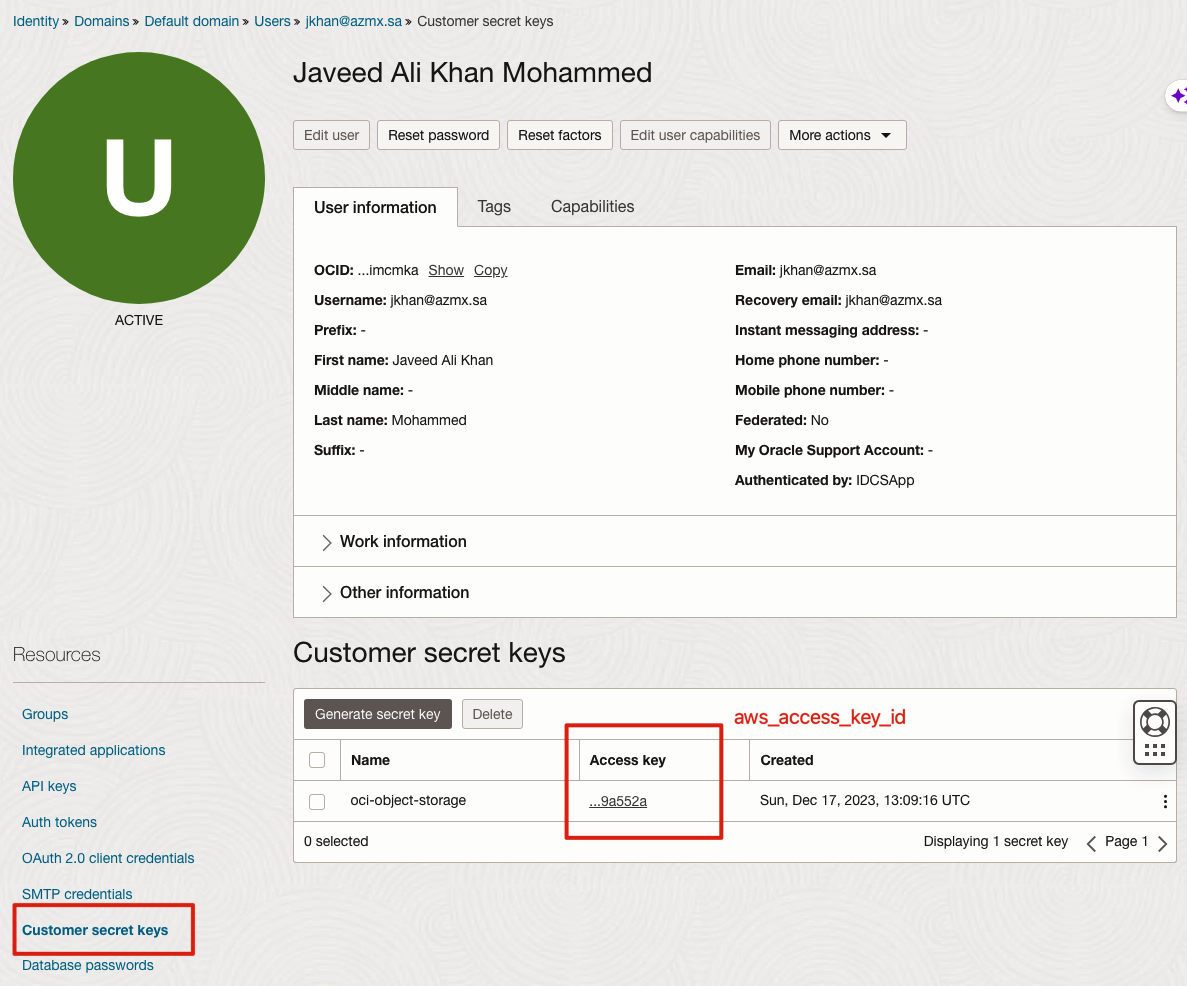
aws_access_key_id is the Access Key of OCI displayed in Section 1.C endpoint_url is in format https://<OCI-Tenancy-Namespace>.compat.objectstorage.<OCI-Region>.oraclecloud.com eg: https://ocicpm.compat.objectstorage.ap-sydney-1.oraclecloud.com In newer OCI tenancies the tenancy namespace is a random string instead of a proper noun. Ref : https://docs.oracle.com/en-us/iaas/Content/Object/Tasks/understandingnamespaces.htm
Sample Python to upload files #
python3 -m venv ~/.envs/invoice-env
(pyvenv-activate "~/.envs/invoice-env")
which python
import boto3

# Replace these values with your actual details
aws_access_key_id = 'e026f160ea1a8ee69adaaeee18c2f0ba909a552a' # after secret key is created, it is referred with this id
aws_secret_access_key = 'GuRNjWGn177fdbtbBapVDnsNc2LMoTs0Ay95TRJmV3Y=' # secret key that will displayed
# aws_secret_access_key = 'oci-object-storage'
region_name = 'me-jeddah-1'  # Replace with your OCI region
endpoint_url = 'https://axlywjsa8odp.compat.objectstorage.me-jeddah-1.oraclecloud.com'  # Replace with your endpoint URL

# Create a Boto3 session
s3 = boto3.client(
    's3',
    region_name=region_name,
    aws_access_key_id=aws_access_key_id,
    aws_secret_access_key=aws_secret_access_key,
    endpoint_url=endpoint_url
)

# List all buckets in OCI Object Storage
def list_buckets():
    try:
        response = s3.list_buckets()
        for bucket in response.get('Buckets', []):
            print(f'Bucket Name: bucket["Name"]')
    except Exception as e:
        print(f'Error: e')

list_buckets()
Sample Django settings #
```requirements.txt django-storages[s3] ````
AWS_ACCESS_KEY_ID = os.environ.get("ORACLE_CUSTOMER_ACCESS_KEY")
AWS_SECRET_ACCESS_KEY = os.environ.get("ORACLE_CUSTOMER_SECRET_KEY")
AWS_STORAGE_BUCKET_NAME = "invoicing-app"
ORACLE_BUCKET_NAMESPACE = os.environ.get("ORACLE_BUCKET_NAMESPACE")
ORACLE_REGION = "me-jeddah-1"


AWS_S3_ENDPOINT_URL = f"https://{ORACLE_BUCKET_NAMESPACE}.compat.objectstorage.{ORACLE_REGION}.oraclecloud.com"
AWS_S3_FILE_OVERWRITE = False
AWS_DEFAULT_ACL = None

STORAGES = {
    "default": {
        "BACKEND": "storages.backends.s3.S3Storage",
        # "OPTIONS": {
        #   ...your_options_here
        # },
    },
    "staticfiles": {
        "BACKEND": "storages.backends.s3.S3Storage",
    },
}
export ORACLE_CUSTOMER_ACCESS_KEY="test-id"
export ORACLE_CUSTOMER_SECRET_KEY="test-secret"
export ORACLE_BUCKET_NAMESPACE="xyz"
Storing Terraform state in OCI object storage #
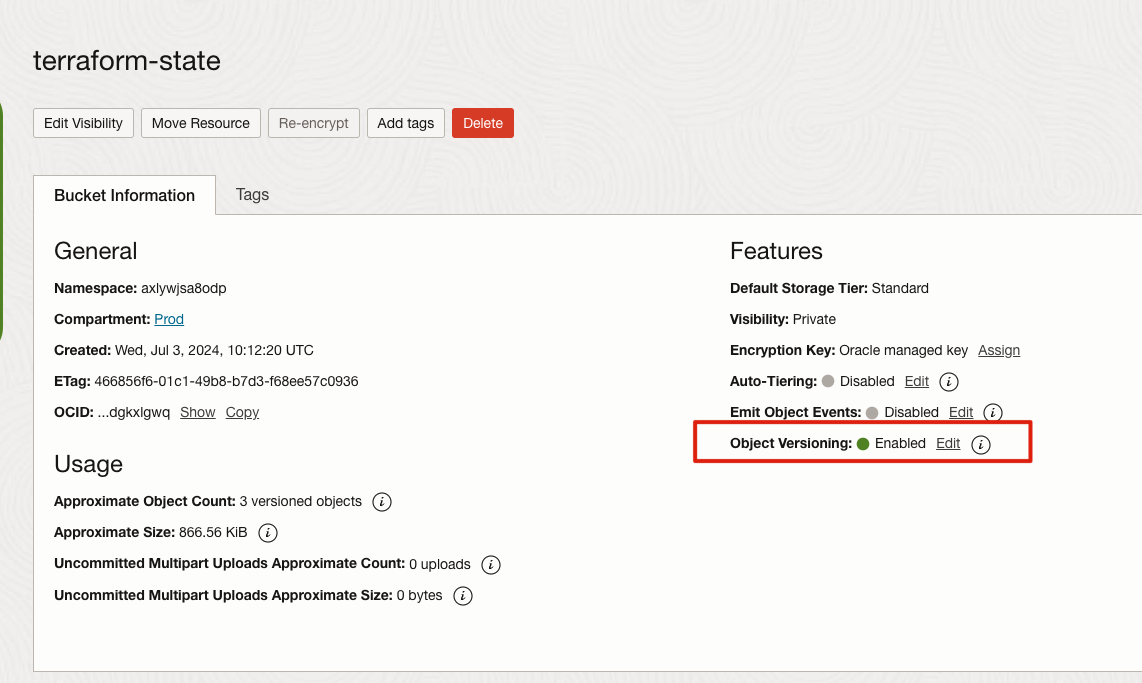
- Make sure to enable object versioning
OCR of Images #
2023-12-17_16-24-10_screenshot.png #
Generate secret key Help Generated key Copy this password for your records. It won't be shown again. Show Copy aws secret access key
2023-12-17_16-26-00_screenshot.png #
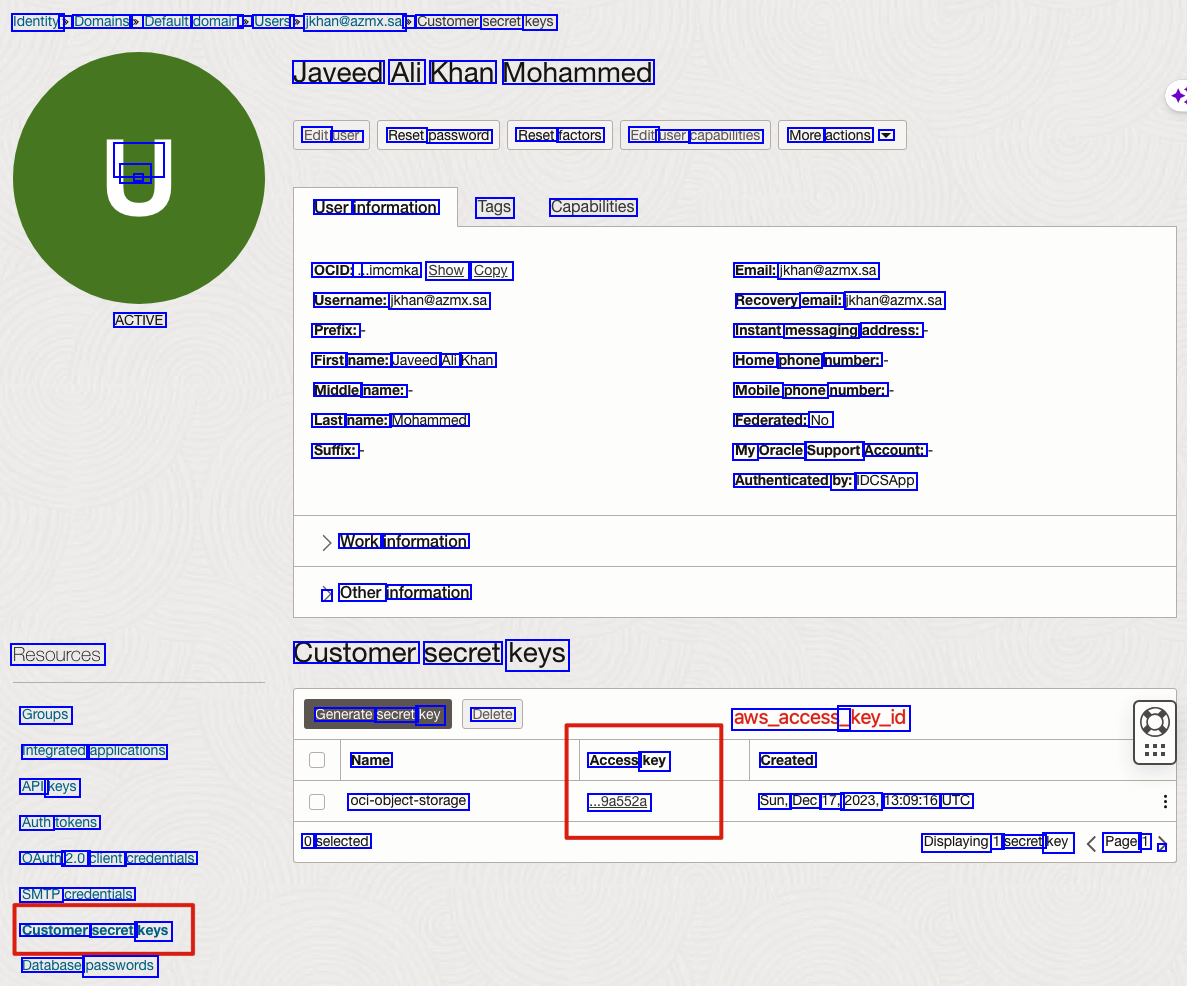
Identity: > Domains > Default domain > Users > jkhan@azmx.sa > Customer secret keys Javeed Ali Khan Mohammed Edit user Reset password Reset factors Edit user capabilities More actions V - - - User information Tags Capabilities OCID:. ...imcmka Show Copy Username: jkhan@azmx.sa Prefix: First name: Javeed Ali Khan Middle name: Last name: Mohammed Suffix: Email: jkhan@azmx.sa Recovery email: jkhan@azmx.sa Instant messaging address: Home phone number: Mobile phone number: Federated: No My Oracle Support Account: Authenticated by: IDCSApp ACTIVE Work information > Other information Resources Groups Integrated applications API keys Auth tokens OAuth 2.0 client credentials SMTP credentials Customer secret keys Database passwords Customer secret keys Generate secret key Delete Name oci-object-storage 0 selected aws_access_ _key_id Created Access key ..9a552a Sun, Dec 17, 2023, 13:09:16 UTC Displaying 1 secret key Page 1 /
2024-09-11_12-18-37_screenshot.png #
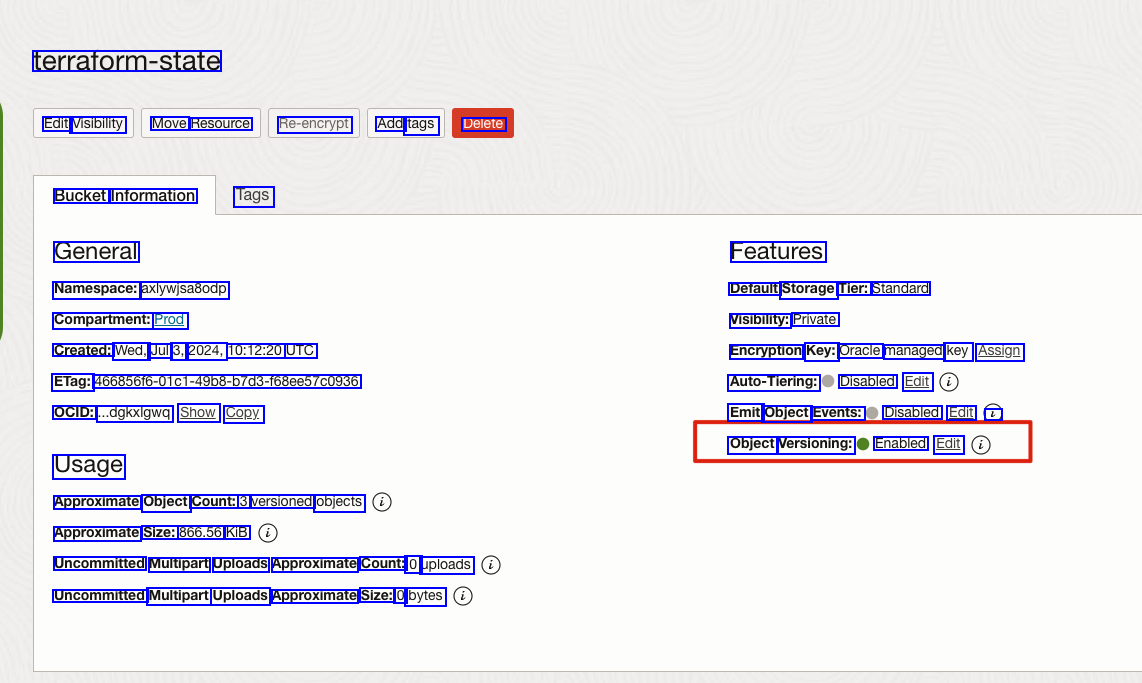
terraform-state Edit Visibility Move Resource Re-encrypt Add tags Delete Bucket Information Tags General Features Namespace: axlywjsa8odp Compartment: Prod Default Storage Tier: Standard Visibility: Private Created: Wed, Jul 3, 2024, 10:12:20 UTC ETag: 46685616-0101-49b8-D7d3-168ee57C0936 OCID: ..dgkxlgwq Show Copy Encryption Key: Oracle managed key Assign Auto-Tiering: Disabled Edit Emit Object Events: Disabled Edit L Object Versioning: Enabled Edit Usage Approximate Object Count: 3 versioned objects Approximate Size: 866.56 KIB Uncommitted Multipart Uploads Approximate Count: 0 uploads Uncommitted Multipart Uploads Approximate Size: 0 bytes