OAuth2 in OCI
tags :
in #
Creating Domain, #
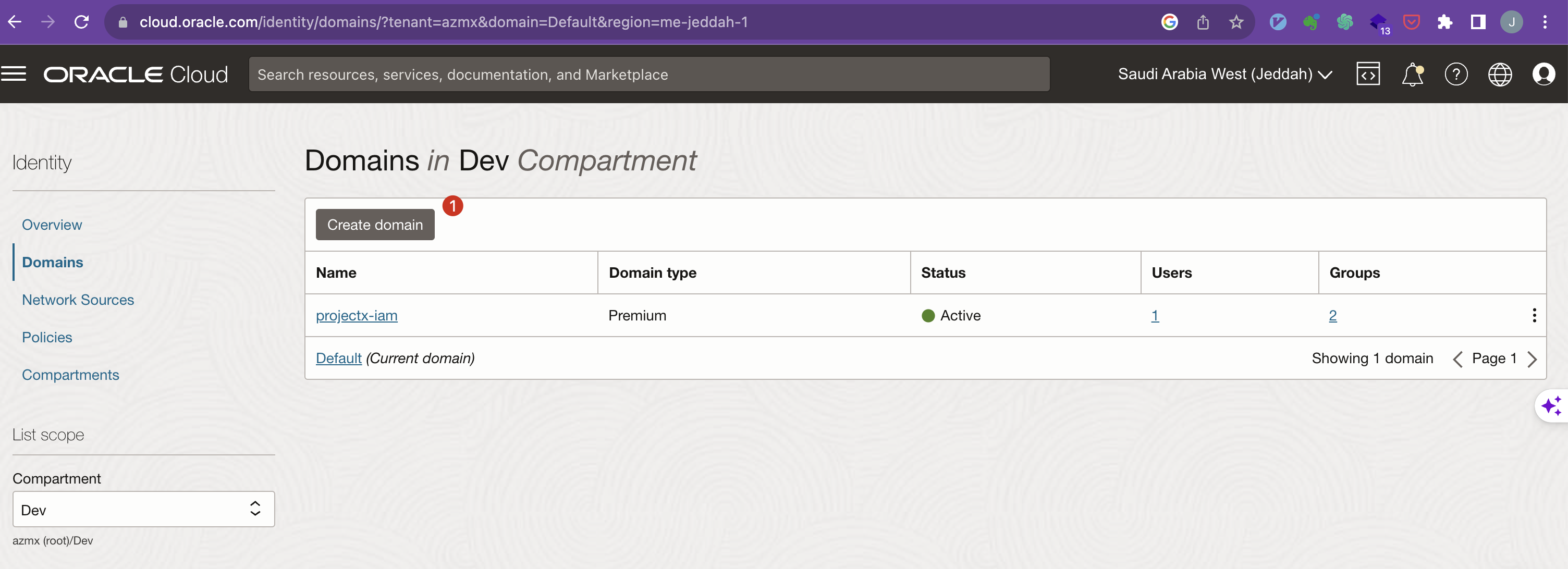
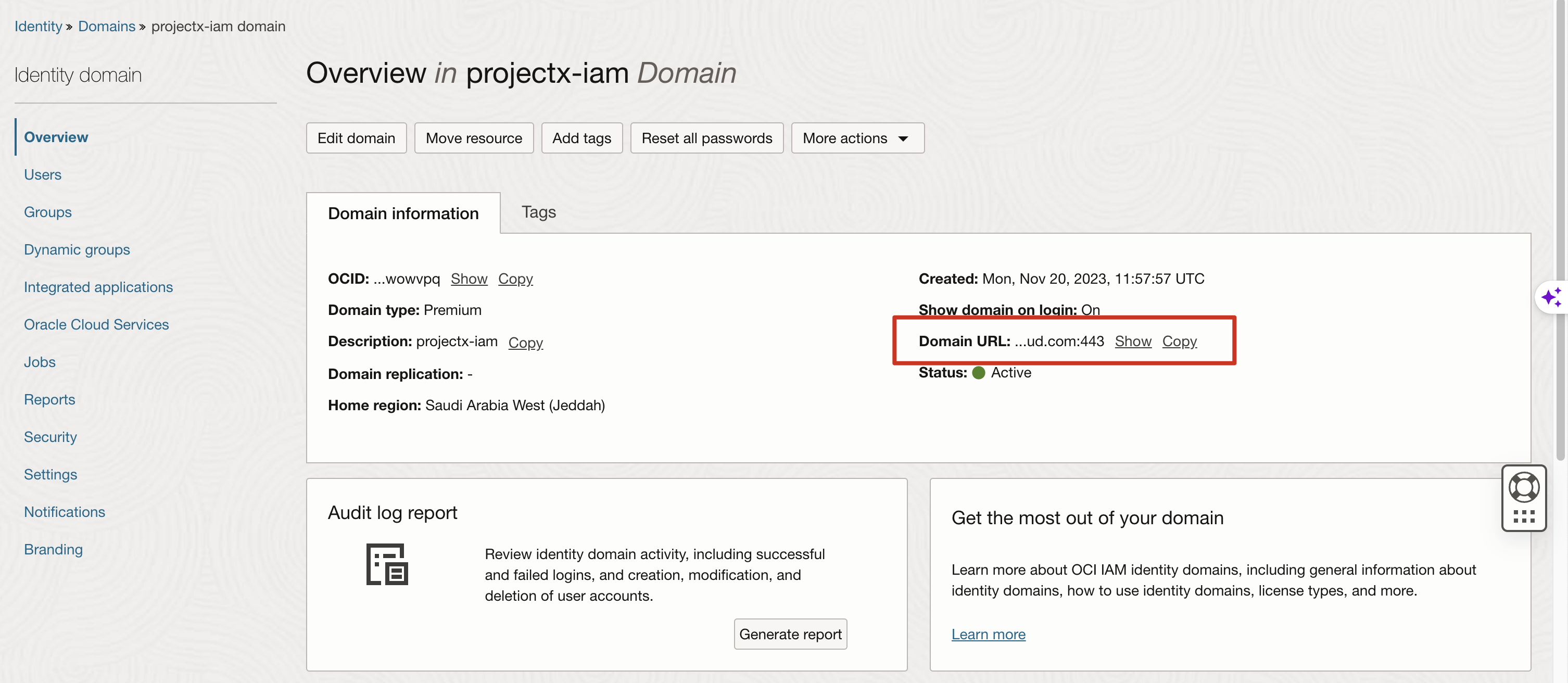
Get the Domain URL
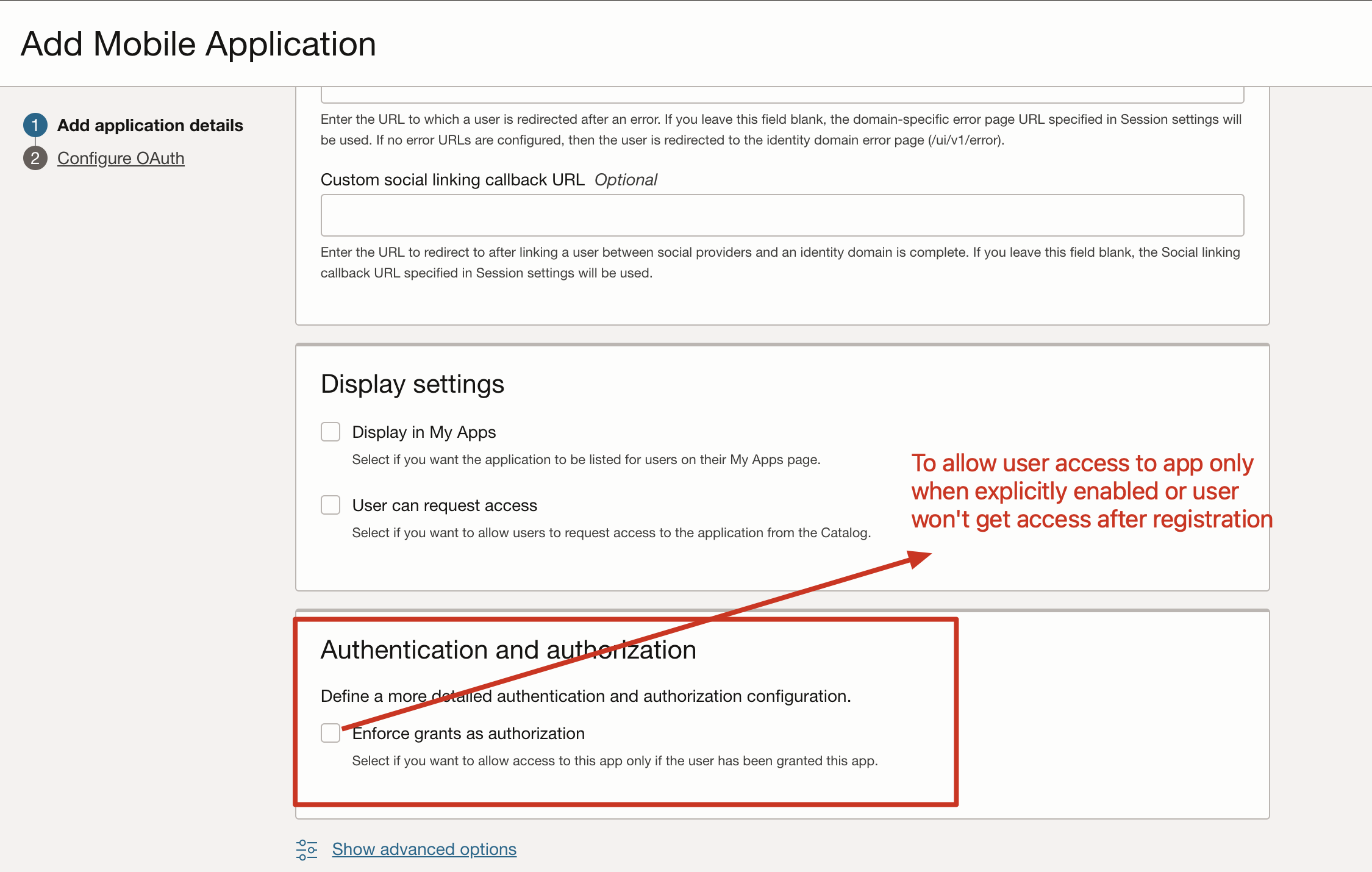
Mobile Application #
Screen shots #
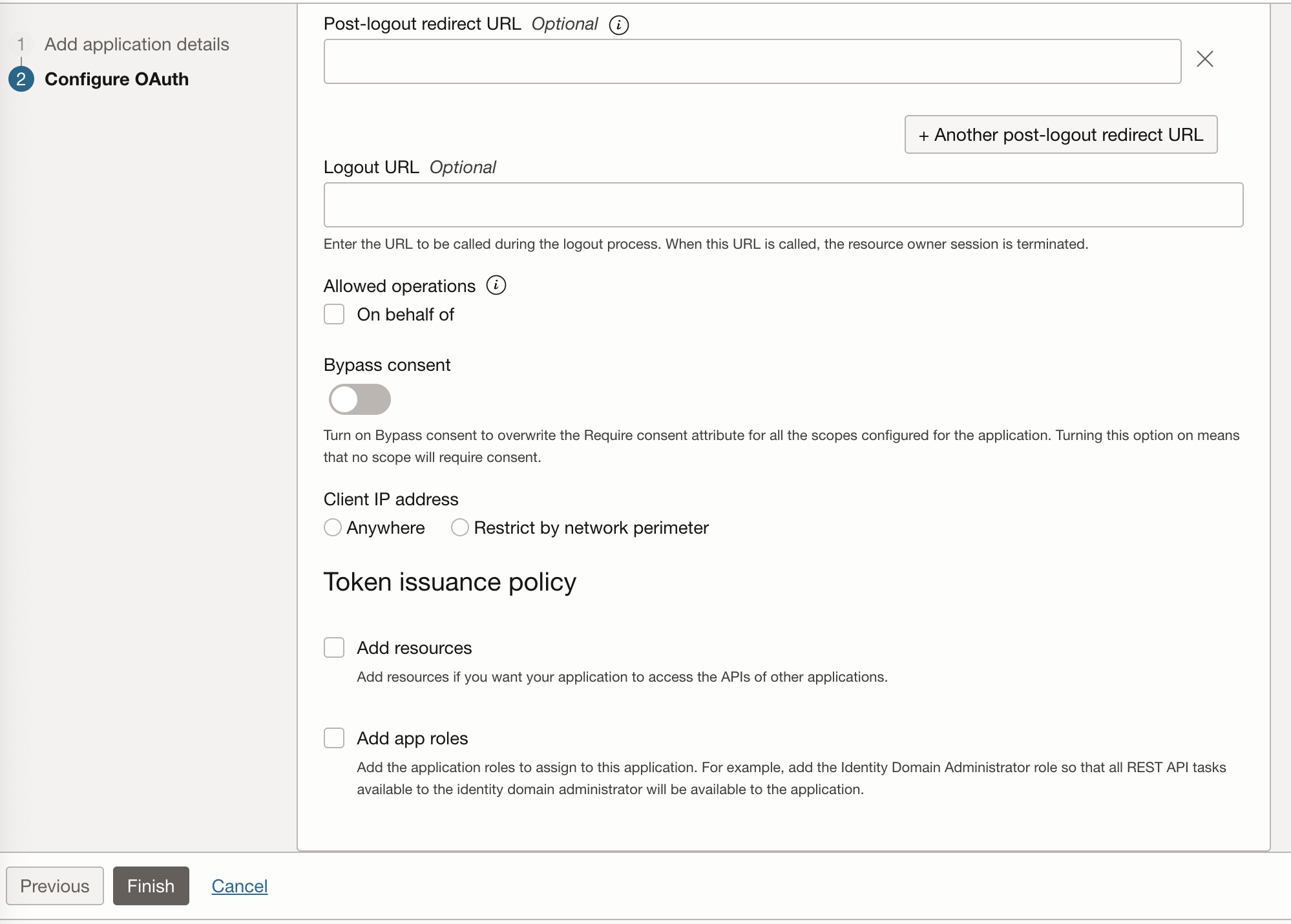
Client Configuration
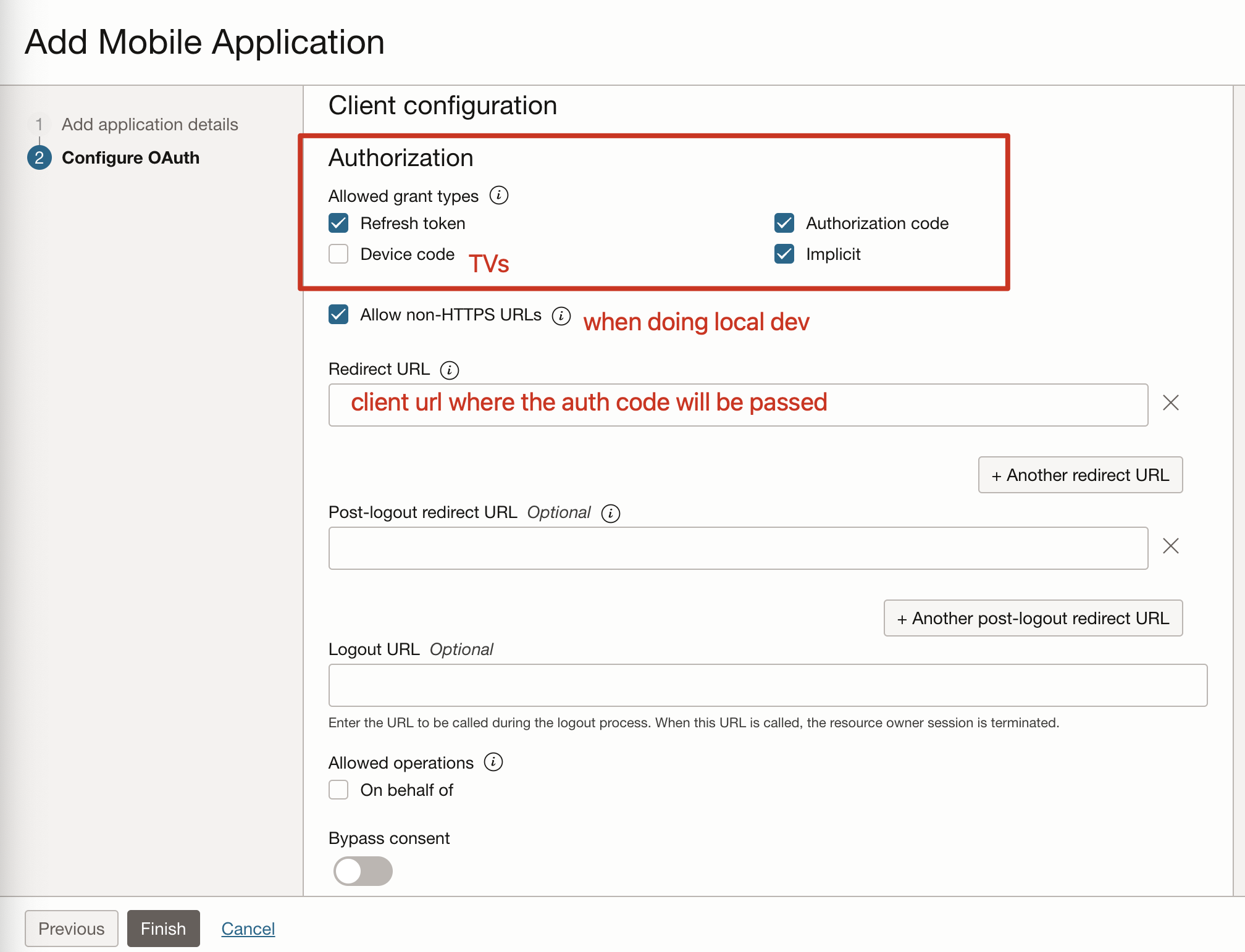
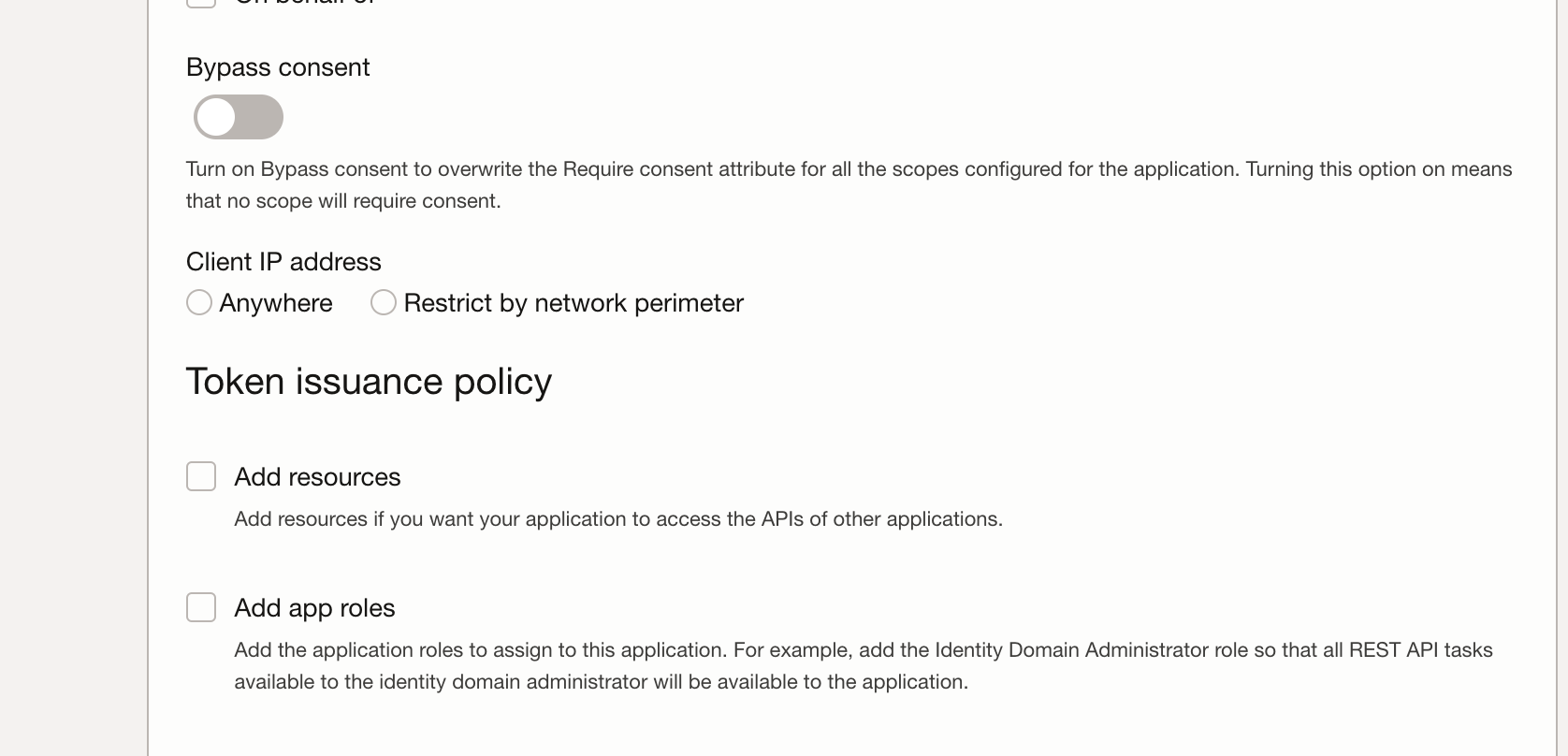
Creating tokens #
Setting up for token authorization #
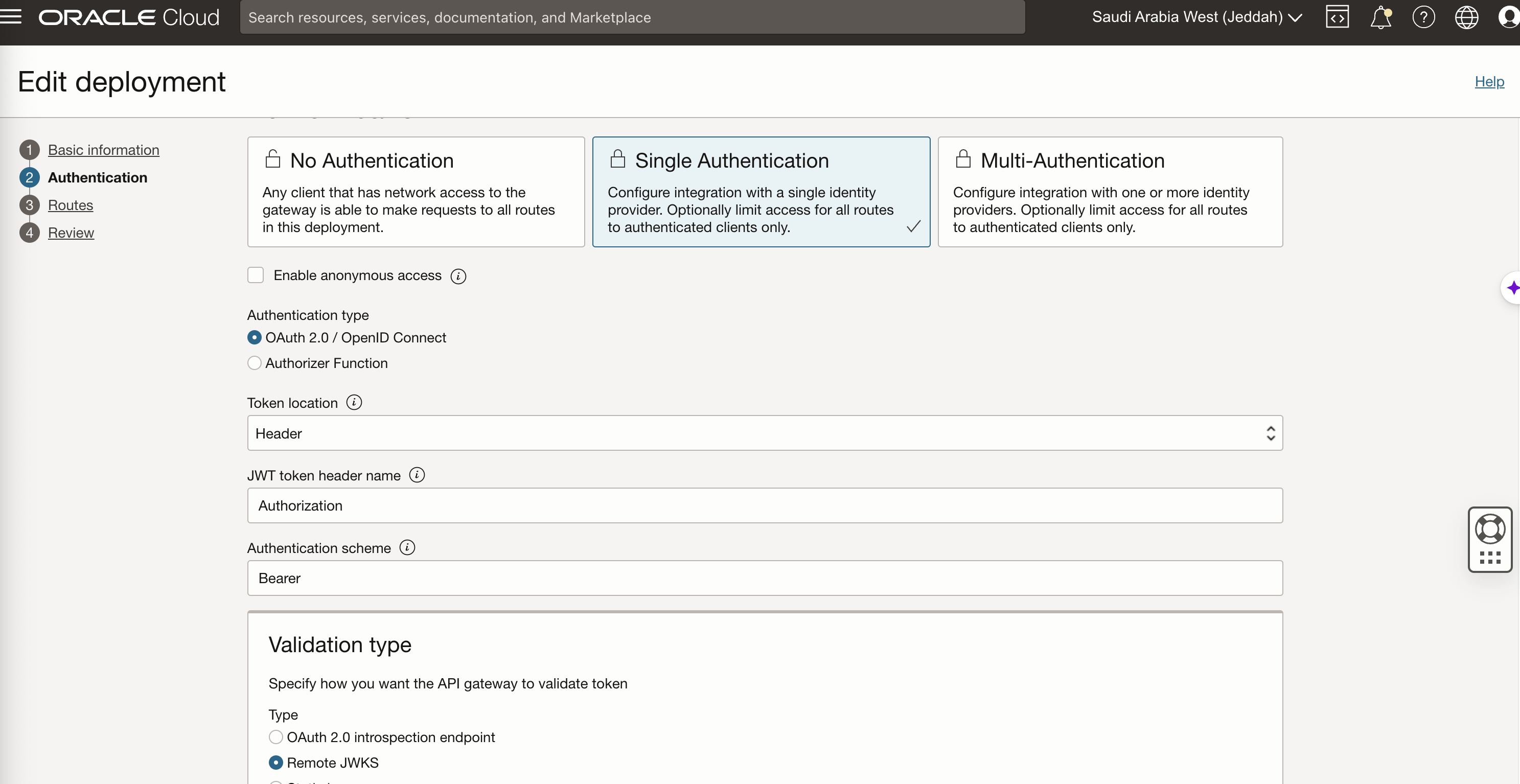
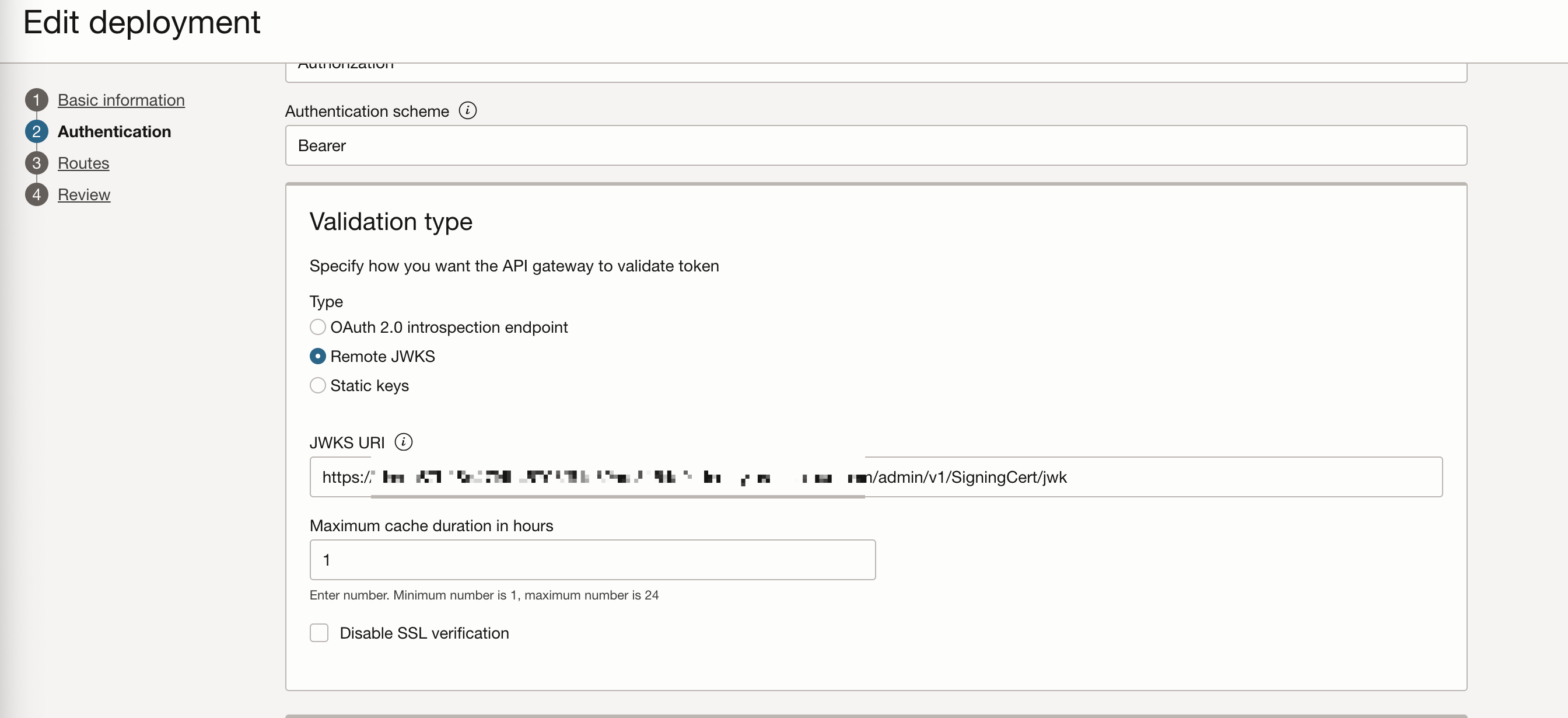
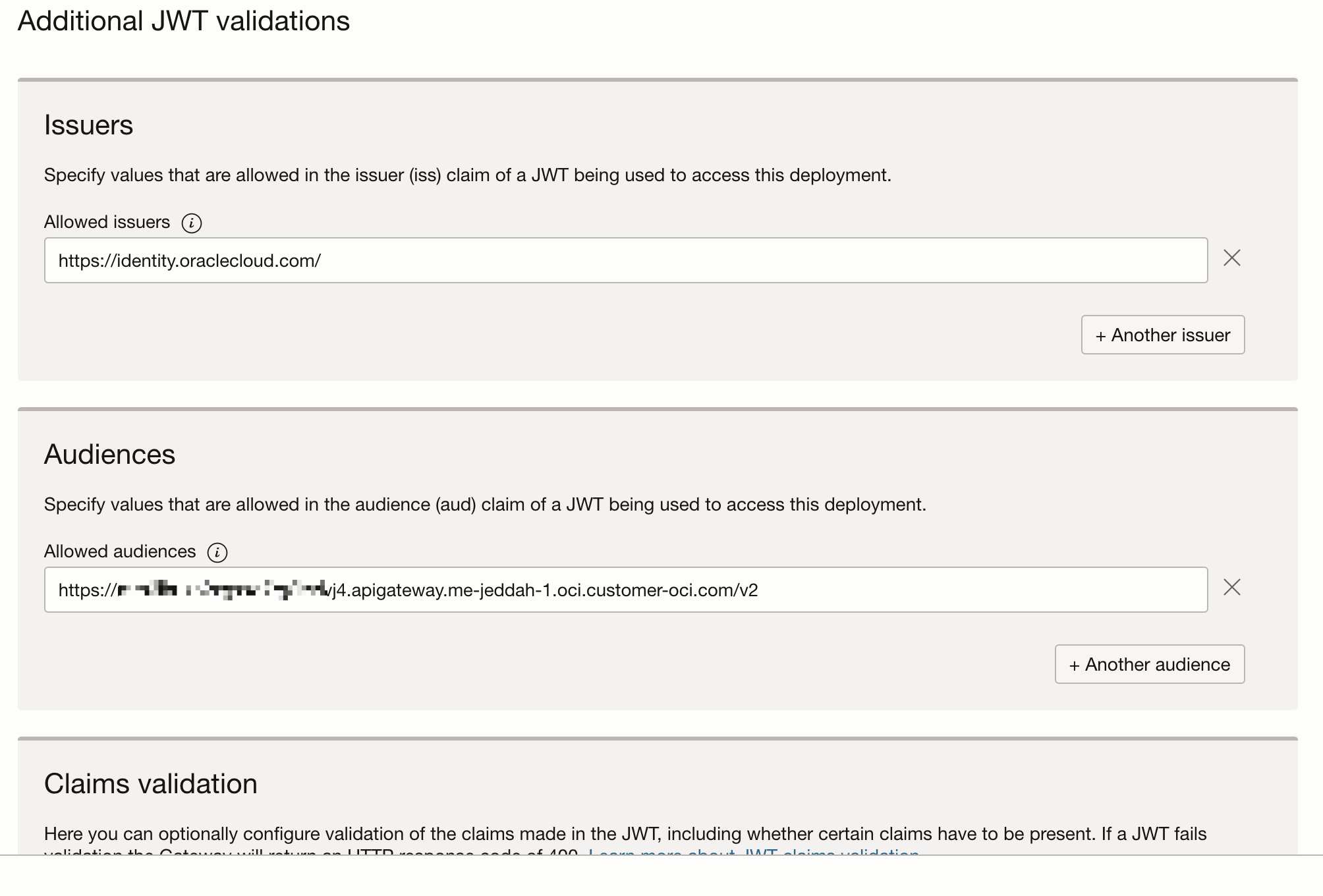
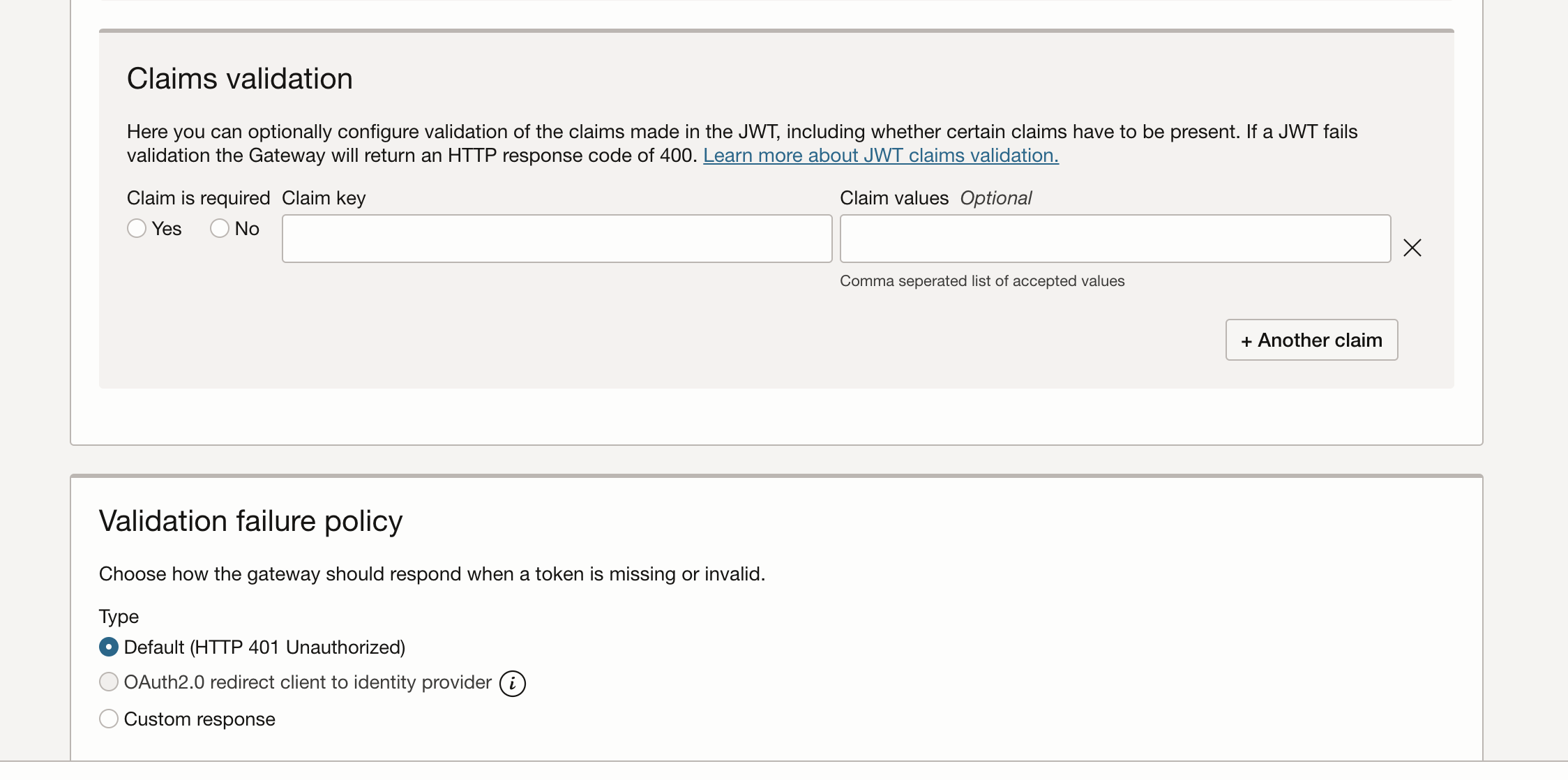
In the deployment authentication configuration #
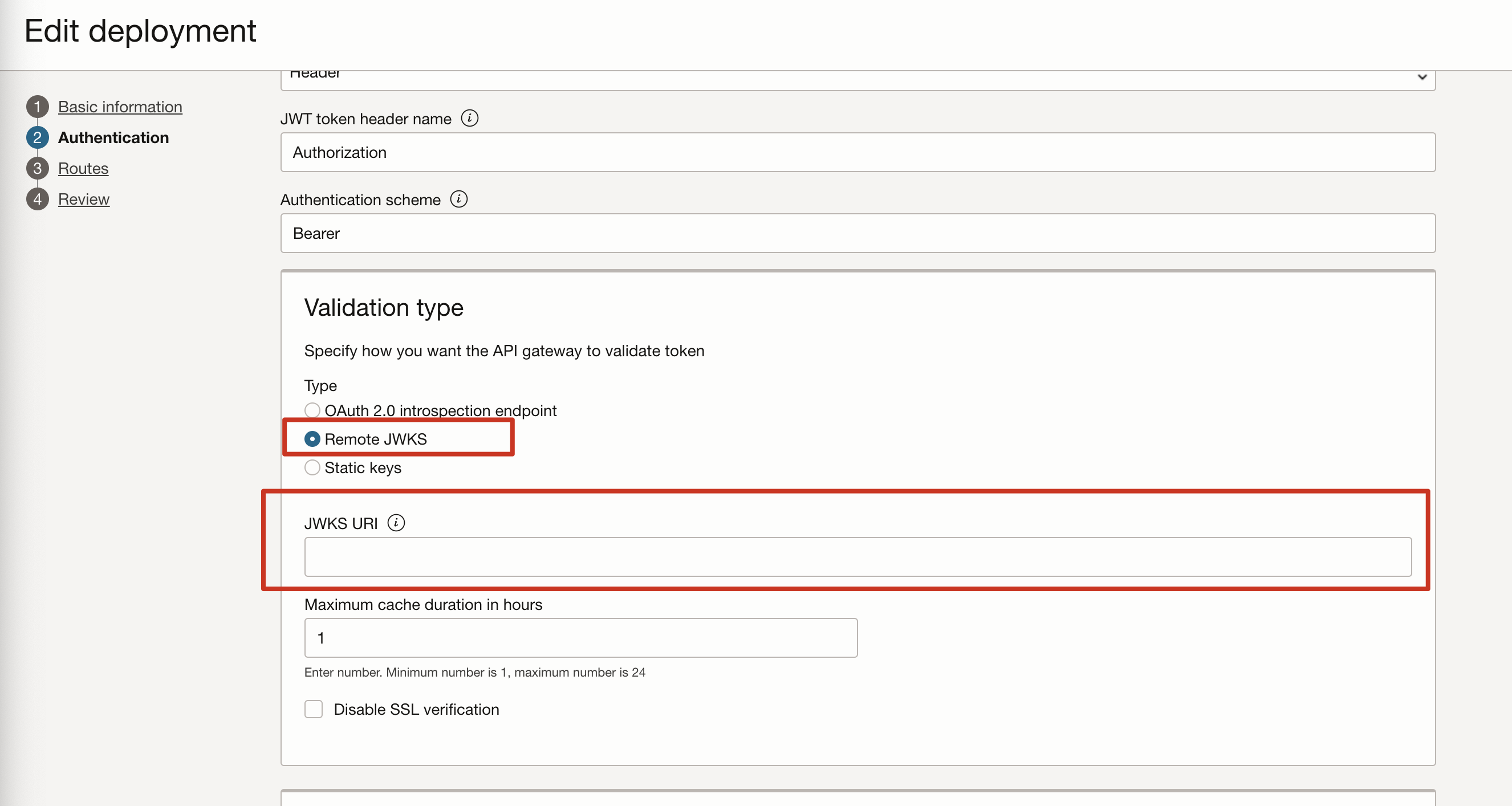
Add path to the “admin/v1/SigningCert/jwk” identity domain endpoint: e.g.: https://idcs-xxxxxxx.identity.oraclecloud.com/admin/v1/SigningCert/jwk
Enable this jwk access from the client
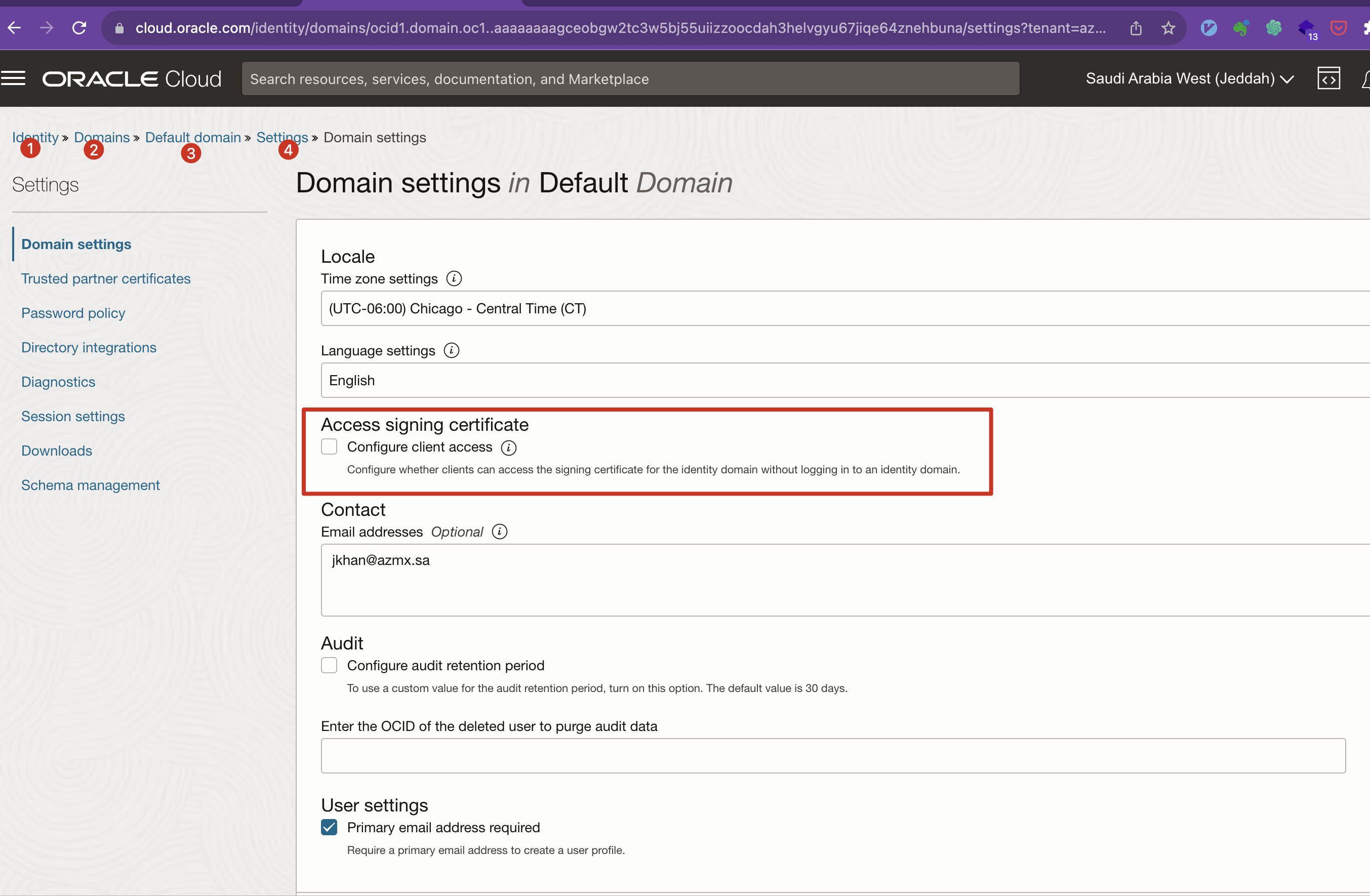
Configure auth in the gateway
Creating #
- of type “Mobile Application”
- get auth code by logging in #+begin_commen https://idcs-c87b18d47f4b46798f61e82aaf3154c0.identity.oraclecloud.com/oauth2/v1/authorize?response_type=code&client_id=2c6603e5d6284b0ca29b4be97c37db25&redirect_uri=https://localhost:8001 #+end_comment
Authenticate by getting redirected
method: GET URL: https://idcs_host:idcs_port/oauth2/v1/authorize
?client_id=123&response_type=code&code_challenge=e5I_XqXj7eY34Msxr4S1wSuTWgyZh_BUBOyTggrzfjM&code_challenge_method=S256&state=797335&scope=openid&redirect_uri=com.oracle.sample:/oauth2callback Query Parameters:
client_id
response_type code: to get authorization code token: to get access token if implicit flow is enabled
redirect_uri
state
code_challenge for pkce
cod_challengemethod for pkce
https://idcs-c87b18d47f4b46798f61e82aaf3154c0.identity.oraclecloud.com:443/oauth2/v1/authorize
curl -X POST https://idcs-c87b18d47f4b46798f61e82aaf3154c0.identity.oraclecloud.com/oauth2/v1/token \ -H ‘Content-Type: application/x-www-form-urlencoded’ \\n -d ‘grant_type=authorization_code&code=AgAgMDlhODg3ZTYxNzIwNDA3ZWE2MjNiOTNmMzE3YWM5ODQIABD8qqVG0wYO3iE1LmpxWdfIAAAAQAbzHs84ymWVUdRAju489V8UA6ymeoXAFsLWJYTiaOzrqXdlVBCumRYrUtQHRClkiXigxSwaegUIPTev973WgJ4=&redirect_uri=http://localhost:8001&client_id=afb6f48d0b1d46d8a3591ff1a904e125’
Generating Authorization and Access token #
#
Generating access token for “Client Credentials” Grant Types #
curl -X POST \
  https://idcs-c87b18d47f4b46798f61e82aaf3154c0.identity.oraclecloud.com/oauth2/v1/token \
  -H 'Content-Type: application/x-www-form-urlencoded' \
  -d 'grant_type=client_credentials&client_id=04c1e0a50787408782a5a06fb04f6522&client_secret=5ec4e132-6cb8-4499-97fe-0c444faff293&scope=https://mrh6ihukb2xgxxo7rg2lzzivj4.apigateway.me-jeddah-1.oci.customer-oci.com/v2:read'
curl -X POST \
  https://idcs-c87b18d47f4b46798f61e82aaf3154c0.identity.oraclecloud.com/oauth2/v1/token \
  -H 'Content-Type: application/x-www-form-urlencoded' \
  -d 'grant_type=client_credentials&client_id=04c1e0a50787408782a5a06fb04f6522&client_secret=5ec4e132-6cb8-4499-97fe-0c444faff293&scope=xyz:read'
Resource Owner Password Credentials Grant Type (ROPC) #
 curl -i \
   -H 'Authorization: Basic <base64Encoded clientid:secret>' \
   -H 'Authorization: application/x-www-form-urlencoded;charset=UTF-8' \
   --request POST https://<domainURL>/oauth2/v1/token -d 'grant_type=password&username=<user-name>&password=<example-password>&scope=<Resource Server Scope>%20offline_access' \

# e.g.
curl -i \
  -H 'Authorization: Basic xyz' \
  -H 'Content-Type: application/x-www-form-urlencoded;charset=UTF-8' \
  --request POST https://idcs-d220cc02eba74175b82033a915b1fd89.identity.oraclecloud.com:443/oauth2/v1/token \
  -d 'grant_type=password&username=abdullah9.yousef@gmail.com&password=some-password&scope=invoicing-apis:read'
this returned the access token but this type of Auth Flow is suitable only for the s not for the browsers or mobiles or public clients
using scope as "openid invoicing-apis:read" was returning

removing it and using "invoicing-apis:read"  worked
#
shows how to setup auth for mobile client
Without PKCE #
URL to login to get auth code
Using Auth code to get the access token
export code="AgAgMDlhODg3ZTYxNzIwNDA3ZWE2MjNiOTNmMzE3YWM5ODQIABDuuGaIWUQ6nUxFTGWEQg5OAAAAQPK6H7GhpCuUJmAEq6GR8MwVI4BgiL39FAP5 "
export cliend_id = "04c1e0a50787408782a5a06fb04f6522'"
export client_secret="5ec4e132-6cb8-4499-97fe-0c444faff293"

export auth_server="https://idcs-c87b18d47f4b46798f61e82aaf3154c0.identity.oraclecloud.com/oauth2/v1/token"

curl -X POST  $auth_server \
  -H 'Content-Type: application/x-www-form-urlencoded' \
  -d 'grant_type=authorization_code&code='$code&
  -d 'client_id='$client_id&
  -d client_secret='$client_secret
import requests # OAuth endpoints given in the provider's documentation token_url = 'https://idcs-c87b18d47f4b46798f61e82aaf3154c0.identity.oraclecloud.com/oauth2/v1/token' # Replace these values with your data client_id = '04c1e0a50787408782a5a06fb04f6522' client_secret = '04c1e0a50787408782a5a06fb04f6522' # For confidential clients authorization_code = 'AgAgMDlhODg3ZTYxNzIwNDA3ZWE2MjNiOTNmMzE3YWM5ODQIABDuuGaIWUQ6nUxFTGWEQg5OAAAAQPK6H7GhpCuUJmAEq6GR8MwVI4BgiL39FAP5-wTWt--D162nSfoW8FoytoifDgOgciZLKrwVvtqayrarEugtho0=!' redirect_uri = 'https://localhost:8001' # Prepare the data for the token request token_data = { 'grant_type': 'authorization_code', 'code': authorization_code, 'redirect_uri': redirect_uri, 'client_id': client_id, 'client_secret': client_secret # Include for confidential clients } # Make the POST request response = requests.post(token_url, data=token_data) # Check for successful response if response.status_code == 200: # Parse the JSON response token_info = response.json() access_token = token_info.get('access_token') print('Access Token:', access_token) else: print('Failed to obtain access token. Status code:', response.status_code)
With #
URL to login to get auth code
- You will redirected to login if not logged in already.
- code_challenge=xxxx&code_challenge_method=S256 are used enhancement is added
Auth Code with redirect URL http://localhost:8001/?code=AgAgMDlhODg3ZTYxNzIwNDA3ZWE2MjNiOTNmMzE3YWM5ODQIABCR8LHqgNyhgHbo60pi_duZAAAAQGDisbdQLZEElKzjk0gz_pPC7yvxKt2eYuK1t20yvyOkgtx3ZpnCgLkmKKfEkiOV40_kvFwVDCKaSr03PdAOg1c=
Using Auth code to get the access token
refresh-token #
add “offline_access” scope to return refresh token as well. ref
the integrated application should be configured to return refresh token as well.
def user_access_token(self, username, password, scope="urn:opc:idm:__myscopes__"):
    url = f"DOMAIN_URL/oauth2/v1/token"
    client_id_secret = f"self.client_id:self.client_secret"
    base_64_encoded = base64.b64encode(client_id_secret.encode()).decode()
    headers =
        "Content-Type": "application/x-www-form-urlencoded;charset=UTF-8",
        "Authorization": f"Basic base_64_encoded",

    data =
        "grant_type": "password",
        "scope": scope + " offline_access", # offline access token is needed for refresh token
        "username": username,
        "password": password,

    response = requests.post(url, headers=headers, data=data)
    return response