Git Branching Strategy
tags :
git branching strategy #
This was referred by this stackoverflow answer: A good branching strategy
Main branches #
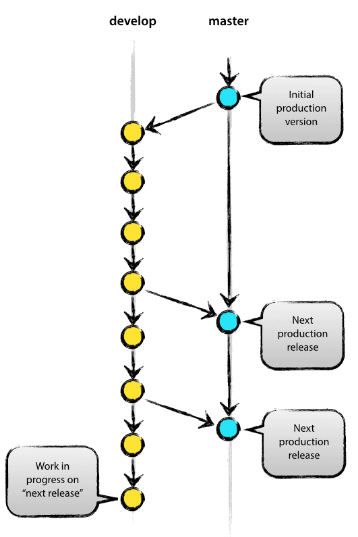
main/master #
production code lives here. origin/master -> Production ready code.
develop #
branches off from the master/main. origin/develop -> latest changes for the next release.
Supporting branches #
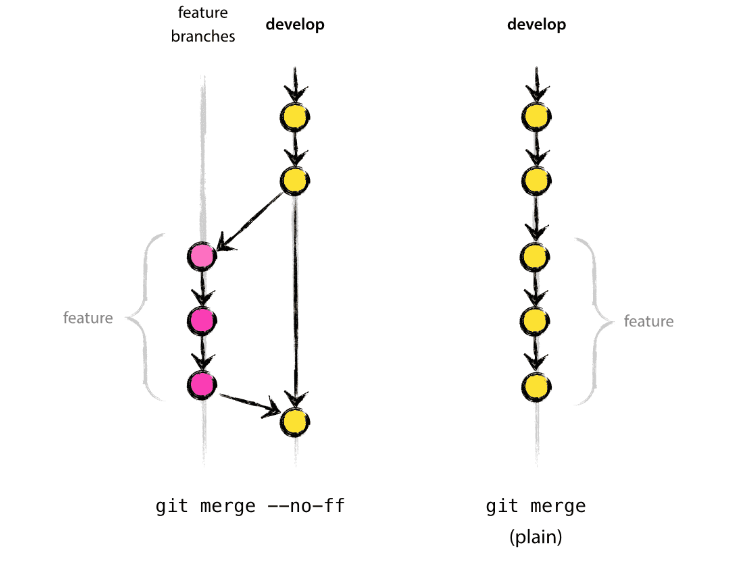
Feature branches #
naming convention: Branch naming convention: anything except master, develop, release-, or hotfix-
Release branches #
May branch off from: develop Must merge back into: develop and master Branch naming convention: release-*
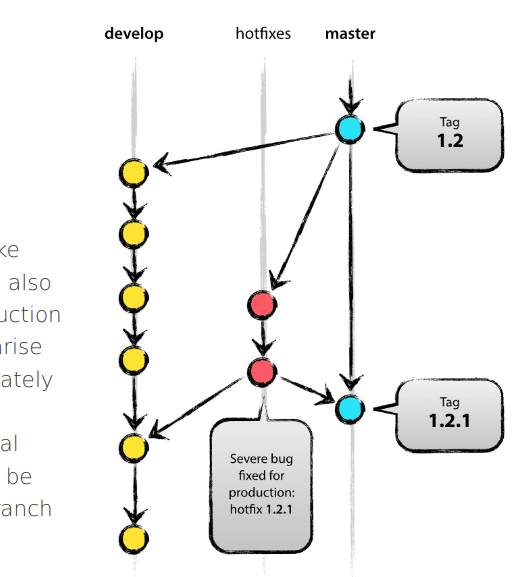
Hotfix branches #
May branch off from: master Must merge back into: develop and master Branch naming convention: hotfix-*
Visual Summary #
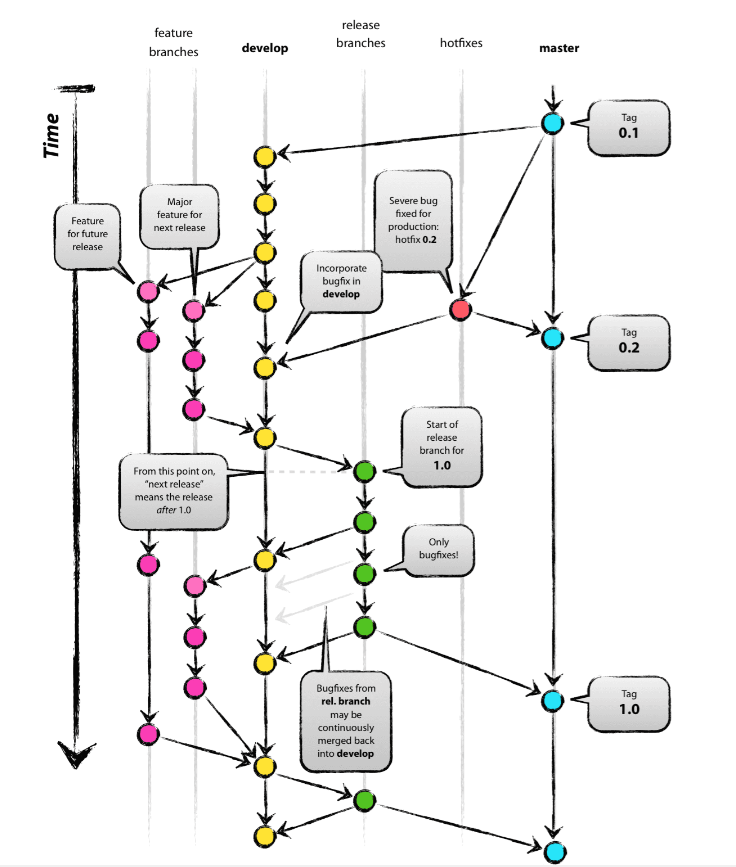
Branch naming conventions #
feature branches #
These branches are used for developing new features. Use the prefix feature/. For instance, feature/login-system.
Jira #
In some workflows, especially in larger teams, it’s common to include the ticket number from a project management tool like Jira in the branch name. This makes it easy to track the work done on a specific ticket. For instance, if you are working on a ticket numbered “T-123” for adding a new login system, the branch name could be feature/T-123-new-login-system.
bugfixe branches #
These branches are used to fix bugs in the code. Use the prefix bugfix/. For example, bugfix/header-styling.
hotfixe branches #
These branches are made directly from the production branch to fix critical bugs in the production environment. Use the prefix hotfix/. For instance, hotfix/critical-security-issue.
release branches #
These branches are used to prepare for a new production release. They allow for last-minute dotting of i’s and crossing t’s. Use the prefix release/. For example, release/v1.0.1.
Documentation Branches #
These branches are used to write, update, or fix documentation. Use the prefix docs/. For instance, docs/api-endpoints.
Common Issues and Solution #
fatal: Not Possible to Fast-Forward, Aborting’ Git Error #
git fetch origin
git status
git merge origin/main
# or
git pull --rebase
git push origin main