Dockerfile
tags :
Docker #
(instructions to get code)
 # syntax=docker/dockerfile:1
FROM node:12-alpine
RUN apk add --no-cache python2 g++ make
WORKDIR /app
COPY . .
RUN yarn install --production
CMD ["node", "src/index.js"]
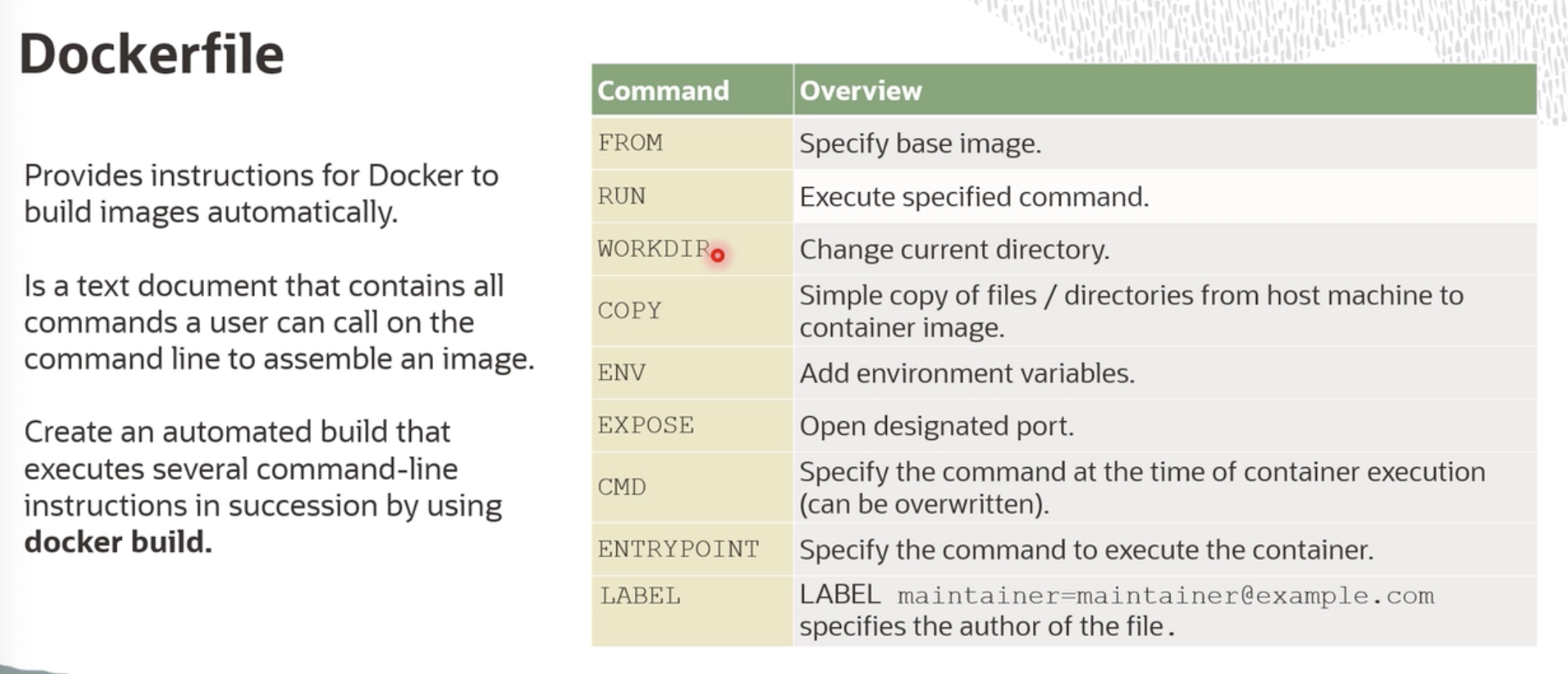
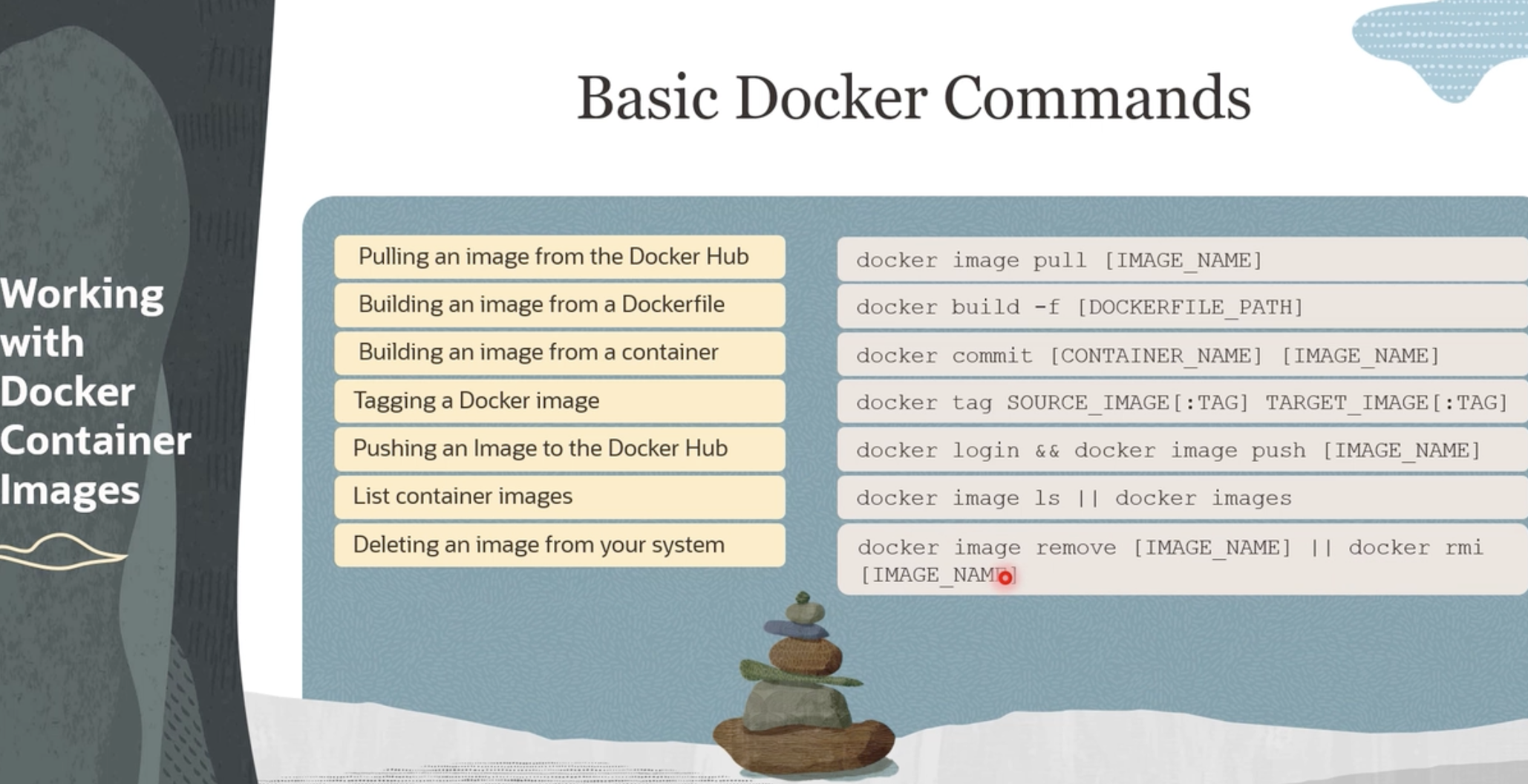
Dockerfile is like Ansible play: list of declarative instructions to create a state of dependencies to run an application, or instructions to get or install or configure dependencies to run an application. Or to create docker image(package) which includes everything, code, dependencies code, files etc, required to the image as container.
RUN vs CMD #
- RUN: Can be many, and it is used in build process, e.g. install multiple libraries (of image)
- CMD: Can only have 1, which is your execute start point (e.g. [“npm”, “start”], [“node”, “app.js”]),
(start container)