Django Security
Tools or Services to check security of a website #
While development #
python manage.py check --deploy
After deployment #
Top 5 Security Check Tools 13 Scan tools for website vulnerability The services mentioned below are included in the above references
Selected #
Additional #
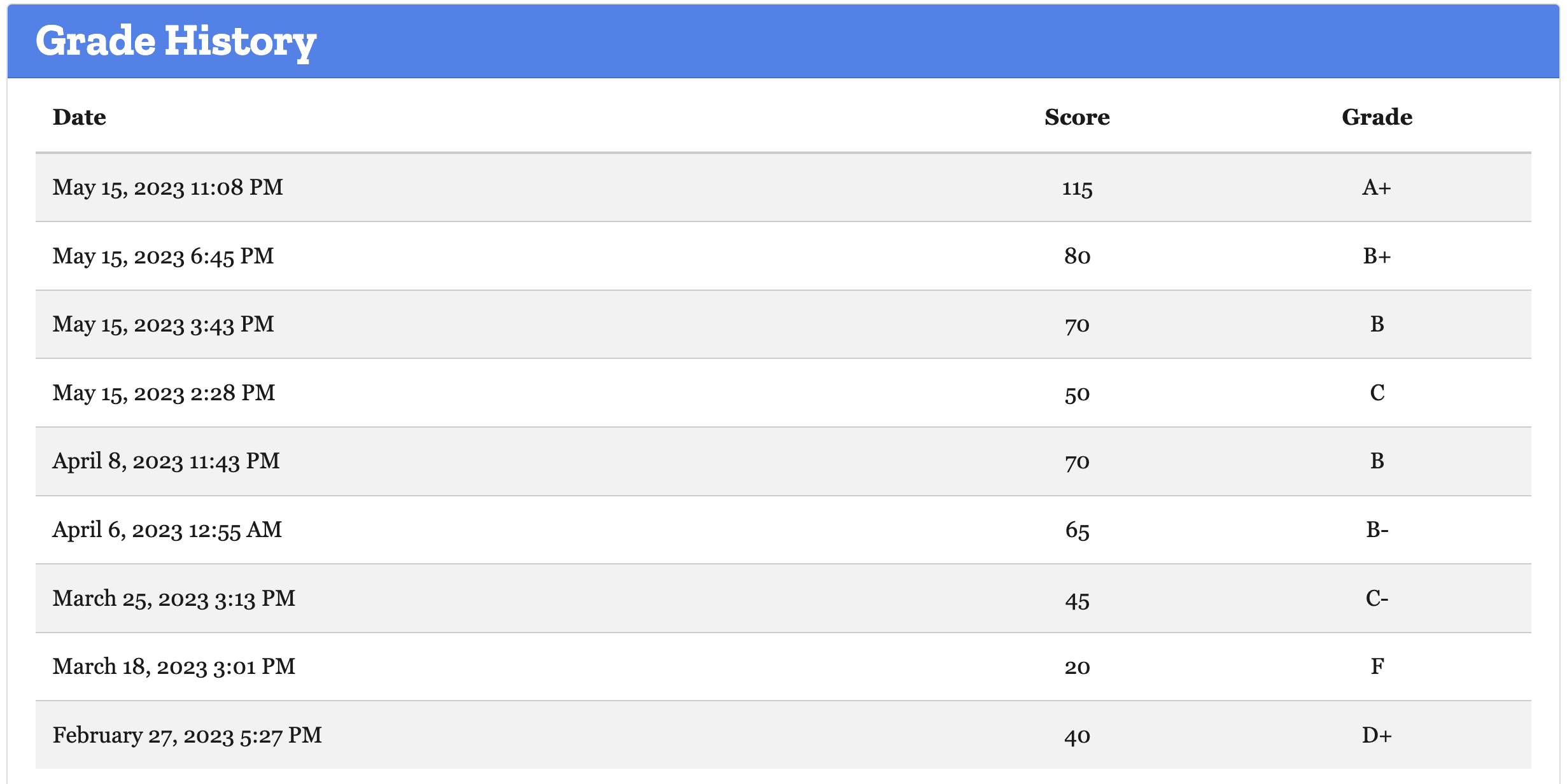
Things that were done to get the security grade to A+, using Observatory #
Grade history #
Security Areas #
X-XSS-Protection #
0 X-XSS-Protection header set to “1; mode=block”
X-Frame-Options #
+5 X-Frame-Options (XFO) implemented via the CSP frame-ancestors directive
X-Content-Type-Options #
Subresource Integrity #
Used django-sri package to add integrity hashes to script and link tags.
Referrer Policy #
Redirection #
HTTP Strict Transport Security #
HTTP Public Key Pinning #
Cross-origin Resource Sharing #
Cookies #
Content Security Policy (CSP) #
DigitalOcean’s tutorial on this subject.'
Nonce or Hash to selectively allow inline JavaScript
django-csp can be used to manage nonce or hashes
inline javascripts of Google tag manager or linked or anyother inline JavaScript
<script nonce="{{request.csp_nonce}}">
    window.dataLayer = window.dataLayer || [];

    function gtag() {
        dataLayer.push(arguments);
    }
    gtag('js', new Date());
    gtag('config', "{{settings.site_settings.SocialMedia.google_tag_id}}");
</script>
Other helpful resources #
DigitalOcean’s How To Harden the Security of Your Production Django Project #
Use django-environ #
Django settings settings configs to enhance security #
import os
from .base import *
import environ

env = environ.Env()
environ.Env.read_env()

DEBUG = False

ALLOWED_HOSTS = ['your_domain', 'www.your_domain']

DATABASES = {
    'default': {
        'ENGINE': env('SQL_ENGINE', default='django.db.backends.sqlite3'),
        'NAME': env('SQL_DATABASE', default=os.path.join(BASE_DIR, 'db.sqlite3')),
        'USER': env('SQL_USER', default='user'),
        'PASSWORD': env('SQL_PASSWORD', default='password'),
        'HOST': env('SQL_HOST', default='localhost'),
        'PORT': env('SQL_PORT', default=''),
    }
}

SECURE_SSL_REDIRECT = True

SESSION_COOKIE_SECURE = True

CSRF_COOKIE_SECURE = True

SECURE_BROWSER_XSS_FILTER = True
ALLOWED_HOSTS
ALLOWED_HOSTS is a list of strings that represent the host/domain names that your project can serve. This is a security measure to prevent an attacker from poisoning caches and DNS. Find more details about ALLOWED_HOSTS in the Django documentation.
SECURE_SSL_REDIRECT
SECURE_SSL_REDIRECT redirects all HTTP requests to HTTPS (unless exempt). This means your project will always try to use an encrypted connection. You will need to have SSL configured on your server for this to work. Note that if you have Nginx or Apache configured to do this already, this setting will be redundant.
SESSION_COOKIE_SECURE
SESSION_COOKIE_SECURE tells the browser that cookies can only be handled over HTTPS. This means cookies your project produces for activities, such as logins, will only work over an encrypted connection.
CSRF_COOKIE_SECURE
CSRF_COOKIE_SECURE is the same as SESSION_COOKIE_SECURE but applies to your CSRF token. CSRF tokens protect against cross-site request forgery. Django CSRF protection does this by ensuring any forms submitted (for logins, signups, and so on) to your project were created by your project and not a third party.
SECURE_BROWSER_XSS_FILTER
SECURE_BROWSER_XSS_FILTER sets the X-XSS-Protection: 1; mode=block header on all responses that do not already have it. This ensures third parties cannot inject scripts into your project. For example, if a user stores a script in your database using a public field, when that script is retrieved and displayed to other users it will not run.
Note
Settings This option was not injecting the
X-XSS-Protection: 1; mode=blockin Wagtail 5.0, 4.2 version2, I had to a customer middleware to enable this:# middleware.py class XSSProtectionMiddleware: """ Add X-XSS-Protection header to response. Setting SECURE_BROWSER_XSS_FILTER = True in settings.py to enable XSS protection was not working, created this middlware to add the header custom. """ def __init__(self, get_response): self.get_response = get_response def __call__(self, request): response = self.get_response(request) response["X-XSS-Protection"] = "1; mode=block" return response # settings MIDDLEWARE = [ "app.middleware.XSSProtectionMiddleware", ]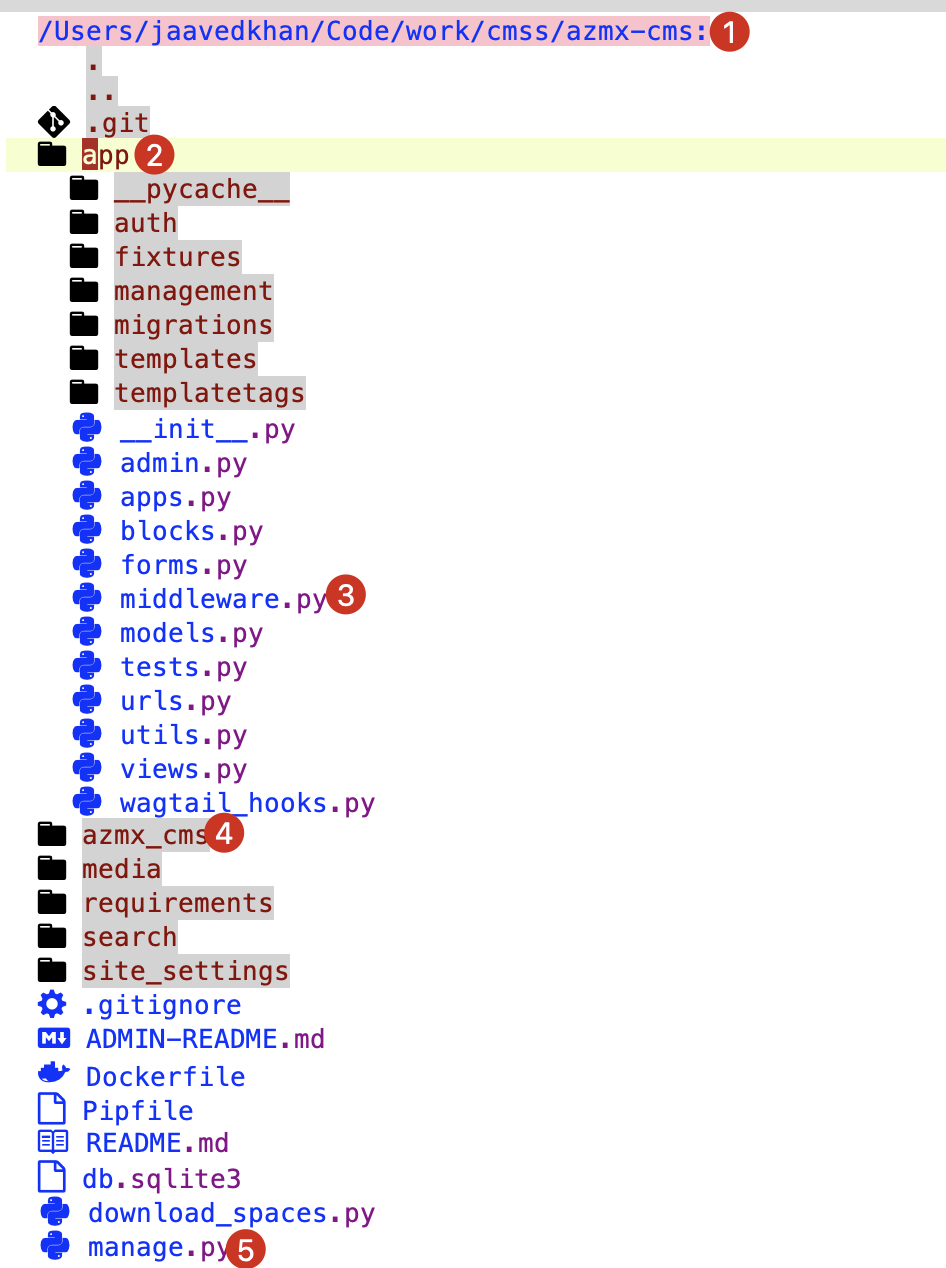
Additional settings
The following settings are for supporting HTTP Strict Transport Security (HSTS)—this means that your entire site must use SSL at all times.
SECURE_HSTS_SECONDS
SECURE_HSTS_SECONDS is the amount of time in seconds HSTS is set for. If you set this for an hour (in seconds), every time you visit a web page on your website, it tells your browser that for the next hour HTTPS is the only way you can visit the site. If during that hour you visit an insecure part of your website, the browser will show an error and the insecure page will be inaccessible.
SECURE_HSTS_PRELOAD
SECURE_HSTS_PRELOAD only works if SECURE_HSTS_SECONDS is set. This header instructs the browser to preload your site. This means that your website will be added to a hard-coded list, which is implemented in popular browsers, like Firefox and Chrome. This requires that your website is always encrypted. It is important to be careful with this header. If at anytime you decide not to use encryption for your project, it can take weeks to be manually removed from the HSTS preload list.
SECURE_HSTS_INCLUDE_SUBDOMAINS
SECURE_HSTS_INCLUDE_SUBDOMAINS applies the HSTS header to all subdomains. Enabling this header means that both your_domain and unsecure.your_domain will require encryption, even if unsecure.your_domain is not related to this Django project.
How to score A+ for Security Headers in Django #
https://adamj.eu/tech/2019/04/10/how-to-score-a+-for-security-headers-on-your-django-website/