DigitalOcean
Registry #
Logging in with Docker
docker login registry.digitalocean.com  # then enter the token as both username and pasword
# then
docker tag heartexlabs/label-studio:latest registry.digitalocean.com/jak/label-studio
# and then
docker push registry.digitalocean.com/jak/label-studio
doctl #
doctl is the official DigitalOcean command-line client. It uses the DigitalOcean API to provide access to most account and Droplet features.
Install #
sudo snap install doctl
To run doctl
snap run doctl
create an alias
~/.bash_aliases
alias doctl="snap run doctl"
Token #
Token can be created from the url, personal token generated from here is used to with “auth init” command.
Auth and –context #
doctl auth init # or
doctl auth init  --context jak # to login with another account
# enter the token
argument “–context” is used to allow access to multiple digitalocean accounts.
Remove and switch #
use “doctl auth remove –context jak” and “doctl auth switch –context jak” to remove and switch the context respectively.
kubernetes or DigitalOcean on Kubernetes (DOKS) #
doctl k # to see sub commands
# e.g.
doctl k cluster get k8s-1-21-5-do-0-blr1-1640627029506
using kubectl command to interact with digitalocean cluster #
from the url download the config file
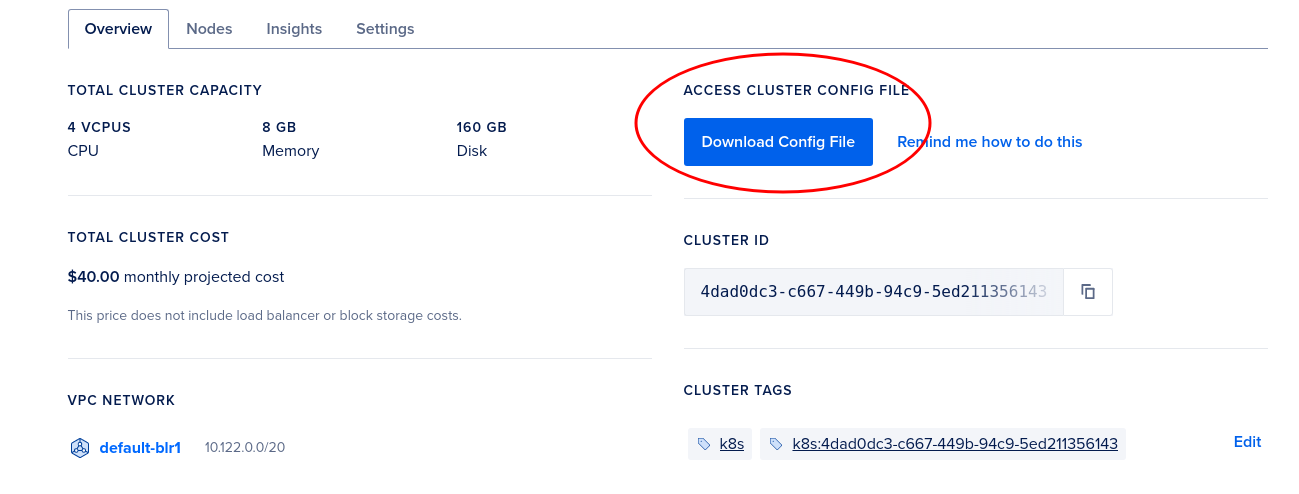
Pointing to external cluster
using –kubeconfig
kubectl get nodes --kubeconfig=/home/jaavedkhan/.kube/k8s-1-21-5-do-0-blr1-1640627029506-kubeconfig.yaml
using env variable
export KUBECONFIG=/home/jaavedkhan/.kube/k8s-1-21-5-do-0-blr1-1640627029506-kubeconfig.yaml
kubectl get nodes
logout
doctl registry logout
Making apps available on internet from digital ocean cluster #
exposing to internet using Load balancer
create a service of type LoadBalancer
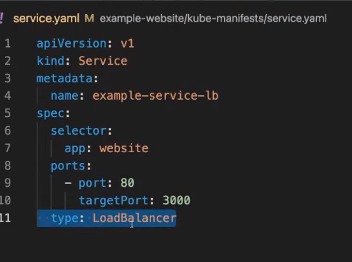 After creating this service or applying the manifest file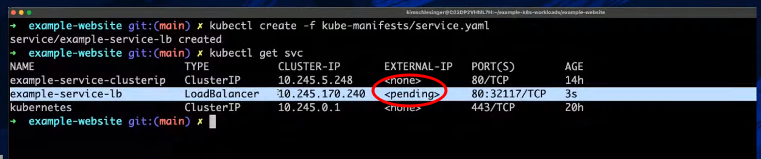
Using Load balancer to expose service
- make the Kubernetes services as “LoadBalancer” type will automatically creates a Load Balancer in DigitalOcean with a public IP.
Service examples with DOKS
doctl command details #
more details here
doctl is a command line interface (CLI) for the DigitalOcean API.

Usage:
  doctl [command]

Available Commands:
  1-click         Display commands that pertain to 1-click applications
  account         Display commands that retrieve account details
  apps            Display commands for working with apps
  auth            Display commands for authenticating doctl with an account
  balance         Display commands for retrieving your account balance
  billing-history Display commands for retrieving your billing history
  completion      generate the autocompletion script for the specified shell
  compute         Display commands that manage infrastructure
  databases       Display commands that manage databases
  help            Help about any command
  invoice         Display commands for retrieving invoices for your account
  kubernetes      Displays commands to manage Kubernetes clusters and configurations
  monitoring      [Beta] Display commands to manage monitoring
  projects        Manage projects and assign resources to them
  registry        Display commands for working with container registries
  version         Show the current version
  vpcs            Display commands that manage VPCs

Flags:
  -t, --access-token string   API V2 access token
  -u, --api-url string        Override default API endpoint
  -c, --config string         Specify a custom config file (default "/home/jaavedkhan/.config/doctl/config.yaml")
      --context string        Specify a custom authentication context name
  -h, --help                  help for doctl
  -o, --output string         Desired output format [text|json] (default "text")
      --trace                 Show a log of network activity while performing a command
  -v, --verbose               Enable verbose output

Use "doctl [command] --help" for more information about a command.
OneClick installation from market place #
kube-prometheus-stack #
https://marketplace.digitalocean.com/apps/kubernetes-monitoring-stack
kubectl get secrets -n kube-prometheus-stack kube-prometheus-stack-grafana -o jsonpath=".data.admin-password" | base64 --decode
DO Databases #
Supported Databases #
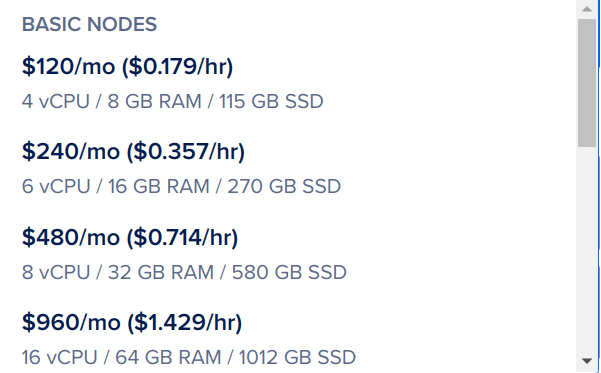
Pricing #
ref Charges are based on resources used - RAM, CPU, and Storage
- $7/month (Dev): Postgres only
Other Pro plans
DO Spaces #
Object Storage like (are like S3)
Pricing #
Spaces $5 plan #
Up to 250GB of data storage Up to 1TB of outbound data transfer No charge for inbound data transfer
Monthly Overages (exceeding) Fees: #
Data Storage: $0.02 per GB Outbound Data Transfer: $0.01 per GB Inbound Data Transfer: Always free
DO Marketplace #
Power up your app, Droplet, Kubernetes clusters, and more with Droplet 1-Click preconfigured VMs, Kubernetes 1-Click helm deployments, and SaaS Add-Ons.
https://marketplace.digitalocean.com/
Pointing a Domain to DigitalOcean #
- tags
- DNS, DO
details
- DO manages the domain
Using Nameserver
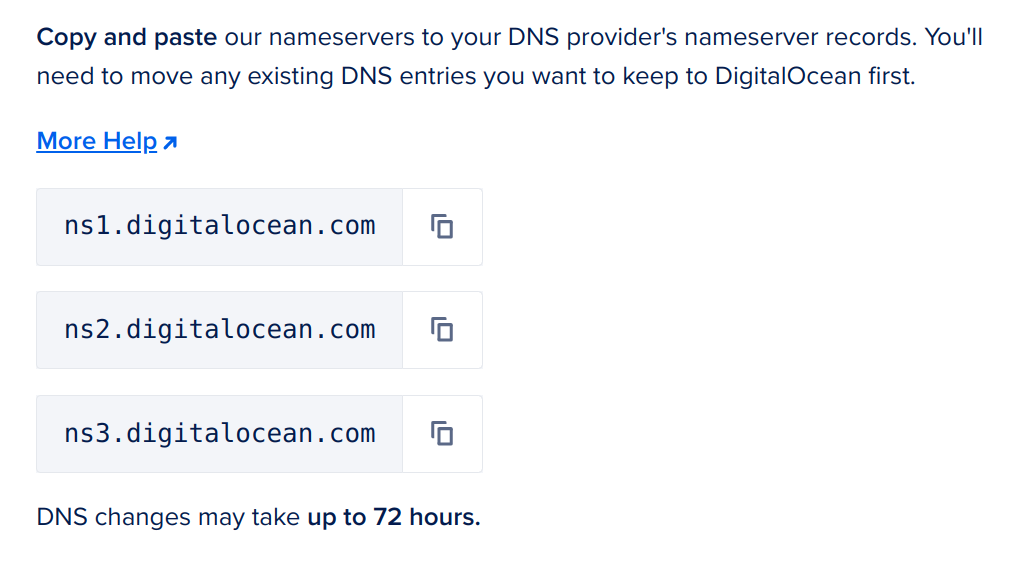
Use cases
To redirect to the nameservers of DO
Add the domain to the apps platform, this will automatically add an IP, 104.16.243.78 and 104.16.244.78, in the A record in the domain on DO

- DO manages the domain
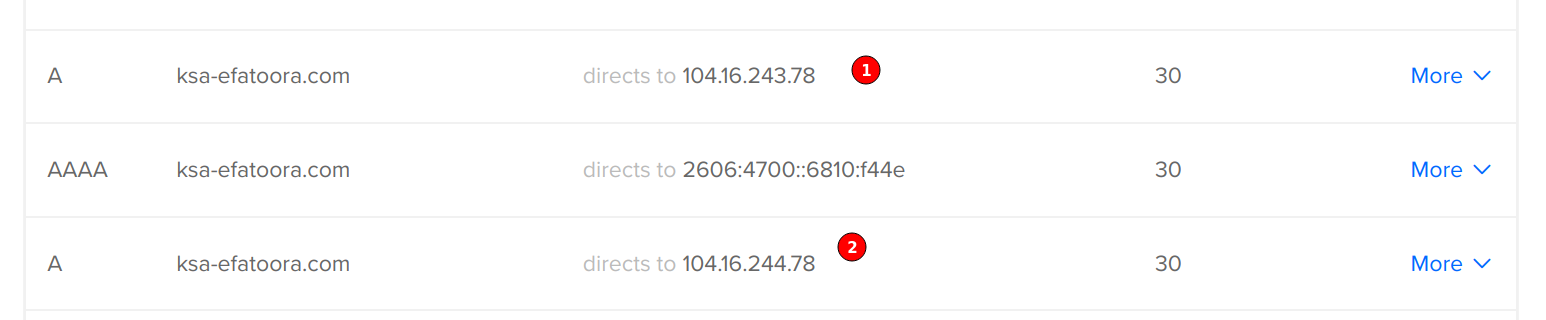
trying to delete this IP while the app is running will fail with message injected or configured by app
the same two IP I saw in the other DO account for E-invoicing(Fatoorah)
- Domain managed by Domain registrar like GoDaddy or
Using CNAME records
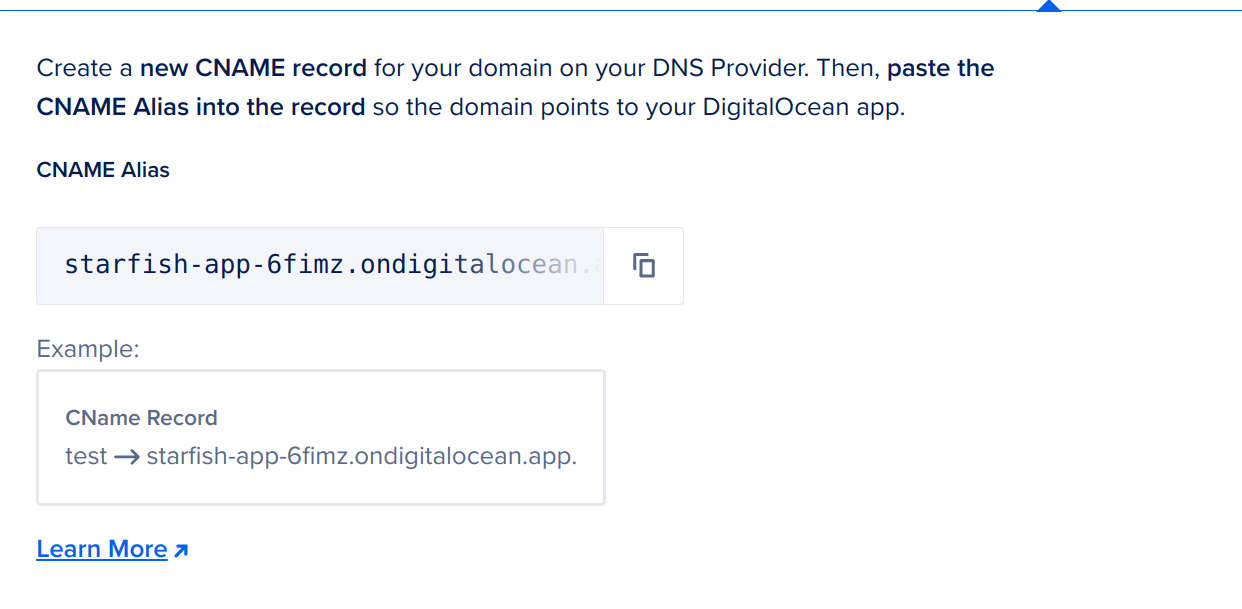
Apps Platform To create a subdomain and point to apps platform
create CNAME records
Add domain using this option
Use cases
- To create a sub-domain and point to Apps Platform application
Azm X CMS #
DO Credentials shared to get started #
Spaces #
Endpoint: https://fra1.digitaloceanspaces.com
API access credentials: key-id: DO00D3JECL6BQAC4FRWW Secret: https://onetimesecret.com/secret/j88juxnzxrlivlq61qsz7rqof6td31s bucket name: azmx-cms-test