DevOps in OCI
- tags
- Observability
DevOps in OCI #
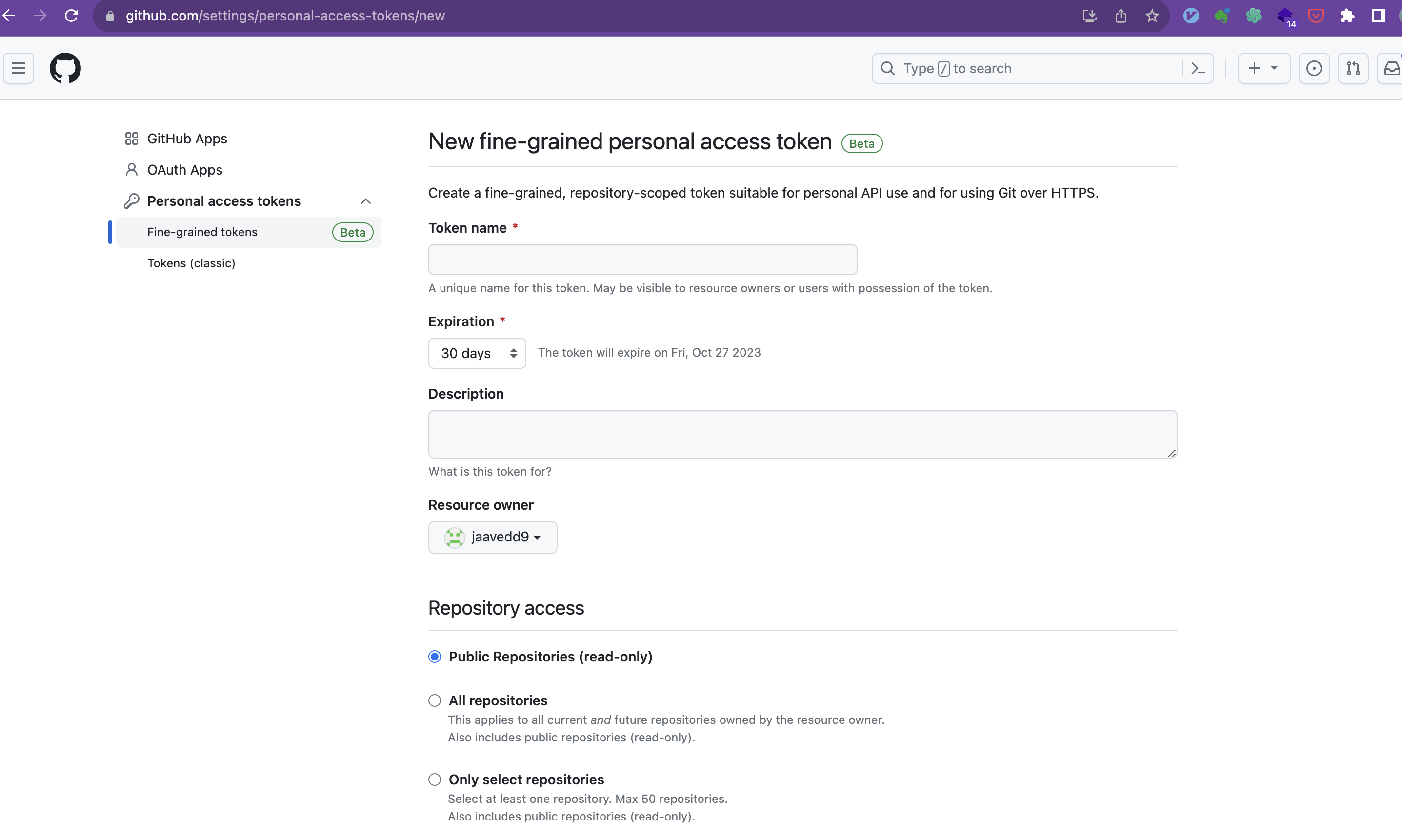
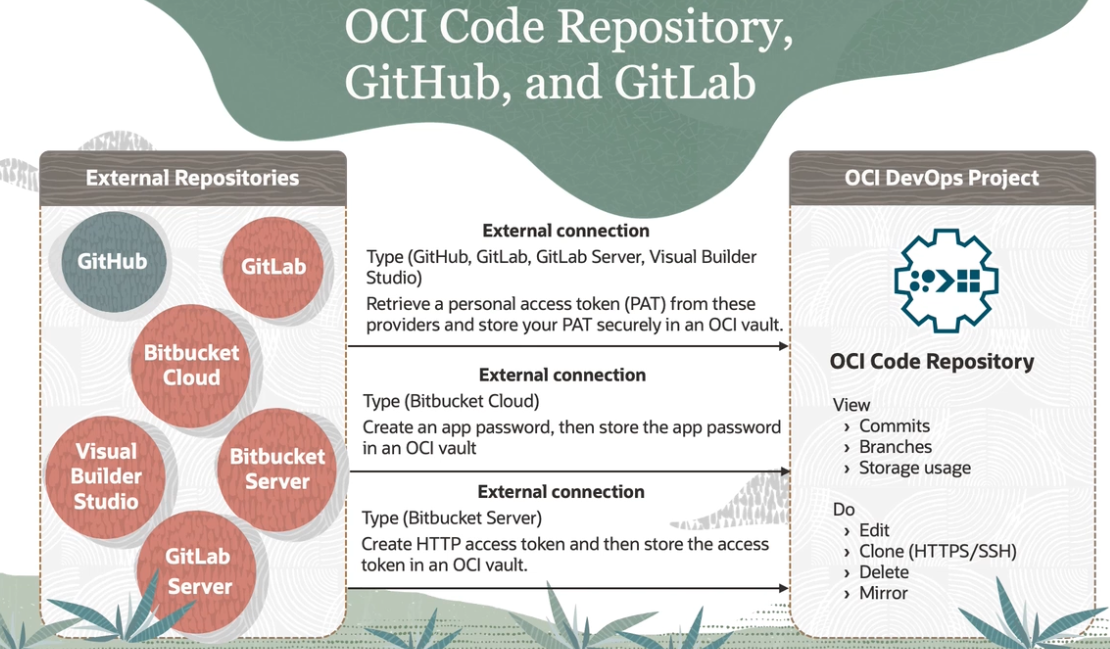
Connect to Github or External Repository #
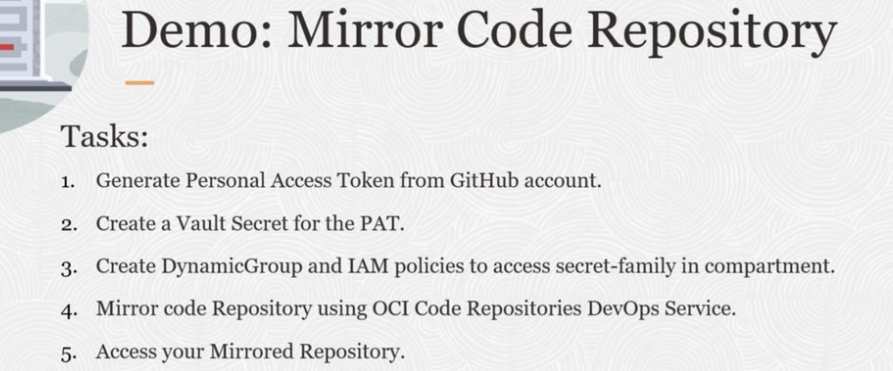
- Create Personal Access token
https://github.com/settings/apps
ssh #
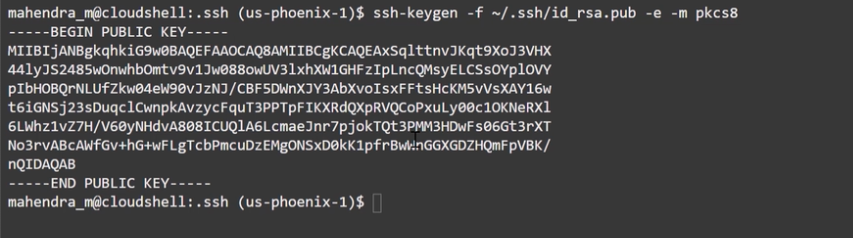
copy .pub public key to clipboard
ssh-keygen -f ~/.ssh/id_rsa.pub -e -m pkcs8 | pbcopy
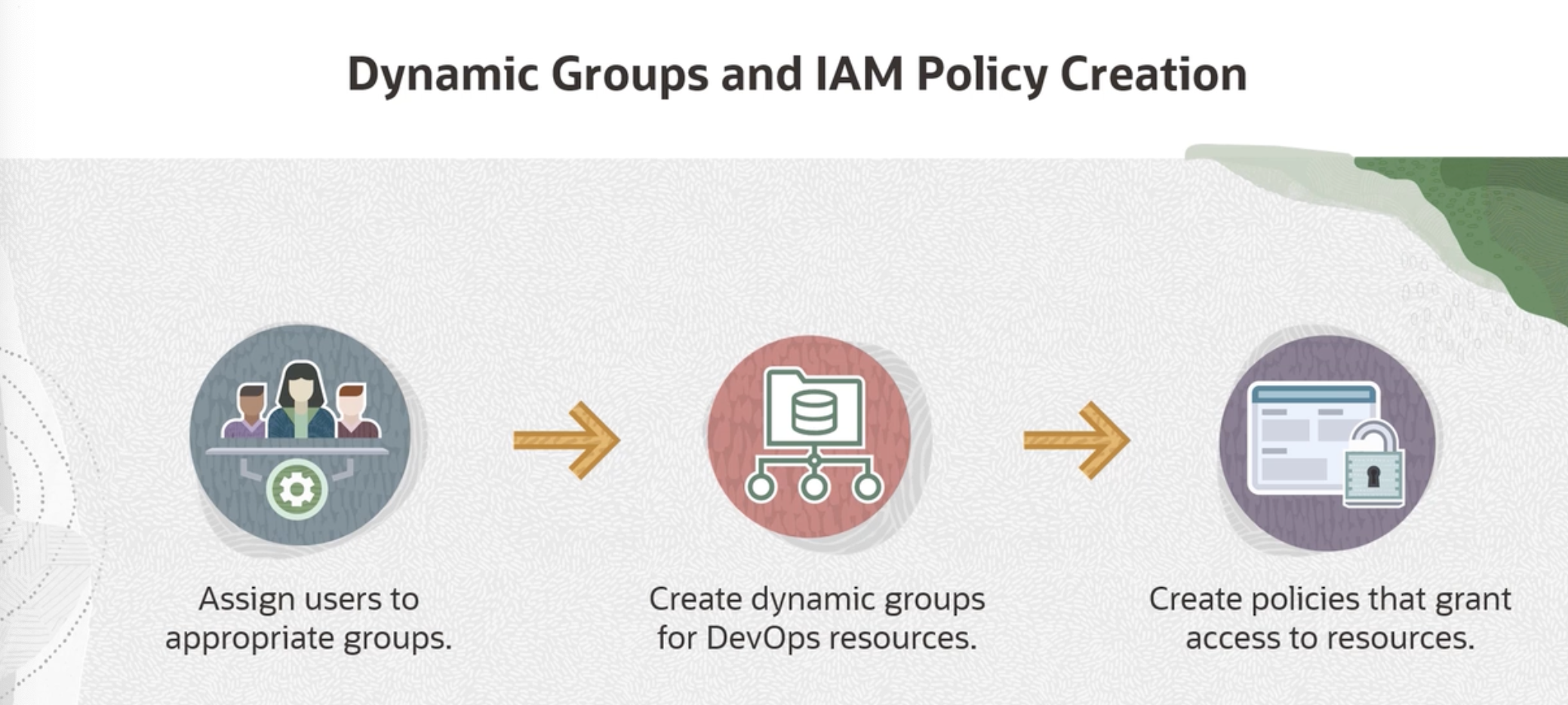
Create Group #
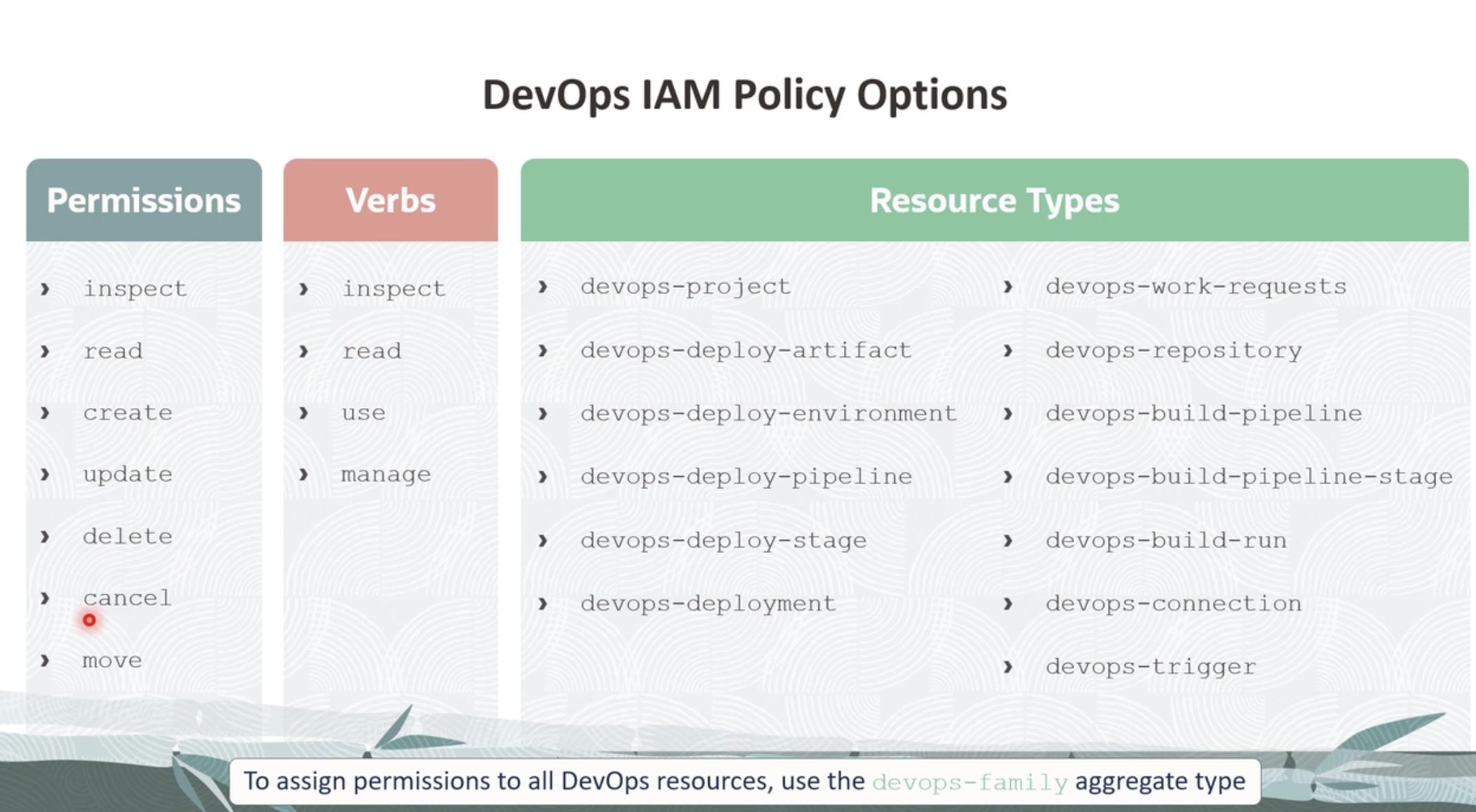
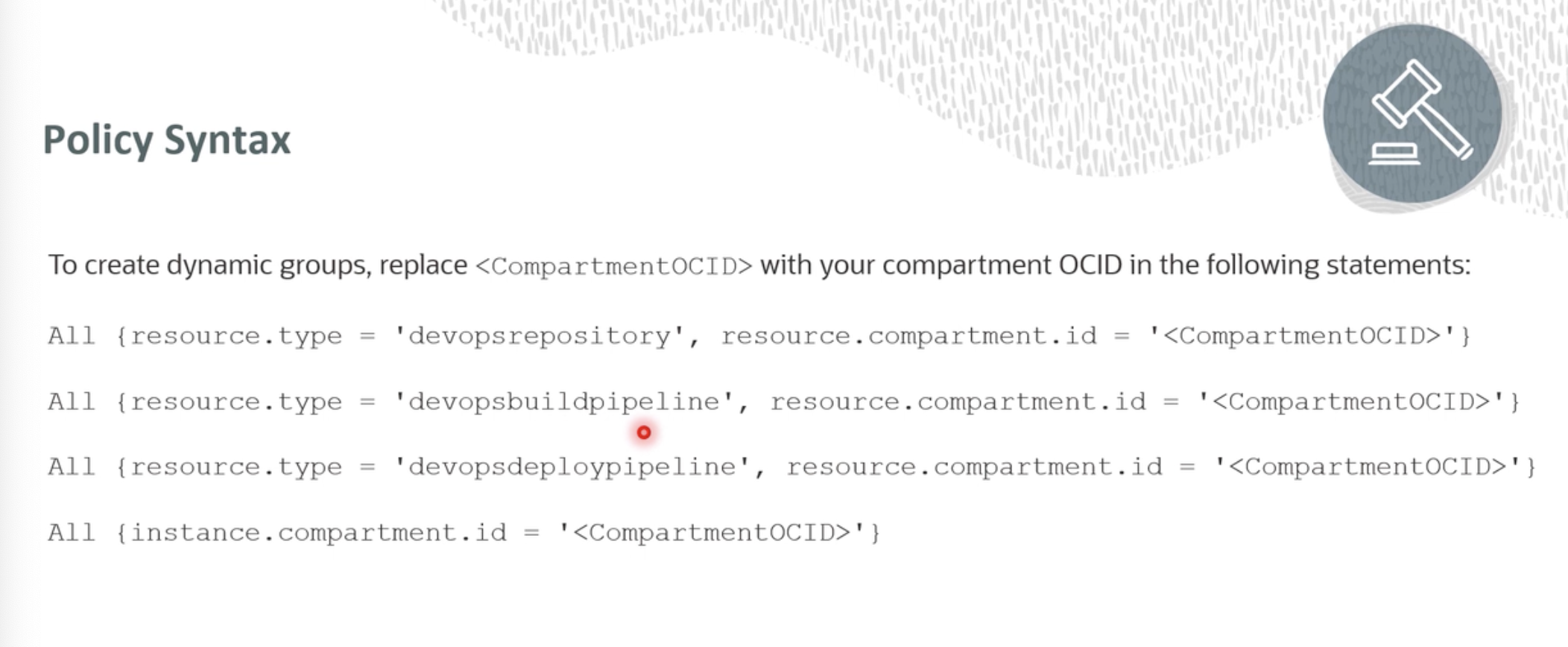
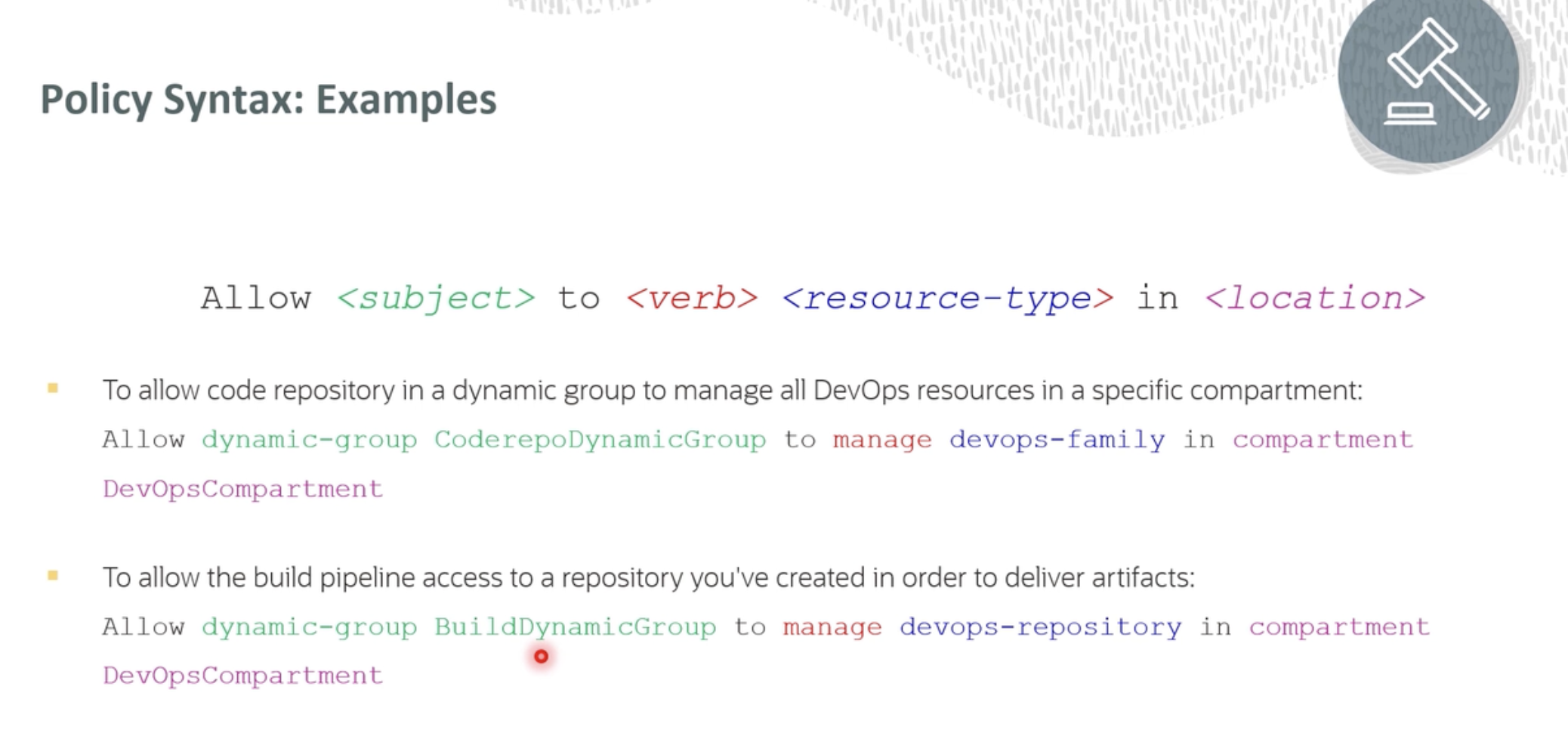
Create use the compartment OCID to create policy add users who will manage devops services
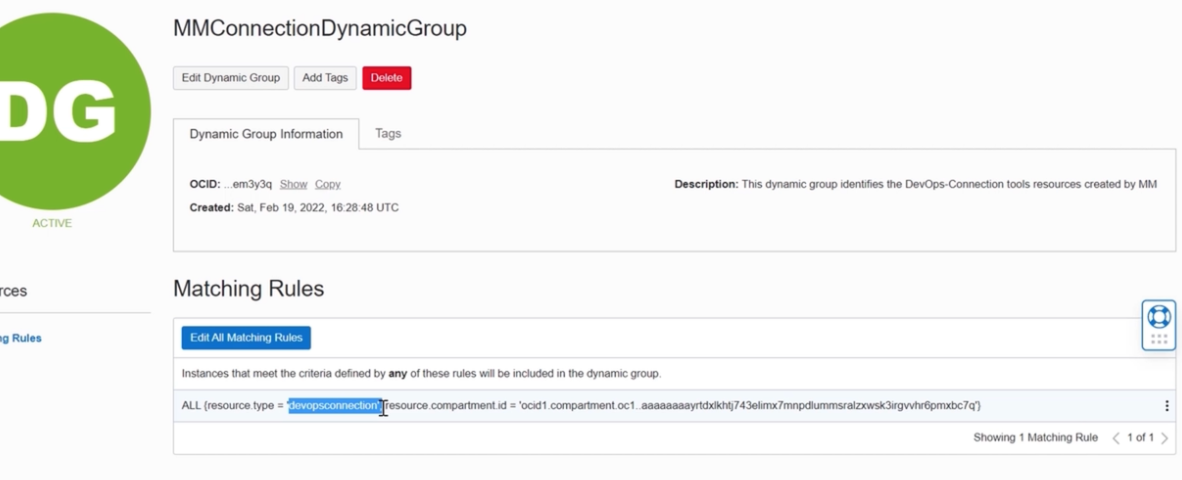
Create Dynamic groups Dynamic Groups in OCI
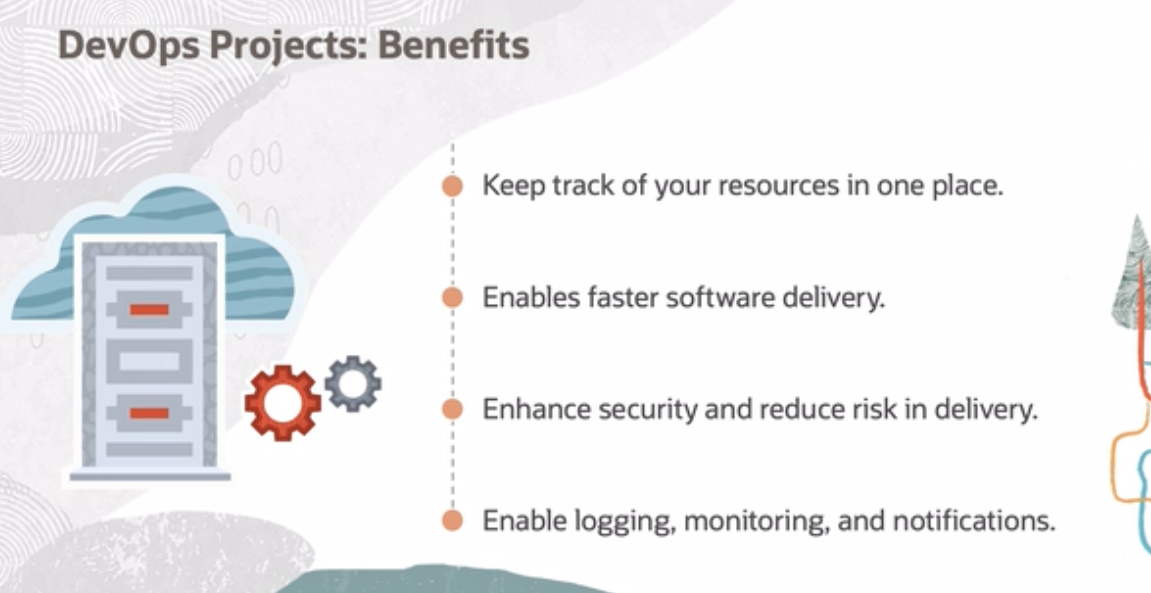
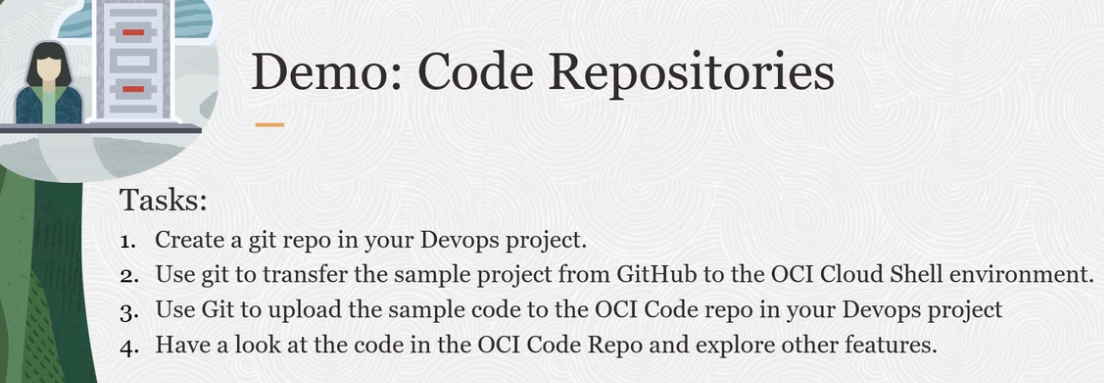
Creating DevOps Project on OCI #
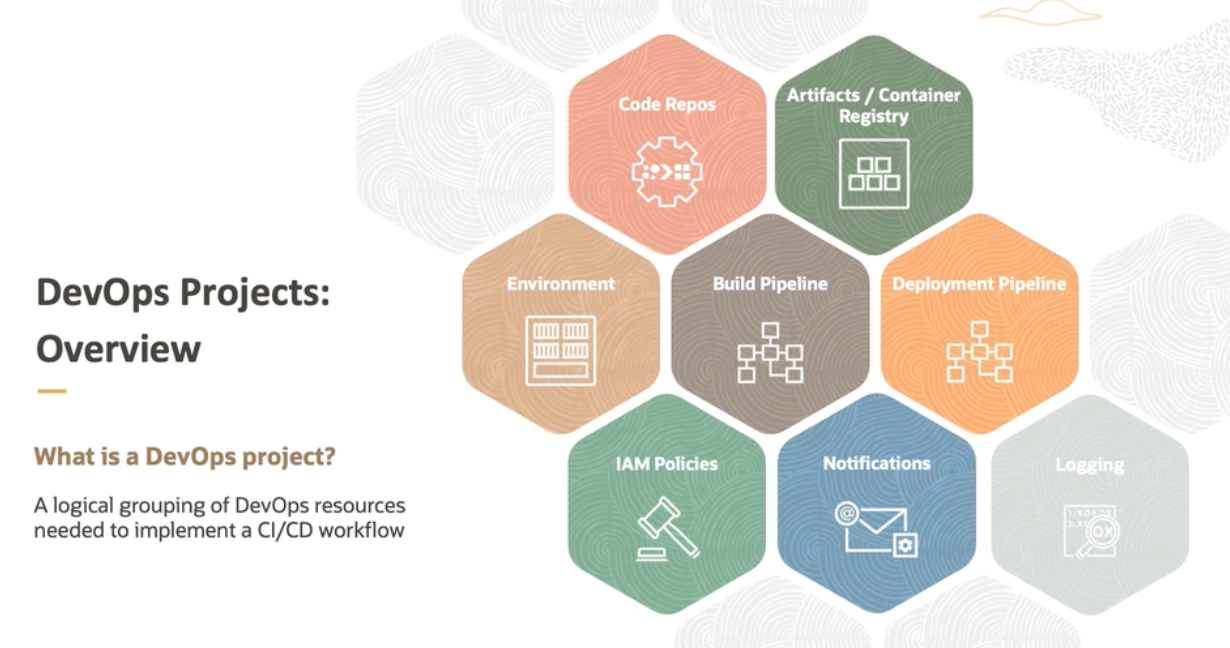
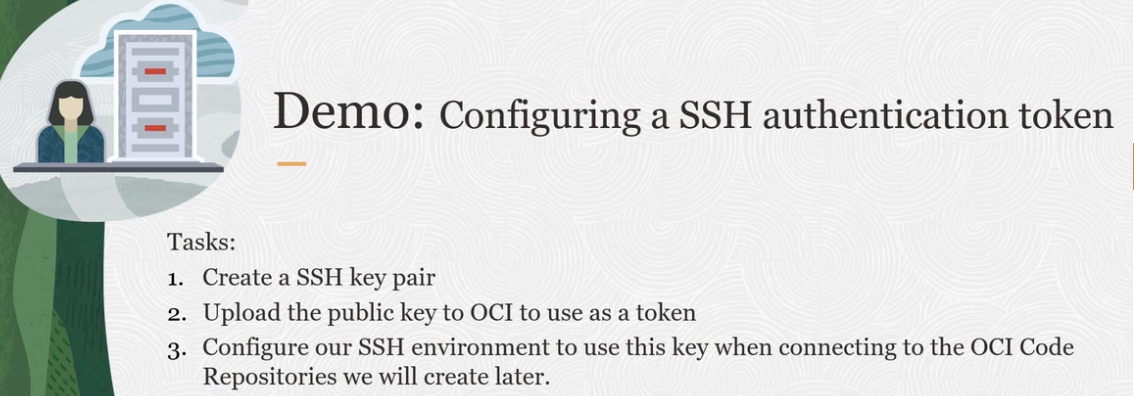
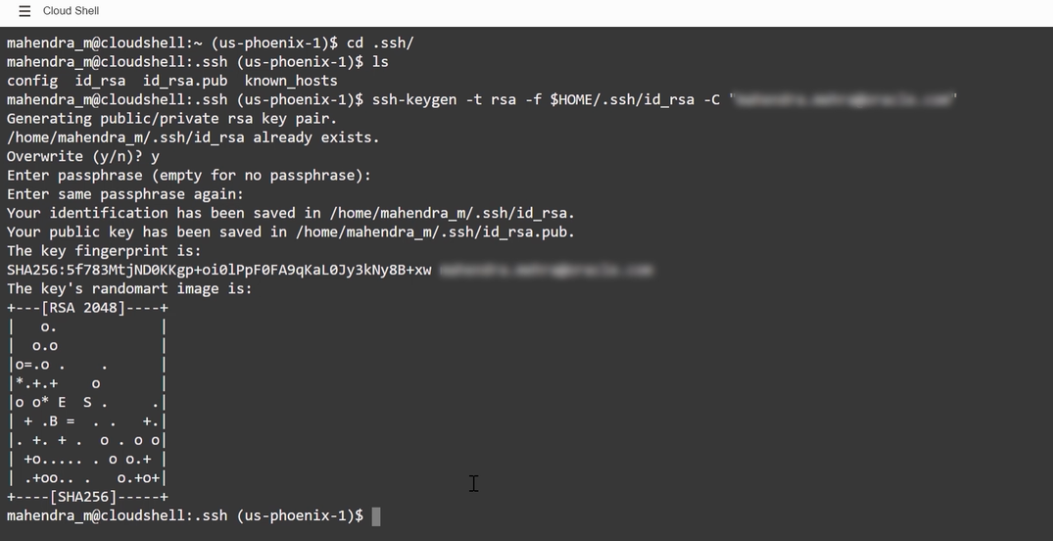
Create public key in the web shell #
convert the key into PEM format #
Go to your profile and add your public key in API keys #
Create config file in .ssh dir #
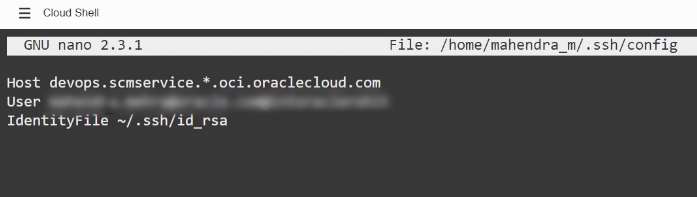
here add username and tenancy information, blurred.
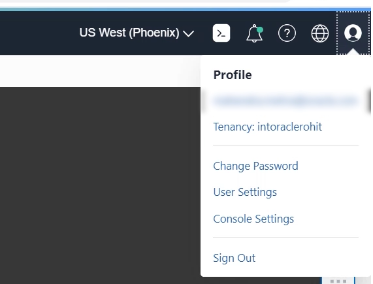
now your ready to access OCI services from this shell.
k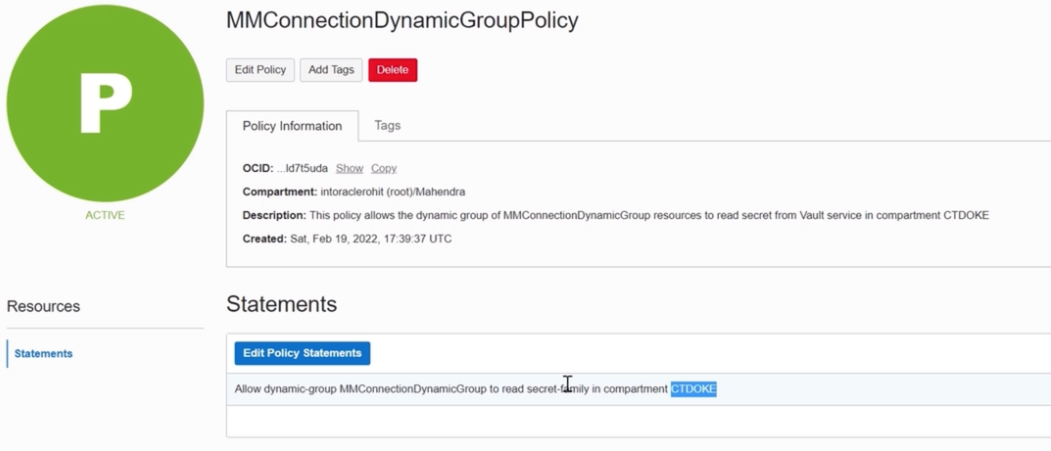
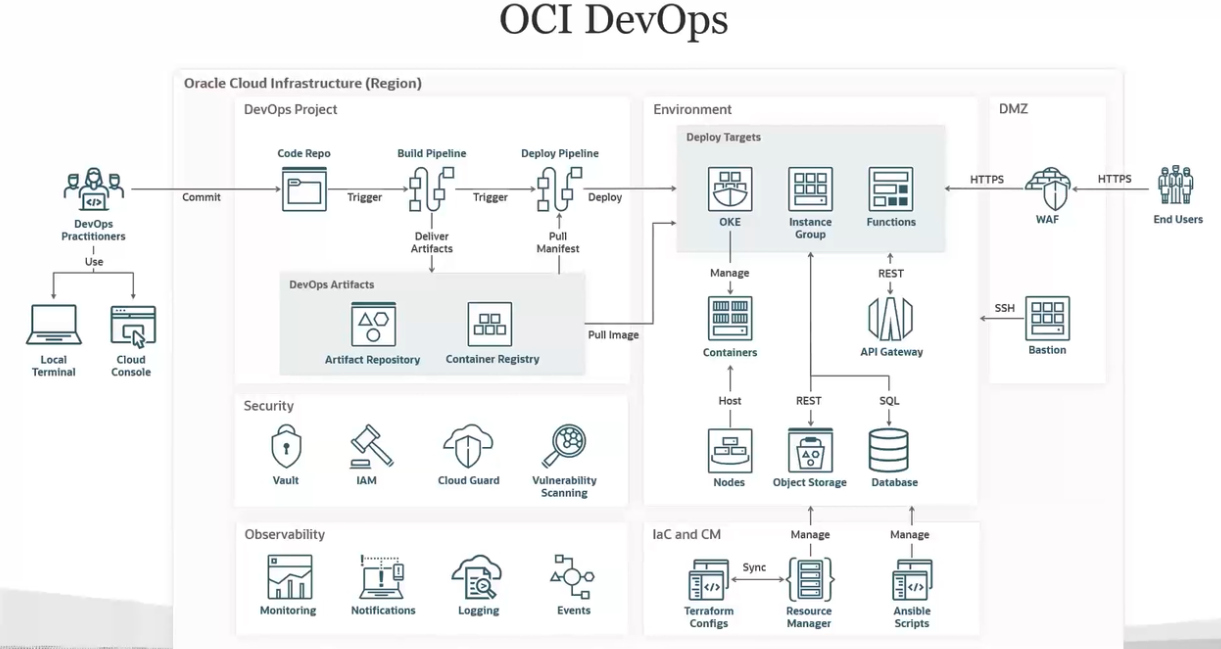
CI/CD in OCI #
build_spec.yaml
#
The build specification is organized into the following sections:
- Configuration of the build runner.
- Setup of environment variables.
- Input artifacts.
- Steps to run in sequence.
- Output artifacts.
An example
version: 0.1
component: build
timeoutInSeconds: 10000
shell: bash
failImmediatelyOnError: true

env:
  variables:
    key: "value"
    key: "value"
  vaultVariables:
    key: "secret-id"
  exportedVariables:
    - variable
    - variable
    - variable

inputArtifacts:
  - name: artifact-name
    type: GENERIC_ARTIFACT
    artifactId: "artifact-ocid"
    registryId: OCID of the Artifact Registry
    path: path of the artifact in the Registry
    version: version of the artifact
    location: target-location
  - name: artifact-name
    type: STAGE_ARTIFACT
    location: target-location
  - name: artifact-name
    type: URL
    url: downloadable link
    location: target-location

steps:
  - type: Command
    name: step-name
    shell: shellType
    timeoutInSeconds: 650
    failImmediatelyOnError: true
    command: command
    onFailure:
      - type: Command
        command: |
          command
          command
        timeoutInSeconds: 400

  - type: Command
    name: step-name
    command: |
      command
      command
      command
    onFailure:
      - type: Command
        command: |
                    command
        timeoutInSeconds: 400

outputArtifacts:
  - name: artifact-name
    type: artifact-type
    location: source-location
Details of sections
Configurations #
Configuration of the build runner.
Environment variables #
Optional. You can define custom variables. Three types of variables are supported:
env/variables: Optional.
- The key must be a string and POSIX environment variable compliant.
- The value can be any string.
- The scope of this variable is the execution of the build specification file.
- Any change to the value of the variable is visible in the subsequent steps.
- These variables are available as environment variables for all the steps inside the build specification file.
If the value of the variable contains new line(\n) or carriage return(\r) character, then they are replaced with space in the subsequent steps.
env/vaultVariables: Optional.
- The key must be a string and POSIX environment variable compliant.
- The value must be an OCID of the secret from the vault.
- The vault and build pipeline must be of the same tenancy.
- The tenancy must have an appropriate policy to allow build pipeline resources to access the secret.
The scope of this variable is the execution of the build specification file and is available to all the steps in the file. The value for these variables is retrieved from the vault and made available as environment variables for all the steps inside the build specification file.
env/exportedVariables: Optional.
- A list of variables can be declared here.
- The name of the variable must be a string and POSIX environment variable compliant.
- The value can be assigned in any of the steps inside the build specification file.
- The scope of this variable is the build pipeline.
- Any exported variable is available in subsequent stages of the same pipeline.