CI/CD in OCI
tags :
CI/CD in OCI #
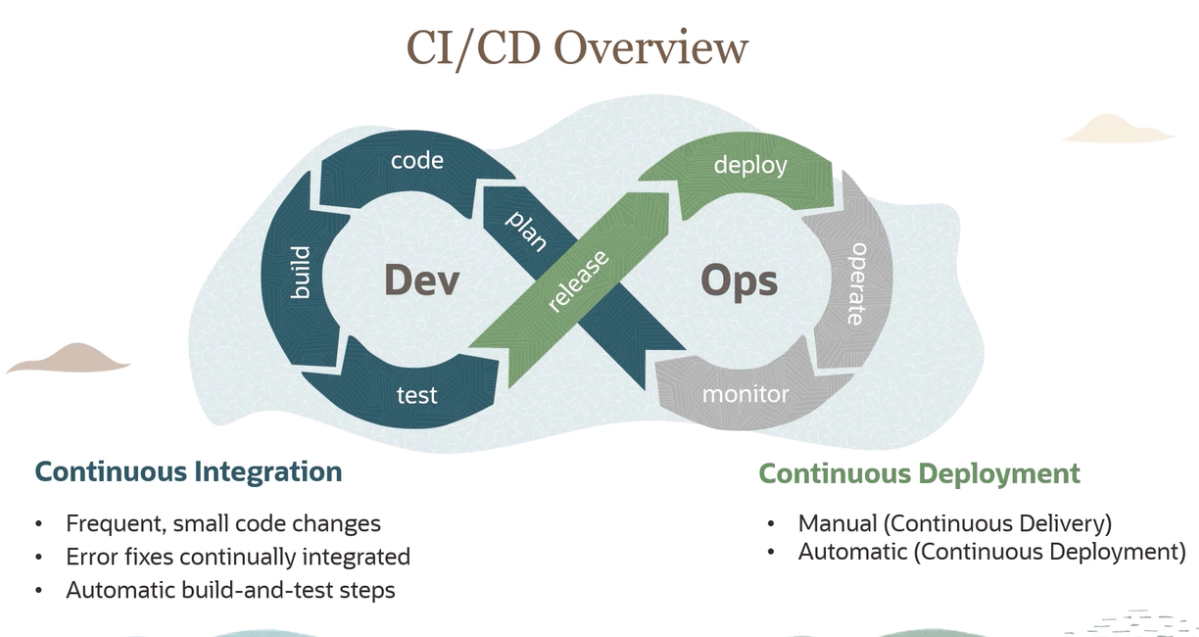
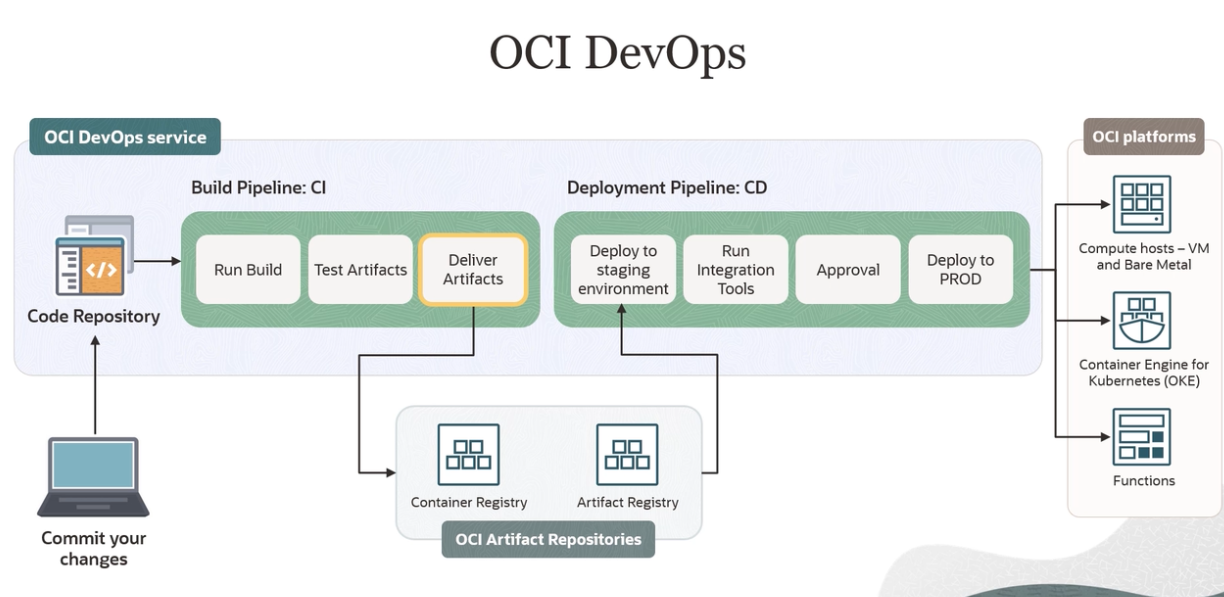
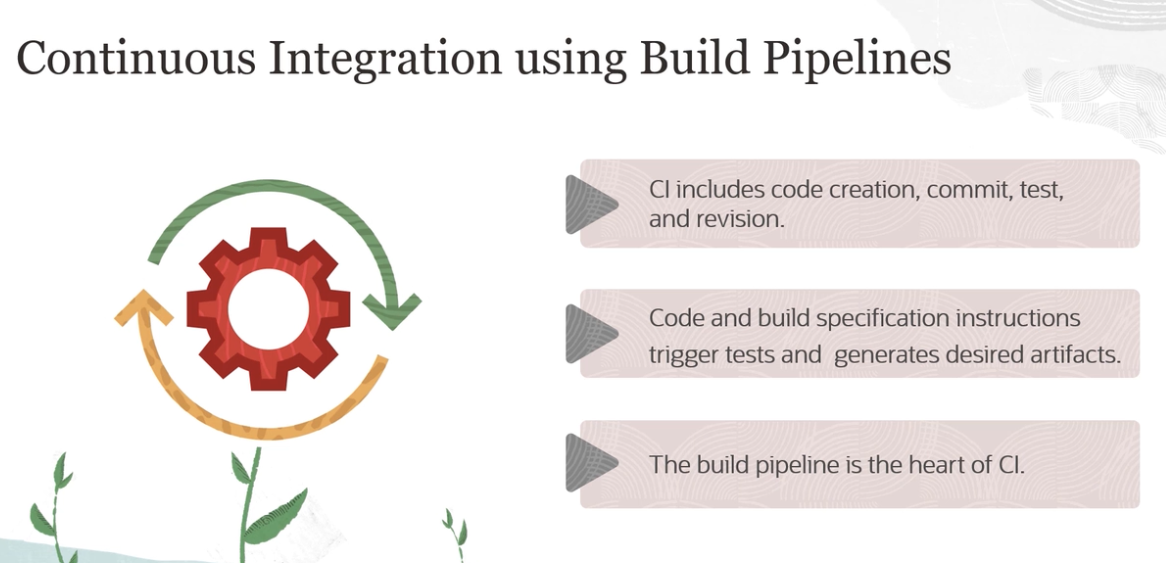
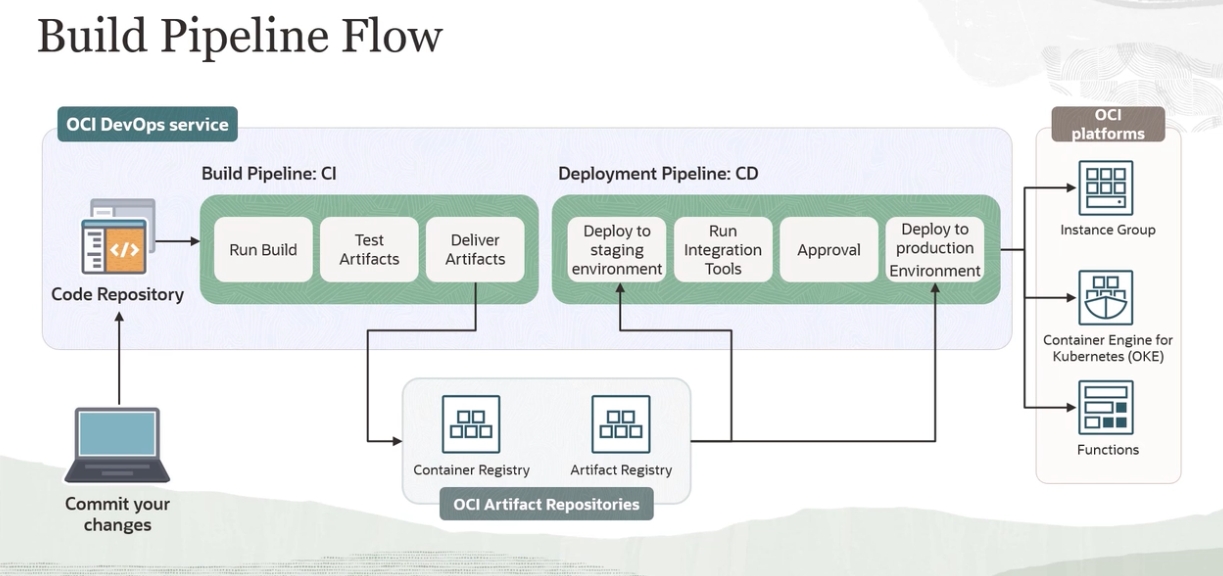
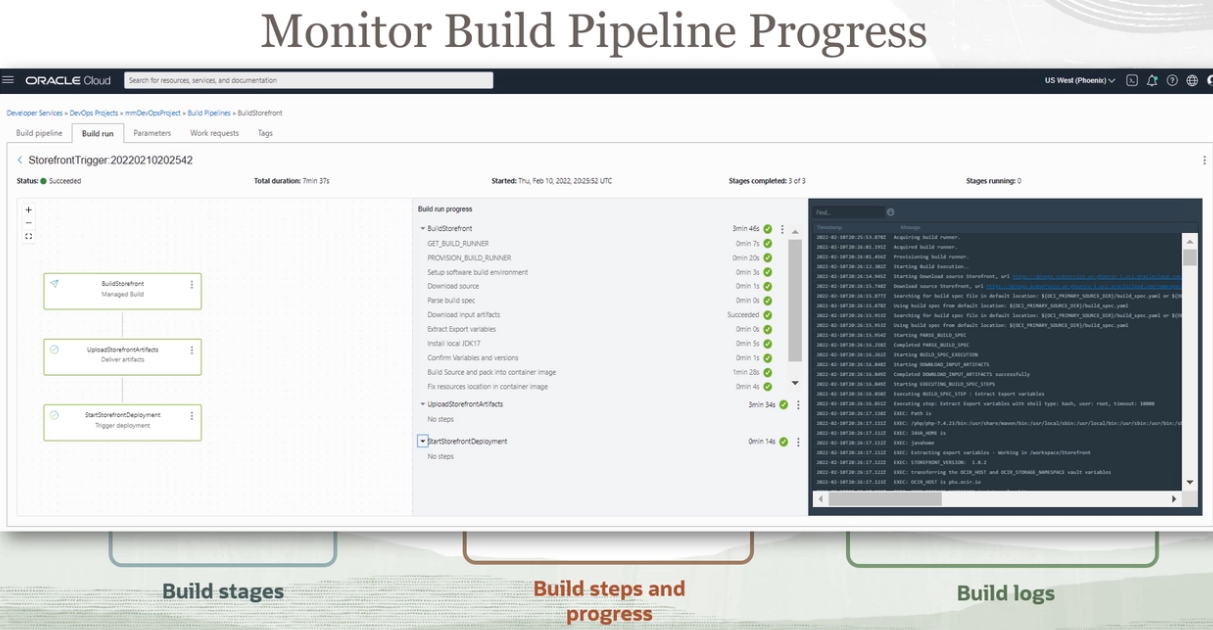
CI/CD #
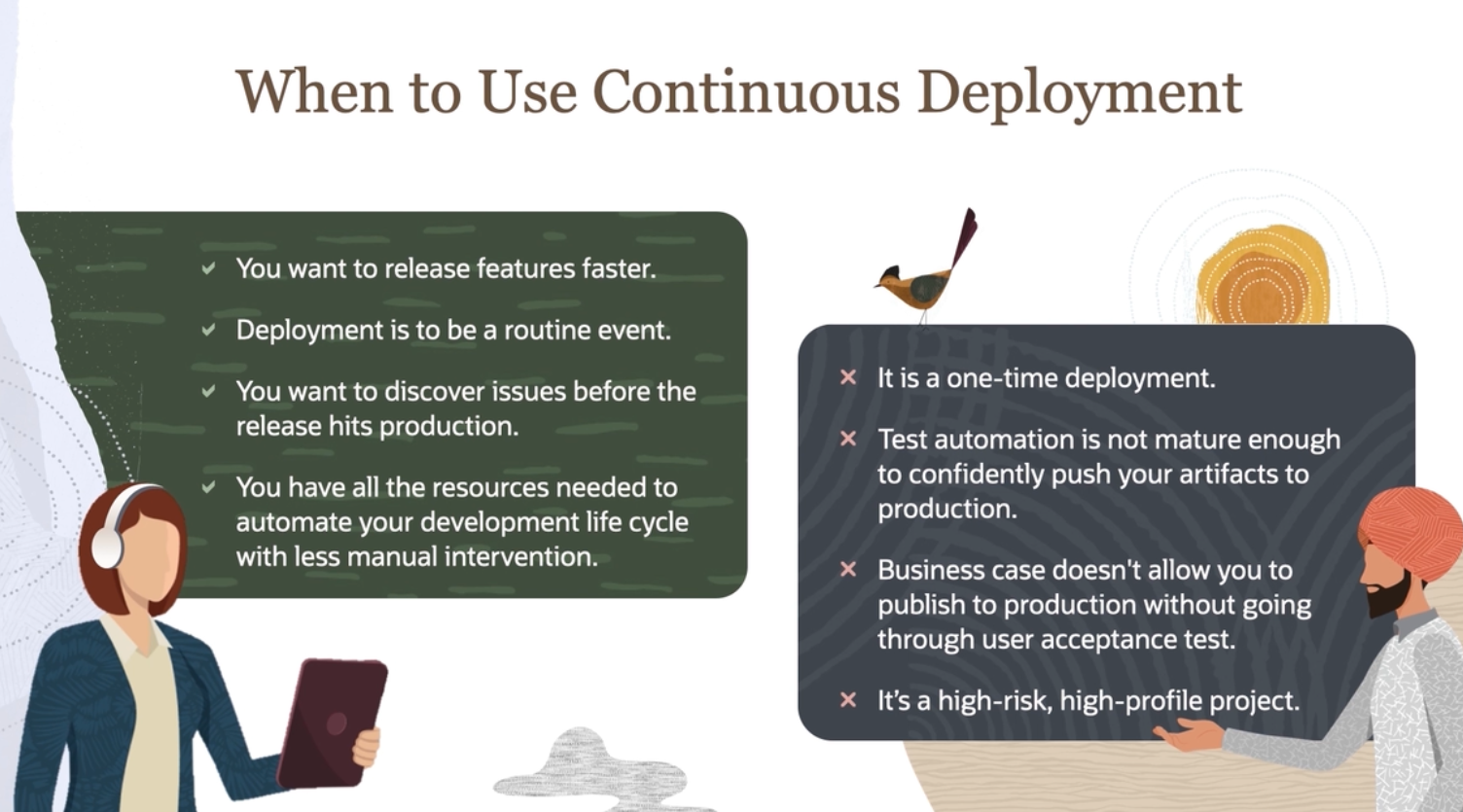
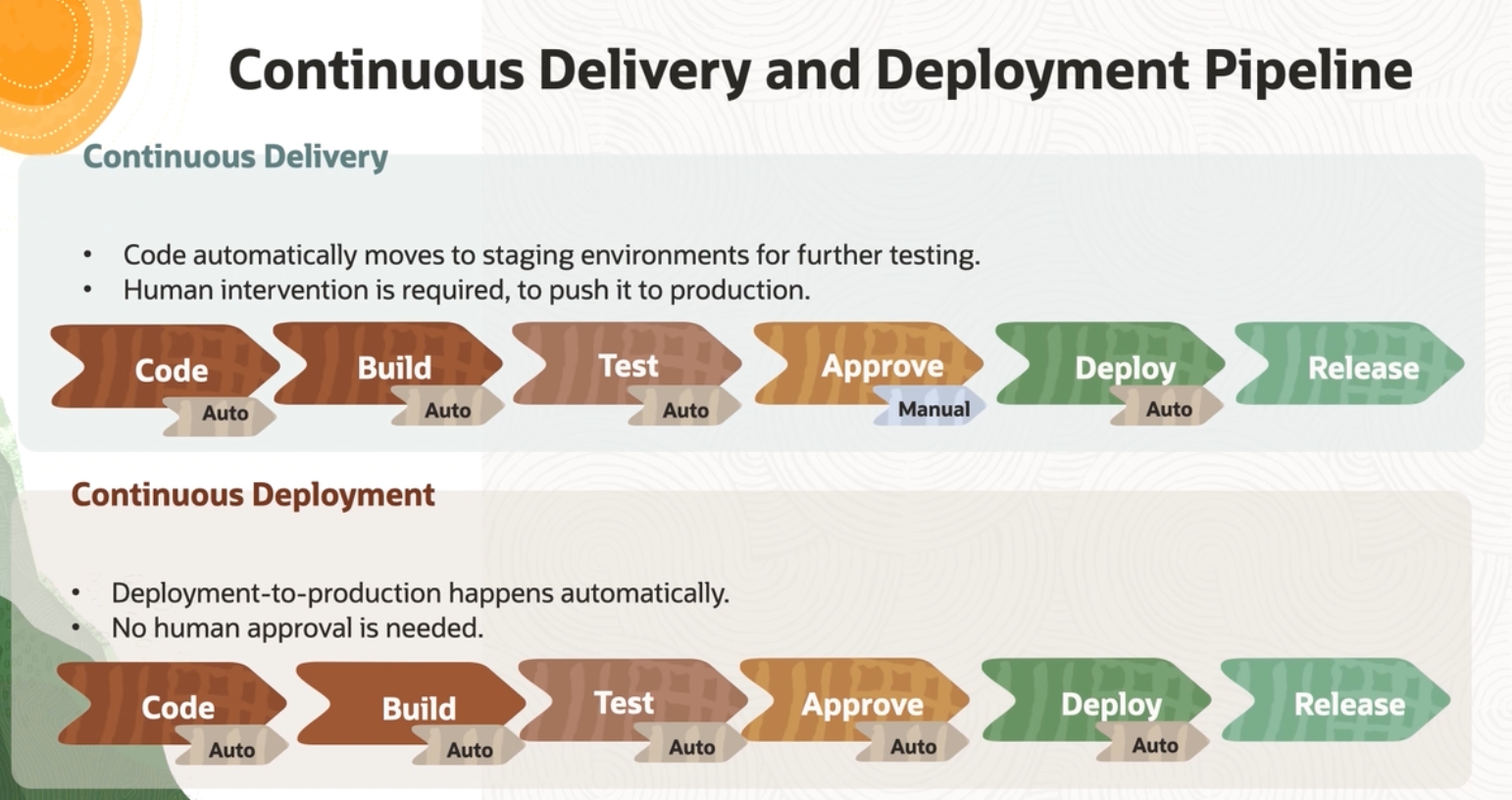 Continuous Delivery vs Continuous Deployment
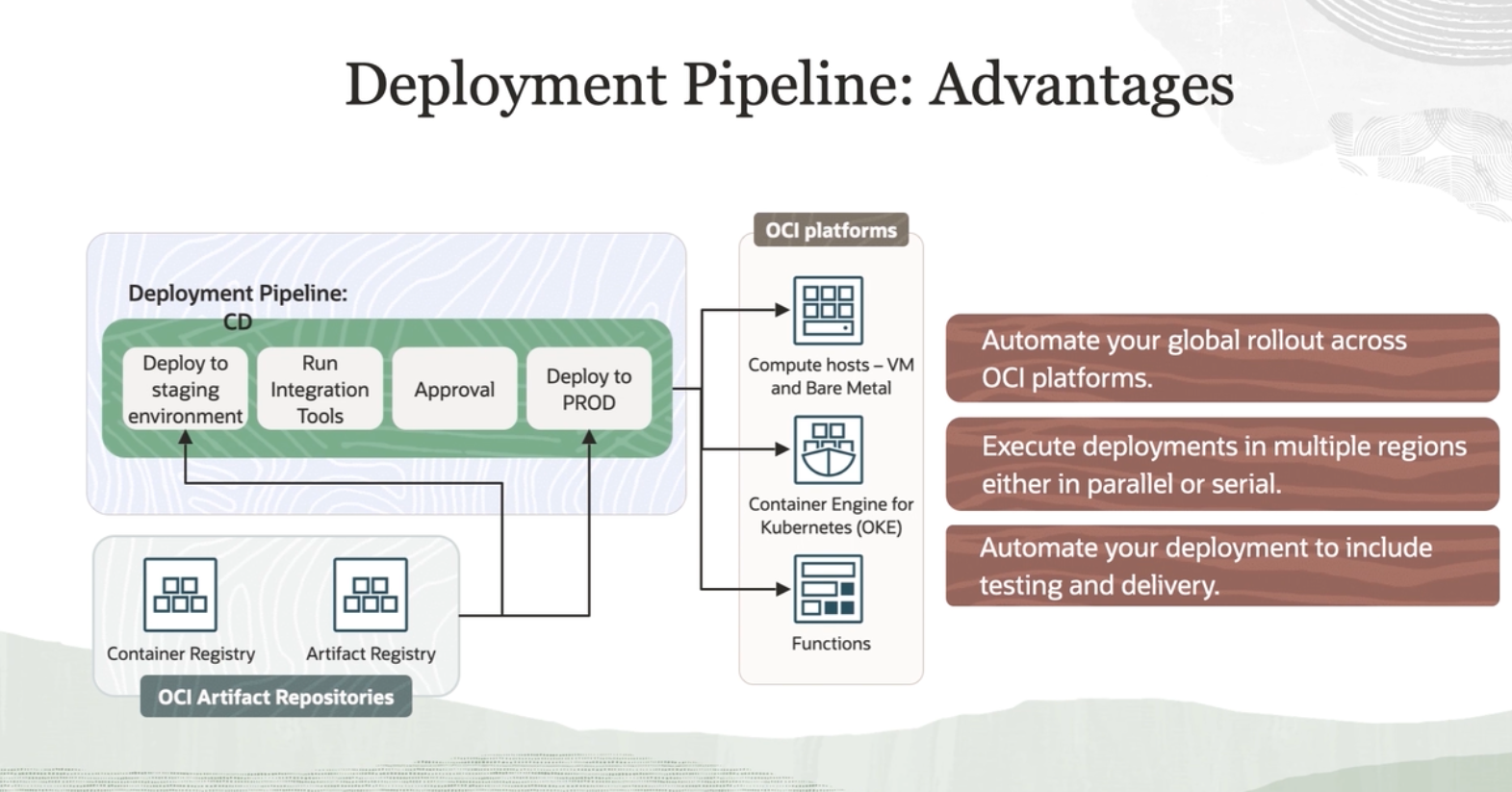
 Continuous Deployment is supported for
 not for oracle containers instances yet.
build_spec.yaml
#
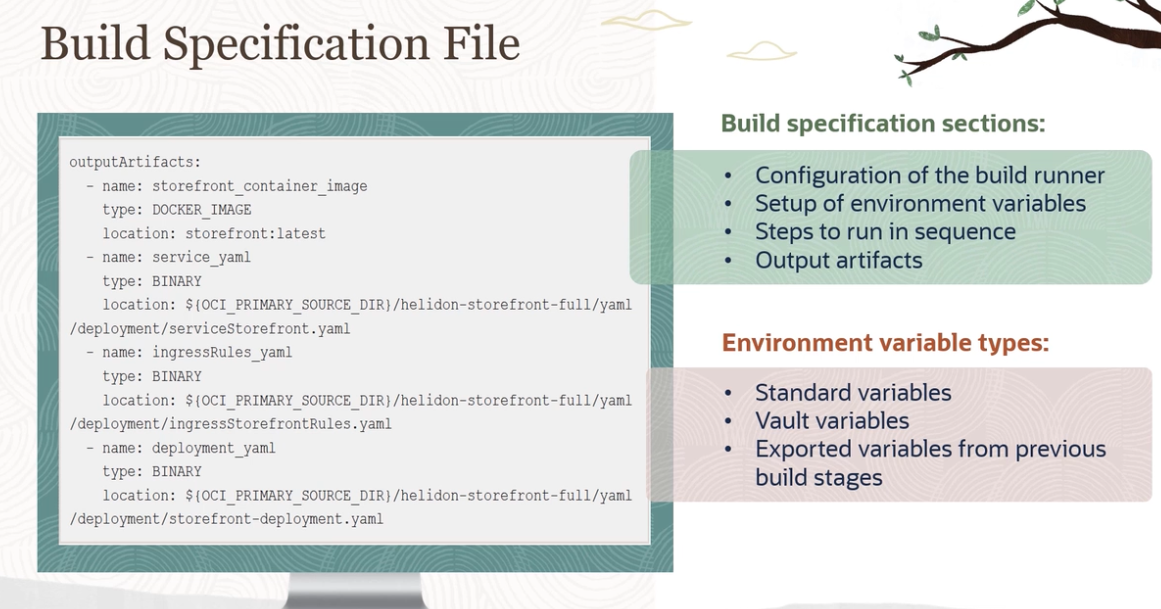
The build specification is organized into the following sections:
- Configuration of the build runner.
- Setup of environment variables.
- Input artifacts.
- Steps to run in sequence.
- Output artifacts.
An example
version: 0.1
component: build
timeoutInSeconds: 10000
shell: bash
failImmediatelyOnError: true

env:
  variables:
    key: "value"
    key: "value"
  vaultVariables:
    key: "secret-id"
  exportedVariables:
    - variable
    - variable
    - variable

inputArtifacts:
  - name: artifact-name
    type: GENERIC_ARTIFACT
    artifactId: "artifact-ocid"
    registryId: OCID of the Artifact Registry
    path: path of the artifact in the Registry
    version: version of the artifact
    location: target-location
  - name: artifact-name
    type: STAGE_ARTIFACT
    location: target-location
  - name: artifact-name
    type: URL
    url: downloadable link
    location: target-location

steps:
  - type: Command
    name: step-name
    shell: shellType
    timeoutInSeconds: 650
    failImmediatelyOnError: true
    command: command
    onFailure:
      - type: Command
        command: |
          command
          command
        timeoutInSeconds: 400

  - type: Command
    name: step-name
    command: |
      command
      command
      command
    onFailure:
      - type: Command
        command: |
                    command
        timeoutInSeconds: 400

outputArtifacts:
  - name: artifact-name
    type: artifact-type
    location: source-location
Details of sections
Environment variables #
Optional. You can define custom variables. Three types of variables are supported:
env/variables: Optional. #
- The key must be a string and POSIX environment variable compliant.
- The value can be any string.
- The scope of this variable is the execution of the build specification file.
- Any change to the value of the variable is visible in the subsequent steps.
- These variables are available as environment variables for all the steps inside the build specification file.
If the value of the variable contains new line(\n) or carriage return(\r) character, then they are replaced with space in the subsequent steps.
env/vaultVariables: Optional. #
- The key must be a string and POSIX environment variable compliant.
- The value must be an OCID of the secret from the vault.
- The vault and build pipeline must be of the same tenancy.
- The tenancy must have an appropriate policy to allow build pipeline resources to access the secret.
The scope of this variable is the execution of the build specification file and is available to all the steps in the file. The value for these variables is retrieved from the vault and made available as environment variables for all the steps inside the build specification file.
env/exportedVariables: Optional. #
- A list of variables can be declared here.
- The name of the variable must be a string and POSIX environment variable compliant.
- The value can be assigned in any of the steps inside the build specification file.
- The scope of this variable is the build pipeline.
- Any exported variable is available in subsequent stages of the same pipeline.
Configurations #
Configuration of the build runner.
Passing build params into the build_spec.yml #
Steps #
Mandatory. This section defines a list of steps that need to be run.
steps/*/type #
- Mandatory.
- Specifies the type of the step.
- Supports the following values:
- Command
- VulnerabilityAudit. For more information, see Step Types.
- Supports the following values:
steps/*/name #
- Optional.
- A user-friendly name for the step.
outputArtifacts #
For Docker Image #
- DOCKER_IMAGE: Specifies a Docker image as the output artifact.
- outputArtifacts/*/location: A built Docker image tag that is built on one of the steps in the build specification file. Example
outputArtifacts:
  - name: superset-bi-image
    # these names will be used in the build pipeline to select the image to store in the registry
    type: DOCKER_IMAGE
  #   location: $IMAGE_REPO:$COMMIT_HASH
    location: $IMAGE_REPO:$IMAGE_RELEASE_TAG
For example, if in any one of the steps in the build specification file, a Docker image is built as,
docker build -t iad.ocir.io/id204we8d65n/hello-world:1.0
, then the location field must contain iad.ocir.io/id204we8d65n/hello-world:1.0 for producing this artifact.
The image must be built or pulled and made available in one of the build specification steps.
Otherwise, the outputArtifact step fails and eventually the Build stage also fails.
Location does not support exportedVariables or pipeline variables.
Ansible vs Terraform #
OCR of Images #
2023-09-30_13-29-30_screenshot.png #
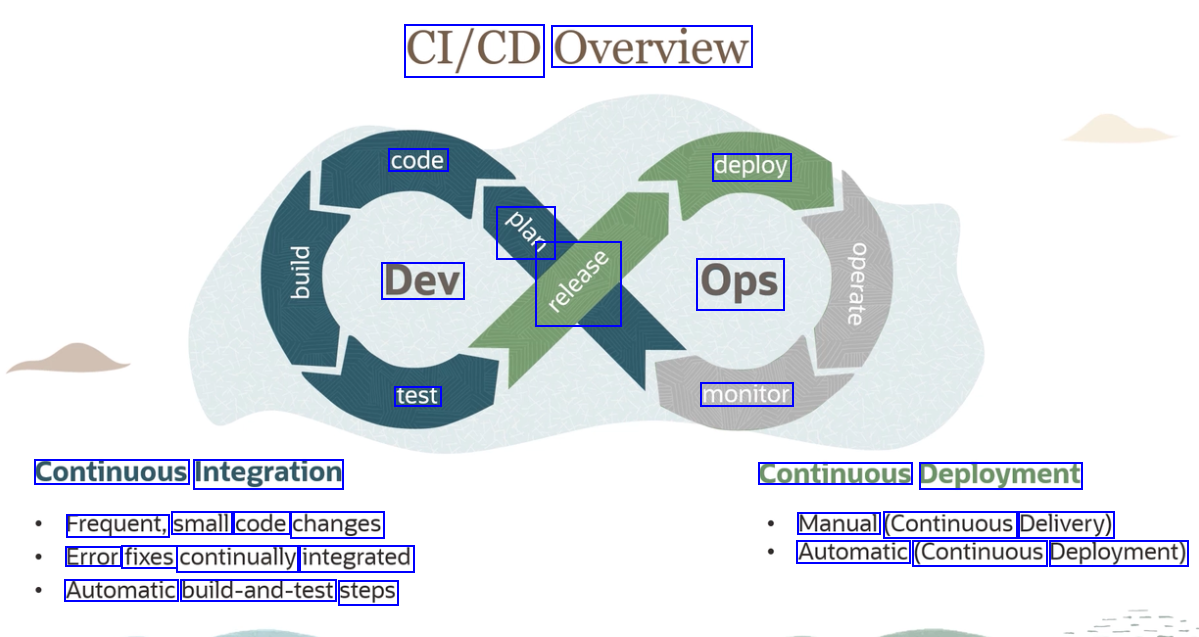
CI/CD Overview code deploy OSn Dev 4 Ops test monitor Continuous Integration Continuous Deployment Frequent, small code changes Error fixes continually integrated Automatic build-and-test steps Manual (Continuous Delivery) Automatic (Continuous Deployment)
2023-09-30_13-29-38_screenshot.png #
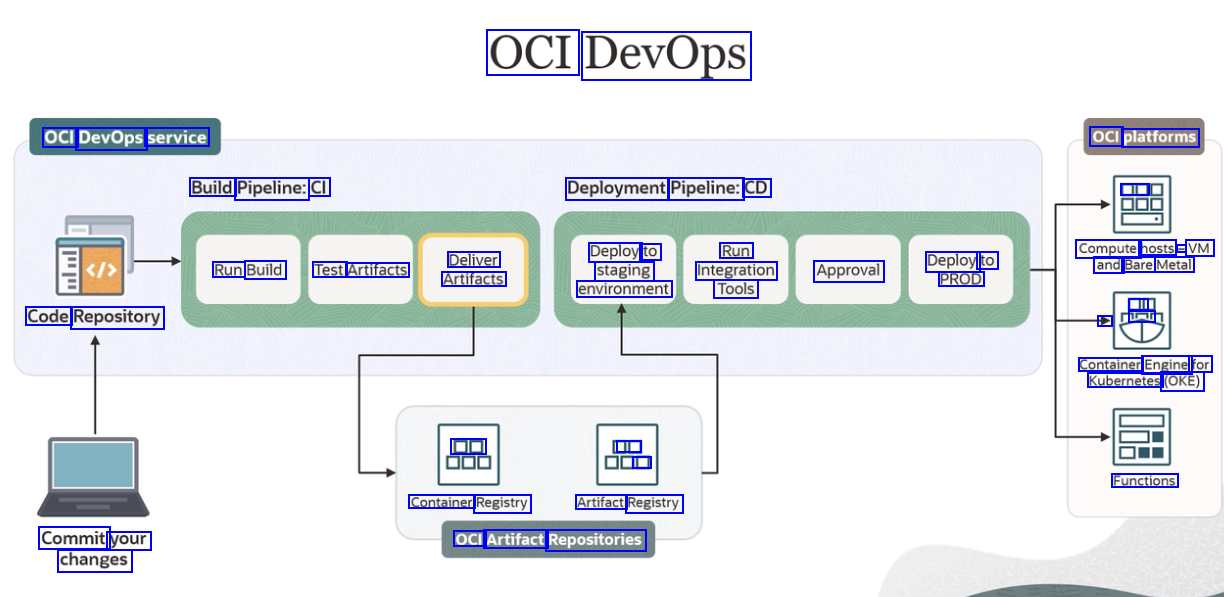
OCI DevOps OCI DevOps service OCI platforms Build Pipeline: CI Deployment Pipeline: CD DE Deploy to staging environment Run Integration Approval Tools Compute hosts - VM and Bare Metal Deliver Artifacts Deploy to PROD Run Build Test Artifacts A ur Code Repository Container Engine for Kubernetes (OKE) DD JE D Functions Container Registry Artifact Registry Commit your changes OCI Artifact Repositories
2023-09-30_13-30-36_screenshot.png #
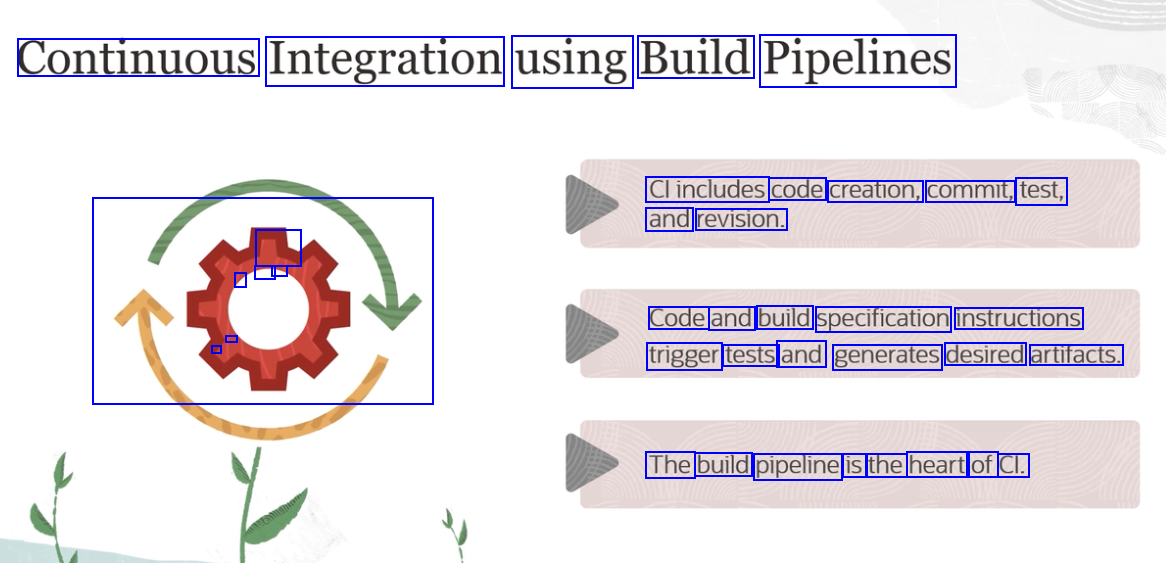
Continuous Integration using Build Pipelines Clincludes code creation, commit, test, and revision. - - - / Code and build specification instructions - - trigger tests and generates desired artifacts. O The build pipeline is the heart of Cl.
2023-09-30_13-30-52_screenshot.png #
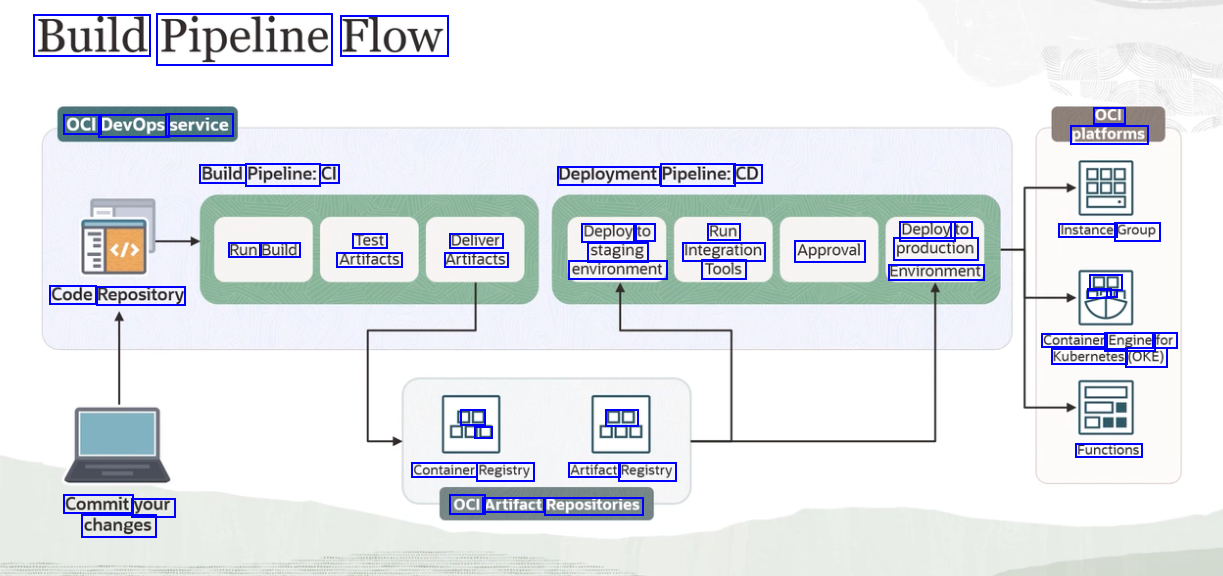
Build Pipeline Flow OCI platforms OCI DevOps service Build Pipeline: CI Deployment Pipeline: CD Deploy to Run Deploy to Instance Group Test Deliver Artifacts Run Build Artifacts staging Integration Approval production environment Tools Environment DD ar Code Repository Container Engine for Kubernetes (OKE) DE L DE Functions Container Registry Artifact Registry OCI Artifact Repositories Commit your changes
2023-09-30_13-31-58_screenshot.png #
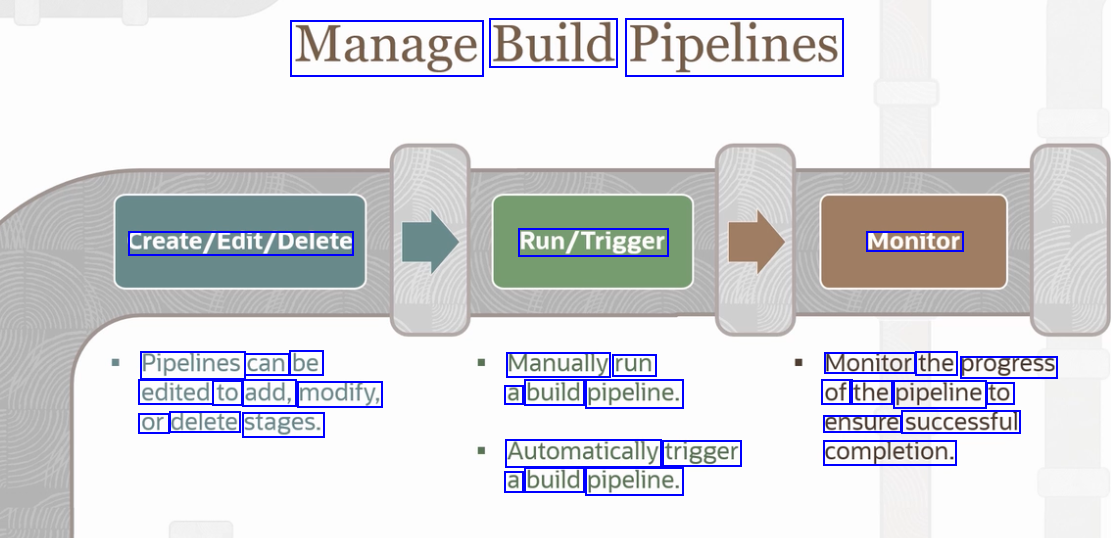
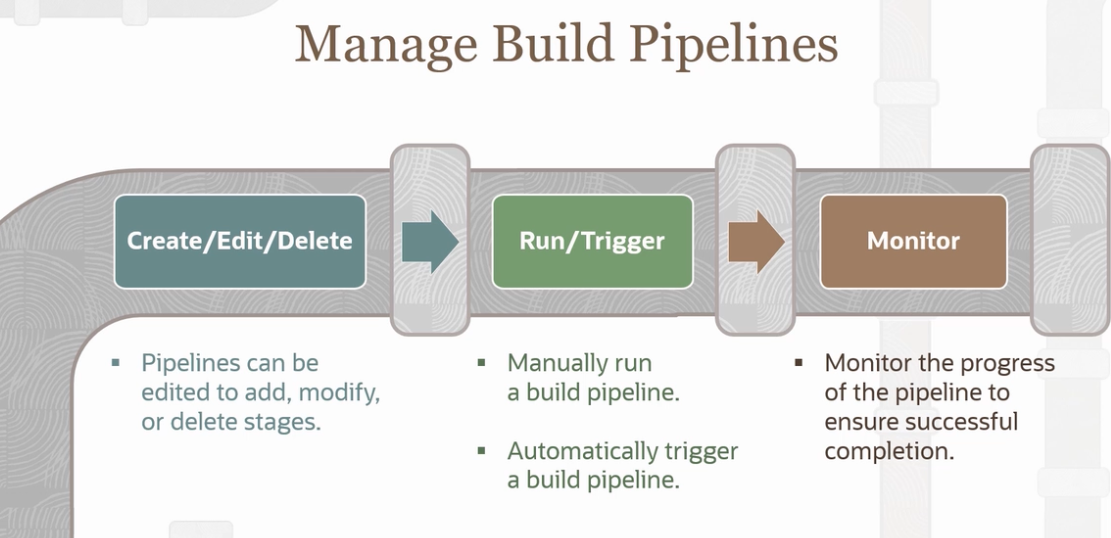
Manage Build Pipelines Create/Edit/Delete Run/Trigger Monitor Pipelines can be Manually run a build pipeline. Monitor the progress of the pipeline to ensure successful completion. edited to add, modify, or delete stages. Automatically trigger a build pipeline.
2023-09-30_13-32-22_screenshot.png #
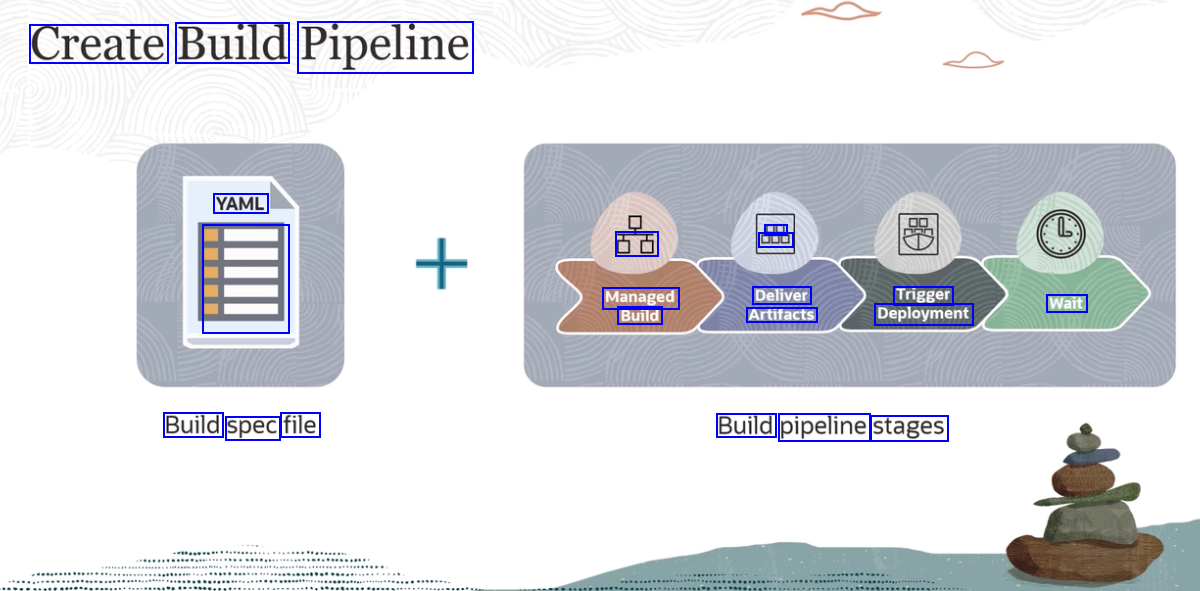
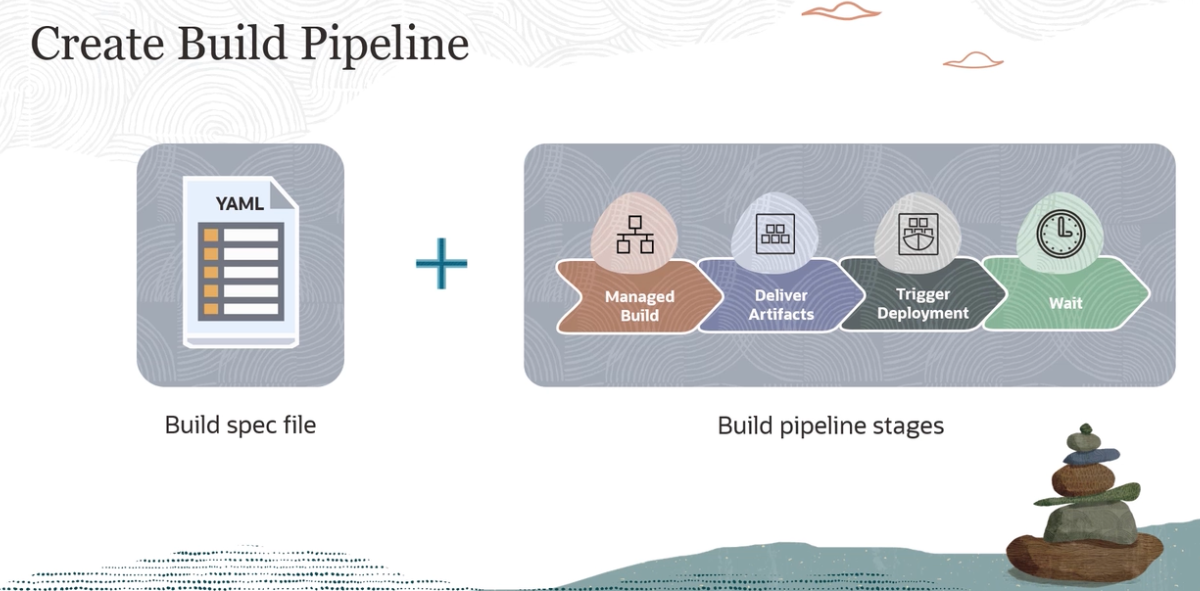
Create Build Pipeline YAML DE 000 DE Managed Build Deliver Artifacts Trigger Deployment Wait - Build spec file Build pipeline stages
2023-09-30_13-34-08_screenshot.png #
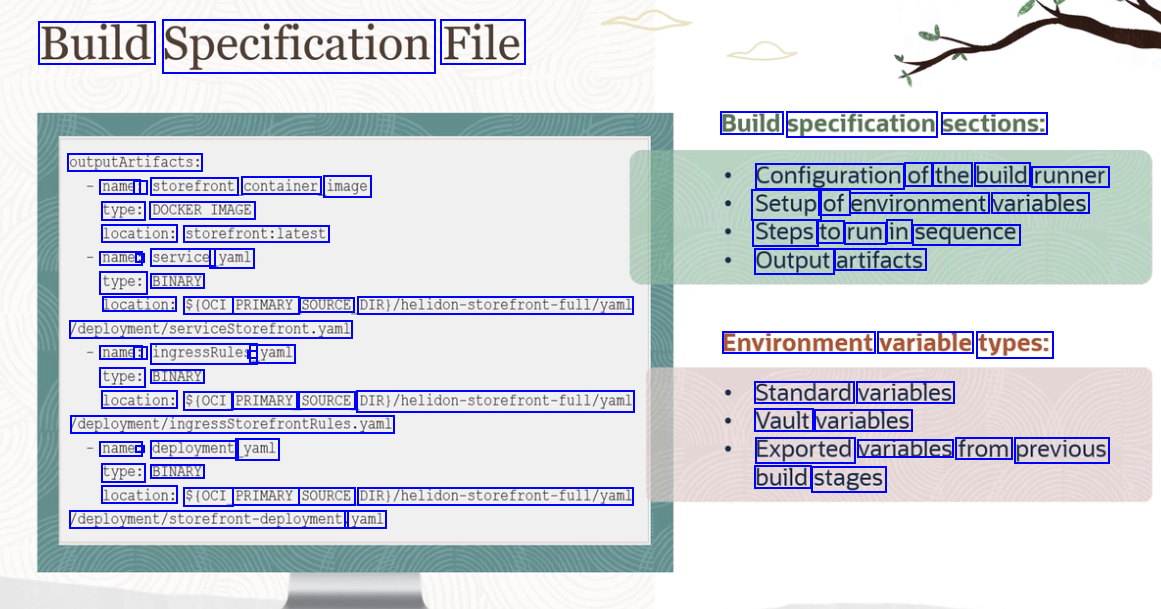
Build Specification File Build specification sections: outputArtifacts: name: : type: DOCKER_IMAGE location: storefront:latest name: : service yaml type: BINARY of the build storefront container image Configuration runner Setup of environment variables Steps to run in sequence Output artifacts location: $(OCI PRIMARY SOURCE DIR)/helidon-storefront-full/yaml deployment/servicestorefront.yaml name: : ingressRules - yaml type: BINARY Environment variable types: location: $(OCI PRIMARY SOURCE DIRI/helidon-storefront-full/yaml Standard variables Vault variables deployment/ingressstorefrontRules.yaml name: deployment yaml type: BINARY Exported variables from previous build stages location: $(OCI PRIMARY SOURCE DIRI/helidon-storefront-full/yaml deployment/storefront-deployment yaml
2023-09-30_13-34-55_screenshot.png #
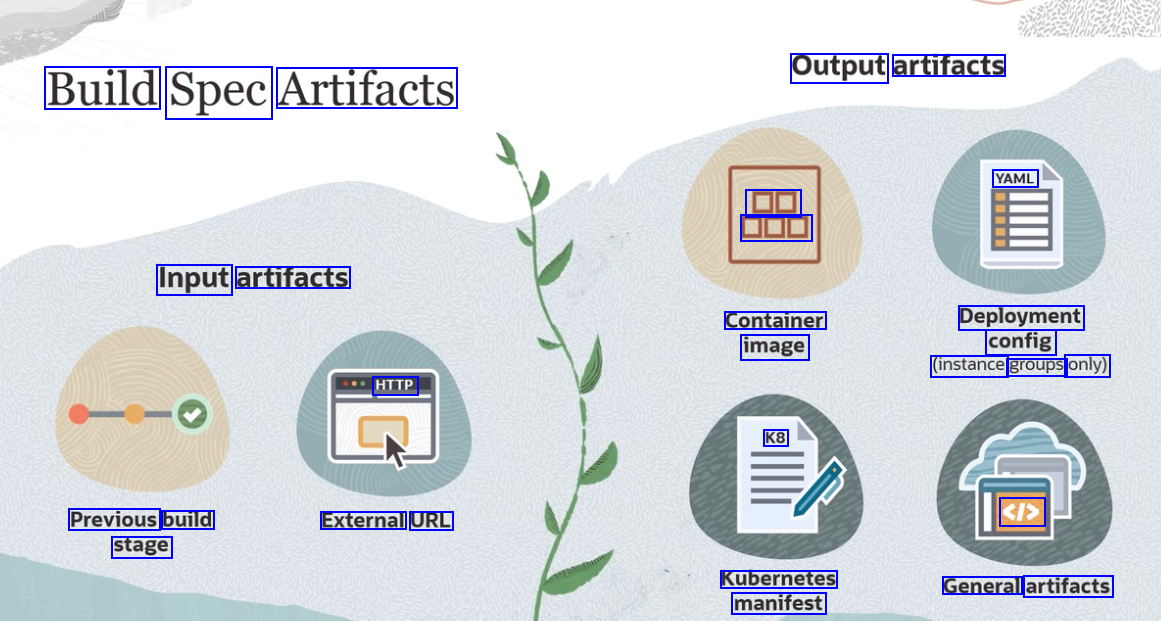
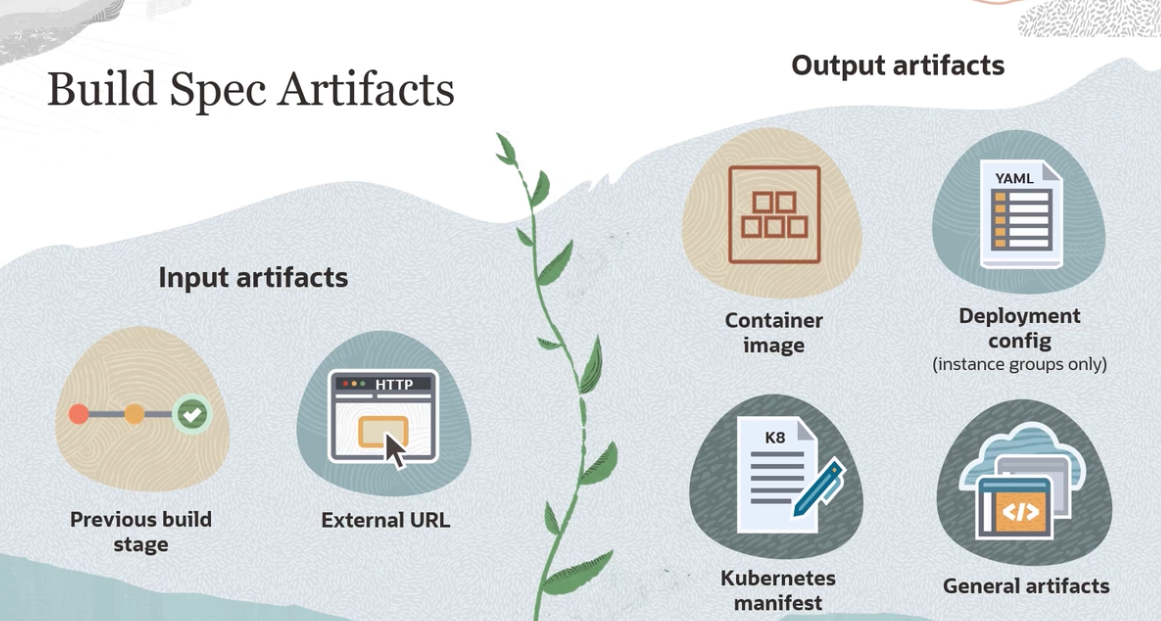
Output artifacts Build Spec Artifacts YAML DE DD Input artifacts Container image Deployment config (instance groups only) HTTP K8 Previous build stage External URL <I> Kubernetes manifest General artifacts
2023-09-30_13-35-37_screenshot.png #
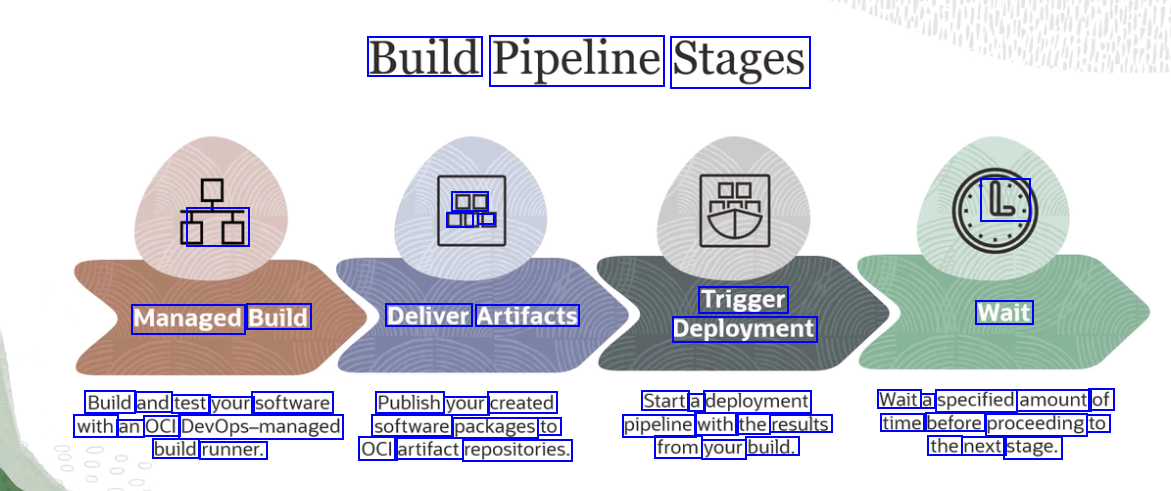
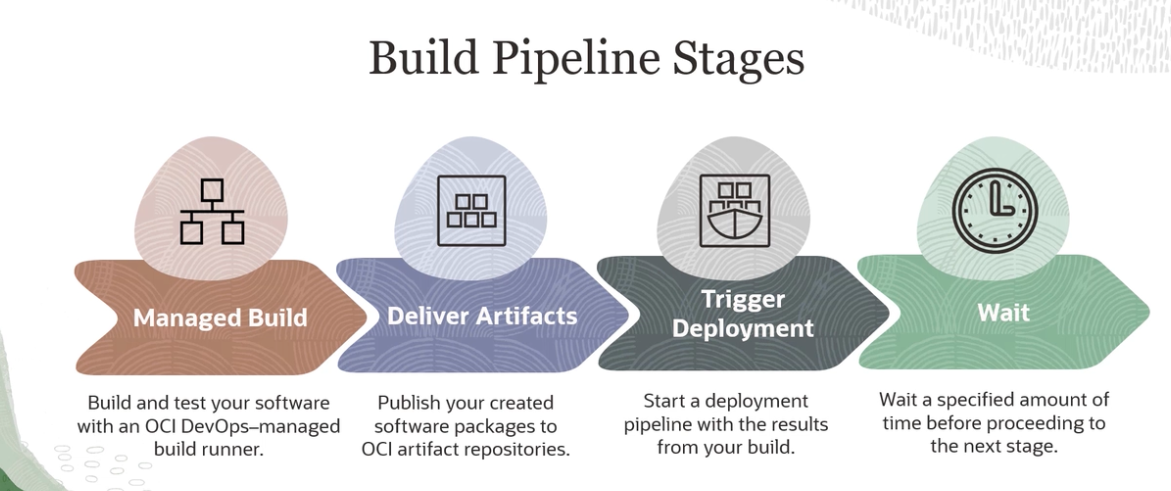
Build Pipeline Stages DO E C 5E Trigger Deployment Managed Build Deliver Artifacts Wait Build and test your software Publish your created Start a deployment pipeline with the results from your build. Wait a specified amount of time before proceeding to the next stage. with an OCI DevOps-managed software packages to build runner. OCI artifact repositories.
2023-09-30_13-35-52_screenshot.png #
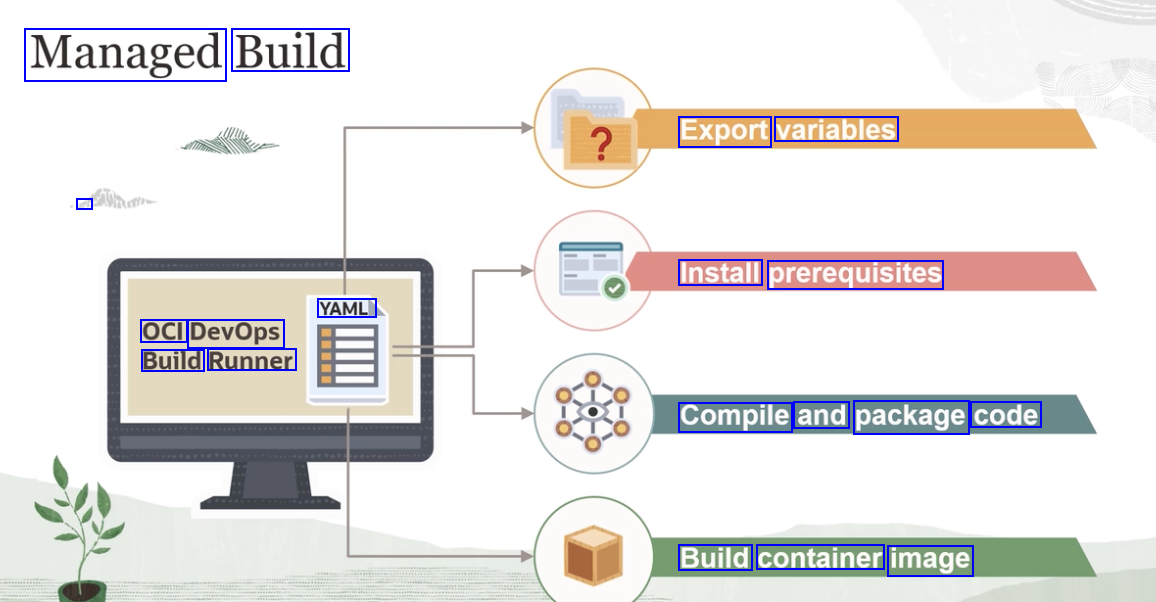
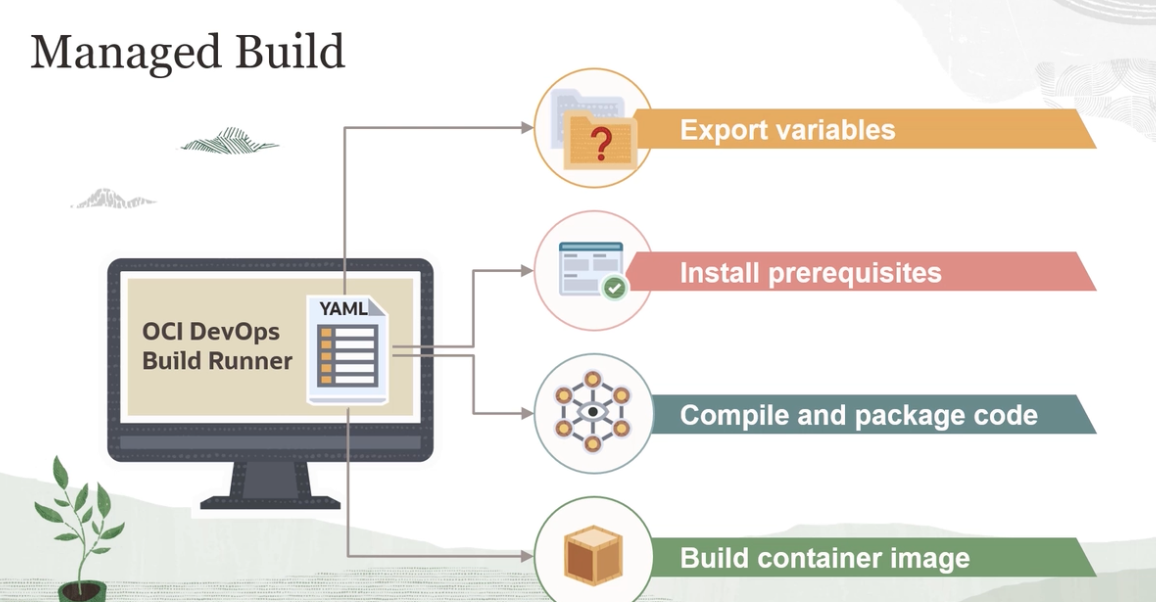
Managed Build Export variables d Install prerequisites YAML OCI DevOps Build Runner Compile and package code Build container image
2023-09-30_13-35-59_screenshot.png #
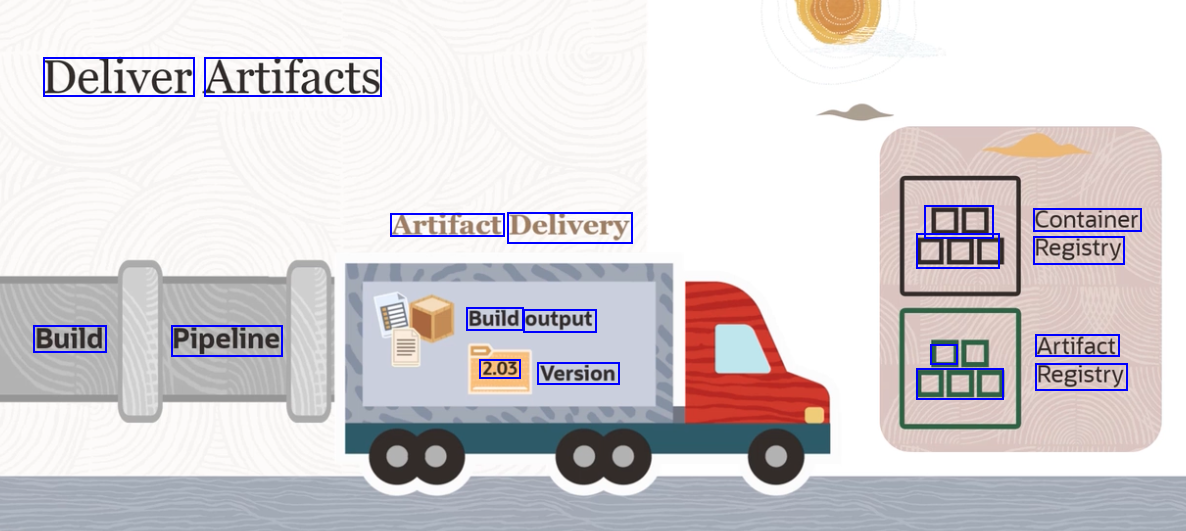
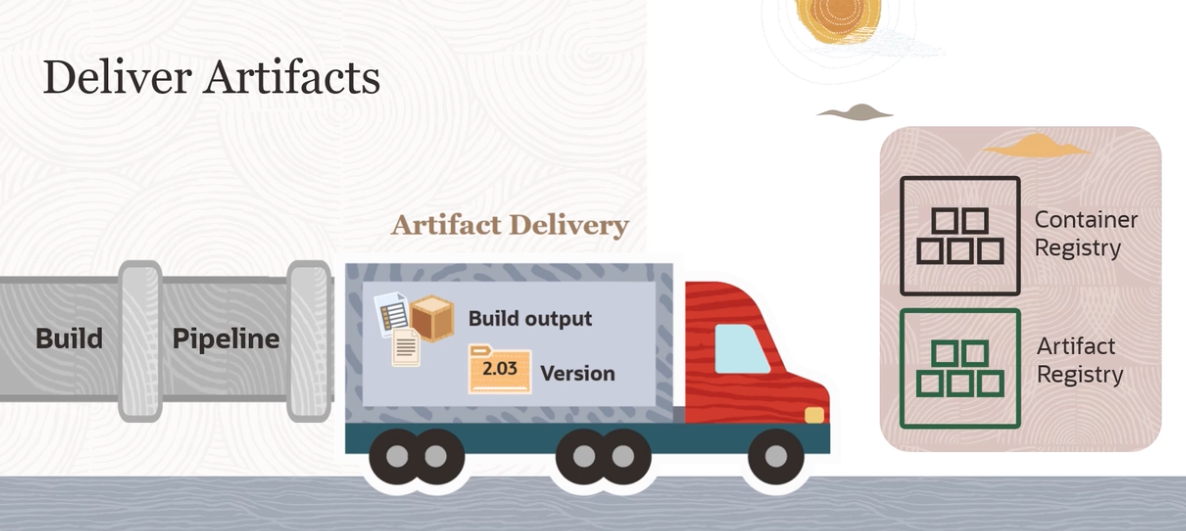
Deliver Artifacts Artifact Delivery DD Container DOD Registry Build output Build Pipeline D Artifact 2.03 Version DE Registry
2023-09-30_13-36-14_screenshot.png #
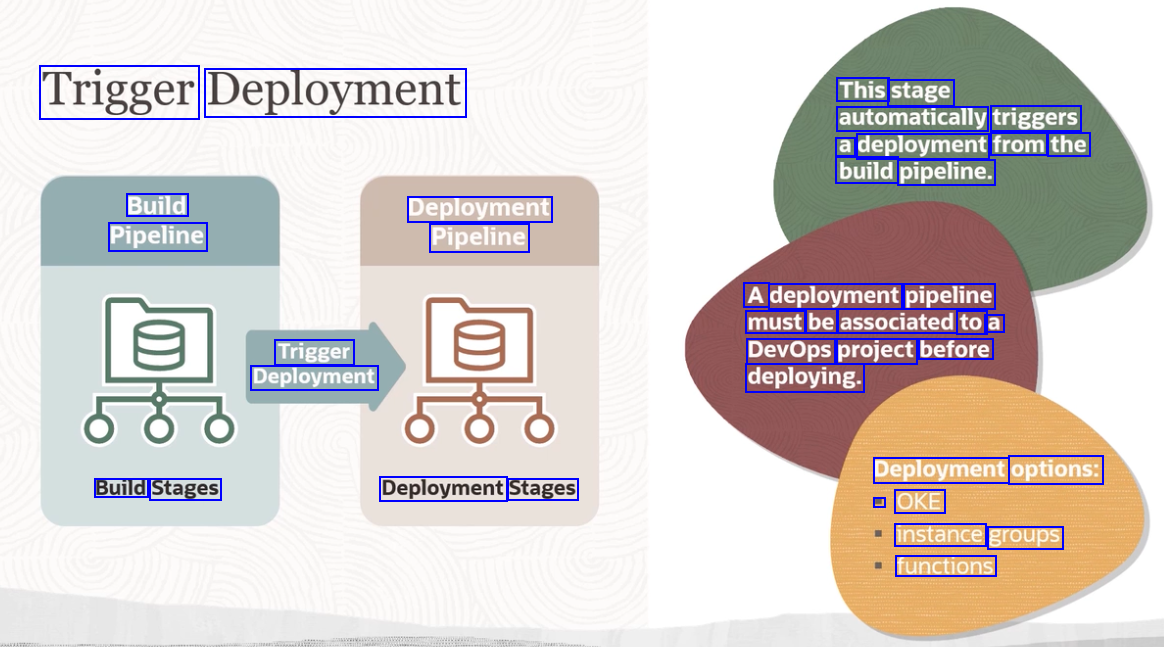
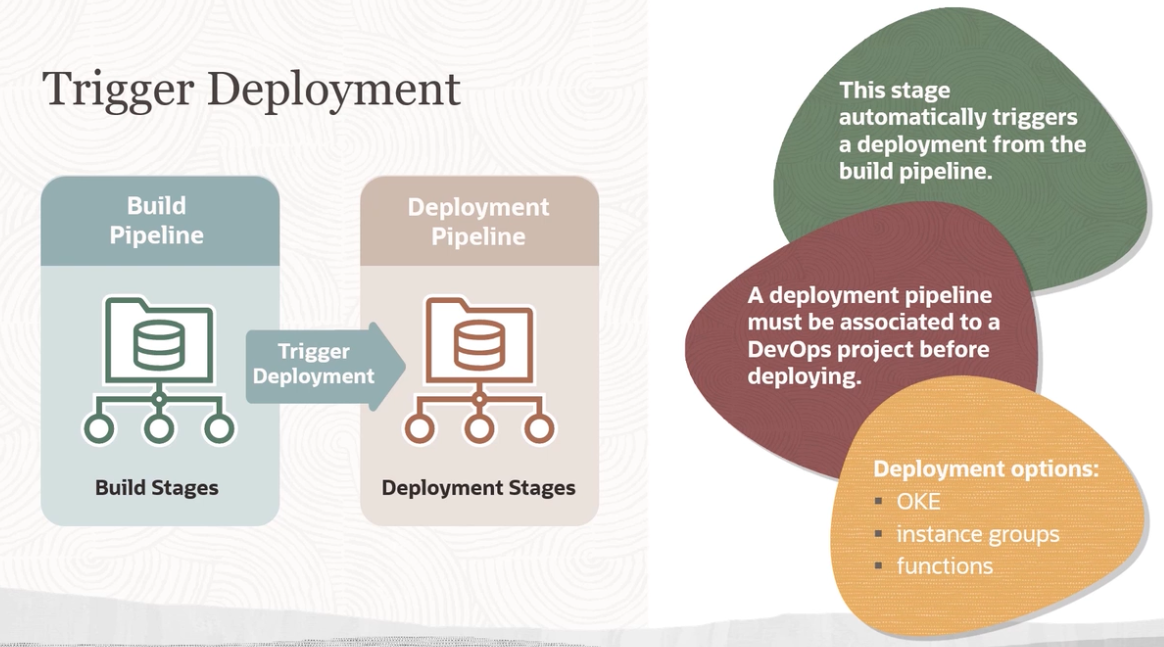
Trigger Deployment This stage automatically triggers a deployment from the build pipeline. Build Pipeline Deployment Pipeline A deployment pipeline must be associated to a DevOps project before deploying. Trigger Deployment Deployment options: Build Stages Deployment Stages - OKE instance groups functions
2023-09-30_13-36-23_screenshot.png #
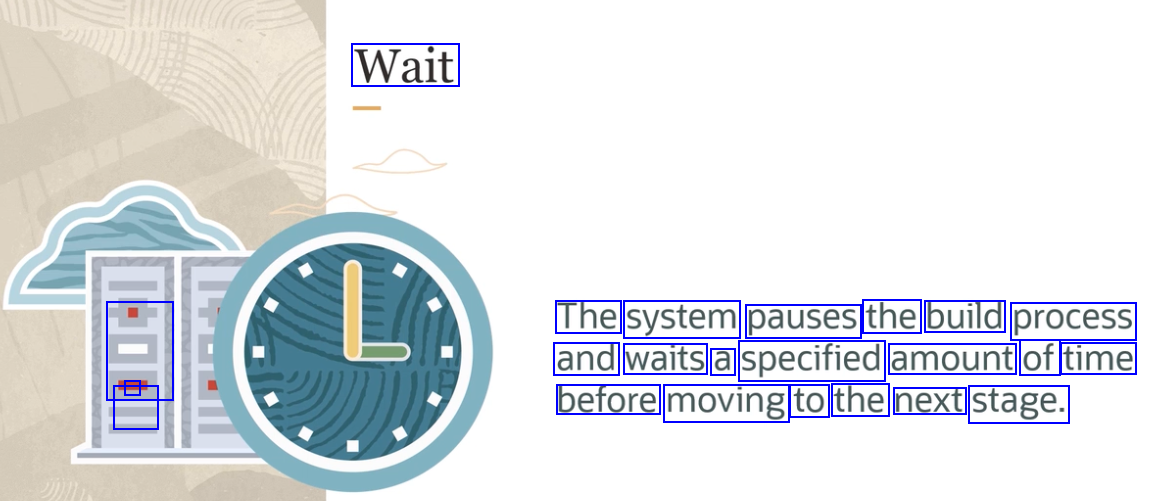
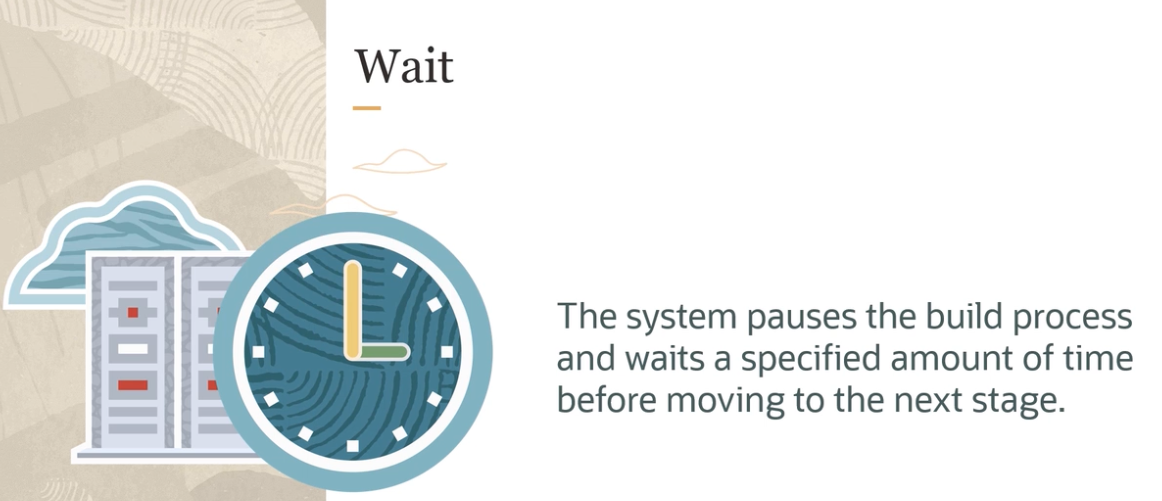
Wait The system pauses the build process and waits a specified amount of time - - E before moving to the next stage.
2023-09-30_13-36-37_screenshot.png #
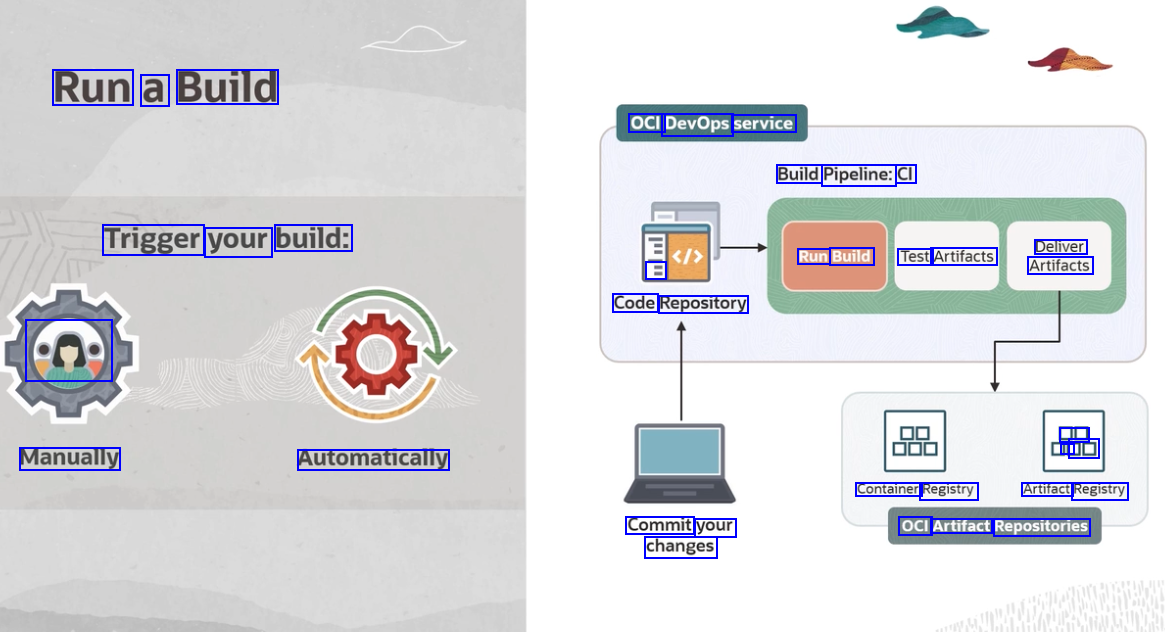
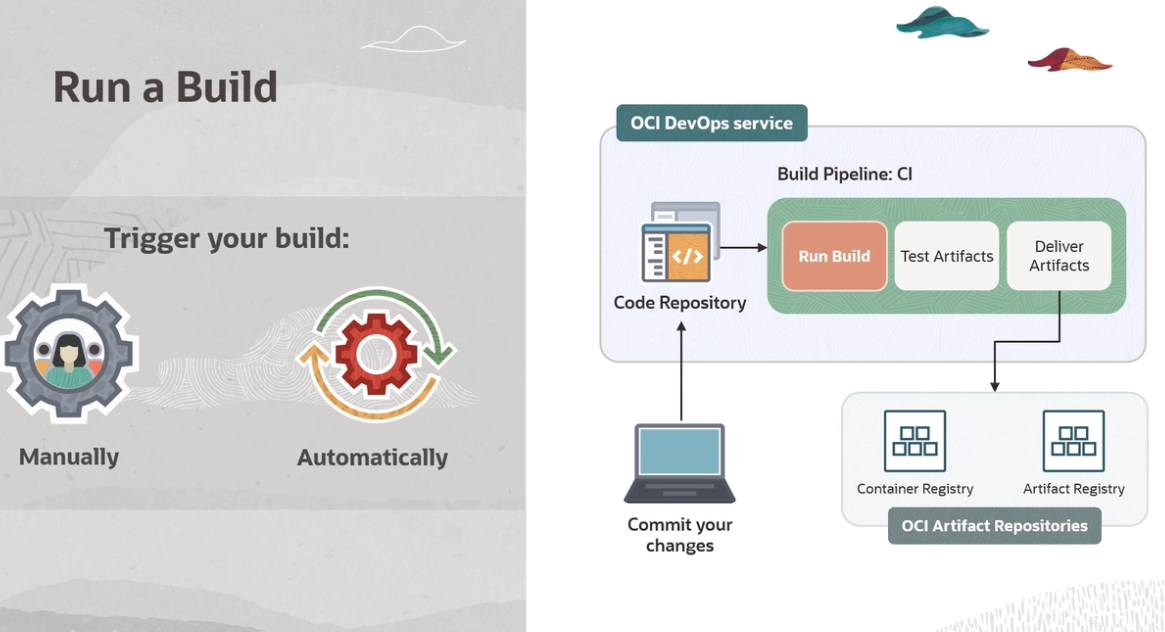
Run a Build OCI DevOps service Build Pipeline: CI Trigger your build: Deliver Run Build Test Artifacts Artifacts E Code Repository en DE I DO Manually Automatically Container Registry Artifact Registry Commit your changes OCI Artifact Repositories
2023-09-30_13-36-58_screenshot.png #
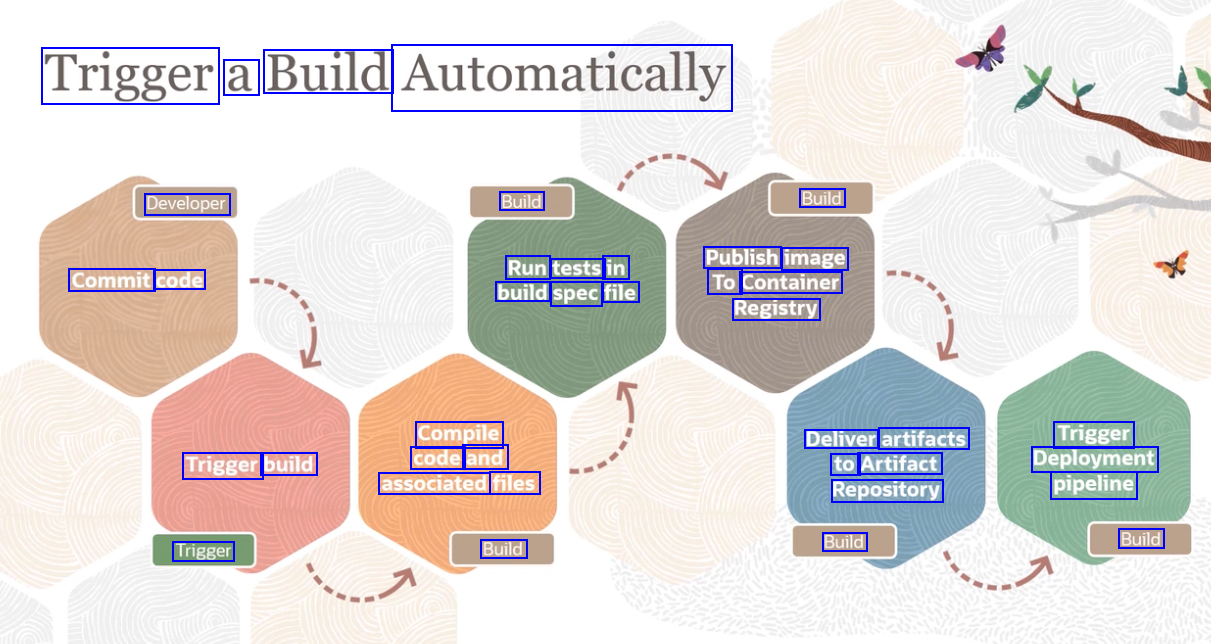
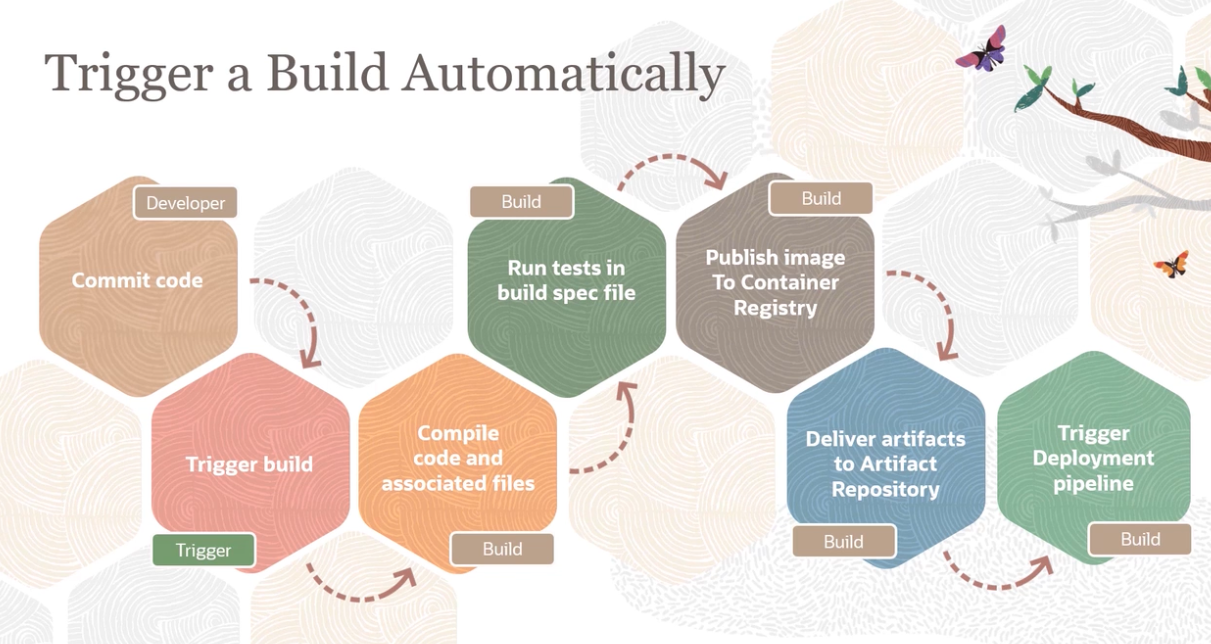
Trigger a Build Automatically Developer Build Build Run tests in build spec file Publish image To Container Registry Commit code Compile code and associated files Deliver artifacts to Artifact Repository Trigger Deployment pipeline Trigger build Trigger Build Build Build
2023-09-30_13-37-08_screenshot.png #
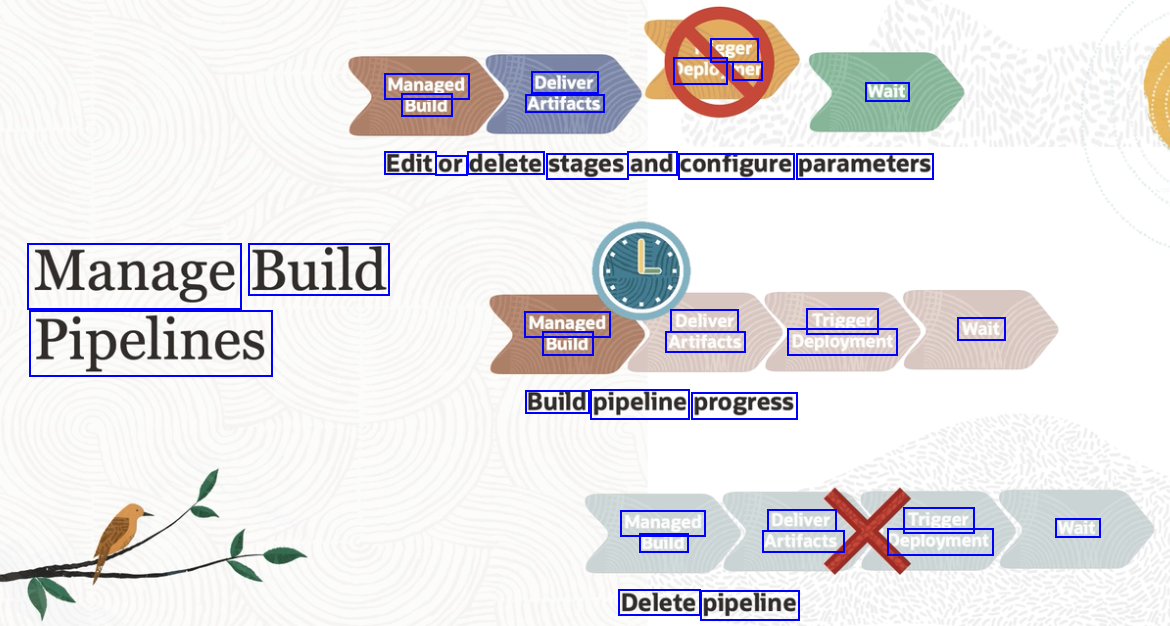
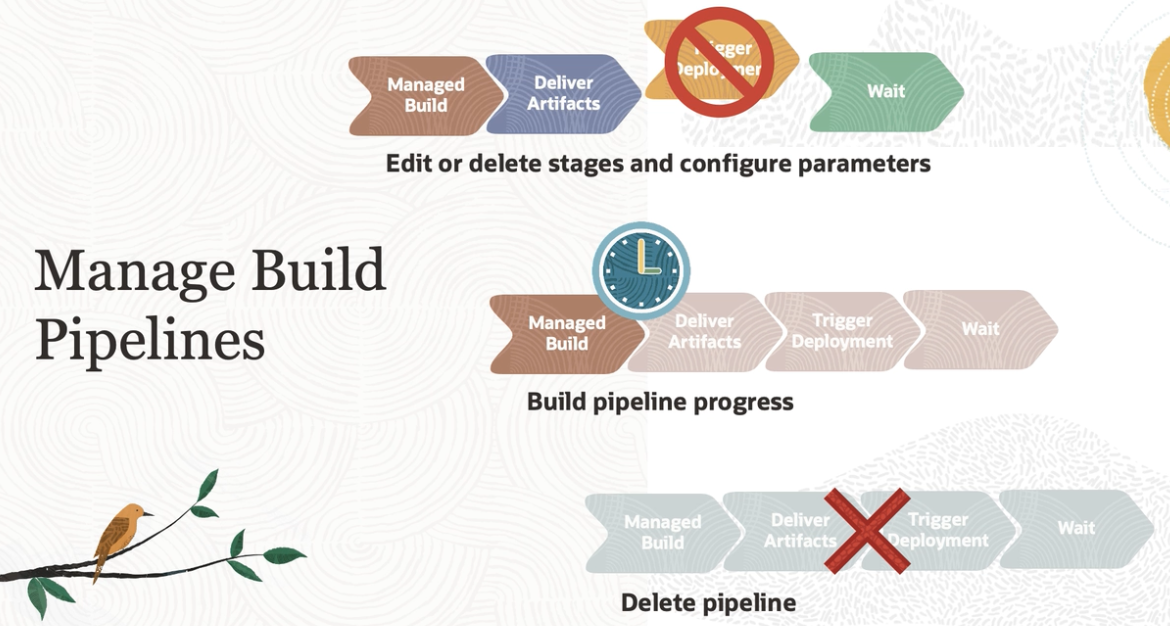
eger leplo, ner Managed Build Deliver Artifacts Wait Edit or delete stages and configure parameters Manage Build Managed Build Deliver Artifacts Trigger Deployment Wait Pipelines Build pipeline progress Managed Build Deliver Artifacts Trigger Deployment Wait Delete pipeline
2023-09-30_13-37-40_screenshot.png #
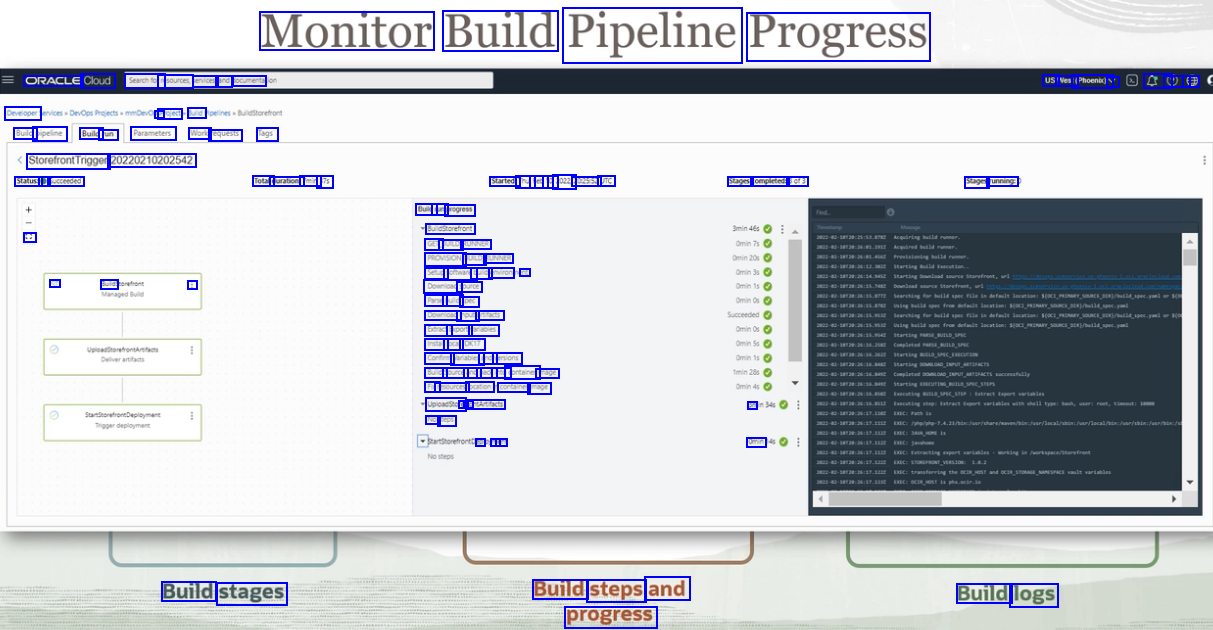
Monitor Build Pipeline Progress ORACLE Cloud Searchtorn resources, ervices, and socumenta USI Nest (Phoent) V 4 0 8 Developer - Project ud Build pipeline Build run Parameters Work requests Tags StorefrontTrigger: 20220210202542 Status: e Succeeded Total durations Tmin 375 Started: Thu Feo 10 2022 202552 UTC Stages completed: 3ef3 Stages running Buldr rung progress BuleStorefront GETJ BUILD RUNNER PROVISIONU BUILD RUNNER Setups softwaret buld environ at Dounicads source Parse buld spec Downicad input artifacts Beract Export variables Instal local JDK17 Confrm Variables and ersions Buids Source and packi into container mage Fixr resources location container mage Upicadstore ef fre ontArtifacts NO: deps ne ert a V Buldt : e Omin Build stages Build steps and progress Build logs
2023-10-16_11-42-51_screenshot.png #
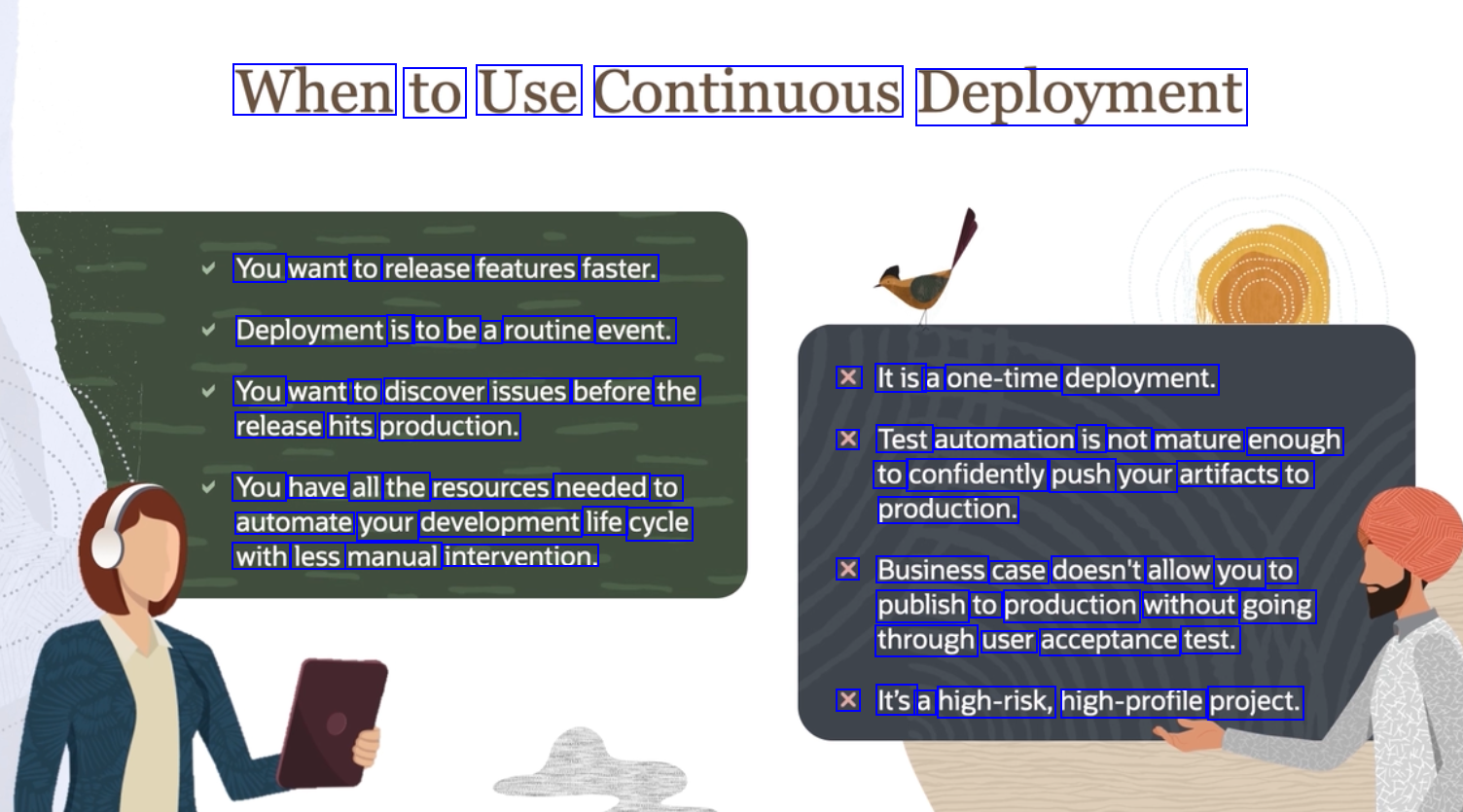
When to Use Continuous Deployment You want to release features faster. Deployment is to be a routine event. X Itis a one-time deployment. You want to discover issues before the release hits production. X Test automation is not mature enough to confidently push your artifacts to You have all the resources needed to automate your development life cycle with less manual intervention. production. X Business case doesn't allow you to publish to production without going through user acceptance test. X It's a high-risk, high-profile project.
2023-10-16_11-43-11_screenshot.png #
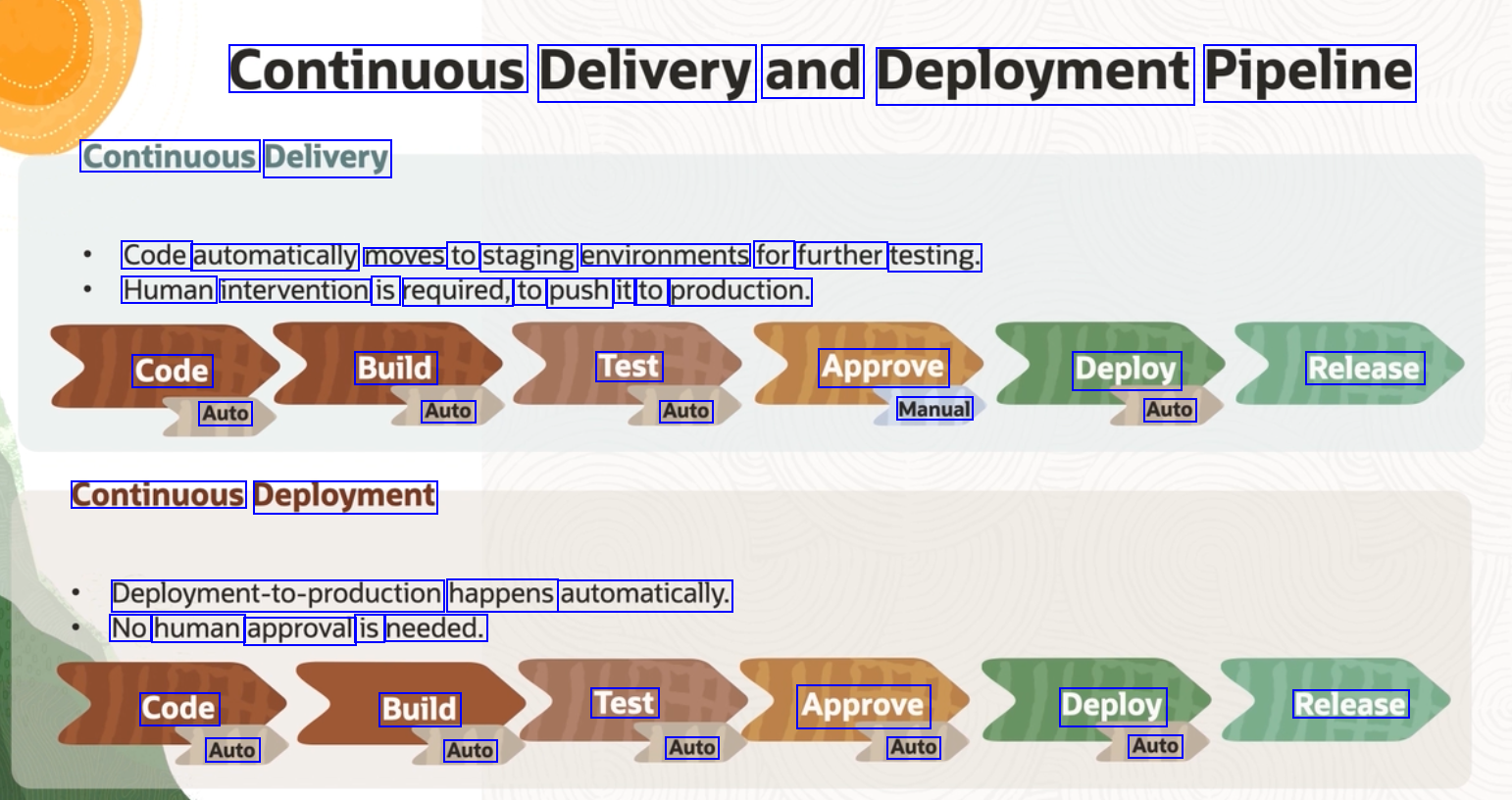
Continuous Delivery and Deployment Pipeline Continuous Delivery Code automatically moves to staging environments for further testing. Human intervention is required, to push it to production. Code Build Test Approve Deploy Release Auto Auto Auto Manual Auto Continuous Deployment Depoymentio-production happens automatically. No human approval is needed. Code Build Test Approve Deploy Release Auto Auto Auto Auto Auto
2023-10-16_11-43-47_screenshot.png #
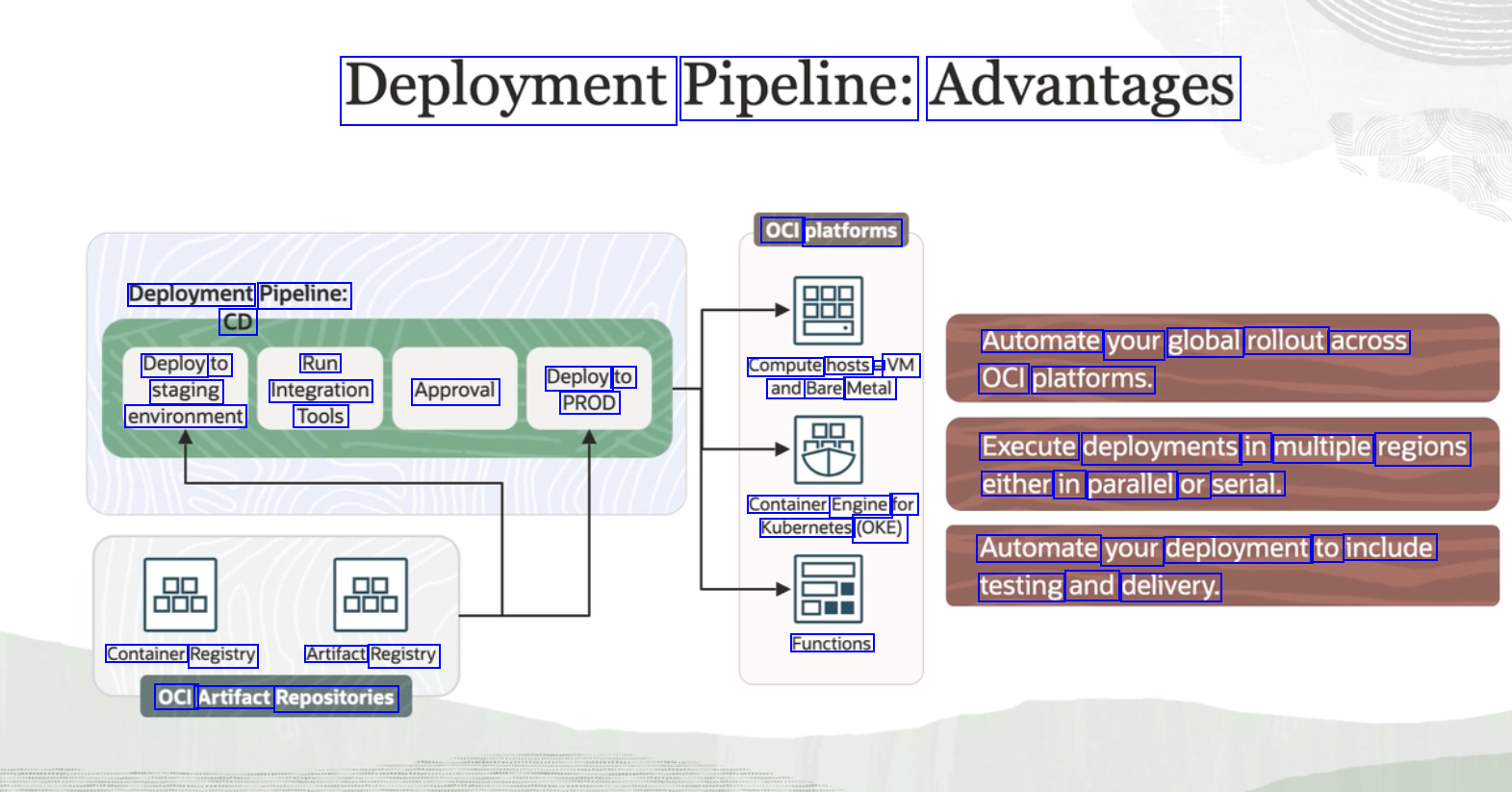
Deployment Pipeline: Advantages OCI platforms Deployment Pipeline: CD Automate your global rollout across Deploy to Run Deploy to PROD Compute hosts - VM and Bare Metal OCI platforms. staging Integration Approval environment Tools Execute deployments in multiple regions either in parallel or serial. Container Engine for Kubernetes (OKE) Automate your deployment to include testing and delivery. Container Registry Artifact Registry OCI Artifact Repositories Functions
2023-10-16_11-44-11_screenshot.png #
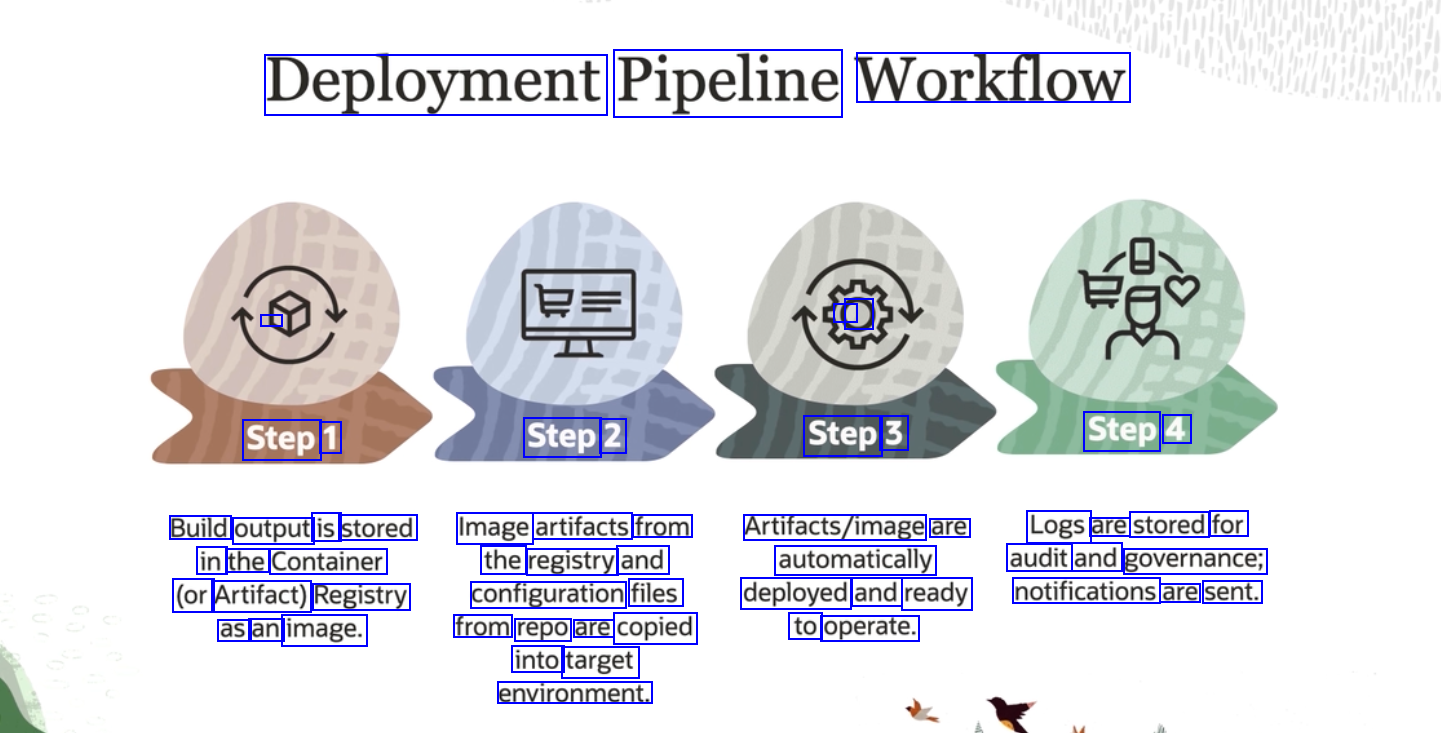
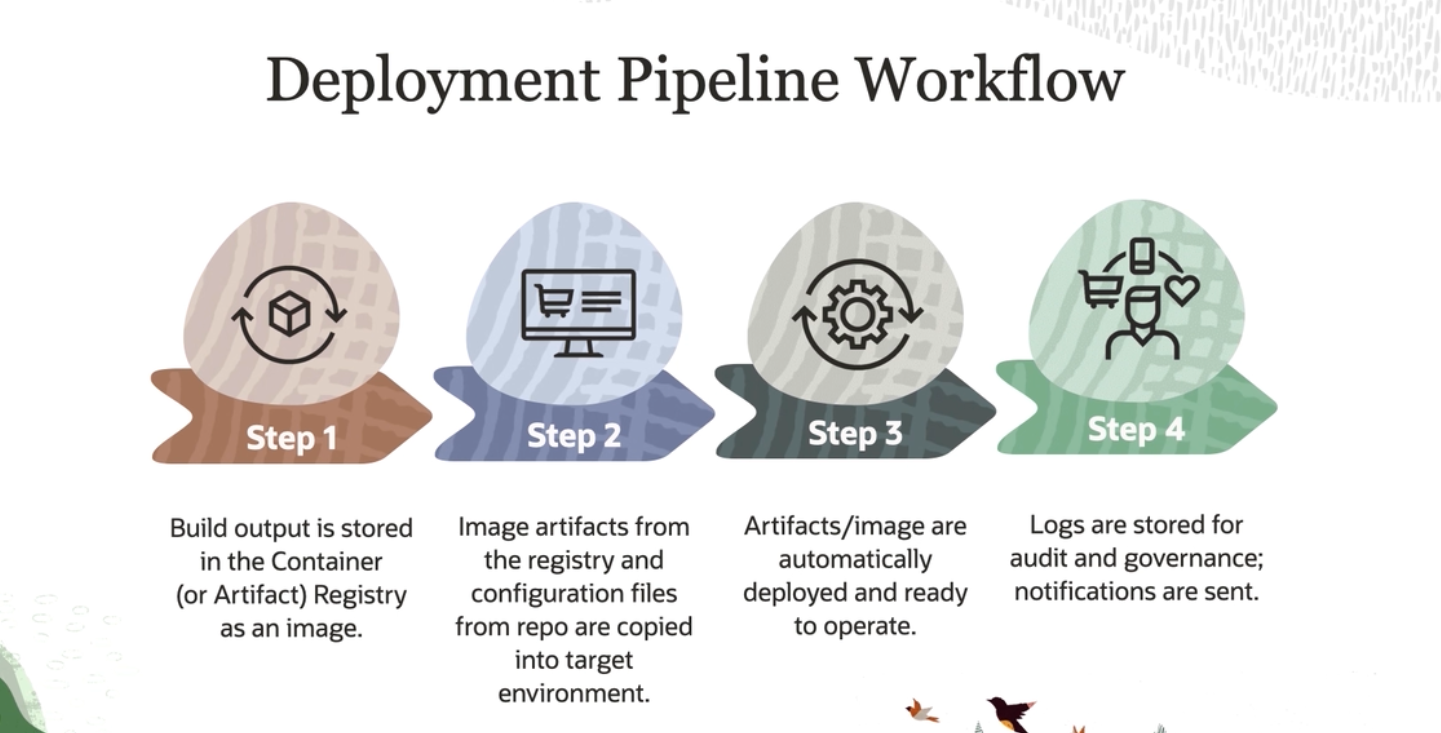
Deployment Pipeline Workflow - O Step 1 Step 2 Step 3 Step 4 Build output is stored Image artifacts from Artifacts/image are automatically Logs are stored for audit and governance; in the Container (or Artifact) Registry as an image. the registry and configuration files from repo are copied into target environment. deployed and ready notifications are sent. to operate.
2023-10-16_11-44-58_screenshot.png #
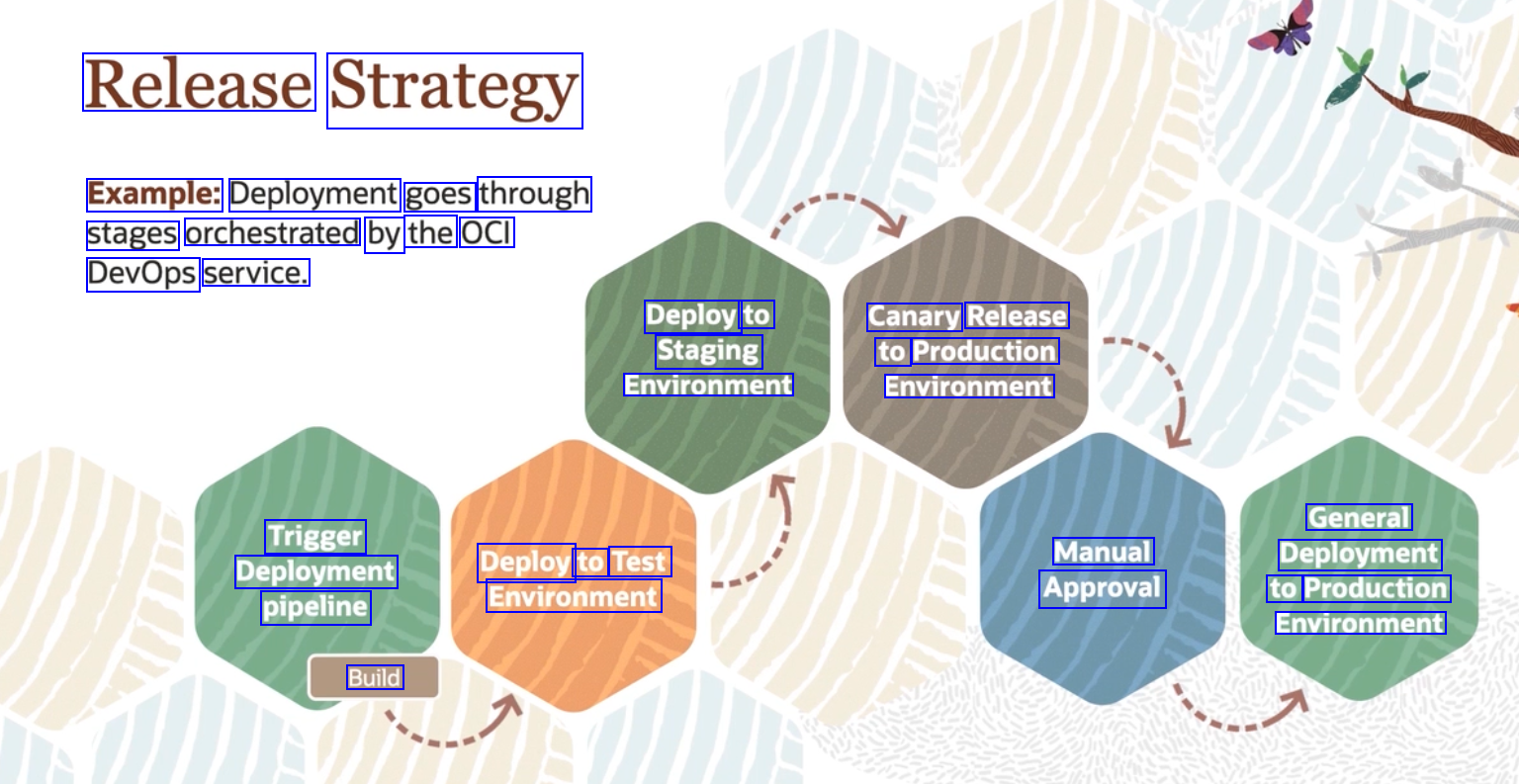
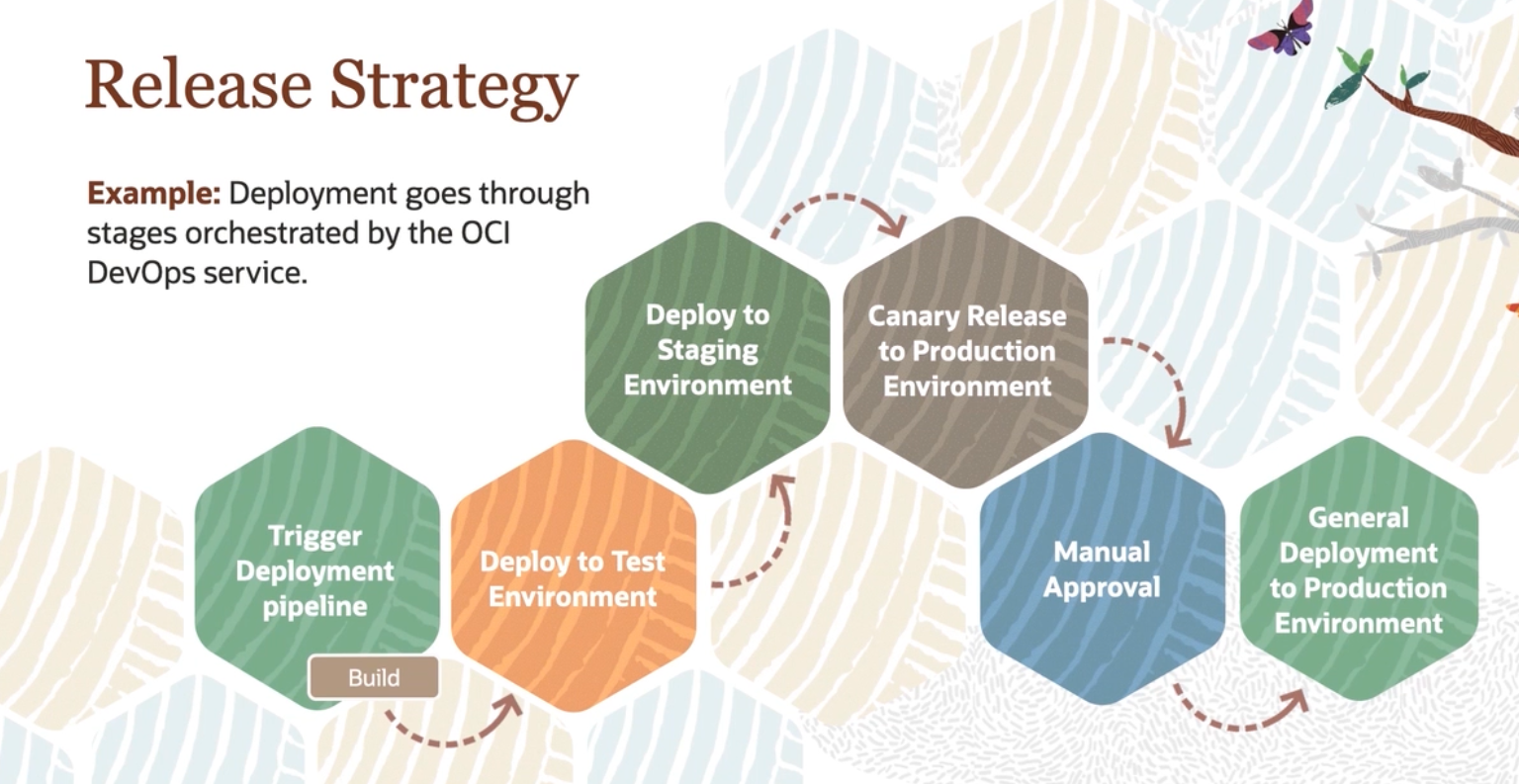
Release Strategy Example: Deployment goes through stages orchestrated by the OCI DevOps service. Deploy to Staging Environment Canary Release to Production Environment General Deployment to Production Environment Trigger Deployment pipeline Manual Approval Deploy to Test Environment Build
2023-10-16_11-45-17_screenshot.png #
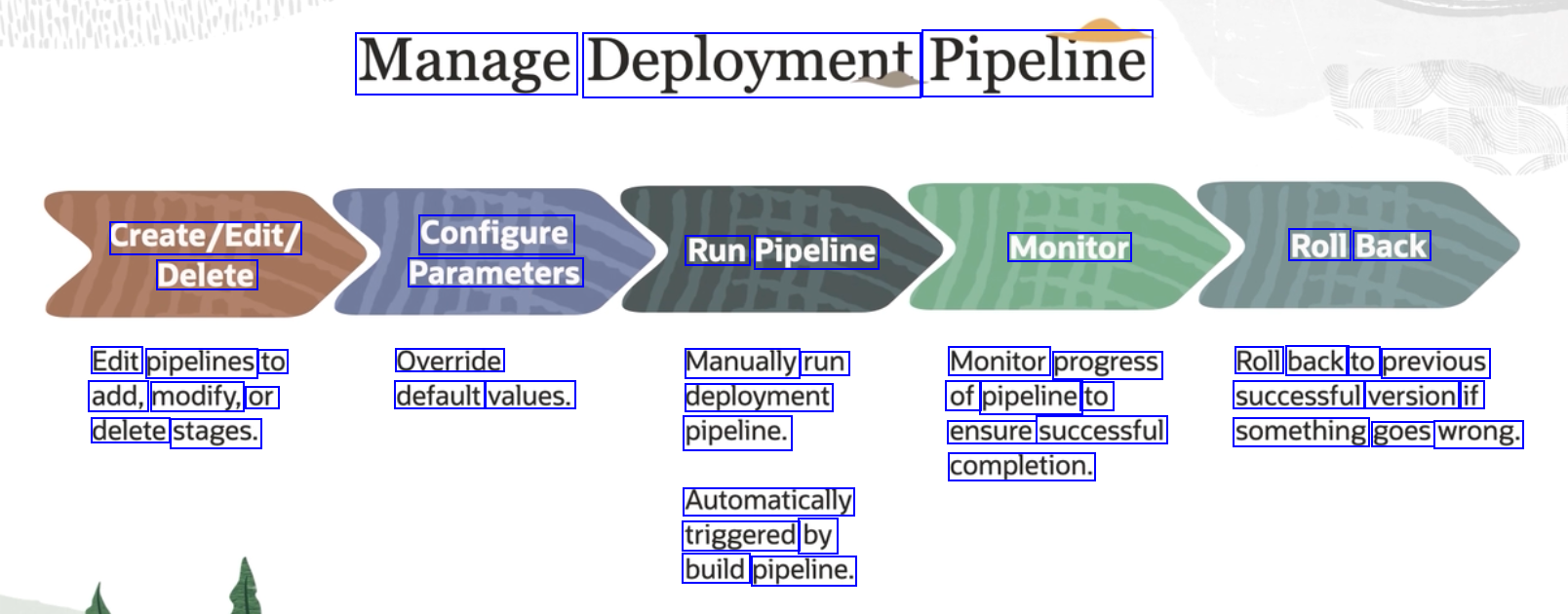
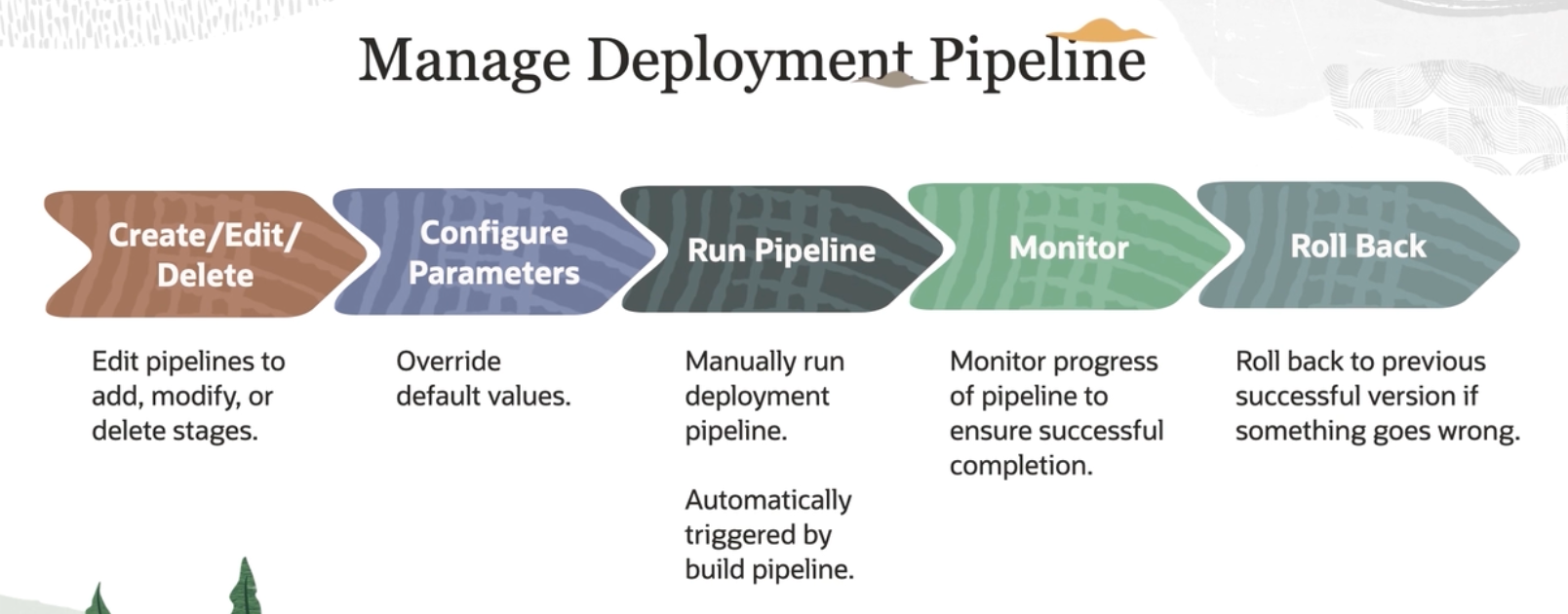
Manage Deployment Pipeline Create/Edit/ Configure Run Pipeline Monitor Roll Back Delete Parameters Edit pipelines to add, modify, or delete stages. Override default values. Manually run deployment pipeline. Monitor progress of pipeline to ensure successful completion. Roll back to previous successful version if something goes wrong. Automatically triggered by build pipeline.
2023-10-16_11-47-00_screenshot.png #
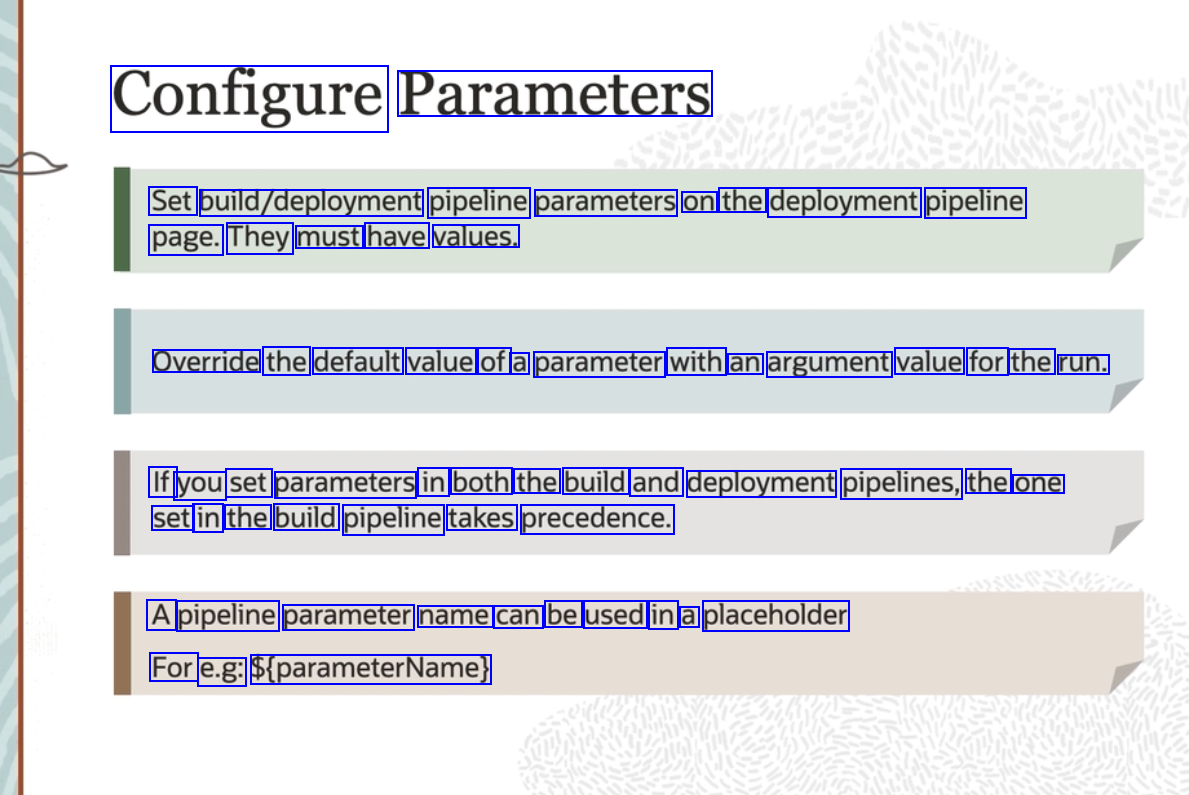
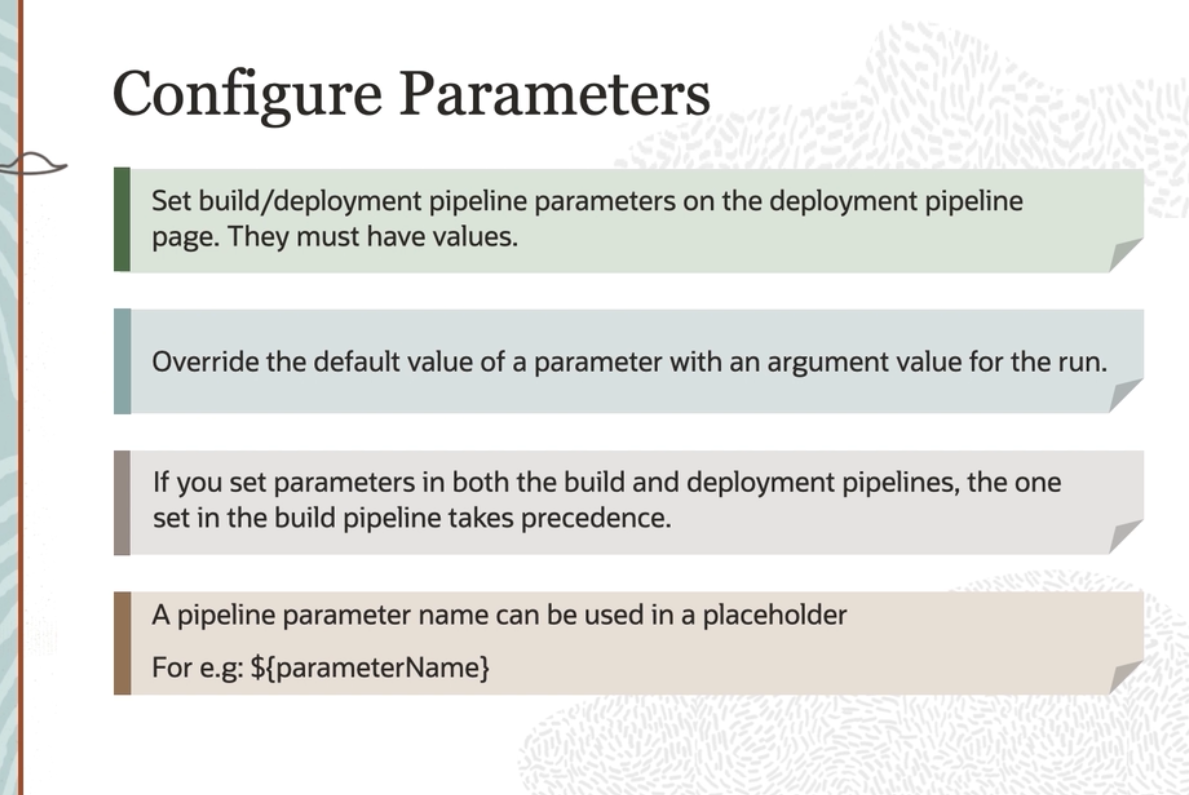
Configure Parameters Set bulld/deployment pipeline parameters on the deployment pipeline page. They must have values. Override the default value of a parameter with an argument value for the run. If you set parameters in both the build and deployment pipelines, the one set in the build pipeline takes precedence. A pipeline parameter name can be used in a placeholder For e.g: S(parameterName)
2023-10-16_11-47-35_screenshot.png #
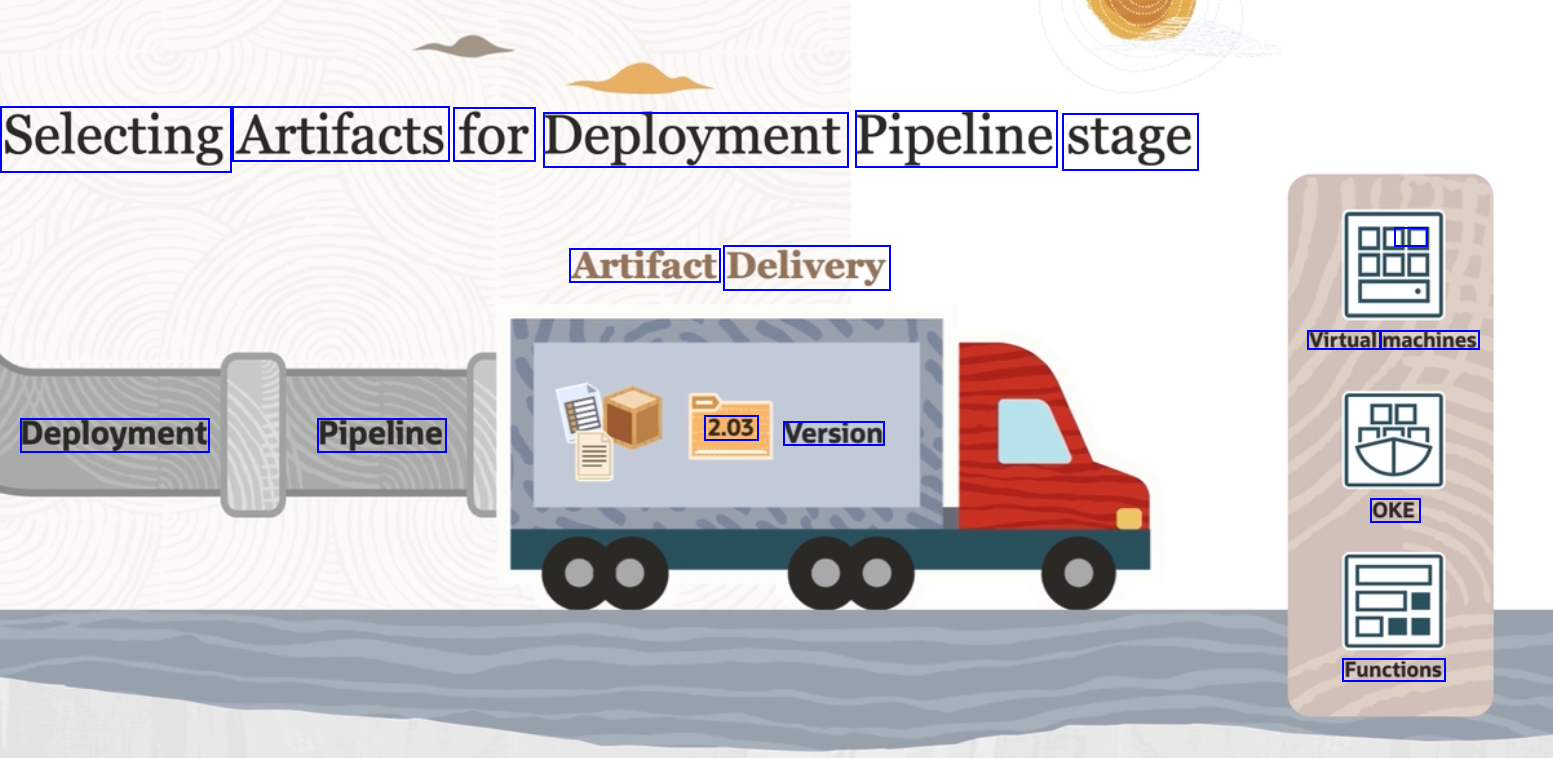
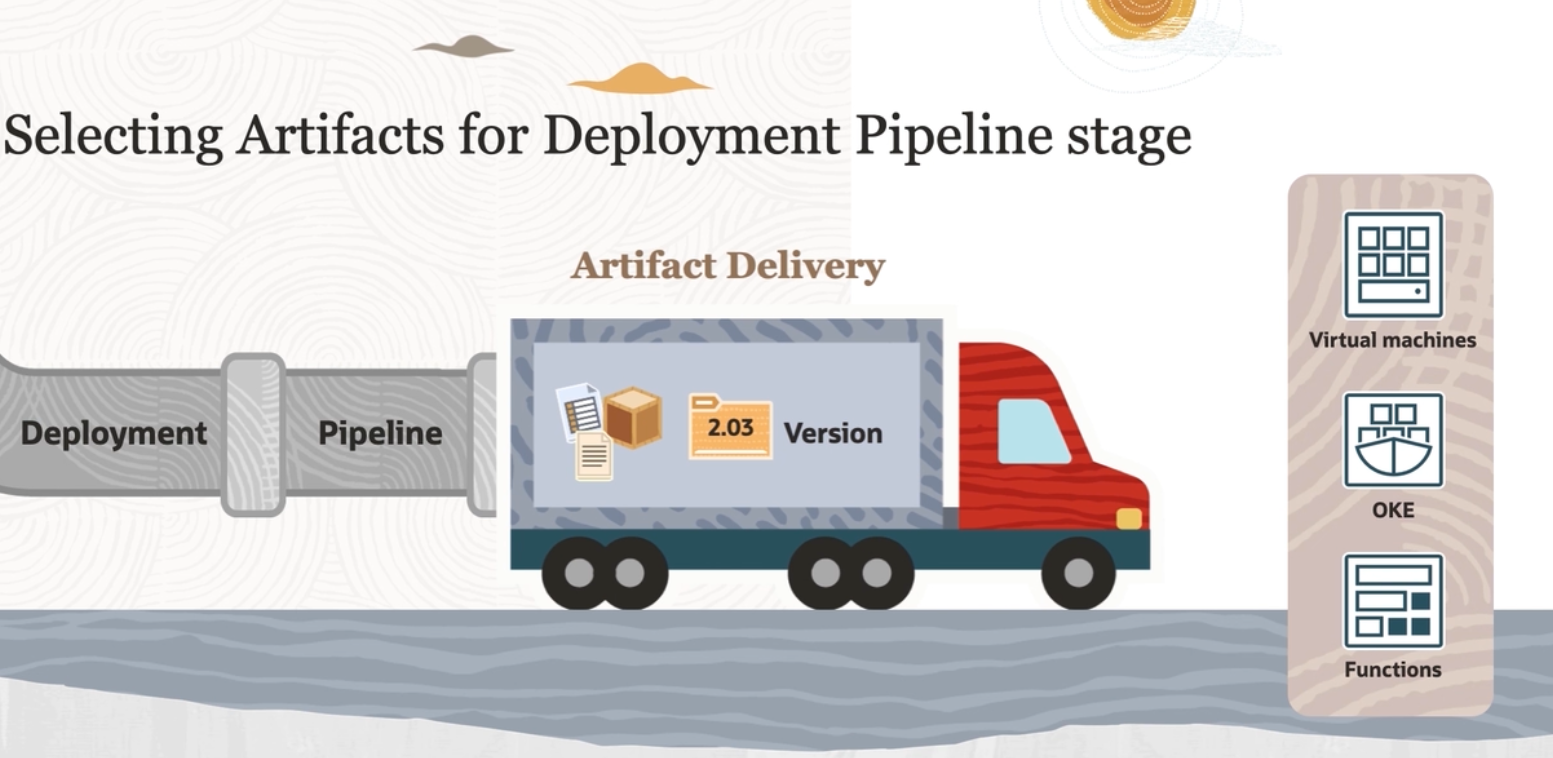
Selecting Artifacts for Deployment Pipeline stage 0 Artifact Delivery Virtual machines Deployment Pipeline 2.03 Version OKE Functions
2023-10-16_11-48-37_screenshot.png #
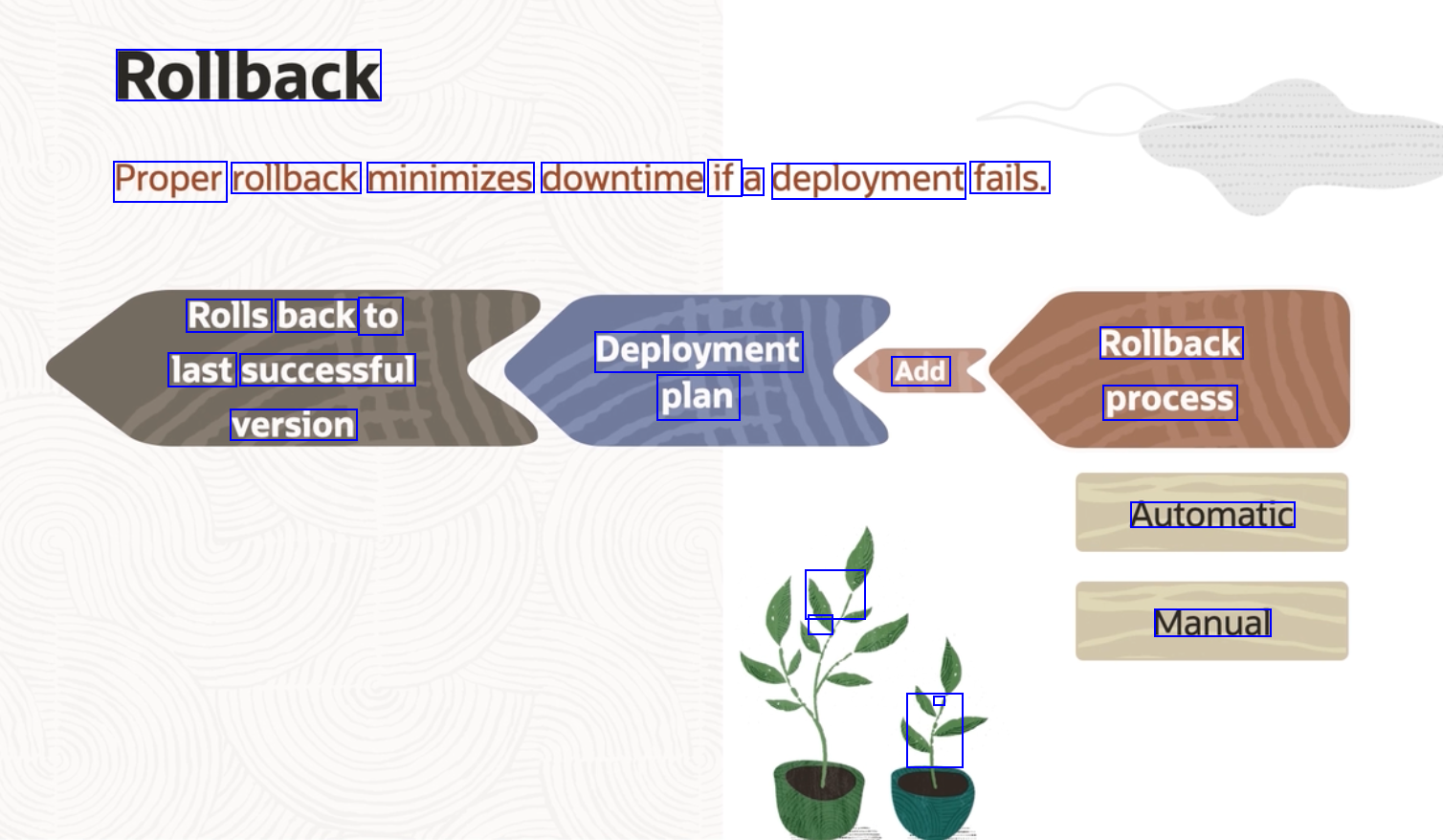
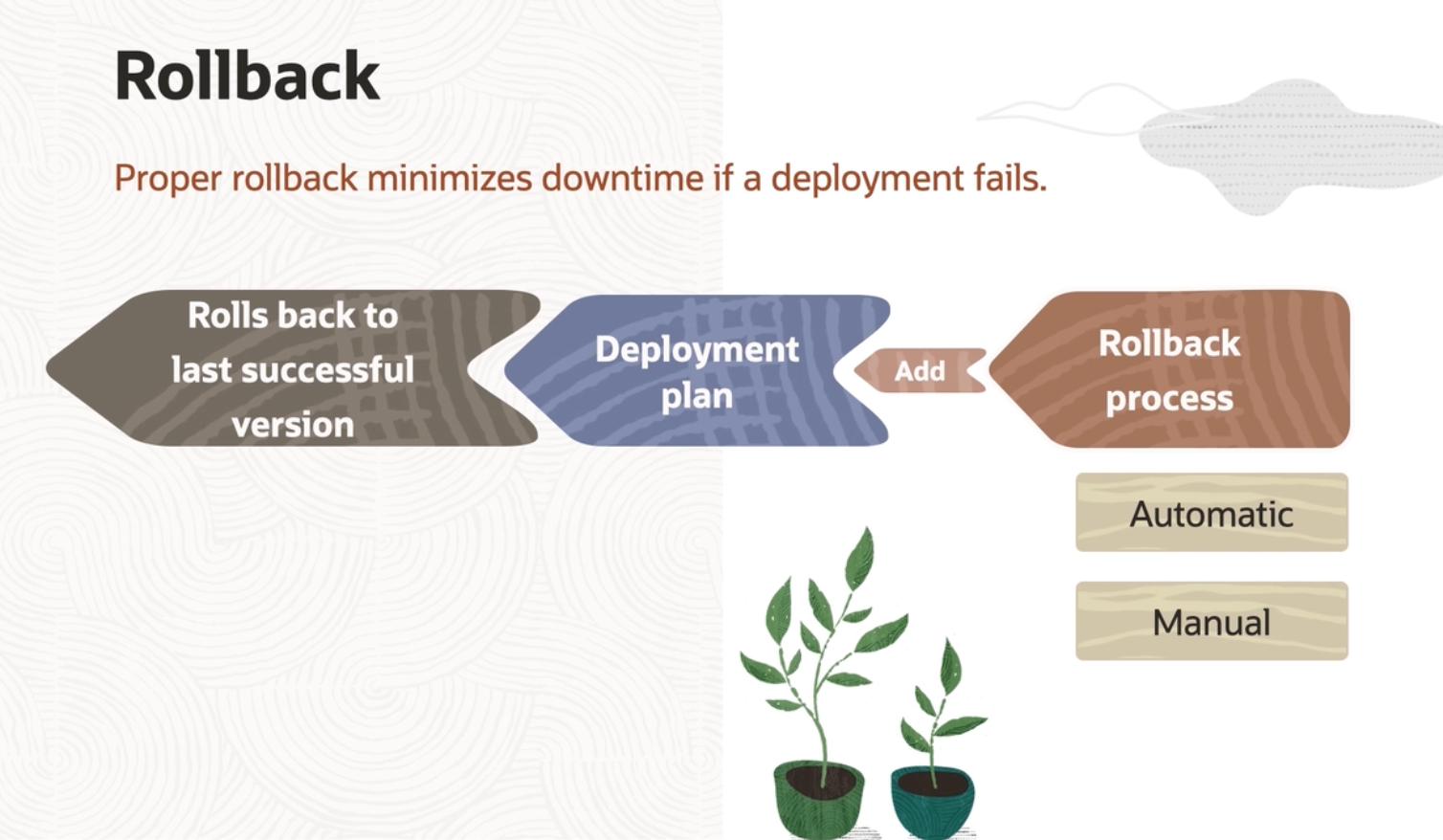
Rollback Proper rollback minimizes downtime if a deployment fails. Rolls back to Deployment Rollback last successful Add plan process version Automatic 1 - Manual - -
2023-10-16_11-52-29_screenshot.png #
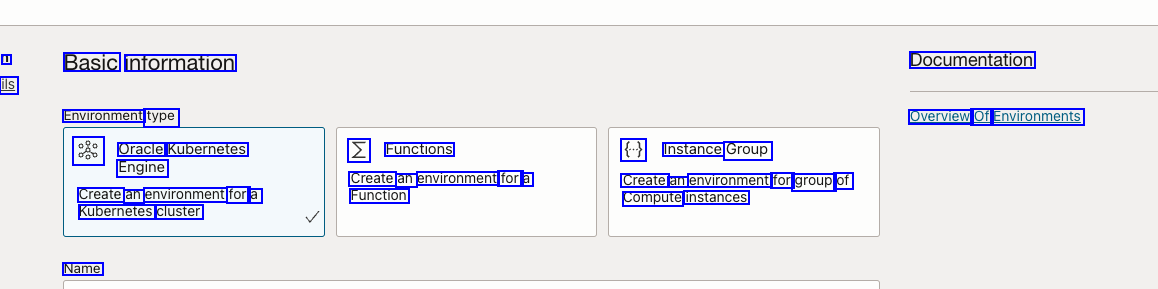
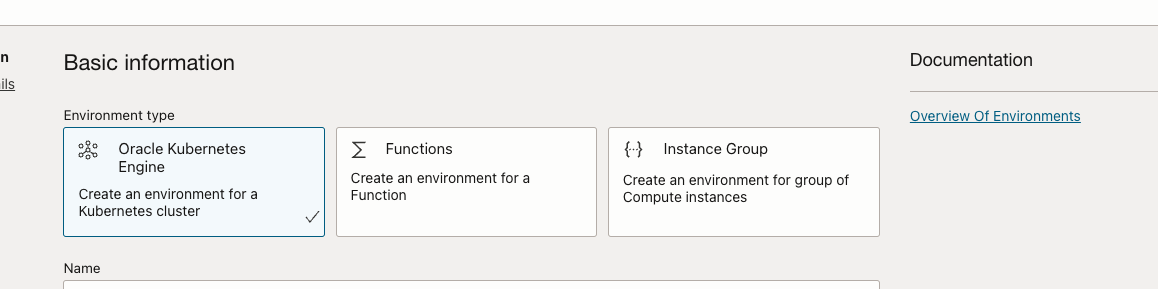
1 Basic information Documentation ils Environment type Overview Of Environments as Oracle Kubernetes N Functions € Instance Group Engine Create an environment for a Create an environment for group of Compute instances Create an environment for a Kubernetes cluster Function Name
OCR of Images #
2023-09-30_13-29-30_screenshot.png #
CI/CD Overview code deploy OSn Dev 4 Ops test monitor Continuous Integration Continuous Deployment Frequent, small code changes Error fixes continually integrated Automatic build-and-test steps Manual (Continuous Delivery) Automatic (Continuous Deployment)
2023-09-30_13-29-38_screenshot.png #
OCI DevOps OCI DevOps service OCI platforms Build Pipeline: CI Deployment Pipeline: CD DE Deploy to staging environment Run Integration Approval Tools Compute hosts - VM and Bare Metal Deliver Artifacts Deploy to PROD Run Build Test Artifacts A ur Code Repository Container Engine for Kubernetes (OKE) DD JE D Functions Container Registry Artifact Registry Commit your changes OCI Artifact Repositories
2023-09-30_13-30-36_screenshot.png #
Continuous Integration using Build Pipelines Clincludes code creation, commit, test, and revision. - - - / Code and build specification instructions - - trigger tests and generates desired artifacts. O The build pipeline is the heart of Cl.
2023-09-30_13-30-52_screenshot.png #
Build Pipeline Flow OCI platforms OCI DevOps service Build Pipeline: CI Deployment Pipeline: CD Deploy to Run Deploy to Instance Group Test Deliver Artifacts Run Build Artifacts staging Integration Approval production environment Tools Environment DD ar Code Repository Container Engine for Kubernetes (OKE) DE L DE Functions Container Registry Artifact Registry OCI Artifact Repositories Commit your changes
2023-09-30_13-31-58_screenshot.png #
Manage Build Pipelines Create/Edit/Delete Run/Trigger Monitor Pipelines can be Manually run a build pipeline. Monitor the progress of the pipeline to ensure successful completion. edited to add, modify, or delete stages. Automatically trigger a build pipeline.
2023-09-30_13-32-22_screenshot.png #
Create Build Pipeline YAML DE 000 DE Managed Build Deliver Artifacts Trigger Deployment Wait - Build spec file Build pipeline stages
2023-09-30_13-34-08_screenshot.png #
Build Specification File Build specification sections: outputArtifacts: name: : type: DOCKER_IMAGE location: storefront:latest name: : service yaml type: BINARY of the build storefront container image Configuration runner Setup of environment variables Steps to run in sequence Output artifacts location: $(OCI PRIMARY SOURCE DIR)/helidon-storefront-full/yaml deployment/servicestorefront.yaml name: : ingressRules - yaml type: BINARY Environment variable types: location: $(OCI PRIMARY SOURCE DIRI/helidon-storefront-full/yaml Standard variables Vault variables deployment/ingressstorefrontRules.yaml name: deployment yaml type: BINARY Exported variables from previous build stages location: $(OCI PRIMARY SOURCE DIRI/helidon-storefront-full/yaml deployment/storefront-deployment yaml
2023-09-30_13-34-55_screenshot.png #
Output artifacts Build Spec Artifacts YAML DE DD Input artifacts Container image Deployment config (instance groups only) HTTP K8 Previous build stage External URL <I> Kubernetes manifest General artifacts
2023-09-30_13-35-37_screenshot.png #
Build Pipeline Stages DO E C 5E Trigger Deployment Managed Build Deliver Artifacts Wait Build and test your software Publish your created Start a deployment pipeline with the results from your build. Wait a specified amount of time before proceeding to the next stage. with an OCI DevOps-managed software packages to build runner. OCI artifact repositories.
2023-09-30_13-35-52_screenshot.png #
Managed Build Export variables d Install prerequisites YAML OCI DevOps Build Runner Compile and package code Build container image
2023-09-30_13-35-59_screenshot.png #
Deliver Artifacts Artifact Delivery DD Container DOD Registry Build output Build Pipeline D Artifact 2.03 Version DE Registry
2023-09-30_13-36-14_screenshot.png #
Trigger Deployment This stage automatically triggers a deployment from the build pipeline. Build Pipeline Deployment Pipeline A deployment pipeline must be associated to a DevOps project before deploying. Trigger Deployment Deployment options: Build Stages Deployment Stages - OKE instance groups functions
2023-09-30_13-36-23_screenshot.png #
Wait The system pauses the build process and waits a specified amount of time - - E before moving to the next stage.
2023-09-30_13-36-37_screenshot.png #
Run a Build OCI DevOps service Build Pipeline: CI Trigger your build: Deliver Run Build Test Artifacts Artifacts E Code Repository en DE I DO Manually Automatically Container Registry Artifact Registry Commit your changes OCI Artifact Repositories
2023-09-30_13-36-58_screenshot.png #
Trigger a Build Automatically Developer Build Build Run tests in build spec file Publish image To Container Registry Commit code Compile code and associated files Deliver artifacts to Artifact Repository Trigger Deployment pipeline Trigger build Trigger Build Build Build
2023-09-30_13-37-08_screenshot.png #
eger leplo, ner Managed Build Deliver Artifacts Wait Edit or delete stages and configure parameters Manage Build Managed Build Deliver Artifacts Trigger Deployment Wait Pipelines Build pipeline progress Managed Build Deliver Artifacts Trigger Deployment Wait Delete pipeline
2023-09-30_13-37-40_screenshot.png #
Monitor Build Pipeline Progress ORACLE Cloud Searchtorn resources, ervices, and socumenta USI Nest (Phoent) V 4 0 8 Developer - Project ud Build pipeline Build run Parameters Work requests Tags StorefrontTrigger: 20220210202542 Status: e Succeeded Total durations Tmin 375 Started: Thu Feo 10 2022 202552 UTC Stages completed: 3ef3 Stages running Buldr rung progress BuleStorefront GETJ BUILD RUNNER PROVISIONU BUILD RUNNER Setups softwaret buld environ at Dounicads source Parse buld spec Downicad input artifacts Beract Export variables Instal local JDK17 Confrm Variables and ersions Buids Source and packi into container mage Fixr resources location container mage Upicadstore ef fre ontArtifacts NO: deps ne ert a V Buldt : e Omin Build stages Build steps and progress Build logs
2023-10-16_11-42-51_screenshot.png #
When to Use Continuous Deployment You want to release features faster. Deployment is to be a routine event. X Itis a one-time deployment. You want to discover issues before the release hits production. X Test automation is not mature enough to confidently push your artifacts to You have all the resources needed to automate your development life cycle with less manual intervention. production. X Business case doesn't allow you to publish to production without going through user acceptance test. X It's a high-risk, high-profile project.
2023-10-16_11-43-11_screenshot.png #
Continuous Delivery and Deployment Pipeline Continuous Delivery Code automatically moves to staging environments for further testing. Human intervention is required, to push it to production. Code Build Test Approve Deploy Release Auto Auto Auto Manual Auto Continuous Deployment Depoymentio-production happens automatically. No human approval is needed. Code Build Test Approve Deploy Release Auto Auto Auto Auto Auto
2023-10-16_11-43-47_screenshot.png #
Deployment Pipeline: Advantages OCI platforms Deployment Pipeline: CD Automate your global rollout across Deploy to Run Deploy to PROD Compute hosts - VM and Bare Metal OCI platforms. staging Integration Approval environment Tools Execute deployments in multiple regions either in parallel or serial. Container Engine for Kubernetes (OKE) Automate your deployment to include testing and delivery. Container Registry Artifact Registry OCI Artifact Repositories Functions
2023-10-16_11-44-11_screenshot.png #
Deployment Pipeline Workflow - O Step 1 Step 2 Step 3 Step 4 Build output is stored Image artifacts from Artifacts/image are automatically Logs are stored for audit and governance; in the Container (or Artifact) Registry as an image. the registry and configuration files from repo are copied into target environment. deployed and ready notifications are sent. to operate.
2023-10-16_11-44-58_screenshot.png #
Release Strategy Example: Deployment goes through stages orchestrated by the OCI DevOps service. Deploy to Staging Environment Canary Release to Production Environment General Deployment to Production Environment Trigger Deployment pipeline Manual Approval Deploy to Test Environment Build
2023-10-16_11-45-17_screenshot.png #
Manage Deployment Pipeline Create/Edit/ Configure Run Pipeline Monitor Roll Back Delete Parameters Edit pipelines to add, modify, or delete stages. Override default values. Manually run deployment pipeline. Monitor progress of pipeline to ensure successful completion. Roll back to previous successful version if something goes wrong. Automatically triggered by build pipeline.
2023-10-16_11-47-00_screenshot.png #
Configure Parameters Set bulld/deployment pipeline parameters on the deployment pipeline page. They must have values. Override the default value of a parameter with an argument value for the run. If you set parameters in both the build and deployment pipelines, the one set in the build pipeline takes precedence. A pipeline parameter name can be used in a placeholder For e.g: S(parameterName)
2023-10-16_11-47-35_screenshot.png #
Selecting Artifacts for Deployment Pipeline stage 0 Artifact Delivery Virtual machines Deployment Pipeline 2.03 Version OKE Functions
2023-10-16_11-48-37_screenshot.png #
Rollback Proper rollback minimizes downtime if a deployment fails. Rolls back to Deployment Rollback last successful Add plan process version Automatic 1 - Manual - -
2023-10-16_11-52-29_screenshot.png #
1 Basic information Documentation ils Environment type Overview Of Environments as Oracle Kubernetes N Functions € Instance Group Engine Create an environment for a Create an environment for group of Compute instances Create an environment for a Kubernetes cluster Function Name