certbot
tags :
Summary #
Certbot is the EFF’s (Electronic Frontier Foundation) tool to obtain certs from Let’s Encrypt and (optionally) auto-enable HTTPS on your server. It can also act as a client for any other CA that uses the ACME protocol. github
Installation and usage #
Installation #
sudo apt-get update
sudo apt-get install certbot
brew install certbot
Issuing Certificate #
challenge type DNS #
Create the challenge
sudo certbot certonly --manual --preferred-challenges dns --email jkhan@azmx.sa --domains xyz.com --agree-tos --manual-public-ip-logging-ok --no-eff-email --user-agent "playbook"This commands create a DNS txt record
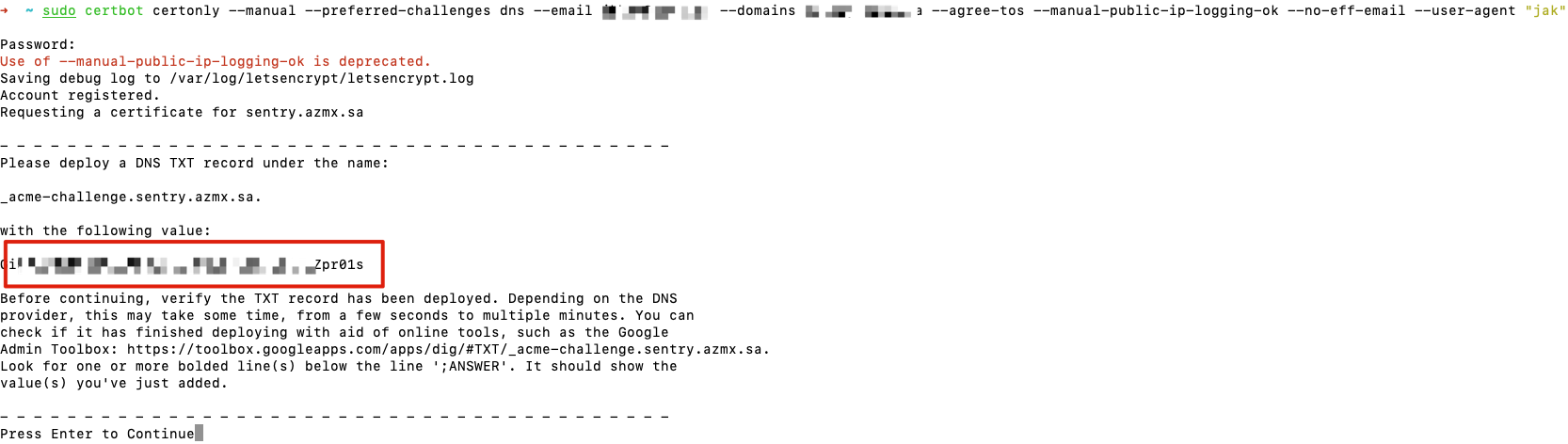
Create txt DNS record it to the DigitalOcean or domain registrar
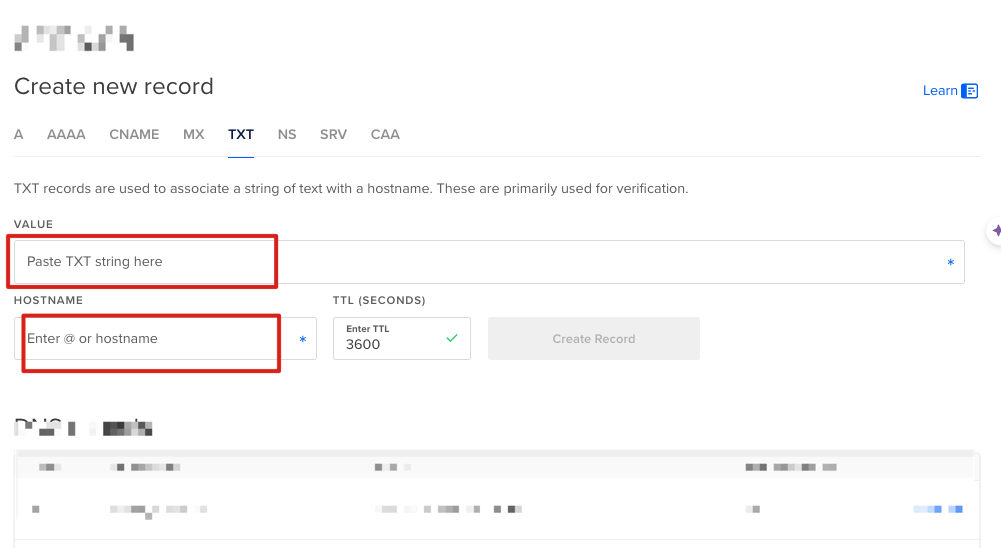
Wait until the DNS record is updated and confirm
Using this tool, the update can be verfied https://toolbox.googleapps.com/apps/dig/#TXT/_acme-challenge.sentry.azmx.sa
Go back to the CLI and hit Enter
The command will continue to the next steps of verification.
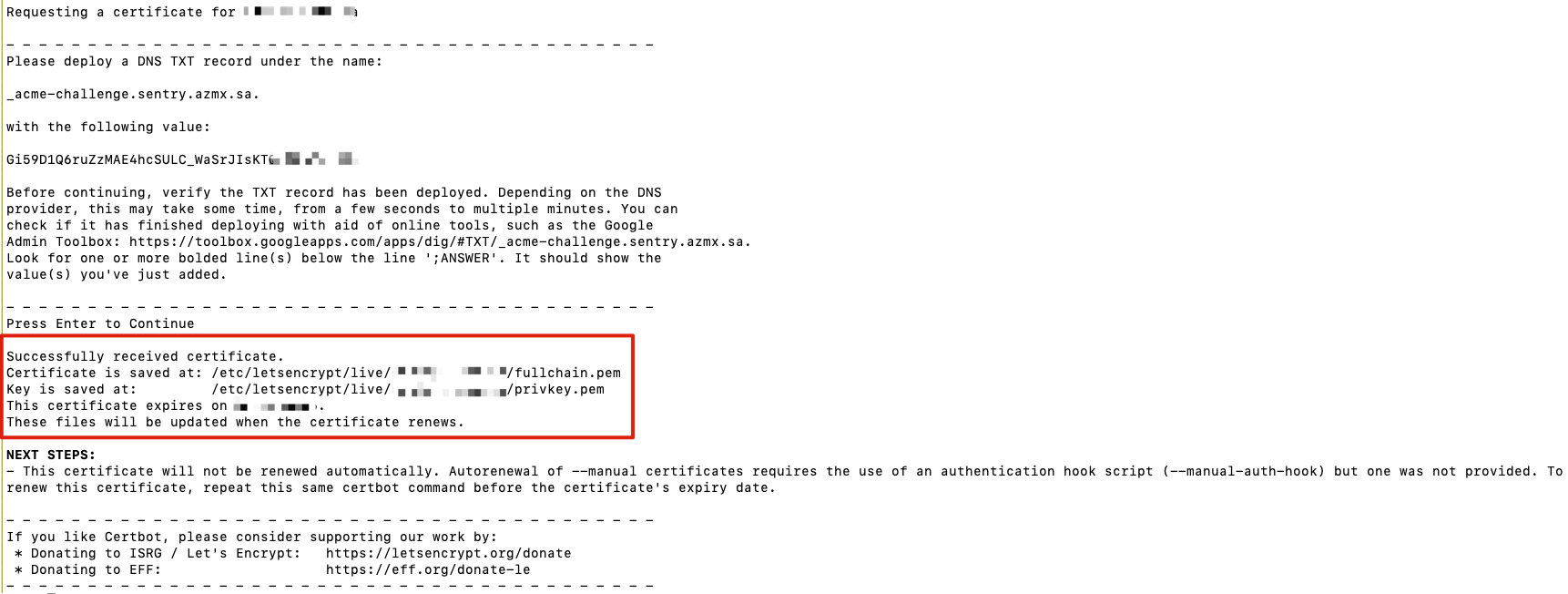
This complete the process verifying the ownership of both the DNS and the server for the CA to verify that you are the owner.
OCR of Images #
2024-06-08_18-21-12_screenshot.png #
sudo certbot certonly --manual -preferred-challenges dns --email -E --domains L - : - --agree-tos --manual-public-ip-logging-ok --no-eff-email --user-agent "jak" Password: Use of -manual-public-ip-logging-ok is deprecated. Saving debug log to var/log/letsencrypt/letsencrypt.log Account registered. Requesting a certificate for sentry. azmx.sa Please deploy a DNS TXT record under the name acme-challenge.sentry : azmx. with the following value: - Zpr01s Before continuing, verify the TXT record has been deployed. Depending on the DNS provider, this may take some time, from a few seconds to multiple minutes. You can check if it has finished deploying with aid of online tools, such as the Google Admin Toolbox: nttps://toolbox.googleapps.com/apps/dig/#TXT/.acme-challenge. .sentry. azmx. sa Look for one or more bolded line(s) below the line ;ANSWER'. It should show the value(s) you've just added. Press Enter to Continue
2024-06-08_18-23-14_screenshot.png #
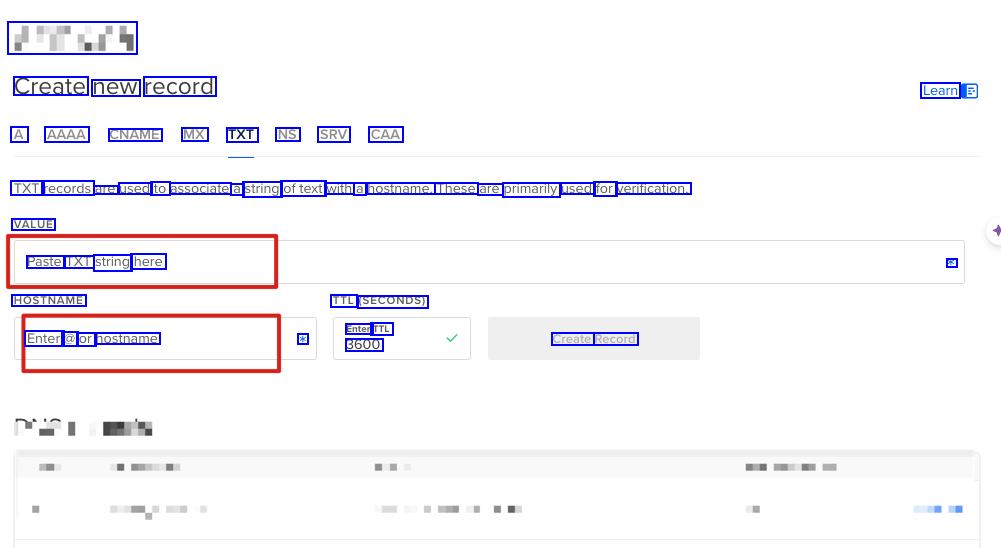
#Tury Create new record Learn A AAAA CNAME MX TXT NS SRV CAA TXT records are used to associate a string oftext with a hostname. These are primarily used for verification. VALUE Paste TXT string here * HOSTNAME TTL SECONDS) Enter TTL * 3600 Enter a or hostname Create Record
2024-06-08_18-28-17_screenshot.png #
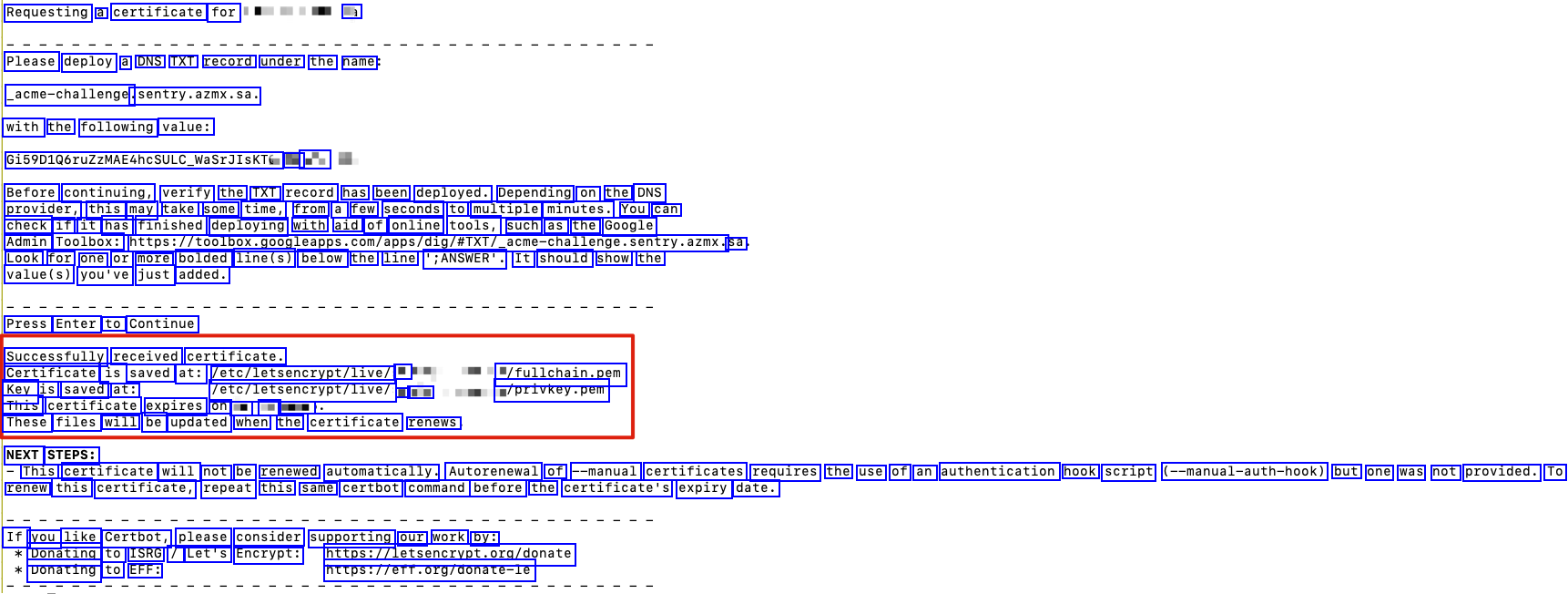
Requesting a certificate for l Please deploy a DNS TXT record under the name acme-challenge. sentry.azmx.sa. with the following value: G1590106ruZZMAE4hcSULC.WaSrJIsKTez L - Before continuing, verify the TXT record has been deployed. Depending on the DNS provider, this may take some time, from a few seconds to multiple minutes. You can check if it has finished deploying with aid of online tools, such as the Google Admin Toolbox: https://toolbox.gogleapps.com/apps/dig/A1XT/.acme-challenge.sentry.azmx. sa Look for one or more bolded line(s) below the line ';ANSWER'. It should show the value(s) you've just added. Press Enter to Continue Successfully received certificate. Certificate is saved at: ete/letsenctrypt/live Key is saved at: This certificate expires on - L : These files will be updated when the certificate renews "/fullchain.pem w/privkey.pem lete/letsencrypt/livel - : NEXT STEPS: This certificate will not be renewed automatically. Autorenewal of --manual certificates requires the use of an authentication hook script (--manual-auth-hook) but one was not provided. To renew this certificate, repeat this same certbot command before the certificate's expiry date. If you like Certbot, please consider supporting our work by: Donating to ISRG / Let's Encrypt: stes/Asteerpt.ergemnte Donating to EFF: httosileff.org/donate-le