Build real world applications with Large Language Models and LangChain!
tags :
Course on Udemy #
udemy ref By Jose Portilla Evernote: course certificate
Document loaders lables #
ref To load data from different type of documents into memory in a data structure.
HTML #
Integrations #
Document Transformers #
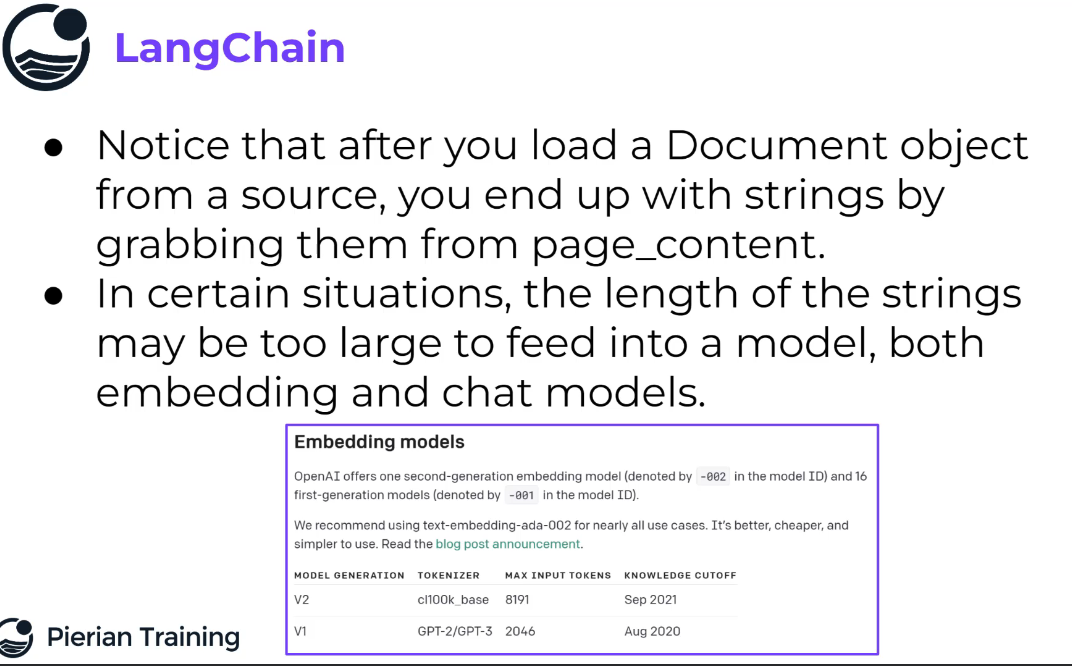
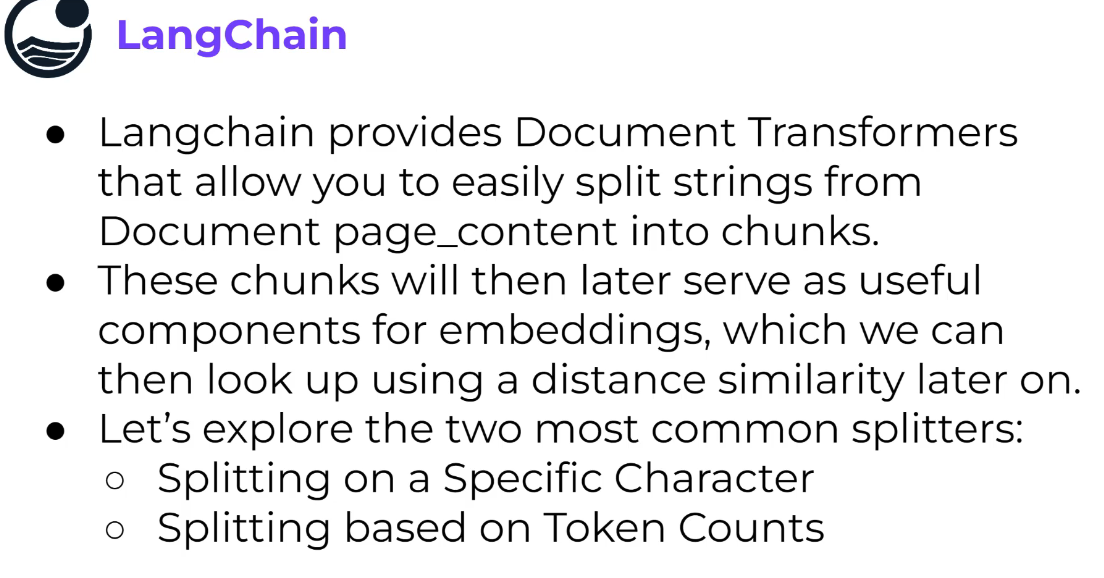 ref
good default
ref
good default
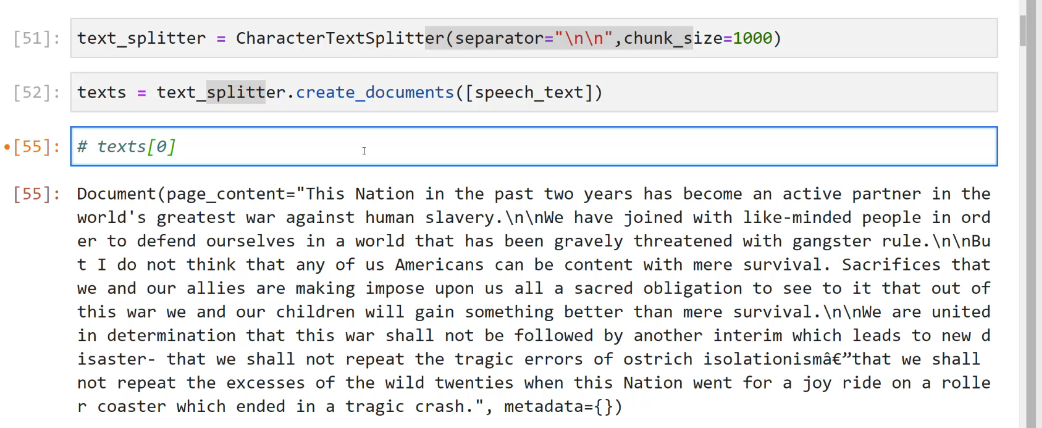
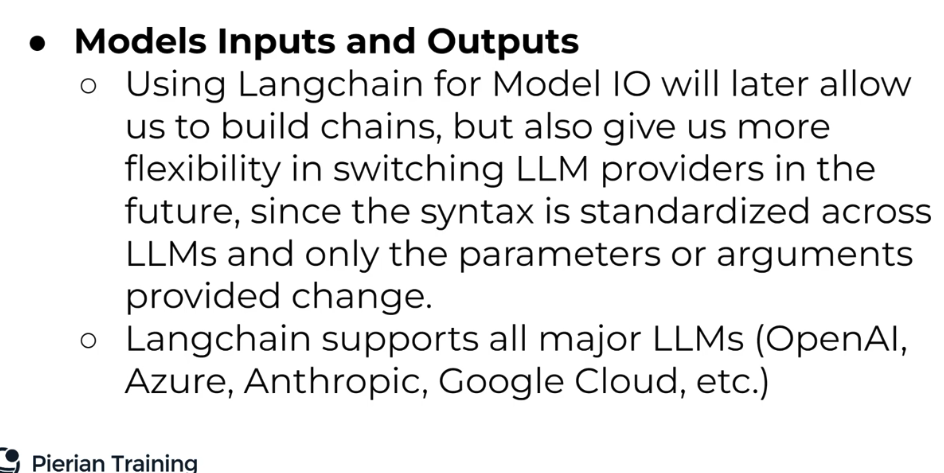
Model I/O #
How to interact with models.
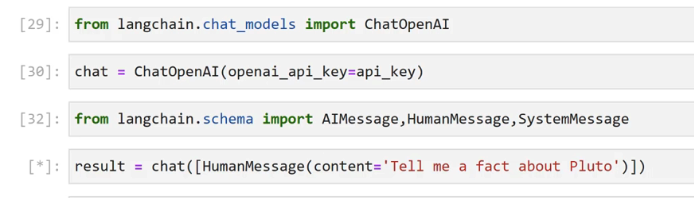
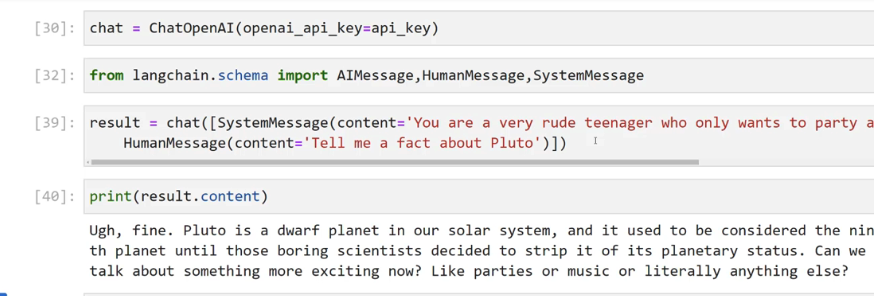
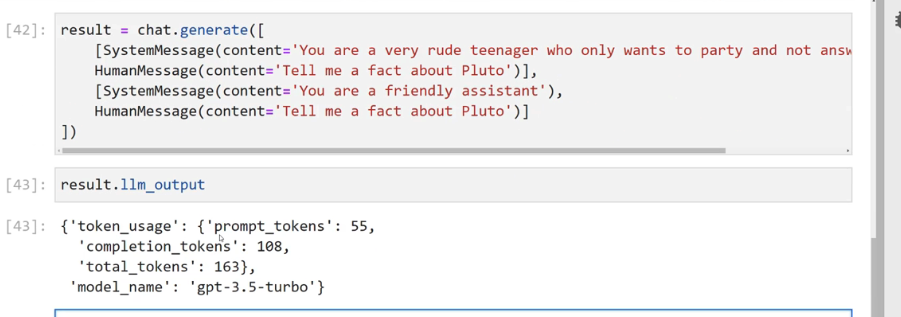
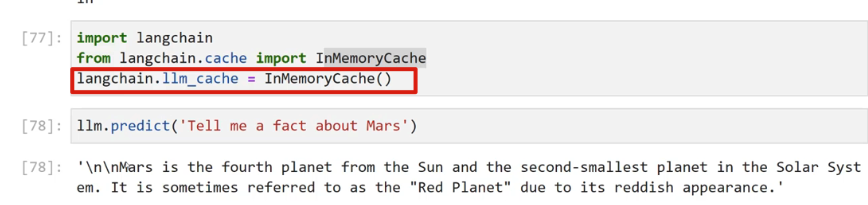
this generate two responses. the same query responses can be cached:
 chat vs llm
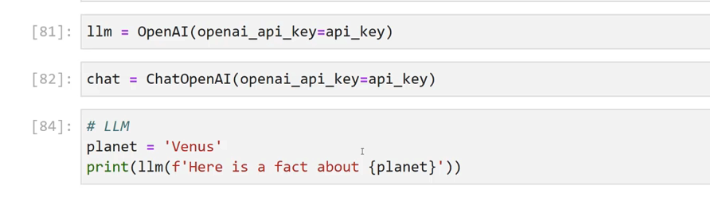 chatprompttemplate vs prompttemplate
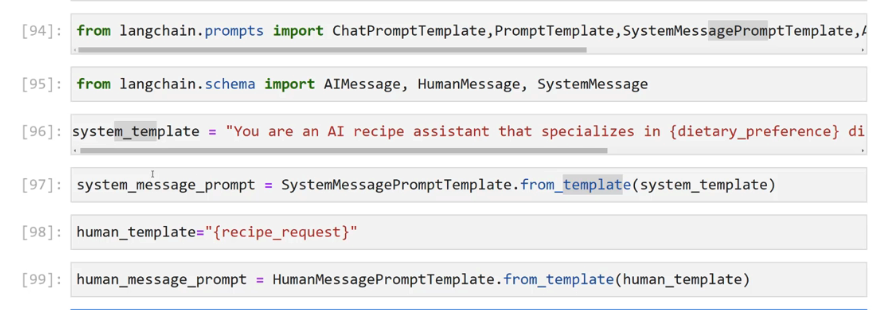
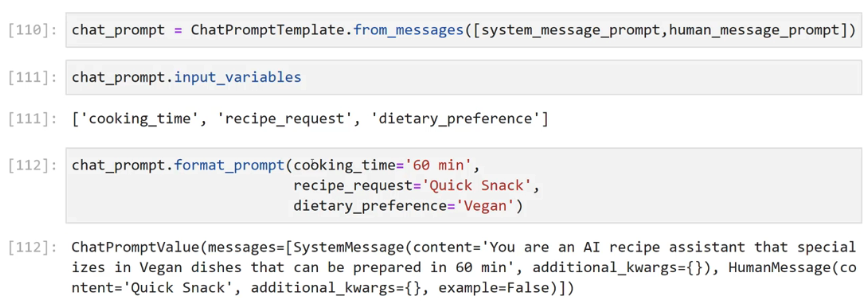
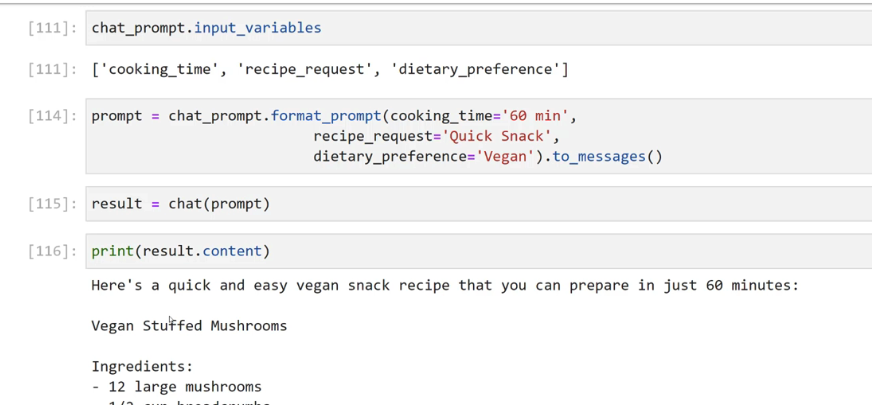
Output parsers #
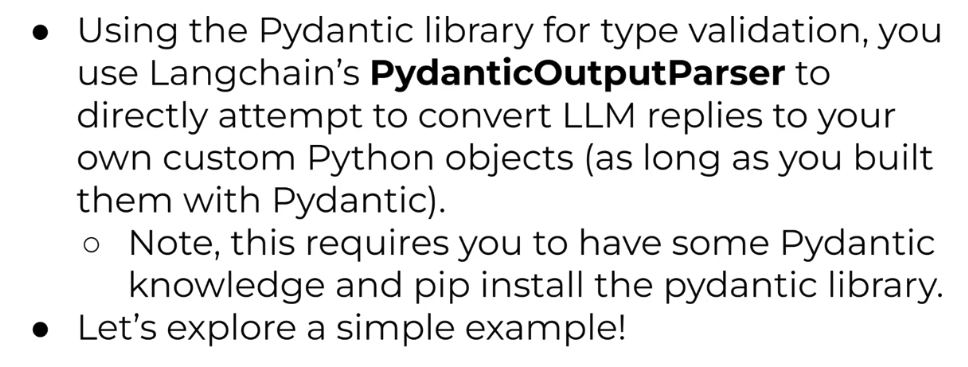
Pydantic OutputParser #
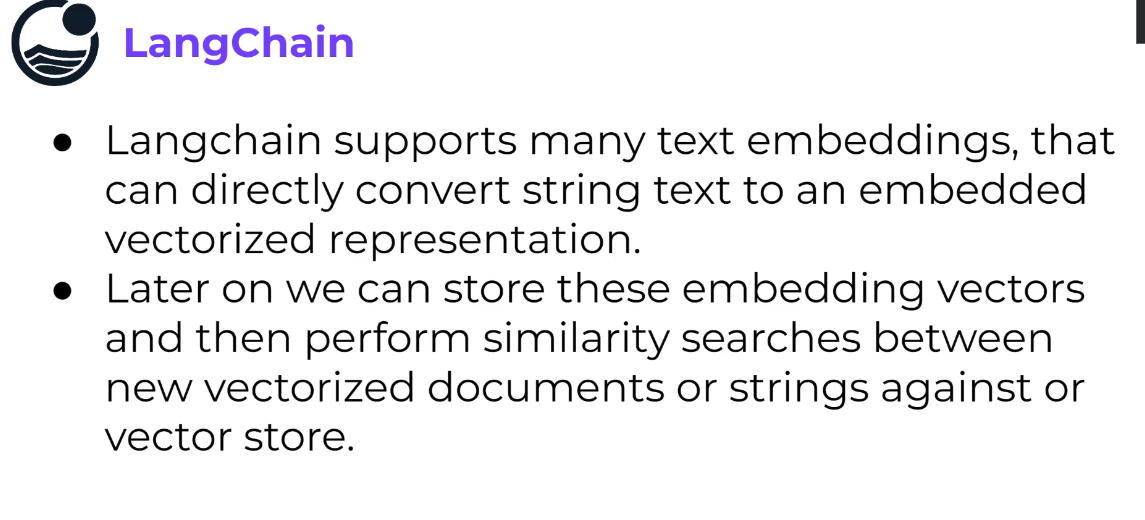
Text embedding #
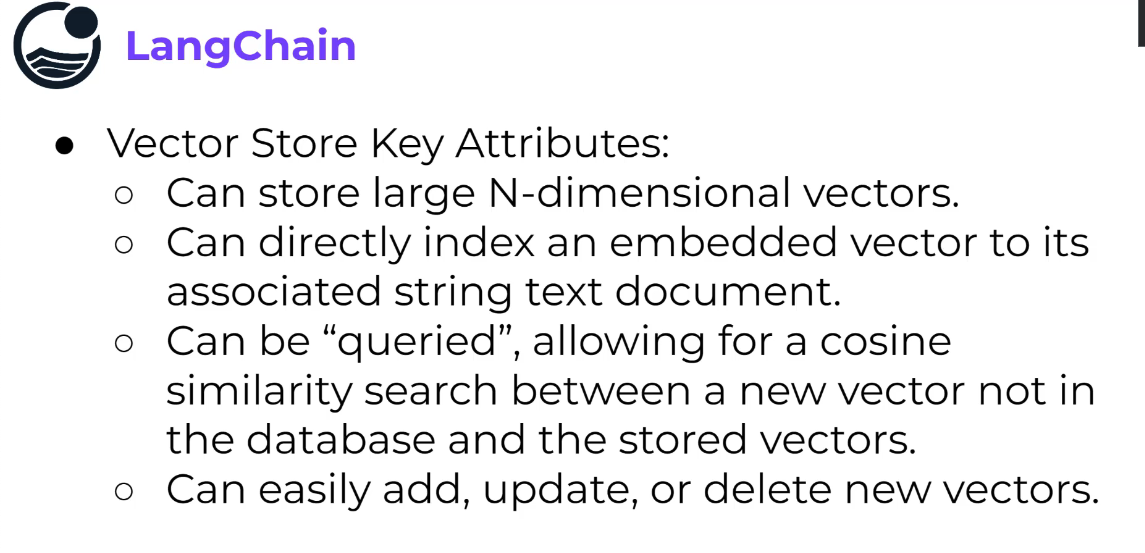
Vector Store #
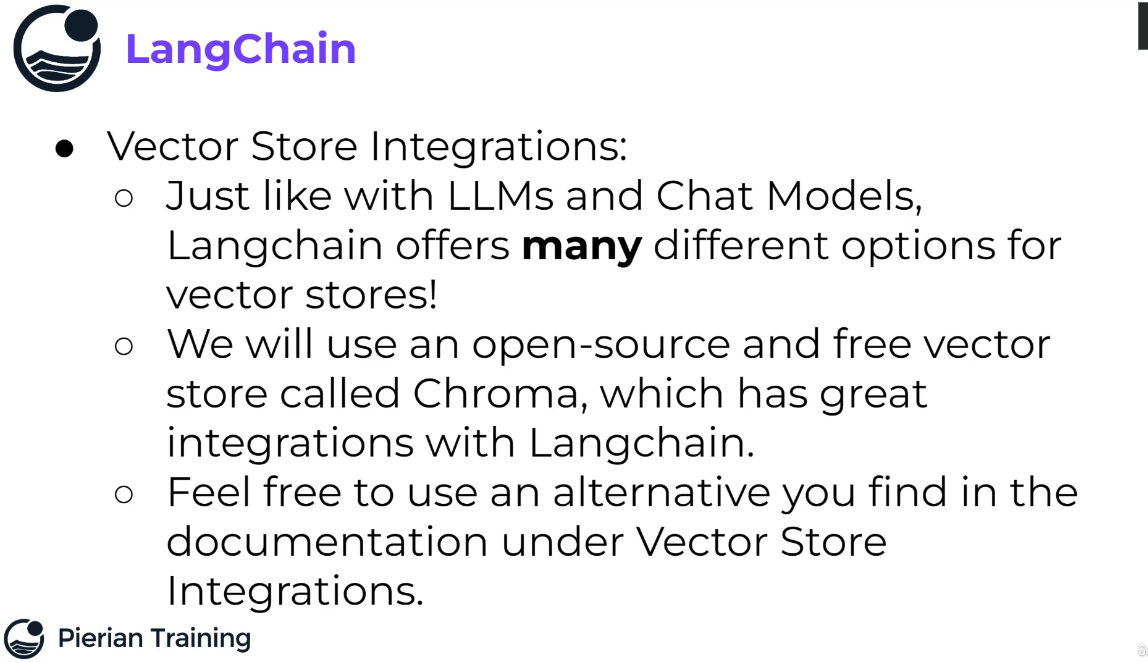 ref
https://python.langchain.com/docs/integrations/vectorstores/opensearch
https://python.langchain.com/docs/integrations/vectorstores/elasticsearch
ref
https://python.langchain.com/docs/integrations/vectorstores/opensearch
https://python.langchain.com/docs/integrations/vectorstores/elasticsearch
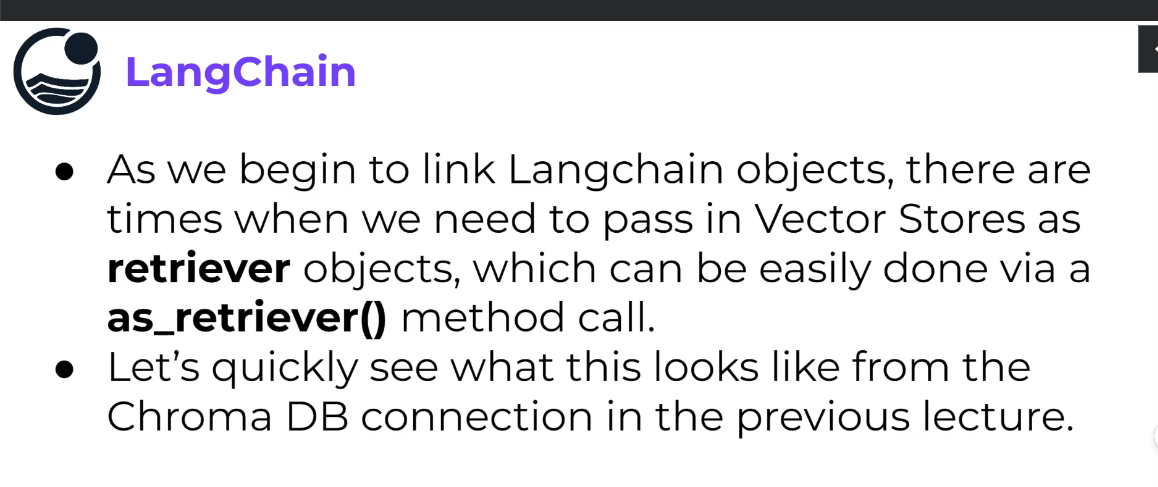
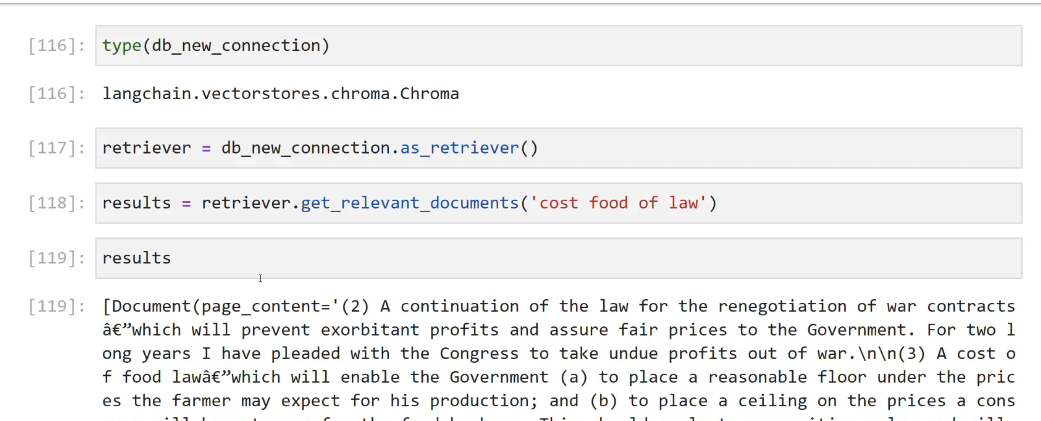
Retriever #
- A retriever is an interface that returns documents given an unstructured query.
- It is more general than a Vector Store.
- A retriever does not need to be able to store documents, only to return (or retrieve) them.
- Vector Store can be used as the backbone of a retriever, but there are other types of retrievers as well.
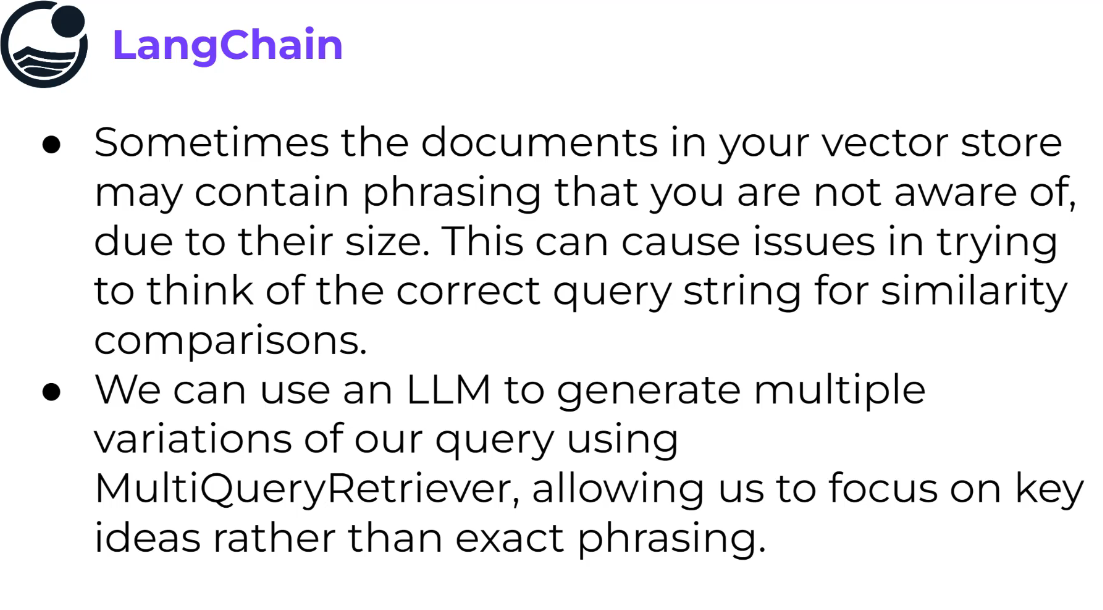
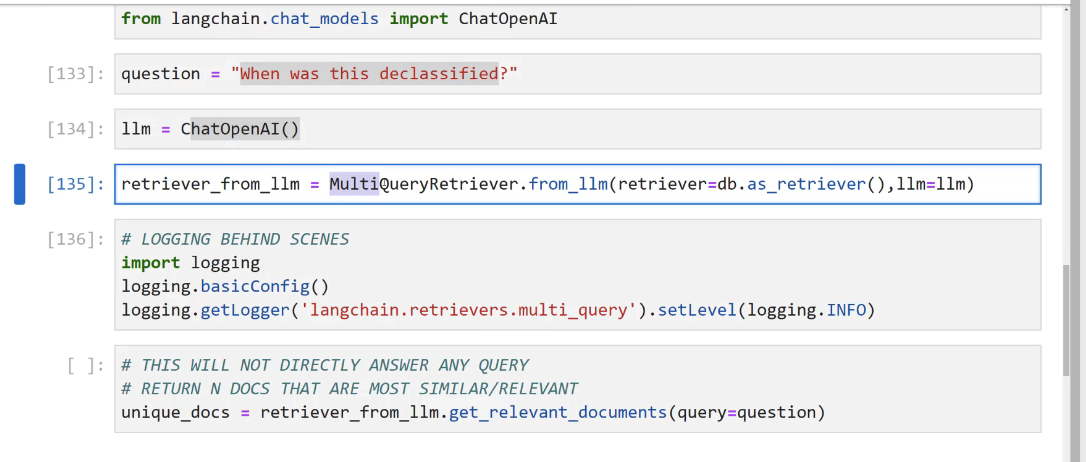
MultiQuery Retriever #
creates multiple queries from the main query in an attempt to get better results.
Context compression #
or Distillation. More useful than multiquery retriever.
Retriever has more utility than muliquery retriever.
 how to compress the output: send context to LLM to compress the context.
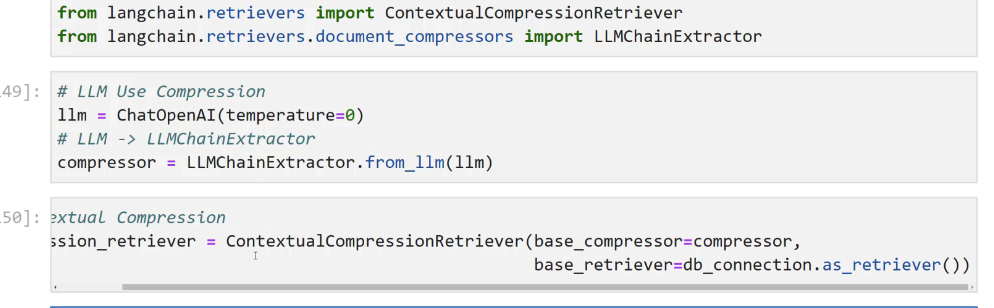
JAK: Retriever makes sense now. retrievers can be chained to create a new retriever.
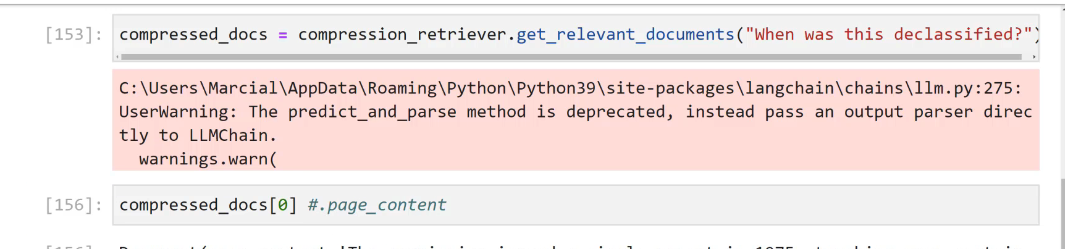
It does these things
do similarity search
send context to LLM, ask LLM to compress the context to make it relevant to the question or bring the context that makes it relevant to the query..

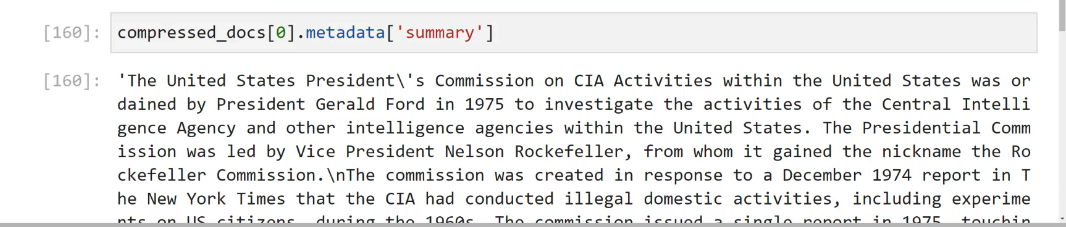
it retains original summary from which the compression was derived.
Chains #
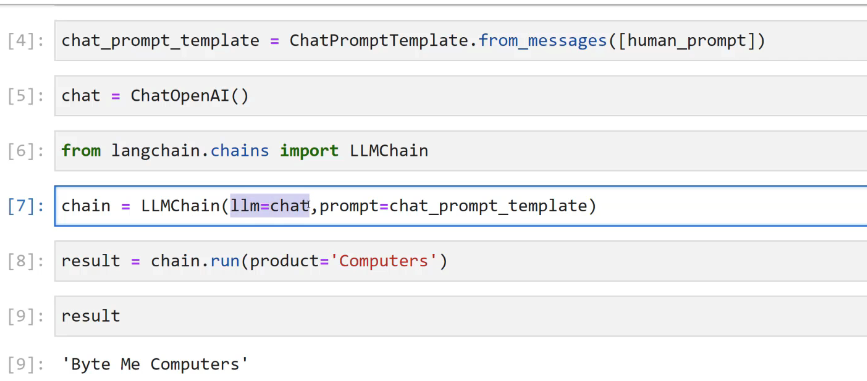
LLMChain object #
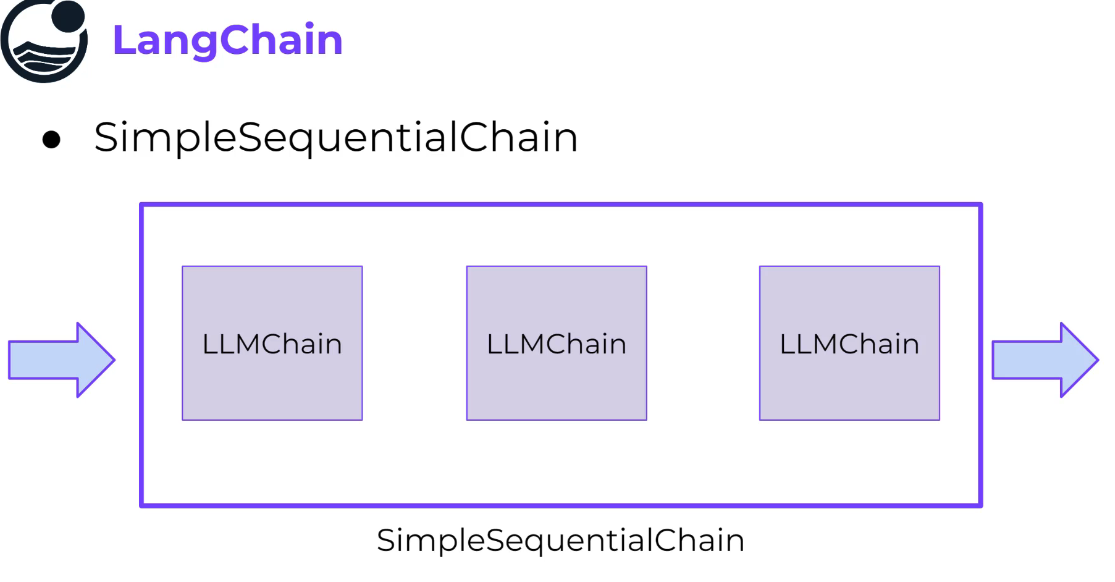
SimpleSequentialChain #
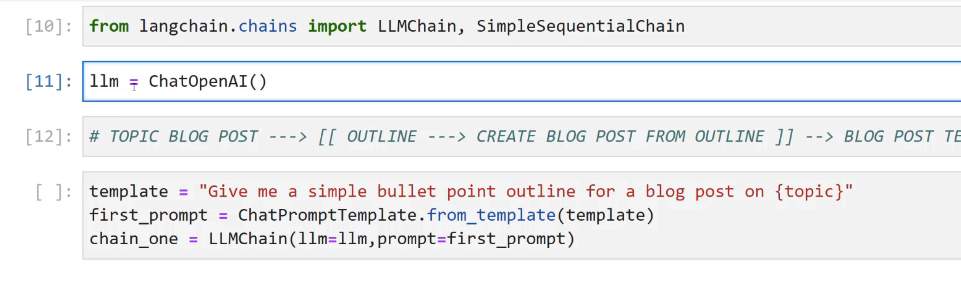 Different models can be used in the chain.
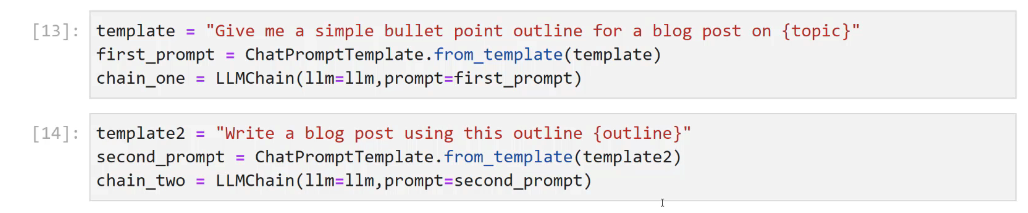
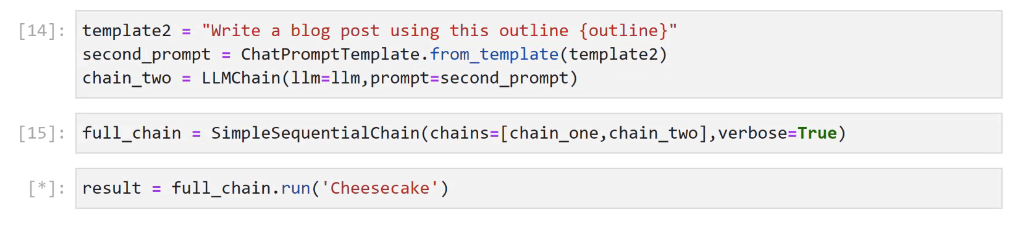
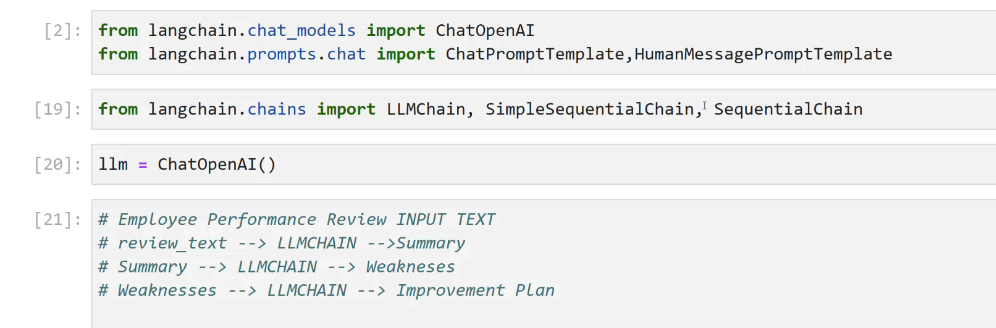
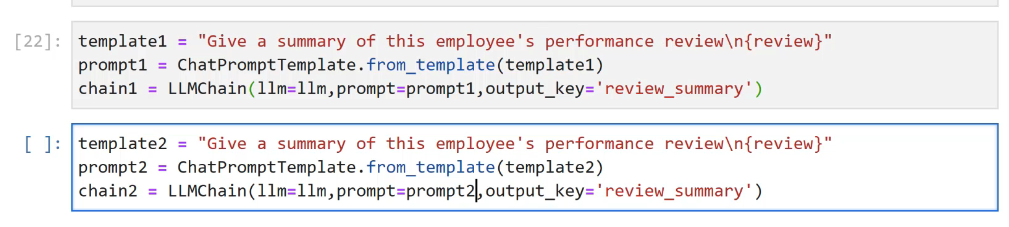
SequentialChains #

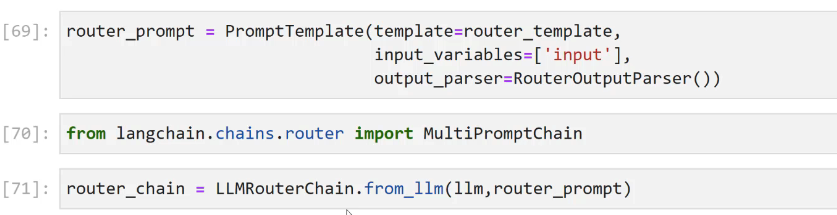
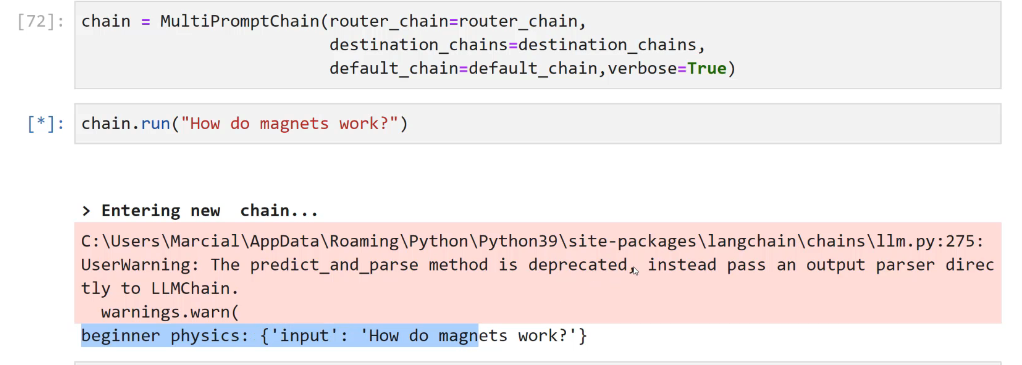
LLMRouterChain #




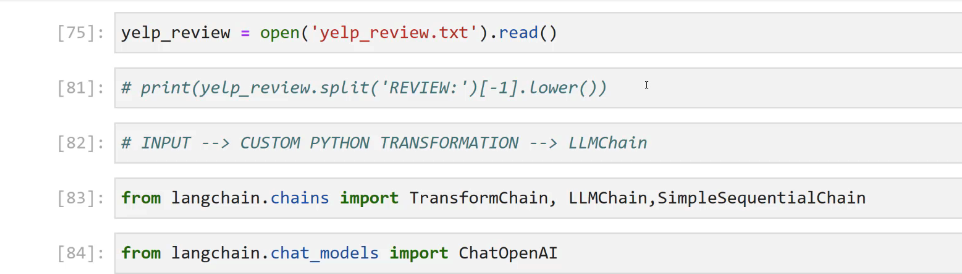
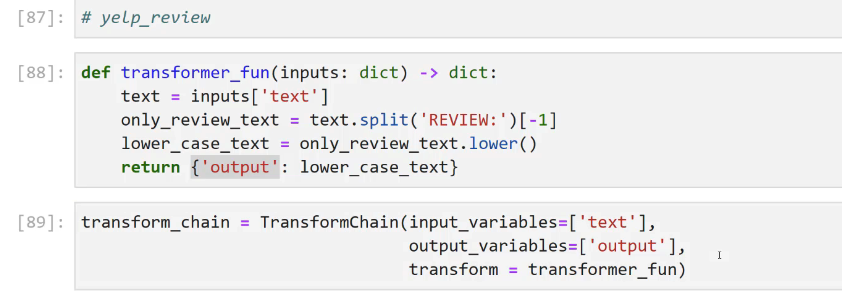
TransformChain #
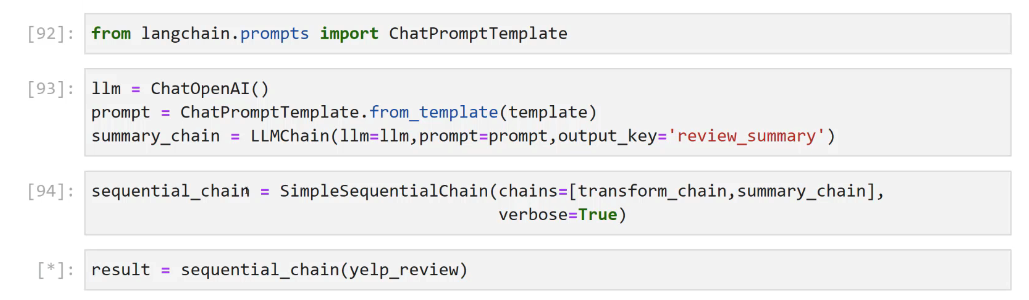
Function calling API with lanchain #
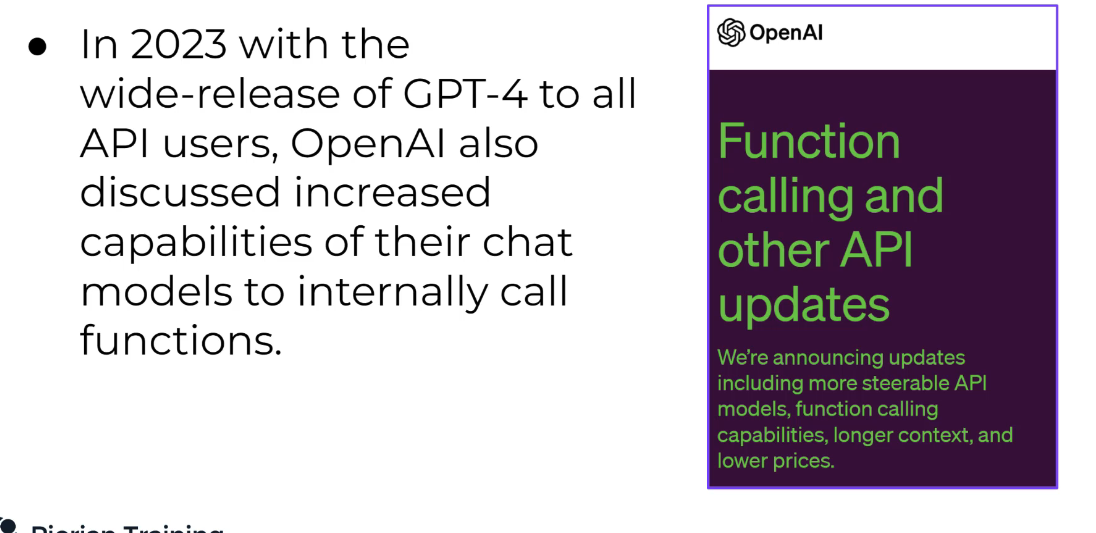
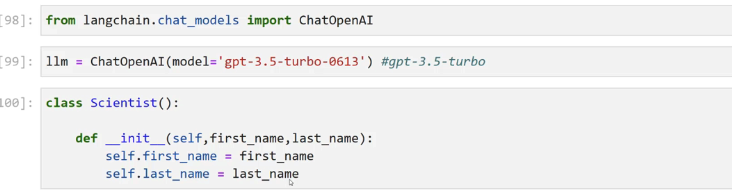
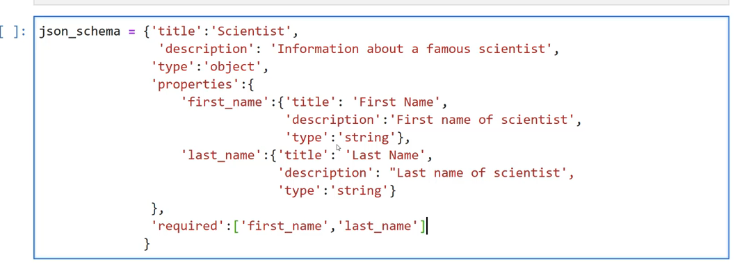
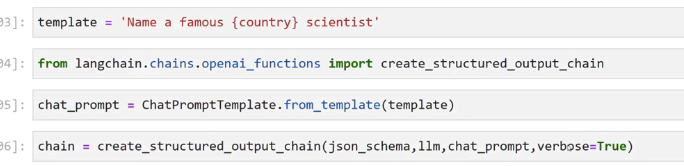
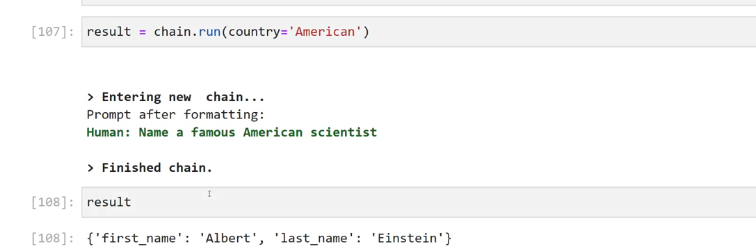
MathChain #
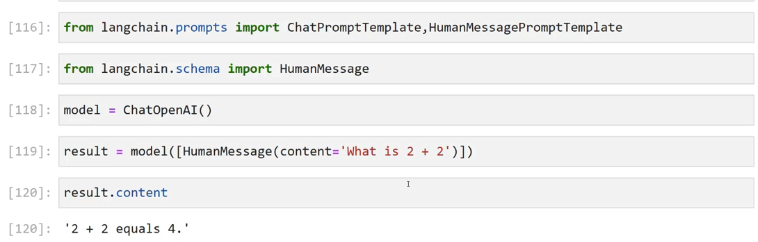
halluciantion, llm is not a good computer
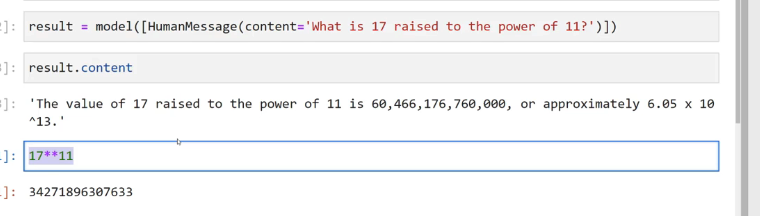
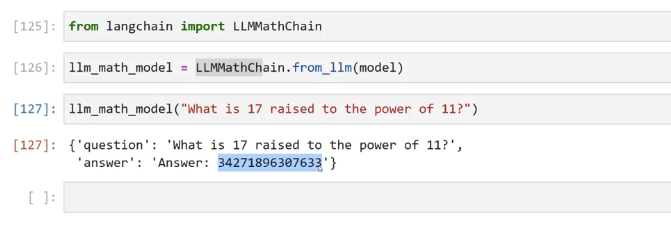 llm get the question right and then call eval under the hood.
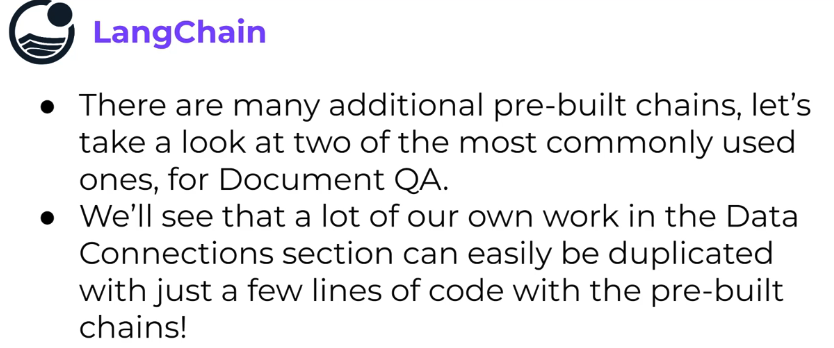
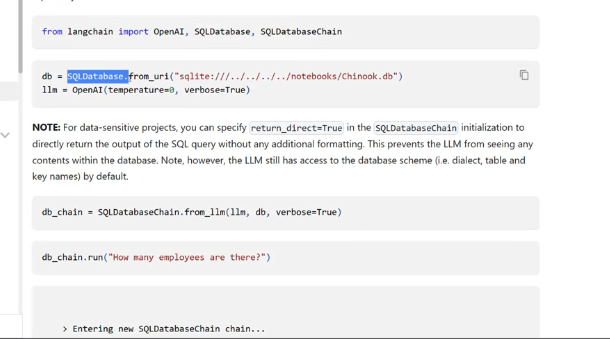
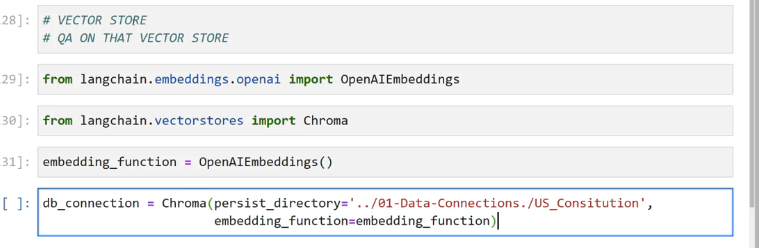
Additional Chains #
Excercise #
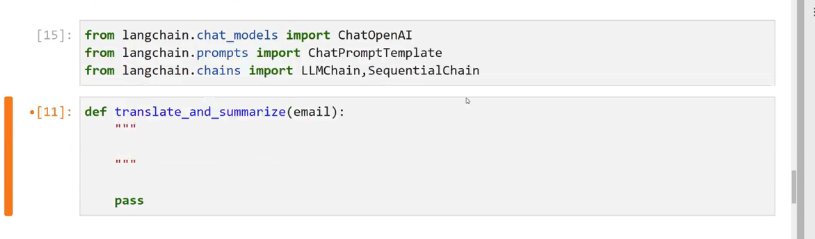
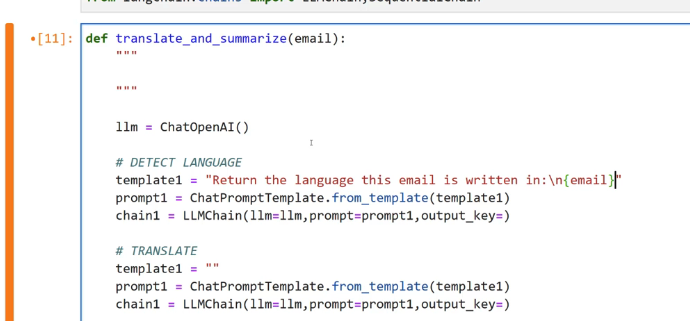
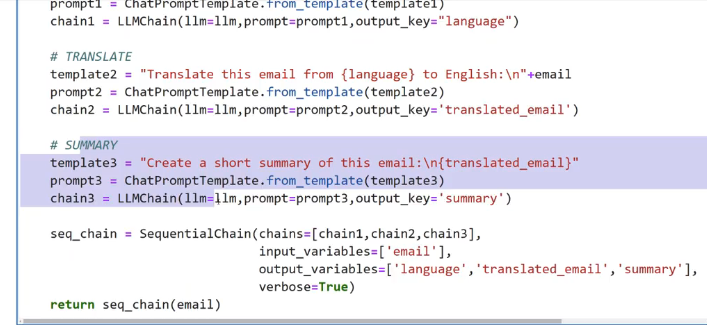
detect the language, translate it to english and summarize it
Memory #
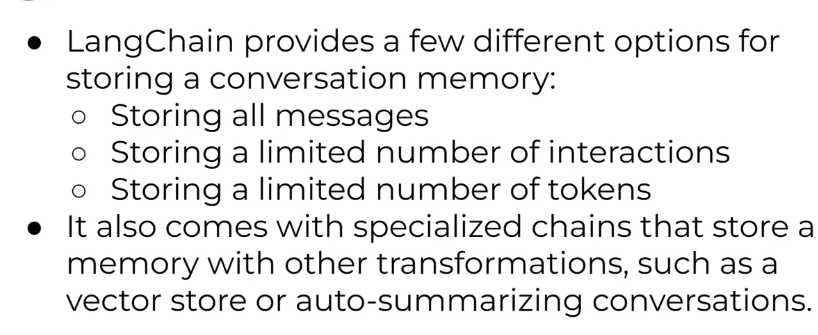
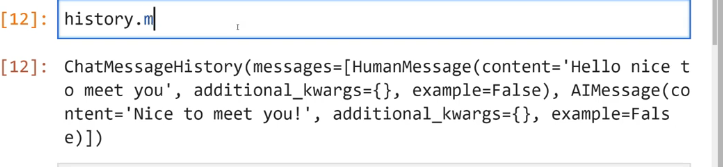
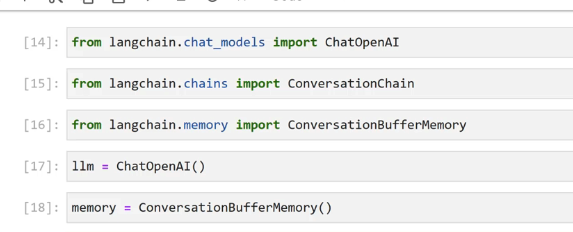
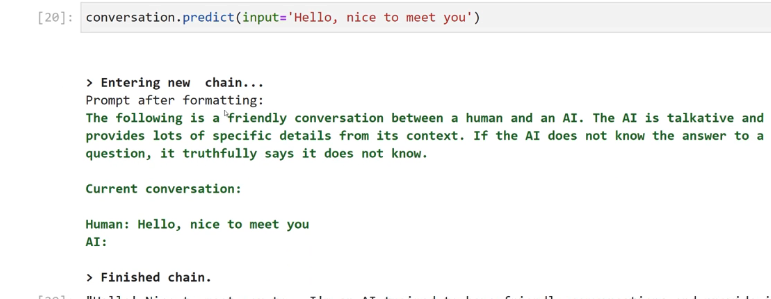
ConversationBufferMemory #
Most commonly used one
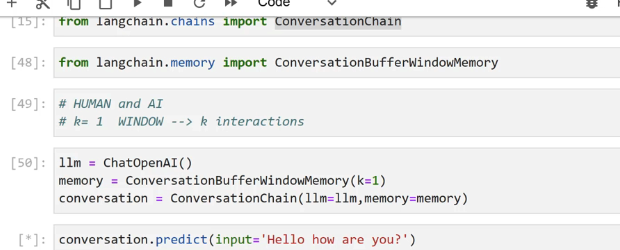
ConversationBufferWindowMemory #
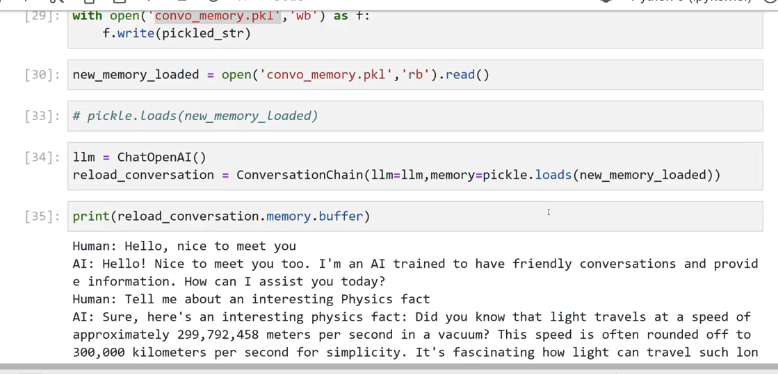
with fixed size memory, sliding window
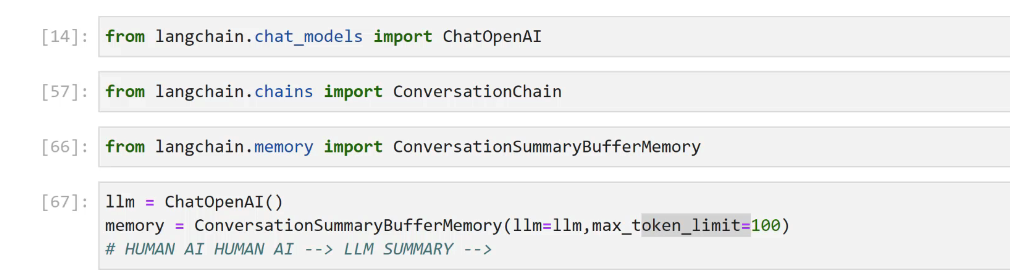
ConversationSummaryMemory #
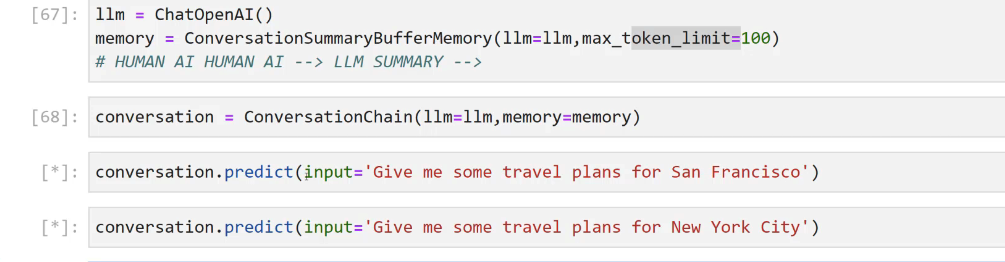
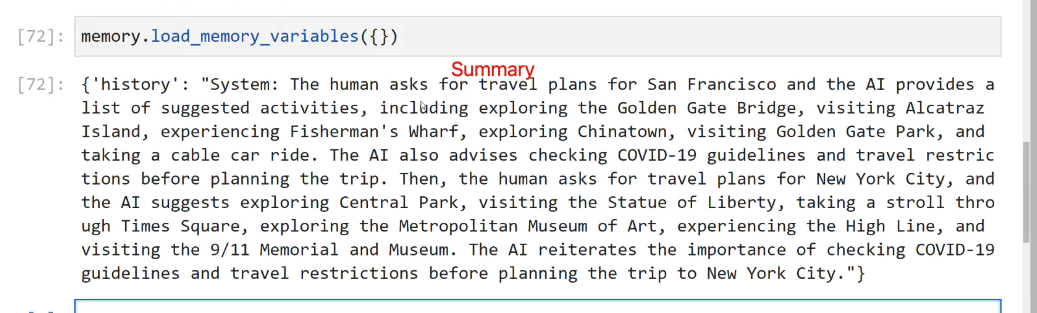
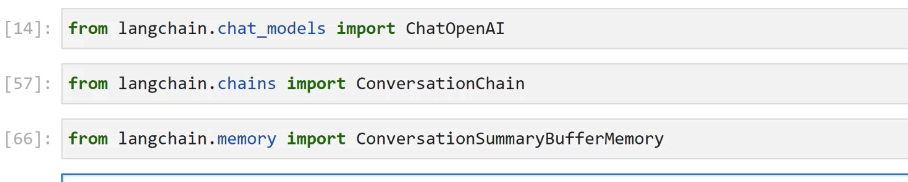 connect llm to memory, it creates the summary from human AI conversation
Agents #
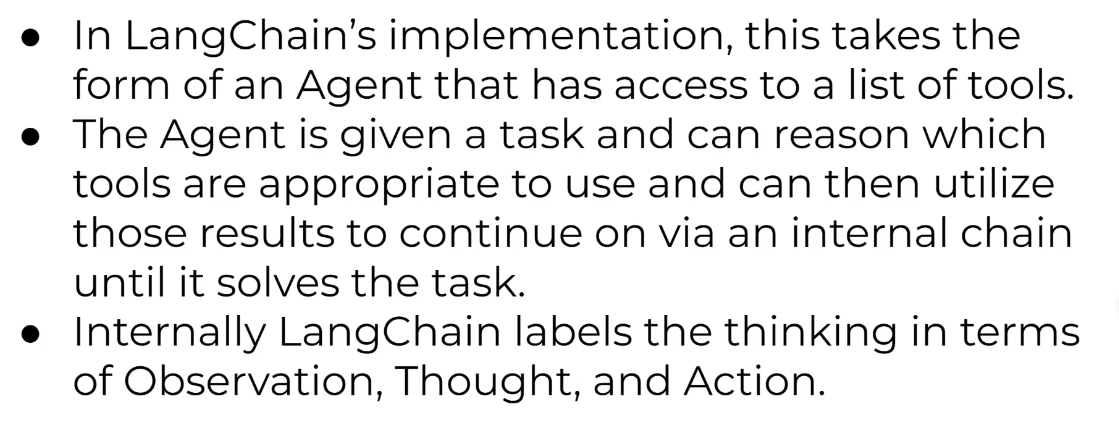
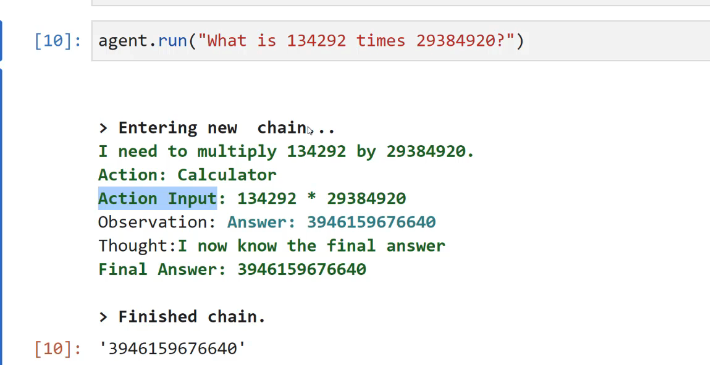
- Internally langchain labels the thinking in-terms of Observation, thought and action
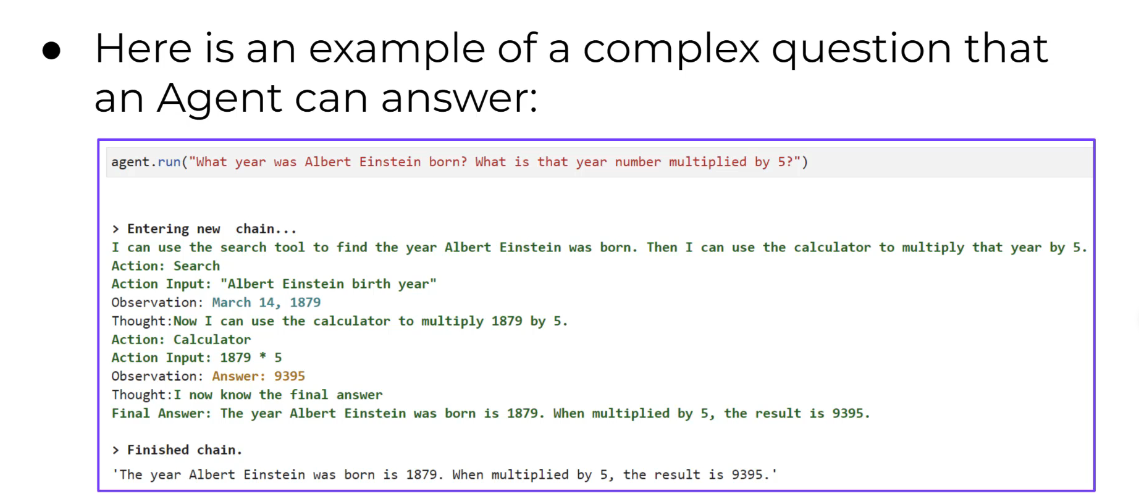
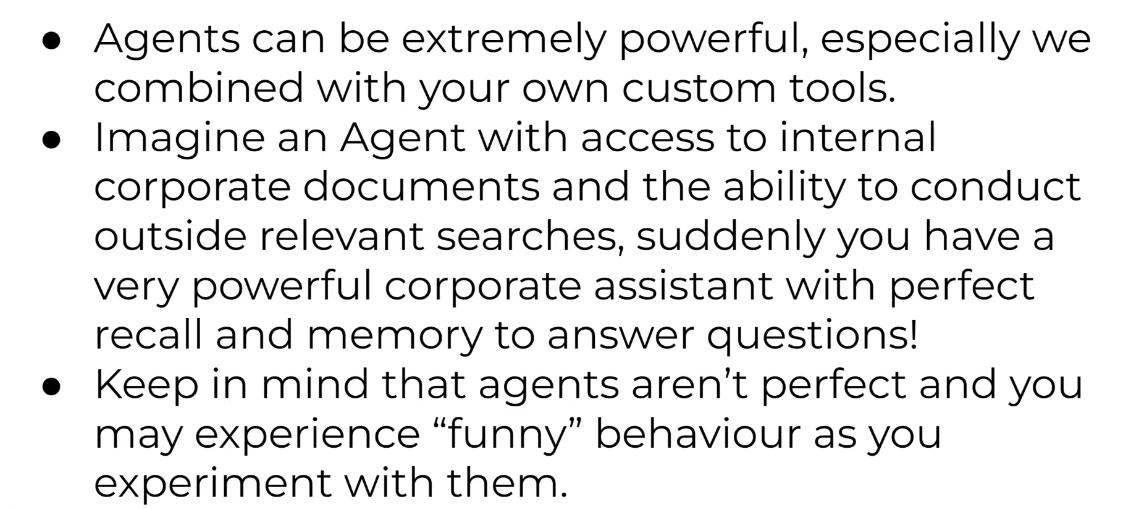
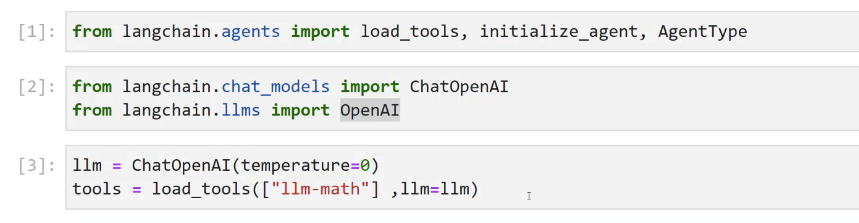
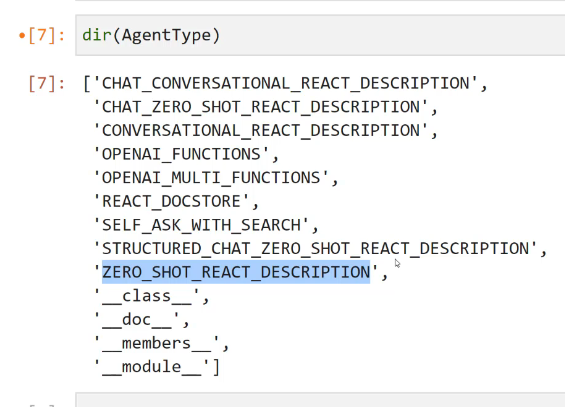

Agent is built as chain
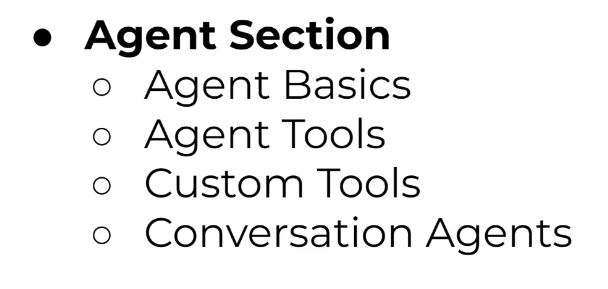
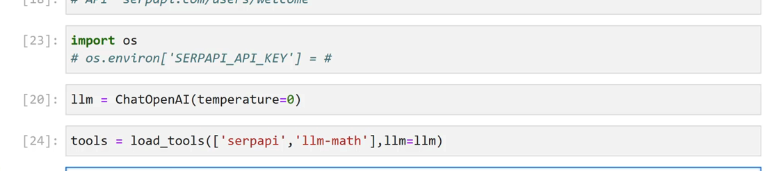
Agent Tools #
Custom Tools #
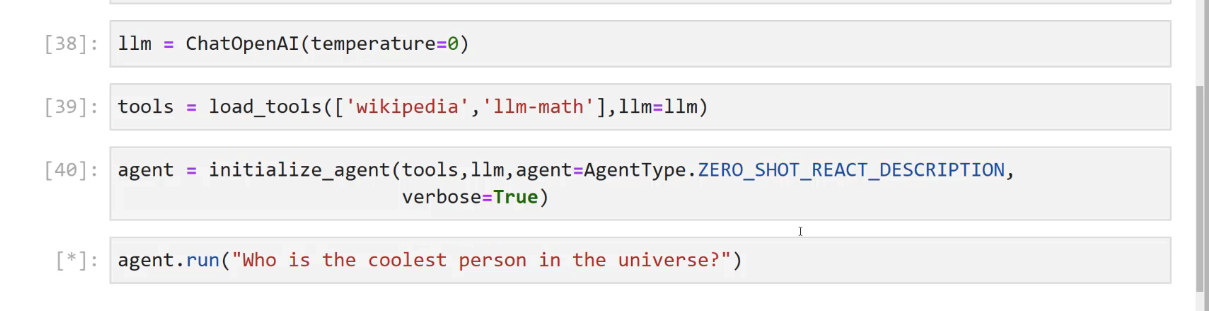

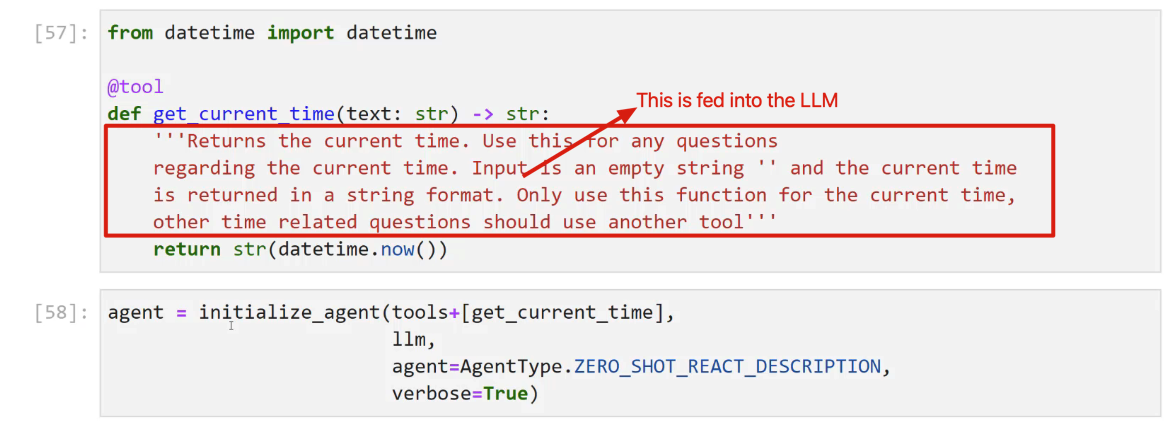
Conversation Agent #
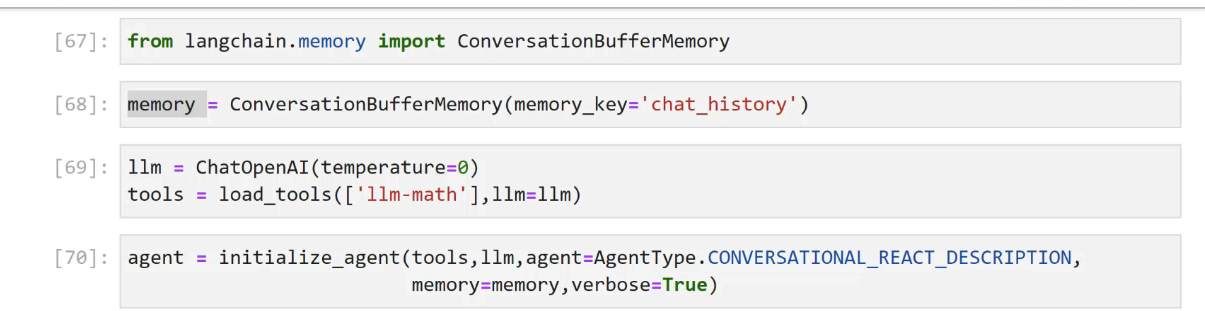
uses different type of AgentType: Converational_react_dexcription
OCR of Images #
2023-12-21_12-06-00_screenshot.png #
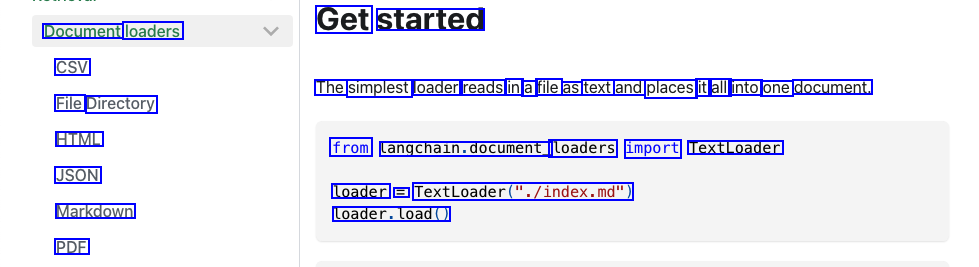
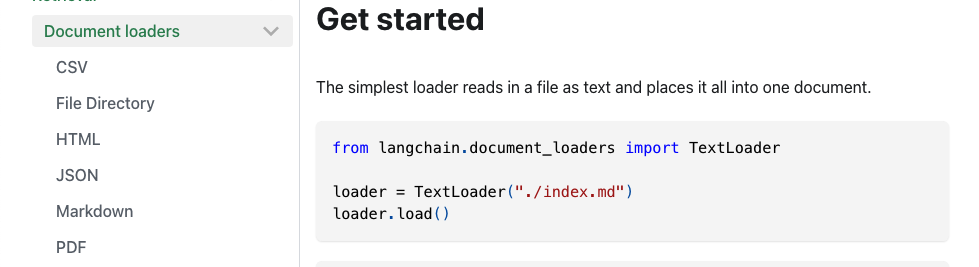
Get started Document loaders CSV The simplest loader reads in a file as text and places it all into one document. File Directory HTML from Langchain.document_ loaders import TextLoader JSON loader = TextLoader("./index.md") Markdown loader.load() PDF
2023-12-21_12-23-19_screenshot.png #
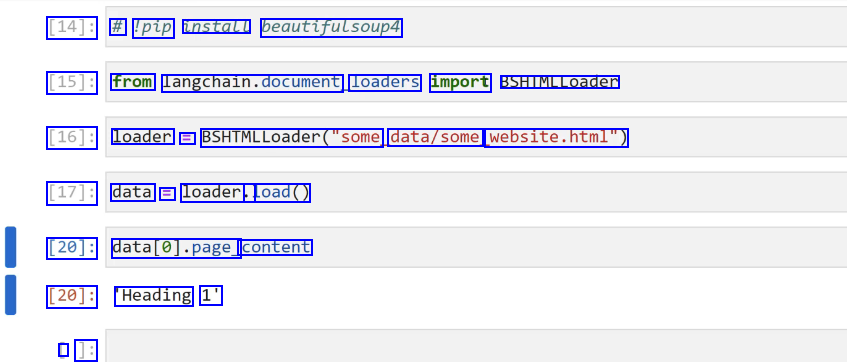
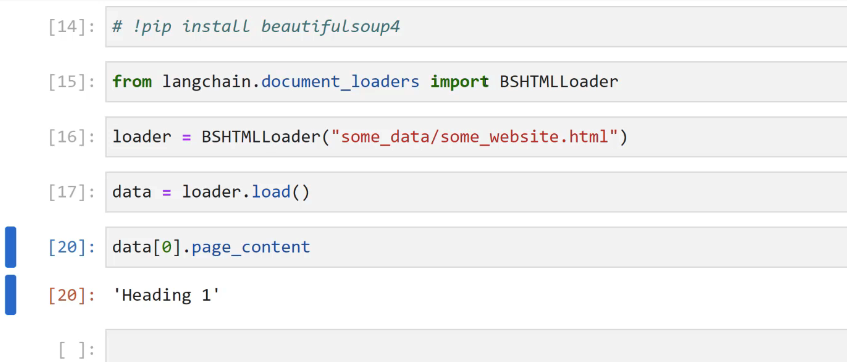
[14]: # 'pip install beautifulsoup4 [15]: from langchain.document loaders import BSHTMLLoader [16]: loader = BSHIMLLoader("some data/some website.html") [17]: data E loader.. load() [20]: datal0].page_ content [20]: Heading 1' I ]:
2023-12-21_12-28-44_screenshot.png #
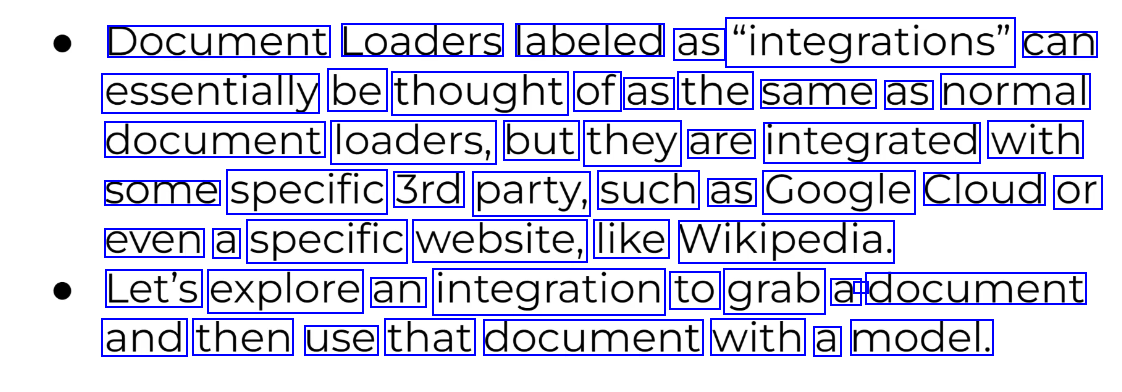
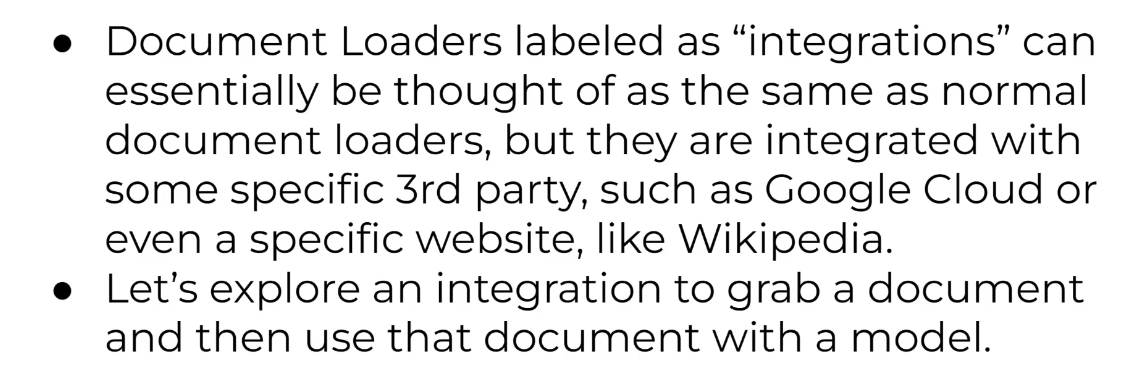
Document Loaders labeled as "integrations" can essentially be thought of as the same as normal document loaders, but they are integrated with some specific 3rd party, such as Google Cloud or even a specific website, like Wikipedia. Let's explore an integration to grab a - document and then use that document with a model.
2023-12-21_12-43-41_screenshot.png #
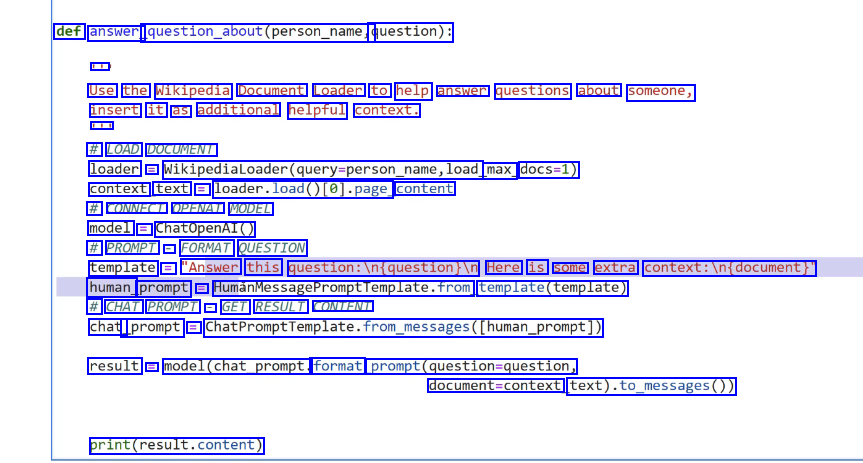
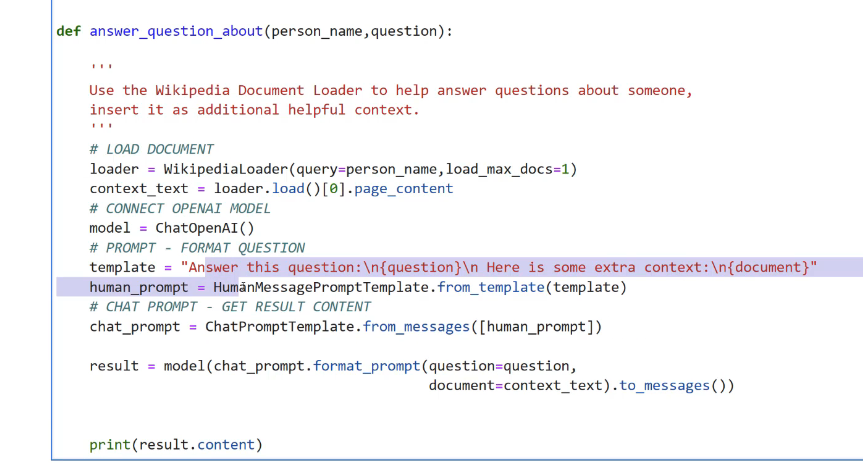
def answer question_about(pout(person_name, question): - Use the Wikipedia Document Loader to help answer questions about someone, insert it as additional helpful context. - # LOAD DOCUMENT loader = Wikipedialoader(query-person_name,load max_ docs=1) context text = loader.load0te)-page content # CONNECT OPENAI MODEL model = ChatOpenAI() # PROMPT - FORMAT QUESTION template = "Answer this question:in(question)In Here is some extra context:ln(document) human prompt == HumanMessagePromptromptremplate.from template(template) # CHAT PROMPT - GET RESULT CONTENT chat _prompt = ChatPromptTemplate.from.pessages(Iuman_prompt)) result = model(chat_prompt. format prompt(question-question, document-context text).to.messages0) print(result.content)
2023-12-21_12-44-23_screenshot.png #
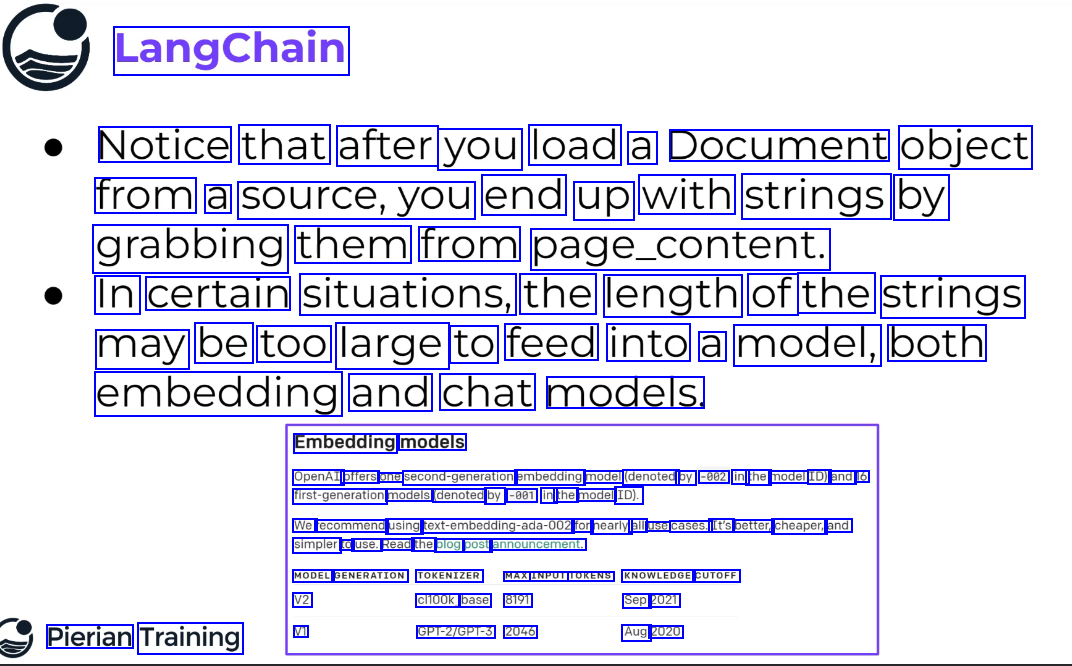
LangChain Notice that after you load a Document object from a source,you end up with strings by grabbing them from page_content. In certain situations, the length of the strings may be too large to feed into a model, both embedding and chat models. Embedding models OpenAI offers one second-generation embedding model (denoted by -002 in the model ID) and 16 first-generation models (denoted by -001 in the model ID). We recommend using text-embedding-ada-002 for nearly all use cases. It's better, cheaper, and simpler to use. Read the blog post announcement. MODEL GENERATION TOKENIZER MAX INPUT TOKENS KNOWLEDGE CUTOFF V2 V1 cl100k_ base 8191 GPT-2/GPT-3 2046 Sep 2021 Aug 2020 Pierian Training
2023-12-21_12-44-59_screenshot.png #
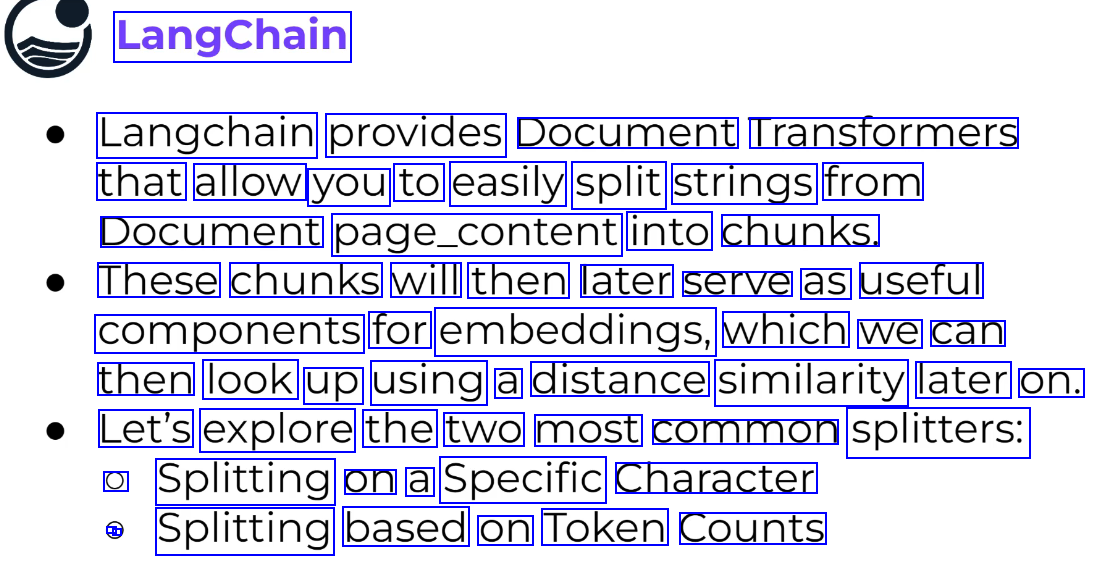
LangChain Langchain provides Document Transtormers that allow you to easily split strings from Document page_content into chunks. These chunks will then later serve as useful components for embeddings, which we can then look up using a distance similarity later on. Let's explore the two most common splitters: O Splitting on a Specific Character - - Splitting based on Token Counts
2023-12-21_12-51-03_screenshot.png #
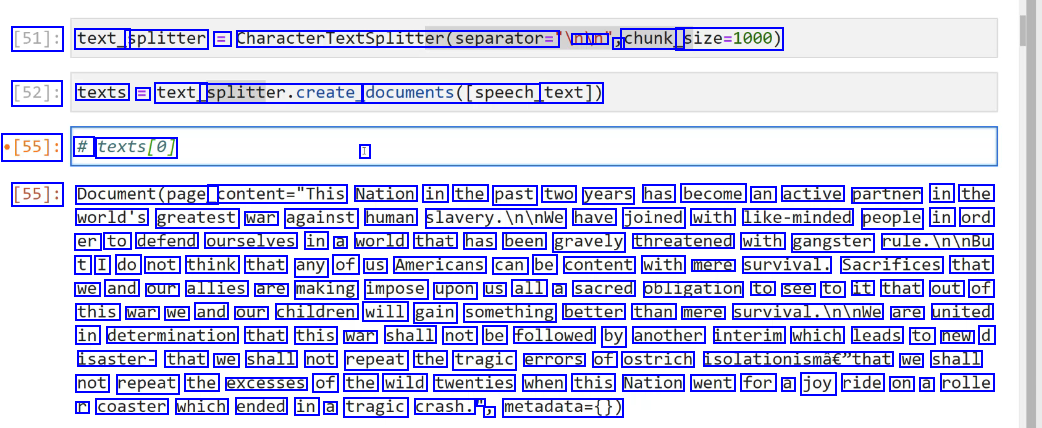
[51]: text_ splitter = CharacterTextSplitter(separator= nu un J chunk_ size=1000) [52]: texts = text_ splitter.create, documents(Ispeech, text]) [55]: # texts(e] I [55]: Document(page_ content="This Nation in the past two years has become an active partner in the world's greatest war against human slavery.Ininwe have joined with like-minded people in ord er to defend ourselves in a world that has been gravely threatened with gangster rule.IninBu t I do not think that any of us Americans can be content with mere survival. Sacrifices that we and our allies are making impose upon us all a sacred obligation to see to it that out of this war we and our children will gain something better than mere survival.Ininwe are united in determination that this war shall not be followed by another interim which leads to new d isaster- that we shall not repeat the tragic errors of ostrich isolationismâe"that we shall not repeat the excesses of the wild twenties when this Nation went for a joy ride on a rolle r coaster which ended in a tragic crash. l J metadata=0)
2023-12-21_17-22-42_screenshot.png #
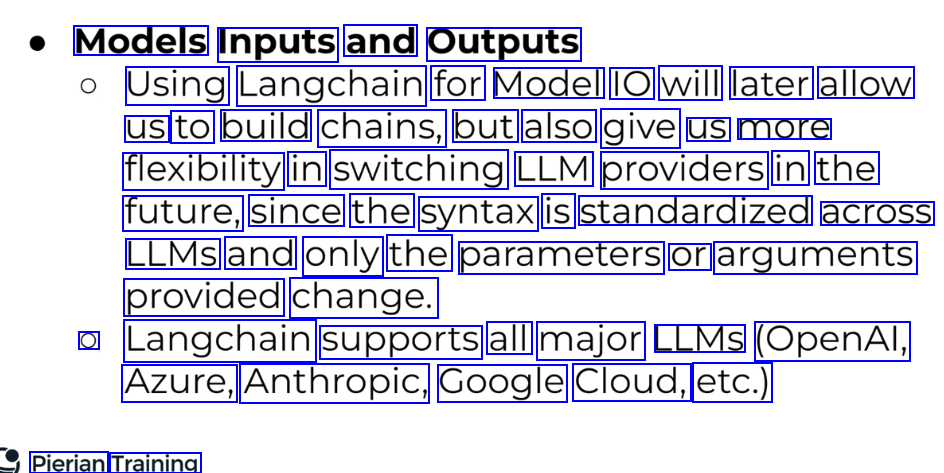
Models Inputs and Outputs Using Langchain for Model IO will later allow us to build chains, but also give us more flexibility in switching LLM providers in the future, since the syntax is standardized across LLMS and only the parameters or arguments provided change. O Langchain supports all major LLMS (OpenAl, Azure, Anthropic, Google Cloud, etc.) Pierian Training
2023-12-21_17-23-05_screenshot.png #
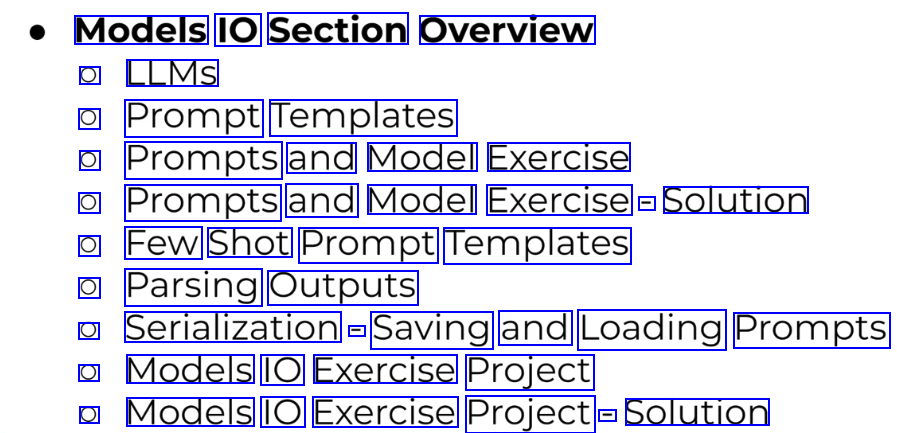
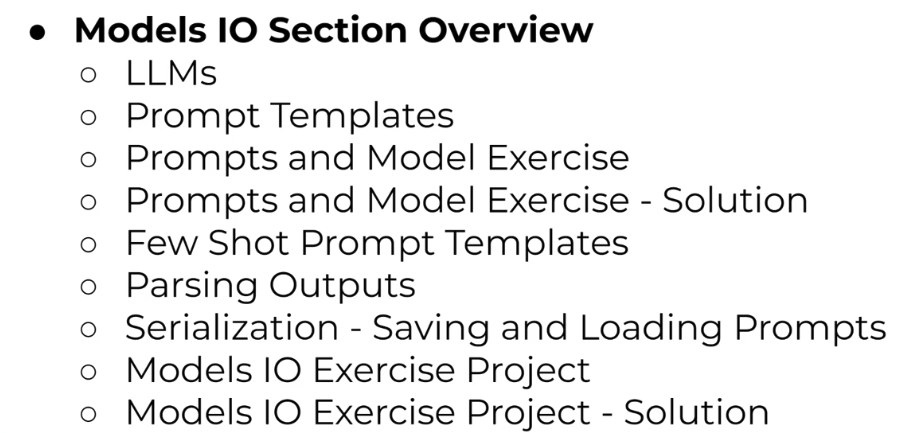
Models IO Section Overview O LLMS O Prompt Templates O Prompts and Model Exercise O Prompts and Model Exercise - Solution O Few Shot Prompt Templates O Parsing Outputs O Serialization - Saving and Loading Prompts O Models IO Exercise Project O Models IO Exercise Project - Solution
2023-12-21_17-23-52_screenshot.png #
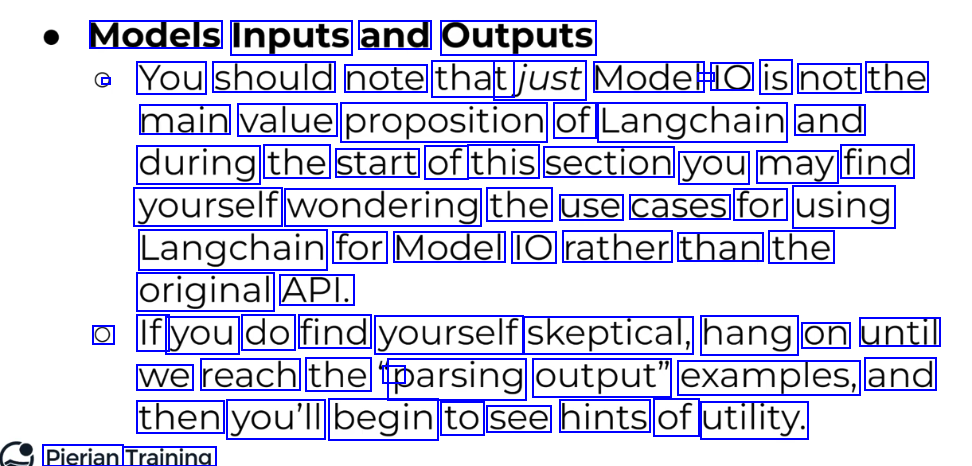
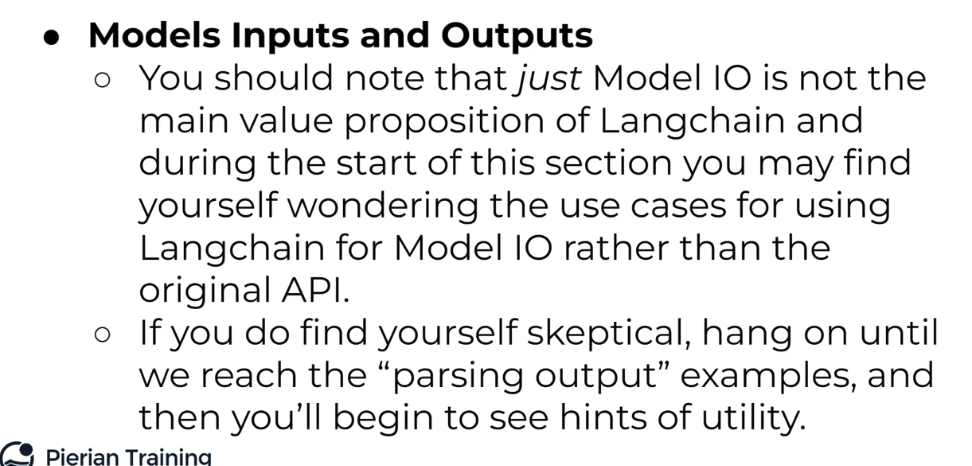
Models Inputs and Outputs You should note that tjust Model - IO is not the main value proposition of Langchain and during the start of this section you may find yourself wondering the use cases for using Langchain for Model IO rather than the original API. O If you do find yourself skeptical, hang on until we reach the r parsing output" examples, and then you'll begin to see hints of utility. Pierian Training
2023-12-21_17-42-36_screenshot.png #
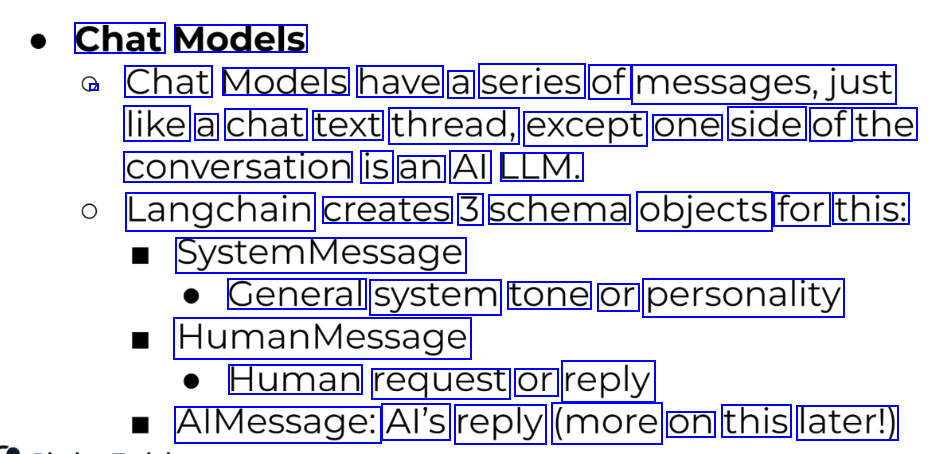
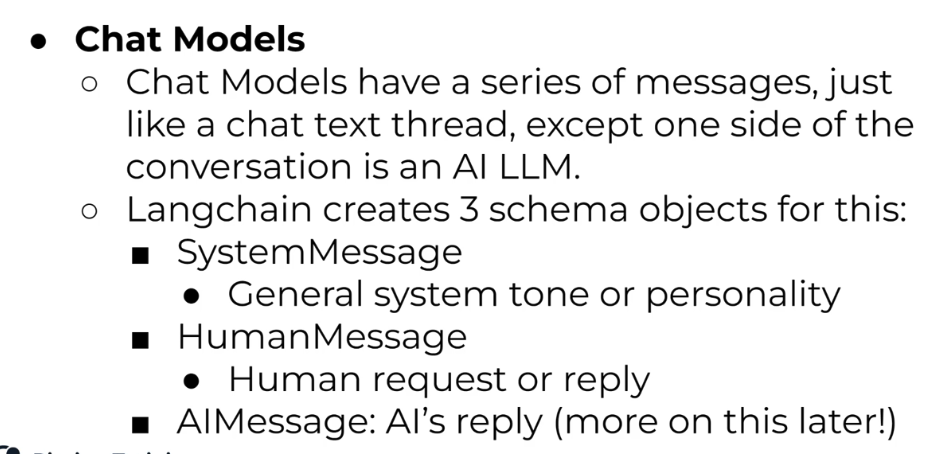
Chat Models / Chat Models have a series of messages,just like a chat text thread, except one side of the conversation is an Al LLM. Langchain creates 3 schema objects for this: SystemMessage General system tone or personality HumanMessage Human request or reply AlMessage: Al's reply (more on this later!)
2023-12-21_17-42-55_screenshot.png #
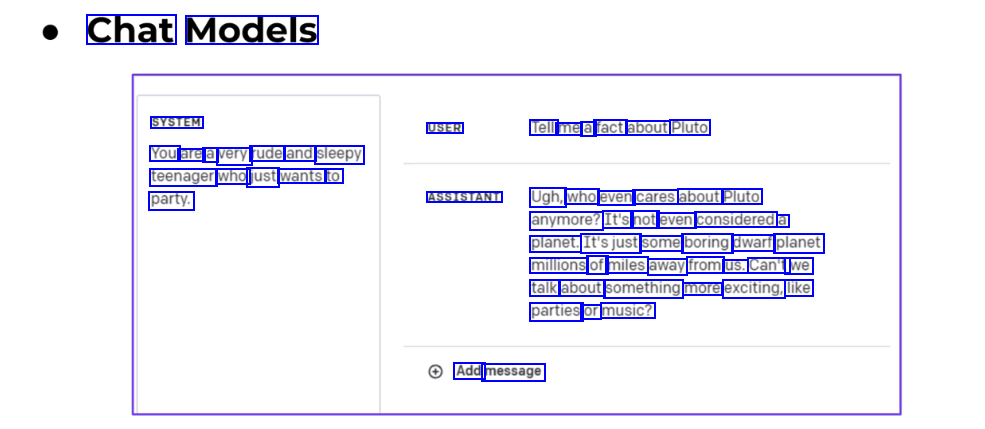
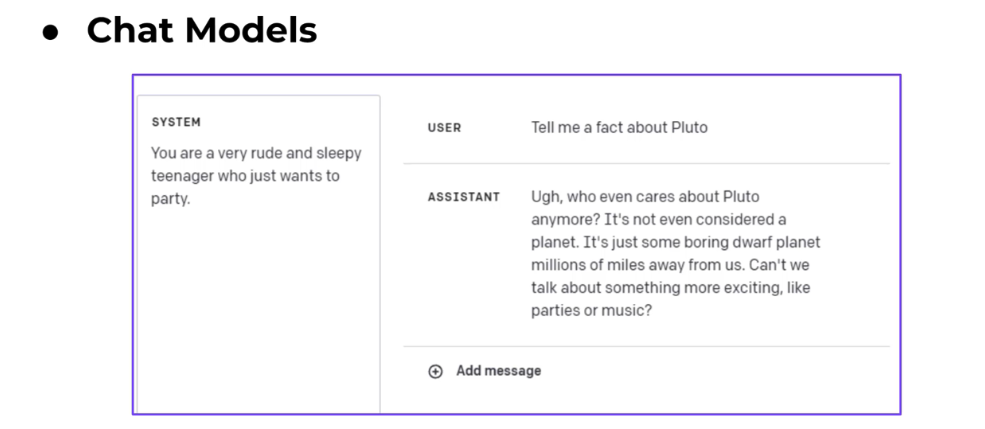
Chat Models SYSTEM USER Tell me a fact about Pluto You are a very rude and sleepy teenager who just wants to party. ASSISTANT Ugh, who even cares about Pluto anymore? It's not even considered a planet. It'sjust some boring dwarf planet millions of miles away from us. Can't we talk about something more exciting, like parties or music? Add message
2023-12-21_17-44-41_screenshot.png #
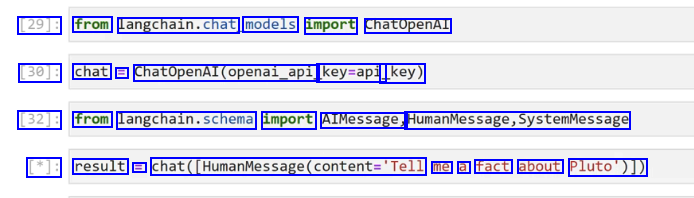
[29]: from Langchain.chat, models import ChatOpenAl [30]: chat = Chatopenal(openal.opl, key=api _key) [32]: from langchain.schema import AIMessage, HumanMessage,SystemMessage [*]: result = chat(_HumanMessage(content-Tell me a fact about Pluto')])
2023-12-21_17-45-47_screenshot.png #
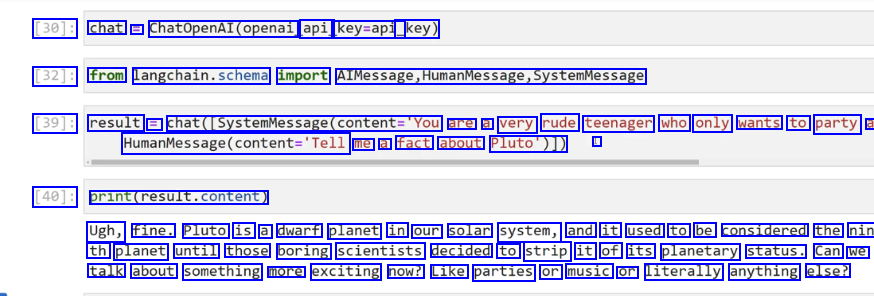
[30]: chat = ChatopenAl(openai api key=api_ _key) [32]: from langchain.schema import AlMessage,HumanMessage,systemMessage [39]: result = chat([SystemMessage(content='You are a very rude teenager who only wants to party a Maunvesage(ontent-Tell me a fact about Pluto')]) I [40]: print(result.content) Ugh, fine. Pluto is a dwarf planet in our solar system, and it used to be considered the nin th planet until those boring scientists decided to strip it of its planetary status. Can we talk about something more exciting now? Like parties or music or literally anything else?
2023-12-21_17-46-53_screenshot.png #
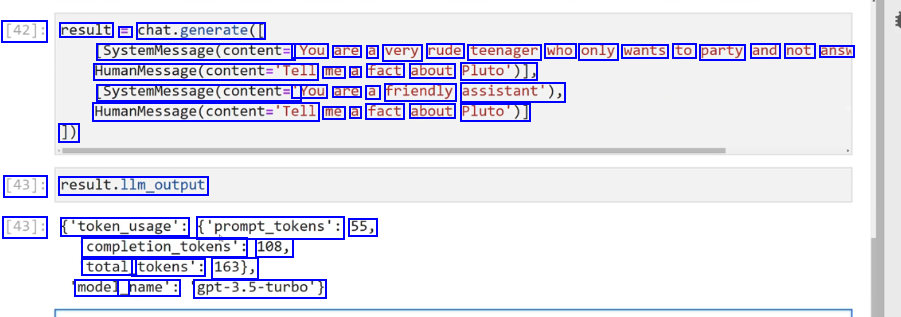
[42]: result = chat.generate( SystemMessage(content= 'You are a very rude teenager who only wants to party and not answ HumanMessage(content='Tell me a fact about Pluto')), SystemMessage(content= You are a friendly assistant'), Maanvesagr(ontent-Tell me a fact about Pluto')] 1) [43]: result.llm_output [43]: ('token_usage': ('prompt_tokens': 55, completion_tokens": 108, total_ tokens': 163), model_ _name': gpt-3.5-turbo')
2023-12-21_17-49-59_screenshot.png #
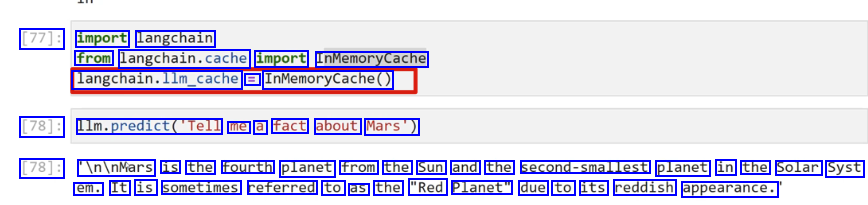
[77]: import langchain from langchain.cache import InMemoryCache langchain.llm.cache = InMemoryCache() [78]: Ilm.predict(Tell me a fact about Mars') [78]: In/nMars is the fourth planet from the Sun and the second-smallest planet in the Solar Syst em. It is sometimes referred to as the "Red Planet" due to its reddish appearance.
2023-12-21_17-51-42_screenshot.png #
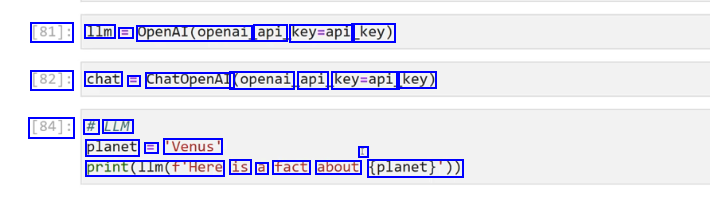
[81]: 1lm E OpenAl(openai api key=api key) [82]: chat = ChatOpenAI (openai api key=api key) [84]: # LLM planet = 'Venus' I print(l1m(f'Here is a fact about (planet)'))
2023-12-21_17-56-38_screenshot.png #
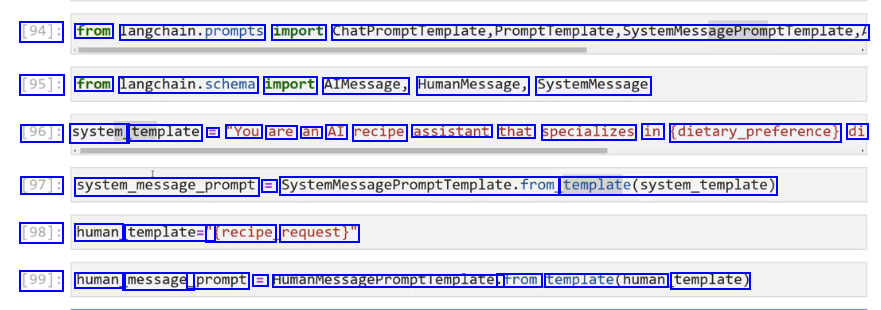
[94]: from langchain.prompts import ChatPromptTemplate,Promptremplate,SystemMessagePromptTemplate, [95]: from langchain.schema import AIMessage, HumanMessage, SystemMessage [96]: system template = "You are an AI recipe assistant that specializes in (dietary.preference) di [97]: system.message.prompt = SystemMessagePromptTemplate.from femplateCsyste.template) [98]: human template=" Trecipe request)" [99]: human message_ _prompt = HumanMessagePromptlemplate. trom template(human template)
2023-12-21_17-57-49_screenshot.png #
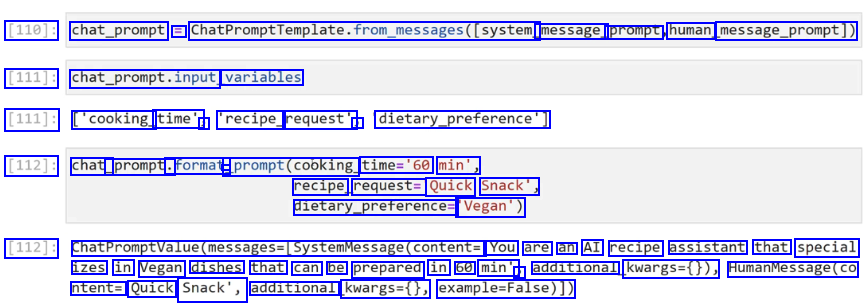
[110]: chat_prompt = ChatPromptTemplate.from_messages((system. message_ prompt human message_prompt)) [111]: chat_prompt.input, variables [111]: ['cooking_ time', J 'recipe_ request', J dietary.preference') [112]: chat_ _prompt. .format - prompt(cooking. time='60 min', recipe request= Quick Snack', dietary.preferences 'Vegan') [112]: ChatPromptvalue(messages-(systemmessage(content= You are an AI recipe assistant that special izes in Vegan dishes that can be prepared in 60 min' ) additional kwargs=0)), HumanMessage(co ntent= Quick Snack', additional kwargs=(), example-False)])
2023-12-21_17-58-27_screenshot.png #
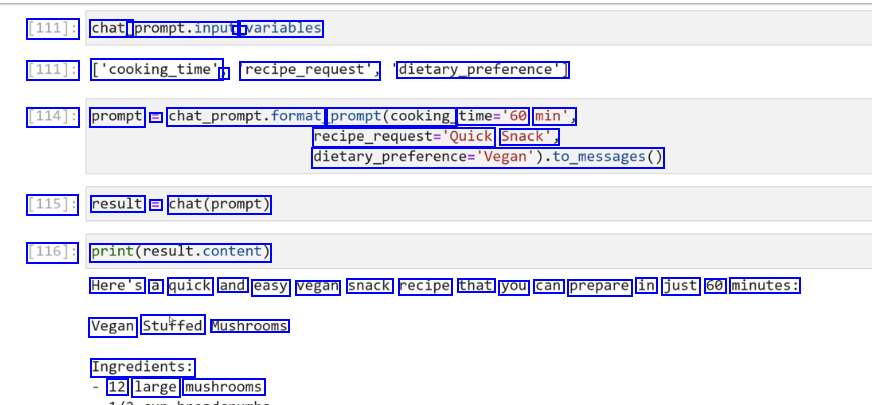
[111]: chat_ prompt.input, - variables [111]: ['cooking_time' ) recipe_request", dietary.preference) [114]: prompt = chat_prompt.format prompt(cooking time='60 min', recipe.requeste'Quick Snack', dietary.preference-Vepan).t6.pesages0 [115]: result = chat(prompt) [116]: print(result.content) Here's a quick and easy vegan snack recipe that you can prepare in just 60 minutes: Vegan Stuffed Mushrooms Ingredients: 12 large mushrooms
2023-12-21_18-07-31_screenshot.png #
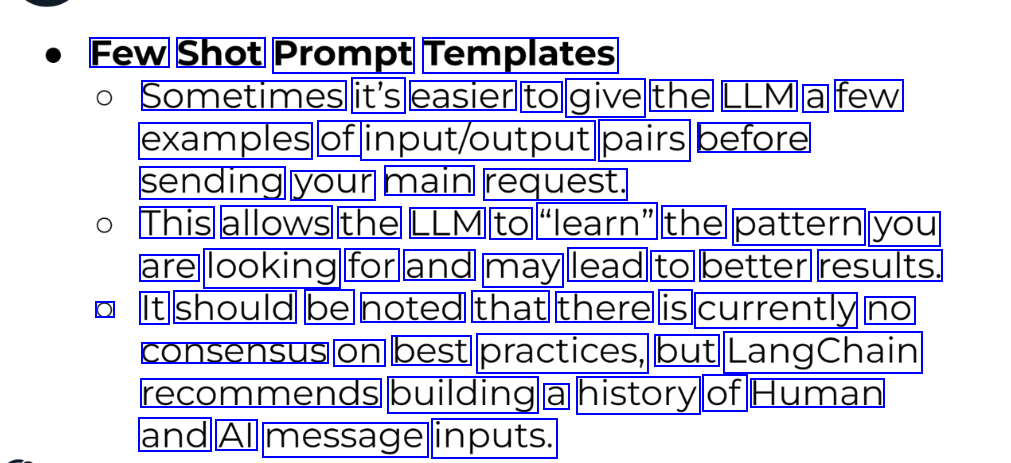
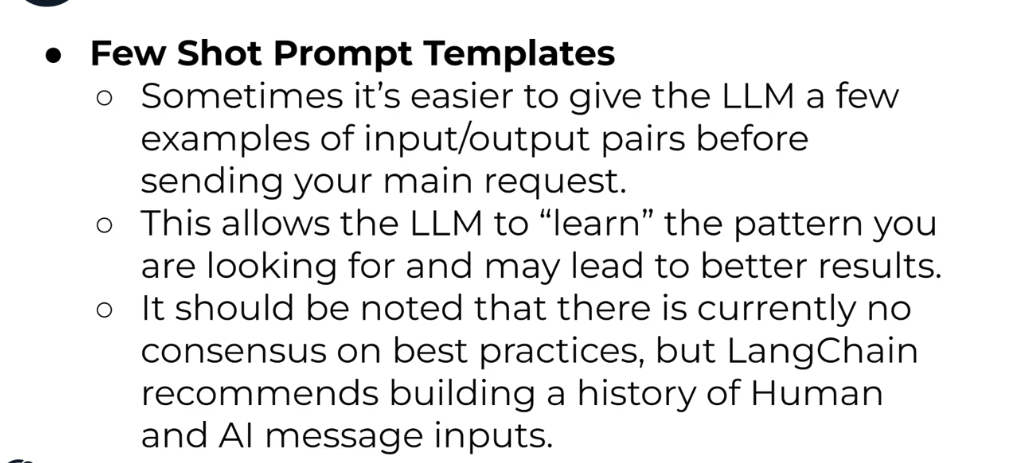
Few Shot Prompt Templates Sometimes it's easier to give the LLM a few examples of input/output pairs before sending your main request. This allows the LLM to "learn" the pattern you are looking for and may lead to better results. O It should be noted that there is currently no consensus on best practices, but LangChain recommends building a history of Human and Al message inputs.
2023-12-21_18-14-48_screenshot.png #
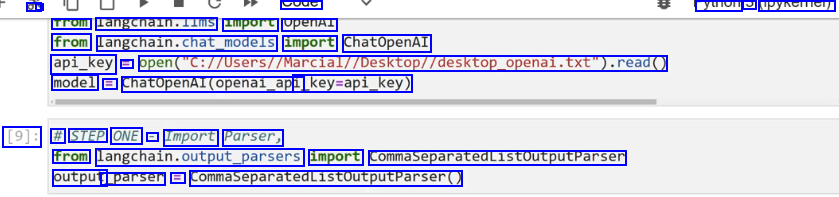
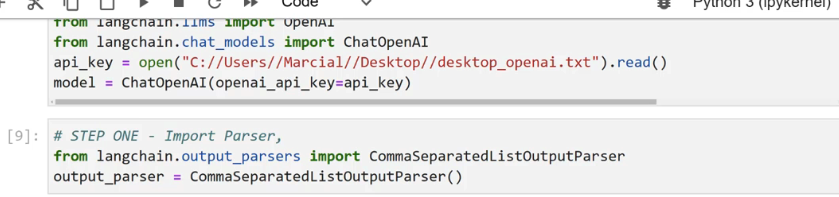
a - syue yuioi PYNCITICI) Trom langcnaln.lims import openAl from langchain.chat,podels import ChatOpenAI api_key = open("C://Users//Marcial//Desktop//desktop.openal.txt").read0 model = ChatOpenAI(openai_api _key-api_key) [9]: # STEP ONE - Import Parser, from langchain.cutput.parsers import CommaseparatedListoutputParsen output _parser = CommaSeparatedListoutputputParser(
2023-12-21_18-15-55_screenshot.png #
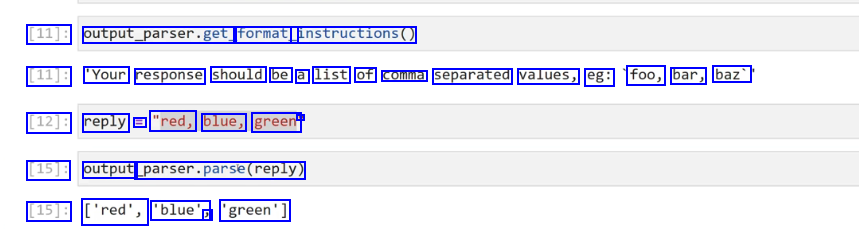
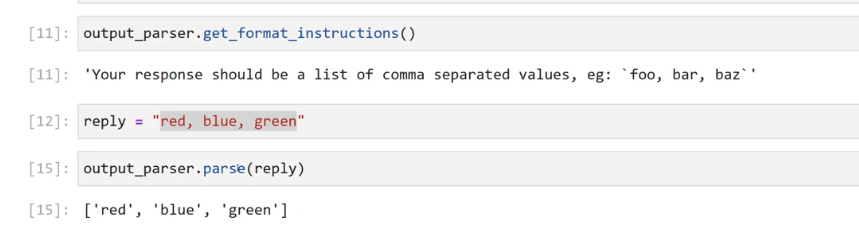
[11]: output_parser.get, format_ instructions() [11]: 'Your response should be a list of comma separated values, eg: foo, bar, baz' [12]: reply == "red, blue, green' - [15]: output parser.parse(reply) [15]: ['red', 'blue', J 'green']
2023-12-21_18-17-39_screenshot.png #
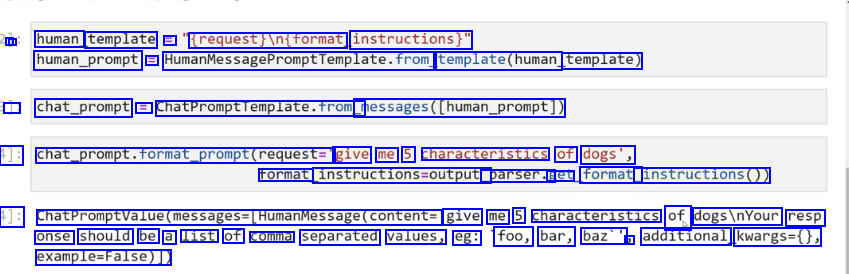
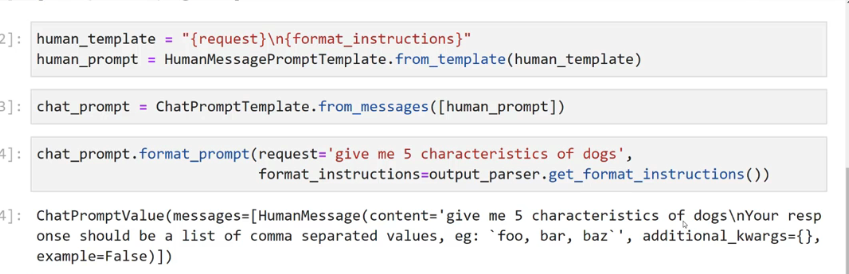
- I human template == trequest/intrormat, instructions)" human_prompt = HumanMessagePromptromptremplate.from template(human template) J chat_prompt == chatPromptTemplate.from messages(human_prompt]) 1]: chat_prompt.format_prompt(request=" give me 5 characteristics of dogs', rormat instructions-output. parser.g get format_ instructions0)) 1]: ChatPromptValue(messages-(HumanMessage(content= give me 5 characteristics of dogsinYour resp onse should be a list of comma separated values, eg: foo, bar, baz'' J additional kwargs=0, example-False)),
2023-12-21_18-26-02_screenshot.png #
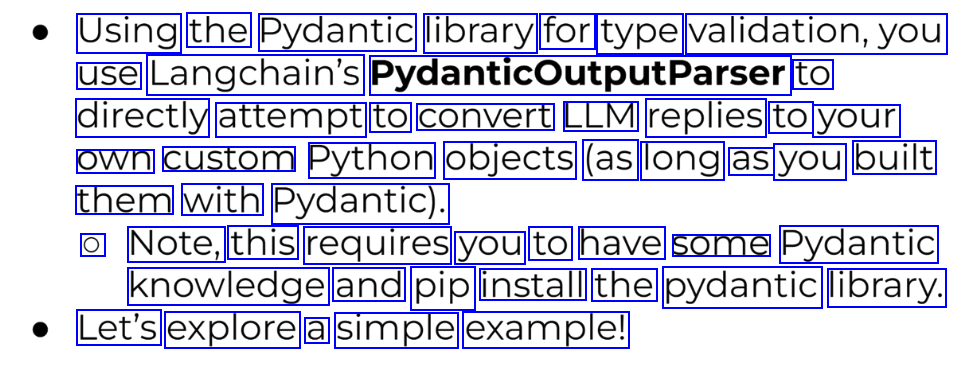
Using the Pydantic library for type validation,you use Langchain's PydanticoutputParser to directly attempt to convert LLM replies to your own custom Python objects (as long as you built them with Pydantic). O Note, this requires you to have some Pydantic knowledge and pip install the pydantic library. Let's explore a simple example!
2023-12-21_12-52-46_screenshot.png #
LangChain Langchain supports many text embeddings, that can directly convert string text to an embedded vectorized representation. Later on we can store these embedding vectors and then perform similarity searches between new vectorized documents or strings against or vector store.
2023-12-21_12-57-31_screenshot.png #
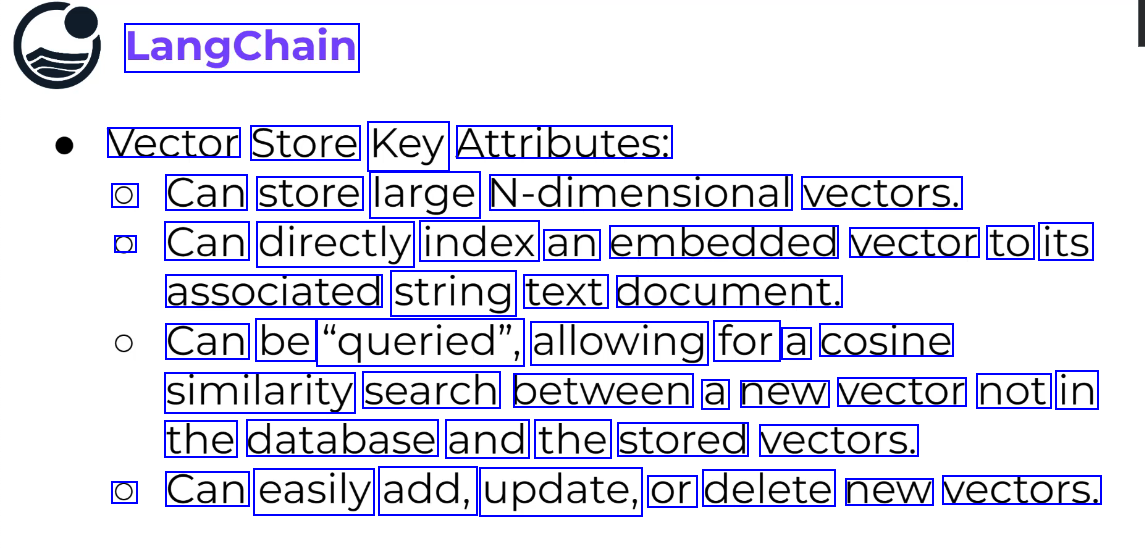
LangChain Vector Store Key Attributes: O Can store large N-dimensional vectors. O Can directly index an embedded vector to its associated string text document. Can be "queried", allowing for a cosine similarity search between a new vector not in the database and the stored vectors. O Can easily add, update, or delete new vectors.
2023-12-21_12-57-40_screenshot.png #
LangChain Vector Store Integrations: O Just like with LLMS and Chat Models, Langchain offers many different options for vector stores! O We will use an open-source and free vector store called Chroma, which has great integrations with Langchain. O Feel free to use an alternative you find in the documentation under Vector Store Integrations. Pierian Training
2023-12-21_13-11-17_screenshot.png #
LangChain As we begin to link Langchain objects, there are times when we need to pass in Vector Stores as retriever objects, which can be easily done via a as_retriever0 method call. Let's quickly see what this looks like from the Chroma DB connection in the previous lecture.
2023-12-21_13-15-06_screenshot.png #
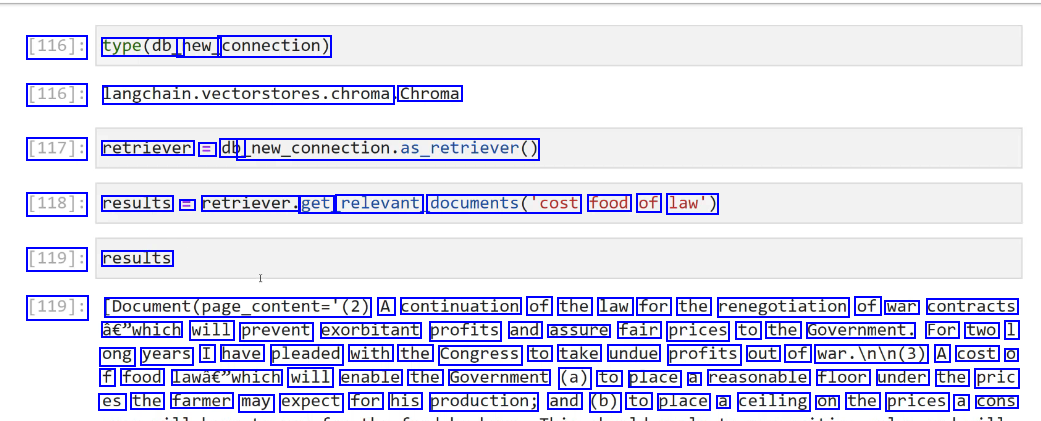
[116]: type(db_ new_ connection) [116]: langchain.vectorstores.chroma Chroma [117]: retriever = db new._connection.as_retriever0) [118]: results = retriever. get relevant documents('cost food of law') [119]: results [119]: Document(page_content='(2) A continuation of the law for the renegotiation of war contracts à€"which will prevent exorbitant profits and assure fair prices to the Government. For two 1 ong years I have pleaded with the Congress to take undue profits out of war.Inin(3) A cost O f food lawâc"which will enable the Government (a) to place a reasonable floor under the pric es the farmer may expect for his production; and (b) to place a ceiling on the prices a cons
2023-12-21_13-15-38_screenshot.png #
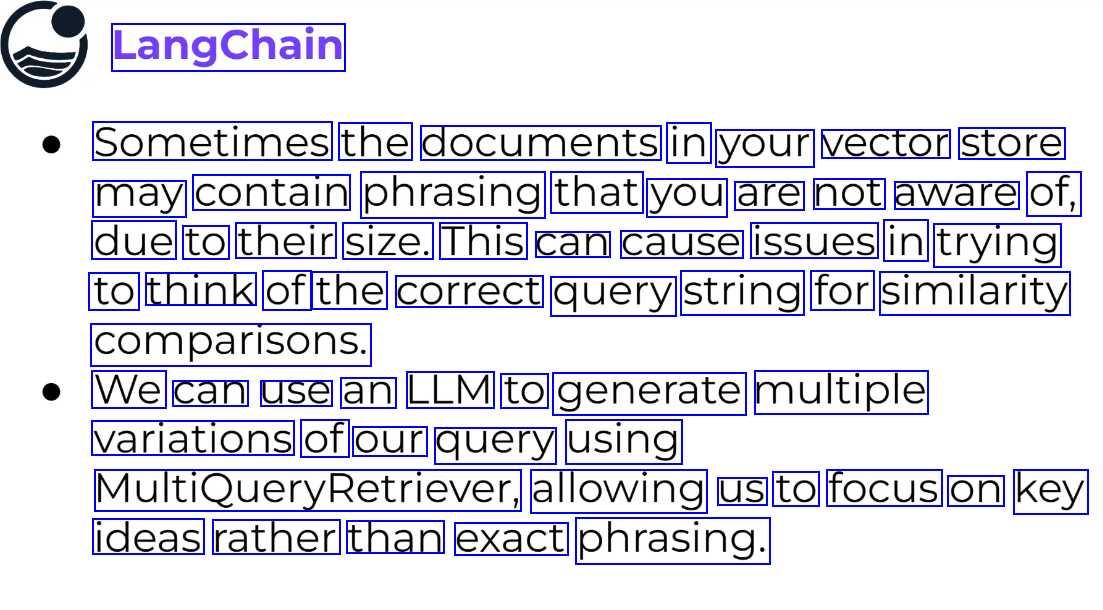
LangChain Sometimes the documents in your vector store may contain phrasing that you are not aware of, due to their size. This can cause issues in trying to think of the correct query string for similarity comparisons. We can use an LLM to generate multiple variations of our query using MultiQueryRetriever, allowing us to focus on key ideas rather than exact phrasing.
2023-12-21_13-28-08_screenshot.png #
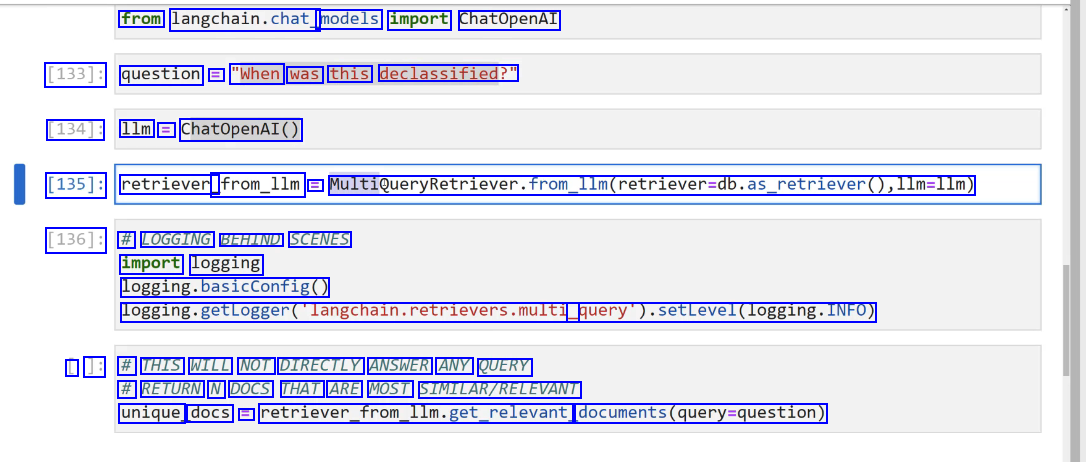
from langchain.chat models import ChatOpenAI [133]: question = "When was this declassified?" [134]: 1lm = ChatOpenAI() [135]: retriever_ _from_1lm = MultiQueryRetriever.from.lIm(retriever-db.as_retriever0,l1m=llm) [136]: # LOGGING BEHIND SCENES import logging logging.basicConfig0 logging.getLogger(langchain.retrievers.multi query).setLevel(logging.INFO) L ]: # THIS WILL NOT DIRECTLY ANSWER ANY QUERY # RETURN N DOCS THAT ARE MOST SIMILAR/RELEVANT unique docs E retriever.from.llm.llm.get_relevant, documents(query-question)
2023-12-21_13-30-58_screenshot.png #
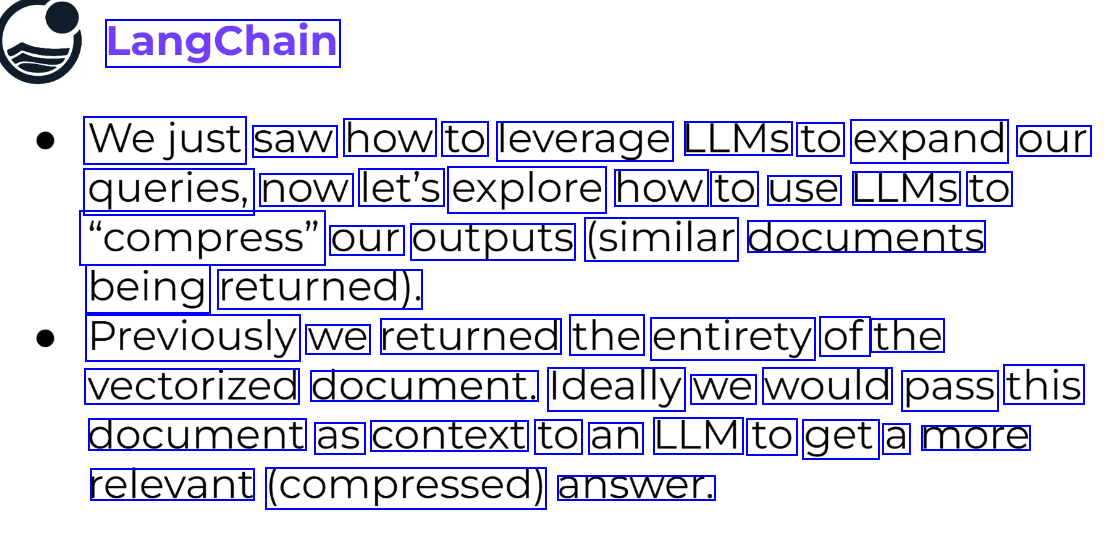
LangChain Wejust saw how to leverage LLMS to expand our queries, now let's explore how to use LLMS to "compress" our outputs (similar documents being returned). Previously we returned the entirety of the vectorized document. Ideally we would pass this document as context to an LLM to get a more relevant (compressed) answer.
2023-12-21_13-33-46_screenshot.png #
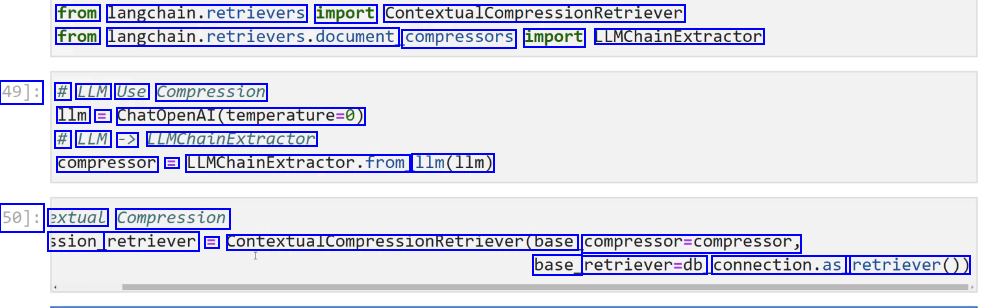
from langchain.retrievers import ContextualCompressionRetriever from langchain.retrievers.document, compressors import LLMChainExtractor 49]: # LLM Use Compression 1lm = ChatOpenAI(temperature-0) # LLM -> LLMChaLnExtractor compressor == LLMChainExtractor.from 11m(11m) 50]: extual Compression ssion_ retriever = ContextualcompressionRetriever(base compressor=compressor, base_ retriever-db connection.as retriever())
2023-12-21_13-38-57_screenshot.png #
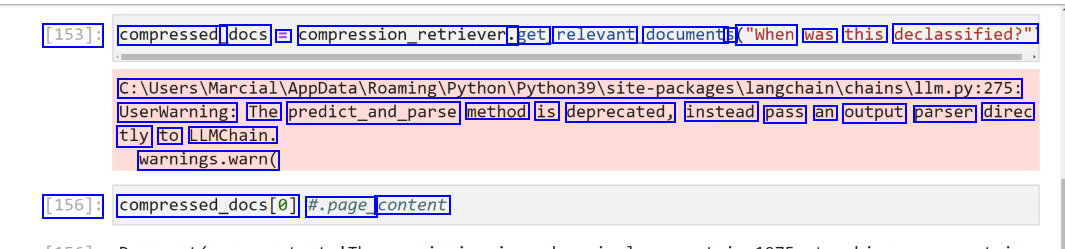
[153]: compressed_ docs E compression_retriever. .get relevant document: S ("When was this declassified?" C:lUsers/MarciallAppDatalRoamingiPython/Python39lsite-packagesllangchainichainsillm.py:275: UserWarning: The predict_and_parse method is deprecated, instead pass an output parser direc tly to LLMChain. warnings.warn( [156]: compressed.docs(e) #.page_ content
2023-12-21_13-41-57_screenshot.png #

walliallgs walTi [155]: compressed docs(@J.page_ content [155]: 'The commission issued a single report in 1975, touching upon certain CIA abuses including m ail opening and surveillance of domestic dissident groups. []:
2023-12-21_13-42-24_screenshot.png #
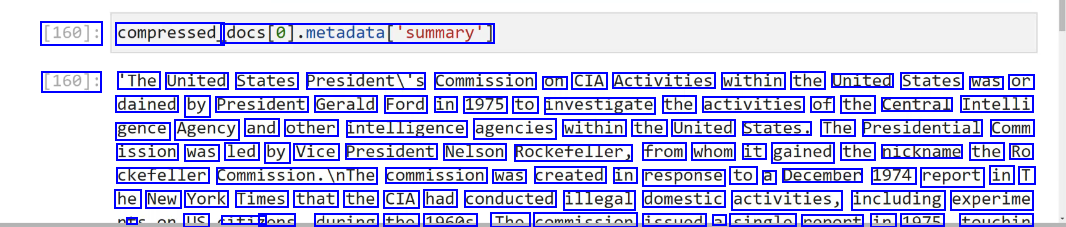
[160]: compressed_ docs(@).metadatadatal"summary') [160]: 'The United States Presidenti's Commission on CIA Activities within the United States was or dained by President Gerald Ford in 1975 to investigate the activities of the Central Intelli gence Agency and other intelligence agencies within the United States. The Presidential Comm ission was led by Vice President Nelson Rockefeller, from whom it gained the nickname the Ro ckefeller commission.InThe commission was created in response to a December 1974 report in T he New York Times that the CIA had conducted illegal domestic activities, including experime + LC iti7 none dunina tho 1060c Tho commiccion iccund a cinalo nonont in 1075 touchin
2023-12-21_15-16-49_screenshot.png #
VIVIC Chains LC How to The n Foundational comp Documents Additional cha
2023-12-21_13-47-04_screenshot.png #
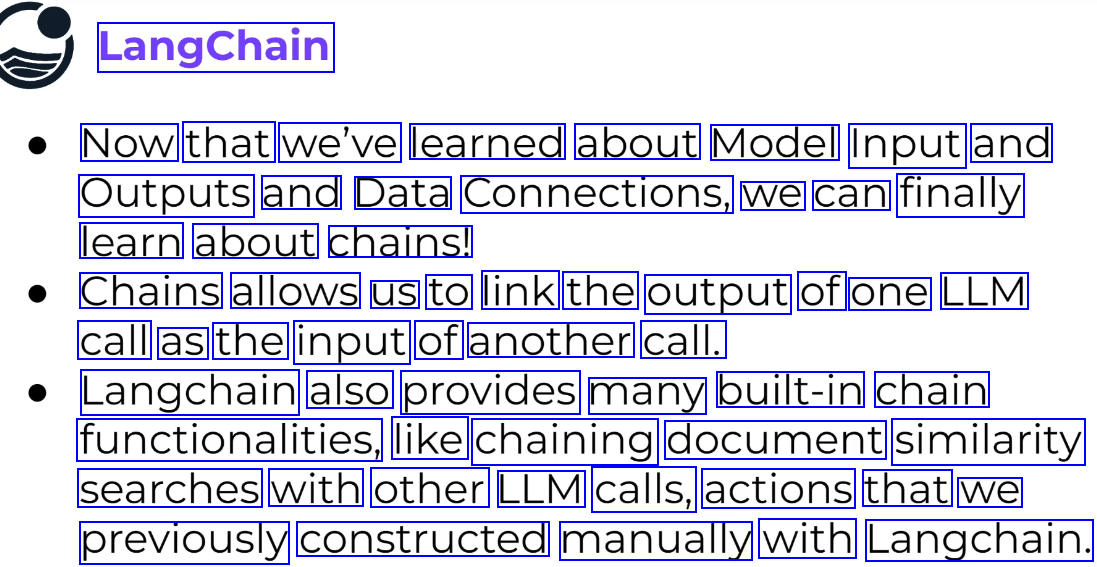
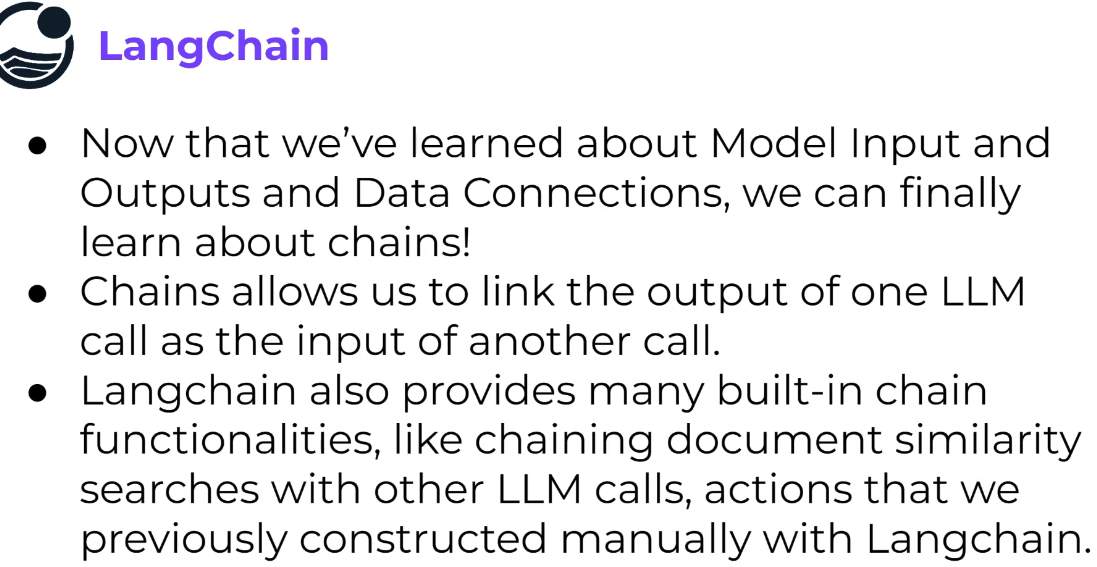
LangChain Now that we've learned about Model Input and Outputs and Data Connections, we can finally learn about chains! Chains allows us to link the output of one LLM call as the input of another call. Langchain also provides many built-in chain functionalities, like chaining document similarity searches with other LLM calls, actions that we previously constructed manually with Langchain.
2023-12-21_13-47-27_screenshot.png #
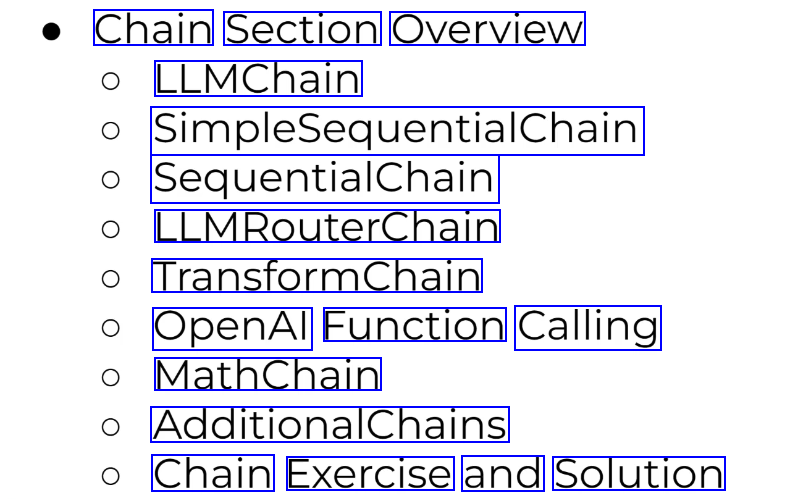
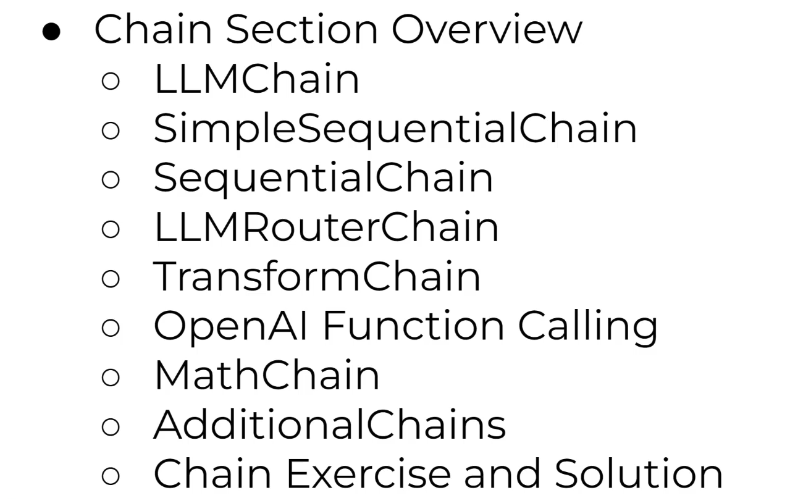
Chain Section Overview LLMChain SimpleSequentialChain SequentialChain LLMRouterChain TransformChain OpenAl Function Calling MathChain AdditionalChains Chain Exercise and Solution
2023-12-21_13-48-01_screenshot.png #
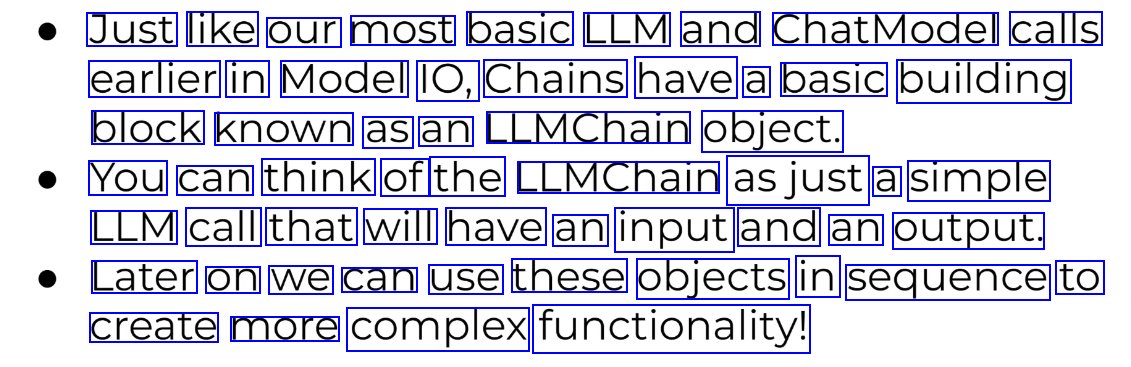
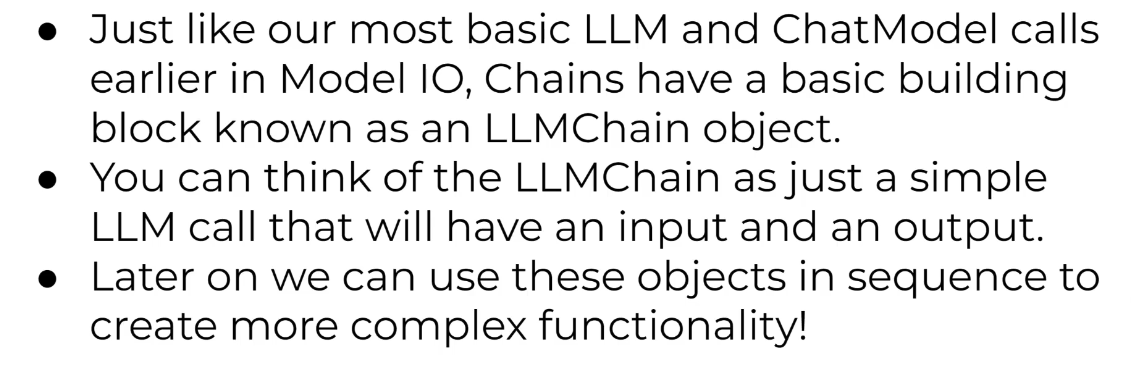
Just like our most basic LLM and ChatModel calls earlier in Model IO, Chains have a basic building block known as an LLMChain object. You can think of the LLMChain asjust a simple LLM call that will have an input and an output. Later on we can use these objects in sequence to create more complex functionality!
2023-12-21_13-50-26_screenshot.png #
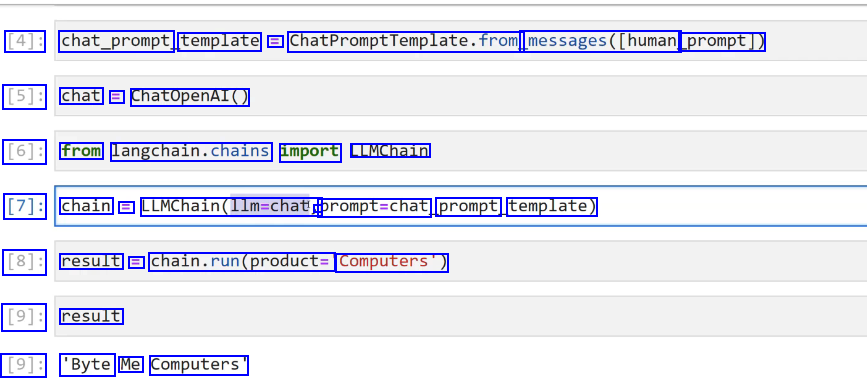
[4]: chat_prompt template = ChatPromptremplate.frog messages(Thuman prompt]) [5]: chat = ChatOpenAI() [6]: from langchain.chains import LLMChain [7]: chain E LLMChain(llm-chat, - prompt=chat prompt template) [8]: result = chain.run(products Computers'") [9]: result [9]: 'Byte Me Computers'
2023-12-21_13-50-55_screenshot.png #
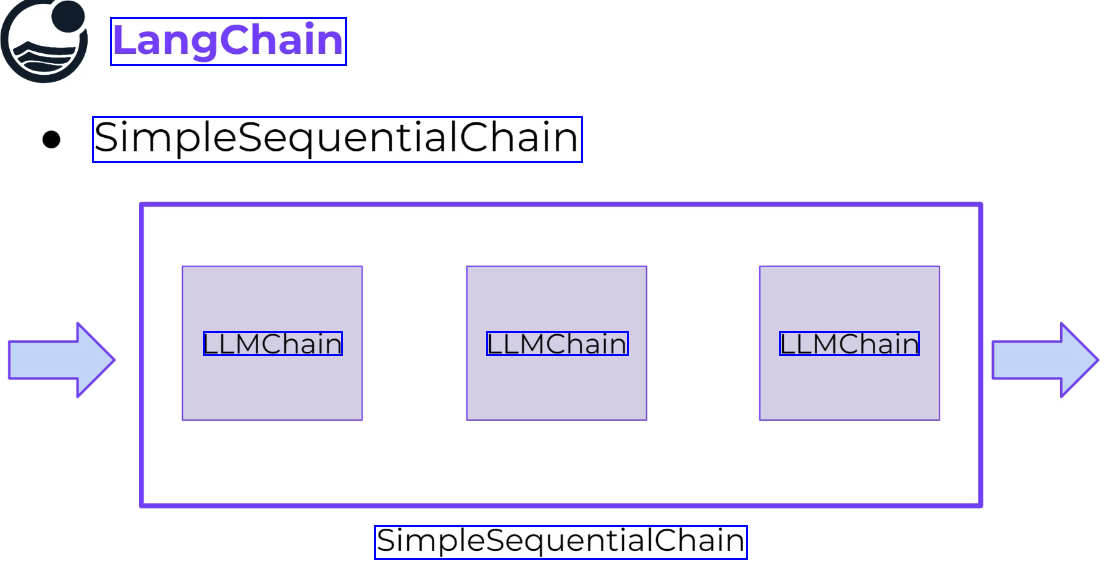
LangChain SimplesequentialChain LLMChain LLMChain LLMChain SimpleSequentialChain
2023-12-21_13-52-48_screenshot.png #
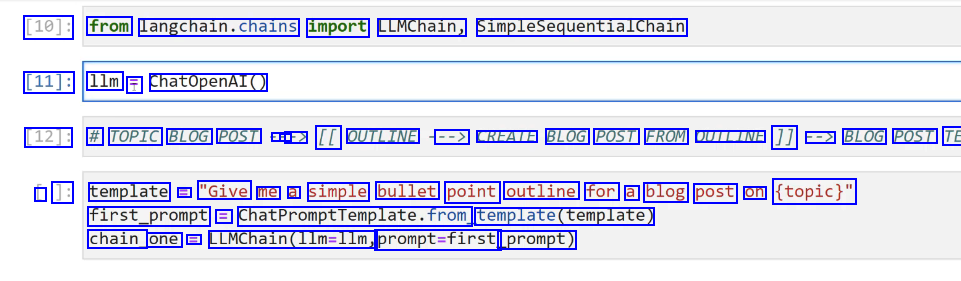
[10]: from langchain.chains import LLMChain, SimpleSequentialChain [11]: 1lm T ChatOpenAI() [12]: # TOPIC BLOG POST - - -> [[ OUTLINE --> CREATE BLOG POST FROM OUTLINE 1] --> BLOG POST TE L ]: template E "Give me a simple bullet point outline for a blog post on (topic)" first_prompt = ChatPromptfemplate.from template(template) chain one E LLMChain(llm-llm, prompt=first prompt)
2023-12-21_13-53-49_screenshot.png #
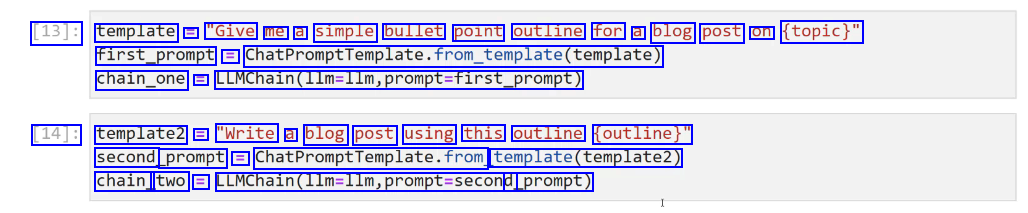
[13]: template = "Give me a simple bullet point outline for a blog post on (topic)" first_prompt = ChatPromptTemplate.from.template(template) chain_one = LLMChain(l1m-llm,prompt-first_prompt) [14]: template2 = "Write a blog post using this outline (outline)" second prompt = ChatPromptremplate.from template(template2) chain_ two = LLMChain(lim-llm,prompt-second d_prompt)
2023-12-21_13-54-51_screenshot.png #
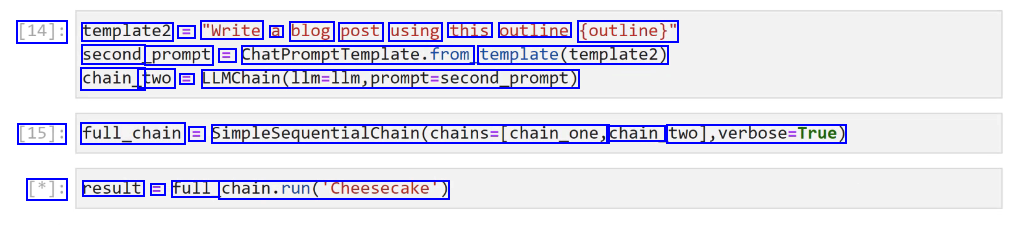
[14]: template2 = "Write a blog post using this outline (outline)" second prompt = ChatPromptTemplate.from template(template2) chain_ two = LLMChain(11m-llm,prompt-second_prompt) [15]: full_chain = SimpleSequentialChain(chains-(chain_one, chain two),verbose-True) [*]: result = full chain.run("Cheesecake')
2023-12-21_13-56-14_screenshot.png #
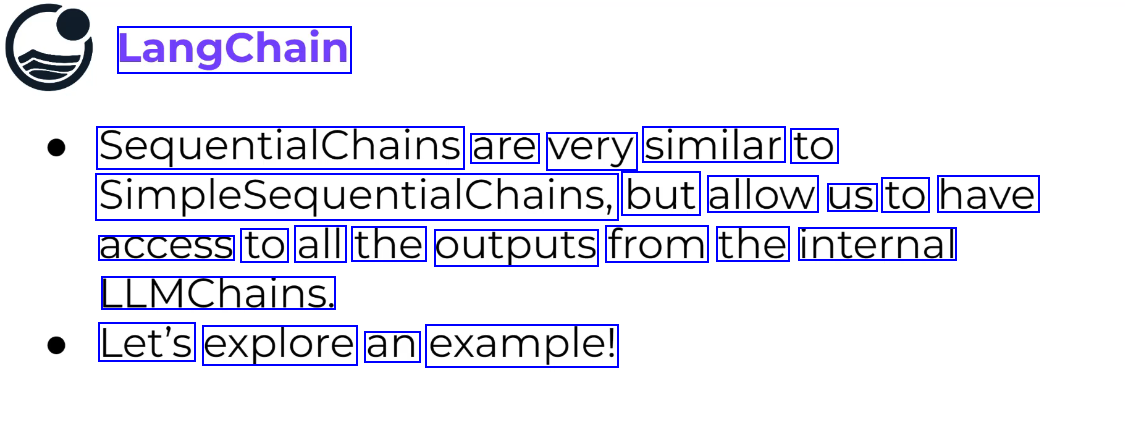
LangChain SequentialChains are very similar to Simplesequentalchains, but allow us to have access to all the outputs from the internal LLMChains. Let's explore an example!
2023-12-21_14-39-19_screenshot.png #
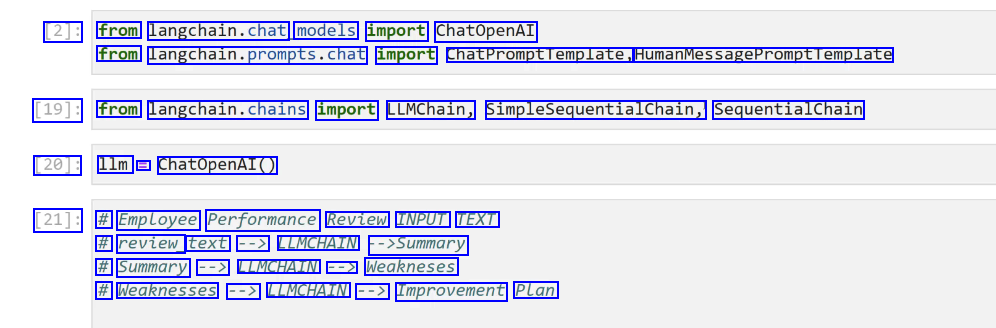
[2]: from langchain.chat, models import ChatOpenAI from langchain.prompts.chat import ChatPromptTemplate, HumanMessagePromptTemplate [19]: from langchain.chains import LLMChain, SimpleSequentialChain, SequentialChain [20]: 1lm E ChatOpenAI() [21]: # Employee Performance Review INPUT TEXT # review text --> LLMCHAIN ->Summary # Summary --> LLMCHAIN --> Weakneses # Weaknesses --> LLMCHAIN --> Improvement Plan
2023-12-21_14-40-16_screenshot.png #
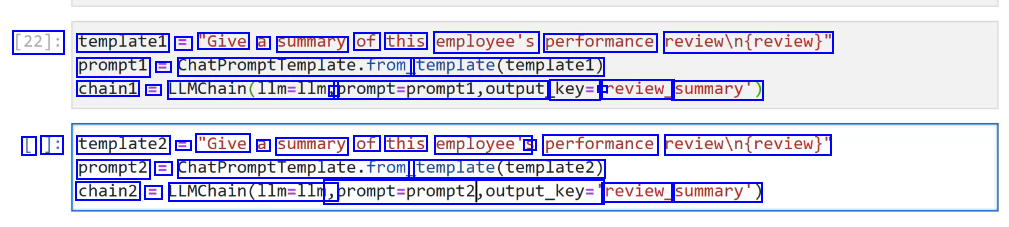
[22]: templatel == "Give a summary of this employee's performance reviewin(review)" prompt1 E ChatPromptTemplate.from template(templatel) chain1 E LLMChain(lim-lim, - prompt-prompti,output key= - review_ summary) L ]: template2 E "Give a summary of this employee's S performance reviewin(review)" prompt2 = ChatPromptTemplate.from template(templatez) chain2 = LLMChain(l1m=llm, sprompt-prompt2,output_key:" review_ summary')
2023-12-21_14-42-55_screenshot.png #

[28]: seq_chain E SequentialChain(chains E chain1, chain2,chain3], input_variables=['review'], output variables-Treview. summary" J weaknesses" final _plan'], verbose-True)
2023-12-21_14-43-21_screenshot.png #
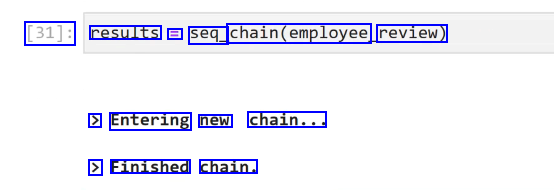
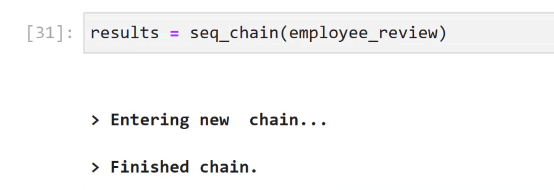
[31]: results = seq_ chain(employee, review) > Entering new chain... > Finished chain.
2023-12-21_14-44-43_screenshot.png #
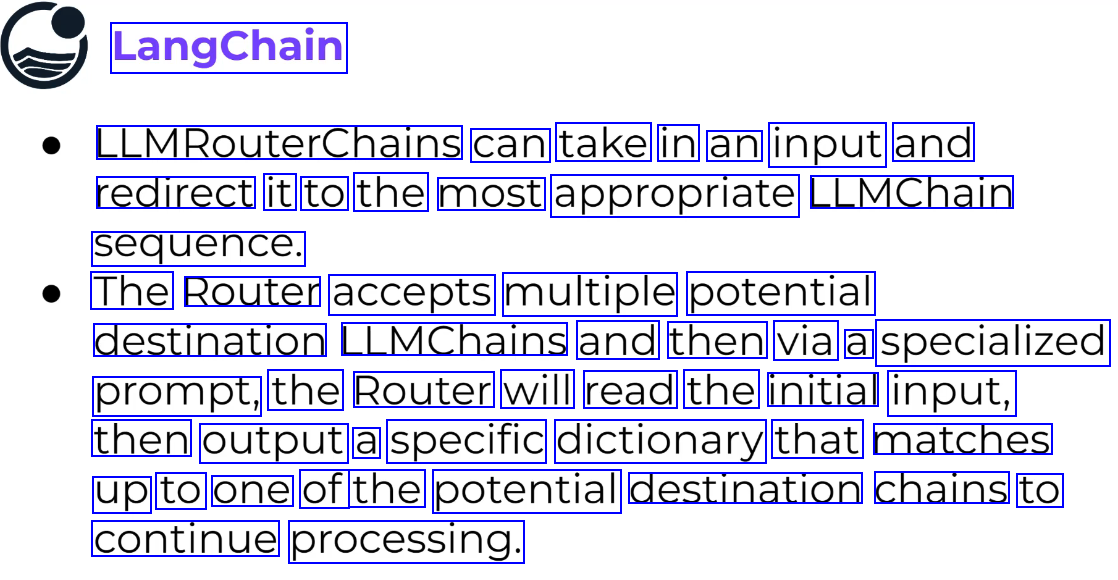
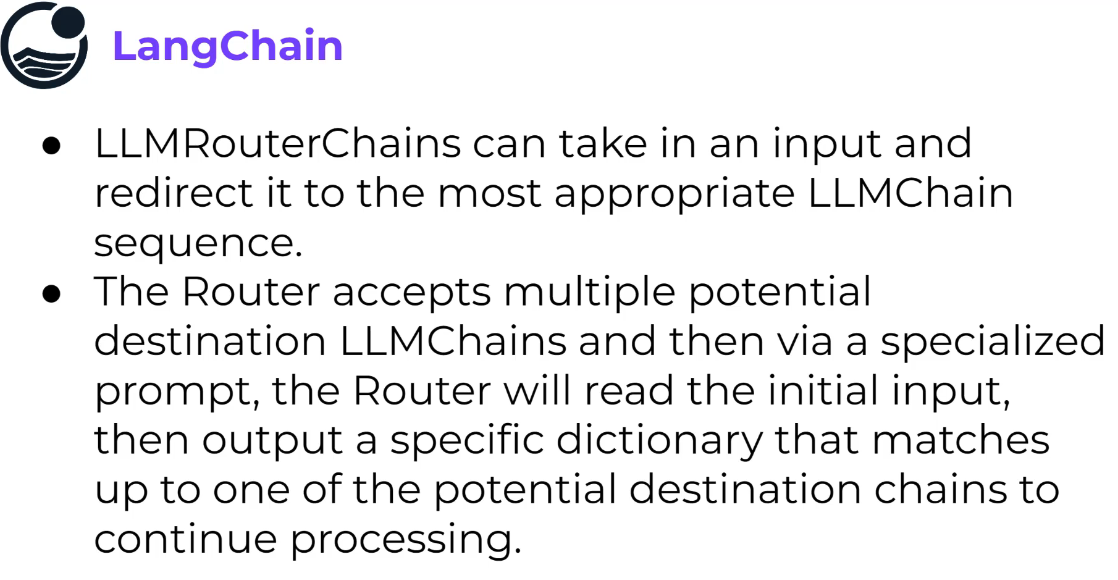
LangChain LLMRouterChains can take in an input and redirect it to the most appropriate LLMChain sequence. The Router accepts multiple potential destination LLMChains and then via a specialized prompt, the Router will read the initial input, then output a specific dictionary that matches up to one of the potential destination chains to continue processing.
2023-12-21_14-45-21_screenshot.png #
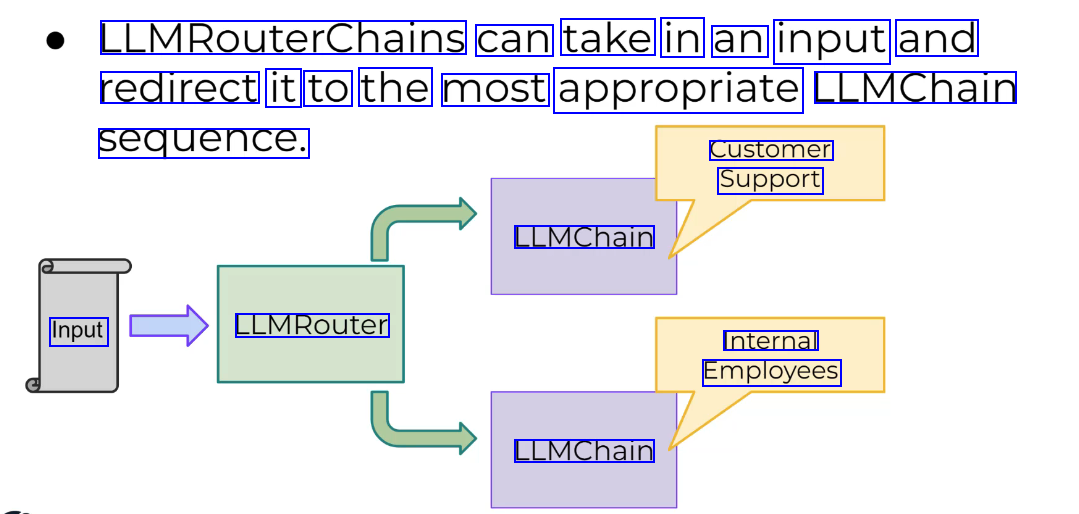
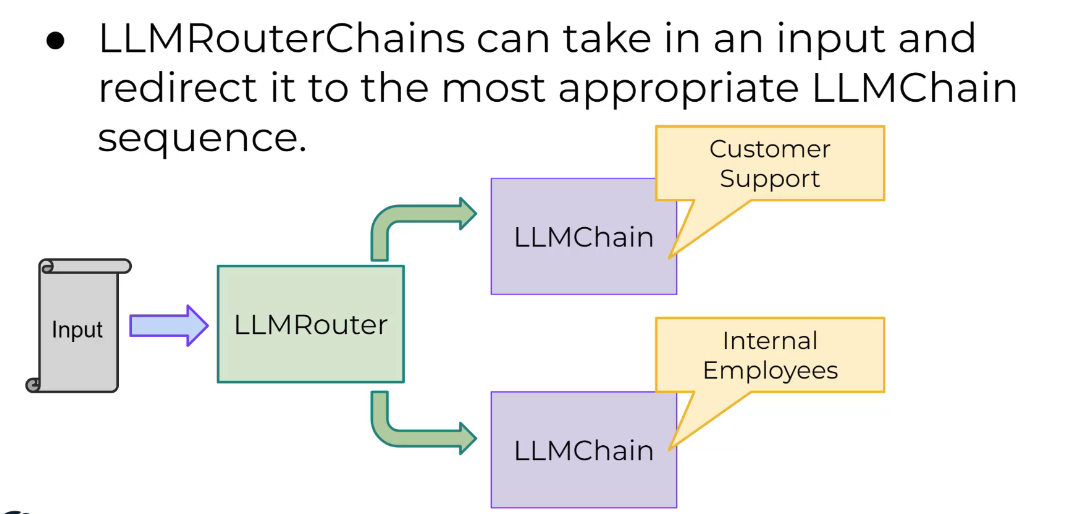
LLMRouterChains can take in an input and redirect it to the most appropriate LLMChain sequence. Customer Support LLMChain Input LLMRouter Internal Employees LLMChain
2023-12-21_14-46-29_screenshot.png #

[47]: # Student ask Physics # "how does a magnet work?" # "explain Feynman diagram?" # INPUT --> ROUTER --> LLM Decides Chain --> Chain --> OUTPUT
2023-12-21_14-47-19_screenshot.png #
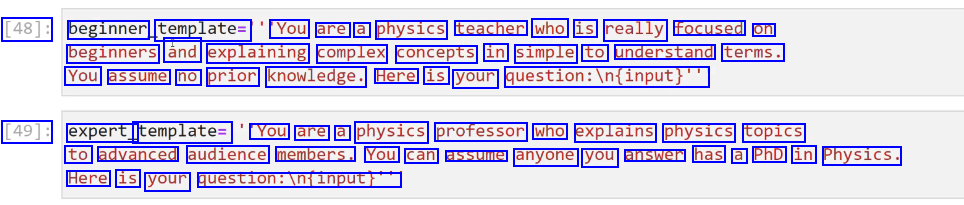
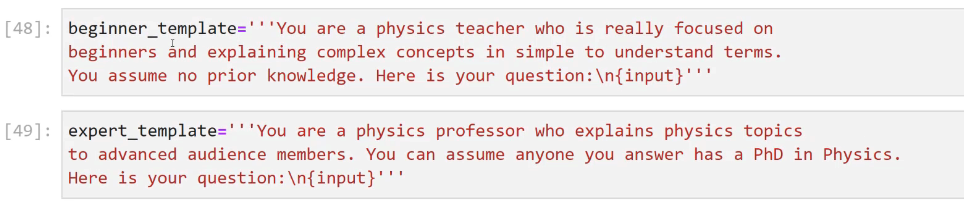
[48]: beginner template= You are a physics teacher who is really focused on beginners ând explaining complex concepts in simple to understand terms. You assume no prior knowledge. Here is your question:iln(input)" [49]: expert_ template= You are a physics professor who explains physics topics to advanced audience members. You can assume anyone you answer has a PhD in Physics. Here is your question:infinput!"
2023-12-21_14-48-44_screenshot.png #
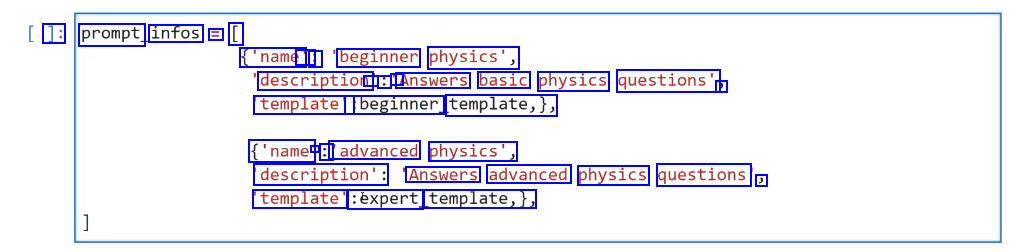
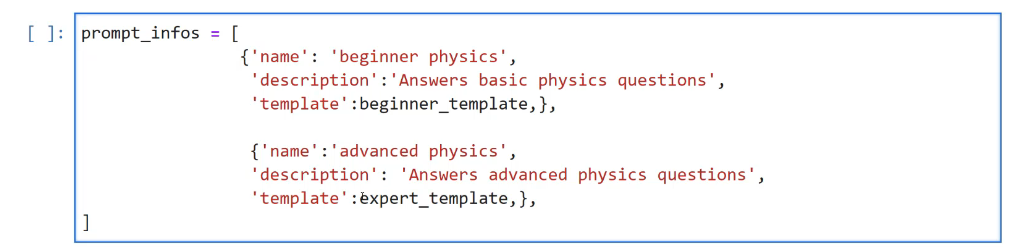
]: prompt infos E [ ('name' : : beginner physics', description - : A Answers basic physics questions' J template': :beginner template,), ('name - : 'advanced physics', description': Answers advanced physics questions ) template' :éxpert template,),
2023-12-21_14-49-46_screenshot.png #

from langchain.prompts import ChatPromptremplate from langchain.chains import LLMChain
2023-12-21_14-50-16_screenshot.png #
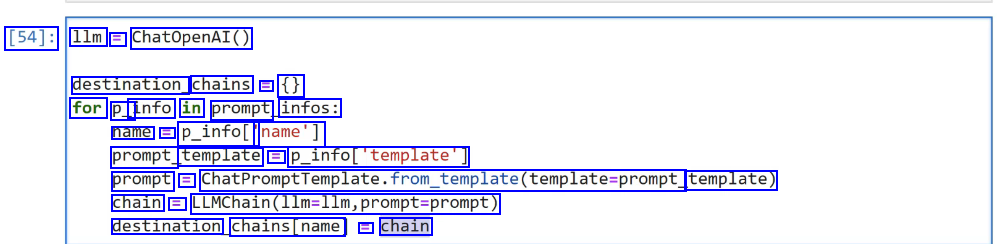
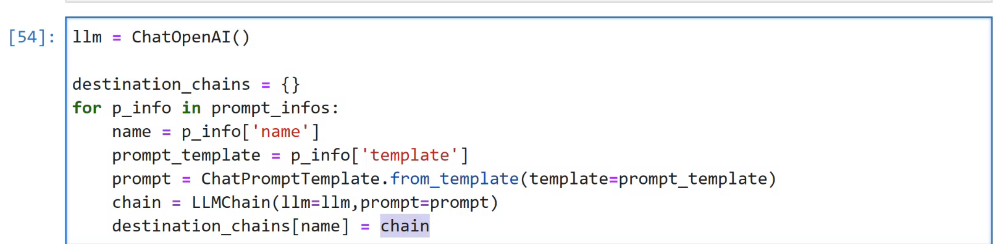
[54]: 1lm = ChatOpenAI() destination chains = ( for P_ info in prompt infos: name = p_infol' name'] prompt template = P_infol"template'] prompt == ChatPromptTemplate.from_tem_template(template-prompt template) chain = LLMChain(llm-llm,prompt-prompt) destination chains(name E chain
2023-12-21_14-50-59_screenshot.png #

[55]: # LLMCHAIN --> Template J: default_prompt = ChatPromptTemplate. from template('(input)") default_ chain i LLMChain(llm-llm,prompt-default_prompt)
2023-12-21_14-52-59_screenshot.png #
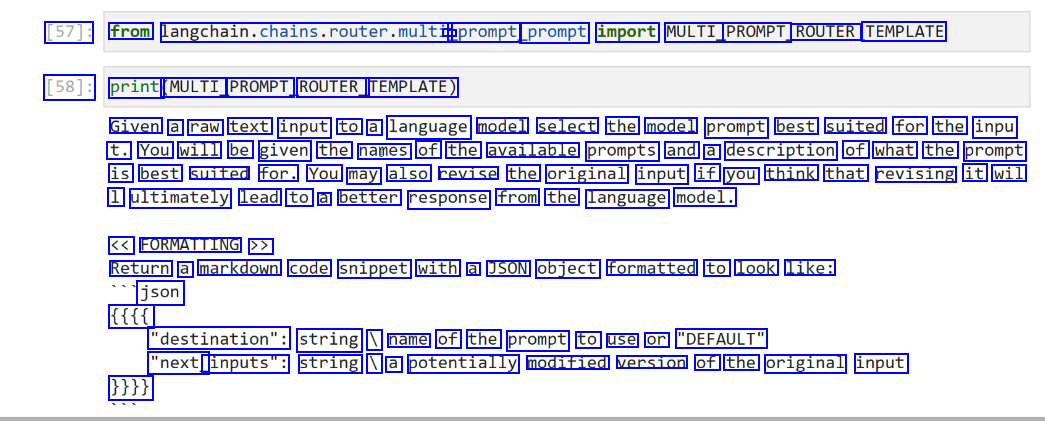
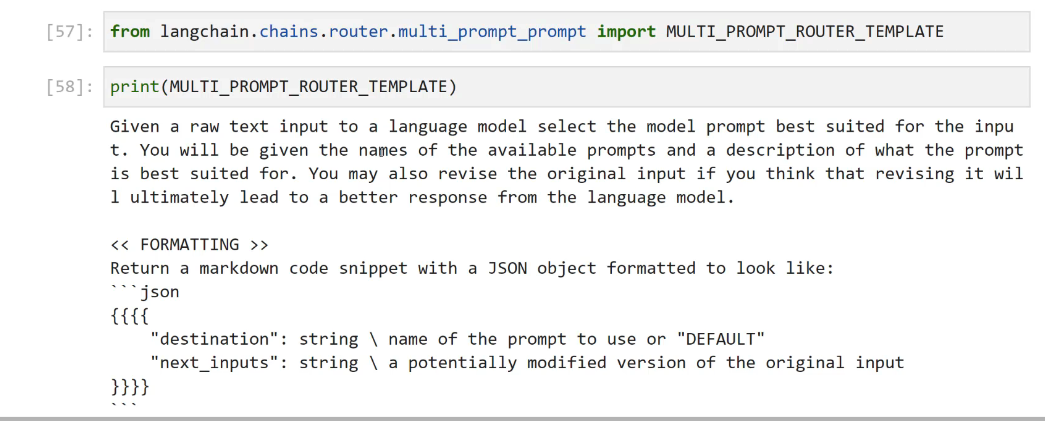
[57]: from langchain.chains.router.multi, - - _prompt prompt import MULTI PROMPT ROUTER TEMPLATE [58]: print (MULTI PROMPT ROUTER_ TEMPLATE) Given a raw text input to a language model select the model prompt best suited for the inpu t. You will be given the names of the available prompts and a description of what the prompt is best suited for. You may also revise the original input if you think that revising it wil 1 ultimately lead to a better response from the language model. << FORMATTING >> Return a markdown code snippet with a JSON object formatted to look like: json ffff "destination": string I name of the prompt to use or "DEFAULT" "next_ inputs": string I a potentially modified version of the original input 1113
2023-12-21_14-54-44_screenshot.png #
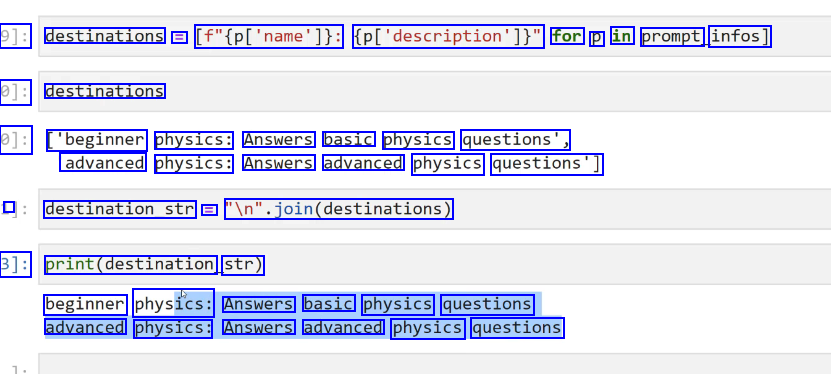
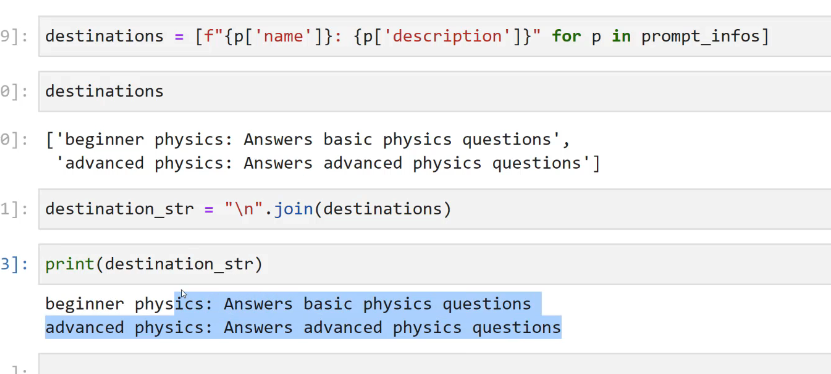
9]: destinations = [f"(pl'name']): (pl'description'])" for p in prompt infos] 0]: destinations 0]: ['beginner physics: Answers basic physics questions', advanced physics: Answers advanced physics questions'] I destination_str = ln'.join(destinations) 3]: print(destination str) beginner physics: Answers basic physics questions advanced physics: Answers advanced physics questions
2023-12-21_14-56-25_screenshot.png #

[65]: from langchain.prompts import PromptTemplate from langchain.chains.router.llm router import LLMRouterChain, - RouteroutputParser [66]: router template E MULTI PROMPT ROUTER TEMPLATE.format(destinations-destination str)
2023-12-21_14-57-39_screenshot.png #
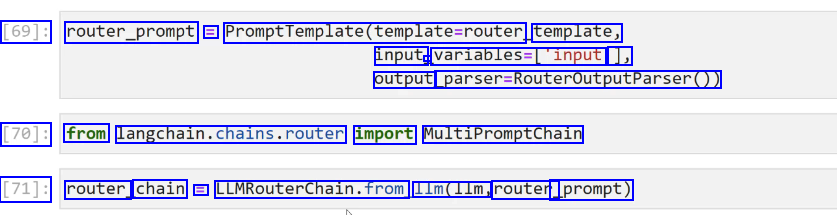
[69]: router_prompt = PromptTemplate(template-router, template, input - variables-('input 1, output parser-RouteroutputParser0) [70]: from langchain.chains.router import MultiPromptChain [71]: router chain E LUMRouterChain.from 11m(11m, router _prompt)
2023-12-21_14-58-17_screenshot.png #
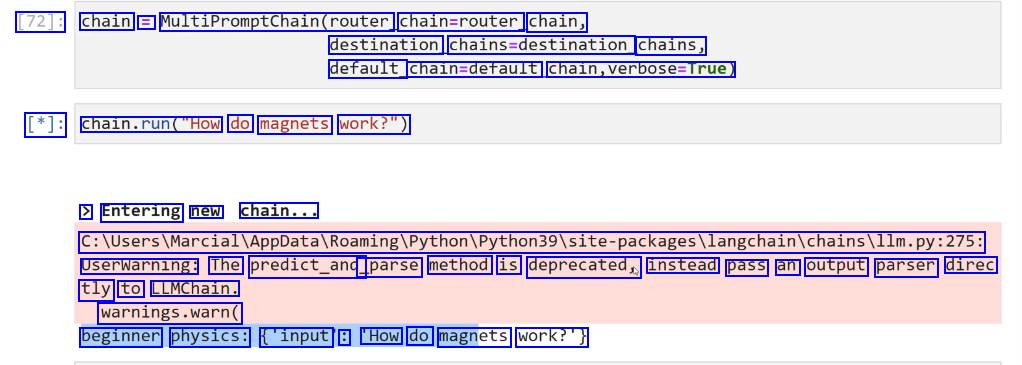
[72]: chain = MultiPromptChain(router. chain=router chain, destination chains-destination, chains, default_ chaln-derault, chain,verbose-True) [*]: chaln.run("How do magnets work?") > Entering new chain... C:lUserslMarciallappDatalRoamingiPythoniPython39lsite-packagesilangchainichainsillm.py:275: Userwarning: The predict_and _parse method is deprecated, instead pass an output parser direc tly to LLMChain. warnings.warn( beginner physics: ('input : 'How do magnets work?')
2023-12-21_15-00-49_screenshot.png #
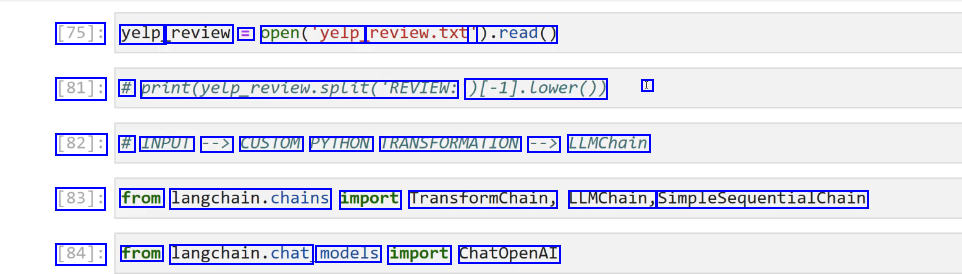
[75]: yelp review = open("yelp. review.txt' ).read() [81]: # print(yetp_revtew.splitDLLE(REVIEW: [-1).Lower0) I [82]: # INPUT --> CUSTOM PYTHON TRANSFORMATION --> LLMChain [83]: from langchain.chains import Transformchain, LLMChain, SimpleSequentialChain [84]: from langchain.chat models import ChatOpenAI
2023-12-21_15-02-10_screenshot.png #
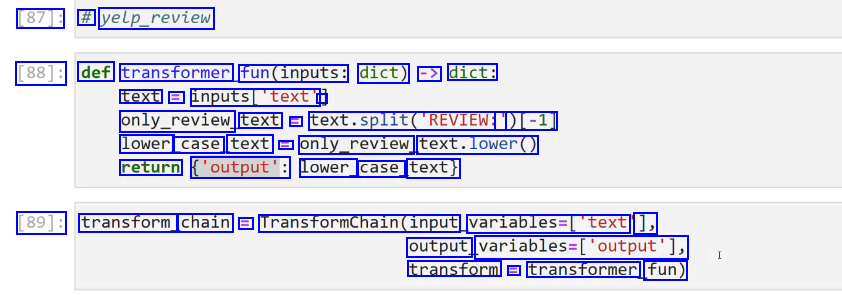
[87]: # yelp_review [88]: def transformer fun(inputs: dict) -> dict: text = inputs_'text' - only_review text L text.split(REVIEN: ')[-1] lower case text l only_review text.lower() return ('output': lower_ case_ text) [89]: transform chain E Transformchain(input variables-[text ], output, variables-(output'), transform E transformer fun)
2023-12-21_15-03-23_screenshot.png #
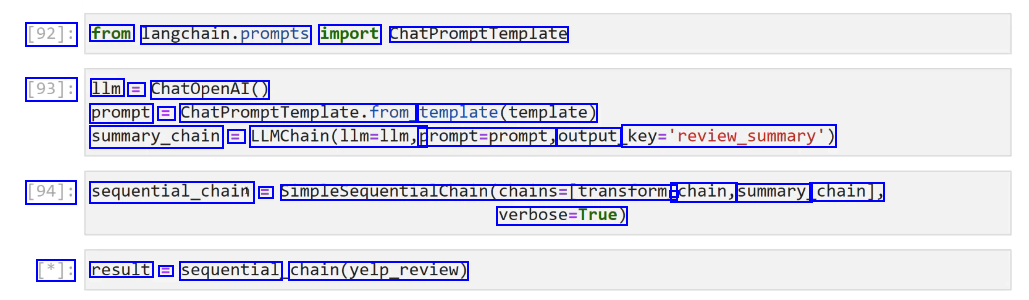
[92]: from langchain.prompts import ChatPromptTemplate [93]: 1lm = ChatOpenAI() prompt = ChatPromptTemplate.from template(template) summary_chain = LLMChain(llm-llm, prompt=prompt, output key-'review.summary) [94]: sequential_chain E SimplesequentialChain(chains=Itransform - chain, summary. chain], verbose-True) [*]: result E sequential chain(yelp_review)
2023-12-21_15-04-23_screenshot.png #
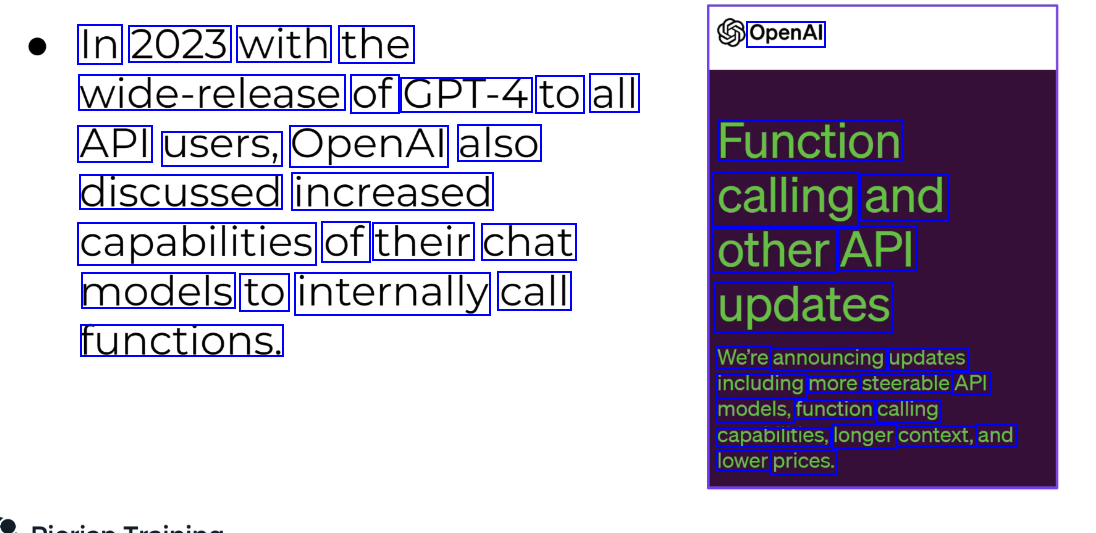
In 2023 with the OpenAl wide-release of GPT-4 to all API users, OpenAl also Function discussed increased calling and capabilities of their chat other API models to internally call updates functions. We're announcing updates including more steerable API models, function calling capabilities, longer context, and lower prices.
2023-12-21_15-06-52_screenshot.png #
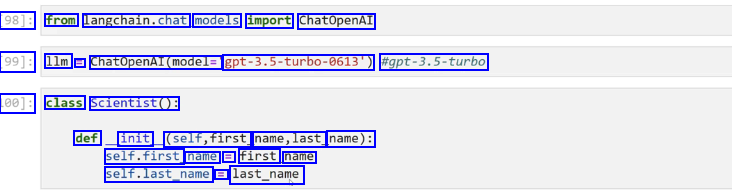
98]: from langchain.chat, models import ChatOpenAI 99]: 1lm = ChatOpenAI(model- ept-3.5-turbo-6613) #gpt-3.5-turbo 100]: class Scientist(): def init (self,first name,last name): self.first name E first name self.last_name E last_name
2023-12-21_15-07-46_screenshot.png #
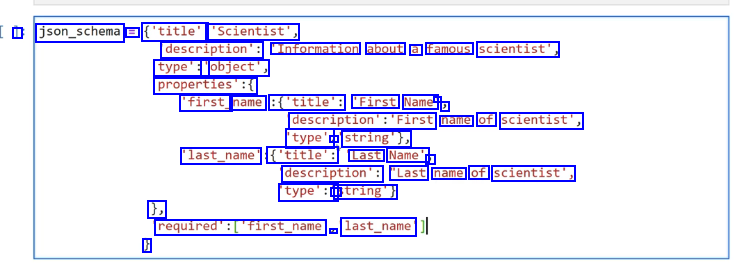
I json_schema = ('title': 'Scientist', description': "Information about a famous scientist', type':' 'object', properties':( 'first_ name' :('title': 'First Name - ) description's'First name of scientist', type': - string'), last_name' ('title': Last Name', J description': "Last name of scientist', type':' string') 1, required'sCfirst.name 2- last_name' J
2023-12-21_15-09-15_screenshot.png #
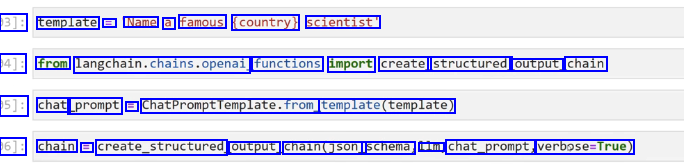
3]: template == Name a famous (country) scientist' 94]: from langchain.chains.openai functions import create_ structured output_ chain 05]: chat prompt E ChatPromptTemplate.from template(template) 06]: chain == create_structured output chain(json_ schema, lm. chat_prompt, verbose-True)
2023-12-21_15-09-55_screenshot.png #
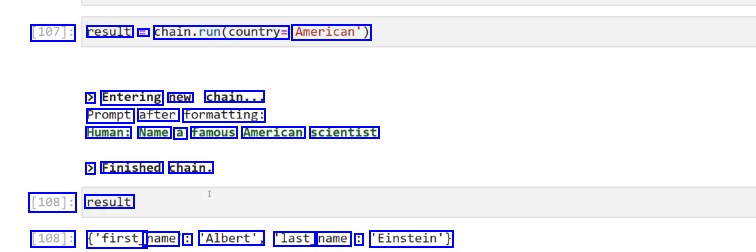
[107]: result == chaln.run(country American') > Entering new chain... Prompt after formatting: Human: Name a famous American scientist > Finished chain. [108]: result [108]: ('first_ name : 'Albert', last_ name : 'Einstein')
2023-12-21_15-11-30_screenshot.png #
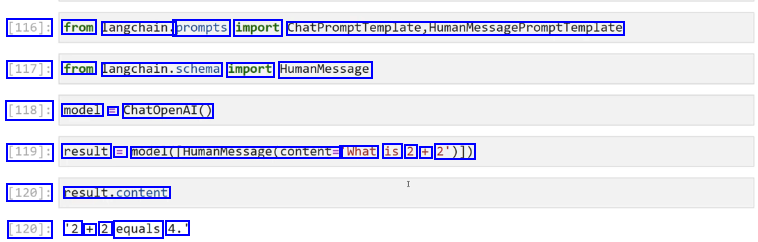
[116]: from langchain. prompts import ChatPromptTemplate,HumanMessagePromptTemplate [117]: from Langchaln.schema import HumanMessage [118]: model = ChatOpenAI() [119]: result = model(HumanMessage(content= What is 2 + 2')1) [120]: result.content [120]: '2 + 2 equals 4.'
2023-12-21_15-12-05_screenshot.png #
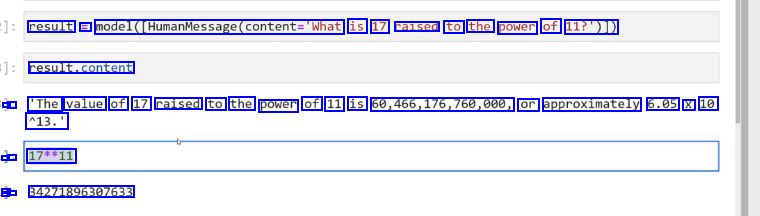
result == model(CHumanMessage(content='What is 17 raised to the power of 11?')1) result.content - : 'The value of 17 raised to the power of 11 is 60,466,176,760,000, or approximately 6.05 X 10 113.' - - 17**11 - - : 34271896307633
2023-12-21_15-12-58_screenshot.png #
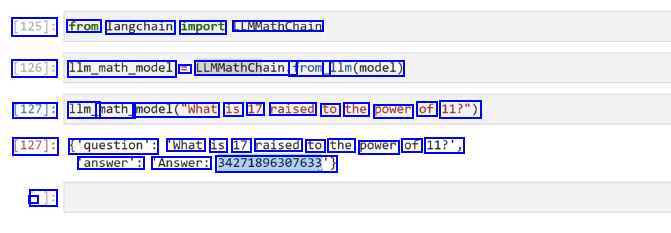
[125]: from langchain import LLMMathChain [126]: llm_math_model = LLMMathChain.f from_ 11m(model) [127]: 1lm_ math model("What is 17 raised to the power of 11?") [127]: ('question': "What is 17 raised to the power of 11?', answer': Answer: 34271896307633) - J:
2023-12-21_15-13-49_screenshot.png #
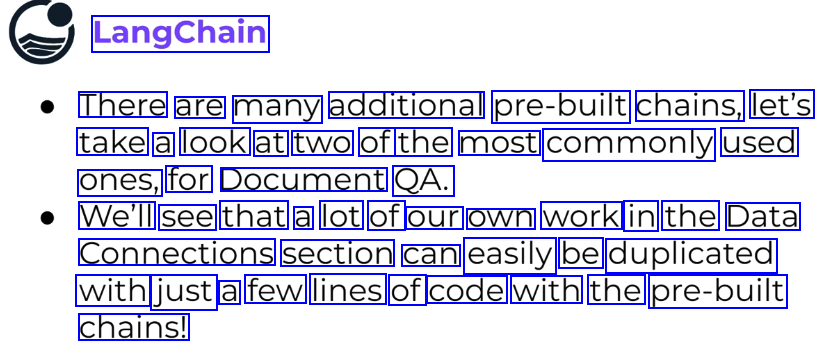
LangChain There are many additional pre-built chains, let's take a look at two of the most commonly used ones, for Document QA. We'll see that a lot of our own work in the Data Connections section can easily be duplicated with just a few lines of code with the pre-built chains!
2023-12-21_15-19-33_screenshot.png #
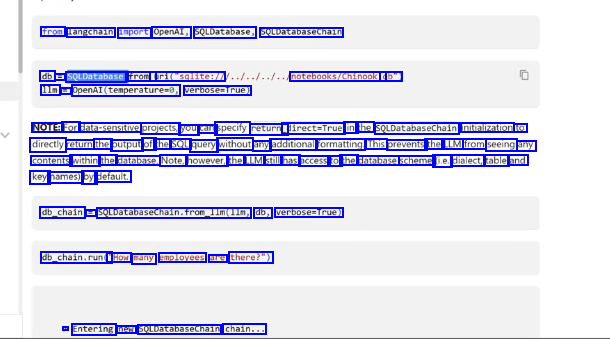
from langchain import OpenAl, SQLDatabase, SQLDatabaseChain db = SQLDatabase. from_ uri("sqlite:/1 1lm = Openal(temperatured, verbose-True) notebooks/Chinook. db") NOTE: For data-sensitive projects, you can specify return_ direct=True in the SQLDatabasechain initialization to directly return the output of the SQL query without any additional formatting. This prevents the LLM from seeing any contents within the database. Note, however, the LLM still has access to the database scheme (ie. dialect, table and key names) by default. db_chain = SQLDatabaseChain.from_lm(lIm, db, verbose-True) db_chain.run(" "How many employees are there?") > Entering new SOLDatabasechain chain...
2023-12-21_15-21-17_screenshot.png #
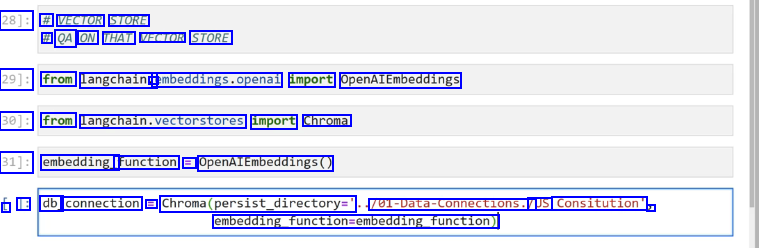
28]: # VECTOR STORE # QA ON THAT VECTOR STORE 29]: from langchain. - embeddings.openal import OpenAIEmbeddings 30]: from langchain.vectorstores import Chroma 31]: embedding_ function = OpenAIEmbeddings0 L 1: db_ connection = Chroma(persist_directory=' 701-Data-Connections./ /US Consitution" 3 embedding_function-embedding_function)
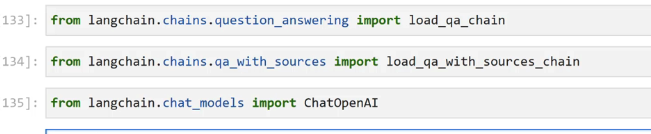
2023-12-21_15-21-49_screenshot.png #
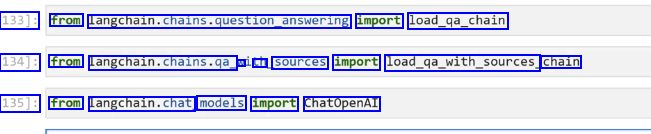
133]: from langchain.chains.question_answering import load_ga_chain 134]: from langchan.chains.ge. N an sources import load_ga.with.sources, chain 135]: from langchain.chat models import ChatOpenAI
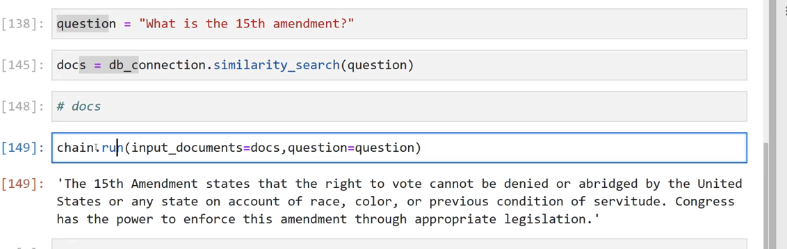
2023-12-21_15-22-58_screenshot.png #
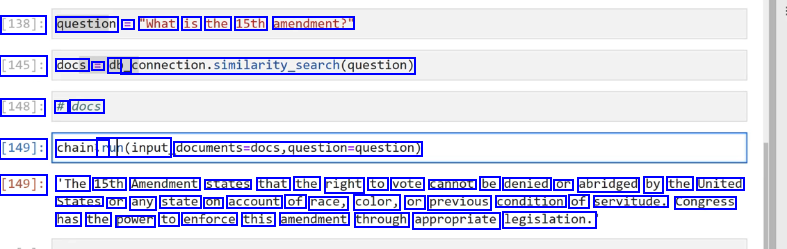
[138]: question == "What is the 15th amendment?" [145]: docs E db_ _connection.similarity_search(question) [148]: # docs [149]: chainir ruh(input documents-docs,question-question) [149]: 'The 15th Amendment states that the right to vote cannot be denied or abridged by the United States or any state on account of race, color, or previous condition of servitude. congress has the power to enforce this amendment through appropriate legislation.
2023-12-21_15-24-30_screenshot.png #
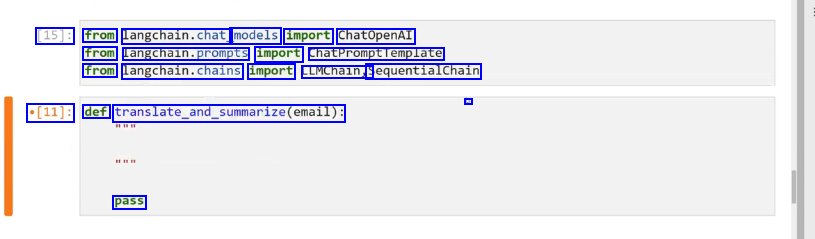
[15]: from langchain.chat models import ChatOpenAI from langcnaln.prompts import chatPromptremplate from langchain.chains import LLMChain, SequentialChain - *[11]: def translate.and_summarize(email): pass
2023-12-21_15-25-29_screenshot.png #
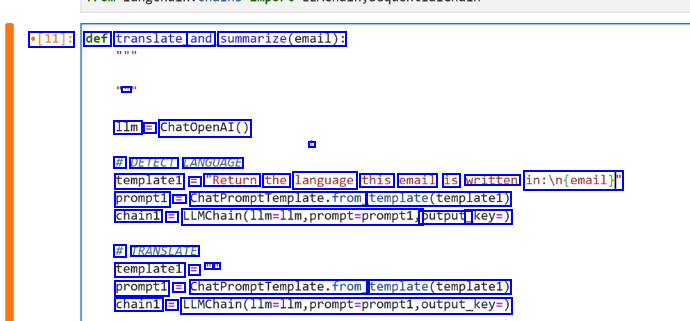
[11]: def translate and summarize(email): E 1lm E ChatOpenAI() # DETECT LANGUAGE template1 E "Return the language this email is written in:in(email)f prompt1 E ChatPromptfemplate.fromg template(templatel) chain1 == LUMChain(llm-llm,prompt-promptl, output_ key=) # TRANSLATE templatel = - - prompt1 = ChatPromptTemplate.from template(templatel) chain1 = LLMChain(llm-llm,prompt-prompti,output_key-)
2023-12-21_15-27-01_screenshot.png #
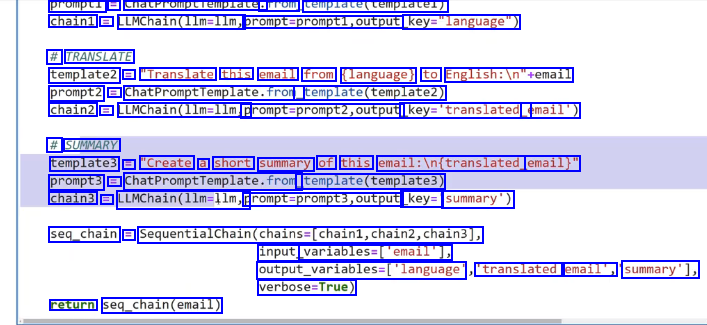
prompti == cnatrromptiemplate. Trom template(templatel) chain1 = LLMChain(llm-llm, prompt-prompt1,output key-"language") # TRANSLATE template2 = "Translate this email from (language) to English:ln"semail prompt2 = ChatPromptfemplate.fror, template(template2) chain2 E LLMChain(llm-llm, promptsprompt2,output. key-'translated email') # SUMMARY template3 = "Create a short summary of this email:in(translated, email)" prompt3 = ChatPromptremplate.from template(templates) chain3 == LLMChain(llm-llm,p prompt-prompt3,output key= summary') seq_chain = SequentialChain(chains-(chain1,chain2,chain3], input variables-lemall], output_variables-('language 'translated email', summary'1, verbose-True) return seq_chain(email)
2023-12-21_15-44-28_screenshot.png #
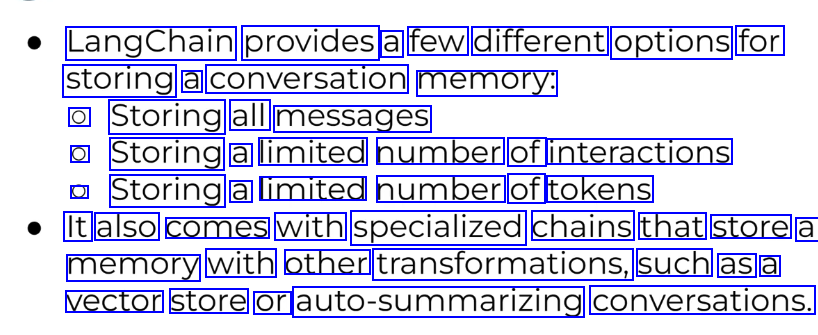
LangChain provides a few different options for storing a conversation memory: O Storing all messages O Storing a limited number of interactions O Storing a limited number of tokens It also comes with specialized chains that store a memory with other transformations, such as a vector store or auto-summarizing conversations.
2023-12-21_15-44-35_screenshot.png #
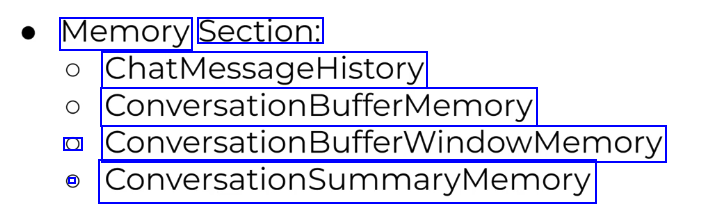
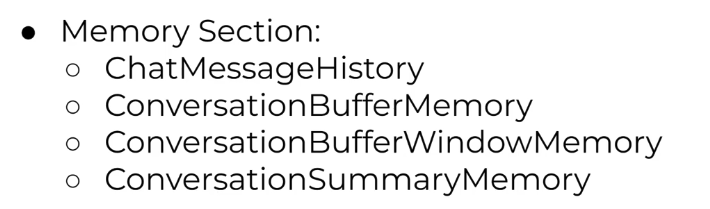
Memory Section: ChatMessageHistory Conversaston@uferMemory O ConversationBufferWindowMemory - ConerstionSummapwemoy
2023-12-21_15-45-54_screenshot.png #
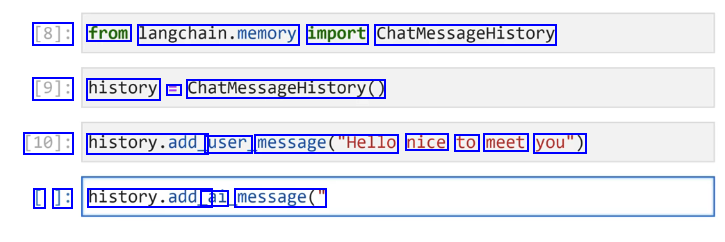
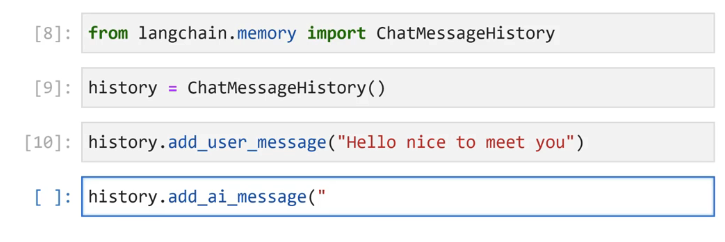
[8]: from langchain.memory import ChatMessageHistory [9]: history E ChatmessageHistory@ [10]: history.add_ user message("Hello nice to meet you") I ]: history.add_ ai message("
2023-12-21_15-46-09_screenshot.png #
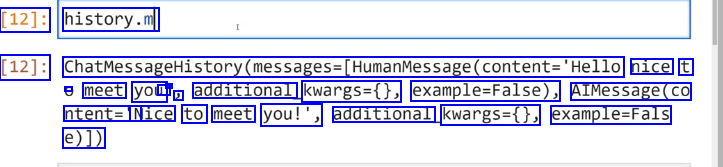
[12]: history.m [12]: ChatMessageHistory(messages-(HumanMessage(content-'Hello nice t - meet you I - J additional kwargs=0, example-False), AIMessage(co ntent='N Nice to meet you!', additional kwargs=0, example-Fals e)])
2023-12-21_15-47-23_screenshot.png #
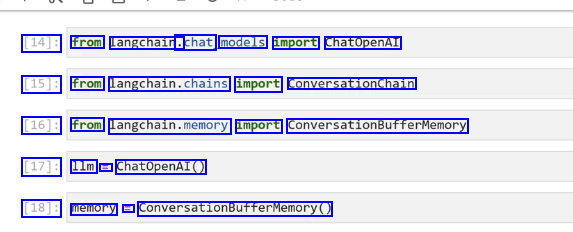
[14]: from langchain. .chat models import ChatopenAI [15]: from langchain.chains import ConversationChain [16]: from langchain.memory import ConversationBufferMemory [17]: 1lm = ChatOpenAI() [18]: memory = ConversationBufferMemory()
2023-12-21_15-48-07_screenshot.png #
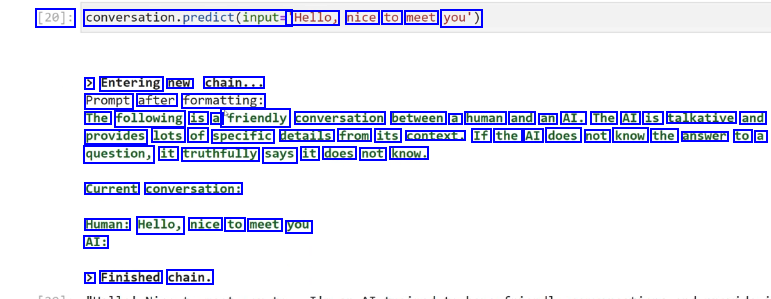
[20]: conversation.predict(input= 'Hello, nice to meet you') > Entering new chain... Prompt after formatting: The following is a "friendly conversation between a human and an AI. The AI is talkative and provides lots of specific details from its context. If the AI does not know the answer to a question, it truthfully says it does not know. Current conversation: Human: Hello, nice to meet you AI: > Finished chain.
2023-12-21_15-53-52_screenshot.png #
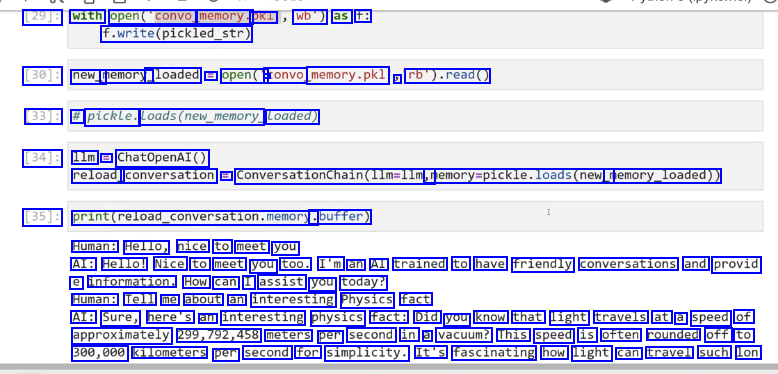
29J: with open(convo memory. pkl wb") as f: f.write(pickled_.str) [30]: new_ memory_ _loaded = open(" a convo memory.pkl ) rb').read() [33]: # pickle. Loads(new_memory Loaded) [34]: 1lm =E ChatOpenAI() reload_ conversation E ConversationChain(1lm=llm, memory-pickle.loads(new_ memory_loaded)) [35]: print(reload_conversation.memory. .buffer) Human: Hello, nice to meet you AI: Hello! Nice to meet you too. I'm an AI trained to have friendly conversations and provid e information. How can I assist you today? Human: Tell me about an interesting Physics fact AI: Sure, here's an interesting physics fact: Did you know that light travels at a speed of approximately 299,792,458 meters per second in a vacuum? This speed is often rounded off to 300,000 kilometers per second for simplicity. It's fascinating how light can travel such lon
2023-12-21_15-55-21_screenshot.png #
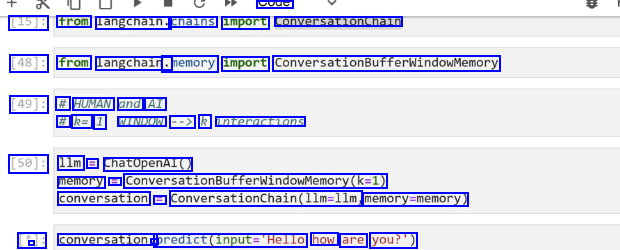
soue [15J: from langchain. chains import conversationchain [48]: from langchain. .memory import ConversationBufferwindowMemory [49]: # HUMAN and AI # k= 1 WINDOW --> k interactions [50]: 1lm ChatOpenAI() memory E Conversationbufferwindowkemory(k-1) conversation == ConversationChain(llm-llm memory-memory) [*]: - conversation. - predict(input."Hello how are you?')
2023-12-21_15-56-36_screenshot.png #
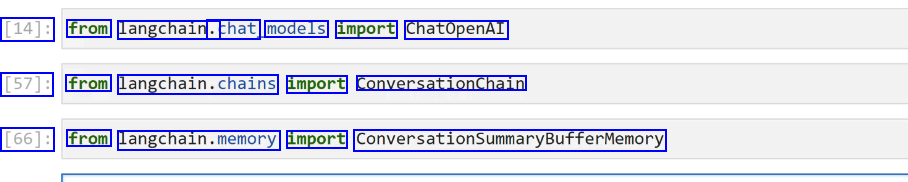
[14]: from langchain. .chat models import ChatOpenAI [57]: from langchain.chains import ConversationChain [66]: from langchain.memory import ConversationSummaryBufferMemory
2023-12-21_15-57-14_screenshot.png #
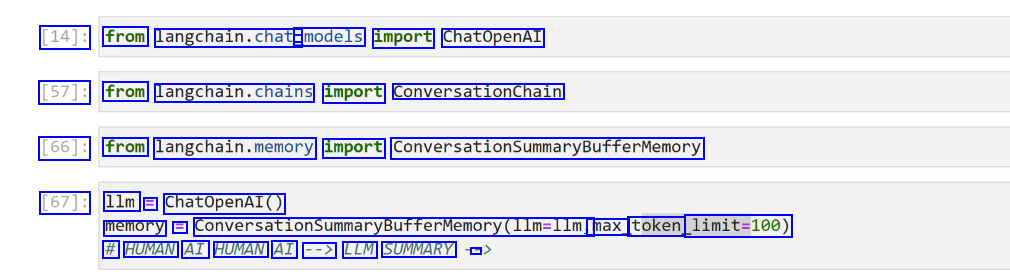
[14]: from langchain.chat - models import ChatOpenAI [57]: from langchain.chains import conversationchaln [66]: from langchain.memory import ConversationsummarBufferwemory [67]: 1lm = ChatOpenAI() memory = ConversationsummaryBufferMemory(llm-llm, max_ token limit-100) # HUMAN AI HUMAN AI --> LLM SUMMARY -
2023-12-21_15-57-44_screenshot.png #
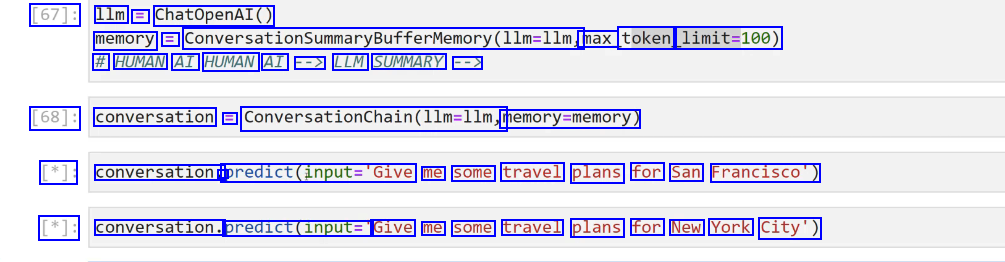
[67]: 1lm = ChatOpenAI() memory = ConversationSummaryBufferMemorMemory(llm-llm, max token limit=100) # HUMAN AI HUMAN AI --> LLM SUMMARY --> [68]: conversation = Converationchalindle-lim, memory-memory) [*]: conversation. - predict(input-'Give me some travel plans for San Francisco') [*]: conversation. predict(input=" Give me some travel plans for New York City')
2023-12-21_15-58-01_screenshot.png #
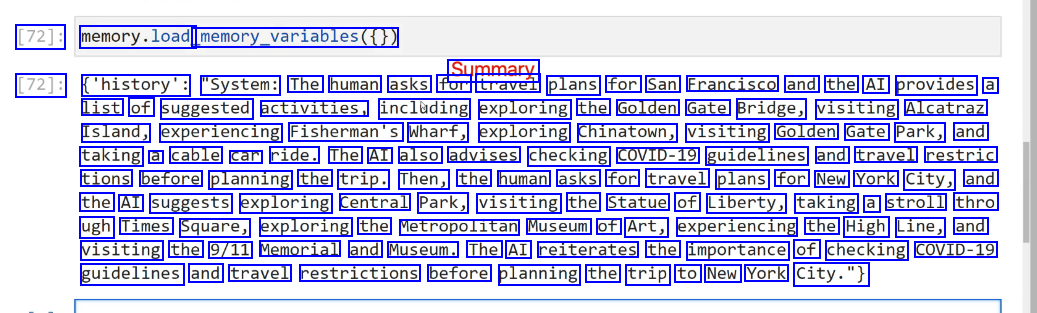
[72]: memory.load memory.variables() Summary [72]: ('history': "System: The human asks for travel plans for San Francisco and the AI provides a list of suggested activities, inclading exploring the Golden Gate Bridge, visiting Alcatraz Island, experiencing Fisherman's Wharf, exploring Chinatown, visiting Golden Gate Park, and taking a cable car ride. The AI also advises checking COVID-19 guidelines and travel restric tions before planning the trip. Then, the human asks for travel plans for New York City, and the AI suggests exploring Central Park, visiting the Statue of Liberty, taking a stroll thro ugh Times Square, exploring the Metropolitan Museum of Art, experiencing the High Line, and visiting the 9/11 Memorial and Museum. The AI reiterates the importance of checking COVID-19 guidelines and travel restrictions before planning the trip to New York City.")
2023-12-21_15-58-34_screenshot.png #
LangChain Agents are one of the newest (and most experimental) parts of LangChain, but they offer huge potential for LLM based applications. By combining what we already learned about Model IO, Data Connections, and Chains, we've already approached applications that are similar to agents that allow us to create more robust applications, Agents takes this one step further with the ReACT framework.
2023-12-21_15-59-30_screenshot.png #
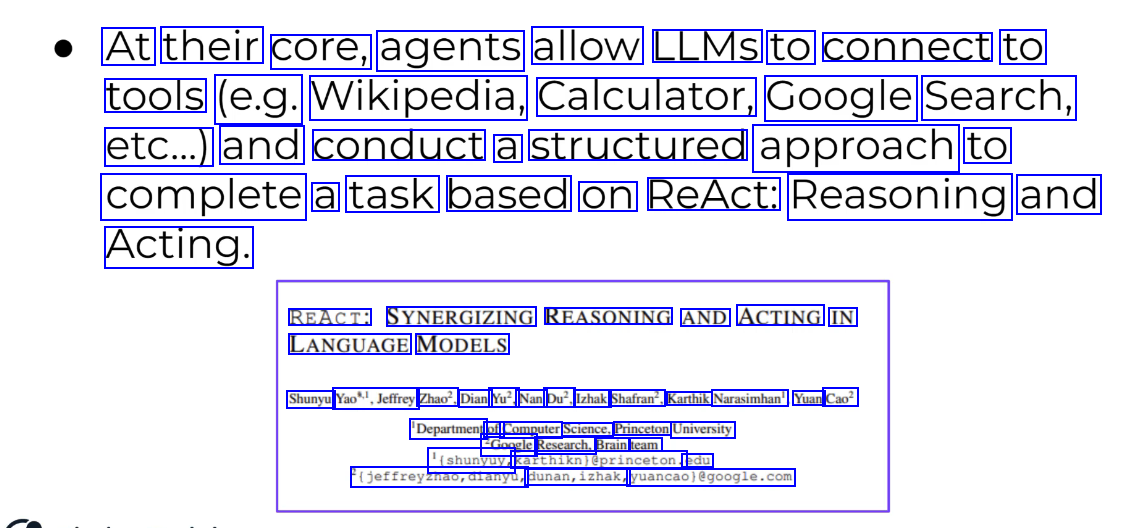
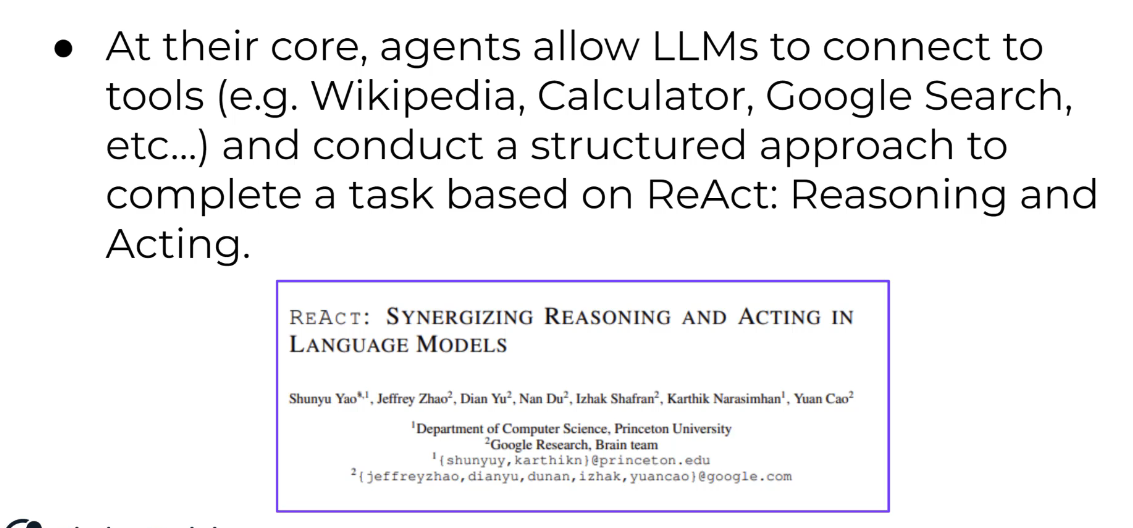
At their core, agents allow LLMS to connect to tools (e.g. Wikipedia, Calculator, Google Search, etc...) and conduct a structured approach to complete a task based on ReAct: Reasoning and Acting. REACT: SYNERGIZING REASONING AND ACTING IN LANGUAGE MODELS Shunyu Yao",Jeffrey Zhao?, Dian Yu?, Nan Du?, Izhak Shafran?, Karthik Narasimhan', Yuan Cao? 'Department of Computer Science, Princeton University 2Google Research, Brain team '(shunyuy, Karthiknieprinceton. edu igeffreyzhao,dianyu, dunan,izhak, yuancaolegoogle.com
2023-12-21_15-58-55_screenshot.png #
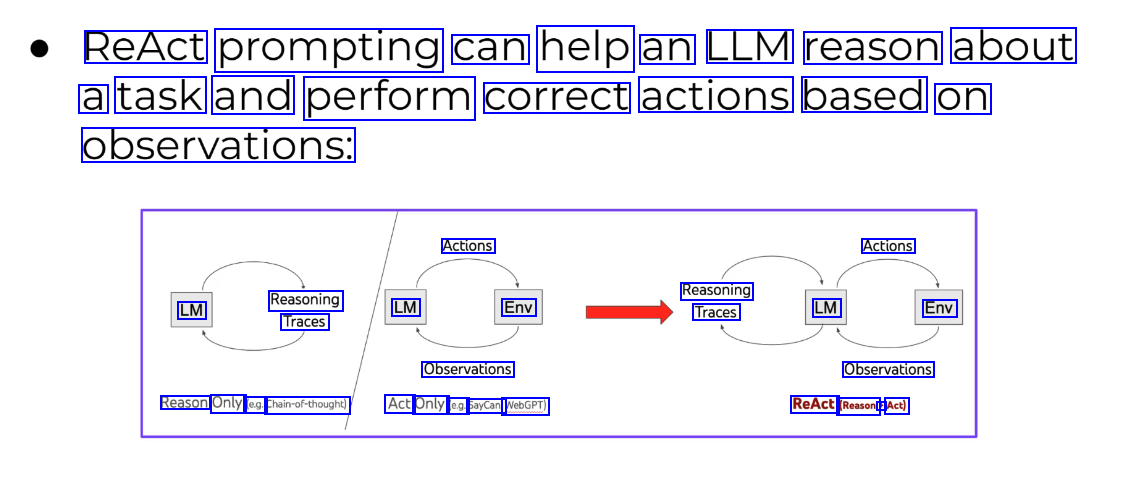
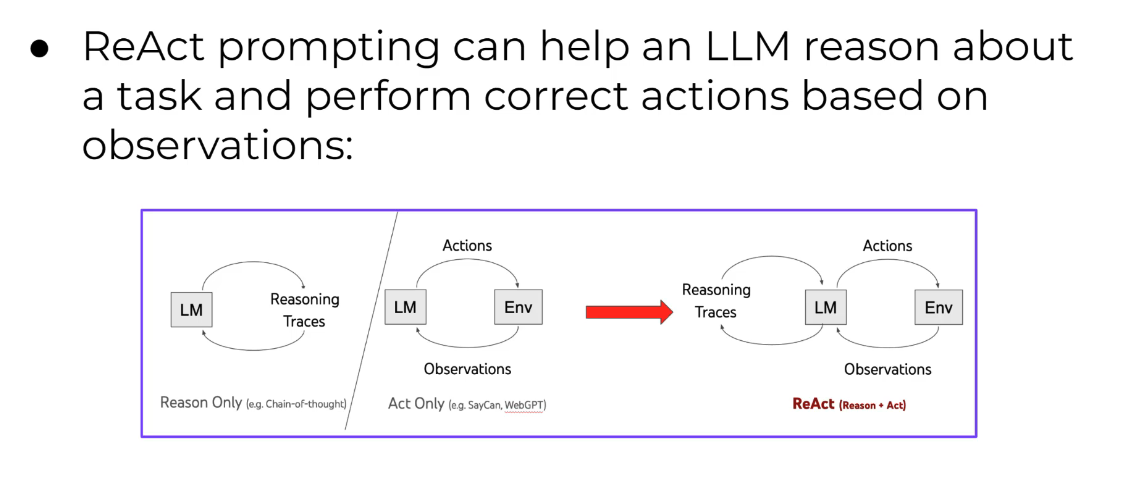
ReAct prompting can help an LLM reason about a task and perform correct actions based on observations: Actions Actions Reasoning Traces LM Reasoning Traces LM Env LM Env Observations Observations Reason Only (e.g. Chain-of-thought) Act Only (e.g. SayCan, WebGPT) ReAct (Reason + Act)
2023-12-21_16-00-03_screenshot.png #
In LangChain's implementation, this takes the form of an Agent that has access to a list of tools. The Agent is given a task and can reason which tools are appropriate to use and can then utilize those results to continue on via an internal chain until it solves the task. Internally LangChain labels the thinking in terms of Observation, Thought, and Action.
2023-12-21_16-01-37_screenshot.png #
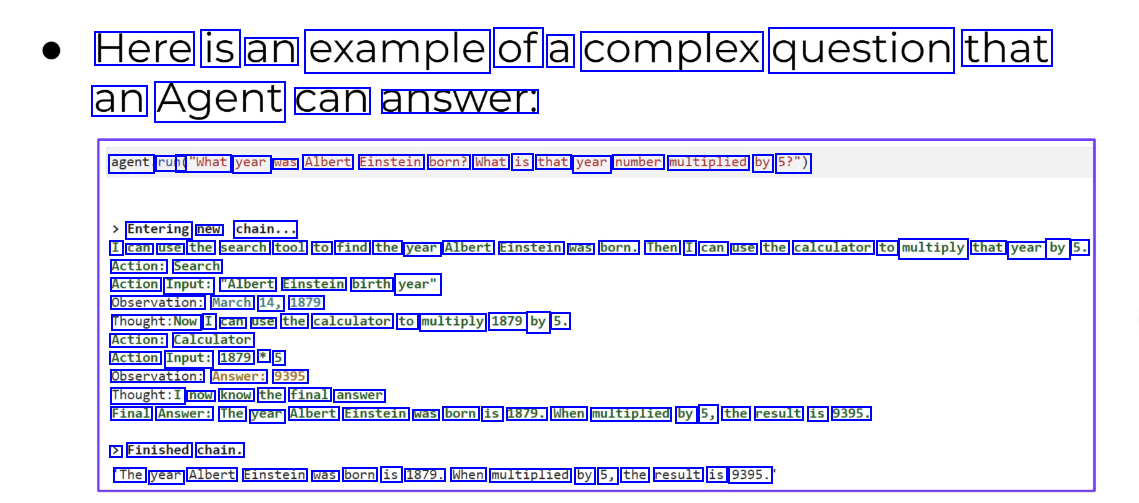
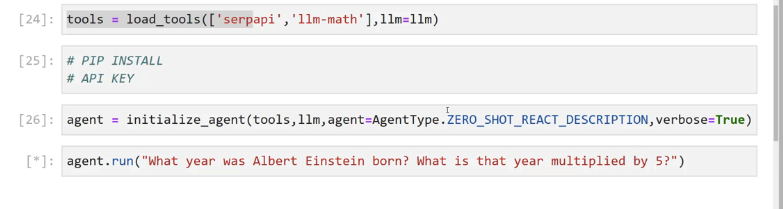
Here is an example of a complex question that an Agent can answer. agent run( ("What year was Albert Einstein born? What is that year number multiplied by 5?") Entering new chain... I can use the search tool to find the year Albert Einstein was born. Then I can use the calculator to multiply that year by 5. Action: Search Action Input: "Albert Einstein birth year" Observation: March 14, 1879 Thought:Now I can use the calculator to multiply 1879 by 5. Action: Calculator Action Input: 1879 * 5 Observation: Answer: 9395 Thought:I now know the final answer Final Answer: The year Albert Einstein was born is 1879. When multiplied by 5, the result is 9395. > Finished chain. The year Albert Einstein was born is 1879. When multiplied by 5, the result is 9395.
2023-12-21_16-02-39_screenshot.png #
Agents can be extremely powerful, especially we combined with your own custom tools. Imagine an Agent with access to internal corporate documents and the ability to conduct outside relevant searches, suddenly you have a very powerful corporate assistant with perfect recall and memory to answer questions! Keep in mind that agents aren't perfect and you may experience "funny" behaviour as you experiment with them.
2023-12-21_16-03-01_screenshot.png #
Agent Section ) Agent Basics . Agent Tools Custom Tools Conversation Agents
2023-12-21_16-05-50_screenshot.png #
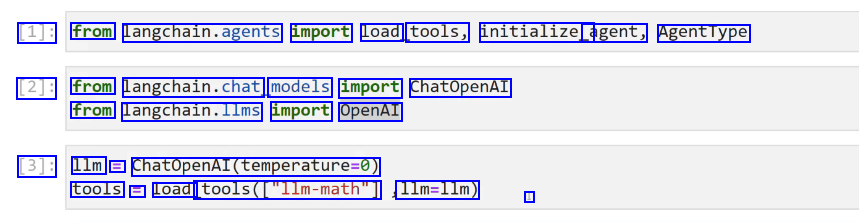
[1]: from langchain.agents import load tools, initialize_ agent, AgentType [2]: from langchain.chat, models import ChatOpenAI from langchain.llms import OpenAI [3]: 1lm = ChatOpenAl(temperature-0) tools E Load tools(Cllm-math") 1lm=1lm) I
2023-12-21_16-06-44_screenshot.png #
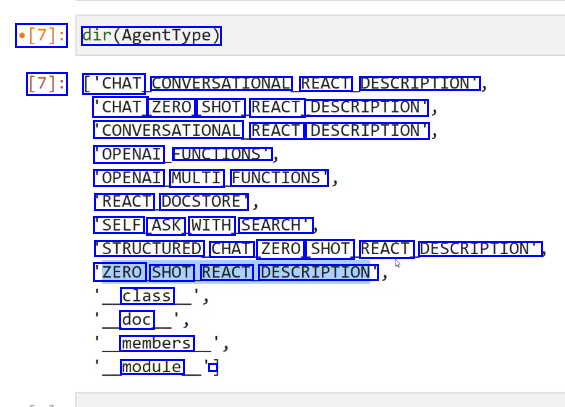
[7]: dir(AgentType) [7]: ['CHAT CONVERSATIONAL REACT DESCRIPTION" 'CHAT ZERO SHOT REACT DESCRIPTION" CONVERSATIONAL REACT DESCRIPTION" 'OPENAI FUNCTIONS OPENAI MULTI FUNCTIONS REACT DOCSTORE 'SELF ASK WITH SEARCH' STRUCTURED CHAT ZERO SHOT REACT DESCRIPTION" 'ZERO SHOT REACT DESCRIPTION" class doc members module -
2023-12-21_16-07-08_screenshot.png #

CIVS module 5 [8]: agent = initialize agent(tools, 1lm, agent: AgentType.ZERC SHOT REACT DESCRIPTION)
2023-12-21_16-08-36_screenshot.png #
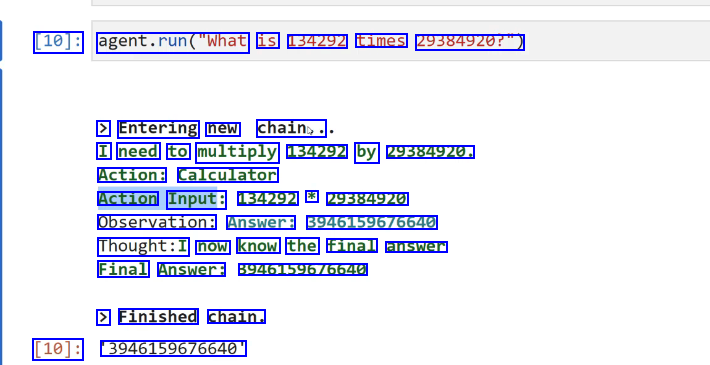
[10]: agent.run("What is 134292 times 29384920?") > Entering new chain,. I need to multiply 134292 by 29384920. Action: Calculator Action Input: 134292 * 29384920 Observation: Answer: 3946159676640 Thought:I now know the final answer Final Answer: 39461596/6640 > Finished chain. [10]: 3946159676640
2023-12-21_16-13-54_screenshot.png #
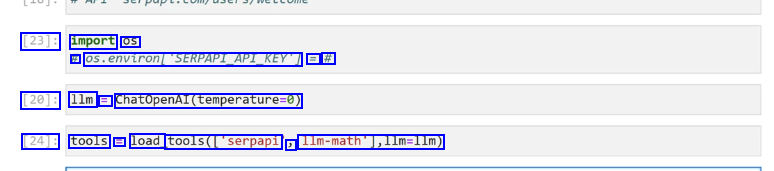
[23]: import OS # 05.environ/SERPAPLAPIKEYT == # [20]: 1lm = ChatopenAl(temperature-0) [24]: tools E load tools(l'serpapi J Ilm-math'],lim-lIm)
2023-12-21_16-14-33_screenshot.png #
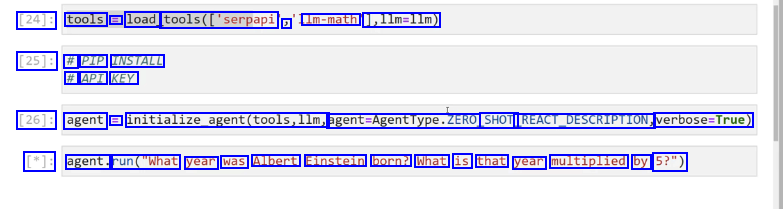
[24]: tools = load_ tools(['serpapi ) Im-math 1,11m=llm) [25]: # PIP INSTALL # API KEY [26]: agent = initialize_agent(tools,llm, agent-Agentlype.ZERO SHOT REACT.DESCRIPTION, verbose-True) [*]: agent. run("What year was Albert Einstein born? What is that year multiplied by 5?")
2023-12-21_16-23-05_screenshot.png #
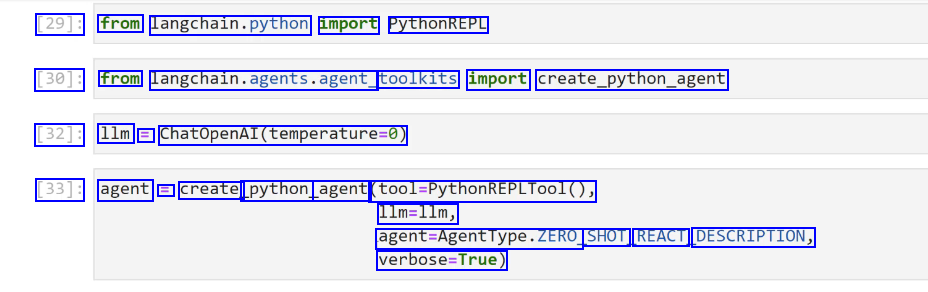
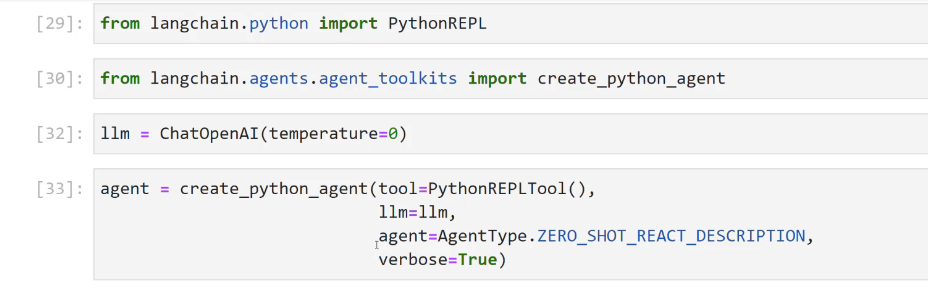
[29]: from langchain.python import PythonREPL [30]: from langchain.agents.agent, toolkits import create_python.agent [32]: 1lm = ChatOpenAI(temperature-0) [33]: agent = create_ python agent (fol.mythonmtPLTool0, 1lm=1lm, agent-Agentlype.ZERO SHOT REACT DESCRIPTION, verbose-True)
2023-12-21_17-07-56_screenshot.png #
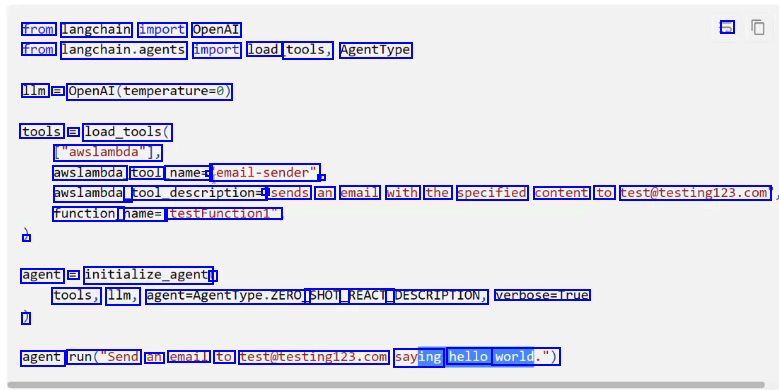
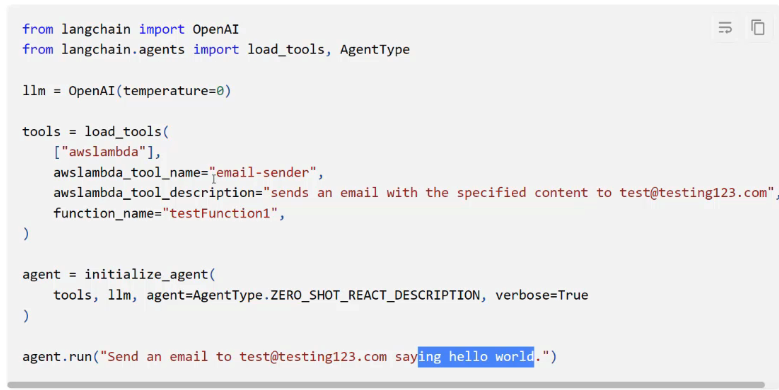
from langchain import OpenAI -> from langchain.agents import load tools, AgentType 1lm = OpenAI(temperature-0) tools == load_tools( ["awslambda"], awslambda tool name= - email-sender" - awslambda_ tool_description= - sends an email with the specified content to test@testing123.com function_ name=' testFunction1" - agent = initialize_agent ( tools, 1lm, egent-Agentlype.ZERO SHOT_ _REACT_ DESCRIPTION, verbose=True ) agent run("Send an email to test@testing12.com saying hello world.")
2023-12-21_17-10-11_screenshot.png #
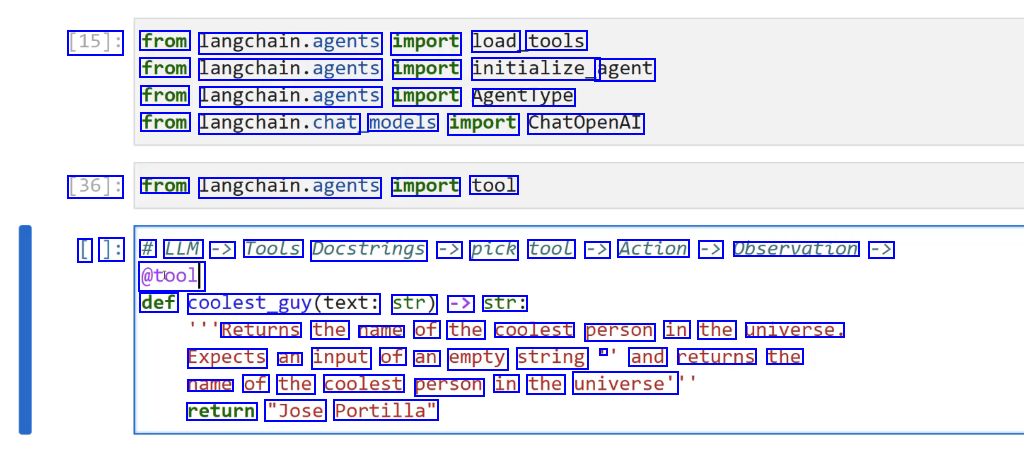
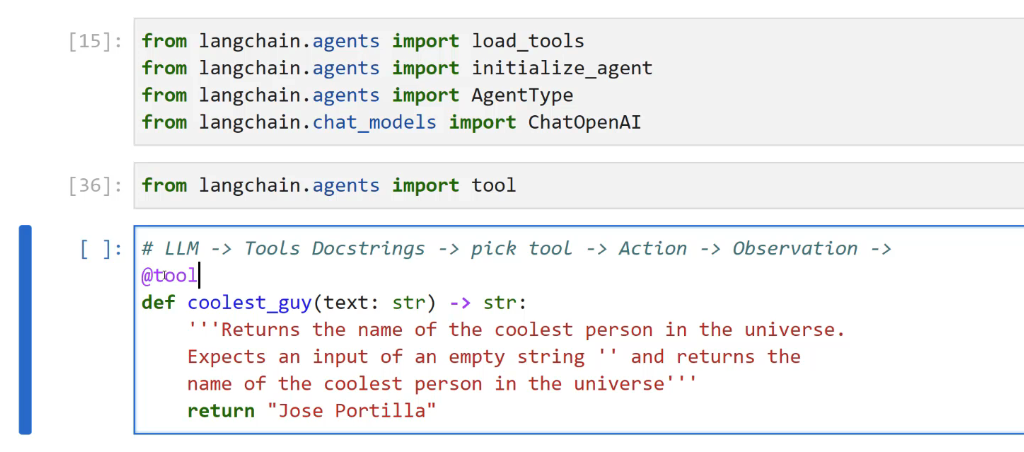
[15]: from langchain.agents import load tools from langchain.agents import initialize_ agent from langchain.agents import Agenttype from langchain.chat, models import ChatOpenAI [36]: from langchain.agents import tool [ ]: # LLM -> Tools Docstrings -> pick tool -> Action -> Observation -> @tool def coolest_guy(text: str) -> str: Returns the name of the coolest person in the universe. Expects an input of an empty string - and returns the name of the coolest person in the universe' return "Jose Portilla"
2023-12-21_17-11-10_screenshot.png #
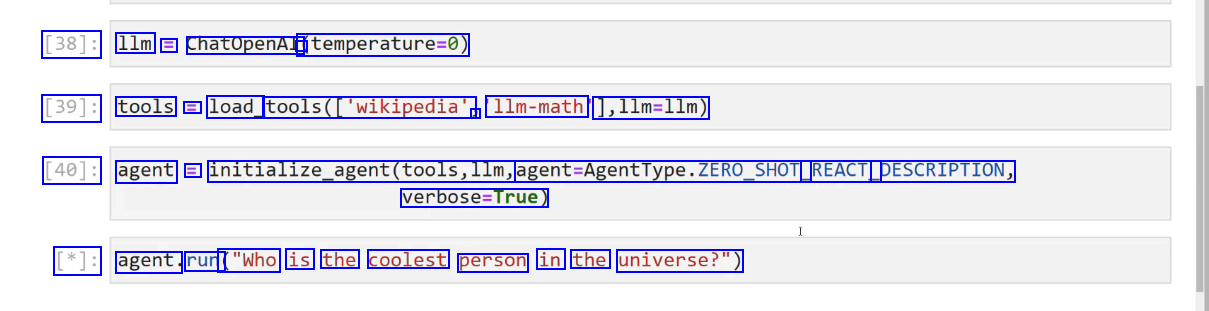
[38]: 1lm E ChatOpenAI à (temperature-0) [39]: tools E load_ tools(lwikipedia", ) 1lm-math 1,11m=11m) [40]: agent = initialize_agent(tools,llm, agent-AgentType.ZERO_SHOT REACT_ DESCRIPTION, verbose-True) [*]: agent. run ("Who is the coolest person in the universe?")
2023-12-21_17-12-17_screenshot.png #

- CTUPeTT - [48]: tools = load tools(lwikipedia ) 11m-math 1,11m=11m) tools E tools + [coolest - _guy]
2023-12-21_17-15-51_screenshot.png #
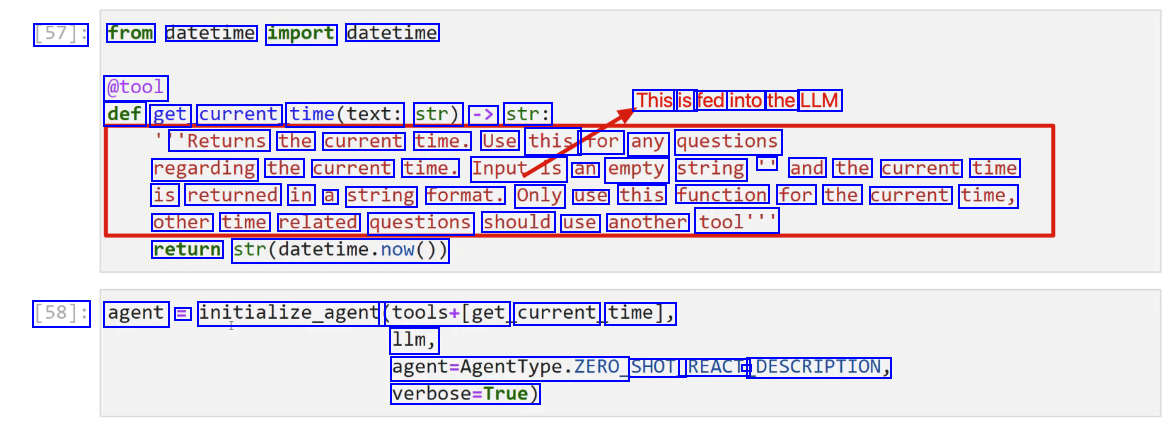
[57]: from datetime import datetime @tool This is fed into the LLM def get current time(text: str) -> str: 'Returns the current time. Use this for any questions regarding the current time. Inputis an empty string II and the current time is returned in a string format. Only use this function for the current time, other time related questions should use another tool'" return str(datetime.now()) [58]: agent = initialize_agent (tools+Iget current time], 11m, agent-Agenttype.ZERO, SHOT_ REACT - DESCRIPTION, verbose-True)
2023-12-21_17-17-29_screenshot.png #
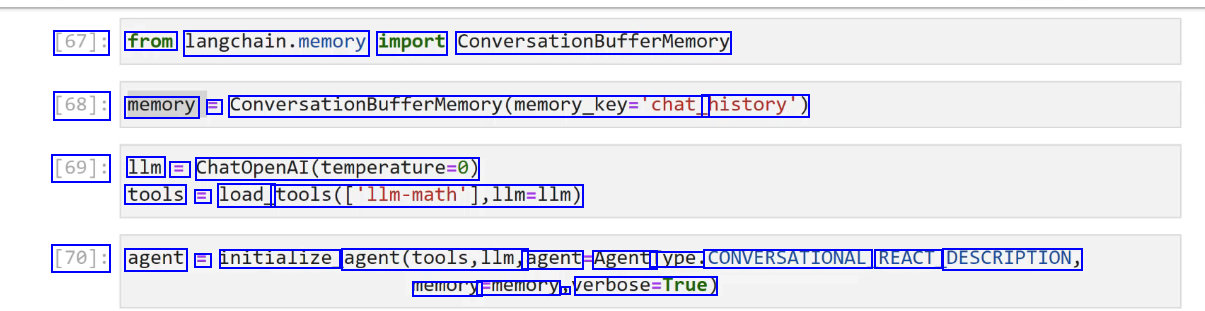
[67]: from langchain.memory import ConversationBufferMemory [68]: memory = ConversationBufferMemory(memory_key-'chat history') [69]: 1lm = ChatOpenAI(temperature-0) tools = load_ tools(C'llm-math'],llm-l1m) [70]: agent E initialize agent(tools,llm, agent Agenti lype. CONVERSATIONAL REACT DESCRIPTION, memory Ememory J verbose-True)
OCR of Images #
2023-12-21_12-06-00_screenshot.png #
Get started Document loaders CSV The simplest loader reads in a file as text and places it all into one document. File Directory HTML from Langchain.document_ loaders import TextLoader JSON loader = TextLoader("./index.md") Markdown loader.load() PDF
2023-12-21_12-23-19_screenshot.png #
[14]: # 'pip install beautifulsoup4 [15]: from langchain.document loaders import BSHTMLLoader [16]: loader = BSHIMLLoader("some data/some website.html") [17]: data E loader.. load() [20]: datal0].page_ content [20]: Heading 1' I ]:
2023-12-21_12-28-44_screenshot.png #
Document Loaders labeled as "integrations" can essentially be thought of as the same as normal document loaders, but they are integrated with some specific 3rd party, such as Google Cloud or even a specific website, like Wikipedia. Let's explore an integration to grab a - document and then use that document with a model.
2023-12-21_12-43-41_screenshot.png #
def answer question_about(pout(person_name, question): - Use the Wikipedia Document Loader to help answer questions about someone, insert it as additional helpful context. - # LOAD DOCUMENT loader = Wikipedialoader(query-person_name,load max_ docs=1) context text = loader.load0te)-page content # CONNECT OPENAI MODEL model = ChatOpenAI() # PROMPT - FORMAT QUESTION template = "Answer this question:in(question)In Here is some extra context:ln(document) human prompt == HumanMessagePromptromptremplate.from template(template) # CHAT PROMPT - GET RESULT CONTENT chat _prompt = ChatPromptTemplate.from.pessages(Iuman_prompt)) result = model(chat_prompt. format prompt(question-question, document-context text).to.messages0) print(result.content)
2023-12-21_12-44-23_screenshot.png #
LangChain Notice that after you load a Document object from a source,you end up with strings by grabbing them from page_content. In certain situations, the length of the strings may be too large to feed into a model, both embedding and chat models. Embedding models OpenAI offers one second-generation embedding model (denoted by -002 in the model ID) and 16 first-generation models (denoted by -001 in the model ID). We recommend using text-embedding-ada-002 for nearly all use cases. It's better, cheaper, and simpler to use. Read the blog post announcement. MODEL GENERATION TOKENIZER MAX INPUT TOKENS KNOWLEDGE CUTOFF V2 V1 cl100k_ base 8191 GPT-2/GPT-3 2046 Sep 2021 Aug 2020 Pierian Training
2023-12-21_12-44-59_screenshot.png #
LangChain Langchain provides Document Transtormers that allow you to easily split strings from Document page_content into chunks. These chunks will then later serve as useful components for embeddings, which we can then look up using a distance similarity later on. Let's explore the two most common splitters: O Splitting on a Specific Character - - Splitting based on Token Counts
2023-12-21_12-51-03_screenshot.png #
[51]: text_ splitter = CharacterTextSplitter(separator= nu un J chunk_ size=1000) [52]: texts = text_ splitter.create, documents(Ispeech, text]) [55]: # texts(e] I [55]: Document(page_ content="This Nation in the past two years has become an active partner in the world's greatest war against human slavery.Ininwe have joined with like-minded people in ord er to defend ourselves in a world that has been gravely threatened with gangster rule.IninBu t I do not think that any of us Americans can be content with mere survival. Sacrifices that we and our allies are making impose upon us all a sacred obligation to see to it that out of this war we and our children will gain something better than mere survival.Ininwe are united in determination that this war shall not be followed by another interim which leads to new d isaster- that we shall not repeat the tragic errors of ostrich isolationismâe"that we shall not repeat the excesses of the wild twenties when this Nation went for a joy ride on a rolle r coaster which ended in a tragic crash. l J metadata=0)
2023-12-21_17-22-42_screenshot.png #
Models Inputs and Outputs Using Langchain for Model IO will later allow us to build chains, but also give us more flexibility in switching LLM providers in the future, since the syntax is standardized across LLMS and only the parameters or arguments provided change. O Langchain supports all major LLMS (OpenAl, Azure, Anthropic, Google Cloud, etc.) Pierian Training
2023-12-21_17-23-05_screenshot.png #
Models IO Section Overview O LLMS O Prompt Templates O Prompts and Model Exercise O Prompts and Model Exercise - Solution O Few Shot Prompt Templates O Parsing Outputs O Serialization - Saving and Loading Prompts O Models IO Exercise Project O Models IO Exercise Project - Solution
2023-12-21_17-23-52_screenshot.png #
Models Inputs and Outputs You should note that tjust Model - IO is not the main value proposition of Langchain and during the start of this section you may find yourself wondering the use cases for using Langchain for Model IO rather than the original API. O If you do find yourself skeptical, hang on until we reach the r parsing output" examples, and then you'll begin to see hints of utility. Pierian Training
2023-12-21_17-42-36_screenshot.png #
Chat Models / Chat Models have a series of messages,just like a chat text thread, except one side of the conversation is an Al LLM. Langchain creates 3 schema objects for this: SystemMessage General system tone or personality HumanMessage Human request or reply AlMessage: Al's reply (more on this later!)
2023-12-21_17-42-55_screenshot.png #
Chat Models SYSTEM USER Tell me a fact about Pluto You are a very rude and sleepy teenager who just wants to party. ASSISTANT Ugh, who even cares about Pluto anymore? It's not even considered a planet. It'sjust some boring dwarf planet millions of miles away from us. Can't we talk about something more exciting, like parties or music? Add message
2023-12-21_17-44-41_screenshot.png #
[29]: from Langchain.chat, models import ChatOpenAl [30]: chat = Chatopenal(openal.opl, key=api _key) [32]: from langchain.schema import AIMessage, HumanMessage,SystemMessage [*]: result = chat(_HumanMessage(content-Tell me a fact about Pluto')])
2023-12-21_17-45-47_screenshot.png #
[30]: chat = ChatopenAl(openai api key=api_ _key) [32]: from langchain.schema import AlMessage,HumanMessage,systemMessage [39]: result = chat([SystemMessage(content='You are a very rude teenager who only wants to party a Maunvesage(ontent-Tell me a fact about Pluto')]) I [40]: print(result.content) Ugh, fine. Pluto is a dwarf planet in our solar system, and it used to be considered the nin th planet until those boring scientists decided to strip it of its planetary status. Can we talk about something more exciting now? Like parties or music or literally anything else?
2023-12-21_17-46-53_screenshot.png #
[42]: result = chat.generate( SystemMessage(content= 'You are a very rude teenager who only wants to party and not answ HumanMessage(content='Tell me a fact about Pluto')), SystemMessage(content= You are a friendly assistant'), Maanvesagr(ontent-Tell me a fact about Pluto')] 1) [43]: result.llm_output [43]: ('token_usage': ('prompt_tokens': 55, completion_tokens": 108, total_ tokens': 163), model_ _name': gpt-3.5-turbo')
2023-12-21_17-49-59_screenshot.png #
[77]: import langchain from langchain.cache import InMemoryCache langchain.llm.cache = InMemoryCache() [78]: Ilm.predict(Tell me a fact about Mars') [78]: In/nMars is the fourth planet from the Sun and the second-smallest planet in the Solar Syst em. It is sometimes referred to as the "Red Planet" due to its reddish appearance.
2023-12-21_17-51-42_screenshot.png #
[81]: 1lm E OpenAl(openai api key=api key) [82]: chat = ChatOpenAI (openai api key=api key) [84]: # LLM planet = 'Venus' I print(l1m(f'Here is a fact about (planet)'))
2023-12-21_17-56-38_screenshot.png #
[94]: from langchain.prompts import ChatPromptTemplate,Promptremplate,SystemMessagePromptTemplate, [95]: from langchain.schema import AIMessage, HumanMessage, SystemMessage [96]: system template = "You are an AI recipe assistant that specializes in (dietary.preference) di [97]: system.message.prompt = SystemMessagePromptTemplate.from femplateCsyste.template) [98]: human template=" Trecipe request)" [99]: human message_ _prompt = HumanMessagePromptlemplate. trom template(human template)
2023-12-21_17-57-49_screenshot.png #
[110]: chat_prompt = ChatPromptTemplate.from_messages((system. message_ prompt human message_prompt)) [111]: chat_prompt.input, variables [111]: ['cooking_ time', J 'recipe_ request', J dietary.preference') [112]: chat_ _prompt. .format - prompt(cooking. time='60 min', recipe request= Quick Snack', dietary.preferences 'Vegan') [112]: ChatPromptvalue(messages-(systemmessage(content= You are an AI recipe assistant that special izes in Vegan dishes that can be prepared in 60 min' ) additional kwargs=0)), HumanMessage(co ntent= Quick Snack', additional kwargs=(), example-False)])
2023-12-21_17-58-27_screenshot.png #
[111]: chat_ prompt.input, - variables [111]: ['cooking_time' ) recipe_request", dietary.preference) [114]: prompt = chat_prompt.format prompt(cooking time='60 min', recipe.requeste'Quick Snack', dietary.preference-Vepan).t6.pesages0 [115]: result = chat(prompt) [116]: print(result.content) Here's a quick and easy vegan snack recipe that you can prepare in just 60 minutes: Vegan Stuffed Mushrooms Ingredients: 12 large mushrooms
2023-12-21_18-07-31_screenshot.png #
Few Shot Prompt Templates Sometimes it's easier to give the LLM a few examples of input/output pairs before sending your main request. This allows the LLM to "learn" the pattern you are looking for and may lead to better results. O It should be noted that there is currently no consensus on best practices, but LangChain recommends building a history of Human and Al message inputs.
2023-12-21_18-14-48_screenshot.png #
a - syue yuioi PYNCITICI) Trom langcnaln.lims import openAl from langchain.chat,podels import ChatOpenAI api_key = open("C://Users//Marcial//Desktop//desktop.openal.txt").read0 model = ChatOpenAI(openai_api _key-api_key) [9]: # STEP ONE - Import Parser, from langchain.cutput.parsers import CommaseparatedListoutputParsen output _parser = CommaSeparatedListoutputputParser(
2023-12-21_18-15-55_screenshot.png #
[11]: output_parser.get, format_ instructions() [11]: 'Your response should be a list of comma separated values, eg: foo, bar, baz' [12]: reply == "red, blue, green' - [15]: output parser.parse(reply) [15]: ['red', 'blue', J 'green']
2023-12-21_18-17-39_screenshot.png #
- I human template == trequest/intrormat, instructions)" human_prompt = HumanMessagePromptromptremplate.from template(human template) J chat_prompt == chatPromptTemplate.from messages(human_prompt]) 1]: chat_prompt.format_prompt(request=" give me 5 characteristics of dogs', rormat instructions-output. parser.g get format_ instructions0)) 1]: ChatPromptValue(messages-(HumanMessage(content= give me 5 characteristics of dogsinYour resp onse should be a list of comma separated values, eg: foo, bar, baz'' J additional kwargs=0, example-False)),
2023-12-21_18-26-02_screenshot.png #
Using the Pydantic library for type validation,you use Langchain's PydanticoutputParser to directly attempt to convert LLM replies to your own custom Python objects (as long as you built them with Pydantic). O Note, this requires you to have some Pydantic knowledge and pip install the pydantic library. Let's explore a simple example!
2023-12-21_12-52-46_screenshot.png #
LangChain Langchain supports many text embeddings, that can directly convert string text to an embedded vectorized representation. Later on we can store these embedding vectors and then perform similarity searches between new vectorized documents or strings against or vector store.
2023-12-21_12-57-31_screenshot.png #
LangChain Vector Store Key Attributes: O Can store large N-dimensional vectors. O Can directly index an embedded vector to its associated string text document. Can be "queried", allowing for a cosine similarity search between a new vector not in the database and the stored vectors. O Can easily add, update, or delete new vectors.
2023-12-21_12-57-40_screenshot.png #
LangChain Vector Store Integrations: O Just like with LLMS and Chat Models, Langchain offers many different options for vector stores! O We will use an open-source and free vector store called Chroma, which has great integrations with Langchain. O Feel free to use an alternative you find in the documentation under Vector Store Integrations. Pierian Training
2023-12-21_13-11-17_screenshot.png #
LangChain As we begin to link Langchain objects, there are times when we need to pass in Vector Stores as retriever objects, which can be easily done via a as_retriever0 method call. Let's quickly see what this looks like from the Chroma DB connection in the previous lecture.
2023-12-21_13-15-06_screenshot.png #
[116]: type(db_ new_ connection) [116]: langchain.vectorstores.chroma Chroma [117]: retriever = db new._connection.as_retriever0) [118]: results = retriever. get relevant documents('cost food of law') [119]: results [119]: Document(page_content='(2) A continuation of the law for the renegotiation of war contracts à€"which will prevent exorbitant profits and assure fair prices to the Government. For two 1 ong years I have pleaded with the Congress to take undue profits out of war.Inin(3) A cost O f food lawâc"which will enable the Government (a) to place a reasonable floor under the pric es the farmer may expect for his production; and (b) to place a ceiling on the prices a cons
2023-12-21_13-15-38_screenshot.png #
LangChain Sometimes the documents in your vector store may contain phrasing that you are not aware of, due to their size. This can cause issues in trying to think of the correct query string for similarity comparisons. We can use an LLM to generate multiple variations of our query using MultiQueryRetriever, allowing us to focus on key ideas rather than exact phrasing.
2023-12-21_13-28-08_screenshot.png #
from langchain.chat models import ChatOpenAI [133]: question = "When was this declassified?" [134]: 1lm = ChatOpenAI() [135]: retriever_ _from_1lm = MultiQueryRetriever.from.lIm(retriever-db.as_retriever0,l1m=llm) [136]: # LOGGING BEHIND SCENES import logging logging.basicConfig0 logging.getLogger(langchain.retrievers.multi query).setLevel(logging.INFO) L ]: # THIS WILL NOT DIRECTLY ANSWER ANY QUERY # RETURN N DOCS THAT ARE MOST SIMILAR/RELEVANT unique docs E retriever.from.llm.llm.get_relevant, documents(query-question)
2023-12-21_13-30-58_screenshot.png #
LangChain Wejust saw how to leverage LLMS to expand our queries, now let's explore how to use LLMS to "compress" our outputs (similar documents being returned). Previously we returned the entirety of the vectorized document. Ideally we would pass this document as context to an LLM to get a more relevant (compressed) answer.
2023-12-21_13-33-46_screenshot.png #
from langchain.retrievers import ContextualCompressionRetriever from langchain.retrievers.document, compressors import LLMChainExtractor 49]: # LLM Use Compression 1lm = ChatOpenAI(temperature-0) # LLM -> LLMChaLnExtractor compressor == LLMChainExtractor.from 11m(11m) 50]: extual Compression ssion_ retriever = ContextualcompressionRetriever(base compressor=compressor, base_ retriever-db connection.as retriever())
2023-12-21_13-38-57_screenshot.png #
[153]: compressed_ docs E compression_retriever. .get relevant document: S ("When was this declassified?" C:lUsers/MarciallAppDatalRoamingiPython/Python39lsite-packagesllangchainichainsillm.py:275: UserWarning: The predict_and_parse method is deprecated, instead pass an output parser direc tly to LLMChain. warnings.warn( [156]: compressed.docs(e) #.page_ content
2023-12-21_13-41-57_screenshot.png #
walliallgs walTi [155]: compressed docs(@J.page_ content [155]: 'The commission issued a single report in 1975, touching upon certain CIA abuses including m ail opening and surveillance of domestic dissident groups. []:
2023-12-21_13-42-24_screenshot.png #
[160]: compressed_ docs(@).metadatadatal"summary') [160]: 'The United States Presidenti's Commission on CIA Activities within the United States was or dained by President Gerald Ford in 1975 to investigate the activities of the Central Intelli gence Agency and other intelligence agencies within the United States. The Presidential Comm ission was led by Vice President Nelson Rockefeller, from whom it gained the nickname the Ro ckefeller commission.InThe commission was created in response to a December 1974 report in T he New York Times that the CIA had conducted illegal domestic activities, including experime + LC iti7 none dunina tho 1060c Tho commiccion iccund a cinalo nonont in 1075 touchin
2023-12-21_15-16-49_screenshot.png #
VIVIC Chains LC How to The n Foundational comp Documents Additional cha
2023-12-21_13-47-04_screenshot.png #
LangChain Now that we've learned about Model Input and Outputs and Data Connections, we can finally learn about chains! Chains allows us to link the output of one LLM call as the input of another call. Langchain also provides many built-in chain functionalities, like chaining document similarity searches with other LLM calls, actions that we previously constructed manually with Langchain.
2023-12-21_13-47-27_screenshot.png #
Chain Section Overview LLMChain SimpleSequentialChain SequentialChain LLMRouterChain TransformChain OpenAl Function Calling MathChain AdditionalChains Chain Exercise and Solution
2023-12-21_13-48-01_screenshot.png #
Just like our most basic LLM and ChatModel calls earlier in Model IO, Chains have a basic building block known as an LLMChain object. You can think of the LLMChain asjust a simple LLM call that will have an input and an output. Later on we can use these objects in sequence to create more complex functionality!
2023-12-21_13-50-26_screenshot.png #
[4]: chat_prompt template = ChatPromptremplate.frog messages(Thuman prompt]) [5]: chat = ChatOpenAI() [6]: from langchain.chains import LLMChain [7]: chain E LLMChain(llm-chat, - prompt=chat prompt template) [8]: result = chain.run(products Computers'") [9]: result [9]: 'Byte Me Computers'
2023-12-21_13-50-55_screenshot.png #
LangChain SimplesequentialChain LLMChain LLMChain LLMChain SimpleSequentialChain
2023-12-21_13-52-48_screenshot.png #
[10]: from langchain.chains import LLMChain, SimpleSequentialChain [11]: 1lm T ChatOpenAI() [12]: # TOPIC BLOG POST - - -> [[ OUTLINE --> CREATE BLOG POST FROM OUTLINE 1] --> BLOG POST TE L ]: template E "Give me a simple bullet point outline for a blog post on (topic)" first_prompt = ChatPromptfemplate.from template(template) chain one E LLMChain(llm-llm, prompt=first prompt)
2023-12-21_13-53-49_screenshot.png #
[13]: template = "Give me a simple bullet point outline for a blog post on (topic)" first_prompt = ChatPromptTemplate.from.template(template) chain_one = LLMChain(l1m-llm,prompt-first_prompt) [14]: template2 = "Write a blog post using this outline (outline)" second prompt = ChatPromptremplate.from template(template2) chain_ two = LLMChain(lim-llm,prompt-second d_prompt)
2023-12-21_13-54-51_screenshot.png #
[14]: template2 = "Write a blog post using this outline (outline)" second prompt = ChatPromptTemplate.from template(template2) chain_ two = LLMChain(11m-llm,prompt-second_prompt) [15]: full_chain = SimpleSequentialChain(chains-(chain_one, chain two),verbose-True) [*]: result = full chain.run("Cheesecake')
2023-12-21_13-56-14_screenshot.png #
LangChain SequentialChains are very similar to Simplesequentalchains, but allow us to have access to all the outputs from the internal LLMChains. Let's explore an example!
2023-12-21_14-39-19_screenshot.png #
[2]: from langchain.chat, models import ChatOpenAI from langchain.prompts.chat import ChatPromptTemplate, HumanMessagePromptTemplate [19]: from langchain.chains import LLMChain, SimpleSequentialChain, SequentialChain [20]: 1lm E ChatOpenAI() [21]: # Employee Performance Review INPUT TEXT # review text --> LLMCHAIN ->Summary # Summary --> LLMCHAIN --> Weakneses # Weaknesses --> LLMCHAIN --> Improvement Plan
2023-12-21_14-40-16_screenshot.png #
[22]: templatel == "Give a summary of this employee's performance reviewin(review)" prompt1 E ChatPromptTemplate.from template(templatel) chain1 E LLMChain(lim-lim, - prompt-prompti,output key= - review_ summary) L ]: template2 E "Give a summary of this employee's S performance reviewin(review)" prompt2 = ChatPromptTemplate.from template(templatez) chain2 = LLMChain(l1m=llm, sprompt-prompt2,output_key:" review_ summary')
2023-12-21_14-42-55_screenshot.png #
[28]: seq_chain E SequentialChain(chains E chain1, chain2,chain3], input_variables=['review'], output variables-Treview. summary" J weaknesses" final _plan'], verbose-True)
2023-12-21_14-43-21_screenshot.png #
[31]: results = seq_ chain(employee, review) > Entering new chain... > Finished chain.
2023-12-21_14-44-43_screenshot.png #
LangChain LLMRouterChains can take in an input and redirect it to the most appropriate LLMChain sequence. The Router accepts multiple potential destination LLMChains and then via a specialized prompt, the Router will read the initial input, then output a specific dictionary that matches up to one of the potential destination chains to continue processing.
2023-12-21_14-45-21_screenshot.png #
LLMRouterChains can take in an input and redirect it to the most appropriate LLMChain sequence. Customer Support LLMChain Input LLMRouter Internal Employees LLMChain
2023-12-21_14-46-29_screenshot.png #
[47]: # Student ask Physics # "how does a magnet work?" # "explain Feynman diagram?" # INPUT --> ROUTER --> LLM Decides Chain --> Chain --> OUTPUT
2023-12-21_14-47-19_screenshot.png #
[48]: beginner template= You are a physics teacher who is really focused on beginners ând explaining complex concepts in simple to understand terms. You assume no prior knowledge. Here is your question:iln(input)" [49]: expert_ template= You are a physics professor who explains physics topics to advanced audience members. You can assume anyone you answer has a PhD in Physics. Here is your question:infinput!"
2023-12-21_14-48-44_screenshot.png #
]: prompt infos E [ ('name' : : beginner physics', description - : A Answers basic physics questions' J template': :beginner template,), ('name - : 'advanced physics', description': Answers advanced physics questions ) template' :éxpert template,),
2023-12-21_14-49-46_screenshot.png #
from langchain.prompts import ChatPromptremplate from langchain.chains import LLMChain
2023-12-21_14-50-16_screenshot.png #
[54]: 1lm = ChatOpenAI() destination chains = ( for P_ info in prompt infos: name = p_infol' name'] prompt template = P_infol"template'] prompt == ChatPromptTemplate.from_tem_template(template-prompt template) chain = LLMChain(llm-llm,prompt-prompt) destination chains(name E chain
2023-12-21_14-50-59_screenshot.png #
[55]: # LLMCHAIN --> Template J: default_prompt = ChatPromptTemplate. from template('(input)") default_ chain i LLMChain(llm-llm,prompt-default_prompt)
2023-12-21_14-52-59_screenshot.png #
[57]: from langchain.chains.router.multi, - - _prompt prompt import MULTI PROMPT ROUTER TEMPLATE [58]: print (MULTI PROMPT ROUTER_ TEMPLATE) Given a raw text input to a language model select the model prompt best suited for the inpu t. You will be given the names of the available prompts and a description of what the prompt is best suited for. You may also revise the original input if you think that revising it wil 1 ultimately lead to a better response from the language model. << FORMATTING >> Return a markdown code snippet with a JSON object formatted to look like: json ffff "destination": string I name of the prompt to use or "DEFAULT" "next_ inputs": string I a potentially modified version of the original input 1113
2023-12-21_14-54-44_screenshot.png #
9]: destinations = [f"(pl'name']): (pl'description'])" for p in prompt infos] 0]: destinations 0]: ['beginner physics: Answers basic physics questions', advanced physics: Answers advanced physics questions'] I destination_str = ln'.join(destinations) 3]: print(destination str) beginner physics: Answers basic physics questions advanced physics: Answers advanced physics questions
2023-12-21_14-56-25_screenshot.png #
[65]: from langchain.prompts import PromptTemplate from langchain.chains.router.llm router import LLMRouterChain, - RouteroutputParser [66]: router template E MULTI PROMPT ROUTER TEMPLATE.format(destinations-destination str)
2023-12-21_14-57-39_screenshot.png #
[69]: router_prompt = PromptTemplate(template-router, template, input - variables-('input 1, output parser-RouteroutputParser0) [70]: from langchain.chains.router import MultiPromptChain [71]: router chain E LUMRouterChain.from 11m(11m, router _prompt)
2023-12-21_14-58-17_screenshot.png #
[72]: chain = MultiPromptChain(router. chain=router chain, destination chains-destination, chains, default_ chaln-derault, chain,verbose-True) [*]: chaln.run("How do magnets work?") > Entering new chain... C:lUserslMarciallappDatalRoamingiPythoniPython39lsite-packagesilangchainichainsillm.py:275: Userwarning: The predict_and _parse method is deprecated, instead pass an output parser direc tly to LLMChain. warnings.warn( beginner physics: ('input : 'How do magnets work?')
2023-12-21_15-00-49_screenshot.png #
[75]: yelp review = open("yelp. review.txt' ).read() [81]: # print(yetp_revtew.splitDLLE(REVIEW: [-1).Lower0) I [82]: # INPUT --> CUSTOM PYTHON TRANSFORMATION --> LLMChain [83]: from langchain.chains import Transformchain, LLMChain, SimpleSequentialChain [84]: from langchain.chat models import ChatOpenAI
2023-12-21_15-02-10_screenshot.png #
[87]: # yelp_review [88]: def transformer fun(inputs: dict) -> dict: text = inputs_'text' - only_review text L text.split(REVIEN: ')[-1] lower case text l only_review text.lower() return ('output': lower_ case_ text) [89]: transform chain E Transformchain(input variables-[text ], output, variables-(output'), transform E transformer fun)
2023-12-21_15-03-23_screenshot.png #
[92]: from langchain.prompts import ChatPromptTemplate [93]: 1lm = ChatOpenAI() prompt = ChatPromptTemplate.from template(template) summary_chain = LLMChain(llm-llm, prompt=prompt, output key-'review.summary) [94]: sequential_chain E SimplesequentialChain(chains=Itransform - chain, summary. chain], verbose-True) [*]: result E sequential chain(yelp_review)
2023-12-21_15-04-23_screenshot.png #
In 2023 with the OpenAl wide-release of GPT-4 to all API users, OpenAl also Function discussed increased calling and capabilities of their chat other API models to internally call updates functions. We're announcing updates including more steerable API models, function calling capabilities, longer context, and lower prices.
2023-12-21_15-06-52_screenshot.png #
98]: from langchain.chat, models import ChatOpenAI 99]: 1lm = ChatOpenAI(model- ept-3.5-turbo-6613) #gpt-3.5-turbo 100]: class Scientist(): def init (self,first name,last name): self.first name E first name self.last_name E last_name
2023-12-21_15-07-46_screenshot.png #
I json_schema = ('title': 'Scientist', description': "Information about a famous scientist', type':' 'object', properties':( 'first_ name' :('title': 'First Name - ) description's'First name of scientist', type': - string'), last_name' ('title': Last Name', J description': "Last name of scientist', type':' string') 1, required'sCfirst.name 2- last_name' J
2023-12-21_15-09-15_screenshot.png #
3]: template == Name a famous (country) scientist' 94]: from langchain.chains.openai functions import create_ structured output_ chain 05]: chat prompt E ChatPromptTemplate.from template(template) 06]: chain == create_structured output chain(json_ schema, lm. chat_prompt, verbose-True)
2023-12-21_15-09-55_screenshot.png #
[107]: result == chaln.run(country American') > Entering new chain... Prompt after formatting: Human: Name a famous American scientist > Finished chain. [108]: result [108]: ('first_ name : 'Albert', last_ name : 'Einstein')
2023-12-21_15-11-30_screenshot.png #
[116]: from langchain. prompts import ChatPromptTemplate,HumanMessagePromptTemplate [117]: from Langchaln.schema import HumanMessage [118]: model = ChatOpenAI() [119]: result = model(HumanMessage(content= What is 2 + 2')1) [120]: result.content [120]: '2 + 2 equals 4.'
2023-12-21_15-12-05_screenshot.png #
result == model(CHumanMessage(content='What is 17 raised to the power of 11?')1) result.content - : 'The value of 17 raised to the power of 11 is 60,466,176,760,000, or approximately 6.05 X 10 113.' - - 17**11 - - : 34271896307633
2023-12-21_15-12-58_screenshot.png #
[125]: from langchain import LLMMathChain [126]: llm_math_model = LLMMathChain.f from_ 11m(model) [127]: 1lm_ math model("What is 17 raised to the power of 11?") [127]: ('question': "What is 17 raised to the power of 11?', answer': Answer: 34271896307633) - J:
2023-12-21_15-13-49_screenshot.png #
LangChain There are many additional pre-built chains, let's take a look at two of the most commonly used ones, for Document QA. We'll see that a lot of our own work in the Data Connections section can easily be duplicated with just a few lines of code with the pre-built chains!
2023-12-21_15-19-33_screenshot.png #
from langchain import OpenAl, SQLDatabase, SQLDatabaseChain db = SQLDatabase. from_ uri("sqlite:/1 1lm = Openal(temperatured, verbose-True) notebooks/Chinook. db") NOTE: For data-sensitive projects, you can specify return_ direct=True in the SQLDatabasechain initialization to directly return the output of the SQL query without any additional formatting. This prevents the LLM from seeing any contents within the database. Note, however, the LLM still has access to the database scheme (ie. dialect, table and key names) by default. db_chain = SQLDatabaseChain.from_lm(lIm, db, verbose-True) db_chain.run(" "How many employees are there?") > Entering new SOLDatabasechain chain...
2023-12-21_15-21-17_screenshot.png #
28]: # VECTOR STORE # QA ON THAT VECTOR STORE 29]: from langchain. - embeddings.openal import OpenAIEmbeddings 30]: from langchain.vectorstores import Chroma 31]: embedding_ function = OpenAIEmbeddings0 L 1: db_ connection = Chroma(persist_directory=' 701-Data-Connections./ /US Consitution" 3 embedding_function-embedding_function)
2023-12-21_15-21-49_screenshot.png #
133]: from langchain.chains.question_answering import load_ga_chain 134]: from langchan.chains.ge. N an sources import load_ga.with.sources, chain 135]: from langchain.chat models import ChatOpenAI
2023-12-21_15-22-58_screenshot.png #
[138]: question == "What is the 15th amendment?" [145]: docs E db_ _connection.similarity_search(question) [148]: # docs [149]: chainir ruh(input documents-docs,question-question) [149]: 'The 15th Amendment states that the right to vote cannot be denied or abridged by the United States or any state on account of race, color, or previous condition of servitude. congress has the power to enforce this amendment through appropriate legislation.
2023-12-21_15-24-30_screenshot.png #
[15]: from langchain.chat models import ChatOpenAI from langcnaln.prompts import chatPromptremplate from langchain.chains import LLMChain, SequentialChain - *[11]: def translate.and_summarize(email): pass
2023-12-21_15-25-29_screenshot.png #
[11]: def translate and summarize(email): E 1lm E ChatOpenAI() # DETECT LANGUAGE template1 E "Return the language this email is written in:in(email)f prompt1 E ChatPromptfemplate.fromg template(templatel) chain1 == LUMChain(llm-llm,prompt-promptl, output_ key=) # TRANSLATE templatel = - - prompt1 = ChatPromptTemplate.from template(templatel) chain1 = LLMChain(llm-llm,prompt-prompti,output_key-)
2023-12-21_15-27-01_screenshot.png #
prompti == cnatrromptiemplate. Trom template(templatel) chain1 = LLMChain(llm-llm, prompt-prompt1,output key-"language") # TRANSLATE template2 = "Translate this email from (language) to English:ln"semail prompt2 = ChatPromptfemplate.fror, template(template2) chain2 E LLMChain(llm-llm, promptsprompt2,output. key-'translated email') # SUMMARY template3 = "Create a short summary of this email:in(translated, email)" prompt3 = ChatPromptremplate.from template(templates) chain3 == LLMChain(llm-llm,p prompt-prompt3,output key= summary') seq_chain = SequentialChain(chains-(chain1,chain2,chain3], input variables-lemall], output_variables-('language 'translated email', summary'1, verbose-True) return seq_chain(email)
2023-12-21_15-44-28_screenshot.png #
LangChain provides a few different options for storing a conversation memory: O Storing all messages O Storing a limited number of interactions O Storing a limited number of tokens It also comes with specialized chains that store a memory with other transformations, such as a vector store or auto-summarizing conversations.
2023-12-21_15-44-35_screenshot.png #
Memory Section: ChatMessageHistory Conversaston@uferMemory O ConversationBufferWindowMemory - ConerstionSummapwemoy
2023-12-21_15-45-54_screenshot.png #
[8]: from langchain.memory import ChatMessageHistory [9]: history E ChatmessageHistory@ [10]: history.add_ user message("Hello nice to meet you") I ]: history.add_ ai message("
2023-12-21_15-46-09_screenshot.png #
[12]: history.m [12]: ChatMessageHistory(messages-(HumanMessage(content-'Hello nice t - meet you I - J additional kwargs=0, example-False), AIMessage(co ntent='N Nice to meet you!', additional kwargs=0, example-Fals e)])
2023-12-21_15-47-23_screenshot.png #
[14]: from langchain. .chat models import ChatopenAI [15]: from langchain.chains import ConversationChain [16]: from langchain.memory import ConversationBufferMemory [17]: 1lm = ChatOpenAI() [18]: memory = ConversationBufferMemory()
2023-12-21_15-48-07_screenshot.png #
[20]: conversation.predict(input= 'Hello, nice to meet you') > Entering new chain... Prompt after formatting: The following is a "friendly conversation between a human and an AI. The AI is talkative and provides lots of specific details from its context. If the AI does not know the answer to a question, it truthfully says it does not know. Current conversation: Human: Hello, nice to meet you AI: > Finished chain.
2023-12-21_15-53-52_screenshot.png #
29J: with open(convo memory. pkl wb") as f: f.write(pickled_.str) [30]: new_ memory_ _loaded = open(" a convo memory.pkl ) rb').read() [33]: # pickle. Loads(new_memory Loaded) [34]: 1lm =E ChatOpenAI() reload_ conversation E ConversationChain(1lm=llm, memory-pickle.loads(new_ memory_loaded)) [35]: print(reload_conversation.memory. .buffer) Human: Hello, nice to meet you AI: Hello! Nice to meet you too. I'm an AI trained to have friendly conversations and provid e information. How can I assist you today? Human: Tell me about an interesting Physics fact AI: Sure, here's an interesting physics fact: Did you know that light travels at a speed of approximately 299,792,458 meters per second in a vacuum? This speed is often rounded off to 300,000 kilometers per second for simplicity. It's fascinating how light can travel such lon
2023-12-21_15-55-21_screenshot.png #
soue [15J: from langchain. chains import conversationchain [48]: from langchain. .memory import ConversationBufferwindowMemory [49]: # HUMAN and AI # k= 1 WINDOW --> k interactions [50]: 1lm ChatOpenAI() memory E Conversationbufferwindowkemory(k-1) conversation == ConversationChain(llm-llm memory-memory) [*]: - conversation. - predict(input."Hello how are you?')
2023-12-21_15-56-36_screenshot.png #
[14]: from langchain. .chat models import ChatOpenAI [57]: from langchain.chains import ConversationChain [66]: from langchain.memory import ConversationSummaryBufferMemory
2023-12-21_15-57-14_screenshot.png #
[14]: from langchain.chat - models import ChatOpenAI [57]: from langchain.chains import conversationchaln [66]: from langchain.memory import ConversationsummarBufferwemory [67]: 1lm = ChatOpenAI() memory = ConversationsummaryBufferMemory(llm-llm, max_ token limit-100) # HUMAN AI HUMAN AI --> LLM SUMMARY -
2023-12-21_15-57-44_screenshot.png #
[67]: 1lm = ChatOpenAI() memory = ConversationSummaryBufferMemorMemory(llm-llm, max token limit=100) # HUMAN AI HUMAN AI --> LLM SUMMARY --> [68]: conversation = Converationchalindle-lim, memory-memory) [*]: conversation. - predict(input-'Give me some travel plans for San Francisco') [*]: conversation. predict(input=" Give me some travel plans for New York City')
2023-12-21_15-58-01_screenshot.png #
[72]: memory.load memory.variables() Summary [72]: ('history': "System: The human asks for travel plans for San Francisco and the AI provides a list of suggested activities, inclading exploring the Golden Gate Bridge, visiting Alcatraz Island, experiencing Fisherman's Wharf, exploring Chinatown, visiting Golden Gate Park, and taking a cable car ride. The AI also advises checking COVID-19 guidelines and travel restric tions before planning the trip. Then, the human asks for travel plans for New York City, and the AI suggests exploring Central Park, visiting the Statue of Liberty, taking a stroll thro ugh Times Square, exploring the Metropolitan Museum of Art, experiencing the High Line, and visiting the 9/11 Memorial and Museum. The AI reiterates the importance of checking COVID-19 guidelines and travel restrictions before planning the trip to New York City.")
2023-12-21_15-58-34_screenshot.png #
LangChain Agents are one of the newest (and most experimental) parts of LangChain, but they offer huge potential for LLM based applications. By combining what we already learned about Model IO, Data Connections, and Chains, we've already approached applications that are similar to agents that allow us to create more robust applications, Agents takes this one step further with the ReACT framework.
2023-12-21_15-59-30_screenshot.png #
At their core, agents allow LLMS to connect to tools (e.g. Wikipedia, Calculator, Google Search, etc...) and conduct a structured approach to complete a task based on ReAct: Reasoning and Acting. REACT: SYNERGIZING REASONING AND ACTING IN LANGUAGE MODELS Shunyu Yao",Jeffrey Zhao?, Dian Yu?, Nan Du?, Izhak Shafran?, Karthik Narasimhan', Yuan Cao? 'Department of Computer Science, Princeton University 2Google Research, Brain team '(shunyuy, Karthiknieprinceton. edu igeffreyzhao,dianyu, dunan,izhak, yuancaolegoogle.com
2023-12-21_15-58-55_screenshot.png #
ReAct prompting can help an LLM reason about a task and perform correct actions based on observations: Actions Actions Reasoning Traces LM Reasoning Traces LM Env LM Env Observations Observations Reason Only (e.g. Chain-of-thought) Act Only (e.g. SayCan, WebGPT) ReAct (Reason + Act)
2023-12-21_16-00-03_screenshot.png #
In LangChain's implementation, this takes the form of an Agent that has access to a list of tools. The Agent is given a task and can reason which tools are appropriate to use and can then utilize those results to continue on via an internal chain until it solves the task. Internally LangChain labels the thinking in terms of Observation, Thought, and Action.
2023-12-21_16-01-37_screenshot.png #
Here is an example of a complex question that an Agent can answer. agent run( ("What year was Albert Einstein born? What is that year number multiplied by 5?") Entering new chain... I can use the search tool to find the year Albert Einstein was born. Then I can use the calculator to multiply that year by 5. Action: Search Action Input: "Albert Einstein birth year" Observation: March 14, 1879 Thought:Now I can use the calculator to multiply 1879 by 5. Action: Calculator Action Input: 1879 * 5 Observation: Answer: 9395 Thought:I now know the final answer Final Answer: The year Albert Einstein was born is 1879. When multiplied by 5, the result is 9395. > Finished chain. The year Albert Einstein was born is 1879. When multiplied by 5, the result is 9395.
2023-12-21_16-02-39_screenshot.png #
Agents can be extremely powerful, especially we combined with your own custom tools. Imagine an Agent with access to internal corporate documents and the ability to conduct outside relevant searches, suddenly you have a very powerful corporate assistant with perfect recall and memory to answer questions! Keep in mind that agents aren't perfect and you may experience "funny" behaviour as you experiment with them.
2023-12-21_16-03-01_screenshot.png #
Agent Section ) Agent Basics . Agent Tools Custom Tools Conversation Agents
2023-12-21_16-05-50_screenshot.png #
[1]: from langchain.agents import load tools, initialize_ agent, AgentType [2]: from langchain.chat, models import ChatOpenAI from langchain.llms import OpenAI [3]: 1lm = ChatOpenAl(temperature-0) tools E Load tools(Cllm-math") 1lm=1lm) I
2023-12-21_16-06-44_screenshot.png #
[7]: dir(AgentType) [7]: ['CHAT CONVERSATIONAL REACT DESCRIPTION" 'CHAT ZERO SHOT REACT DESCRIPTION" CONVERSATIONAL REACT DESCRIPTION" 'OPENAI FUNCTIONS OPENAI MULTI FUNCTIONS REACT DOCSTORE 'SELF ASK WITH SEARCH' STRUCTURED CHAT ZERO SHOT REACT DESCRIPTION" 'ZERO SHOT REACT DESCRIPTION" class doc members module -
2023-12-21_16-07-08_screenshot.png #
CIVS module 5 [8]: agent = initialize agent(tools, 1lm, agent: AgentType.ZERC SHOT REACT DESCRIPTION)
2023-12-21_16-08-36_screenshot.png #
[10]: agent.run("What is 134292 times 29384920?") > Entering new chain,. I need to multiply 134292 by 29384920. Action: Calculator Action Input: 134292 * 29384920 Observation: Answer: 3946159676640 Thought:I now know the final answer Final Answer: 39461596/6640 > Finished chain. [10]: 3946159676640
2023-12-21_16-13-54_screenshot.png #
[23]: import OS # 05.environ/SERPAPLAPIKEYT == # [20]: 1lm = ChatopenAl(temperature-0) [24]: tools E load tools(l'serpapi J Ilm-math'],lim-lIm)
2023-12-21_16-14-33_screenshot.png #
[24]: tools = load_ tools(['serpapi ) Im-math 1,11m=llm) [25]: # PIP INSTALL # API KEY [26]: agent = initialize_agent(tools,llm, agent-Agentlype.ZERO SHOT REACT.DESCRIPTION, verbose-True) [*]: agent. run("What year was Albert Einstein born? What is that year multiplied by 5?")
2023-12-21_16-23-05_screenshot.png #
[29]: from langchain.python import PythonREPL [30]: from langchain.agents.agent, toolkits import create_python.agent [32]: 1lm = ChatOpenAI(temperature-0) [33]: agent = create_ python agent (fol.mythonmtPLTool0, 1lm=1lm, agent-Agentlype.ZERO SHOT REACT DESCRIPTION, verbose-True)
2023-12-21_17-07-56_screenshot.png #
from langchain import OpenAI -> from langchain.agents import load tools, AgentType 1lm = OpenAI(temperature-0) tools == load_tools( ["awslambda"], awslambda tool name= - email-sender" - awslambda_ tool_description= - sends an email with the specified content to test@testing123.com function_ name=' testFunction1" - agent = initialize_agent ( tools, 1lm, egent-Agentlype.ZERO SHOT_ _REACT_ DESCRIPTION, verbose=True ) agent run("Send an email to test@testing12.com saying hello world.")
2023-12-21_17-10-11_screenshot.png #
[15]: from langchain.agents import load tools from langchain.agents import initialize_ agent from langchain.agents import Agenttype from langchain.chat, models import ChatOpenAI [36]: from langchain.agents import tool [ ]: # LLM -> Tools Docstrings -> pick tool -> Action -> Observation -> @tool def coolest_guy(text: str) -> str: Returns the name of the coolest person in the universe. Expects an input of an empty string - and returns the name of the coolest person in the universe' return "Jose Portilla"
2023-12-21_17-11-10_screenshot.png #
[38]: 1lm E ChatOpenAI à (temperature-0) [39]: tools E load_ tools(lwikipedia", ) 1lm-math 1,11m=11m) [40]: agent = initialize_agent(tools,llm, agent-AgentType.ZERO_SHOT REACT_ DESCRIPTION, verbose-True) [*]: agent. run ("Who is the coolest person in the universe?")
2023-12-21_17-12-17_screenshot.png #
- CTUPeTT - [48]: tools = load tools(lwikipedia ) 11m-math 1,11m=11m) tools E tools + [coolest - _guy]
2023-12-21_17-15-51_screenshot.png #
[57]: from datetime import datetime @tool This is fed into the LLM def get current time(text: str) -> str: 'Returns the current time. Use this for any questions regarding the current time. Inputis an empty string II and the current time is returned in a string format. Only use this function for the current time, other time related questions should use another tool'" return str(datetime.now()) [58]: agent = initialize_agent (tools+Iget current time], 11m, agent-Agenttype.ZERO, SHOT_ REACT - DESCRIPTION, verbose-True)
2023-12-21_17-17-29_screenshot.png #
[67]: from langchain.memory import ConversationBufferMemory [68]: memory = ConversationBufferMemory(memory_key-'chat history') [69]: 1lm = ChatOpenAI(temperature-0) tools = load_ tools(C'llm-math'],llm-l1m) [70]: agent E initialize agent(tools,llm, agent Agenti lype. CONVERSATIONAL REACT DESCRIPTION, memory Ememory J verbose-True)
OCR of Images #
2023-12-21_12-06-00_screenshot.png #
Get started Document loaders CSV The simplest loader reads in a file as text and places it all into one document. File Directory HTML from Langchain.document_ loaders import TextLoader JSON loader = TextLoader("./index.md") Markdown loader.load() PDF
2023-12-21_12-23-19_screenshot.png #
[14]: # 'pip install beautifulsoup4 [15]: from langchain.document loaders import BSHTMLLoader [16]: loader = BSHIMLLoader("some data/some website.html") [17]: data E loader.. load() [20]: datal0].page_ content [20]: Heading 1' I ]:
2023-12-21_12-28-44_screenshot.png #
Document Loaders labeled as "integrations" can essentially be thought of as the same as normal document loaders, but they are integrated with some specific 3rd party, such as Google Cloud or even a specific website, like Wikipedia. Let's explore an integration to grab a - document and then use that document with a model.
2023-12-21_12-43-41_screenshot.png #
def answer question_about(pout(person_name, question): - Use the Wikipedia Document Loader to help answer questions about someone, insert it as additional helpful context. - # LOAD DOCUMENT loader = Wikipedialoader(query-person_name,load max_ docs=1) context text = loader.load0te)-page content # CONNECT OPENAI MODEL model = ChatOpenAI() # PROMPT - FORMAT QUESTION template = "Answer this question:in(question)In Here is some extra context:ln(document) human prompt == HumanMessagePromptromptremplate.from template(template) # CHAT PROMPT - GET RESULT CONTENT chat _prompt = ChatPromptTemplate.from.pessages(Iuman_prompt)) result = model(chat_prompt. format prompt(question-question, document-context text).to.messages0) print(result.content)
2023-12-21_12-44-23_screenshot.png #
LangChain Notice that after you load a Document object from a source,you end up with strings by grabbing them from page_content. In certain situations, the length of the strings may be too large to feed into a model, both embedding and chat models. Embedding models OpenAI offers one second-generation embedding model (denoted by -002 in the model ID) and 16 first-generation models (denoted by -001 in the model ID). We recommend using text-embedding-ada-002 for nearly all use cases. It's better, cheaper, and simpler to use. Read the blog post announcement. MODEL GENERATION TOKENIZER MAX INPUT TOKENS KNOWLEDGE CUTOFF V2 V1 cl100k_ base 8191 GPT-2/GPT-3 2046 Sep 2021 Aug 2020 Pierian Training
2023-12-21_12-44-59_screenshot.png #
LangChain Langchain provides Document Transtormers that allow you to easily split strings from Document page_content into chunks. These chunks will then later serve as useful components for embeddings, which we can then look up using a distance similarity later on. Let's explore the two most common splitters: O Splitting on a Specific Character - - Splitting based on Token Counts
2023-12-21_12-51-03_screenshot.png #
[51]: text_ splitter = CharacterTextSplitter(separator= nu un J chunk_ size=1000) [52]: texts = text_ splitter.create, documents(Ispeech, text]) [55]: # texts(e] I [55]: Document(page_ content="This Nation in the past two years has become an active partner in the world's greatest war against human slavery.Ininwe have joined with like-minded people in ord er to defend ourselves in a world that has been gravely threatened with gangster rule.IninBu t I do not think that any of us Americans can be content with mere survival. Sacrifices that we and our allies are making impose upon us all a sacred obligation to see to it that out of this war we and our children will gain something better than mere survival.Ininwe are united in determination that this war shall not be followed by another interim which leads to new d isaster- that we shall not repeat the tragic errors of ostrich isolationismâe"that we shall not repeat the excesses of the wild twenties when this Nation went for a joy ride on a rolle r coaster which ended in a tragic crash. l J metadata=0)
2023-12-21_17-22-42_screenshot.png #
Models Inputs and Outputs Using Langchain for Model IO will later allow us to build chains, but also give us more flexibility in switching LLM providers in the future, since the syntax is standardized across LLMS and only the parameters or arguments provided change. O Langchain supports all major LLMS (OpenAl, Azure, Anthropic, Google Cloud, etc.) Pierian Training
2023-12-21_17-23-05_screenshot.png #
Models IO Section Overview O LLMS O Prompt Templates O Prompts and Model Exercise O Prompts and Model Exercise - Solution O Few Shot Prompt Templates O Parsing Outputs O Serialization - Saving and Loading Prompts O Models IO Exercise Project O Models IO Exercise Project - Solution
2023-12-21_17-23-52_screenshot.png #
Models Inputs and Outputs You should note that tjust Model - IO is not the main value proposition of Langchain and during the start of this section you may find yourself wondering the use cases for using Langchain for Model IO rather than the original API. O If you do find yourself skeptical, hang on until we reach the r parsing output" examples, and then you'll begin to see hints of utility. Pierian Training
2023-12-21_17-42-36_screenshot.png #
Chat Models / Chat Models have a series of messages,just like a chat text thread, except one side of the conversation is an Al LLM. Langchain creates 3 schema objects for this: SystemMessage General system tone or personality HumanMessage Human request or reply AlMessage: Al's reply (more on this later!)
2023-12-21_17-42-55_screenshot.png #
Chat Models SYSTEM USER Tell me a fact about Pluto You are a very rude and sleepy teenager who just wants to party. ASSISTANT Ugh, who even cares about Pluto anymore? It's not even considered a planet. It'sjust some boring dwarf planet millions of miles away from us. Can't we talk about something more exciting, like parties or music? Add message
2023-12-21_17-44-41_screenshot.png #
[29]: from Langchain.chat, models import ChatOpenAl [30]: chat = Chatopenal(openal.opl, key=api _key) [32]: from langchain.schema import AIMessage, HumanMessage,SystemMessage [*]: result = chat(_HumanMessage(content-Tell me a fact about Pluto')])
2023-12-21_17-45-47_screenshot.png #
[30]: chat = ChatopenAl(openai api key=api_ _key) [32]: from langchain.schema import AlMessage,HumanMessage,systemMessage [39]: result = chat([SystemMessage(content='You are a very rude teenager who only wants to party a Maunvesage(ontent-Tell me a fact about Pluto')]) I [40]: print(result.content) Ugh, fine. Pluto is a dwarf planet in our solar system, and it used to be considered the nin th planet until those boring scientists decided to strip it of its planetary status. Can we talk about something more exciting now? Like parties or music or literally anything else?
2023-12-21_17-46-53_screenshot.png #
[42]: result = chat.generate( SystemMessage(content= 'You are a very rude teenager who only wants to party and not answ HumanMessage(content='Tell me a fact about Pluto')), SystemMessage(content= You are a friendly assistant'), Maanvesagr(ontent-Tell me a fact about Pluto')] 1) [43]: result.llm_output [43]: ('token_usage': ('prompt_tokens': 55, completion_tokens": 108, total_ tokens': 163), model_ _name': gpt-3.5-turbo')
2023-12-21_17-49-59_screenshot.png #
[77]: import langchain from langchain.cache import InMemoryCache langchain.llm.cache = InMemoryCache() [78]: Ilm.predict(Tell me a fact about Mars') [78]: In/nMars is the fourth planet from the Sun and the second-smallest planet in the Solar Syst em. It is sometimes referred to as the "Red Planet" due to its reddish appearance.
2023-12-21_17-51-42_screenshot.png #
[81]: 1lm E OpenAl(openai api key=api key) [82]: chat = ChatOpenAI (openai api key=api key) [84]: # LLM planet = 'Venus' I print(l1m(f'Here is a fact about (planet)'))
2023-12-21_17-56-38_screenshot.png #
[94]: from langchain.prompts import ChatPromptTemplate,Promptremplate,SystemMessagePromptTemplate, [95]: from langchain.schema import AIMessage, HumanMessage, SystemMessage [96]: system template = "You are an AI recipe assistant that specializes in (dietary.preference) di [97]: system.message.prompt = SystemMessagePromptTemplate.from femplateCsyste.template) [98]: human template=" Trecipe request)" [99]: human message_ _prompt = HumanMessagePromptlemplate. trom template(human template)
2023-12-21_17-57-49_screenshot.png #
[110]: chat_prompt = ChatPromptTemplate.from_messages((system. message_ prompt human message_prompt)) [111]: chat_prompt.input, variables [111]: ['cooking_ time', J 'recipe_ request', J dietary.preference') [112]: chat_ _prompt. .format - prompt(cooking. time='60 min', recipe request= Quick Snack', dietary.preferences 'Vegan') [112]: ChatPromptvalue(messages-(systemmessage(content= You are an AI recipe assistant that special izes in Vegan dishes that can be prepared in 60 min' ) additional kwargs=0)), HumanMessage(co ntent= Quick Snack', additional kwargs=(), example-False)])
2023-12-21_17-58-27_screenshot.png #
[111]: chat_ prompt.input, - variables [111]: ['cooking_time' ) recipe_request", dietary.preference) [114]: prompt = chat_prompt.format prompt(cooking time='60 min', recipe.requeste'Quick Snack', dietary.preference-Vepan).t6.pesages0 [115]: result = chat(prompt) [116]: print(result.content) Here's a quick and easy vegan snack recipe that you can prepare in just 60 minutes: Vegan Stuffed Mushrooms Ingredients: 12 large mushrooms
2023-12-21_18-07-31_screenshot.png #
Few Shot Prompt Templates Sometimes it's easier to give the LLM a few examples of input/output pairs before sending your main request. This allows the LLM to "learn" the pattern you are looking for and may lead to better results. O It should be noted that there is currently no consensus on best practices, but LangChain recommends building a history of Human and Al message inputs.
2023-12-21_18-14-48_screenshot.png #
a - syue yuioi PYNCITICI) Trom langcnaln.lims import openAl from langchain.chat,podels import ChatOpenAI api_key = open("C://Users//Marcial//Desktop//desktop.openal.txt").read0 model = ChatOpenAI(openai_api _key-api_key) [9]: # STEP ONE - Import Parser, from langchain.cutput.parsers import CommaseparatedListoutputParsen output _parser = CommaSeparatedListoutputputParser(
2023-12-21_18-15-55_screenshot.png #
[11]: output_parser.get, format_ instructions() [11]: 'Your response should be a list of comma separated values, eg: foo, bar, baz' [12]: reply == "red, blue, green' - [15]: output parser.parse(reply) [15]: ['red', 'blue', J 'green']
2023-12-21_18-17-39_screenshot.png #
- I human template == trequest/intrormat, instructions)" human_prompt = HumanMessagePromptromptremplate.from template(human template) J chat_prompt == chatPromptTemplate.from messages(human_prompt]) 1]: chat_prompt.format_prompt(request=" give me 5 characteristics of dogs', rormat instructions-output. parser.g get format_ instructions0)) 1]: ChatPromptValue(messages-(HumanMessage(content= give me 5 characteristics of dogsinYour resp onse should be a list of comma separated values, eg: foo, bar, baz'' J additional kwargs=0, example-False)),
2023-12-21_18-26-02_screenshot.png #
Using the Pydantic library for type validation,you use Langchain's PydanticoutputParser to directly attempt to convert LLM replies to your own custom Python objects (as long as you built them with Pydantic). O Note, this requires you to have some Pydantic knowledge and pip install the pydantic library. Let's explore a simple example!
2023-12-21_12-52-46_screenshot.png #
LangChain Langchain supports many text embeddings, that can directly convert string text to an embedded vectorized representation. Later on we can store these embedding vectors and then perform similarity searches between new vectorized documents or strings against or vector store.
2023-12-21_12-57-31_screenshot.png #
LangChain Vector Store Key Attributes: O Can store large N-dimensional vectors. O Can directly index an embedded vector to its associated string text document. Can be "queried", allowing for a cosine similarity search between a new vector not in the database and the stored vectors. O Can easily add, update, or delete new vectors.
2023-12-21_12-57-40_screenshot.png #
LangChain Vector Store Integrations: O Just like with LLMS and Chat Models, Langchain offers many different options for vector stores! O We will use an open-source and free vector store called Chroma, which has great integrations with Langchain. O Feel free to use an alternative you find in the documentation under Vector Store Integrations. Pierian Training
2023-12-21_13-11-17_screenshot.png #
LangChain As we begin to link Langchain objects, there are times when we need to pass in Vector Stores as retriever objects, which can be easily done via a as_retriever0 method call. Let's quickly see what this looks like from the Chroma DB connection in the previous lecture.
2023-12-21_13-15-06_screenshot.png #
[116]: type(db_ new_ connection) [116]: langchain.vectorstores.chroma Chroma [117]: retriever = db new._connection.as_retriever0) [118]: results = retriever. get relevant documents('cost food of law') [119]: results [119]: Document(page_content='(2) A continuation of the law for the renegotiation of war contracts à€"which will prevent exorbitant profits and assure fair prices to the Government. For two 1 ong years I have pleaded with the Congress to take undue profits out of war.Inin(3) A cost O f food lawâc"which will enable the Government (a) to place a reasonable floor under the pric es the farmer may expect for his production; and (b) to place a ceiling on the prices a cons
2023-12-21_13-15-38_screenshot.png #
LangChain Sometimes the documents in your vector store may contain phrasing that you are not aware of, due to their size. This can cause issues in trying to think of the correct query string for similarity comparisons. We can use an LLM to generate multiple variations of our query using MultiQueryRetriever, allowing us to focus on key ideas rather than exact phrasing.
2023-12-21_13-28-08_screenshot.png #
from langchain.chat models import ChatOpenAI [133]: question = "When was this declassified?" [134]: 1lm = ChatOpenAI() [135]: retriever_ _from_1lm = MultiQueryRetriever.from.lIm(retriever-db.as_retriever0,l1m=llm) [136]: # LOGGING BEHIND SCENES import logging logging.basicConfig0 logging.getLogger(langchain.retrievers.multi query).setLevel(logging.INFO) L ]: # THIS WILL NOT DIRECTLY ANSWER ANY QUERY # RETURN N DOCS THAT ARE MOST SIMILAR/RELEVANT unique docs E retriever.from.llm.llm.get_relevant, documents(query-question)
2023-12-21_13-30-58_screenshot.png #
LangChain Wejust saw how to leverage LLMS to expand our queries, now let's explore how to use LLMS to "compress" our outputs (similar documents being returned). Previously we returned the entirety of the vectorized document. Ideally we would pass this document as context to an LLM to get a more relevant (compressed) answer.
2023-12-21_13-33-46_screenshot.png #
from langchain.retrievers import ContextualCompressionRetriever from langchain.retrievers.document, compressors import LLMChainExtractor 49]: # LLM Use Compression 1lm = ChatOpenAI(temperature-0) # LLM -> LLMChaLnExtractor compressor == LLMChainExtractor.from 11m(11m) 50]: extual Compression ssion_ retriever = ContextualcompressionRetriever(base compressor=compressor, base_ retriever-db connection.as retriever())
2023-12-21_13-38-57_screenshot.png #
[153]: compressed_ docs E compression_retriever. .get relevant document: S ("When was this declassified?" C:lUsers/MarciallAppDatalRoamingiPython/Python39lsite-packagesllangchainichainsillm.py:275: UserWarning: The predict_and_parse method is deprecated, instead pass an output parser direc tly to LLMChain. warnings.warn( [156]: compressed.docs(e) #.page_ content
2023-12-21_13-41-57_screenshot.png #
walliallgs walTi [155]: compressed docs(@J.page_ content [155]: 'The commission issued a single report in 1975, touching upon certain CIA abuses including m ail opening and surveillance of domestic dissident groups. []:
2023-12-21_13-42-24_screenshot.png #
[160]: compressed_ docs(@).metadatadatal"summary') [160]: 'The United States Presidenti's Commission on CIA Activities within the United States was or dained by President Gerald Ford in 1975 to investigate the activities of the Central Intelli gence Agency and other intelligence agencies within the United States. The Presidential Comm ission was led by Vice President Nelson Rockefeller, from whom it gained the nickname the Ro ckefeller commission.InThe commission was created in response to a December 1974 report in T he New York Times that the CIA had conducted illegal domestic activities, including experime + LC iti7 none dunina tho 1060c Tho commiccion iccund a cinalo nonont in 1075 touchin
2023-12-21_15-16-49_screenshot.png #
VIVIC Chains LC How to The n Foundational comp Documents Additional cha
2023-12-21_13-47-04_screenshot.png #
LangChain Now that we've learned about Model Input and Outputs and Data Connections, we can finally learn about chains! Chains allows us to link the output of one LLM call as the input of another call. Langchain also provides many built-in chain functionalities, like chaining document similarity searches with other LLM calls, actions that we previously constructed manually with Langchain.
2023-12-21_13-47-27_screenshot.png #
Chain Section Overview LLMChain SimpleSequentialChain SequentialChain LLMRouterChain TransformChain OpenAl Function Calling MathChain AdditionalChains Chain Exercise and Solution
2023-12-21_13-48-01_screenshot.png #
Just like our most basic LLM and ChatModel calls earlier in Model IO, Chains have a basic building block known as an LLMChain object. You can think of the LLMChain asjust a simple LLM call that will have an input and an output. Later on we can use these objects in sequence to create more complex functionality!
2023-12-21_13-50-26_screenshot.png #
[4]: chat_prompt template = ChatPromptremplate.frog messages(Thuman prompt]) [5]: chat = ChatOpenAI() [6]: from langchain.chains import LLMChain [7]: chain E LLMChain(llm-chat, - prompt=chat prompt template) [8]: result = chain.run(products Computers'") [9]: result [9]: 'Byte Me Computers'
2023-12-21_13-50-55_screenshot.png #
LangChain SimplesequentialChain LLMChain LLMChain LLMChain SimpleSequentialChain
2023-12-21_13-52-48_screenshot.png #
[10]: from langchain.chains import LLMChain, SimpleSequentialChain [11]: 1lm T ChatOpenAI() [12]: # TOPIC BLOG POST - - -> [[ OUTLINE --> CREATE BLOG POST FROM OUTLINE 1] --> BLOG POST TE L ]: template E "Give me a simple bullet point outline for a blog post on (topic)" first_prompt = ChatPromptfemplate.from template(template) chain one E LLMChain(llm-llm, prompt=first prompt)
2023-12-21_13-53-49_screenshot.png #
[13]: template = "Give me a simple bullet point outline for a blog post on (topic)" first_prompt = ChatPromptTemplate.from.template(template) chain_one = LLMChain(l1m-llm,prompt-first_prompt) [14]: template2 = "Write a blog post using this outline (outline)" second prompt = ChatPromptremplate.from template(template2) chain_ two = LLMChain(lim-llm,prompt-second d_prompt)
2023-12-21_13-54-51_screenshot.png #
[14]: template2 = "Write a blog post using this outline (outline)" second prompt = ChatPromptTemplate.from template(template2) chain_ two = LLMChain(11m-llm,prompt-second_prompt) [15]: full_chain = SimpleSequentialChain(chains-(chain_one, chain two),verbose-True) [*]: result = full chain.run("Cheesecake')
2023-12-21_13-56-14_screenshot.png #
LangChain SequentialChains are very similar to Simplesequentalchains, but allow us to have access to all the outputs from the internal LLMChains. Let's explore an example!
2023-12-21_14-39-19_screenshot.png #
[2]: from langchain.chat, models import ChatOpenAI from langchain.prompts.chat import ChatPromptTemplate, HumanMessagePromptTemplate [19]: from langchain.chains import LLMChain, SimpleSequentialChain, SequentialChain [20]: 1lm E ChatOpenAI() [21]: # Employee Performance Review INPUT TEXT # review text --> LLMCHAIN ->Summary # Summary --> LLMCHAIN --> Weakneses # Weaknesses --> LLMCHAIN --> Improvement Plan
2023-12-21_14-40-16_screenshot.png #
[22]: templatel == "Give a summary of this employee's performance reviewin(review)" prompt1 E ChatPromptTemplate.from template(templatel) chain1 E LLMChain(lim-lim, - prompt-prompti,output key= - review_ summary) L ]: template2 E "Give a summary of this employee's S performance reviewin(review)" prompt2 = ChatPromptTemplate.from template(templatez) chain2 = LLMChain(l1m=llm, sprompt-prompt2,output_key:" review_ summary')
2023-12-21_14-42-55_screenshot.png #
[28]: seq_chain E SequentialChain(chains E chain1, chain2,chain3], input_variables=['review'], output variables-Treview. summary" J weaknesses" final _plan'], verbose-True)
2023-12-21_14-43-21_screenshot.png #
[31]: results = seq_ chain(employee, review) > Entering new chain... > Finished chain.
2023-12-21_14-44-43_screenshot.png #
LangChain LLMRouterChains can take in an input and redirect it to the most appropriate LLMChain sequence. The Router accepts multiple potential destination LLMChains and then via a specialized prompt, the Router will read the initial input, then output a specific dictionary that matches up to one of the potential destination chains to continue processing.
2023-12-21_14-45-21_screenshot.png #
LLMRouterChains can take in an input and redirect it to the most appropriate LLMChain sequence. Customer Support LLMChain Input LLMRouter Internal Employees LLMChain
2023-12-21_14-46-29_screenshot.png #
[47]: # Student ask Physics # "how does a magnet work?" # "explain Feynman diagram?" # INPUT --> ROUTER --> LLM Decides Chain --> Chain --> OUTPUT
2023-12-21_14-47-19_screenshot.png #
[48]: beginner template= You are a physics teacher who is really focused on beginners ând explaining complex concepts in simple to understand terms. You assume no prior knowledge. Here is your question:iln(input)" [49]: expert_ template= You are a physics professor who explains physics topics to advanced audience members. You can assume anyone you answer has a PhD in Physics. Here is your question:infinput!"
2023-12-21_14-48-44_screenshot.png #
]: prompt infos E [ ('name' : : beginner physics', description - : A Answers basic physics questions' J template': :beginner template,), ('name - : 'advanced physics', description': Answers advanced physics questions ) template' :éxpert template,),
2023-12-21_14-49-46_screenshot.png #
from langchain.prompts import ChatPromptremplate from langchain.chains import LLMChain
2023-12-21_14-50-16_screenshot.png #
[54]: 1lm = ChatOpenAI() destination chains = ( for P_ info in prompt infos: name = p_infol' name'] prompt template = P_infol"template'] prompt == ChatPromptTemplate.from_tem_template(template-prompt template) chain = LLMChain(llm-llm,prompt-prompt) destination chains(name E chain
2023-12-21_14-50-59_screenshot.png #
[55]: # LLMCHAIN --> Template J: default_prompt = ChatPromptTemplate. from template('(input)") default_ chain i LLMChain(llm-llm,prompt-default_prompt)
2023-12-21_14-52-59_screenshot.png #
[57]: from langchain.chains.router.multi, - - _prompt prompt import MULTI PROMPT ROUTER TEMPLATE [58]: print (MULTI PROMPT ROUTER_ TEMPLATE) Given a raw text input to a language model select the model prompt best suited for the inpu t. You will be given the names of the available prompts and a description of what the prompt is best suited for. You may also revise the original input if you think that revising it wil 1 ultimately lead to a better response from the language model. << FORMATTING >> Return a markdown code snippet with a JSON object formatted to look like: json ffff "destination": string I name of the prompt to use or "DEFAULT" "next_ inputs": string I a potentially modified version of the original input 1113
2023-12-21_14-54-44_screenshot.png #
9]: destinations = [f"(pl'name']): (pl'description'])" for p in prompt infos] 0]: destinations 0]: ['beginner physics: Answers basic physics questions', advanced physics: Answers advanced physics questions'] I destination_str = ln'.join(destinations) 3]: print(destination str) beginner physics: Answers basic physics questions advanced physics: Answers advanced physics questions
2023-12-21_14-56-25_screenshot.png #
[65]: from langchain.prompts import PromptTemplate from langchain.chains.router.llm router import LLMRouterChain, - RouteroutputParser [66]: router template E MULTI PROMPT ROUTER TEMPLATE.format(destinations-destination str)
2023-12-21_14-57-39_screenshot.png #
[69]: router_prompt = PromptTemplate(template-router, template, input - variables-('input 1, output parser-RouteroutputParser0) [70]: from langchain.chains.router import MultiPromptChain [71]: router chain E LUMRouterChain.from 11m(11m, router _prompt)
2023-12-21_14-58-17_screenshot.png #
[72]: chain = MultiPromptChain(router. chain=router chain, destination chains-destination, chains, default_ chaln-derault, chain,verbose-True) [*]: chaln.run("How do magnets work?") > Entering new chain... C:lUserslMarciallappDatalRoamingiPythoniPython39lsite-packagesilangchainichainsillm.py:275: Userwarning: The predict_and _parse method is deprecated, instead pass an output parser direc tly to LLMChain. warnings.warn( beginner physics: ('input : 'How do magnets work?')
2023-12-21_15-00-49_screenshot.png #
[75]: yelp review = open("yelp. review.txt' ).read() [81]: # print(yetp_revtew.splitDLLE(REVIEW: [-1).Lower0) I [82]: # INPUT --> CUSTOM PYTHON TRANSFORMATION --> LLMChain [83]: from langchain.chains import Transformchain, LLMChain, SimpleSequentialChain [84]: from langchain.chat models import ChatOpenAI
2023-12-21_15-02-10_screenshot.png #
[87]: # yelp_review [88]: def transformer fun(inputs: dict) -> dict: text = inputs_'text' - only_review text L text.split(REVIEN: ')[-1] lower case text l only_review text.lower() return ('output': lower_ case_ text) [89]: transform chain E Transformchain(input variables-[text ], output, variables-(output'), transform E transformer fun)
2023-12-21_15-03-23_screenshot.png #
[92]: from langchain.prompts import ChatPromptTemplate [93]: 1lm = ChatOpenAI() prompt = ChatPromptTemplate.from template(template) summary_chain = LLMChain(llm-llm, prompt=prompt, output key-'review.summary) [94]: sequential_chain E SimplesequentialChain(chains=Itransform - chain, summary. chain], verbose-True) [*]: result E sequential chain(yelp_review)
2023-12-21_15-04-23_screenshot.png #
In 2023 with the OpenAl wide-release of GPT-4 to all API users, OpenAl also Function discussed increased calling and capabilities of their chat other API models to internally call updates functions. We're announcing updates including more steerable API models, function calling capabilities, longer context, and lower prices.
2023-12-21_15-06-52_screenshot.png #
98]: from langchain.chat, models import ChatOpenAI 99]: 1lm = ChatOpenAI(model- ept-3.5-turbo-6613) #gpt-3.5-turbo 100]: class Scientist(): def init (self,first name,last name): self.first name E first name self.last_name E last_name
2023-12-21_15-07-46_screenshot.png #
I json_schema = ('title': 'Scientist', description': "Information about a famous scientist', type':' 'object', properties':( 'first_ name' :('title': 'First Name - ) description's'First name of scientist', type': - string'), last_name' ('title': Last Name', J description': "Last name of scientist', type':' string') 1, required'sCfirst.name 2- last_name' J
2023-12-21_15-09-15_screenshot.png #
3]: template == Name a famous (country) scientist' 94]: from langchain.chains.openai functions import create_ structured output_ chain 05]: chat prompt E ChatPromptTemplate.from template(template) 06]: chain == create_structured output chain(json_ schema, lm. chat_prompt, verbose-True)
2023-12-21_15-09-55_screenshot.png #
[107]: result == chaln.run(country American') > Entering new chain... Prompt after formatting: Human: Name a famous American scientist > Finished chain. [108]: result [108]: ('first_ name : 'Albert', last_ name : 'Einstein')
2023-12-21_15-11-30_screenshot.png #
[116]: from langchain. prompts import ChatPromptTemplate,HumanMessagePromptTemplate [117]: from Langchaln.schema import HumanMessage [118]: model = ChatOpenAI() [119]: result = model(HumanMessage(content= What is 2 + 2')1) [120]: result.content [120]: '2 + 2 equals 4.'
2023-12-21_15-12-05_screenshot.png #
result == model(CHumanMessage(content='What is 17 raised to the power of 11?')1) result.content - : 'The value of 17 raised to the power of 11 is 60,466,176,760,000, or approximately 6.05 X 10 113.' - - 17**11 - - : 34271896307633
2023-12-21_15-12-58_screenshot.png #
[125]: from langchain import LLMMathChain [126]: llm_math_model = LLMMathChain.f from_ 11m(model) [127]: 1lm_ math model("What is 17 raised to the power of 11?") [127]: ('question': "What is 17 raised to the power of 11?', answer': Answer: 34271896307633) - J:
2023-12-21_15-13-49_screenshot.png #
LangChain There are many additional pre-built chains, let's take a look at two of the most commonly used ones, for Document QA. We'll see that a lot of our own work in the Data Connections section can easily be duplicated with just a few lines of code with the pre-built chains!
2023-12-21_15-19-33_screenshot.png #
from langchain import OpenAl, SQLDatabase, SQLDatabaseChain db = SQLDatabase. from_ uri("sqlite:/1 1lm = Openal(temperatured, verbose-True) notebooks/Chinook. db") NOTE: For data-sensitive projects, you can specify return_ direct=True in the SQLDatabasechain initialization to directly return the output of the SQL query without any additional formatting. This prevents the LLM from seeing any contents within the database. Note, however, the LLM still has access to the database scheme (ie. dialect, table and key names) by default. db_chain = SQLDatabaseChain.from_lm(lIm, db, verbose-True) db_chain.run(" "How many employees are there?") > Entering new SOLDatabasechain chain...
2023-12-21_15-21-17_screenshot.png #
28]: # VECTOR STORE # QA ON THAT VECTOR STORE 29]: from langchain. - embeddings.openal import OpenAIEmbeddings 30]: from langchain.vectorstores import Chroma 31]: embedding_ function = OpenAIEmbeddings0 L 1: db_ connection = Chroma(persist_directory=' 701-Data-Connections./ /US Consitution" 3 embedding_function-embedding_function)
2023-12-21_15-21-49_screenshot.png #
133]: from langchain.chains.question_answering import load_ga_chain 134]: from langchan.chains.ge. N an sources import load_ga.with.sources, chain 135]: from langchain.chat models import ChatOpenAI
2023-12-21_15-22-58_screenshot.png #
[138]: question == "What is the 15th amendment?" [145]: docs E db_ _connection.similarity_search(question) [148]: # docs [149]: chainir ruh(input documents-docs,question-question) [149]: 'The 15th Amendment states that the right to vote cannot be denied or abridged by the United States or any state on account of race, color, or previous condition of servitude. congress has the power to enforce this amendment through appropriate legislation.
2023-12-21_15-24-30_screenshot.png #
[15]: from langchain.chat models import ChatOpenAI from langcnaln.prompts import chatPromptremplate from langchain.chains import LLMChain, SequentialChain - *[11]: def translate.and_summarize(email): pass
2023-12-21_15-25-29_screenshot.png #
[11]: def translate and summarize(email): E 1lm E ChatOpenAI() # DETECT LANGUAGE template1 E "Return the language this email is written in:in(email)f prompt1 E ChatPromptfemplate.fromg template(templatel) chain1 == LUMChain(llm-llm,prompt-promptl, output_ key=) # TRANSLATE templatel = - - prompt1 = ChatPromptTemplate.from template(templatel) chain1 = LLMChain(llm-llm,prompt-prompti,output_key-)
2023-12-21_15-27-01_screenshot.png #
prompti == cnatrromptiemplate. Trom template(templatel) chain1 = LLMChain(llm-llm, prompt-prompt1,output key-"language") # TRANSLATE template2 = "Translate this email from (language) to English:ln"semail prompt2 = ChatPromptfemplate.fror, template(template2) chain2 E LLMChain(llm-llm, promptsprompt2,output. key-'translated email') # SUMMARY template3 = "Create a short summary of this email:in(translated, email)" prompt3 = ChatPromptremplate.from template(templates) chain3 == LLMChain(llm-llm,p prompt-prompt3,output key= summary') seq_chain = SequentialChain(chains-(chain1,chain2,chain3], input variables-lemall], output_variables-('language 'translated email', summary'1, verbose-True) return seq_chain(email)
2023-12-21_15-44-28_screenshot.png #
LangChain provides a few different options for storing a conversation memory: O Storing all messages O Storing a limited number of interactions O Storing a limited number of tokens It also comes with specialized chains that store a memory with other transformations, such as a vector store or auto-summarizing conversations.
2023-12-21_15-44-35_screenshot.png #
Memory Section: ChatMessageHistory Conversaston@uferMemory O ConversationBufferWindowMemory - ConerstionSummapwemoy
2023-12-21_15-45-54_screenshot.png #
[8]: from langchain.memory import ChatMessageHistory [9]: history E ChatmessageHistory@ [10]: history.add_ user message("Hello nice to meet you") I ]: history.add_ ai message("
2023-12-21_15-46-09_screenshot.png #
[12]: history.m [12]: ChatMessageHistory(messages-(HumanMessage(content-'Hello nice t - meet you I - J additional kwargs=0, example-False), AIMessage(co ntent='N Nice to meet you!', additional kwargs=0, example-Fals e)])
2023-12-21_15-47-23_screenshot.png #
[14]: from langchain. .chat models import ChatopenAI [15]: from langchain.chains import ConversationChain [16]: from langchain.memory import ConversationBufferMemory [17]: 1lm = ChatOpenAI() [18]: memory = ConversationBufferMemory()
2023-12-21_15-48-07_screenshot.png #
[20]: conversation.predict(input= 'Hello, nice to meet you') > Entering new chain... Prompt after formatting: The following is a "friendly conversation between a human and an AI. The AI is talkative and provides lots of specific details from its context. If the AI does not know the answer to a question, it truthfully says it does not know. Current conversation: Human: Hello, nice to meet you AI: > Finished chain.
2023-12-21_15-53-52_screenshot.png #
29J: with open(convo memory. pkl wb") as f: f.write(pickled_.str) [30]: new_ memory_ _loaded = open(" a convo memory.pkl ) rb').read() [33]: # pickle. Loads(new_memory Loaded) [34]: 1lm =E ChatOpenAI() reload_ conversation E ConversationChain(1lm=llm, memory-pickle.loads(new_ memory_loaded)) [35]: print(reload_conversation.memory. .buffer) Human: Hello, nice to meet you AI: Hello! Nice to meet you too. I'm an AI trained to have friendly conversations and provid e information. How can I assist you today? Human: Tell me about an interesting Physics fact AI: Sure, here's an interesting physics fact: Did you know that light travels at a speed of approximately 299,792,458 meters per second in a vacuum? This speed is often rounded off to 300,000 kilometers per second for simplicity. It's fascinating how light can travel such lon
2023-12-21_15-55-21_screenshot.png #
soue [15J: from langchain. chains import conversationchain [48]: from langchain. .memory import ConversationBufferwindowMemory [49]: # HUMAN and AI # k= 1 WINDOW --> k interactions [50]: 1lm ChatOpenAI() memory E Conversationbufferwindowkemory(k-1) conversation == ConversationChain(llm-llm memory-memory) [*]: - conversation. - predict(input."Hello how are you?')
2023-12-21_15-56-36_screenshot.png #
[14]: from langchain. .chat models import ChatOpenAI [57]: from langchain.chains import ConversationChain [66]: from langchain.memory import ConversationSummaryBufferMemory
2023-12-21_15-57-14_screenshot.png #
[14]: from langchain.chat - models import ChatOpenAI [57]: from langchain.chains import conversationchaln [66]: from langchain.memory import ConversationsummarBufferwemory [67]: 1lm = ChatOpenAI() memory = ConversationsummaryBufferMemory(llm-llm, max_ token limit-100) # HUMAN AI HUMAN AI --> LLM SUMMARY -
2023-12-21_15-57-44_screenshot.png #
[67]: 1lm = ChatOpenAI() memory = ConversationSummaryBufferMemorMemory(llm-llm, max token limit=100) # HUMAN AI HUMAN AI --> LLM SUMMARY --> [68]: conversation = Converationchalindle-lim, memory-memory) [*]: conversation. - predict(input-'Give me some travel plans for San Francisco') [*]: conversation. predict(input=" Give me some travel plans for New York City')
2023-12-21_15-58-01_screenshot.png #
[72]: memory.load memory.variables() Summary [72]: ('history': "System: The human asks for travel plans for San Francisco and the AI provides a list of suggested activities, inclading exploring the Golden Gate Bridge, visiting Alcatraz Island, experiencing Fisherman's Wharf, exploring Chinatown, visiting Golden Gate Park, and taking a cable car ride. The AI also advises checking COVID-19 guidelines and travel restric tions before planning the trip. Then, the human asks for travel plans for New York City, and the AI suggests exploring Central Park, visiting the Statue of Liberty, taking a stroll thro ugh Times Square, exploring the Metropolitan Museum of Art, experiencing the High Line, and visiting the 9/11 Memorial and Museum. The AI reiterates the importance of checking COVID-19 guidelines and travel restrictions before planning the trip to New York City.")
2023-12-21_15-58-34_screenshot.png #
LangChain Agents are one of the newest (and most experimental) parts of LangChain, but they offer huge potential for LLM based applications. By combining what we already learned about Model IO, Data Connections, and Chains, we've already approached applications that are similar to agents that allow us to create more robust applications, Agents takes this one step further with the ReACT framework.
2023-12-21_15-59-30_screenshot.png #
At their core, agents allow LLMS to connect to tools (e.g. Wikipedia, Calculator, Google Search, etc...) and conduct a structured approach to complete a task based on ReAct: Reasoning and Acting. REACT: SYNERGIZING REASONING AND ACTING IN LANGUAGE MODELS Shunyu Yao",Jeffrey Zhao?, Dian Yu?, Nan Du?, Izhak Shafran?, Karthik Narasimhan', Yuan Cao? 'Department of Computer Science, Princeton University 2Google Research, Brain team '(shunyuy, Karthiknieprinceton. edu igeffreyzhao,dianyu, dunan,izhak, yuancaolegoogle.com
2023-12-21_15-58-55_screenshot.png #
ReAct prompting can help an LLM reason about a task and perform correct actions based on observations: Actions Actions Reasoning Traces LM Reasoning Traces LM Env LM Env Observations Observations Reason Only (e.g. Chain-of-thought) Act Only (e.g. SayCan, WebGPT) ReAct (Reason + Act)
2023-12-21_16-00-03_screenshot.png #
In LangChain's implementation, this takes the form of an Agent that has access to a list of tools. The Agent is given a task and can reason which tools are appropriate to use and can then utilize those results to continue on via an internal chain until it solves the task. Internally LangChain labels the thinking in terms of Observation, Thought, and Action.
2023-12-21_16-01-37_screenshot.png #
Here is an example of a complex question that an Agent can answer. agent run( ("What year was Albert Einstein born? What is that year number multiplied by 5?") Entering new chain... I can use the search tool to find the year Albert Einstein was born. Then I can use the calculator to multiply that year by 5. Action: Search Action Input: "Albert Einstein birth year" Observation: March 14, 1879 Thought:Now I can use the calculator to multiply 1879 by 5. Action: Calculator Action Input: 1879 * 5 Observation: Answer: 9395 Thought:I now know the final answer Final Answer: The year Albert Einstein was born is 1879. When multiplied by 5, the result is 9395. > Finished chain. The year Albert Einstein was born is 1879. When multiplied by 5, the result is 9395.
2023-12-21_16-02-39_screenshot.png #
Agents can be extremely powerful, especially we combined with your own custom tools. Imagine an Agent with access to internal corporate documents and the ability to conduct outside relevant searches, suddenly you have a very powerful corporate assistant with perfect recall and memory to answer questions! Keep in mind that agents aren't perfect and you may experience "funny" behaviour as you experiment with them.
2023-12-21_16-03-01_screenshot.png #
Agent Section ) Agent Basics . Agent Tools Custom Tools Conversation Agents
2023-12-21_16-05-50_screenshot.png #
[1]: from langchain.agents import load tools, initialize_ agent, AgentType [2]: from langchain.chat, models import ChatOpenAI from langchain.llms import OpenAI [3]: 1lm = ChatOpenAl(temperature-0) tools E Load tools(Cllm-math") 1lm=1lm) I
2023-12-21_16-06-44_screenshot.png #
[7]: dir(AgentType) [7]: ['CHAT CONVERSATIONAL REACT DESCRIPTION" 'CHAT ZERO SHOT REACT DESCRIPTION" CONVERSATIONAL REACT DESCRIPTION" 'OPENAI FUNCTIONS OPENAI MULTI FUNCTIONS REACT DOCSTORE 'SELF ASK WITH SEARCH' STRUCTURED CHAT ZERO SHOT REACT DESCRIPTION" 'ZERO SHOT REACT DESCRIPTION" class doc members module -
2023-12-21_16-07-08_screenshot.png #
CIVS module 5 [8]: agent = initialize agent(tools, 1lm, agent: AgentType.ZERC SHOT REACT DESCRIPTION)
2023-12-21_16-08-36_screenshot.png #
[10]: agent.run("What is 134292 times 29384920?") > Entering new chain,. I need to multiply 134292 by 29384920. Action: Calculator Action Input: 134292 * 29384920 Observation: Answer: 3946159676640 Thought:I now know the final answer Final Answer: 39461596/6640 > Finished chain. [10]: 3946159676640
2023-12-21_16-13-54_screenshot.png #
[23]: import OS # 05.environ/SERPAPLAPIKEYT == # [20]: 1lm = ChatopenAl(temperature-0) [24]: tools E load tools(l'serpapi J Ilm-math'],lim-lIm)
2023-12-21_16-14-33_screenshot.png #
[24]: tools = load_ tools(['serpapi ) Im-math 1,11m=llm) [25]: # PIP INSTALL # API KEY [26]: agent = initialize_agent(tools,llm, agent-Agentlype.ZERO SHOT REACT.DESCRIPTION, verbose-True) [*]: agent. run("What year was Albert Einstein born? What is that year multiplied by 5?")
2023-12-21_16-23-05_screenshot.png #
[29]: from langchain.python import PythonREPL [30]: from langchain.agents.agent, toolkits import create_python.agent [32]: 1lm = ChatOpenAI(temperature-0) [33]: agent = create_ python agent (fol.mythonmtPLTool0, 1lm=1lm, agent-Agentlype.ZERO SHOT REACT DESCRIPTION, verbose-True)
2023-12-21_17-07-56_screenshot.png #
from langchain import OpenAI -> from langchain.agents import load tools, AgentType 1lm = OpenAI(temperature-0) tools == load_tools( ["awslambda"], awslambda tool name= - email-sender" - awslambda_ tool_description= - sends an email with the specified content to test@testing123.com function_ name=' testFunction1" - agent = initialize_agent ( tools, 1lm, egent-Agentlype.ZERO SHOT_ _REACT_ DESCRIPTION, verbose=True ) agent run("Send an email to test@testing12.com saying hello world.")
2023-12-21_17-10-11_screenshot.png #
[15]: from langchain.agents import load tools from langchain.agents import initialize_ agent from langchain.agents import Agenttype from langchain.chat, models import ChatOpenAI [36]: from langchain.agents import tool [ ]: # LLM -> Tools Docstrings -> pick tool -> Action -> Observation -> @tool def coolest_guy(text: str) -> str: Returns the name of the coolest person in the universe. Expects an input of an empty string - and returns the name of the coolest person in the universe' return "Jose Portilla"
2023-12-21_17-11-10_screenshot.png #
[38]: 1lm E ChatOpenAI à (temperature-0) [39]: tools E load_ tools(lwikipedia", ) 1lm-math 1,11m=11m) [40]: agent = initialize_agent(tools,llm, agent-AgentType.ZERO_SHOT REACT_ DESCRIPTION, verbose-True) [*]: agent. run ("Who is the coolest person in the universe?")
2023-12-21_17-12-17_screenshot.png #
- CTUPeTT - [48]: tools = load tools(lwikipedia ) 11m-math 1,11m=11m) tools E tools + [coolest - _guy]
2023-12-21_17-15-51_screenshot.png #
[57]: from datetime import datetime @tool This is fed into the LLM def get current time(text: str) -> str: 'Returns the current time. Use this for any questions regarding the current time. Inputis an empty string II and the current time is returned in a string format. Only use this function for the current time, other time related questions should use another tool'" return str(datetime.now()) [58]: agent = initialize_agent (tools+Iget current time], 11m, agent-Agenttype.ZERO, SHOT_ REACT - DESCRIPTION, verbose-True)
2023-12-21_17-17-29_screenshot.png #
[67]: from langchain.memory import ConversationBufferMemory [68]: memory = ConversationBufferMemory(memory_key-'chat history') [69]: 1lm = ChatOpenAI(temperature-0) tools = load_ tools(C'llm-math'],llm-l1m) [70]: agent E initialize agent(tools,llm, agent Agenti lype. CONVERSATIONAL REACT DESCRIPTION, memory Ememory J verbose-True)