Automator
tags :
Summary #
macOS creating automations and applications and service
Features #
Create Workflow #
Let your Mac do repetitive tasks for you If you need to make the same changes to multiple files—such as changing filenames or resizing images—or archive or back up important files, you can create a custom workflow and have your Mac do the work for you.
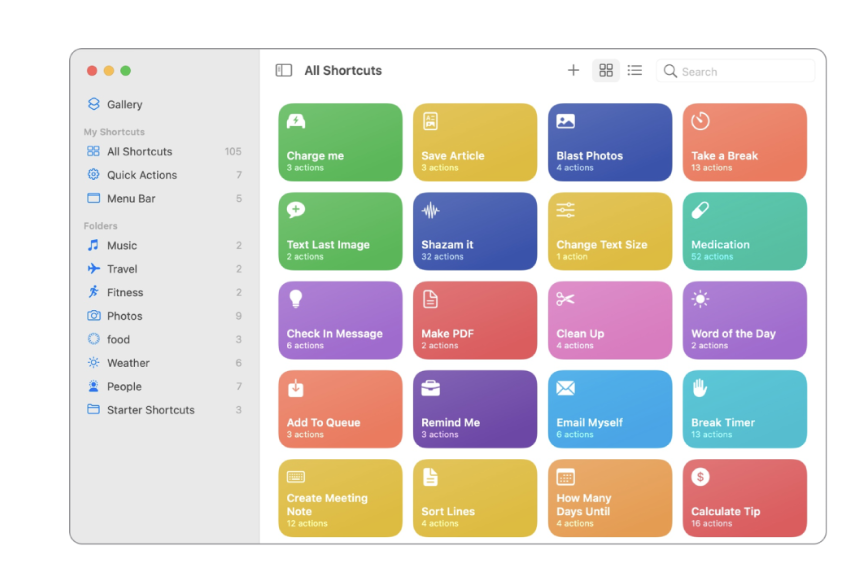
Creating shortcuts for the workflow #
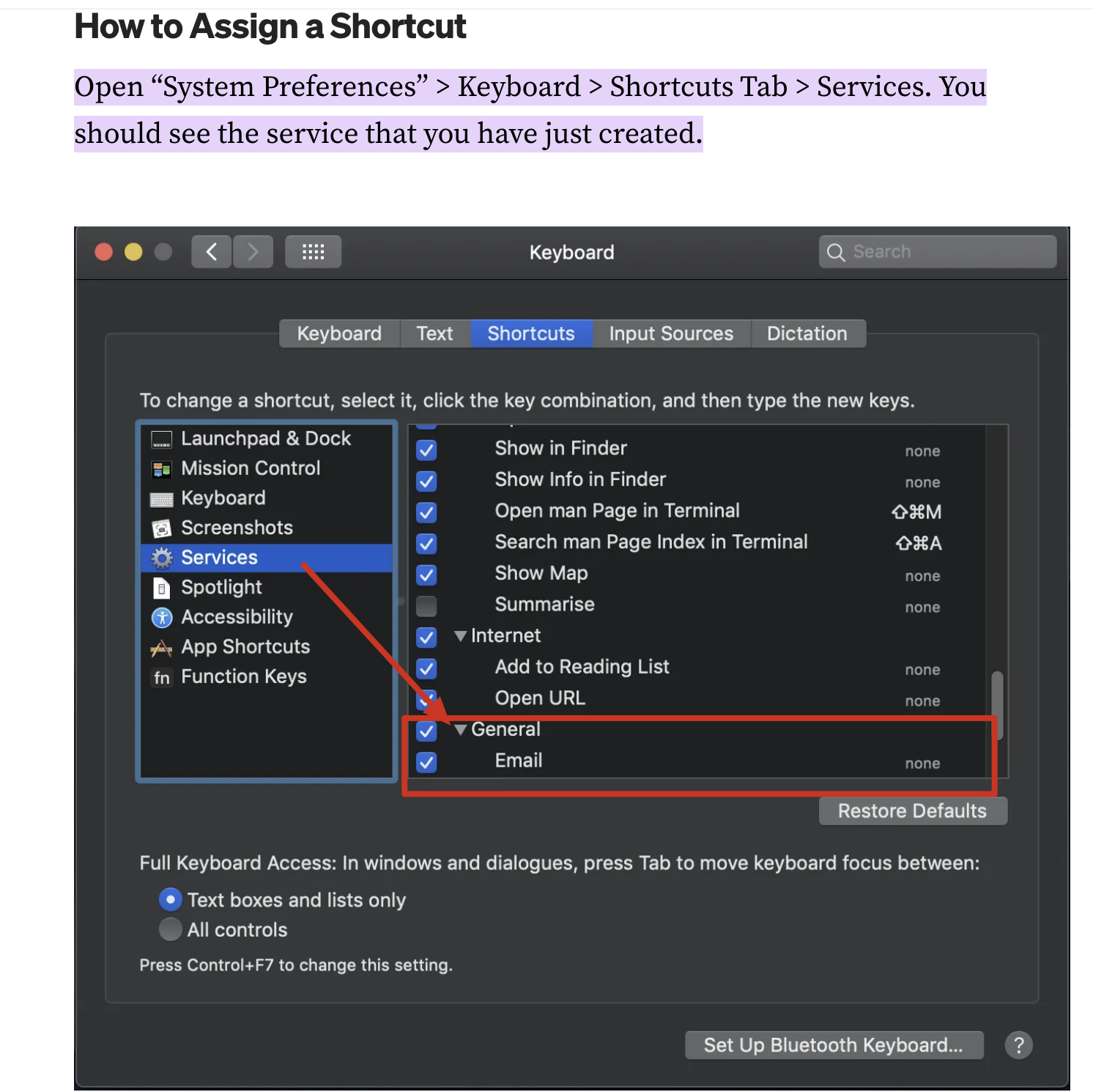
You can easily import Automator workflows into Shortcuts. Your workflows automatically become a collection of shortcuts ready to run, saving you time and making Shortcuts exceptionally useful right away.
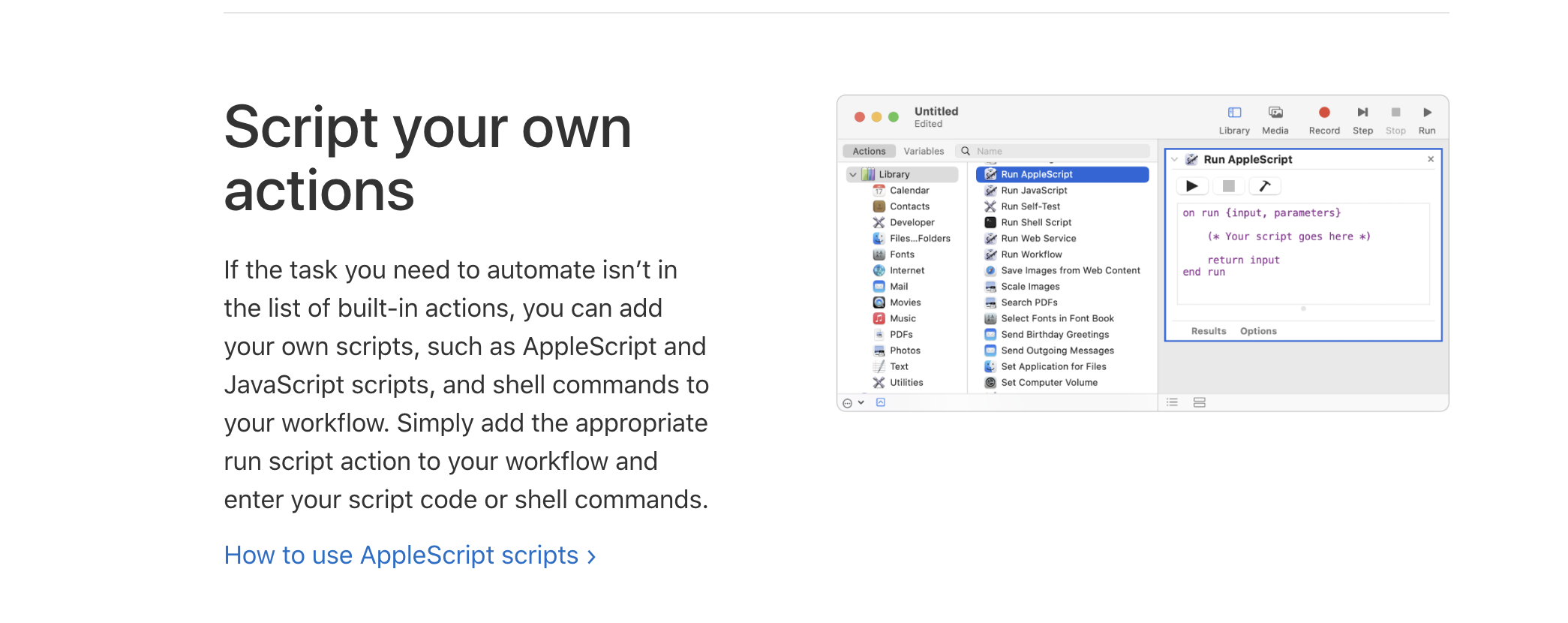
Script your own actions #
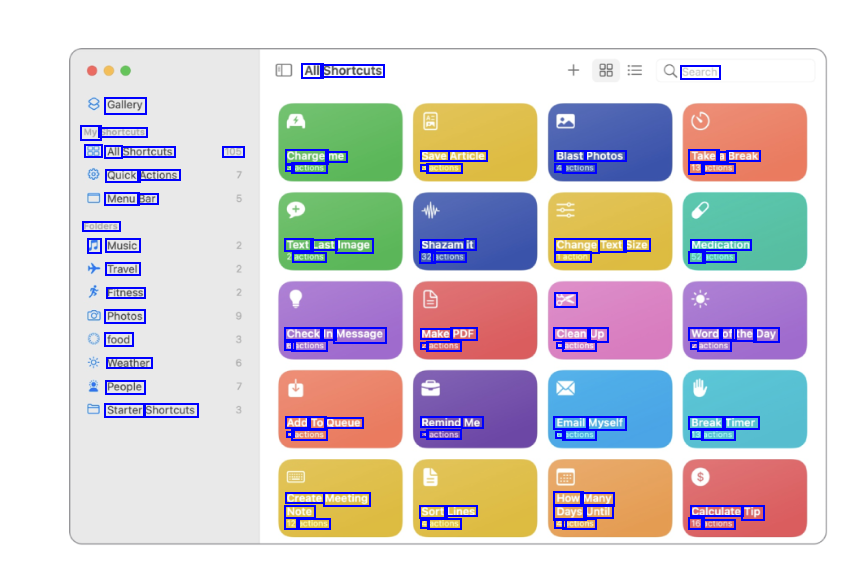
If the task you need to automate isn’t in the list of built-in actions, you can add your own scripts, such as AppleScript and JavaScript scripts, and shell commands to your workflow. Simply add the appropriate run script action to your workflow and enter your script code or shell commands. ref
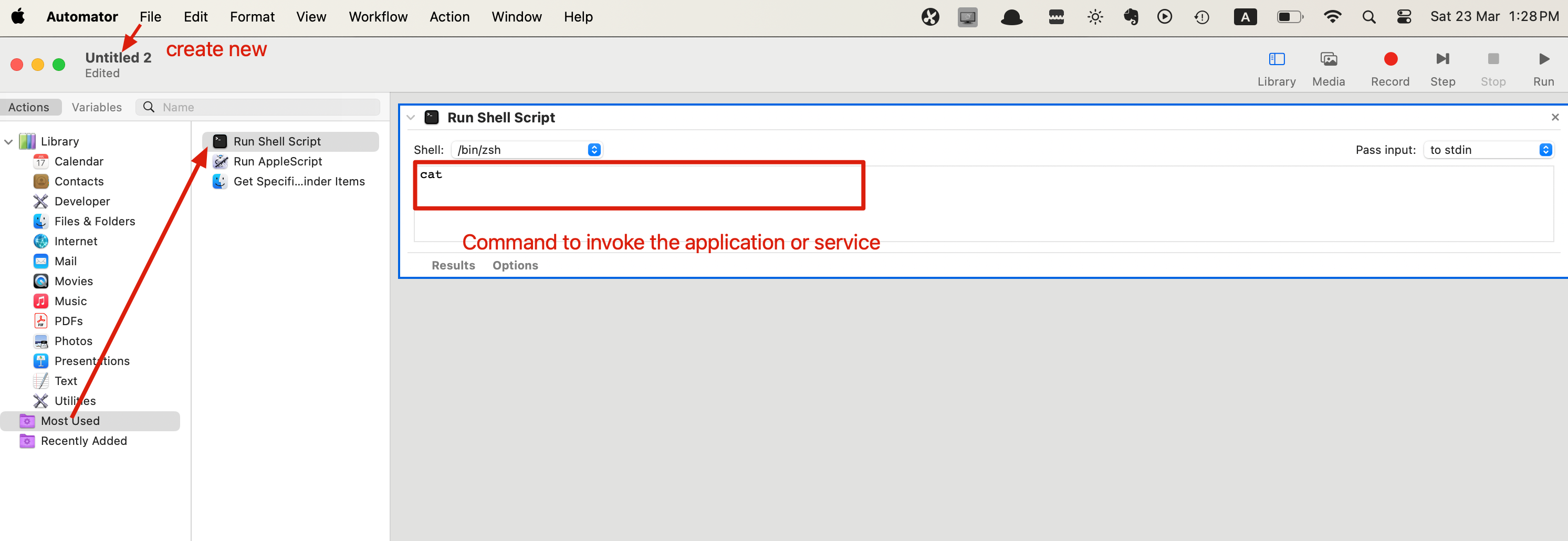
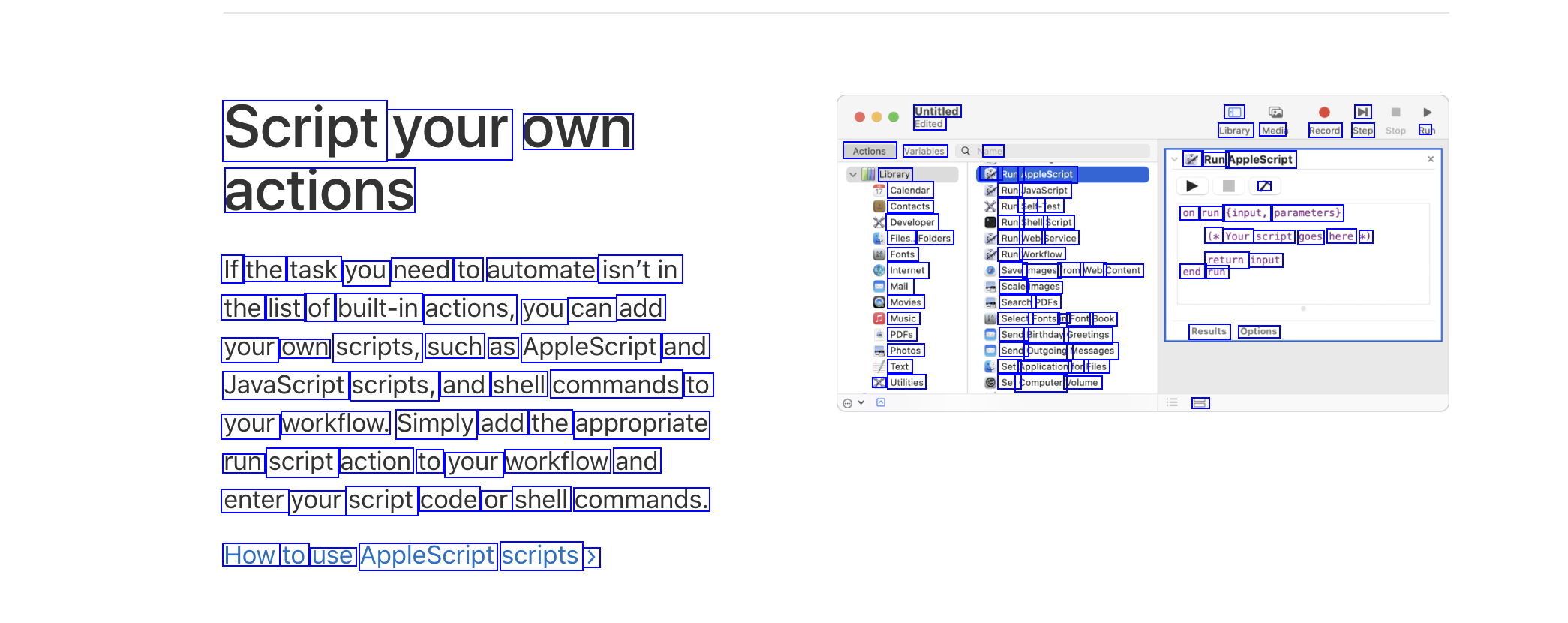
- Adding script to call application or service
Keyboard shortcuts #
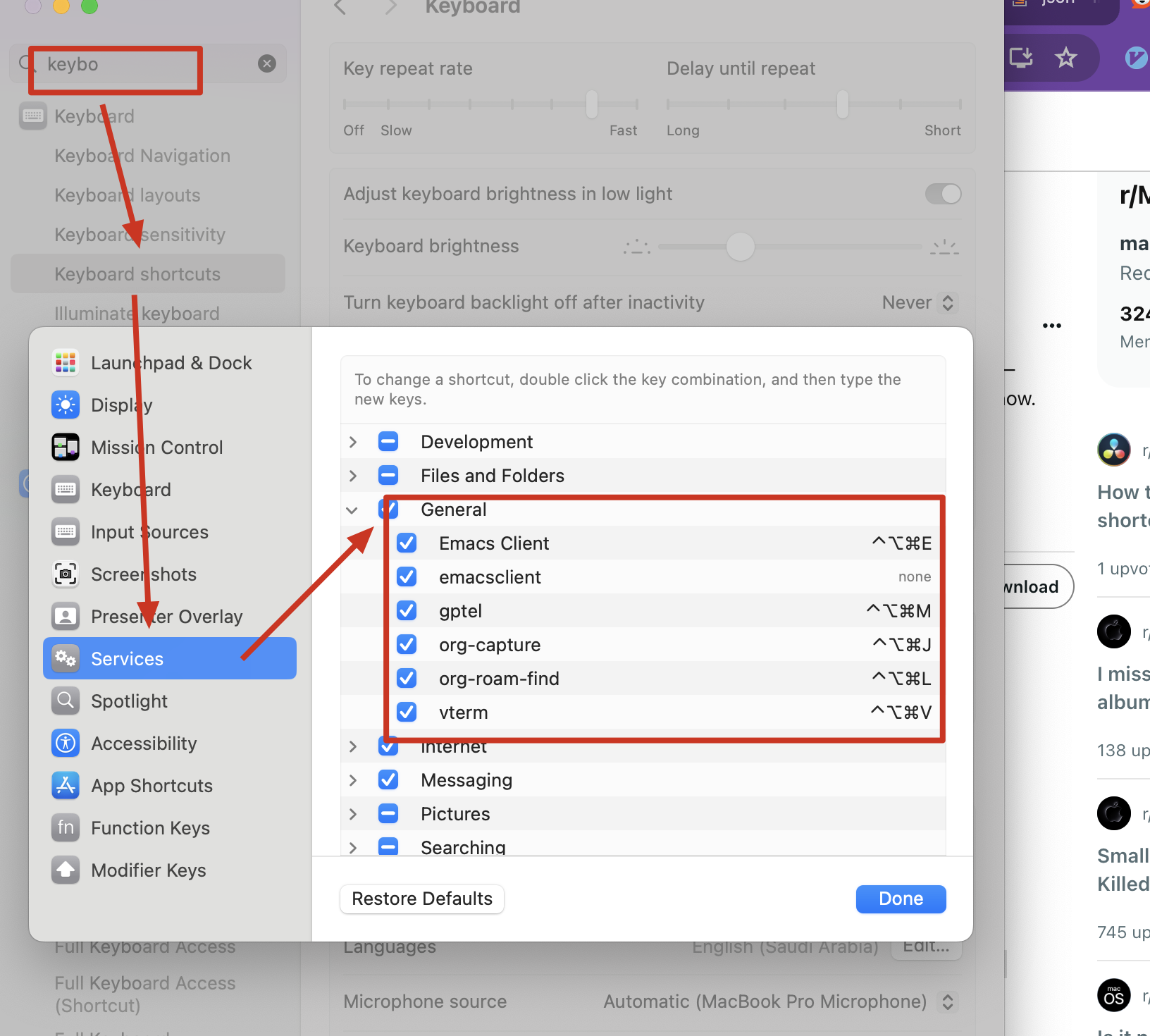
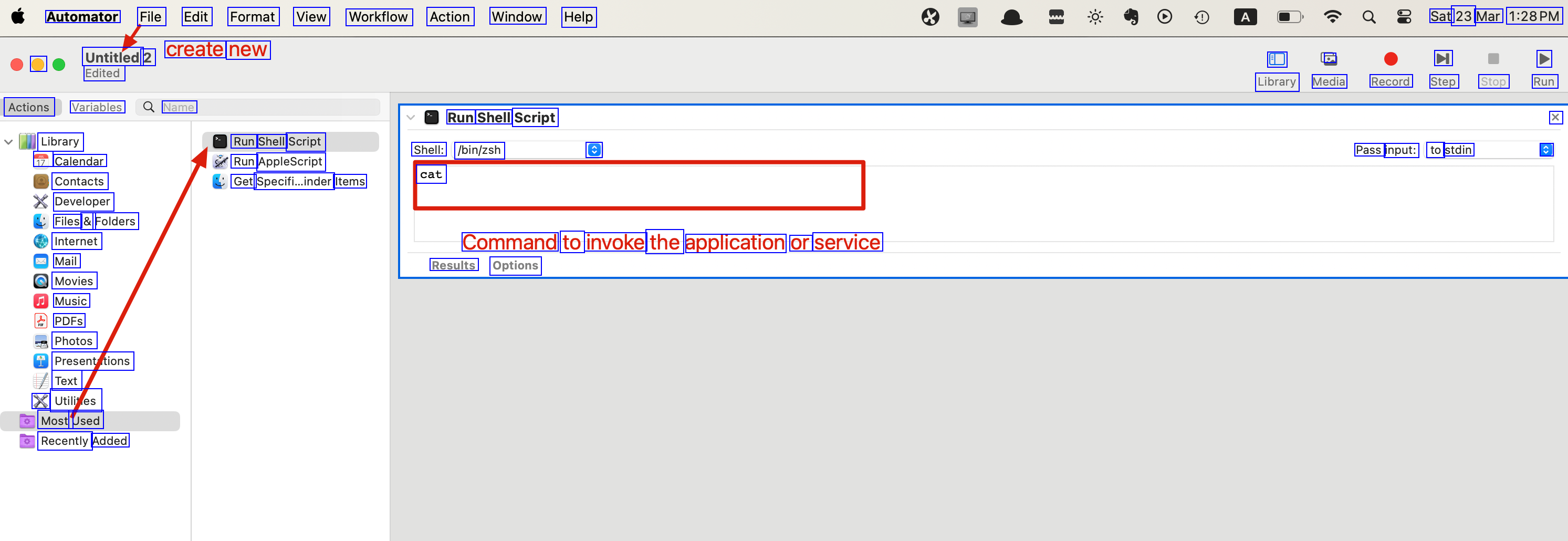
Shortcut can be assigned to workflows and Script actions ref https://support.apple.com/en-ae/guide/automator/atmtr27456/mac
Shortcuts to the Automator script files #
The added file will appear in the here: keyboards shortcuts -> Services -> General
OCR of Images #
2023-07-12_11-40-03_screenshot.png #
All Shortcuts Search Gallery My Shortcuts 88 All Shortcuts Quick Actions Menu Bar Folders a Music Travel Fitness Photos food Weather People Starter Shortcuts 105 Charge me 3 actions Save Article 3 actions Blast Photos 4 actions Take a Break 13 actions Text Last Image actions Shazam it 32 actions Change Text Size 1action Medication 52 actions X Check In Message 6 actions Make PDF A actions Clean Up 4 actions Word of the Day 2 actions Add To Queue 4 actions Remind Me 3 actions Email Myself 5 actions Break Timer 13 actions Create Meeting Note 12. actions How Many Days Until 4. actions Sort Lines 4 actions Calculate Tip 16 actions
2023-07-12_11-40-27_screenshot.png #
Untitled Edited Variables ame Actions Library Da Run AppleScript Calendar Run JavaScript Contacts Run Self-1 Test Developer Run Shell Script Files... Folders Run Web Service Fonts Run Workflow Internet Save Images from Web Content end run Mail Scale Images Movies Search PDFS Music Select Fonts in Font Book PDFS Send Birthday Greetings Photos Send Outgoing Messages Text Set Application for Files X Utilities Set Computer Volume D H own Library Medi Record Step Ru & Run AppleScript / on run (input, parameters) (* Your script goes here *) return input your Script actions If the task you need to automate isn'tin the list of built-in actions, you can add Results Options your own scripts, such as AppleScript and JavaScript scripts, and shell commands to your workflow. Simply add the appropriate run script action to your workflow and 3 enter your script code or shell commands. How to use AppleScript scripts >
2024-03-23_13-30-13_screenshot.png #
Automator File Edit Format View Workflow Action Window Help Sat 23 Mar 1:28PM Untitled 2 create new O Edited D E M > Library Media Record Step Stop Run Actions Variables Name Run Shell Script Shell: /bin/zsh X C Library 17 Calendar Contacts Developer Files & Folders Internet Mail Movies Music PDFS Photos Presenttions Text X Utilies Most Used Recently Added Run Shell Script Run AppleScript Get Specifi..inder Items cat C Pass input: to stdin Command to invoke the application or service Results Options
2024-03-23_13-43-19_screenshot.png #
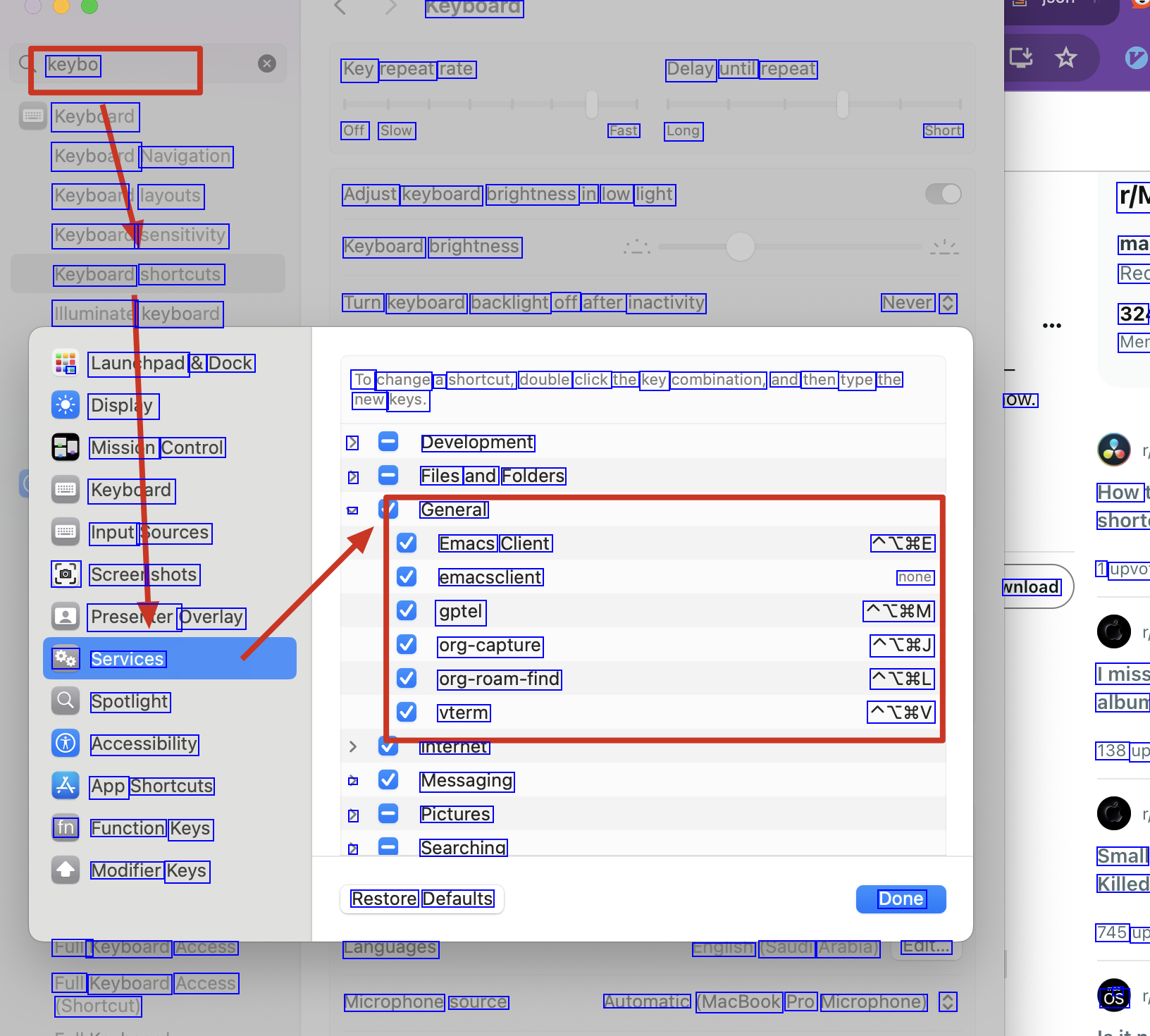
Keyboara keybo Keybdard Keyboard Navigation Keyboan layouts Keyboard sensitivity Keyboard shortcuts Illuminate keyboard - Launchpad & Dock Display Mission Control Keybdard Input Sources al Screer shots Preseler Overlay do Services Spotlight Accessibility App Shortcuts fn Function Keys Modifier Keys Key repeat rate Off Slow Delay until repeat Fast Long Short Adjust keyboard brightness in low light r/M ma Rec 32 Mer Keyboard brightness Turn keyboard backlight off after inactivity Never C To change a shortcut, double click the key combination, and then type the new keys. > > V OW. Development Files and Folders General Emacs Client emacsclient gptel org-capture org-roam-find vterm internet Messaging Pictures Searching Restore Defaults Languages Microphone source How short 1 upvo ATSE none ATSM ATIJ ATIL ATIV vnload Imiss album 138 up > > > Small Killed 745 up a OS Done FUllT Keyboard Access Full Keyboard Access (Shortcut) Engisn (Saudi Arabia) Eait... Automatic (MacBook Pro Microphone) C
2024-03-23_13-39-54_screenshot.png #
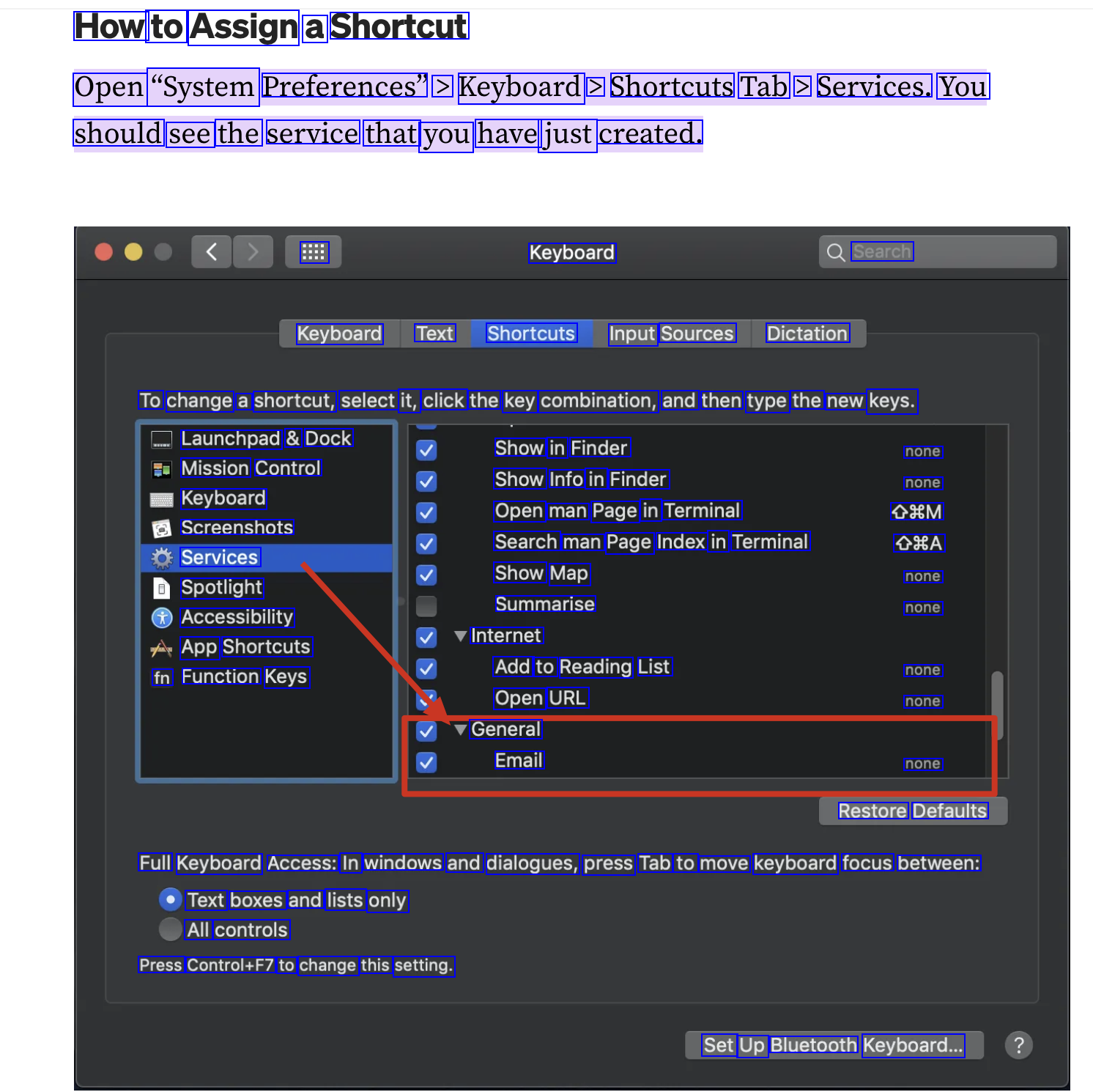
How to Assign a Shortcut Open "System Preferences" > Keyboard > Shortcuts Tab > Services. You should see the service that you have just created. : Keyboard Search Keyboard Text Shortcuts Input Sources Dictation To change a shortcut, select it, click the key combination, and then type the new keys. Launchpad & Dock Mission Control Keyboard Screenshots Services Spotlight Accessibility App Shortcuts fn Function Keys Show in Finder Show Info in Finder Open man Page in Terminal Search man Page Index in Terminal none none 09M O8A none none none none none Restore Defaults Show Map Summarise Internet Add to Reading List Open URL General Email Full Keyboard Access: In windows and dialogues, press Tab to move keyboard focus between: Text boxes and lists only All controls Press Control+F7 to change this setting. Set Up Bluetooth Keyboard...