Docker CS
Frequently used #
Build #
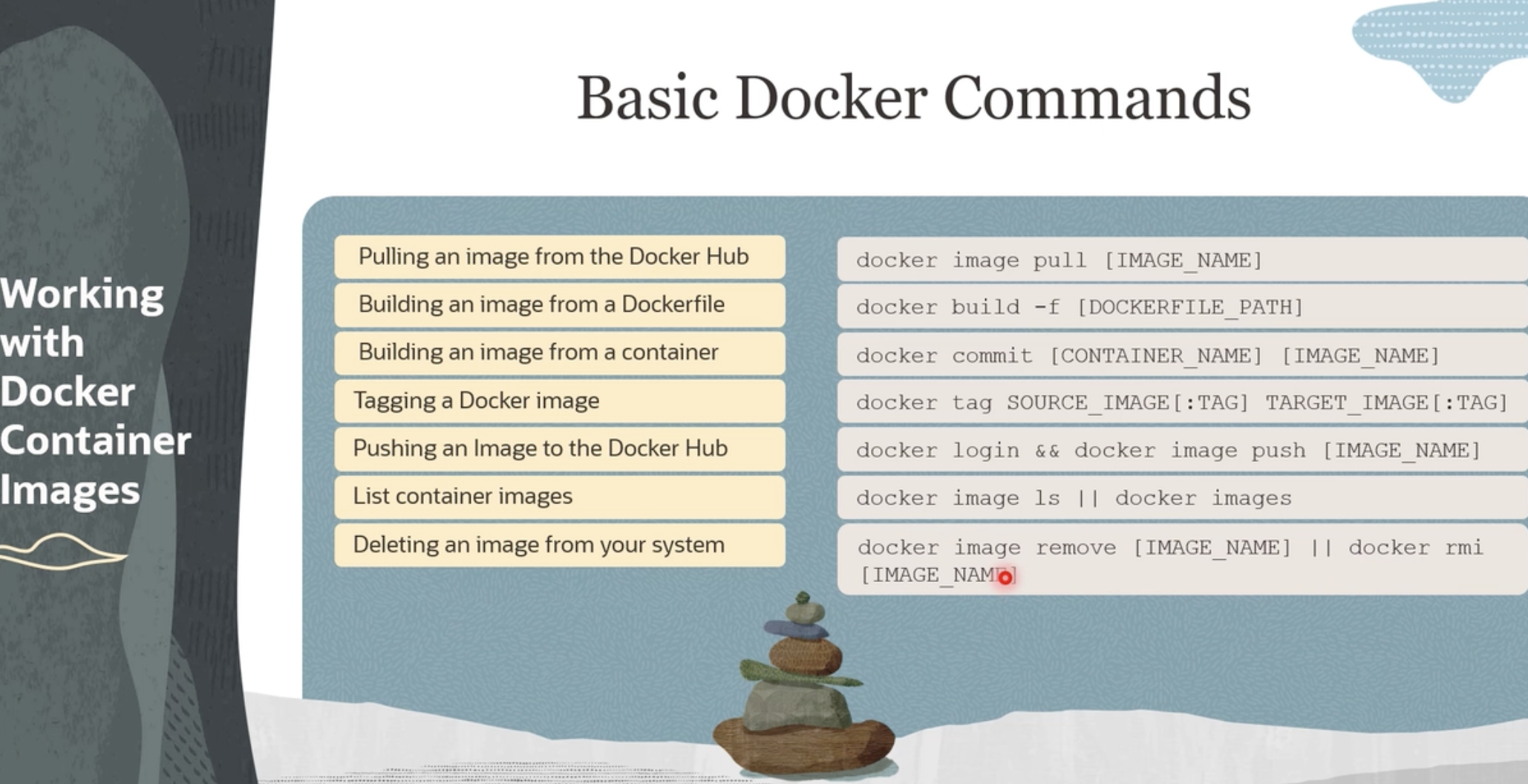
Build:
docker build -t tag-name # from dir that contains Dockerfiledocker build . # from dir that contains Dockerfile“.”:- means Dockerfile is located in the current directory
- copy current directory contents into image
build with Naming Images:
docker build -t image-name # from dir that contains Dockerfile
Containers #
Create a container with name
docker run --name container_name image_nameCreate container in detached mode
docker run -d --name container_name image_nameCreate Container with env variables
docker run --name bakery -p 8001:8000 -e DEVELOPMENT_MODE=True bakery-imgPublish ports To creates a firewall rule which maps a container port to a port on the Docker host to the outside world
docker run --name container_name -p host-port:container-port image_namelist containers
docker container ls --all | grep s3fsdocker container ls -f s3fsrefcontainer logs
docker logs -f --until=2s container-nameRemove container
docker rm container-nameSSH to container
docker exec -it container-name bash-commande.g.
Docker registry #
Login
docker login # default registry is docker hubdocker login registry-1.docker.ioPush
create a repository on docker hub and copy the command,
docker push jaaved9/assessment:tagnamedocker push jaaved9/assessment:latestTo push to private or non docker hub repo
docker push localhost.localdomain:5000/ubuntu # give full URL
tagging remote repo
docker tag SOURCE_IMAGE[:TAG] TARGET_IMAGE[:TAG]
Inspect Details #
docker inspect hash
docker top hash
Mounting #
“-mount” or “-v” -v <source>:<target>
docker run -d --name nginx --network host \
      -v $PWD/nginx.conf:/etc/nginx/nginx.conf:ro \
     nginx:1.20