Elasticsearch
May 1, 2024 |
seedling
Summary #
- tags
- , , , ,
The heart of company
- It is a database with search engine APIs
- Cloud solution requires
- elastic-licenses
- Elasticsearch is built on top of .
- Elasticsearch converts Lucene into a distributed system/search engine for scaling horizontally.
Elastic cloud features #
https://www.elastic.co/subscriptions/cloud
Where does Elasticsearch stores data? #
/var/lib/elasticsearch/data
Why Elastic changed their licenses from version 7.11? #
- Because Amazon was providing elastic products as service
they changed their licenses to make them as sole cloud service providers of elastic products.
Our on-prem or Elastic Cloud customers will not be impacted.
The vast majority of our users will not be impacted.
The folks who take our products and sell them directly as a service will be impacted, such as the Elasticsearch Service.
Current licenses #
How Elasticsearch works #
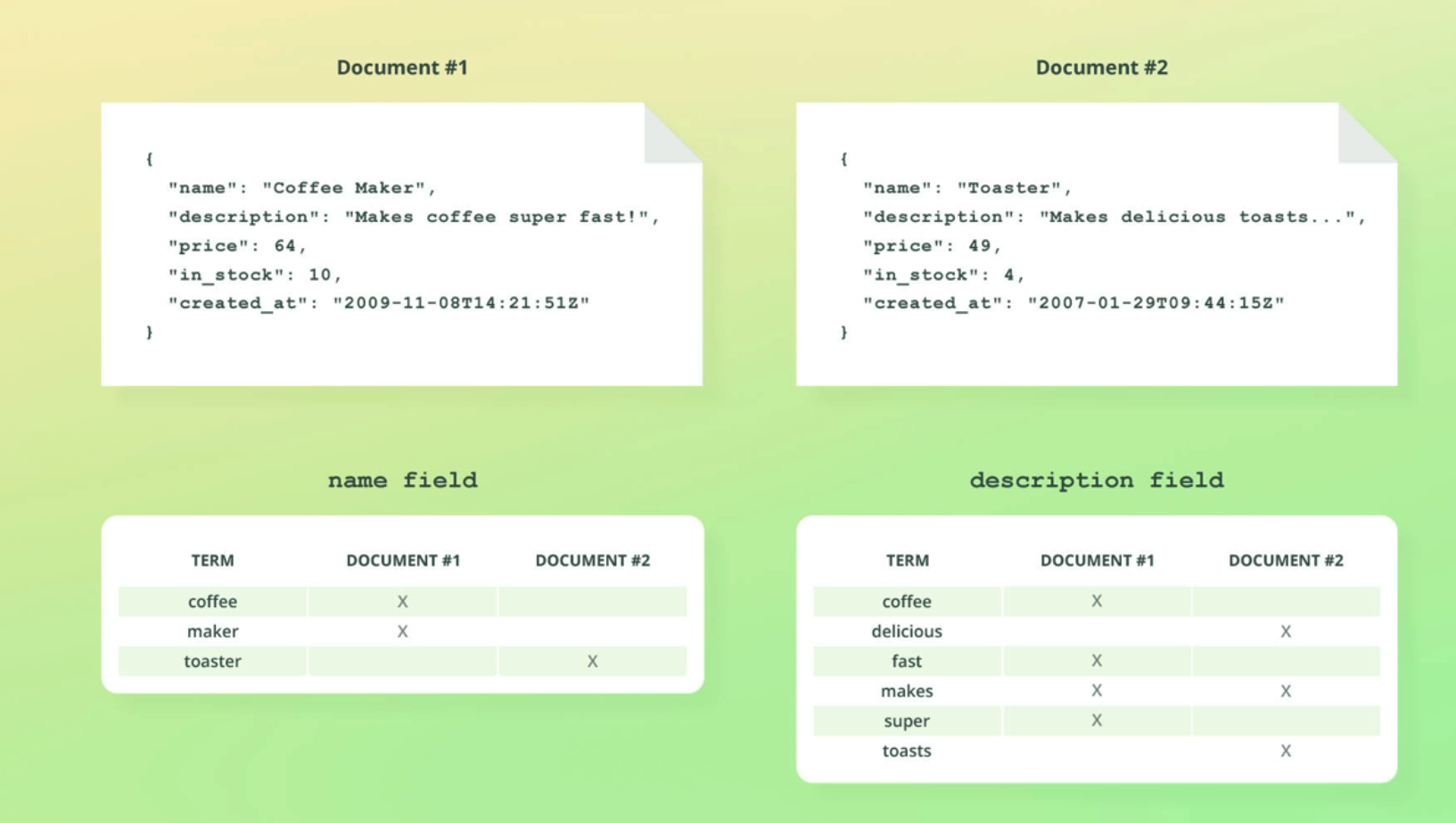
Inverted index
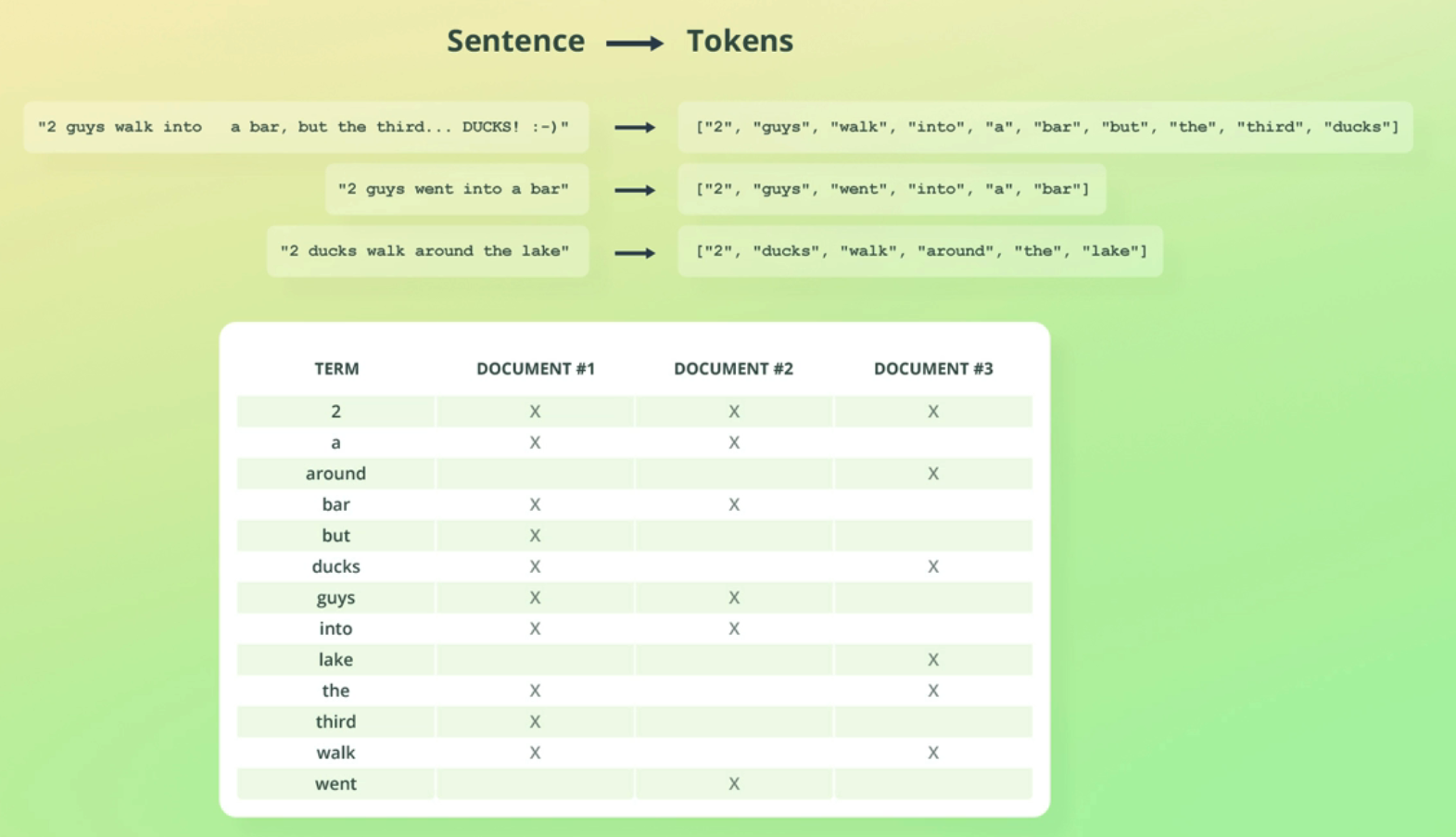
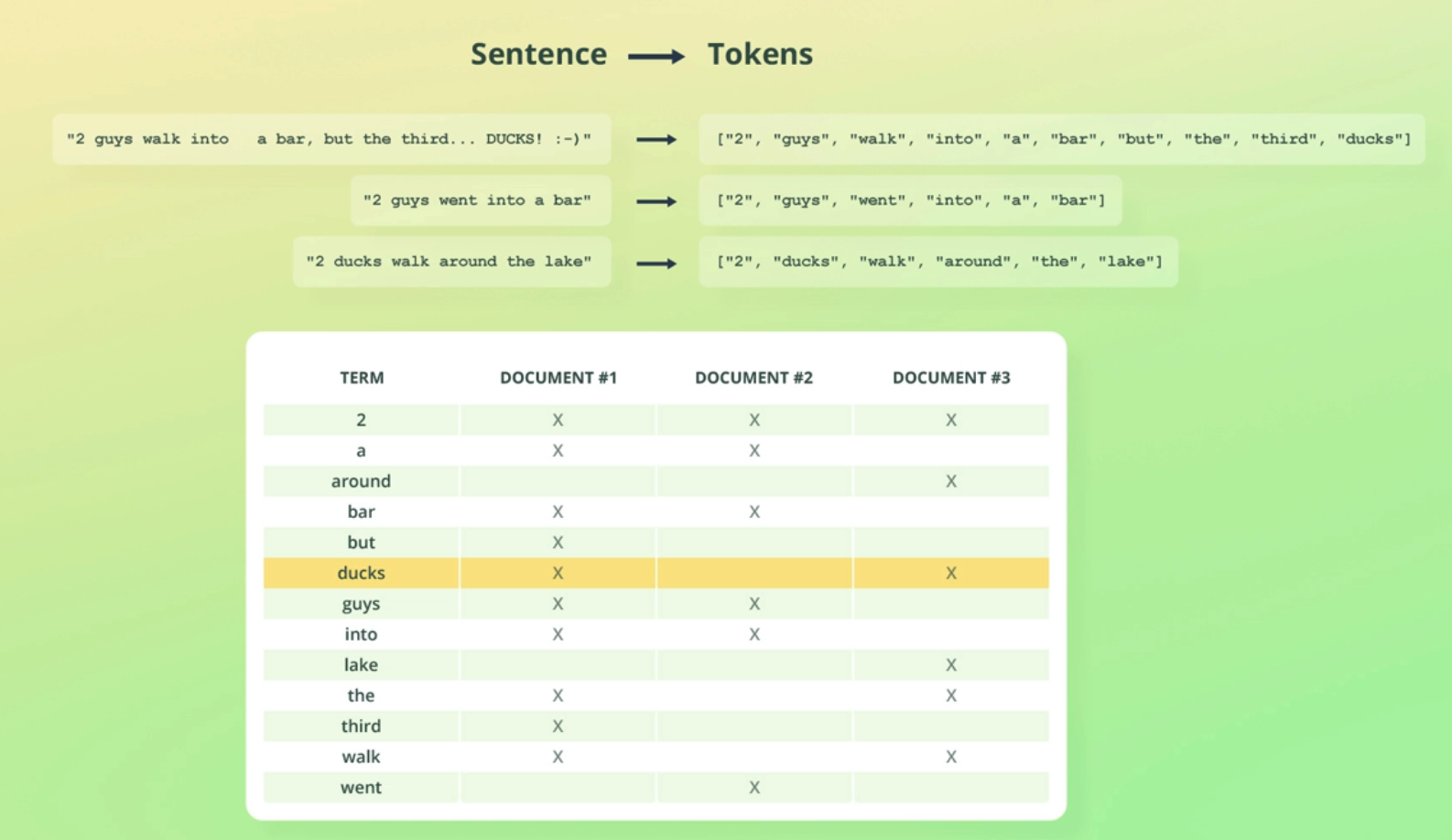
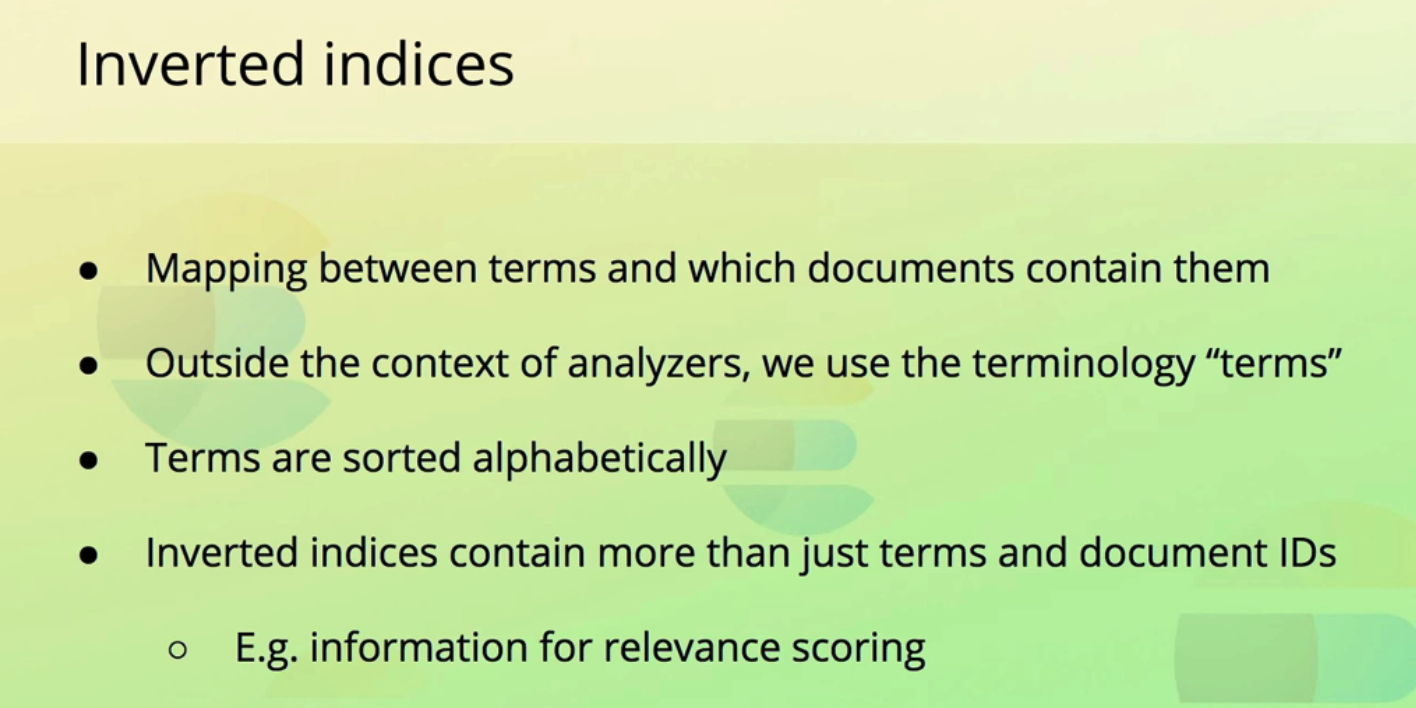 inverted index per filed in document.
Mapping
- identifying the type of a filed
Using it as Vector Store with Dense vector #
- using dense_vector mapping type.
- dense_vector with good diagrams
Dense vector is available from 7.6 version.
#
#
7.10 #
OCR of Images #
2023-08-25_22-29-41_screenshot.png #
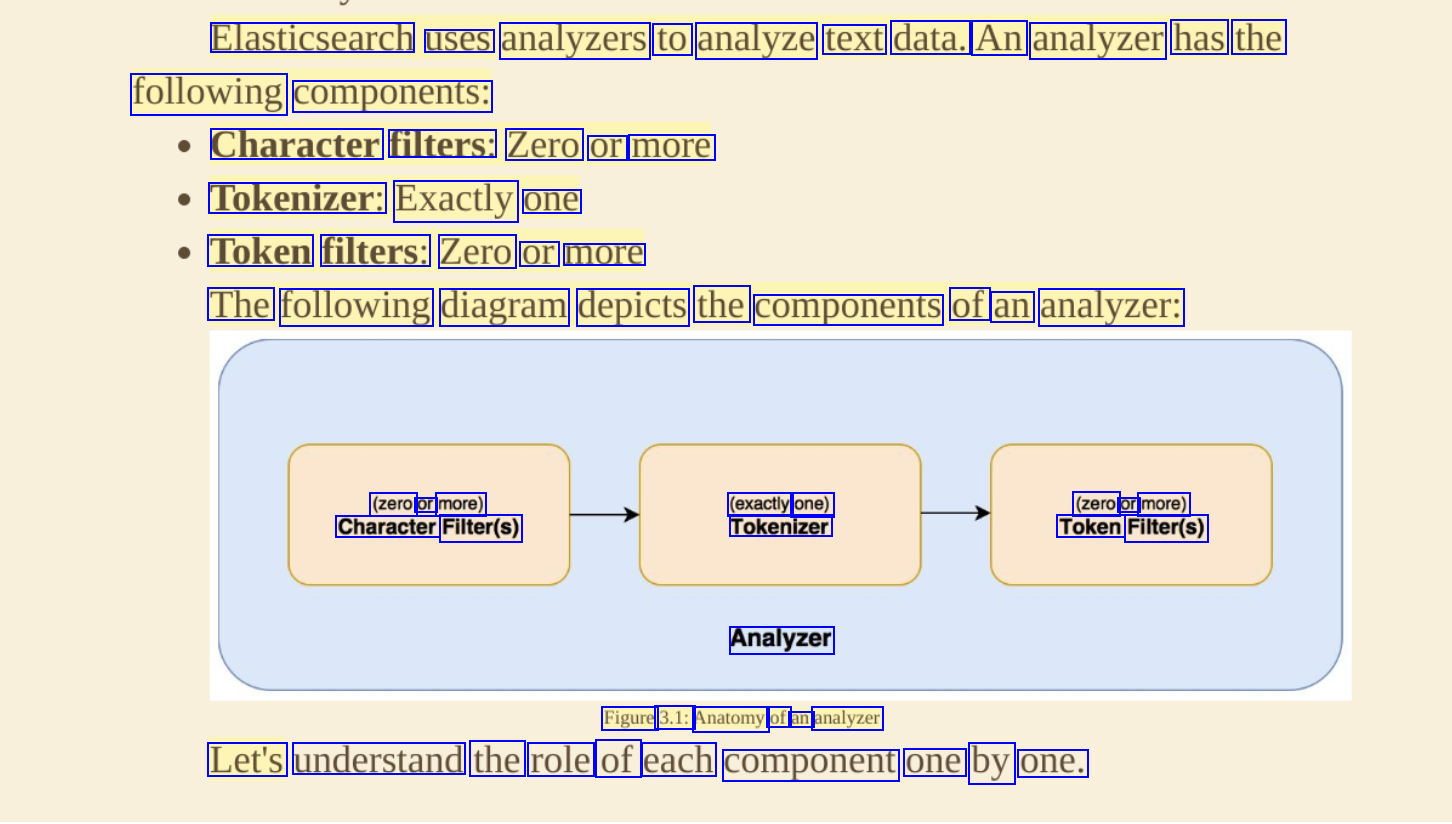
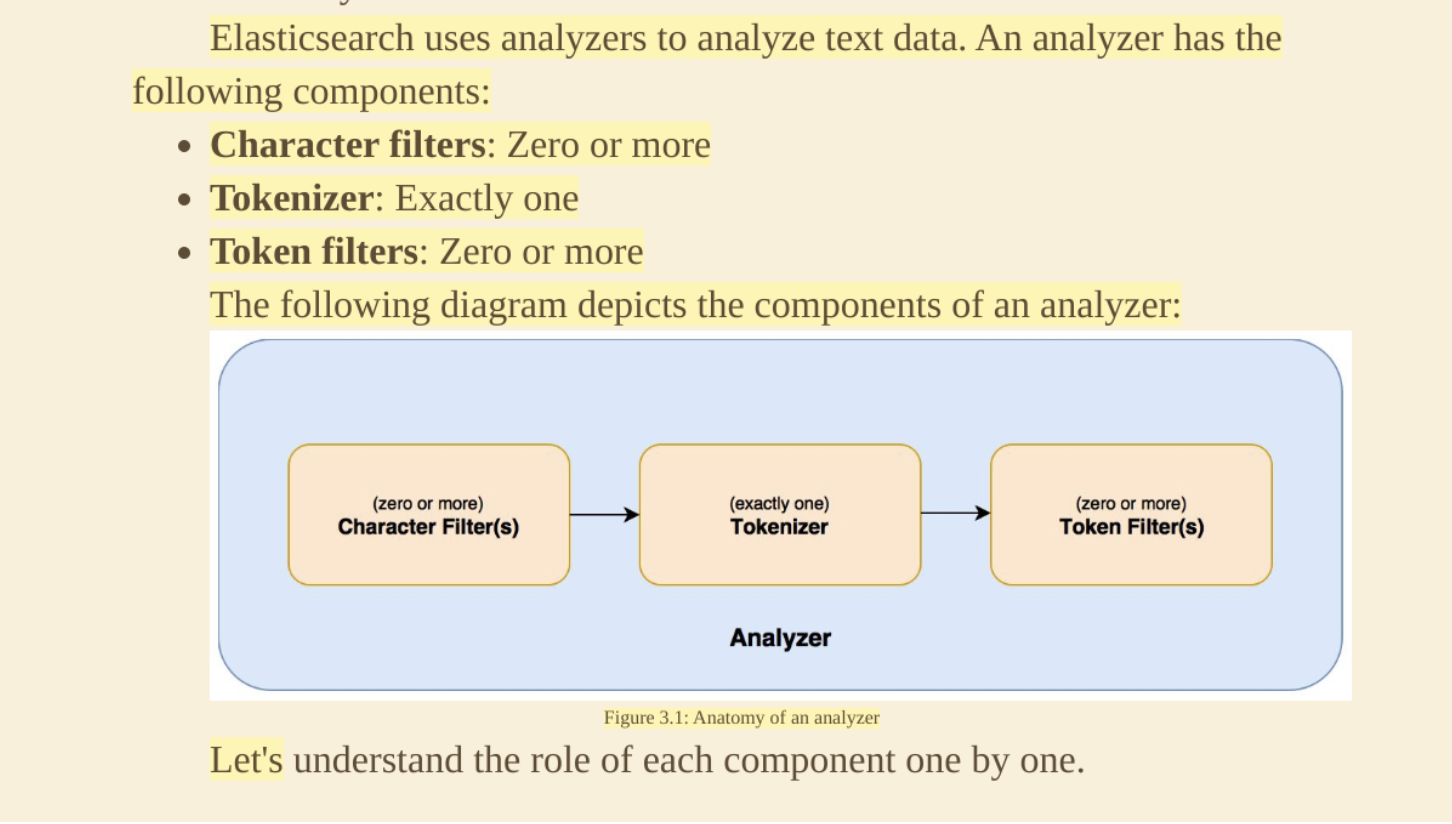
Elasticsearch uses analyzers to analyze text data. An analyzer has the following components: Character filters: Zero or more Tokenizer: Exactly one Token filters: Zero or more The following diagram depicts the components of an analyzer: (zero or more) Character Filter(s) (exactly one) Tokenizer (zero or more) Token Filter(s) Analyzer Figure 3.1: Anatomy of an analyzer Let's understand the role of each component one by one.
2023-12-10_16-33-37_screenshot.png #
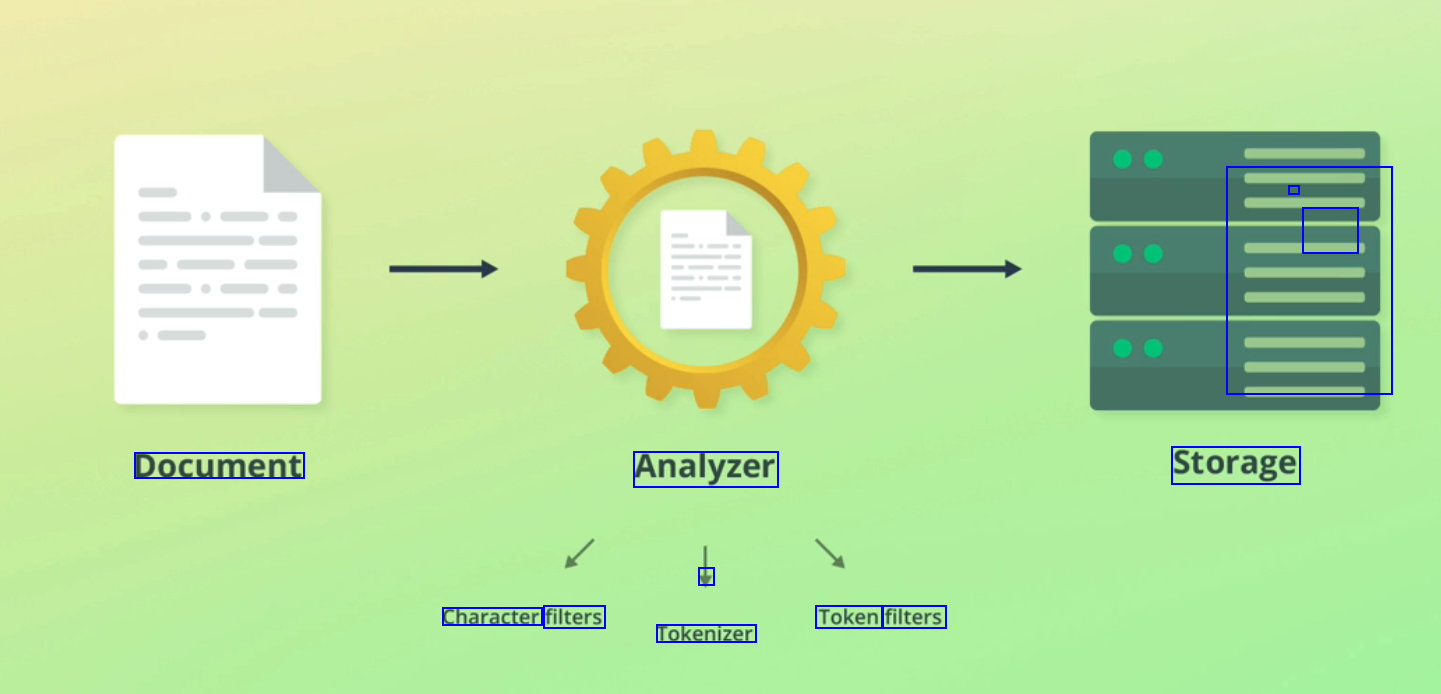
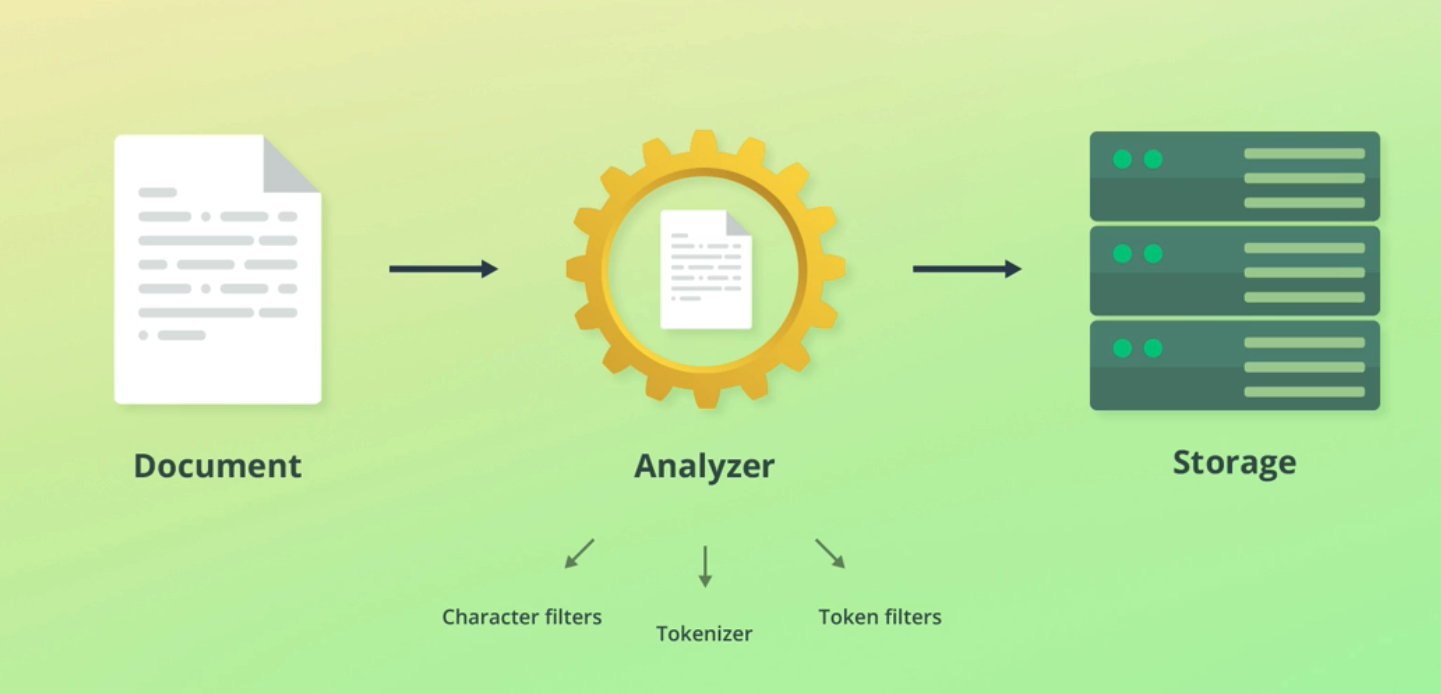
- - E Document Analyzer Storage V Character filters Token filters Tokenizer
2023-12-10_16-35-40_screenshot.png #
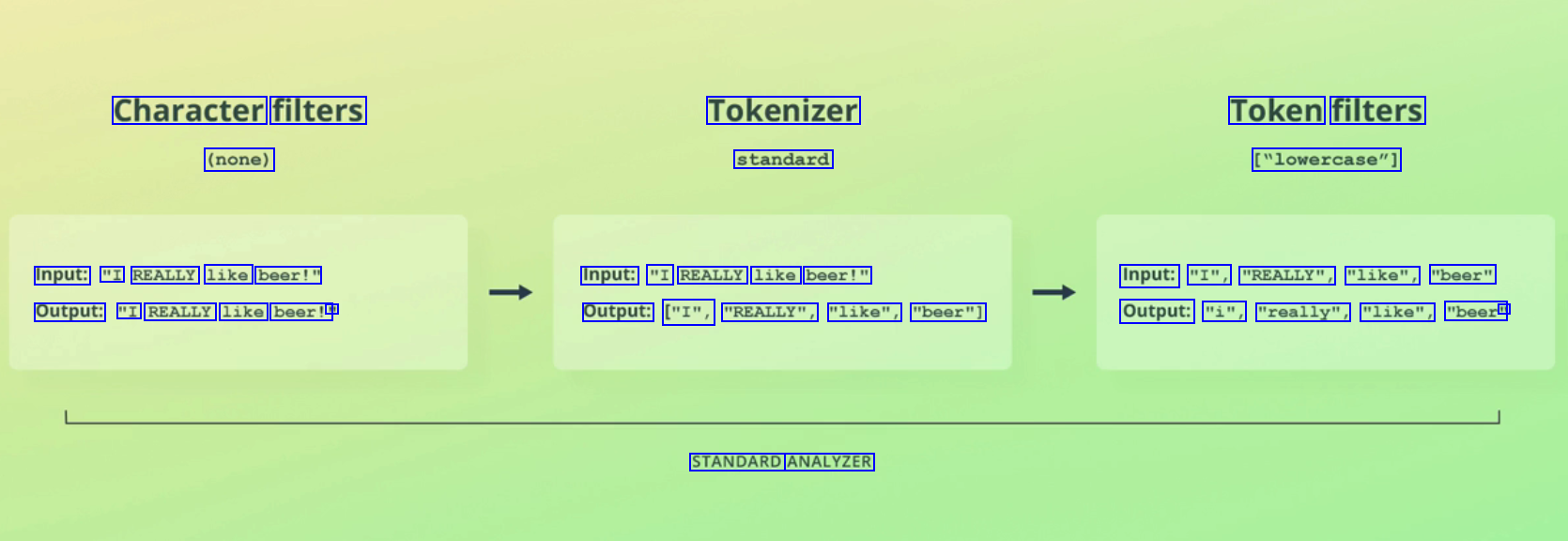
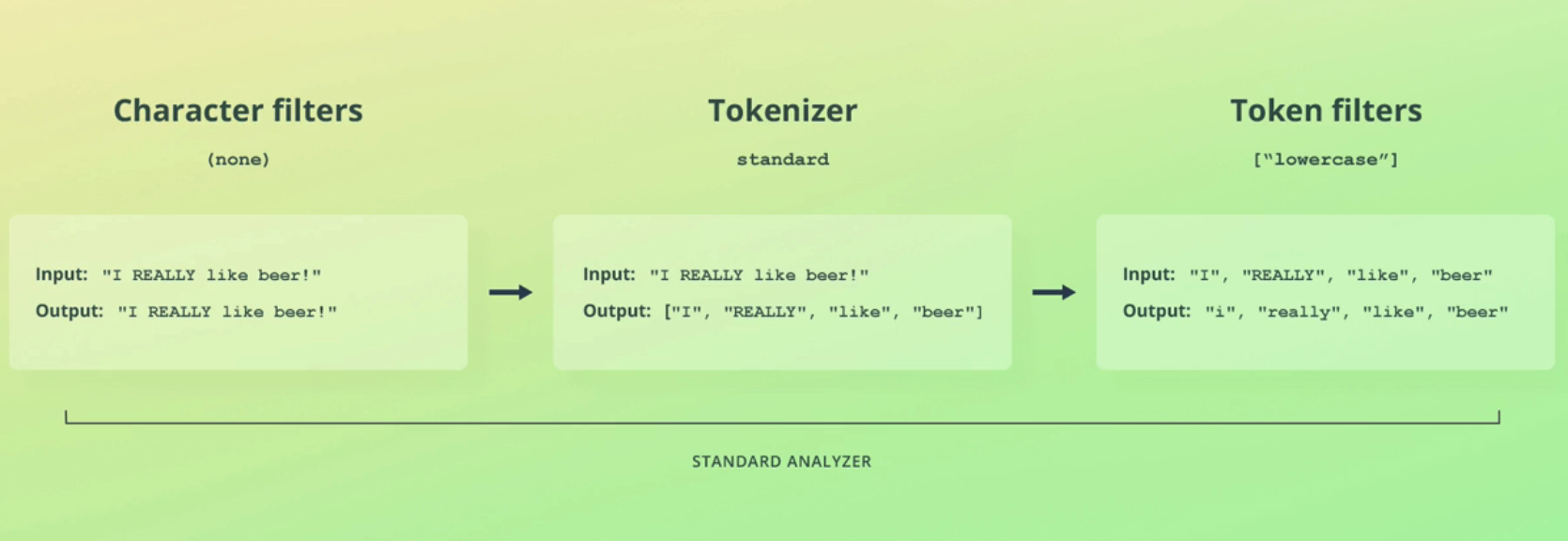
Character filters Tokenizer Token filters (none) standard ["lowercase"] Input: "I REALLY like beer!" Input: "I REALLY like beer!" Input: "I", "REALLY", "like", "beer" Output: "I REALLY like beer!' I1 Output: ["I", "REALLY", "like", "beer"] Output: "i", "really", "like", "beer" I1 STANDARD ANALYZER
2023-12-10_16-52-47_screenshot.png #
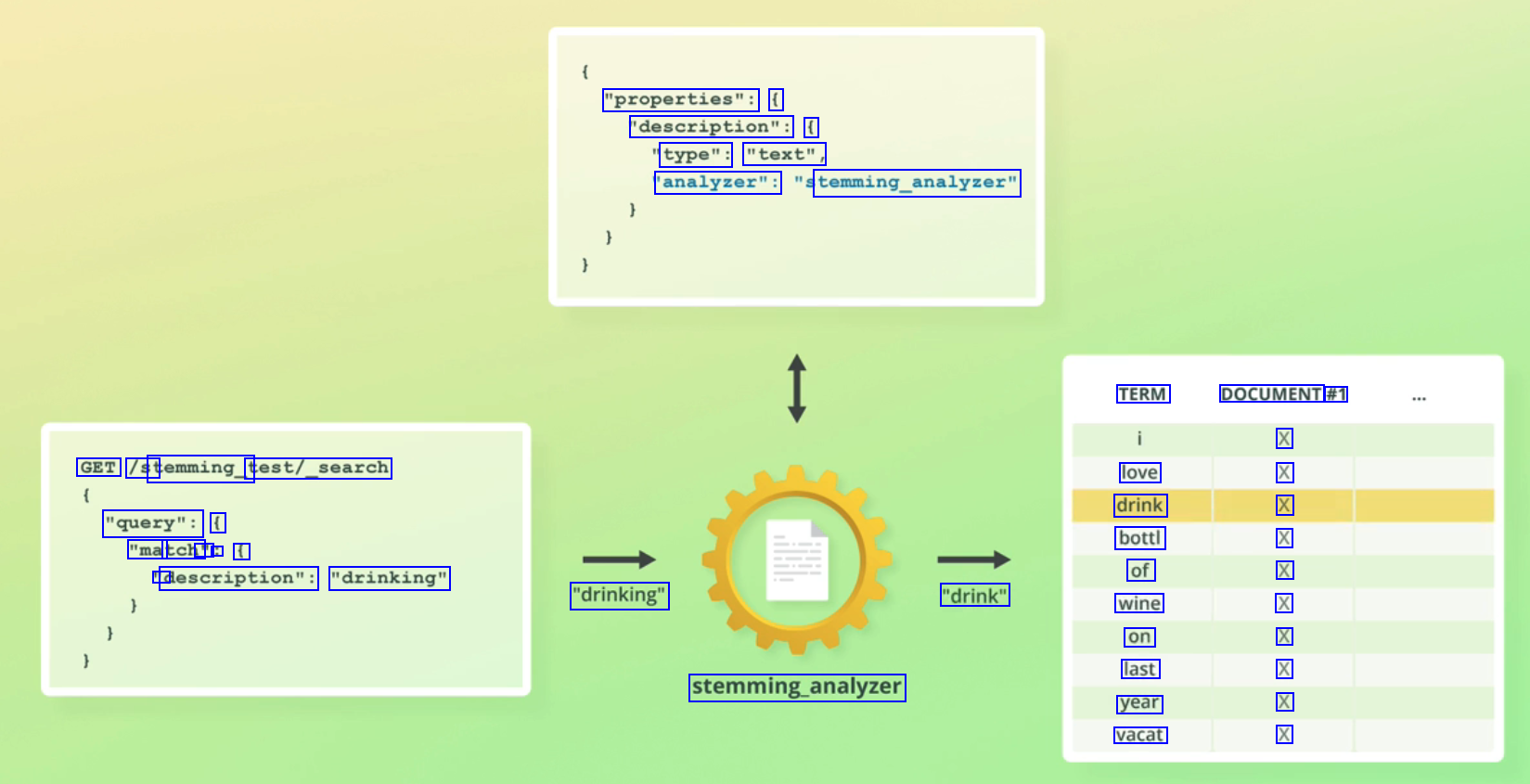
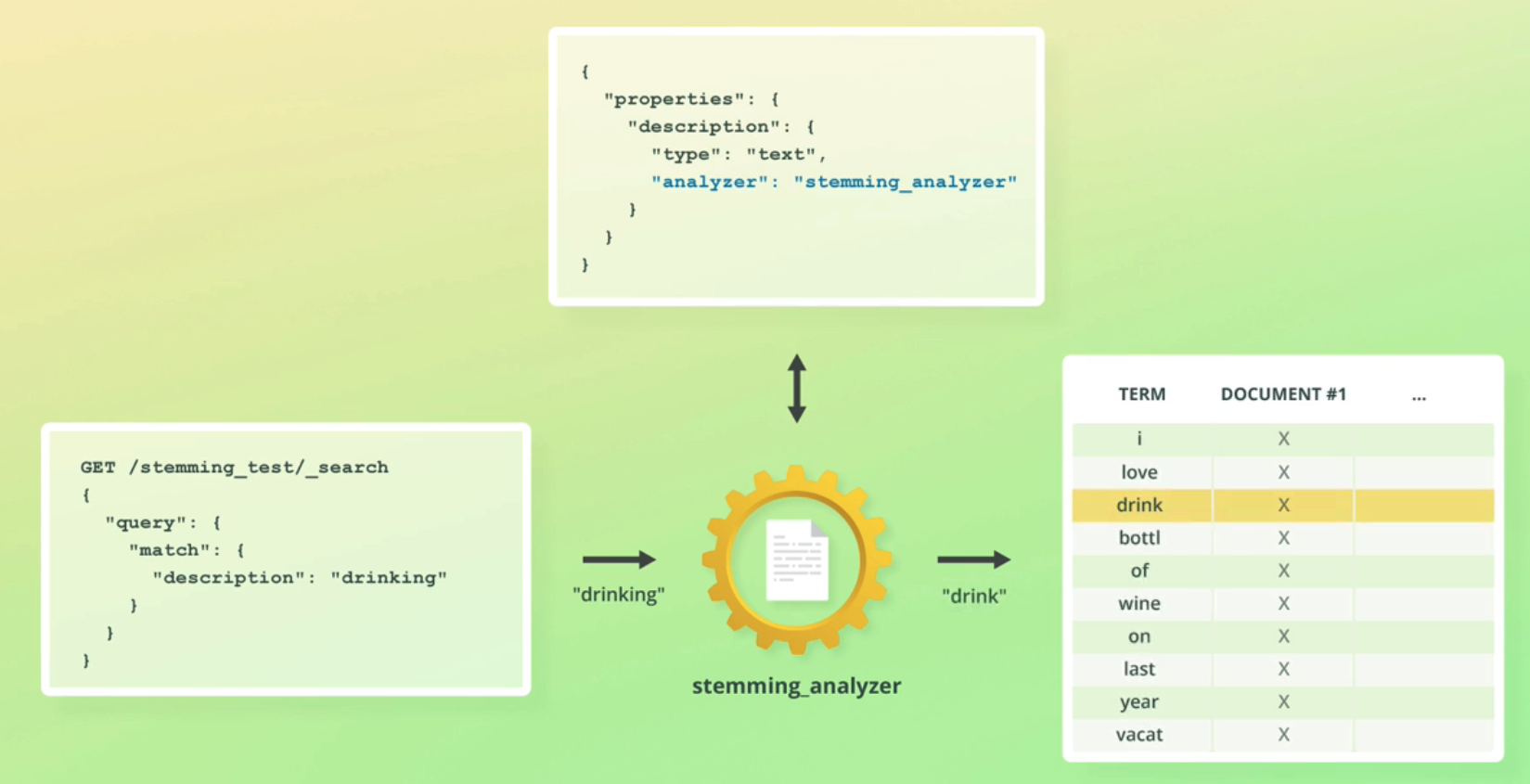
"properties": ( 'description": ( type": "text", 'analyzer": temming_analyzer" TERM DOCUMENT #1 X X X X X X X X X X GET /st temming_t test/_search love drink bottl of wine on last year vacat "query": ( "ma tch' " : f D description": "drinking" "drinking" "drink" stemming.analyzer
2023-12-10_16-40-04_screenshot.png #
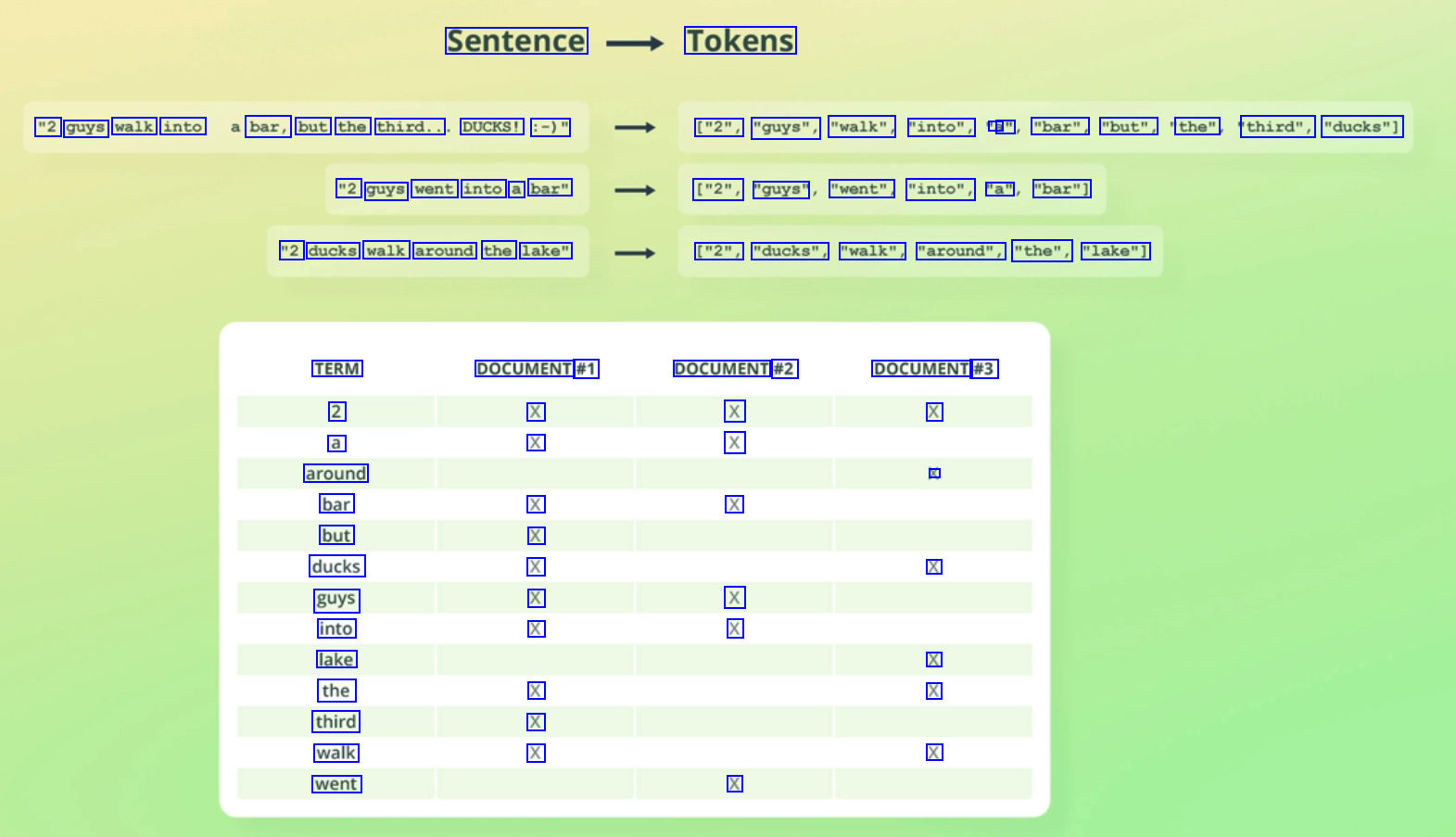
Sentence Tokens "2 guys walk into bar, but the third.. DUCKS! :-)" ["2", "guys", "walk", "into", a a" "bar", "but", the" third", "ducks"] "2 guys went into a bar" ["2", "guys" "went", "into", "a" "bar"] "2 ducks walk around the lake" ["2", "ducks", "walk", "around", "the", "lake"] TERM 2 a around bar but ducks guys into lake the third walk went DOCUMENT #1 X X DOCUMENT #2 X X DOCUMENT #3 X X X X X X X X X X X X X X X X X X
2023-12-10_16-40-21_screenshot.png #
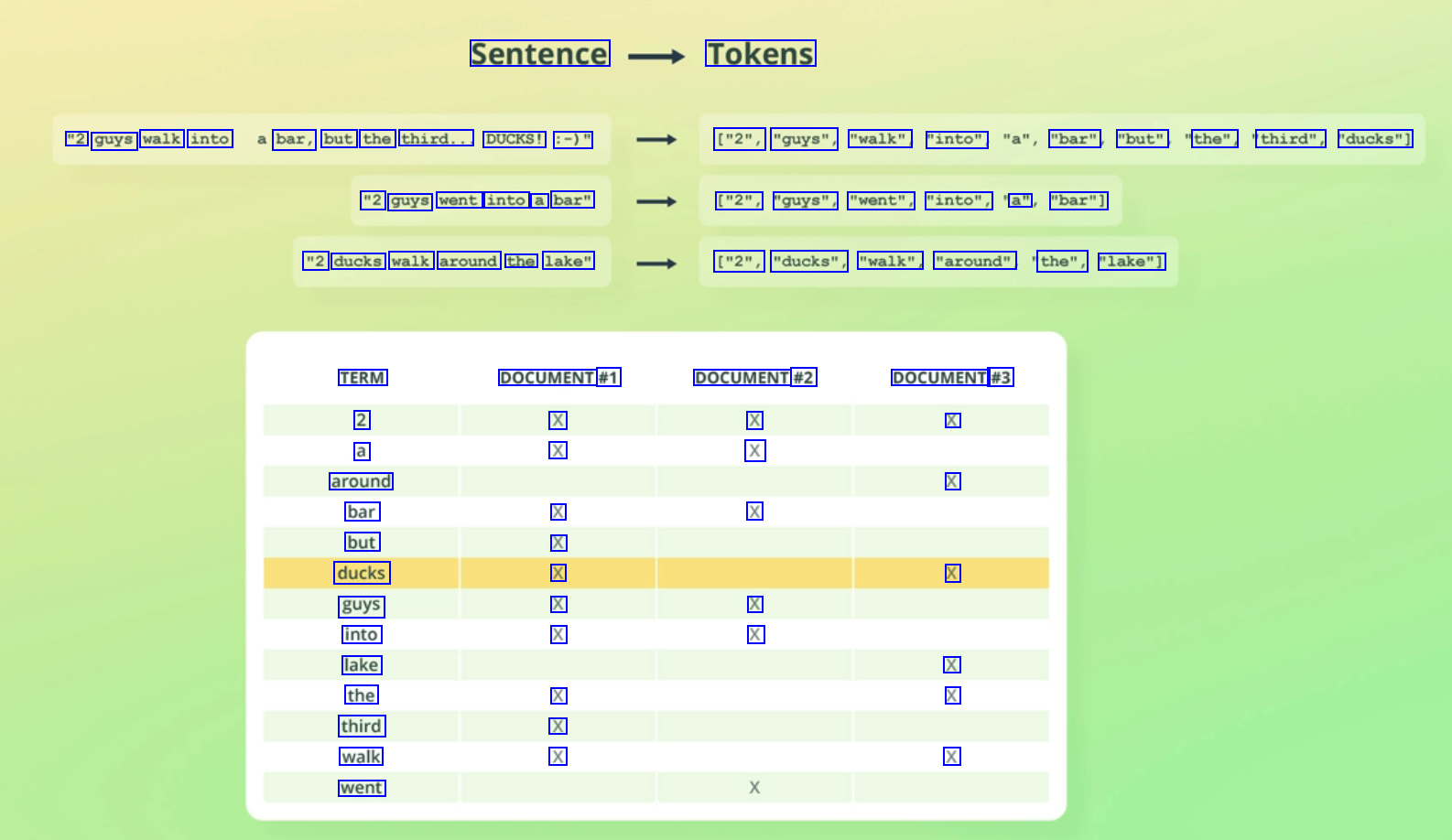
Sentence Tokens "2 guys walk into bar, but the third... DUCKS! :-)" ["2", "guys", "walk" "into", "bar" "but" the", third", "ducks"] "2 guys went into a bar" ["2", "guys", "went", "into", a" "bar"] "2 ducks walk around the lake" ["2", "ducks", "walk", "around" the", "lake"] TERM 2 a around bar but ducks guys into lake the third walk went DOCUMENT #1 X X DOCUMENT #2 X X DOCUMENT #3 X X X X X X X X X X X X X X X X X
2023-12-10_16-41-27_screenshot.png #
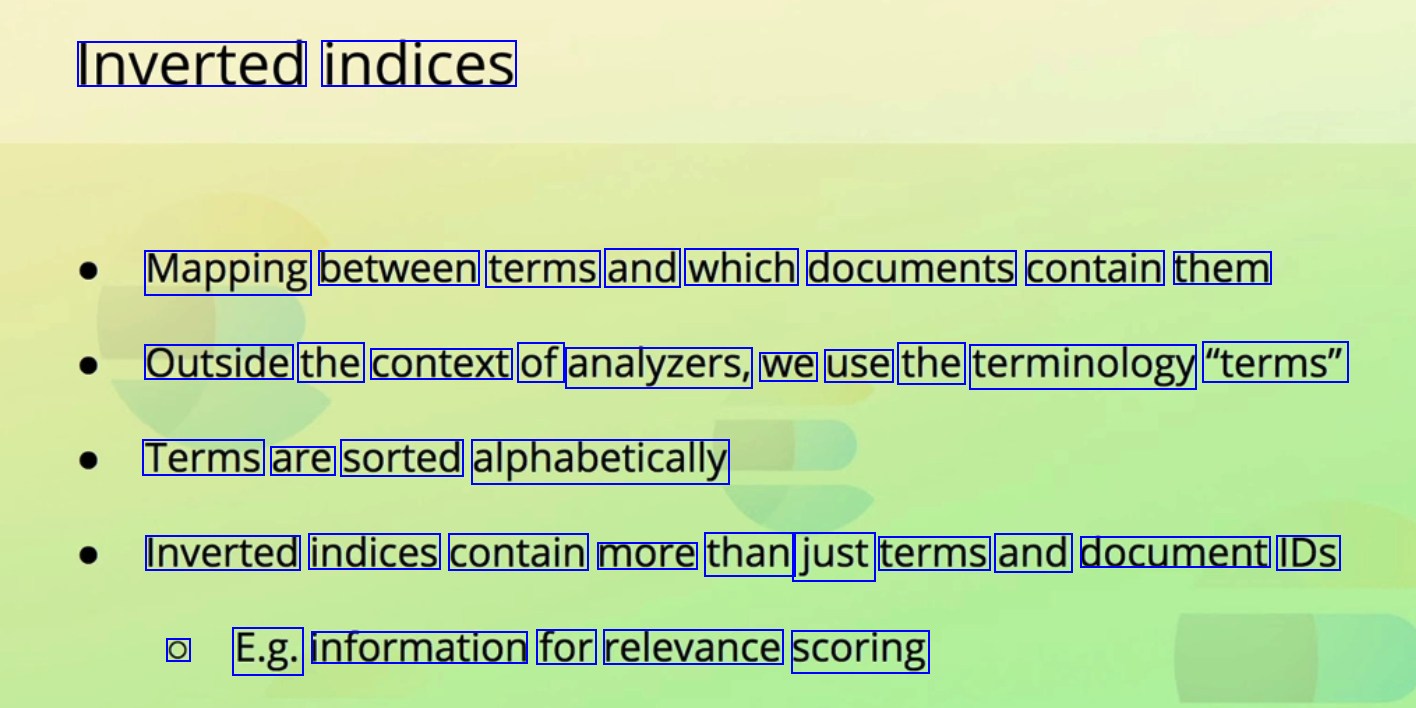
Inverted indices Mapping between terms and which documents contain them Outside the context of analyzers, we use the terminology "terms" Terms are sorted alphabetically Inverted indices contain more than just terms and document IDs O E.g. information for relevance scoring
2023-12-10_16-41-51_screenshot.png #
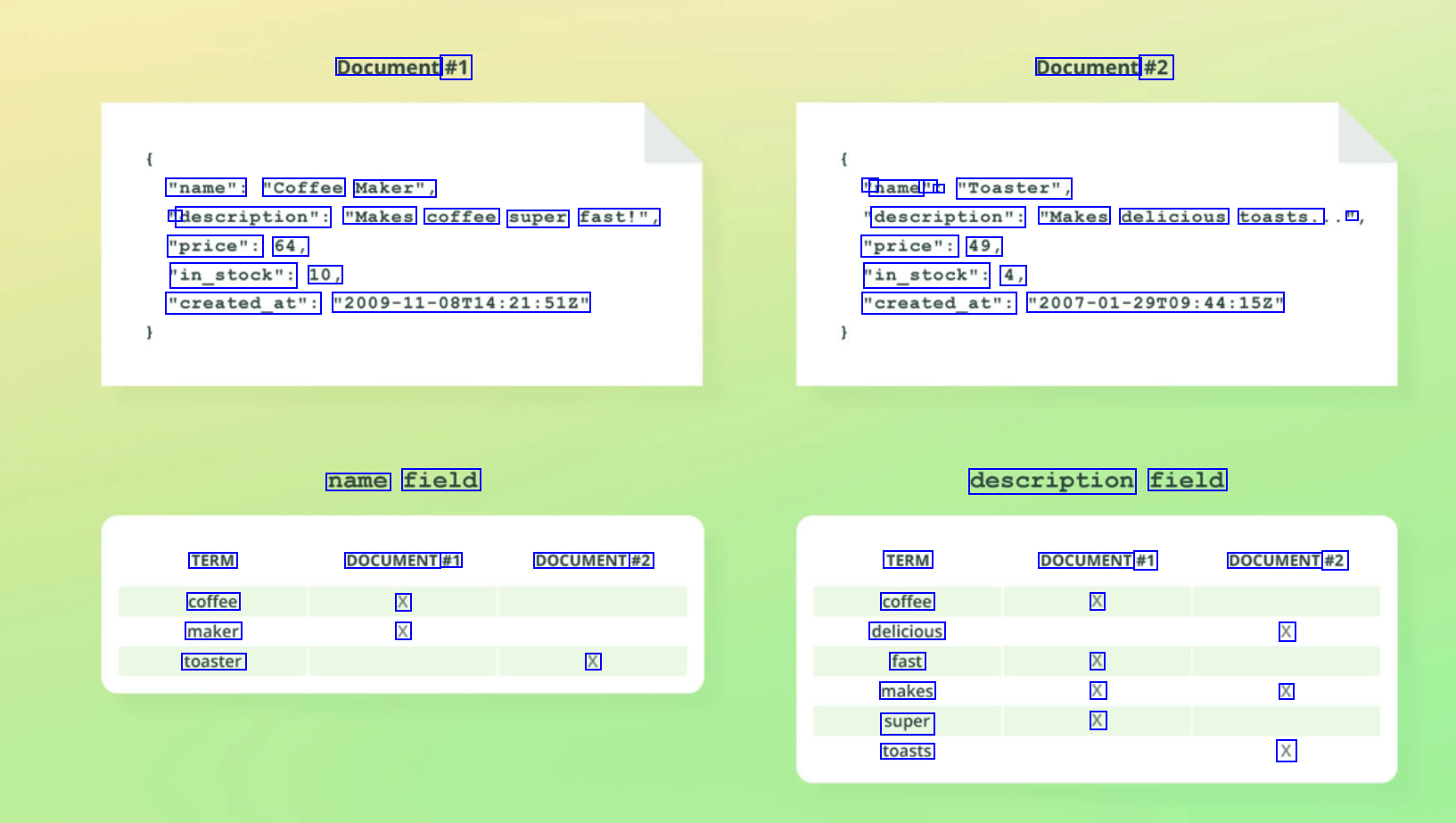
Document #1 Document #2 "name": "Coffee Maker", " name " : "Toaster", " description": "Makes coffee super fast!", description": "Makes delicious toasts. II "price": 64, "in_stock": 10, "price": 49, "in_stock": 4, "created_at": "2009-11-08714:21:512" "created_at": "2007-01-29T09:44:152" name field description field TERM coffee maker toaster DOCUMENT #1 X X DOCUMENT #2 TERM coffee delicious fast makes super toasts DOCUMENT #1 X DOCUMENT #2 X X X X X X X
2023-12-10_16-42-34_screenshot.png #
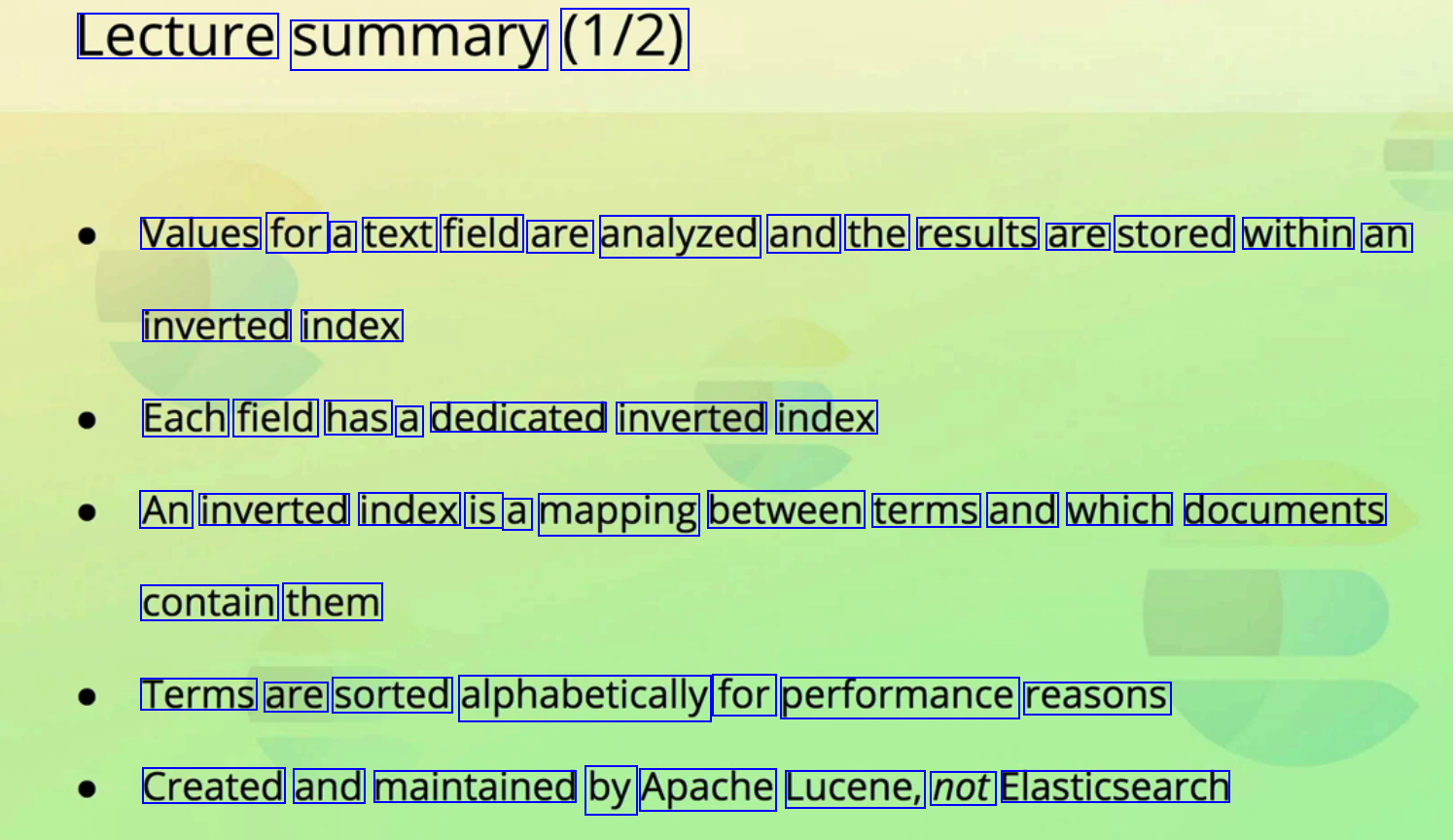
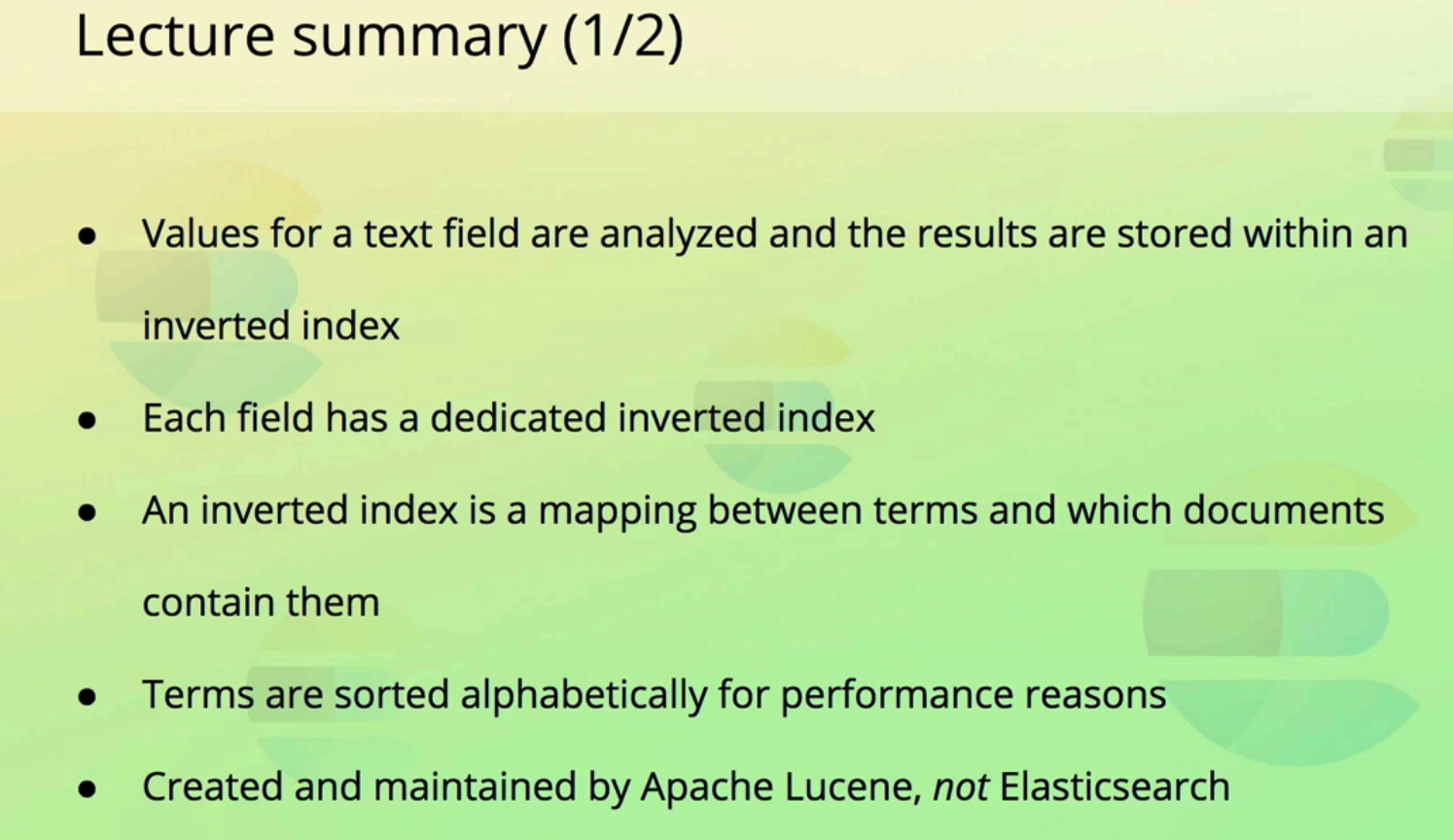
Lecture summary (1/2) Values for a text field are analyzed and the results are stored within an inverted index Each field has a dedicated inverted index An inverted index is a mapping between terms and which documents contain them Terms are sorted alphabetically for performance reasons Created and maintained by Apache Lucene, not Elasticsearch
2023-12-10_16-42-47_screenshot.png #
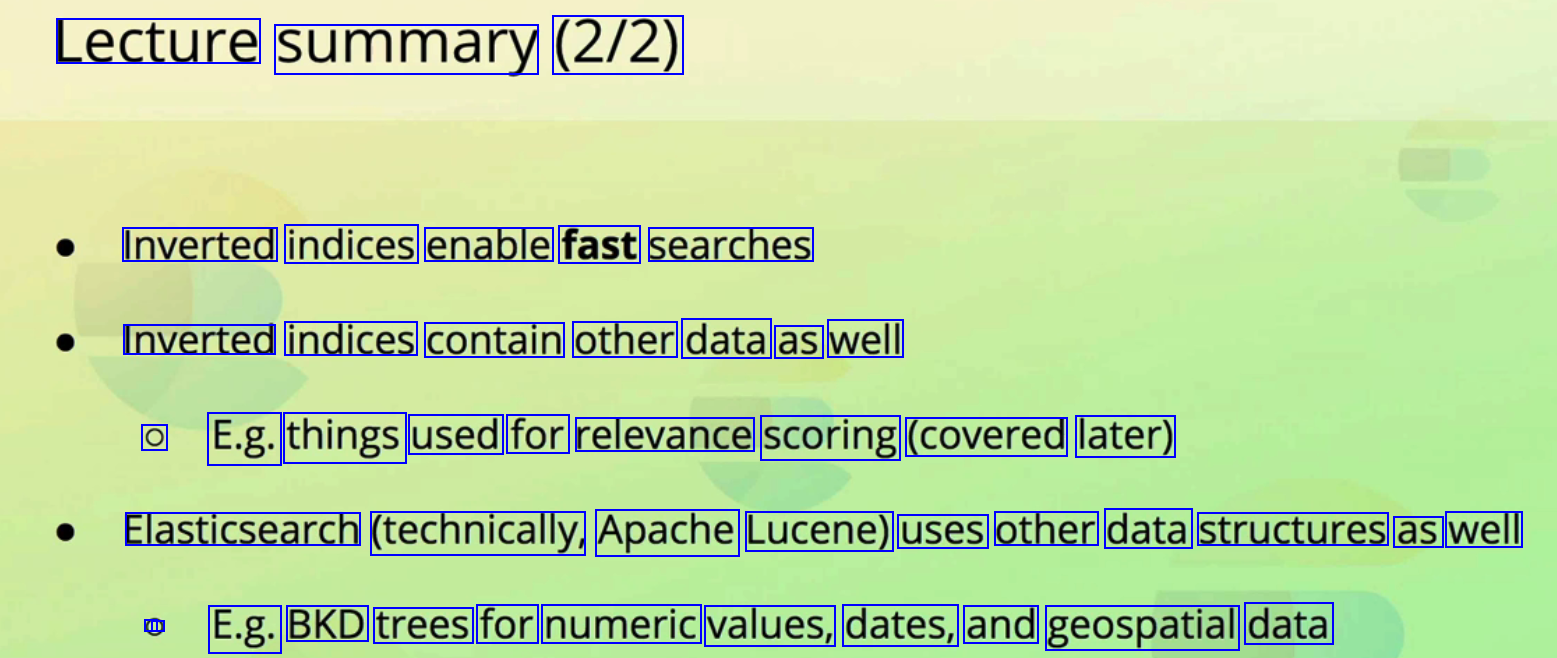
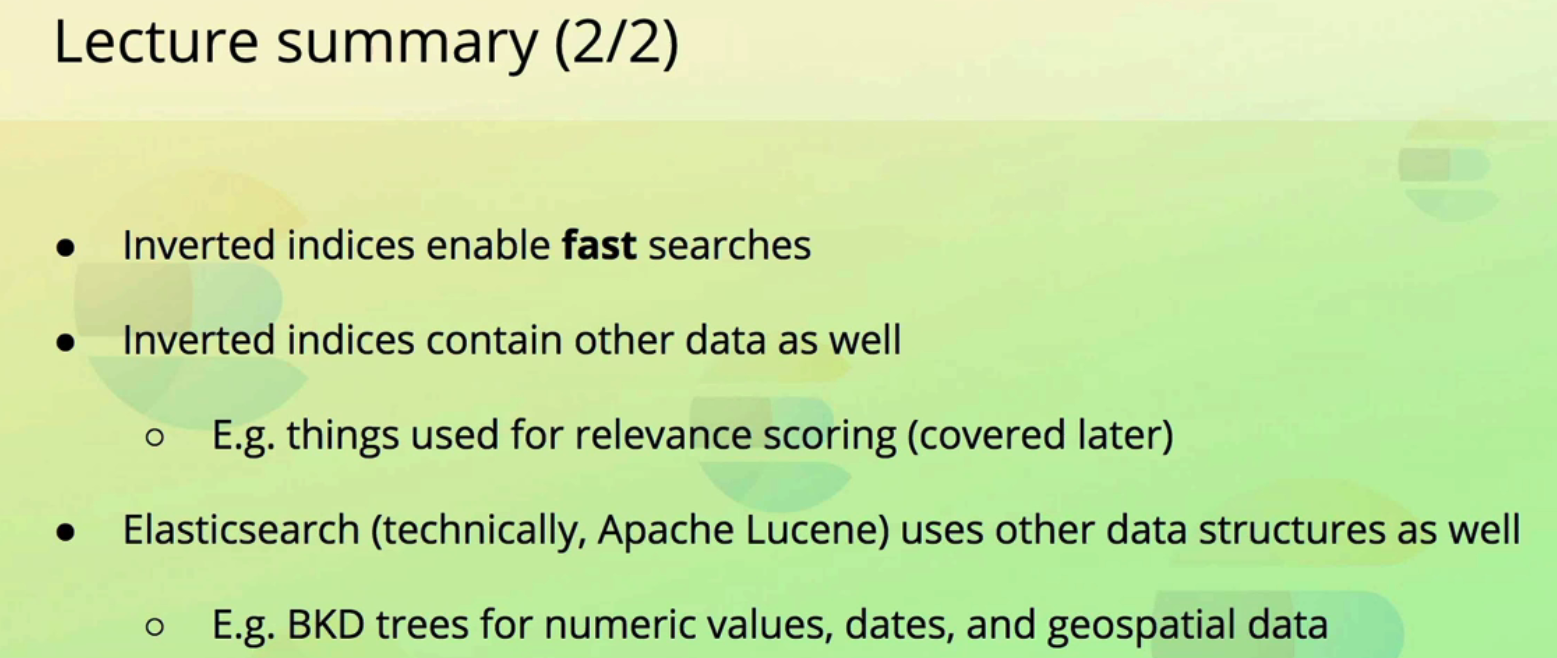
Lecture summary (2/2) Inverted indices enable fast searches Inverted indices contain other data as well O E.g. things used for relevance scoring (covered later) Elasticsearch (technically, Apache Lucene) uses other data structures as well C - E.g. BKD trees for numeric values, dates, and geospatial data
2023-12-10_16-43-43_screenshot.png #
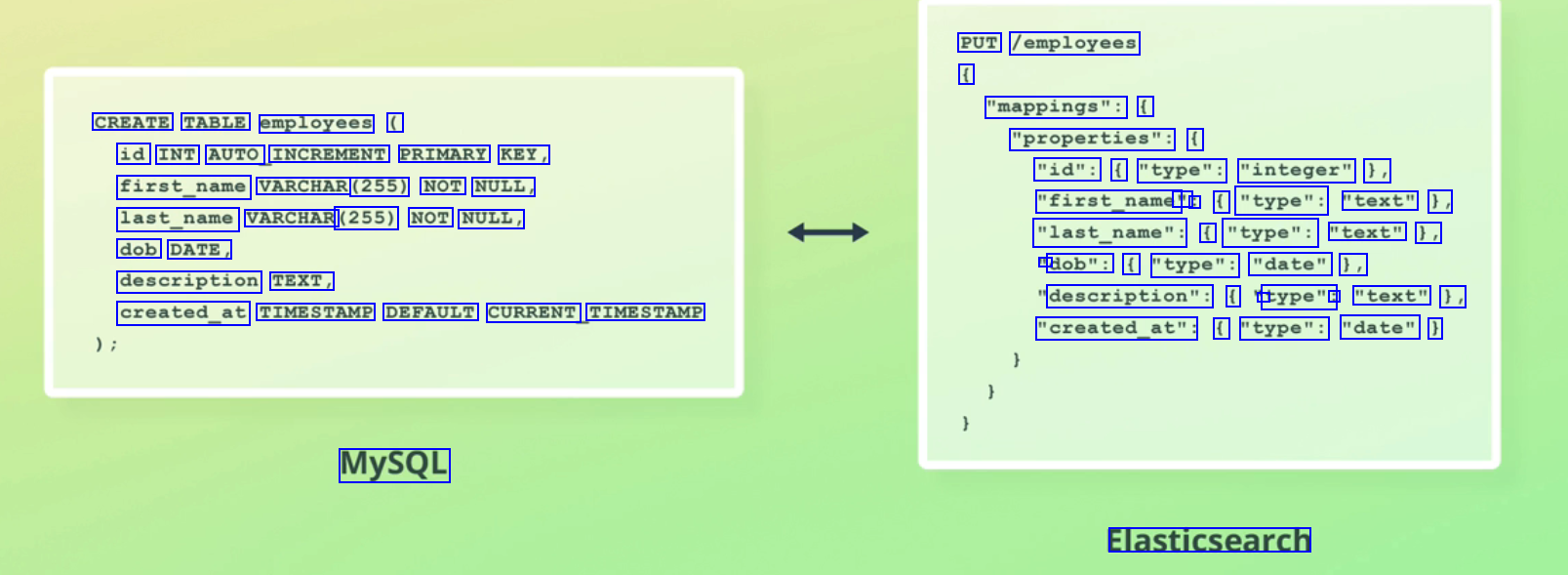
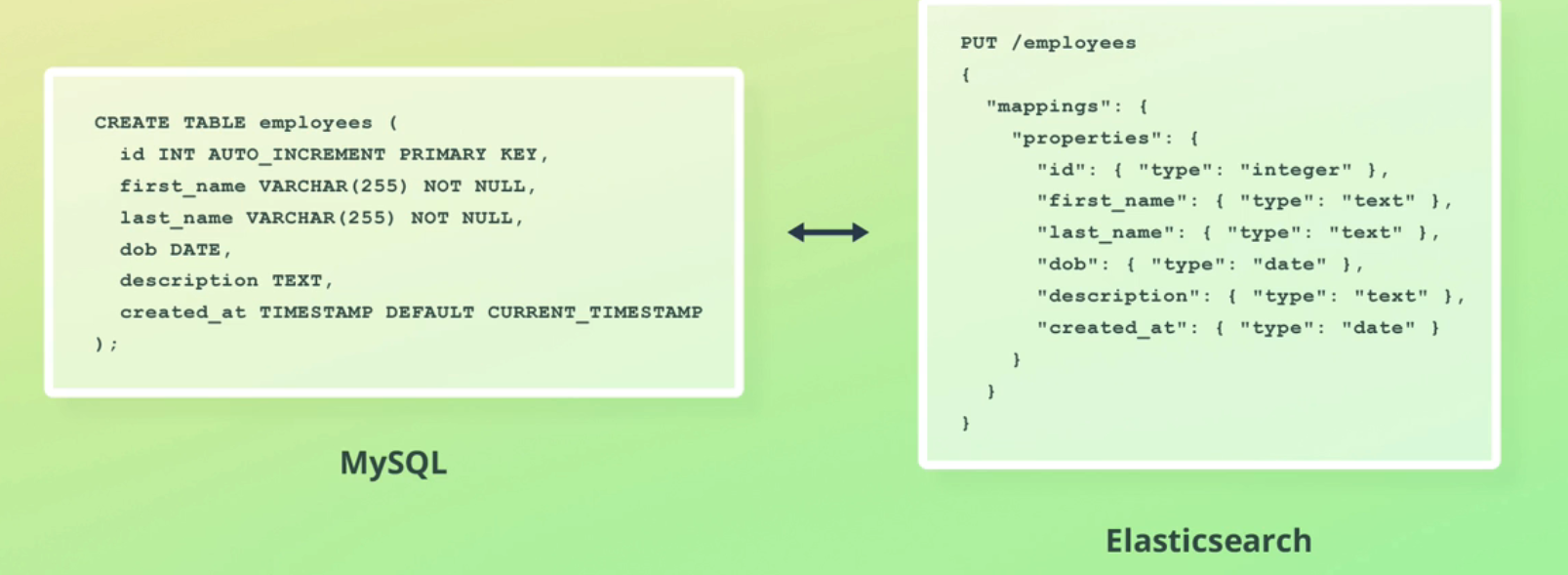
PUT /employees ( "mappings": ( CREATE TABLE employees ( "properties": ( id INT AUTO INCREMENT PRIMARY KEY, first_name VARCHAR (255) NOT NULL, last_name VARCHAR (255) NOT NULL, "id": ( "type": "integer" ), "first_name' " : ( "type": "text" 1, "last_name": f "type": "text" 1, - dob": ( "type": "date" 1, dob DATE, description TEXT, description": ( 1 type": : "text" 1, "created_at": ( "type": "date" ) created_at TIMESTAMP DEFAULT CURRENT TIMESTAMP MySQL Elasticsearch
2023-12-10_16-43-53_screenshot.png #
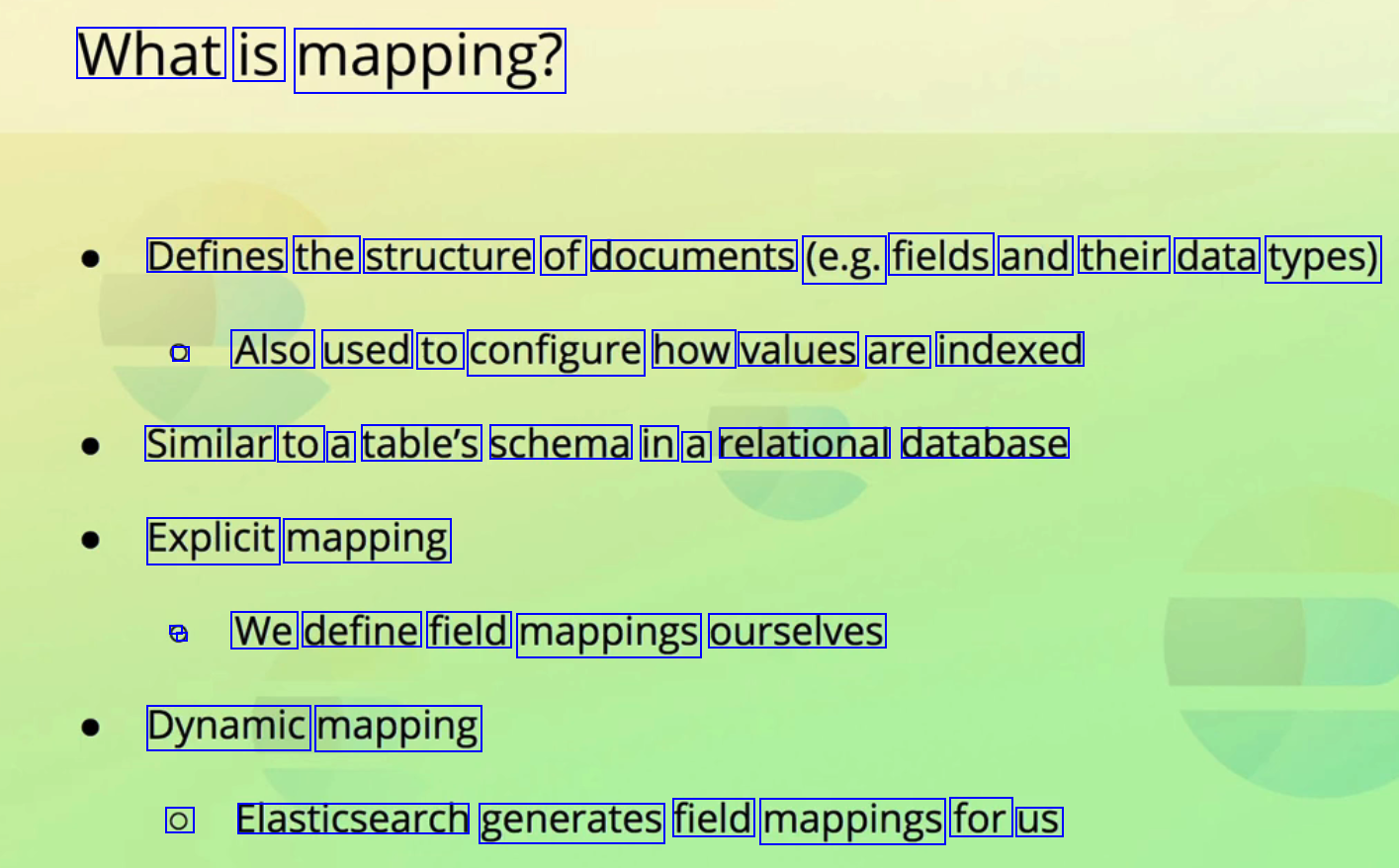
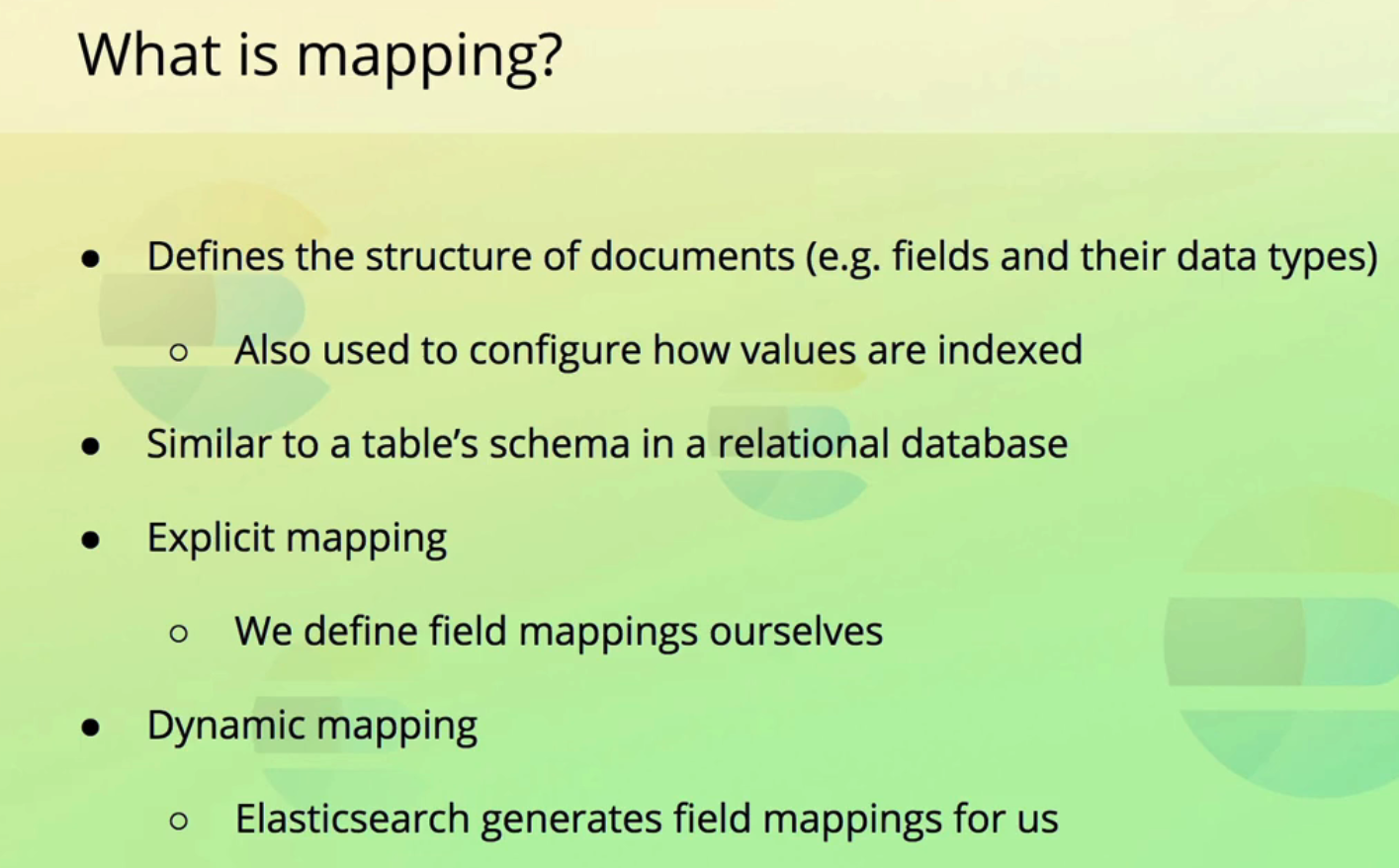
What is mapping? Defines the structure of documents (e.g. fields and their data types) ) Also used to configure how values are indexed Similar to a table's schema in a relational database Explicit mapping . We define field mappings ourselves Dynamic mapping O Elasticsearch generates field mappings for us
2023-12-10_16-44-29_screenshot.png #
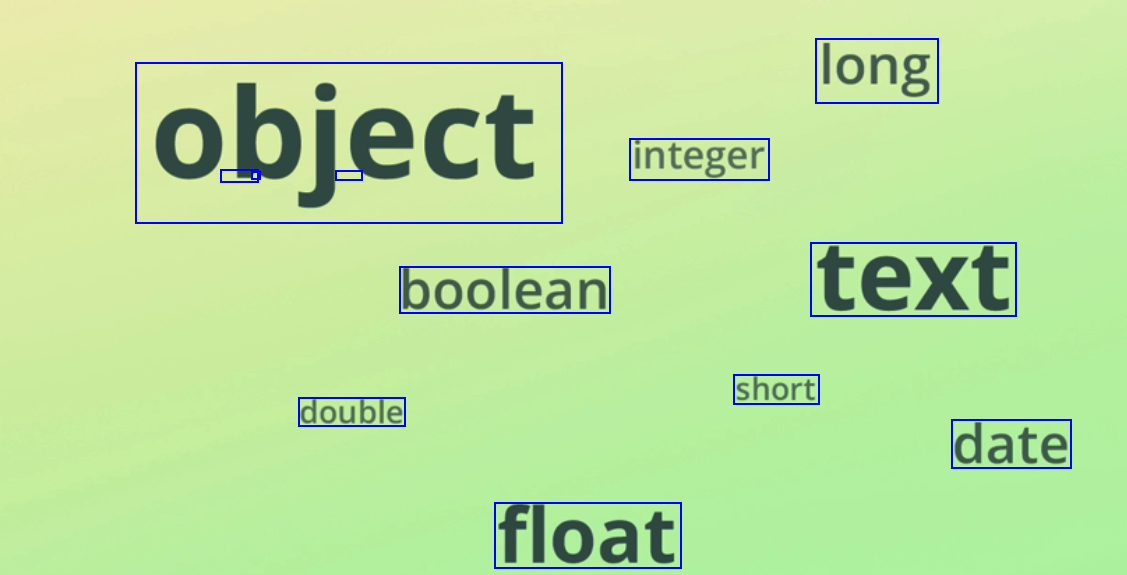
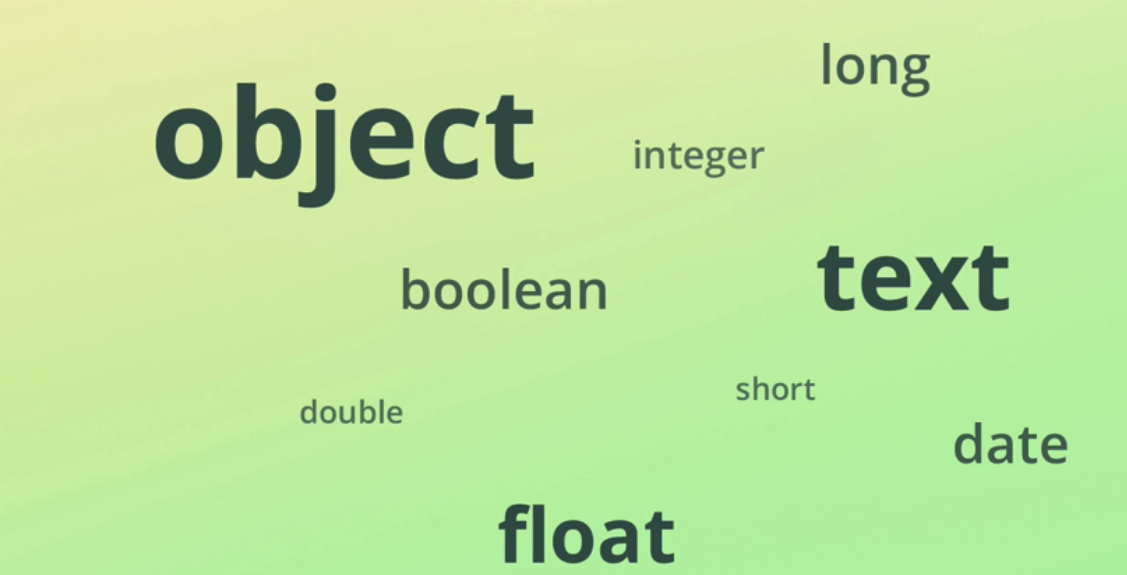
long - - - integer object boolean text short double date float
2023-12-10_16-45-28_screenshot.png #
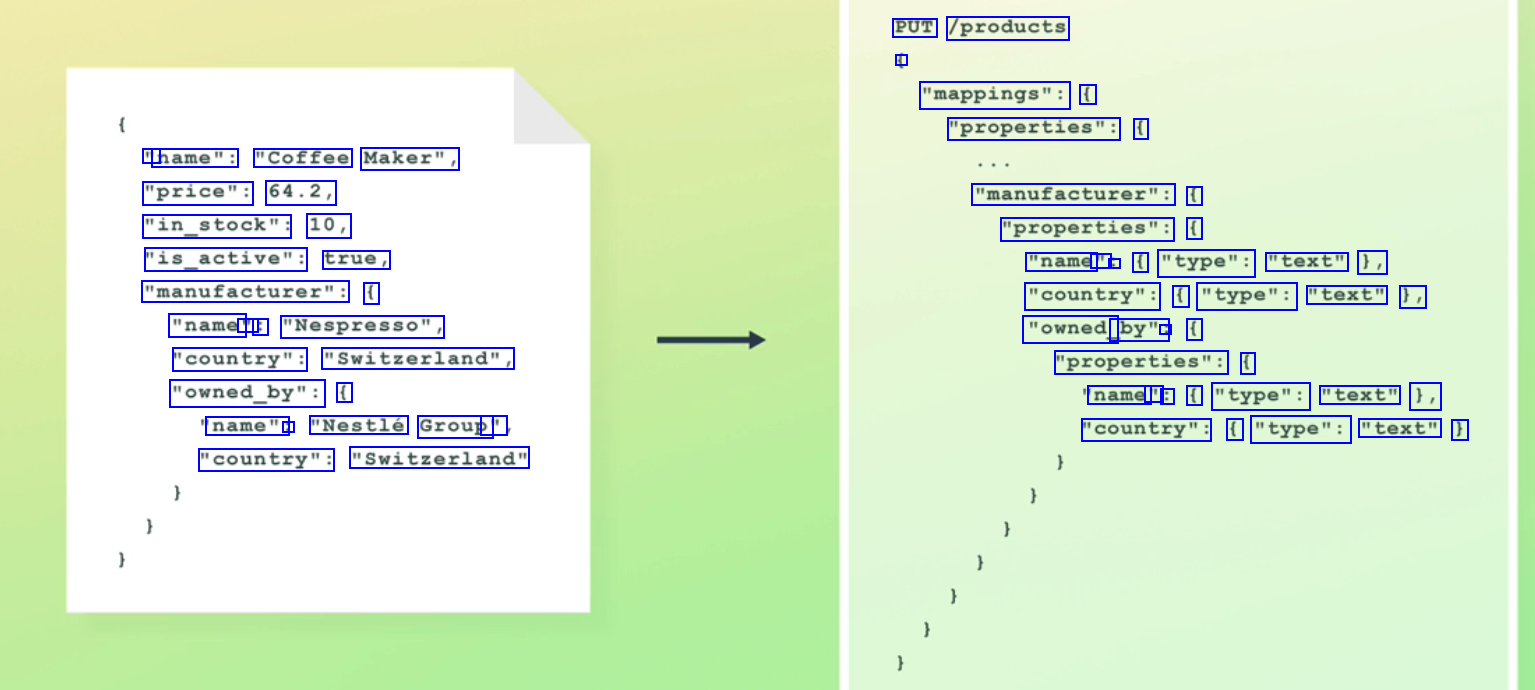
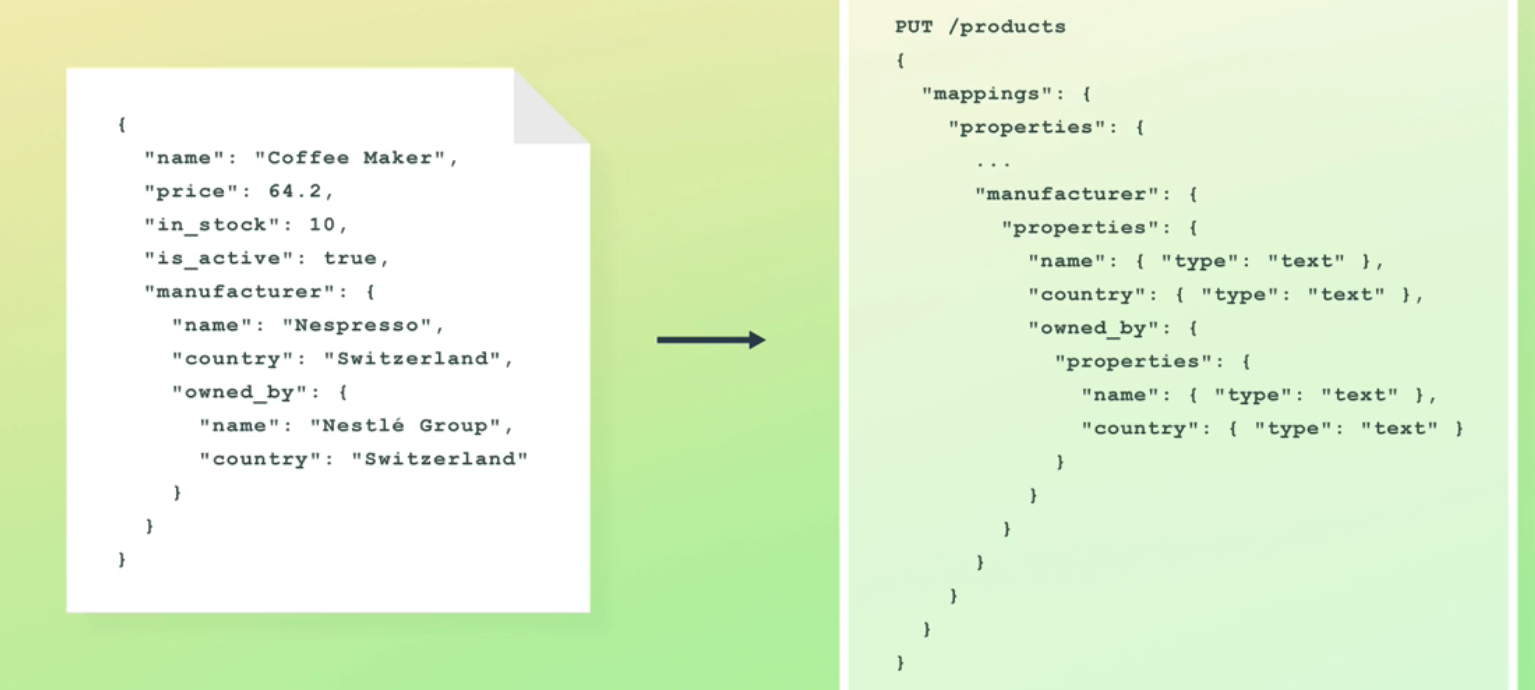
PUT /products - "mappings": ( "properties": ( " name": "Coffee Maker", "price": 64.2, "in_stock": 10, "is_active": true, "manufacturer": ( "name' " : "Nespresso", "country": "Switzerland", "owned_by": ( "manufacturer": ( "properties": ( "name - : ( "type": "text" 1, "country": ( "type": "text" 1, "owned_ by": : ( "properties": ( name " : ( "type": "text" 1, "country": ( "type": "text" ) name": : "Nestlé Group' " "country": "Switzerland"
2023-12-10_16-46-00_screenshot.png #
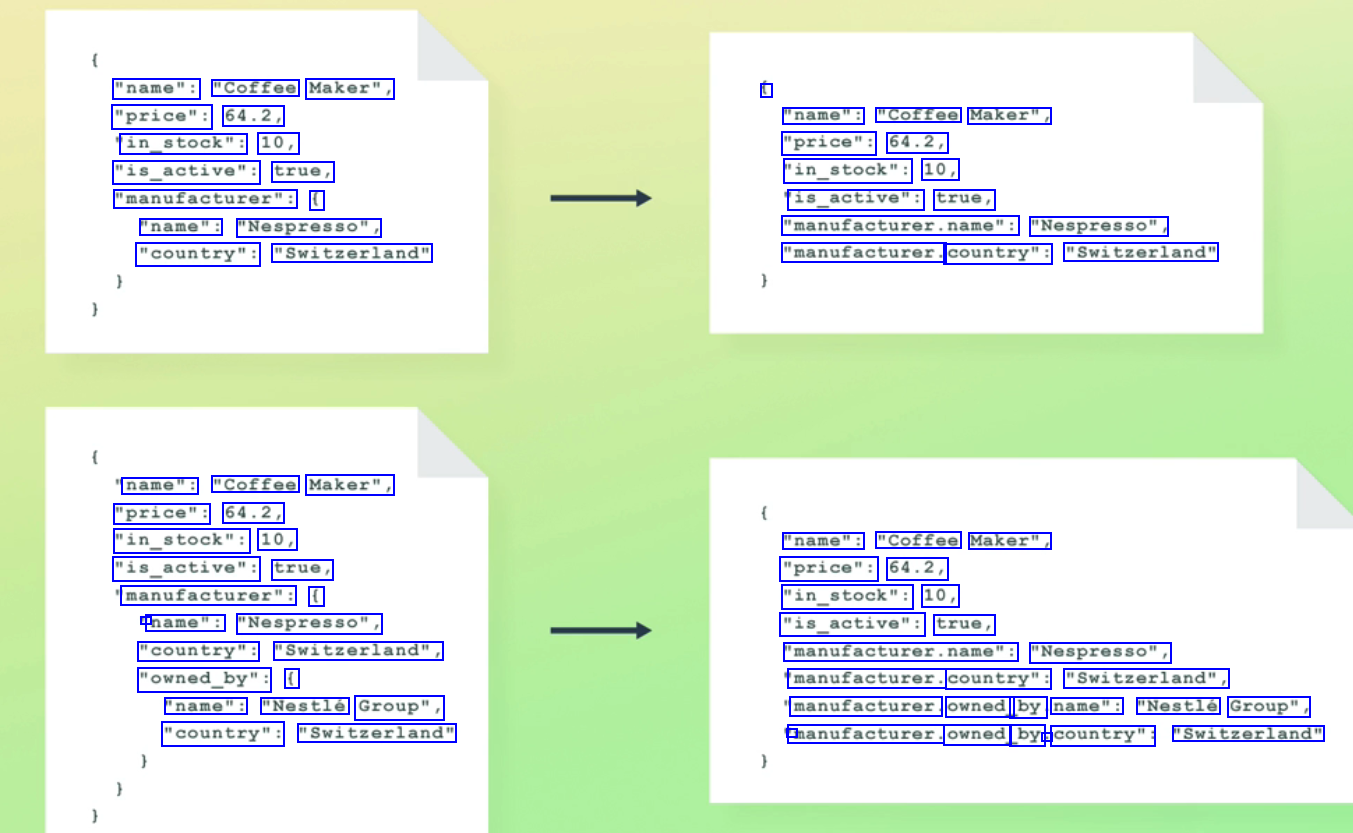
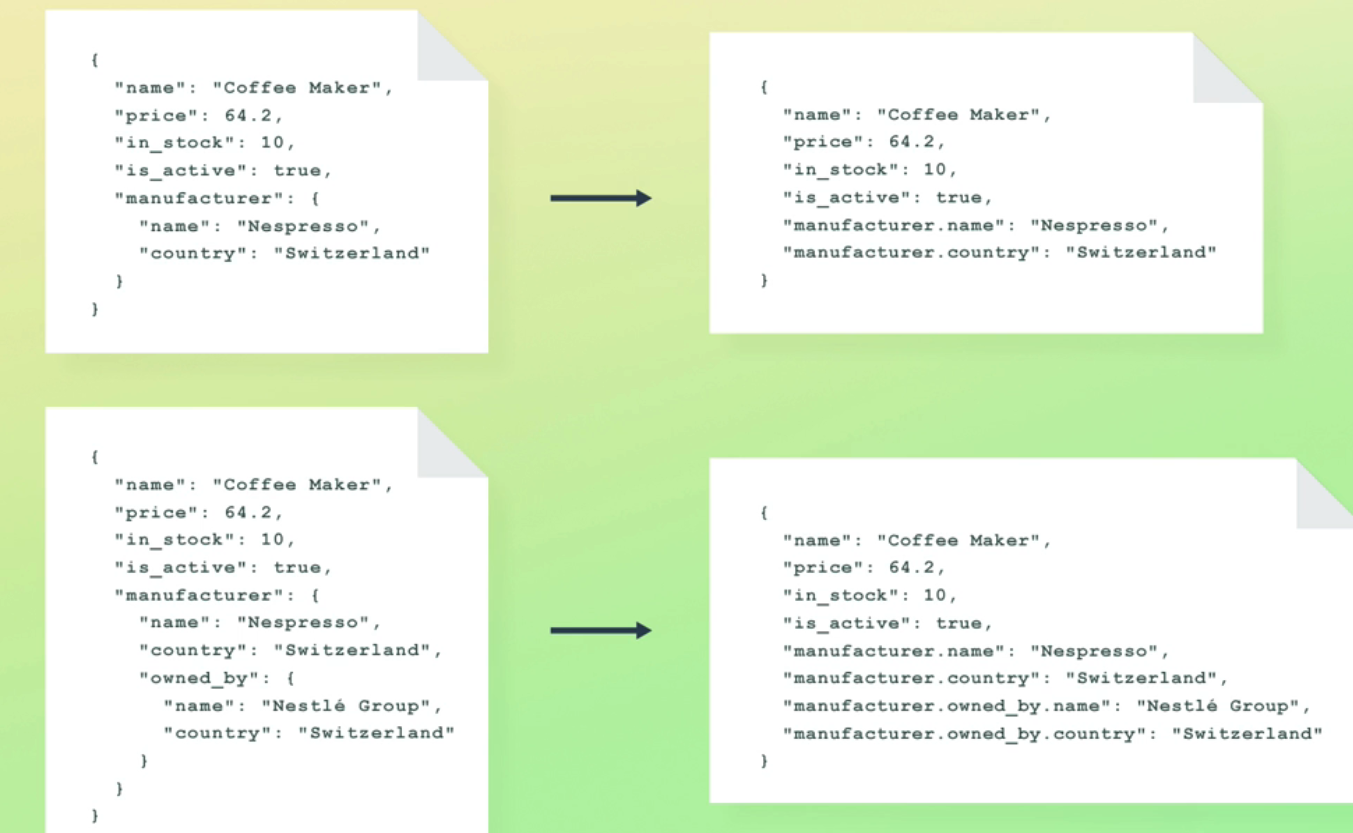
"name": "Coffee Maker", "price": 64.2, in_stock": 10, "is_active": true, "manufacturer": ( "name": "Nespresso", "country": "Switzerland" 1 "name": "Coffee Maker", "price": 64.2, "in_stock": 10, is_active": true, "manufacturer.name": "Nespresso", "manufacturer. country": "Switzerland" name": "Coffee Maker", "price": 64.2, "in_stock": 10, "is_active": true, manufacturer": ( l name": "Nespresso", "country": "Switzerland", "owned_by": ( "name": "Coffee Maker", "price": 64.2, "in_stock": 10, "is_active": true, "manufacturer.name": "Nespresso", manufacturer. country": "Switzerland", manufacturer. owned by name": "Nestlé Group", 1 manufacturer. owned by : country": "Switzerland" "name": "Nestlé Group", "country": "Switzerland"
2023-12-10_16-46-16_screenshot.png #
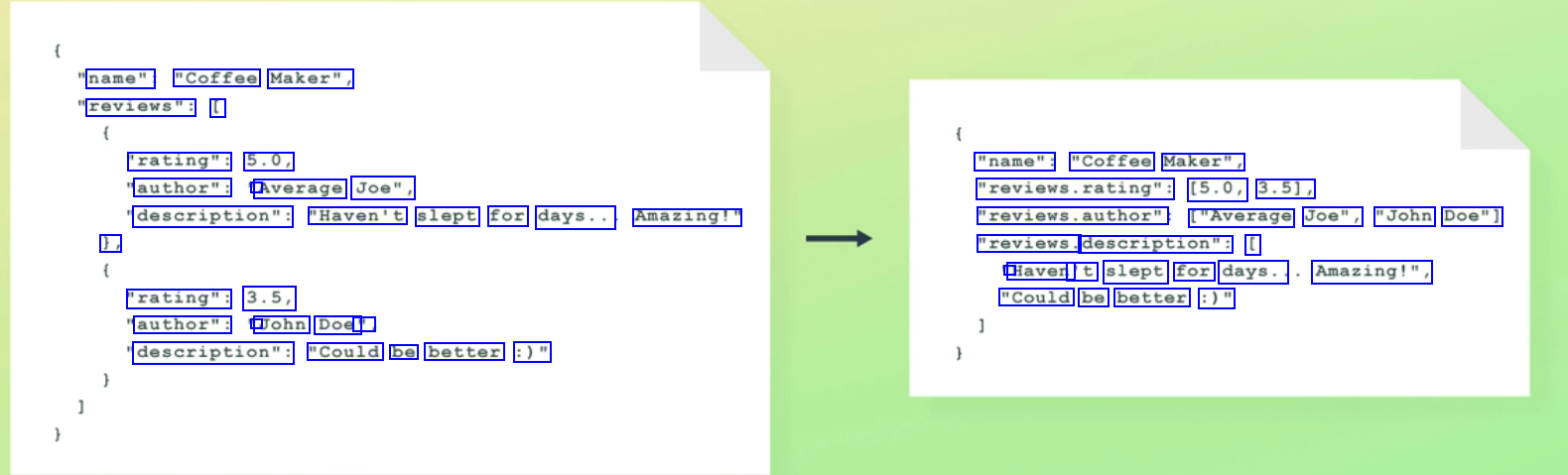
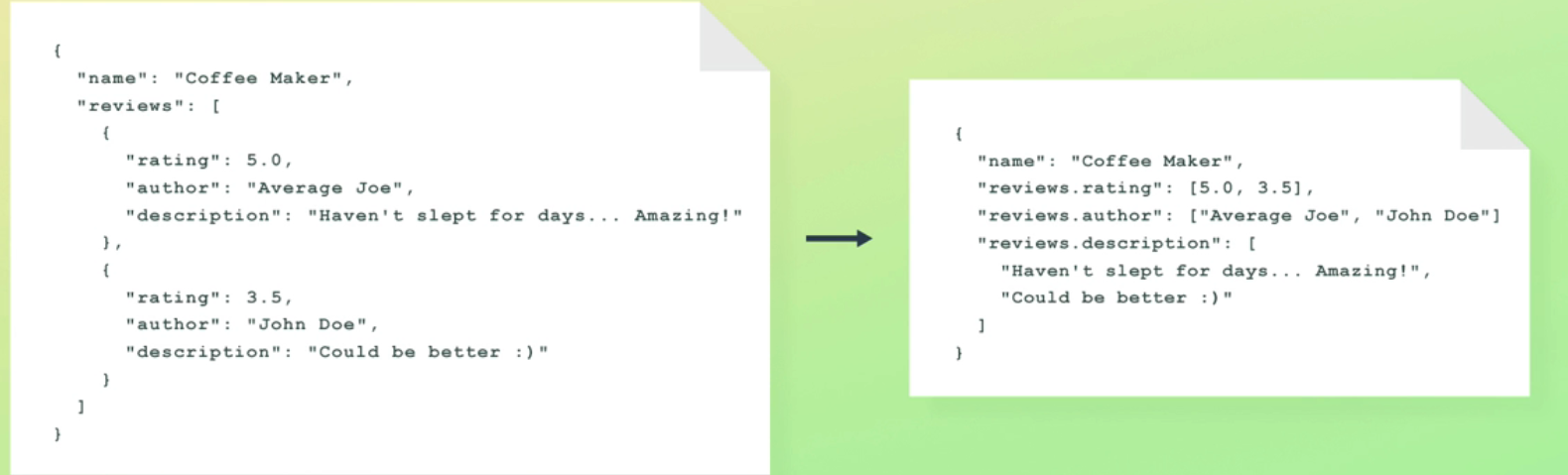
name": "Coffee Maker", reviews": [ 'rating": 5.0, "name": "Coffee Maker", author": ' Average Joe", "reviews.rating": (5.0, 3.51, description": "Haven't slept for days.. Amazing!" reviews.author" ["Average Joe", "John Doe"] ), "reviews. description": [ ' Haven 't slept for days.. Amazing!", "rating": 3.5, "Could be better :)" author": ' John Doe' : description": "Could be better :)"
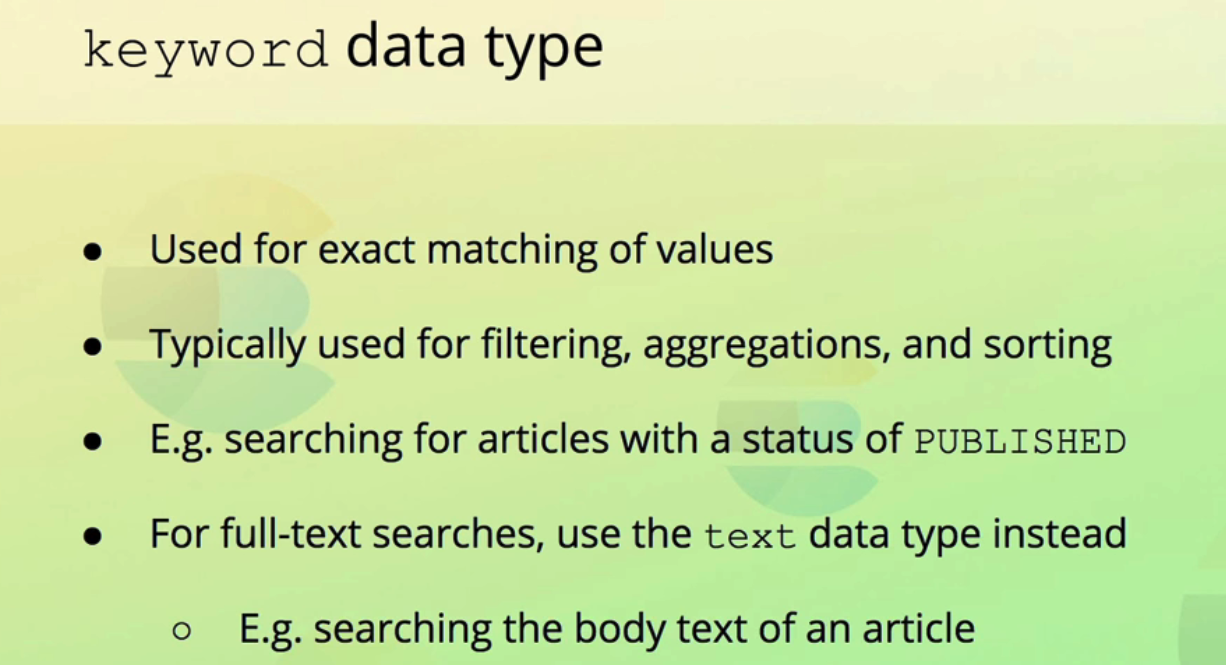
2023-12-10_16-48-21_screenshot.png #
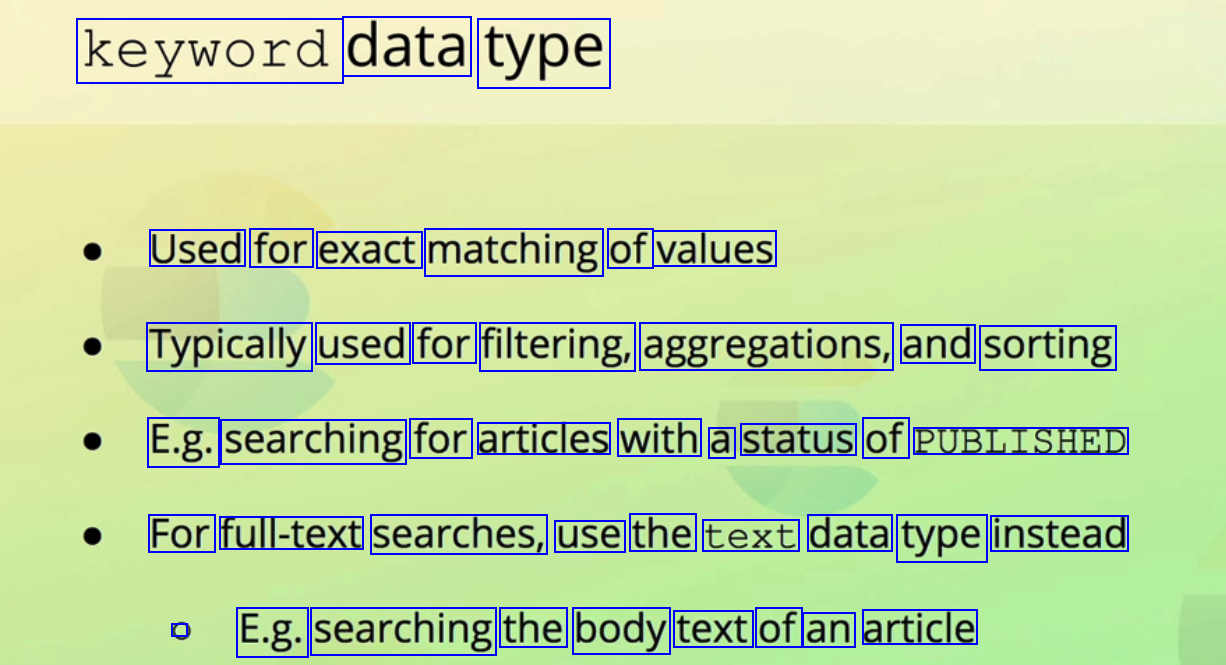
keyword data type Used for exact matching of values Typically used for filtering, aggregations, and sorting E.g. searching for articles with a status of PUBLISHED For full-text searches, use the text data type instead C E.g. searching the body text of an article
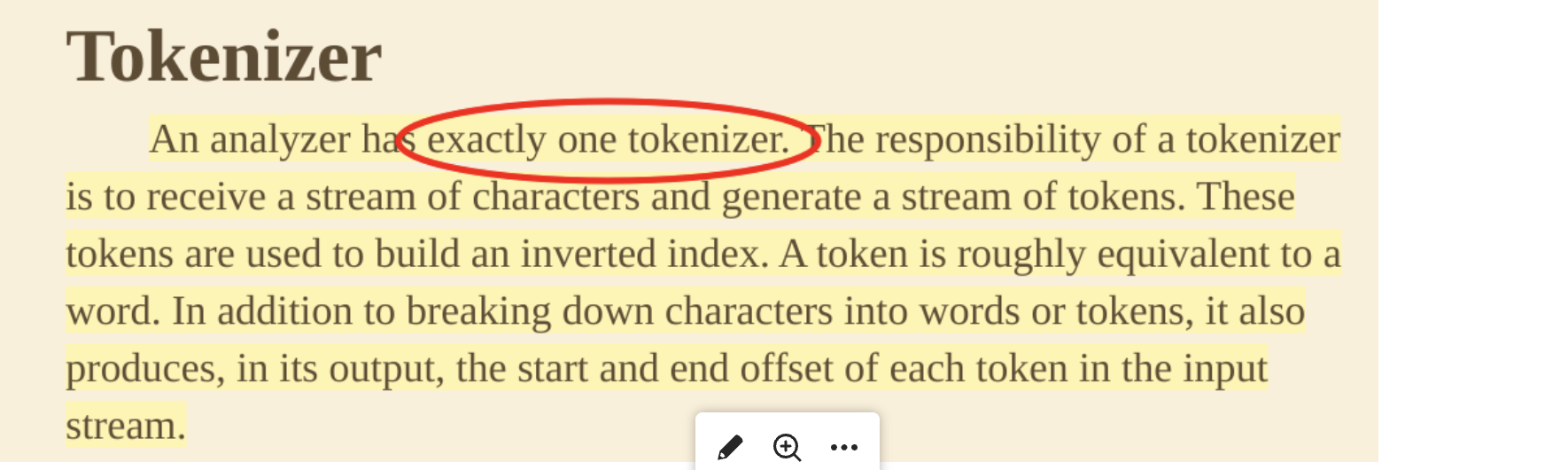
2023-08-25_22-29-57_screenshot.png #
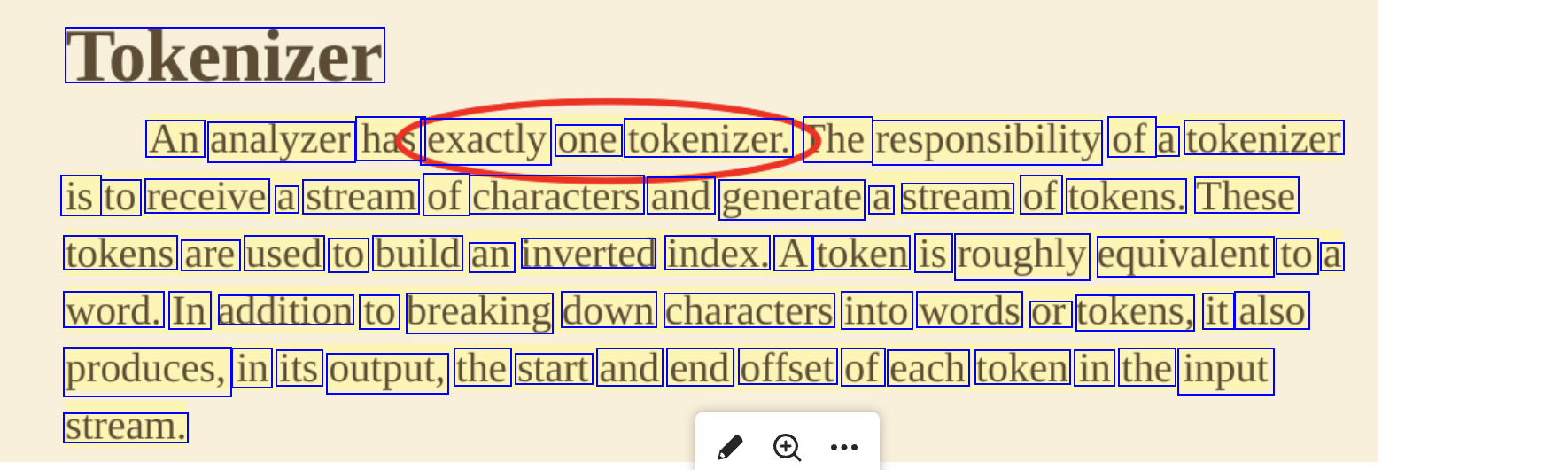
Tokenizer An analyzer has exactly one tokenizer. he responsibility of a tokenizer is to receive a stream of characters and generate a stream of tokens. These tokens are used to build an inverted index. A token is roughly equivalent to a word. In addition to breaking down characters into words or tokens, it also produces, in its output, the start and end offset of each token in the input stream.